


NetBird already strengthens network security by letting you control access to internal resources, enforce policies, and audit configuration changes. But access control and audit logs alone aren’t enough, you also need visibility into what’s actually happening on the network: who accessed what, when, and why.
To address this need, we are excited to announce the new Traffic Events Logging feature in NetBird. This feature provides detailed logs of connection traffic events, useful for staying compliant with security policies, debugging network issues, and incident response.
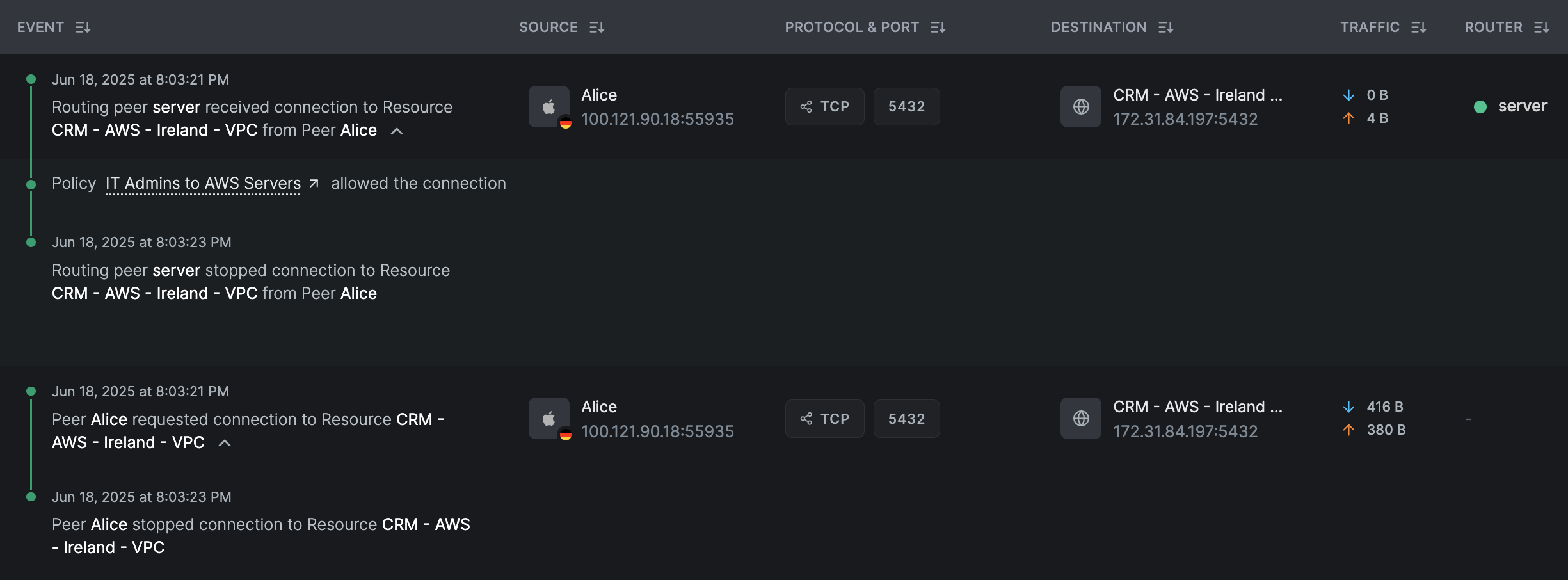
The feature provides in-depth visibility into network interactions, capturing:
Logged events can be exported to external systems for further analysis, such as SIEMs or log management tools using NetBird's Event Streaming feature .
Traffic Events Logging feature logs connection events in real-time for peer-to-peer and peer-to-network resource connections.
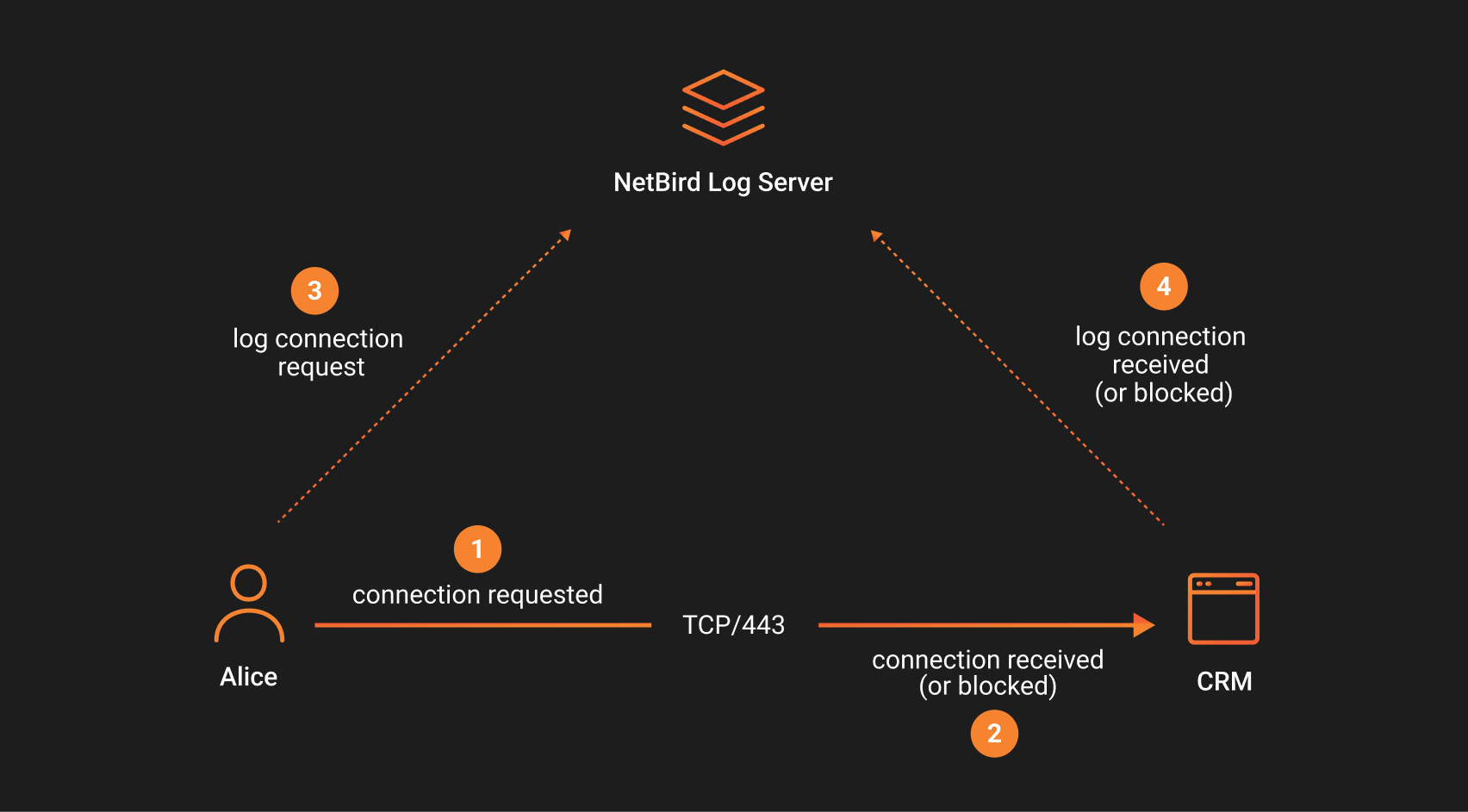
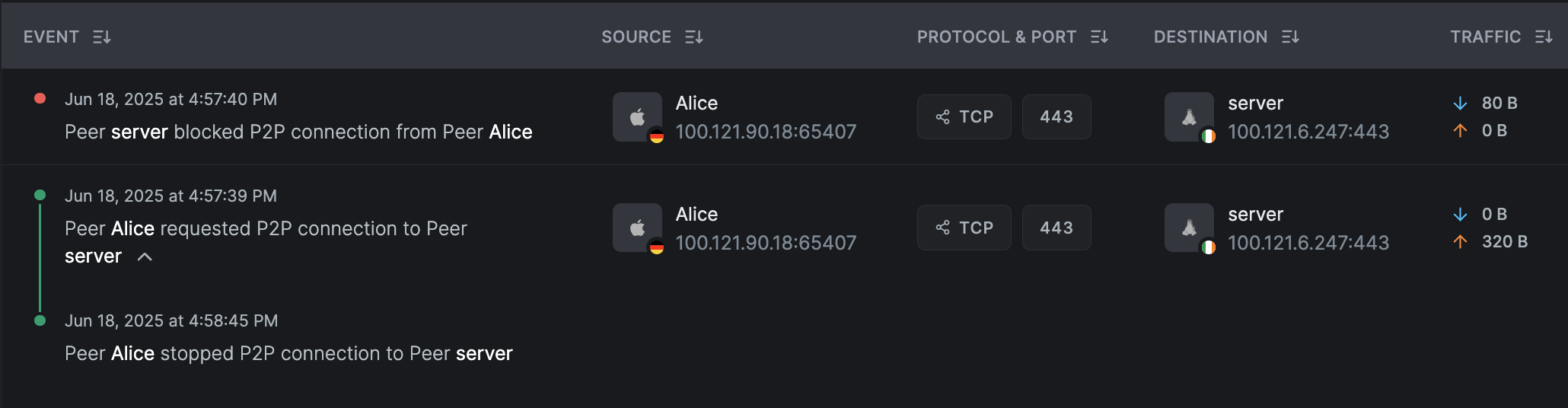
When two peers run a NetBird agent and connect directly (e.g., a laptop accessing a CRM server), NetBird logs the connection events on both peers. Events include:
If the connection is allowed by an access control policy, both peers will log connection started and stopped events. If it's blocked (e.g., policy doesn't allow access to certain ports), only the denying peer logs the blocked event.
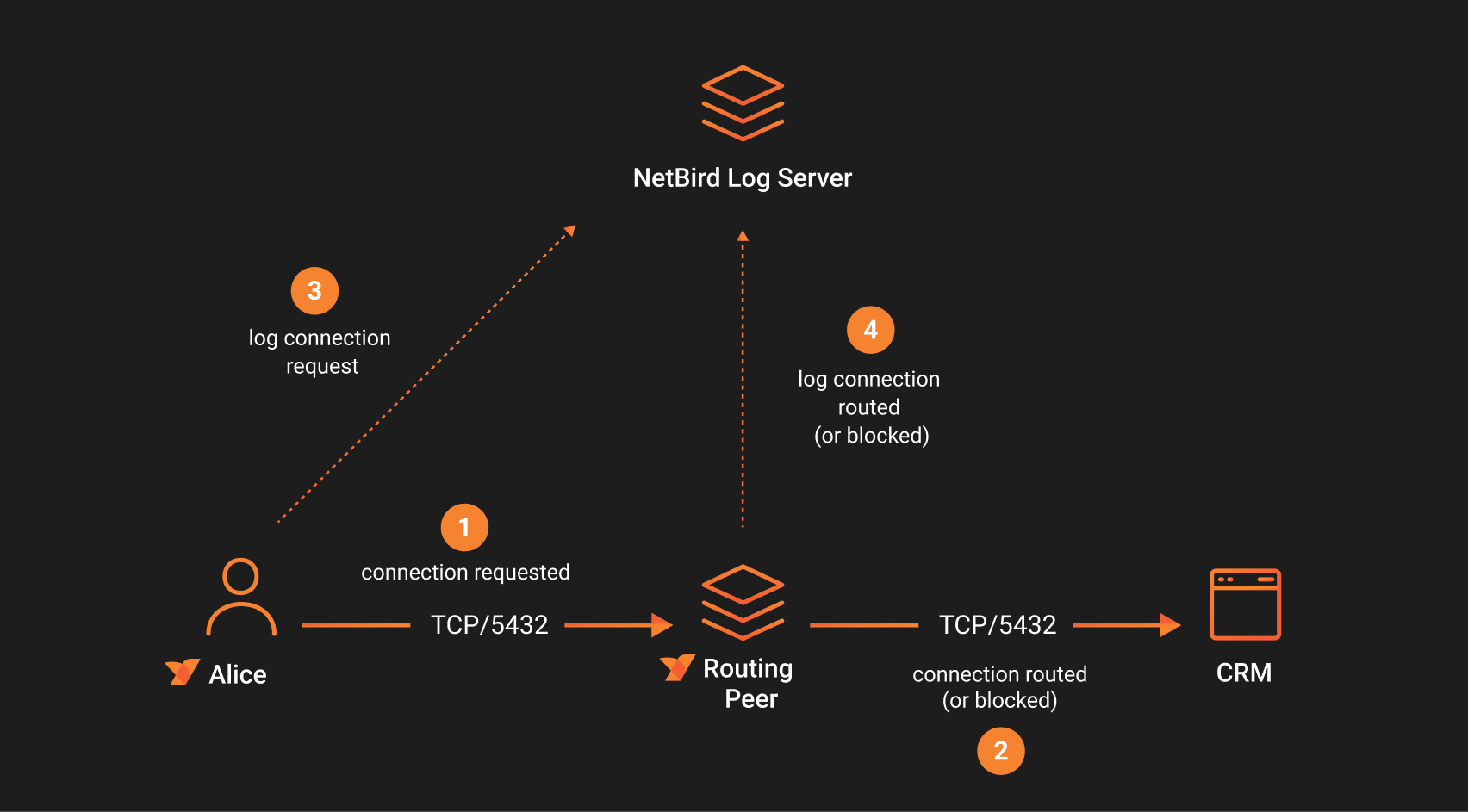
When a peer accesses a network resource through a NetBird routing peer, the system logs:
If the routing peer allows the traffic (based on an access policy), both peers will show connection started and stopped events. If the routing peer blocks the traffic, it logs blocked events, while the initiating peer logs only the attempt to connect.
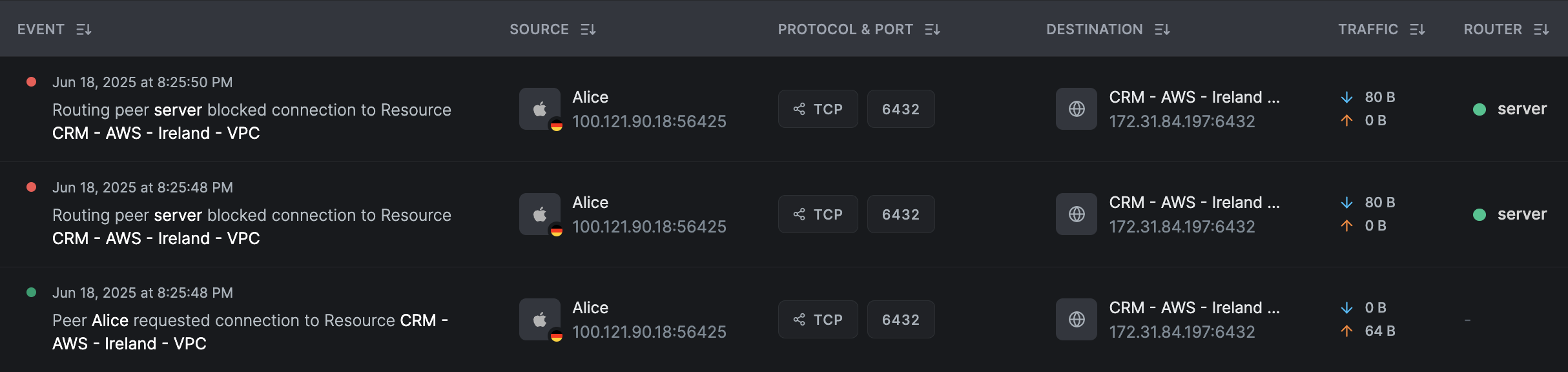
This feature is available in NetBird Cloud under the Business plan and can be enabled in the NetBird dashboard:
Logs are retained for seven days, with current API cap at 50,000 events. Events may take up to ten minutes to appear after connection start.
此内容由惯性聚合(RSS阅读器)自动聚合整理,仅供阅读参考。 原文来自 — 版权归原作者所有。