


Early versions of NetBird maintained persistent WireGuard connections between peers. This approach kept WireGuard connections open even if there was no actual traffic, consuming unnecessary resources on the devices. As a result, maintaining continuous peer connections can lead to scalability issues and inefficient performance, particularly within large-scale or resource-constrained environments.
NetBird has introduced a new feature called lazy connections to address these challenges. This feature allows NetBird to establish peer connections only when there is actual network activity, significantly improving network efficiency and resource utilization.
The lazy connections feature greatly improves how NetBird handles connectivity. Instead of constant connections, peers now connect on-demand, and are activated by network activity such as pinging a remote peer, or accessing an internal resource via a browser, ssh, etc. When enabled, lazy connections:
Lazy Connections significantly improve network performance and resource efficiency. By activating connections only as needed, the feature:
Enabling Lazy Connections is straightforward:
Via environment variable:
Via CLI:
Or easily through the NetBird Dashboard:
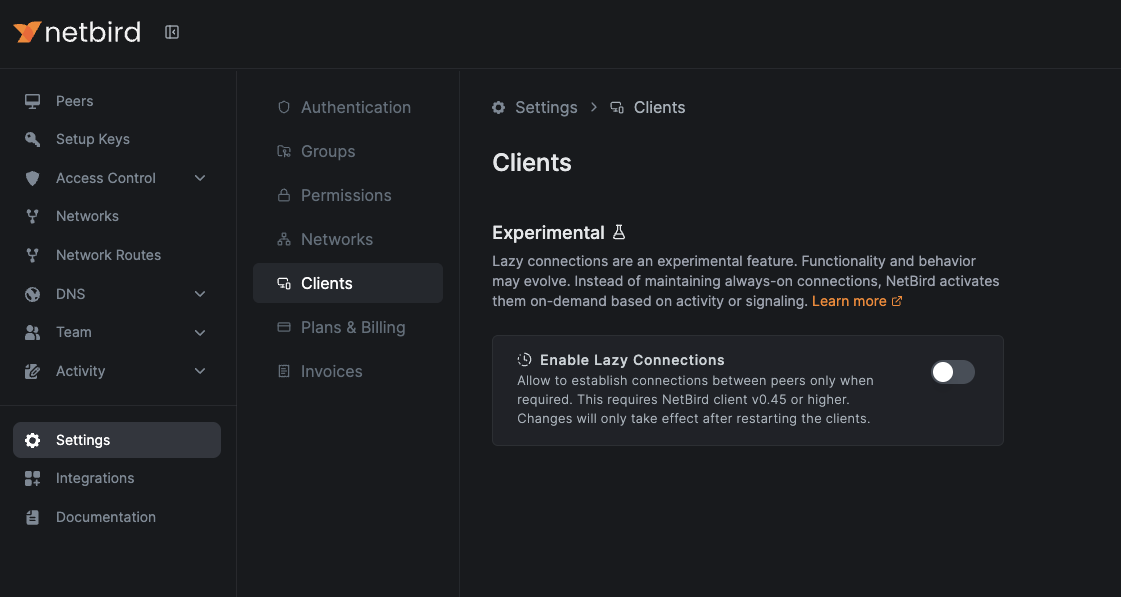
Ensure your NetBird agent and Management server are updated to version 0.45.0 or higher.
NetBird continues to refine Lazy Connections, enhancing disconnection logic and supporting resource access via routing peers. Your feedback helps shape these improvements.
Explore the Lazy Connections documentation .
此内容由惯性聚合(RSS阅读器)自动聚合整理,仅供阅读参考。 原文来自 — 版权归原作者所有。