



惯性聚合 高效追踪和阅读你感兴趣的博客、新闻、科技资讯
阅读原文 在惯性聚合中打开

推荐订阅源

freeCodeCamp Programming Tutorials: Python, JavaScript, Git & More
cs.AI updates on arXiv.org
AI
AI
L
LINUX DO - 最新话题
The Register - Security
T
Threatpost
Y
Y Combinator Blog
K
KPMG report finds enterprise disconnect between AI and its ROI | CIO
Attack and Defense Labs
T
Tailwind CSS Blog
P
Proofpoint News Feed
MongoDB | Blog
MongoDB | Blog
H
Heimdal Security Blog
小众软件
小众软件
D
Docker
奇客Solidot–传递最新科技情报
奇客Solidot–传递最新科技情报
T
The Exploit Database - CXSecurity.com
AWS News Blog
AWS News Blog
腾讯CDC
博客园 - 司徒正美
美团技术团队
L
LINUX DO - 热门话题
N
Netflix TechBlog - Medium
Stack Overflow Blog
Stack Overflow Blog
S
Security Affairs
阮一峰的网络日志
阮一峰的网络日志
爱范儿
爱范儿
N
News and Events Feed by Topic
J
Java Code Geeks
F
Fortinet All Blogs
cs.CL updates on arXiv.org
U
Unit 42
V2EX - 技术
V2EX - 技术
钛媒体:引领未来商业与生活新知
钛媒体:引领未来商业与生活新知
T
Tor Project blog
H
Help Net Security
The GitHub Blog
The GitHub Blog
L
Lohrmann on Cybersecurity
Hugging Face - Blog
Hugging Face - Blog
S
Securelist
PCI Perspectives
PCI Perspectives
W
WeLiveSecurity
A
About on SuperTechFans
N
News and Events Feed by Topic
博客园 - 叶小钗
Cloudbric
Cloudbric
L
LangChain Blog
WordPress大学
WordPress大学
B
Blog
Exploit-DB.com RSS Feed

NetBird - Networking Knowledge Hub - RSS Feed

Native NetBird on the GL.iNet Comet Pro (GL-RM10) NetBird v0.71 - IPv6 Overlay Addressing NetBird Exit Nodes - Appear at Home, or Anywhere Else Reporting Bugs and Requesting Features in NetBird Setup and Use Local AdGuard Home Anywhere with NetBird DNS How to Set Up NetBird on PiKVM for Secure Remote KVM Access NetBird v0.69 - CrowdSec IP Reputation for the Reverse Proxy Cloudflare Mesh vs NetBird vs Tailscale: Performance Compared Self-Hosting Nextcloud with Docker and NetBird Implementing Zero Trust with NetBird NetBird v0.67 - Layer 4 Proxy Support for TCP, UDP, and TLS Solwr Enhances Remote Connectivity with NetBird Self-Hosting NetBird with Authentik Jellyfin Media Server - Self-Host Your Movies, TV, and Music Cloudflare Tunnels vs. NetBird Reverse Proxy INFITX Builds Zero-Touch Kubernetes Networking with NetBird NetBird v0.66 - Expose Local Services to the Internet from the CLI Pangolin vs. NetBird Home Assistant Setup Guide with EASY Remote Access NetBird v0.65 - Built-in Reverse Proxy with Custom Domains Docker for Beginners - Everything You Need to Get Started NetBird for SOC 2 Compliance NetBird v0.63 - Custom DNS Zones for Private Network Resolution Vibecode This in a Weekend and Take 5% of the Company NetBird v0.62 - Built-in Local Users with Optional IdP Integration NetBird v0.61.0 - Granular SSH Access Control and Automatic Updates Top 5 Alternatives to OpenVPN Top 5 Open Source Alternatives to Tailscale Top 5 Alternatives to ZeroTier How to Set Up ZeroByte and REST Server for Backups with NetBird How to Install n8n v2.0 with NPM and PM2 ZeroTier vs. NetBird The Ultimate Immich Guide - Ditch Google and Amazon Photos for Good NetBird as Your Help with ISO 27001 Compliance NetBird and Huntress - Secure Network Access for MSPs How to Access Windows Shares from Anywhere with NetBird netgo Relies on Modern ZTNA with NetBird Connect to Your Homelab from Anywhere with a Raspberry Pi NetBird SSH - A New, Identity-Aware Approach The AI Mega Mesh: How to Connect 30+ GPU Cloud Providers Connect Multiple Ollama GPUs to OpenWebUI with NetBird Top 5 Tailscale Alternatives SSH and RDP, now in your browser NetBird–Acronis Integration: Empowering MSPs for Advanced Ransomware and Threat Defense Introducing the Control Center - Remote Access, Beautifully Visualized NetBird at MSP Global 2025 Understanding Overlay Networks - The Basics NetBird and SentinelOne Singularity™ - Automate Threat Response NetBird and Microsoft Intune - Enforcing Device Compliance for Zero Trust Rethinking Zero Trust Security with NetBird and pfSense Improving Unidirectional Access Control Proxmox VE for Beginners Guide with NetBird LXC Stronger Security: NetBird + GitHub Secure Open Source Fund NetBird's MSP Partner Program Signicat Enhances Cross-Cloud Accessibility with NetBird SonicWall SSL VPN NetExtender vs. NetBird NetBird Is Embracing the AGPLv3 License NetBird Profiles Have Landed - Manage Multiple Accounts Effortlessly Rethinking Access Control to Secure Your On-Premises SharePoint Servers Sport Alliance Increases Efficiency with Zero Trust Networking at Scale Rethinking Network Access: qwertiko Goes Zero Trust with NetBird Optimizing Network Efficiency with NetBird's Lazy Connections Use Port Ranges in Access Control Policies Generic HTTP Endpoint for Network Events Streaming NetBird’s Response to Spear-Phishing Campaign Targeting Financial Executives Zero-Trust Access to Internal Resources Without Installing Agents Enhance Network Visibility with NetBird’s Traffic Events Logging TrueNAS Made Easy - Install, Set Up, and Access From Anywhere Top 5 Alternatives for WireGuard Jump Hosts. Gateways for Remote Access NetBird Network Routes and Exit Nodes Security for All - SSO and MFA for Free Enhancing Network Access Control with NetBird's Identity Provider Feature Twingate vs. NetBird Limit Network Access Based on Running Applications FortiClient ZTNA vs. NetBird OpenVPN vs. NetBird Tailscale vs. NetBird Getting Started with an Azure Site-to-Site VPN Getting Started with an On-premise-to-AWS Site-to-Site VPN Secure Remote Access to VPCs, LANs, and Offices regreSSHion - A New OpenSSH Server Remote Code Execution Vulnerability Evolve Bank & Trust Data Breach. What Happened? What Is a Site-to-Site VPN? IPSec Tunneling Demystified. Enhancing Data Security Across Networks Understanding IPSec Tunnel and Transport Modes Understanding the Differences Between IKEv1 and IKEv2 Understanding the IKEv1 Protocol in IPSec ZeroTier versus NetBird - Which Should You Choose? AWS Lambda Serverless Security. Mistakes, Oversights, and Potential Vulnerabilities Using NetBird for Kubernetes Access Serverless Security Vulnerabilities and Best Practices to Mitigate Them Security Best Practices for Serverless Azure Functions A Guide to Remote Access Security for SMEs IoT Security Essentials. How to Achieve Secure Remote Access Open Source Zero Trust Networking Using SSH for Secure Remote Access How We Integrated Rosenpass in NetBird The First Quantum-Resistant Mesh VPN Using eBPF and XDP to Share Default DNS Port Between Multiple Resolvers
The New NetBird Desktop App is Here: v0.75 Release Candidate
Written byMaycon Santos · 2026-06-18 · via NetBird - Networking Knowledge Hub - RSS Feed

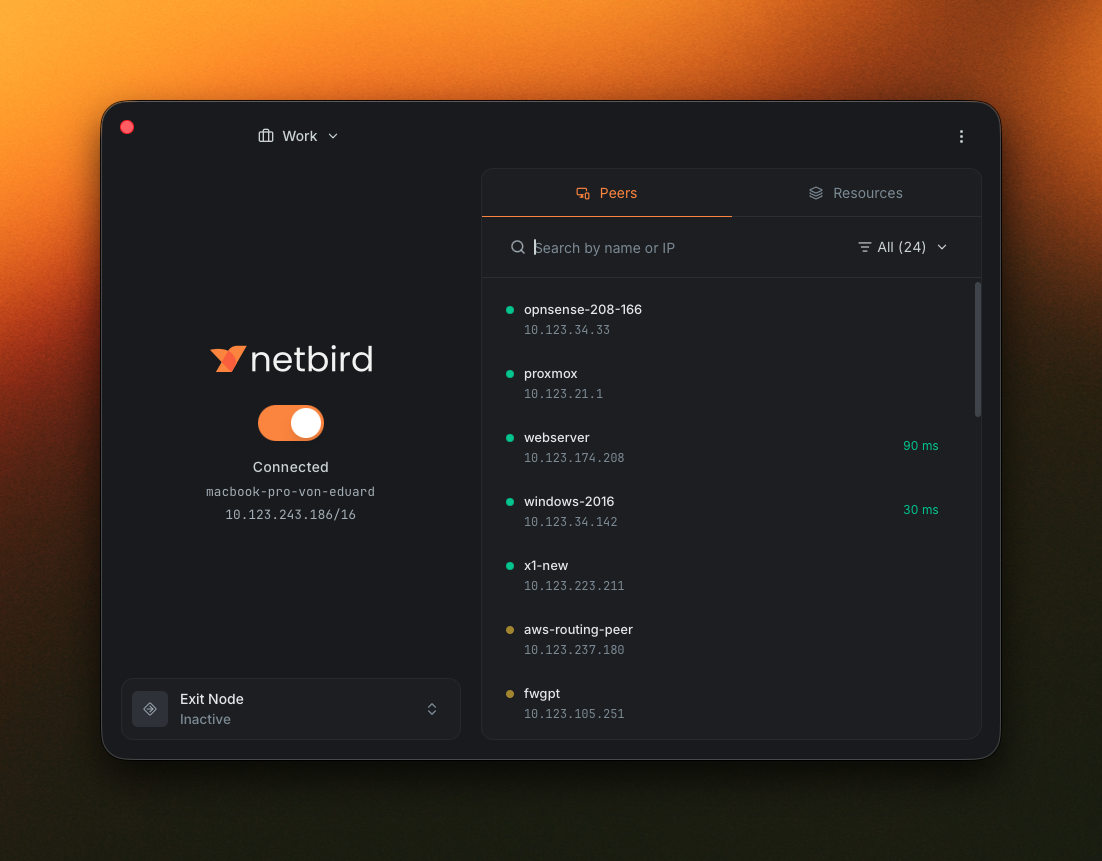
The new NetBird desktop app in Advanced mode, showing the Peers tab

We rebuilt the NetBird desktop app from the ground up, and it's ready for you to try. The new version runs on Wails3 with a React + Vite + Tailwind frontend, and it's out now as a release candidate. Same proven NetBird core underneath, brand new everything you see and click.

You can grab it right now: v0.75.0-rc.* over on GitHub releases. We'd love your eyes on it before we cut a stable build, so go ahead and install it and let us know what you think.

What's New at a Glance

  • Rename profiles with uppercase letters, spaces, and human-readable names.
  • Peer details panel with status, address, route info, and connection metadata.
  • Default and Advanced views of the main window: compact, or expanded for peers and resources.
  • MDM-driven UI that can hide the Advanced view or gate capabilities via flags like and .
  • Reactive UI: changes from the agent or CLI show up immediately.
  • Session expiration notification and extend active session without dropping your connection.
  • Initial localization for English, German, Spanish, French, Italian, Portuguese, Hungarian, Russian, and Simplified Chinese.
  • X11 window manager support on Linux.
  • Debug bundle that captures daemon and UI logs in one shot.

A Rebuilt Foundation

The old client used Fyne , which did the job but limited what we could design around. The new app keeps the Go backend for everything that talks to the daemon and moves the UI to a React SPA inside a Wails3 webview, with Radix primitives and Tailwind on top.

Your network keeps working the same way: the management server and the wire protocol haven't changed, so the redesign is all in what you see and click. One thing to flag, though, the new UI is not backward compatible with the old agent, so you'll want to update the app and the agent together. If they end up out of sync, the app shows a notification letting you know to update.

Default and Advanced Views

The main window opens in a compact Default mode showing the essentials: profile, connection status, hostname, overlay IP, and current exit node.
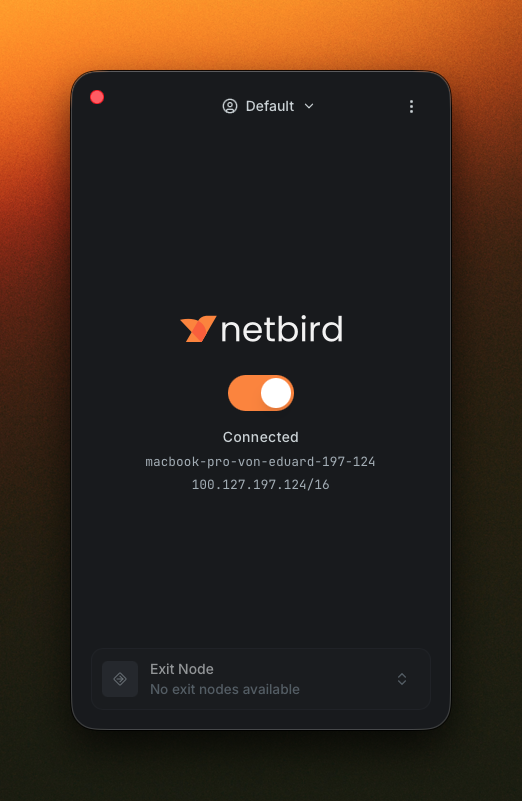
The compact default view of the NetBird desktop app

Switch to Advanced mode and the window expands with a peers and resources browser on the right. The Peers tab lists every peer in your network.

Advanced view showing the Peers tab

Flip over to the Resources tab and you get the network resources available to you, all in the same panel.
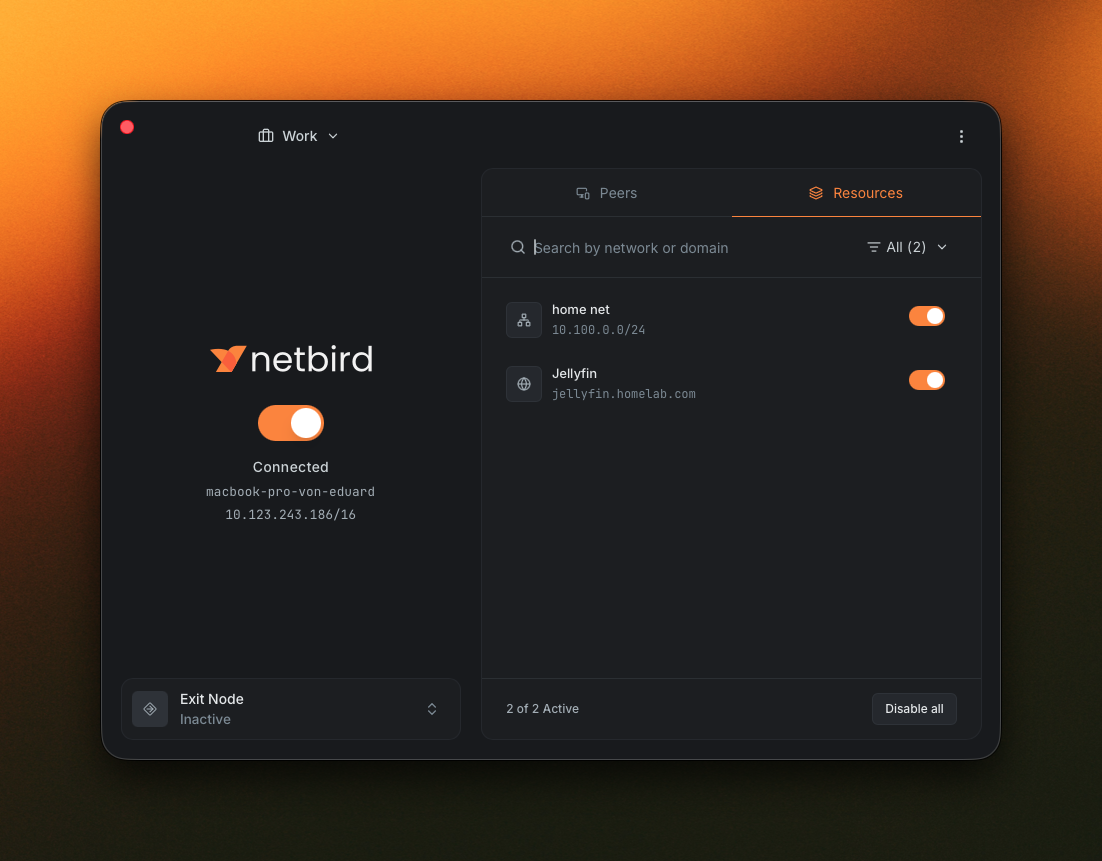
Advanced view showing the Resources tab

Click a peer and you get a detail panel with the stuff you'd otherwise need the CLI for: address, status, route, connection details, and group membership. Pretty handy when you're trying to figure out why two peers aren't talking.

A Reactive UI

Changes made by the NetBird agent or the CLI show up in the app right away. Connect or disconnect from the CLI and the toggle flips. Switch profile and the window catches up on its own. No manual refresh, no relaunch.

Profiles, Properly First-Class

Profiles existed before, but managing them was the weak spot. You can now edit and rename profiles from a dedicated Profiles tab in Settings, not just add and delete. Names accept uppercase letters and spaces, so "Work", "Production", and "Home Lab" all work. Each profile also picks up an icon based on its type (Work, Home, Default, and a few more) so the right one is obvious in the profile switcher inside the app.
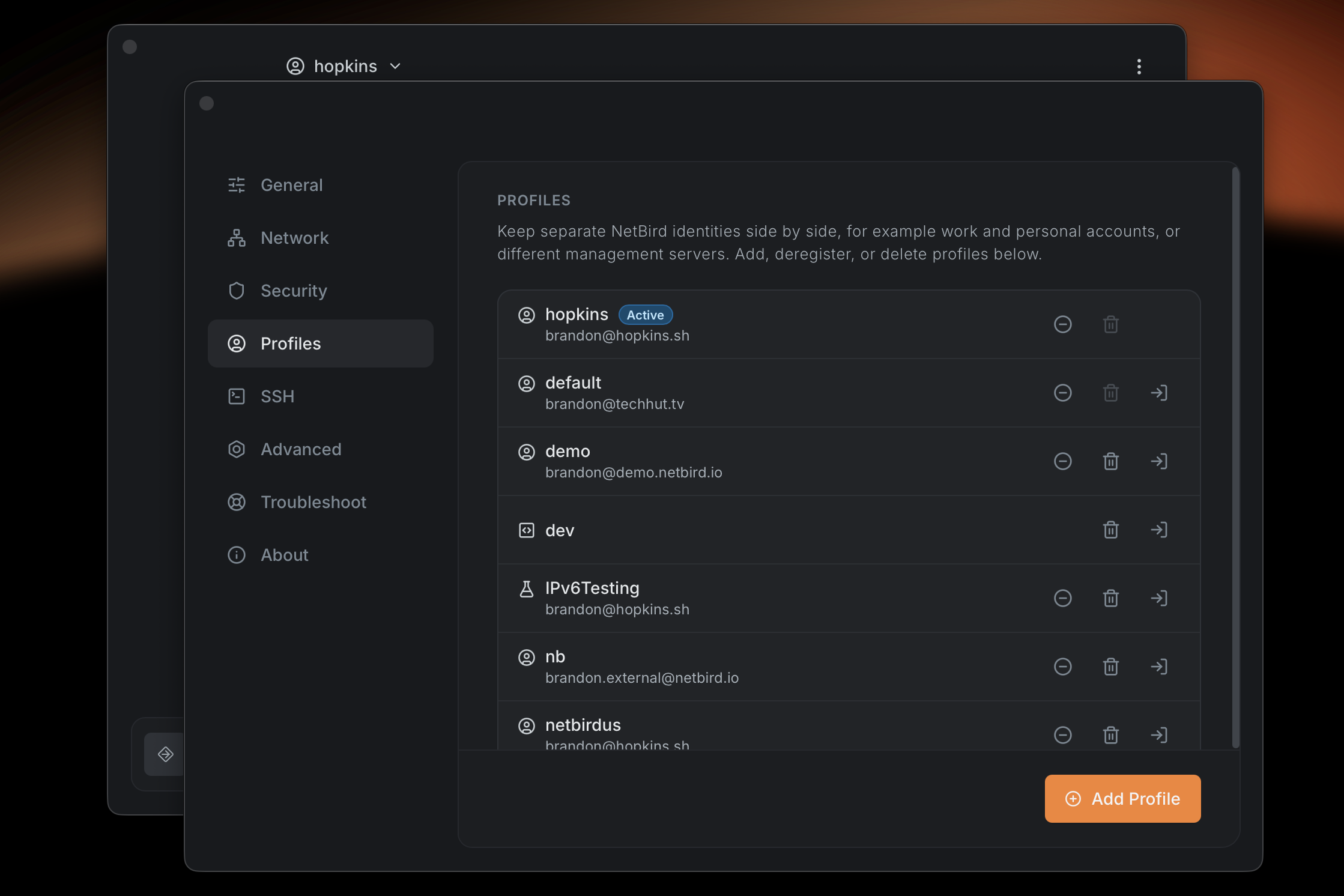
Editing and renaming a profile in the new desktop app

If you're rolling this out to managed devices and you don't want people touching profiles at all, you can lock the whole thing down with , or just freeze the settings with . The Profiles docs have the full rundown.

A Smarter System Tray

A coloured status dot sits next to the icon row: green when connected, yellow when you need to log in, grey when disconnected. You can read the state of your network without opening anything.
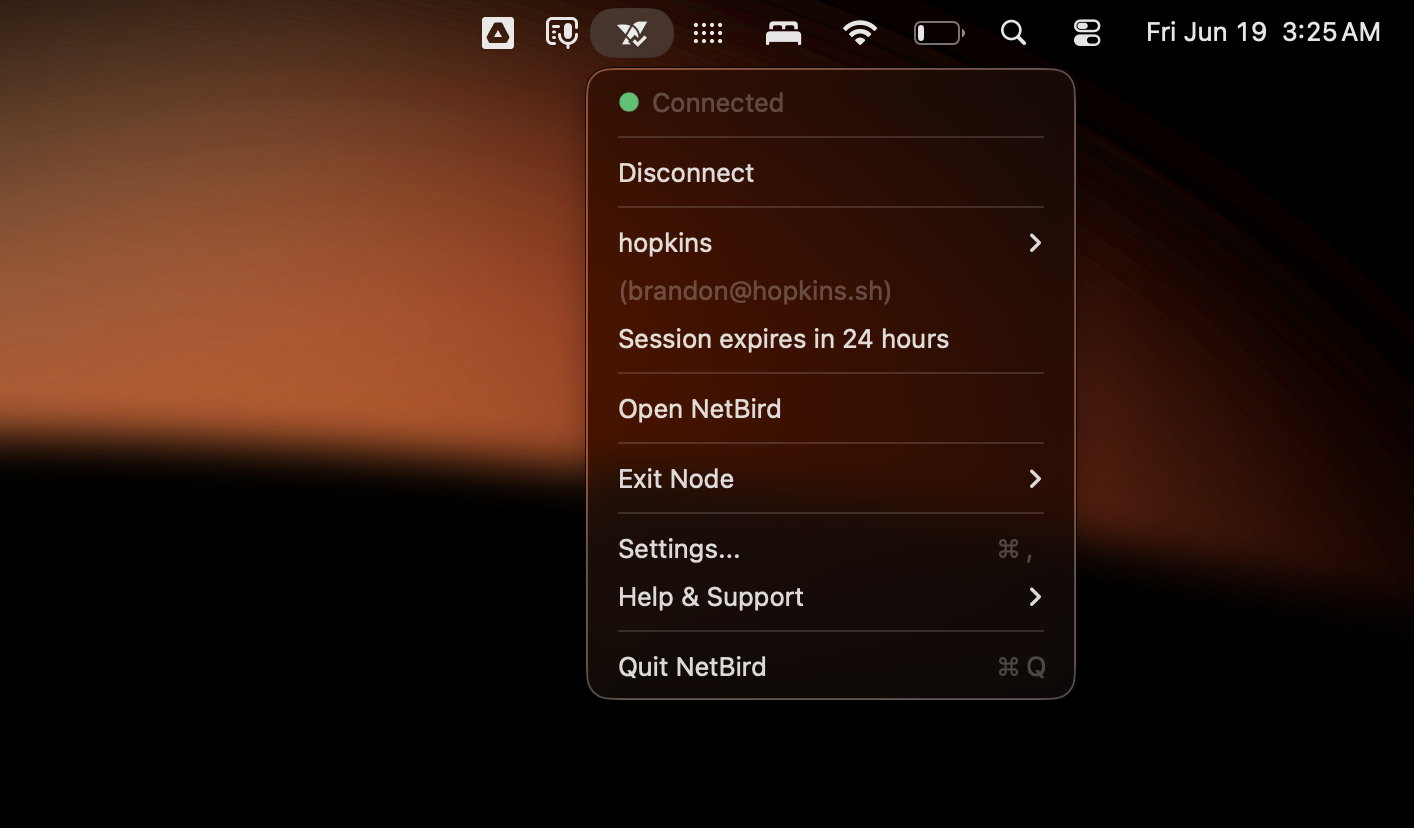
The NetBird system tray status indicator

Per-platform polish too: better behaviour on Linux X11 desktops, a less-intrusive macOS experience where the Dock icon only shows up when an app window is open, and improved status rendering on Windows.

Settings, Reorganized

The settings page is now a tabbed layout with everything grouped by what it actually controls.
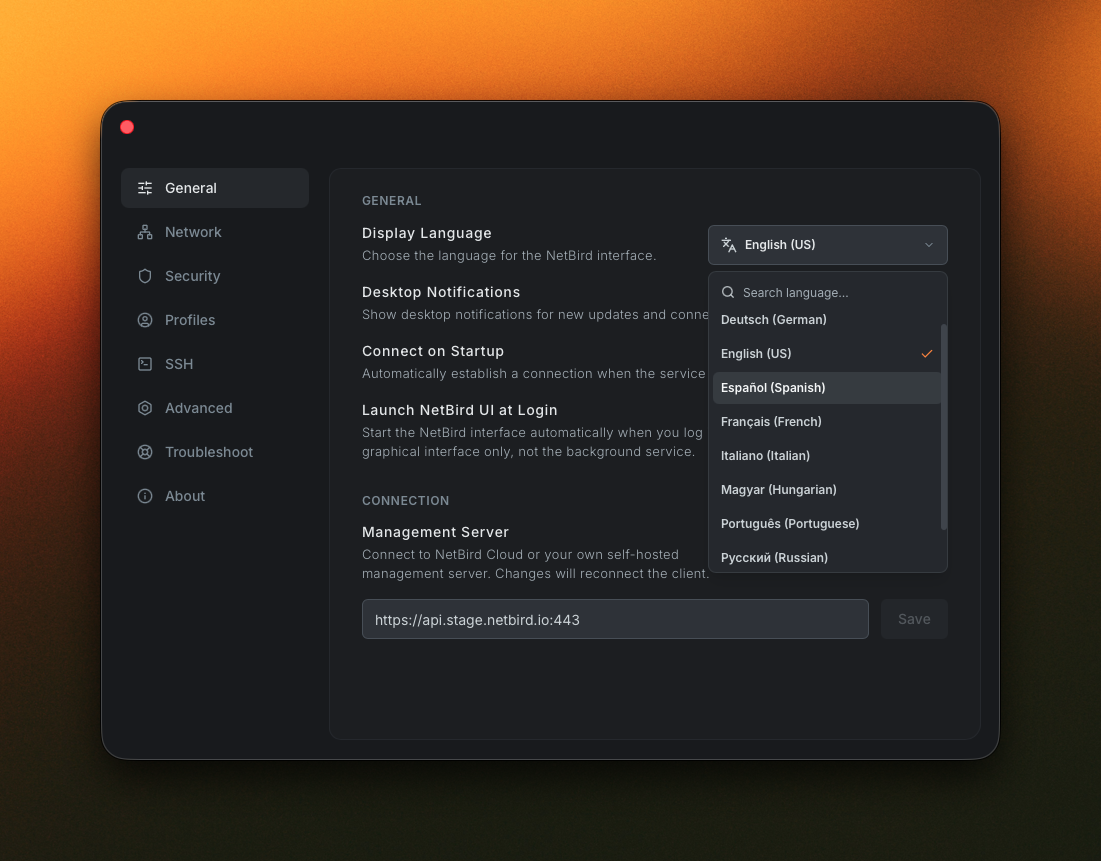
Settings page with the General tab open and the Display Language picker visible

The tabs you'll see depend on any MDM policy in effect, but the full set is:

  • General for the everyday toggles: auto-start, notifications, and language.
  • Network for lazy connections, reconnect on network change, and routing and DNS toggles like enabling client routes, server routes, and IPv6.
  • Security for blocking inbound traffic, blocking LAN access, and Rosenpass.
  • Profiles for managing profiles: editing, deleting, and switching between them.
  • SSH for server SSH and native SSH options.
  • Advanced for the things that used to be buried: interface name, port, MTU, and PSK.
  • Troubleshoot for grabbing a debug bundle that captures both the daemon logs and the UI logs at the current log level.
  • About for version info, useful links, and updating the app.

MDM-Driven UI

If you roll NetBird out through MDM, the app now reads the policy in effect on the device and adjusts itself to match. Users only see options they're allowed to use.

  • Hide whole views. hides the Advanced view of the main window so managed users only see the compact one.
  • Gate specific capabilities with flags like , which controls whether the SSH management toggle is available.
  • Restrictions refresh in the background when the window becomes visible or the connection status changes, so MDM-pushed policy updates apply without a restart.

Session Expiry, Less Disruptive

This one came straight out of user feedback. The old flow was unforgiving: a session that ran past its expiry would tear down the connection without warning, killing SSH sessions, remote desktop sessions, and backups mid-flight just because the sign-in needed a refresh.

The new flow is built around one rule: re-authenticating should never close an active connection.

When a session is about to expire, the app shows a focused dialog with a countdown and two clear actions: renew or log out. An OS-level notification fires ahead of time so the dialog isn't the first signal you get.
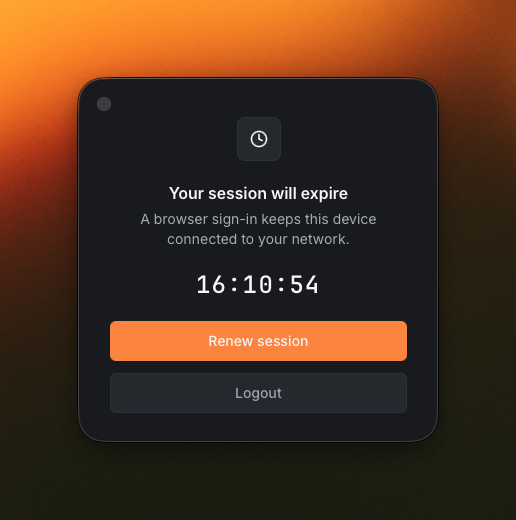
Session expiry dialog with a 16-hour countdown and Renew session / Logout actions

Renew session runs the browser sign-in flow while your existing connection stays up. Your tunnels, SSH sessions, and remote desktop sessions keep running through the renewal. Only the underlying session ticket changes.

Localization

The old client had no real path to ship translations. The new one is built around them.

Switch languages from the Display Language picker in Settings → General. The change is instant. The RC ships with initial translations for English, German, Spanish, French, Italian, Portuguese, Hungarian, Russian, and Simplified Chinese.

Do note that these initial translations aren't perfect yet. Some strings read awkwardly, some haven't caught up with recent UI changes, and a couple of languages are more complete than others. If your language is missing or a phrase is wrong, please open a PR. Feedback from native speakers is exactly what we need.

One Thing for Linux Folks

The redesigned app renders its interface in a GTK 4 WebKit webview, and Linux distributions package those libraries under all sorts of different names. So on Linux you'll want to install them manually before launching the GUI. On Debian or Ubuntu that's:


On other distros, go ahead and install the equivalent GTK 4, WebKitGTK 6.0, and xdg-utils packages from your package manager. Do note that the current stable GUI does not need any of this, it's only for the new app. The Linux install guide has the details if you need them.

Try the RC, Send Us Feedback

We'd love your eyes on it before we cut a stable build. Areas we'd especially appreciate feedback on:

  • Tray behaviour and status indicator on your platform
  • Profile switching, editing, and renaming
  • MDM-managed devices, if you have a policy in place
  • Session renewal: does your connection stay up the way it should?
  • Language coverage and awkward wording in your locale

If anything looks off, please open an issue.