

惯性聚合 高效追踪和阅读你感兴趣的博客、新闻、科技资讯
阅读原文 在惯性聚合中打开

推荐订阅源

酷 壳 – CoolShell
酷 壳 – CoolShell
H
Hacker News: Front Page
P
Palo Alto Networks Blog
T
ThreatConnect
Apple Machine Learning Research
博客园_首页
T
True Tiger Recordings
P
Privacy & Cybersecurity Law Blog
B
Blog
IT之家
IT之家
Last Week in AI
Last Week in AI
F
Full Disclosure
Hacker News: Ask HN
Hacker News: Ask HN
C
Comments on: Blog
Microsoft Azure Blog
C
Cybersecurity and Infrastructure Security Agency CISA
Microsoft Security Blog
博客园 - 【当耐特】
N
News and Events Feed by Topic
NISL@THU
NISL@THU
腾讯CDC
雷峰网
雷峰网
Security Latest
Security Latest
李成银的技术随笔
M
Microsoft Research Blog - Microsoft Research
L
LangChain Blog
L
Lohrmann on Cybersecurity
cs.CL updates on arXiv.org
C
Check Point Blog
Y
Y Combinator Blog
Recent Announcements
博客园 - Franky
N
News | PayPal Newsroom
V
V2EX
A
About on SuperTechFans
The Register - Security
月光博客
月光博客
奇客Solidot–传递最新科技情报
奇客Solidot–传递最新科技情报
Google Online Security Blog
MyScale Blog
MyScale Blog
Cisco Talos Blog
Cisco Talos Blog
Vercel News
Vercel News
WordPress大学
WordPress大学
C
Cyber Attacks, Cyber Crime and Cyber Security
The Hacker News
The Hacker News
IntelliJ IDEA : IntelliJ IDEA – the Leading IDE for Professional Development in Java and Kotlin | The JetBrains Blog
爱范儿
爱范儿
A
Arctic Wolf
L
LINUX DO - 最新话题
freeCodeCamp Programming Tutorials: Python, JavaScript, Git & More

Vectra AI Blog

Securing AI Adoption Starts with Visibility by Aakash Gupta The Missing Data Layer Behind SIEM and SOAR Why Most SIEM/SOAR Integrations Break — and How to Fix Them Shai-Hulud Part 2: When the Worm Forged Its Own Security Certificate Improve SIEM and SOAR Workflows with Better Security Signal by Gearóid Ó Fearghaíl ShinyHunters isn’t a group. It’s a pattern. How Vectra AI Secures the AI Enterprise AI agents: the new workforce — and attack surface. by Tiffany Nip How Vectra AI Scoring Helps Security Teams Focus on What Matters First What’s Next for the Enterprise After Two GenAI Tidal Waves? If An Identity was Compromised, Would We Know? Help Over Hype: Claude Mythos, Project Glasswing and the Real Questions CISOs Want Answered Azure Logging just Changed - Your Detections May be Missing it by Alex Groyz When the Defender Becomes the Door: BlueHammer, RedSun, and UnDefend in the Wild by Justin Howe 4 Ways to Improve SOC Efficiency with AI by Jesse Kimbrel Why triage alerts - when AI can do it for you? Attackers Don’t Hack In — They Log In: The MFA Blind Spot The rise of supply chain-driven data theft in SaaS environments by Lucie Cardiet AI-Assisted Search: Clarity at the Speed of a Question What We Learned from Analyzing Millions of Alerts FortiClient EMS Zero-Day: When the Control Plane Becomes Initial Access by Lucie Cardiet Detecting Compromise After the Axios Supply Chain Attack. by Yusri Mohd Yusop Who’s Doing What on Your Network? by Mark Wojtasiak Breaking down the axios supply chain incident by Lucie Cardiet Detecting Sliver C2: When Advanced Beaconing Tries to Hide in Plain Sight Prompt Control: How Context Becomes the Command-and-Control Layer for AI Agents How Attackers Move Through Hybrid Networks After the Initial Breach How Attackers Establish Persistence in Hybrid Environments What the Stryker Incident Reveals About Handala’s Attack Playbook Why Cyber Resilience is Lagging in the AI Era 5-Minute Hunt: Six Queries to Detect Iranian APT Activity AI-Powered Attacks Are Here, But So Is AI-Powered NDR to Stop Them What is hiding in AI traffic AWS Compromised by AI Agents in Minutes The UX of Cybersecurity AI: Designing for Behavior at Machine Speed Molt Road and the Automation of Underground Marketplaces Moltbook and the Illusion of “Harmless” AI-Agent Communities From Network Detections to Understanding Risk: The Vectra AI Take on Gartner’s Redefinition of NDR From Clawdbot to OpenClaw: When Automation Becomes a Digital Backdoor by Lucie Cardiet Securing the AI Enterprise: How I’m Thinking About It as a CEO Cybersecurity Predictions 2026: AI, Agents, and SOC Defense OPSEC Failures: How Threat Actor Mistakes Help Defenders How Threat Actors Turned AI Into a Weapon CVE-2025-14847 MongoBleed in the Wild: Identifying MongoDB Exposure and Exploitation with Network Metadata by Fabien Guillot Pro-Russia Hacktivists Are Targeting Critical Infrastructure How Vectra AI Connects Network Detections to Endpoint Processes Automatically by Dale O’Grady How Vectra AI and CrowdStrike Deliver Complete Context Across Endpoint and Network by Tiffany Nip You are the Blackboard - AI Agent Assisted Bug Hunting by Kat Traxler TCP Reset Does Not Stop Modern Attacks – Here's Why Shai-Hulud: When a Supply-Chain Incident Turns Into a Worm How Typhoon APTs Infiltrate Infrastructure Without Leaving a Trace Think Your Microsoft Environment Is Resilient to Attacks? Think Again by Tiffany Nip Operation ENDGAME and the Battle for Initial Access by Lucie Cardiet What 400+ NDR Power Users Taught Us About Network Visibility by Nicole Drake How Attackers Gain Initial Access in Hybrid Environments by Lucie Cardiet Can Your SOC's AI Actually Think? Evaluating LLMs with the Vectra AI MCP Server How Vectra AI Hybrid NDR Enables Proactive Threat Hunting and Outcome-Driven Defense by Tiffany Nip Introducing the Vectra AI MCP Server for On-Premises (QUX) by Fabien Guillot From Conti to Black Basta to DevMan: The Endless Ransomware Rebrand by Lucie Cardiet How the F5 Breach Exposed Critical Edge Security Gaps Qilin’s 2025 Playbook, and the Security Gap it Exposes by Lucie Cardiet Vectra Fusion: Extending the Vectra AI Platform to Build Resilience Both Pre and Post Compromise Seeing Beneath the Surface: What Crimson Collective Reveals About Cloud Detection Depth Cl0p Is Back, Exploiting Supply Chains Again. How to Choose the Best NDR for Hybrid Environments Red Hat GitLab Breach Shows Why Consulting Data is a Goldmine for Attackers When GoAnywhere Lets Attackers Go Everywhere by Lucie Cardiet Vectra AI with Netography Redefining the SOC Platform around Modern Attack Resilience Beyond Endpoints: How BRICKSTORM Exposed Security Blind Spots by Lucie Cardiet EDR Isn’t Enough: Why Forward-Thinking CISOs Are Turning to Network + Identity by Mark Wojtasiak What Modern SOCs Should Know About NDR Alternatives Scattered Lapsus$ Hunters Announce They Are Going Dark but the Threat Remains LockBit is Back: What’s New in Version 5.0 The Npm Exploit Is The Entry Point, What Follows Is Just As Critical. How AI is Fueling Cybercrime and Why Security Gaps Are Growing by Lucie Cardiet GLOBAL RaaS: Dissecting a Modern Ransomware Franchise What the CISA Advisory Reveals About Nation-State Attacks New Technologies bring new risks: MCP-Powered Swarm C2 4 Real-World Attacks That Show Why SOCs Need NDR Why insider threats go undetected by security tools Black Hat USA 2025: What Security Teams Asked Us in Las Vegas Vectra AI and Google Security Operations: Breaking Down Security Silos by Zoey Chu Black Hat Takeaway: Everyone Talks Prevention, But Who Detects Compromise? Black Hat USA 2025: What It Told Me About Protecting the Modern Network from Modern Attacks Introducing the Vectra AI MCP Server Cloud Security Grey Zone: Who Owns the Risk of Managed Identities? CVE-2025-53770: A 9.8/10 Critical Exploit Targeting SharePoint 5 Ways Security Teams Can Start Driving Outcomes with Agentic AI Behind the Hunt: Real-World Threat Hunting Practices and How Vectra AI Makes the Difference Vectra AI named in Gartner hype cycle for security operations 2025 Choosing the Right NDR: Gartner’s 5 Questions Every Security Buyer Should Be Asking Gartner Security and Risk Conference – Chaos meets Opportunity Are Iranian APTs Already inside Your Hybrid Network? You Have the Right Tools. So Why Are Attackers Still Getting In? Vectra AI Named a Leader and Outperformer in the 2025 GigaOm Radar Report for Network Detection and Response (NDR) The Two Control Points That Will Define the Future of Cybersecurity – Network and Identity Challenges in Microsoft Log Monitoring: Insights for Your SOC Sanofi Uses Vectra to Stop Cyberattack in Real Time The Cutting Edge: AI’s Inevitable Rise in Offensive Security Presenting the 2025 Vectra AI Scholars
5-Minute Hunt: Detecting Risky Multi-Tenant Apps in Microsoft 365
2025-09-09 · via Vectra AI Blog

About the 5-Minute Hunt: The 5-Minute Hunt is a new feature available in the Vectra AI Platform under the Investigate tab. Each week, you’ll find a short hunt snippet inside the product that highlights a specific attacker behavior and gives you a ready-to-run query to detect it.

Why Multi-Tenant Apps Put You at Risk

Multi-tenant applications in Microsoft 365 are designed for cross-organization access, but when misconfigured they can create a dangerous backdoor. A single toggle can expose internal resources to external users. Attackers exploit this through consent-based attacks, gaining unauthorized access without stealing credentials. Security researchers recently demonstrated how this exact weakness enabled access to more than 22 internal Microsoft services. For SOC teams, this means that misconfigured or unintentionally enabled multi-tenant apps expand the attack surface significantly.

How Attackers Exploit Multi-Tenant Apps

Adversaries take advantage of these weaknesses in several ways:

  1. Consent Phishing at Scale
    When a multi-tenant app is exposed, attackers can trick users into granting OAuth consent. Once approved, the attacker-controlled app gains legitimate tokens to access resources without needing to steal credentials.
  2. Token Issuance from the Wrong Authority
    In cases where an app is incorrectly registered as multi-tenant, Entra ID may issue access tokens from the user’s own tenant rather than the resource tenant. This means the attacker is authenticated, but by the wrong authority, bypassing checks and inheriting access the application never intended to grant.
  3. Service Principal Instantiation
    Accepting a consent prompt automatically creates a service principal for the application inside the victim’s tenant. Attackers exploit this to persist access or escalate scope by chaining permissions across other apps.
  4. Enumeration of Vulnerable Apps
    By scanning subdomains and analyzing client_id parameters, attackers can identify which apps are configured as multi-tenant. Each one becomes a potential entry point, especially if developers assumed single-tenant use but left common endpoints enabled.
  5. Pivoting to Internal Systems
    Once access is obtained, attackers can explore connected applications, internal portals, or APIs. In the Microsoft case study, this resulted in exposure of engineering hubs, risk registers, and even build infrastructure—all accessible from a personal Microsoft 365 account.

The risk lies not in a single misstep, but in how multi-tenant settings interact with consent and token issuance. One poorly configured application can open the entire environment to unauthorized users, giving attackers a foothold to explore sensitive data or escalate privileges.

Turning Exploitation into Detection

Now let’s figure out how to spot these risks in your own Entra ID environment. Misconfigurations don’t always leave obvious traces, but every change in Entra ID leaves an audit trail. By focusing on when an application’s AvailableToOtherTenants property is flipped to “true”, you can quickly identify cases where an app has been made multi-tenant—intentionally or otherwise.

The following query is built to surface exactly that. It looks for recent modifications that enable multi-tenant access and provides the context you need—who made the change, from where, and when—to decide whether the action is legitimate or suspicious.

Query Objective: Detect if applications in tenant modified to enable multi-tenant access and investigate the change details:

SELECT timestamp, vectra.identity_principal, operation, extended_properties, object_id, device_properties, client_ip, modified_properties 
FROM m365.active_directory._all WHERE any_match(modified_properties, m -> (m.display_name 
LIKE '%AvailableToOtherTenants%' AND m.new_value LIKE '%true%')) 
AND timestamp > date_add('day', -30, now()) 
ORDER BY timestamp DESC 
LIMIT 100

What to Look For in Results

When you run this query, the results give you a clear window into how and when applications are being modified to allow multi-tenant access. To separate legitimate business changes from potential malicious activity, focus your attention on these areas:

  1. Applications modified for multi-tenant access
    Look closely at which applications have been switched to allow other tenants. Business-critical apps rarely need this setting, so unexpected entries should raise a red flag.
  2. The identity or user who made the change
    The vectra.identity_principal field shows who performed the modification. Was it a developer, admin, or an account that should not normally handle app registrations? This context can quickly point to insider error or external compromise.
  3. Client IP addresses of modification requests
    Cross-reference the client_ip with your known ranges or geolocation data. Unfamiliar IPs, foreign geographies, or known malicious sources could indicate an attacker’s hand in the change.
  4. Timing patterns of modifications
    Pay attention to when the configuration changes happened. Off-hours activity, bursts of multiple modifications, or unusual clustering around weekends and holidays often align with attacker behavior. By combining these data points, you can distinguish routine IT operations from suspicious changes that deserve deeper investigation.

How to Investigate Further

If your query surfaces applications that have been made multi-tenant, use the following steps to determine whether the change is safe, intentional, or malicious:

  • Verify if the multi-tenant configuration was intentional and authorized
  • Review the application's permissions and scope to assess potential impact
  • Check if the modifying user account has been compromised
  • Examine the client IP for geographic anomalies or known malicious sources
  • Validate the business justification for multi-tenant access requirements
  • Consider temporarily disabling the application if the change appears unauthorized

Closing Thoughts

One misconfigured application can give attackers access they should never have. By regularly running this hunt, your SOC team can quickly surface unauthorized changes and shut down consent-based abuse before it escalates.

If you are already using the Vectra AI Platform, you can explore this and other hunts right inside the platform under the Investigate tab, where new 5-Minute Hunts are published regularly to help you uncover attacker behaviors faster.

Not a customer yet? See the 5-Minute Hunt capability in action and learn how the Vectra AI Platform closes  identity, network, and cloud detection gaps with our self-guided demo.
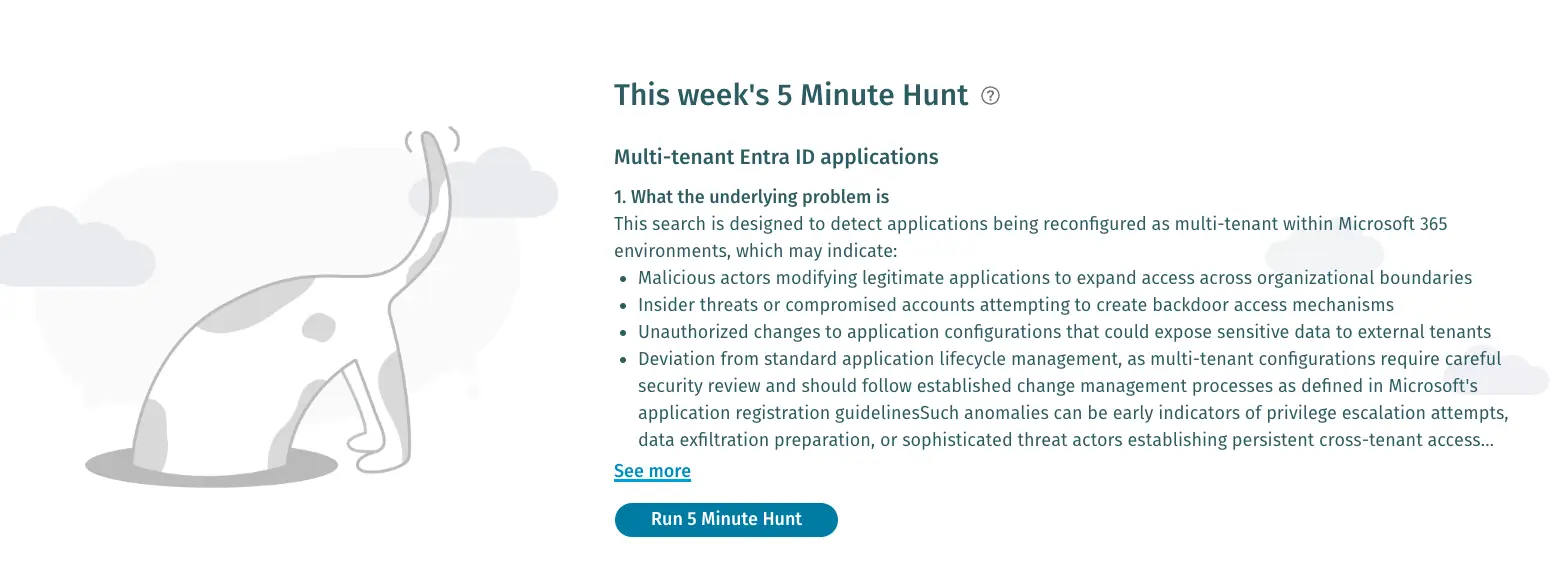
Screenshot of the 5 Minute Hunt feature on the Vectra AI Platform

Screenshot of the 5 Minute Hunt feature on the Vectra AI Platform