







Socket proactively blocks malicious open source packages in your code.
Socket now supports more granular access control for organizations with Custom Roles and Repository Access Permissions, giving teams a more precise way to manage who can do what, and where they can do it.
Modern engineering organizations rarely map cleanly to a single security team or a single set of repositories. A user might need to review alerts for one team's repositories, manage scans for another, or support a temporary project without gaining access to the entire organization.
Access control has often forced admins into a tradeoff: grant a broad built-in role, or limit collaboration. That tradeoff gets harder as organizations scale, bring in contractors, split responsibilities across teams, or add controls around sensitive repositories.
Built-in roles cover most needs, but they are not always precise enough. Repository-level boundaries matter because security data is often specific to a single repository, and admins need controls they can understand and audit.
Custom Roles and Repository Access Permissions give Socket organizations a two-layer access model:
Together, these controls help admins apply least-privilege access without forcing every user into a broad built-in role.
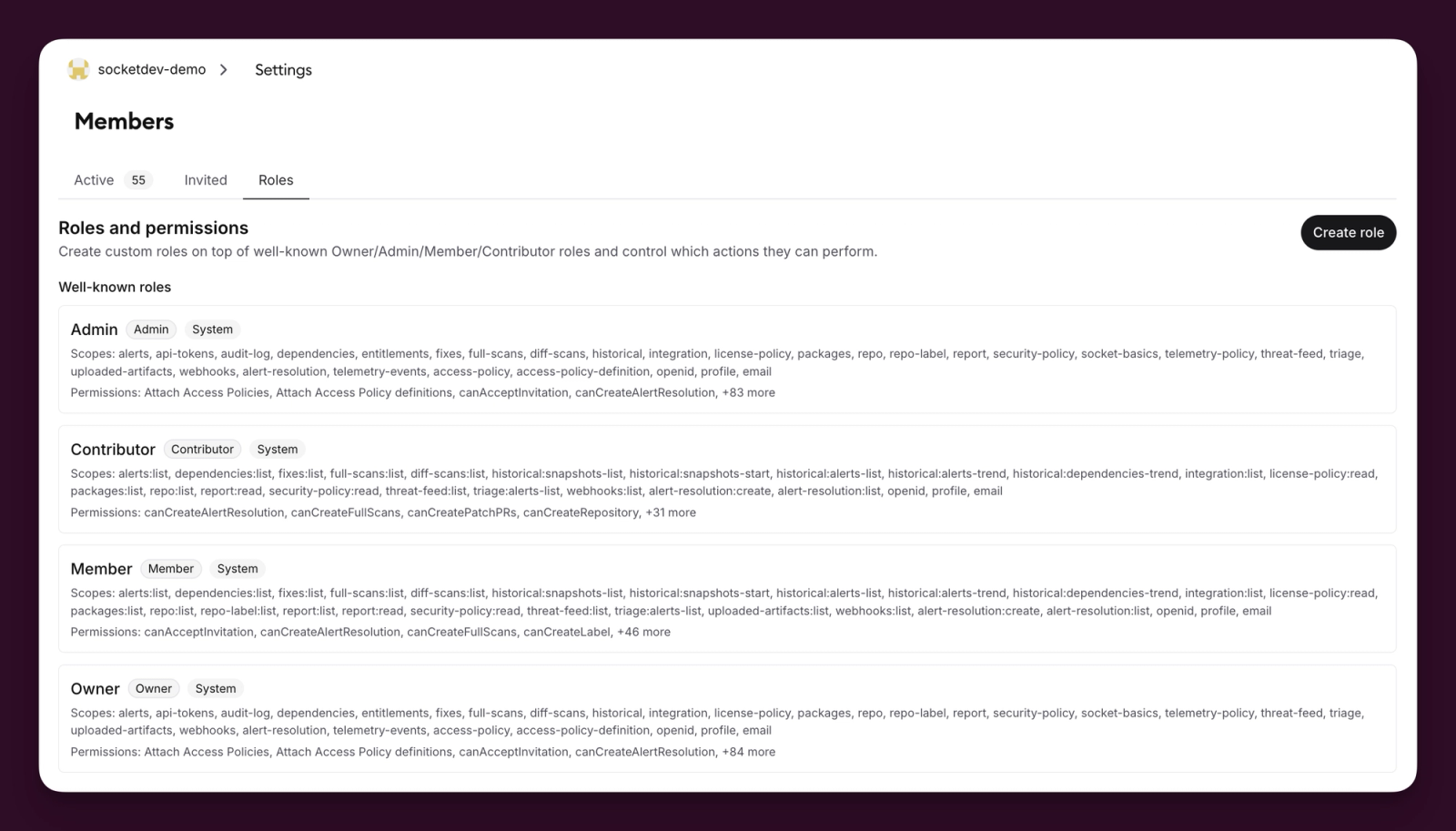
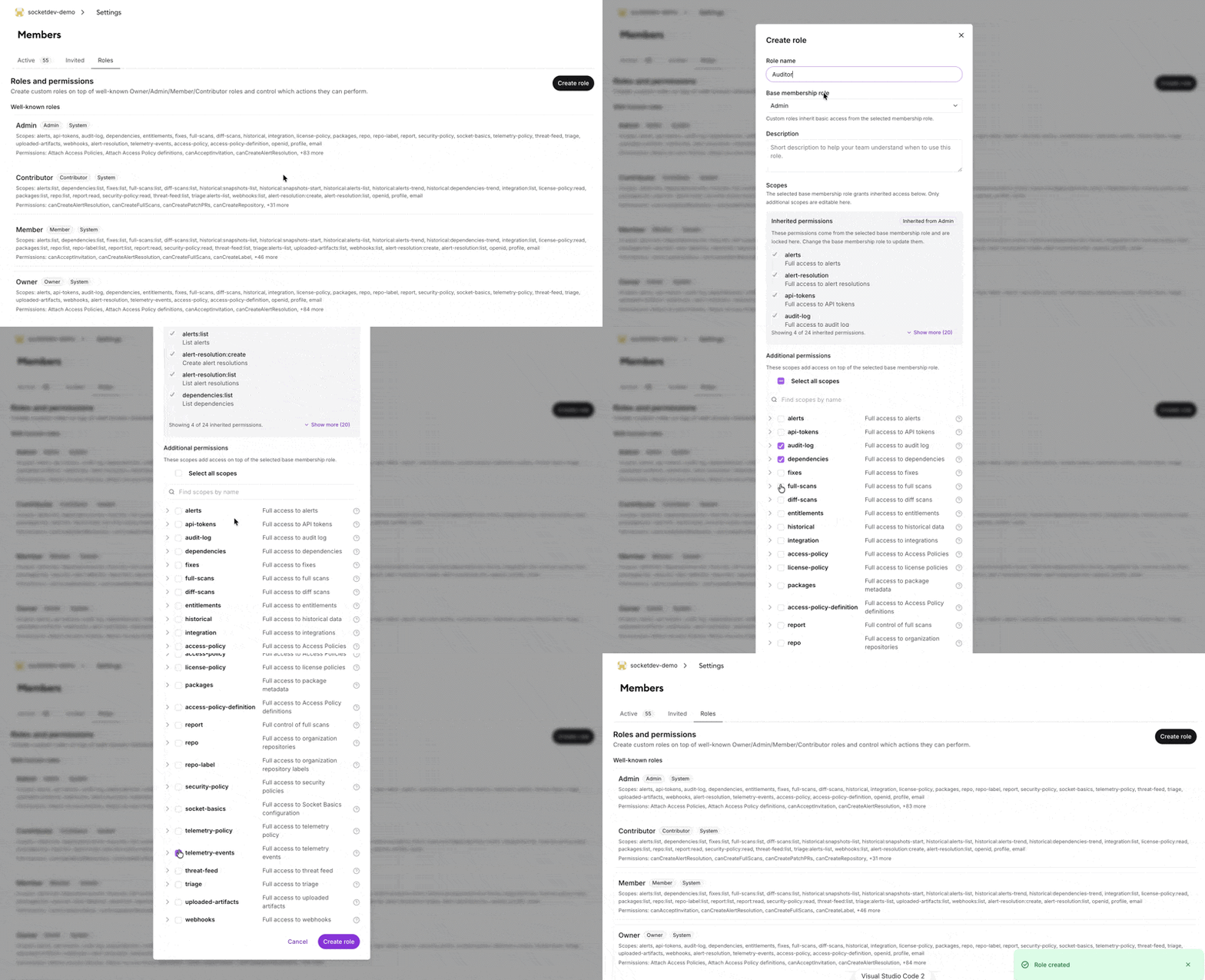
Custom Roles let organizations tailor access to their internal workflows. Admins can create a role that inherits from an existing base role, or build a fully custom role from scratch for least-privilege access.
A few examples:
In the dashboard, admins can:
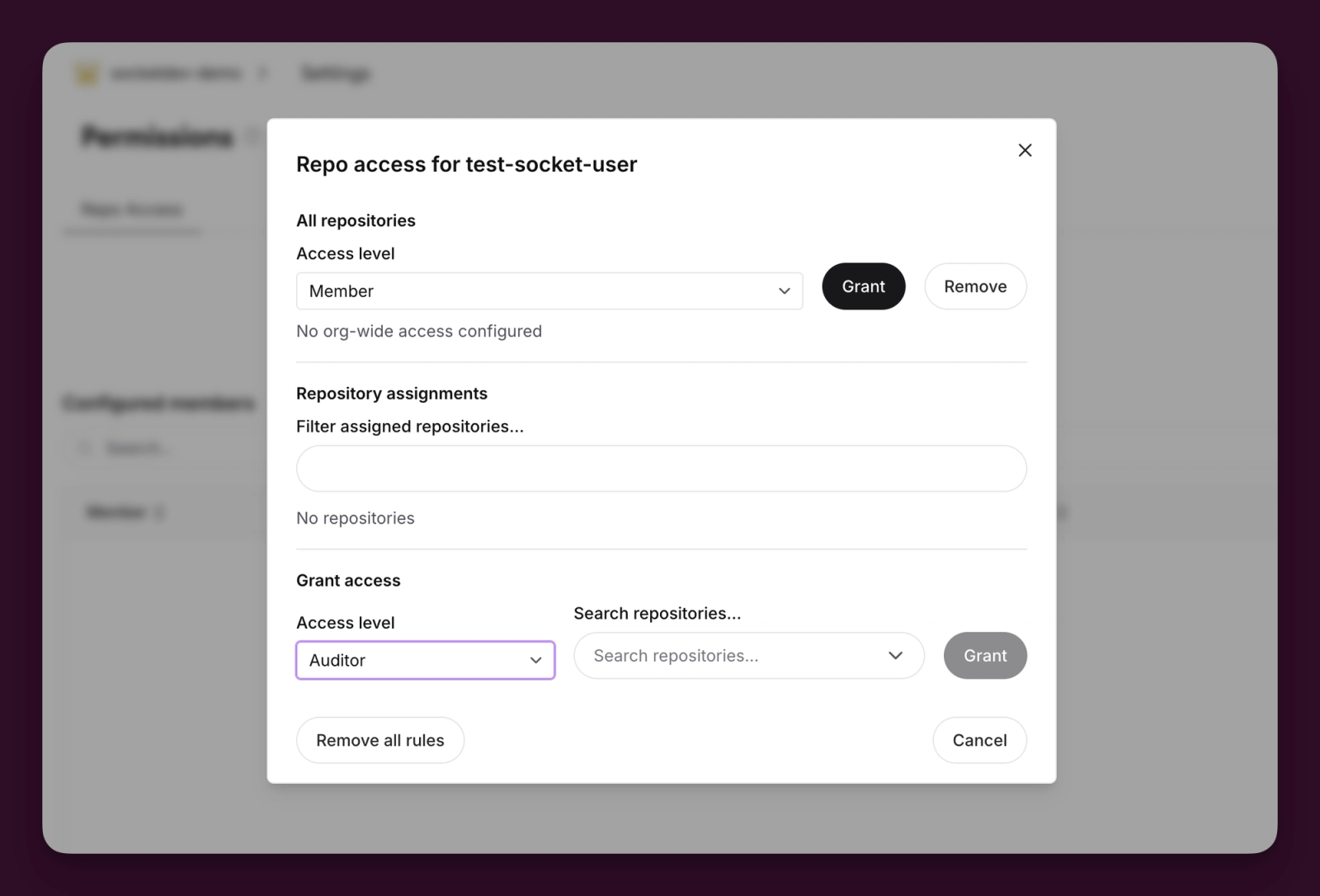
Repository Access Permissions let admins limit a member's visibility and actions to the repositories they should work with. Instead of granting organization-wide access to every repository, admins can grant access to selected repositories or to all repositories, depending on the member's responsibilities.
From organization settings, admins can:
Socket enforces repository scope across repository lists, scans, SBOM views, and dependency inventory, along with supported API paths.
A security analyst may need to view alerts, dependency inventory, SBOM reports, and scan results. With Custom Roles, an admin defines that exact set of capabilities. With Repository Access Permissions, the admin limits those capabilities to the repositories owned by the analyst's team.
The analyst gets enough access to do the job, without broad visibility into unrelated repositories.
Custom Roles and Repository Access Permissions help large teams apply least-privilege access without blocking collaboration. They let admins:
Socket designed Repository Access Permissions for intentional configuration. Enforcement only applies once admins configure rules, so teams can adopt the model deliberately instead of having access change unexpectedly.
Existing built-in roles still work, and Custom Roles extend the current model rather than replacing it. Admins can start simple and get more granular over time. Socket logs repository access changes as audit events, and dedicated RBAC permissions govern who can manage repository access and related access-policy controls.
Custom Roles and Repository Access Permissions are available today to all Socket organization admins in the dashboard under organization settings.
From there, admins can create organization-specific roles, assign precise permissions and scopes, and configure repository access rules by member. Members can be granted access to all repositories or only selected repositories, depending on their responsibilities.
These controls give Socket organizations a more precise way to manage access as they scale, while keeping broad defaults available where they still make sense.
此内容由惯性聚合(RSS阅读器)自动聚合整理,仅供阅读参考。 原文来自 — 版权归原作者所有。