







Socket proactively blocks malicious open source packages in your code. Install
Secure your dependencies with us
Today, we’re excited to launch Organization Notifications in Socket.
This new feature gives teams a direct way to stay on top of organization alert activity without relying on someone to constantly watch the dashboard. With Organization Notifications, you can subscribe to organization-level alert events, filter the kinds of alerts you care about, and send batched updates to a configured destination. We're launching the email channel type first, and Slack and Microsoft Teams support are planned next.
Organization alerts already help surface important security issues across your repositories. Organization Notifications builds on that by making those updates easier to route, review, and act on. Instead of turning every alert into a separate interruption, Socket groups matching activity into periodic summaries so teams can stay informed without adding more noise.
The feature is managed from a new Notifications page in organization settings. Teams first create a notification channel, then attach subscriptions to it. When configuring email as a channel, Socket marks it as verification pending until the recipient confirms ownership. After verification, that address can be used as a notification destination.
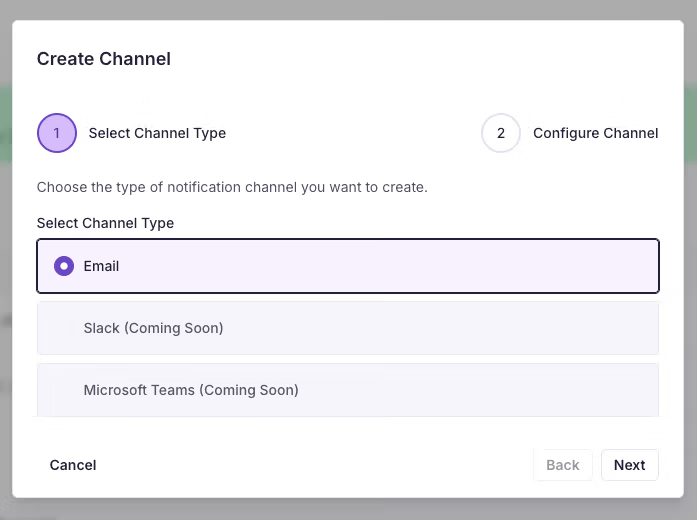
Once a channel is in place, teams can create subscriptions for the alert activity they want to receive. At launch, Socket supports three organization alert events:
This makes it possible to track the full lifecycle of an alert, from the moment it appears to later changes and eventual resolution. The changed event also covers updates to the alert itself, including cases where a new repository is added to that alert.
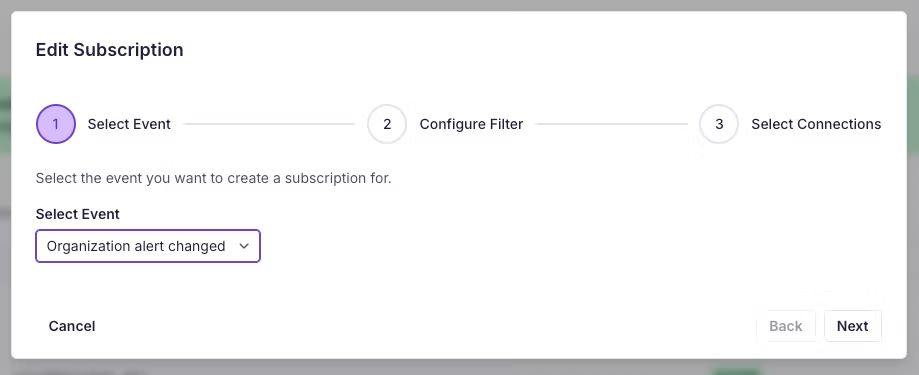
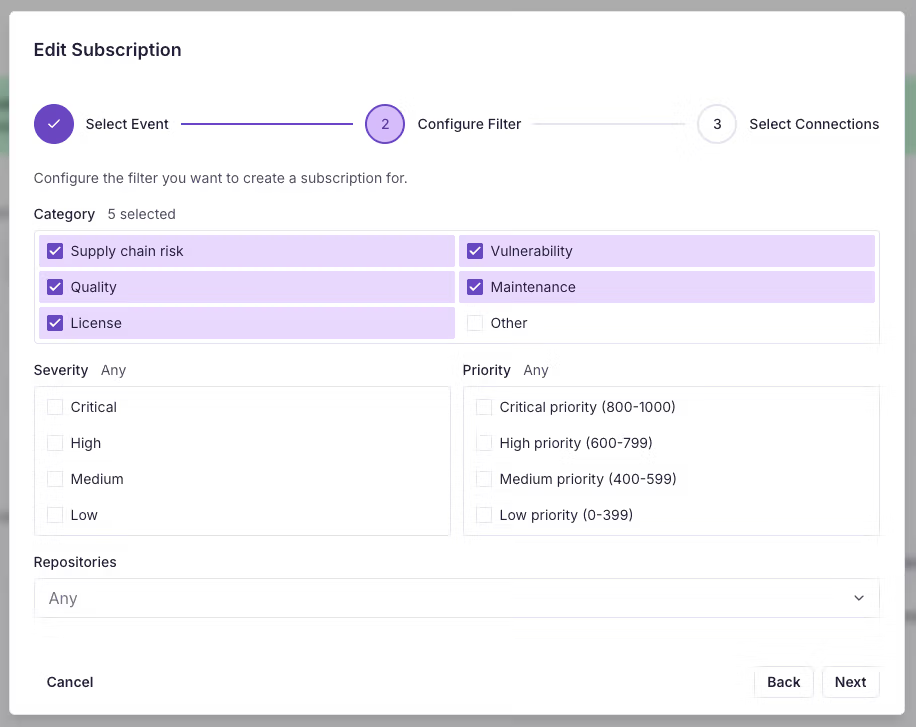
Subscriptions can be scoped by category, severity, priority, and repository. If a filter is left unset, Socket treats it as matching any value for that field. To keep notifications targeted, users currently need to choose at least one filter before creating a subscription.
That gives teams a practical way to route the right alert activity to the right inbox, whether they want to focus on a specific repository, a certain class of alert, or the highest-priority issues first.
Organization Notifications is designed to reduce noise, not add to it. Instead of sending one email per alert, Socket batches updates together and sends email at most once every 20 minutes. If there are new or updated alerts during that window, the email includes a summary of what changed. If there is nothing new to report, nothing is sent.
That batching model gives teams a steady signal without turning routine alert activity into a flood of notifications.
Notification emails include a priority summary, a sample list of updated alerts from the latest batch, and a link back to the alerts view in the Socket dashboard. Emails display up to 20 alerts and indicate when more alerts were included in the batch than are shown in the message itself.
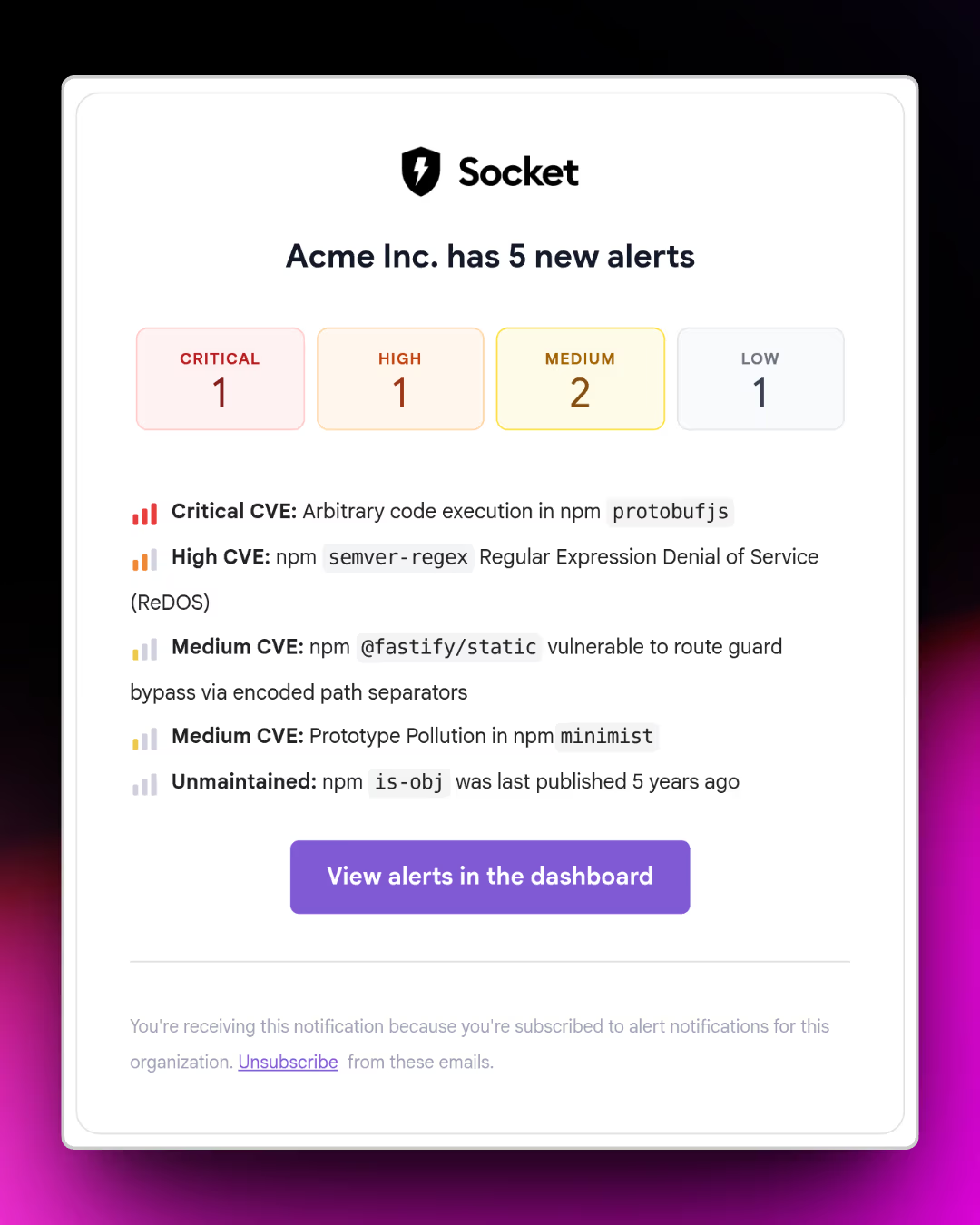
Organization Notifications gives teams a better way to operationalize organization alerts in Socket. Instead of relying on someone to manually check for changes, teams can define what matters, control where updates go, and get a digestible summary when alert activity happens.
If you’re interested in trying Organization Notifications, get in touch with the Socket team to enable the feature for your organization. The feature is available on Team, Business, and Enterprise plans.
此内容由惯性聚合(RSS阅读器)自动聚合整理,仅供阅读参考。 原文来自 — 版权归原作者所有。