




Socket proactively blocks malicious open source packages in your code. Install
Secure your dependencies with us
Security findings only matter if organizations can act on them. That usually means getting the right issues into the systems where engineering and security teams already work.
Socket for Jira is now available, making it easy to turn Socket alerts into Jira issues and keep remediation work moving as alerts change over time. Teams can create tickets manually from individual alerts or set up automated ticketing rules to create, update, and resolve issues based on activity in Socket. The integration is available for Jira Cloud on Business and Enterprise plans.
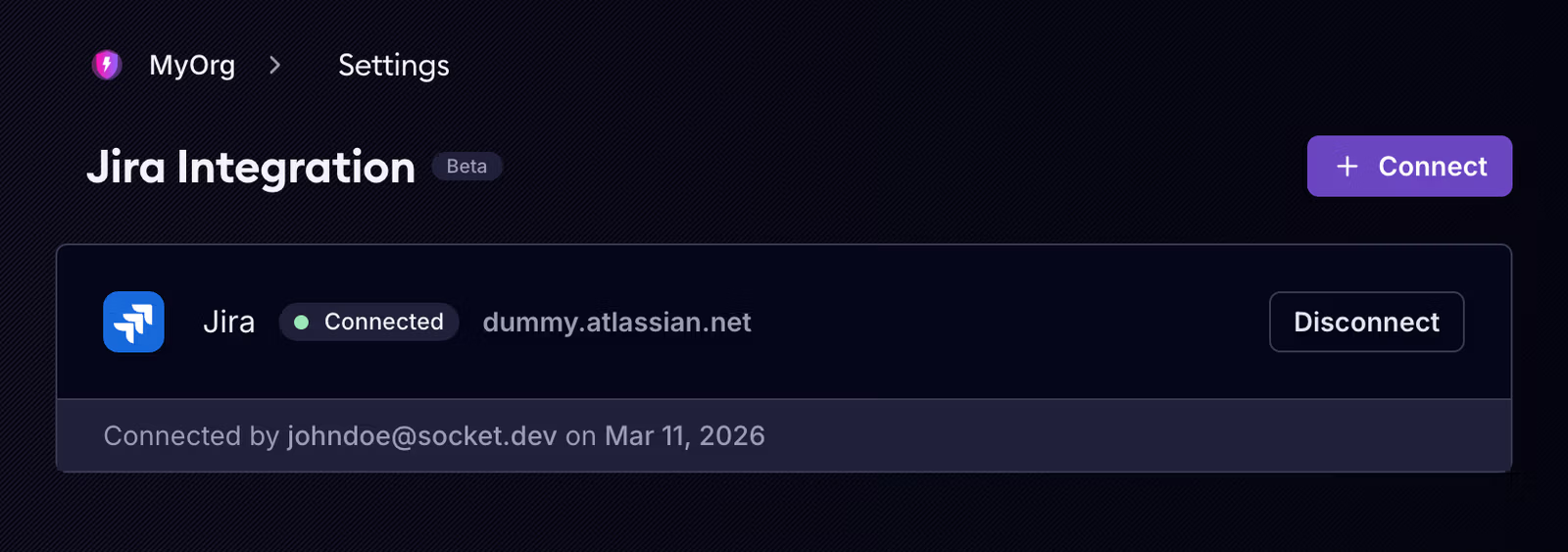
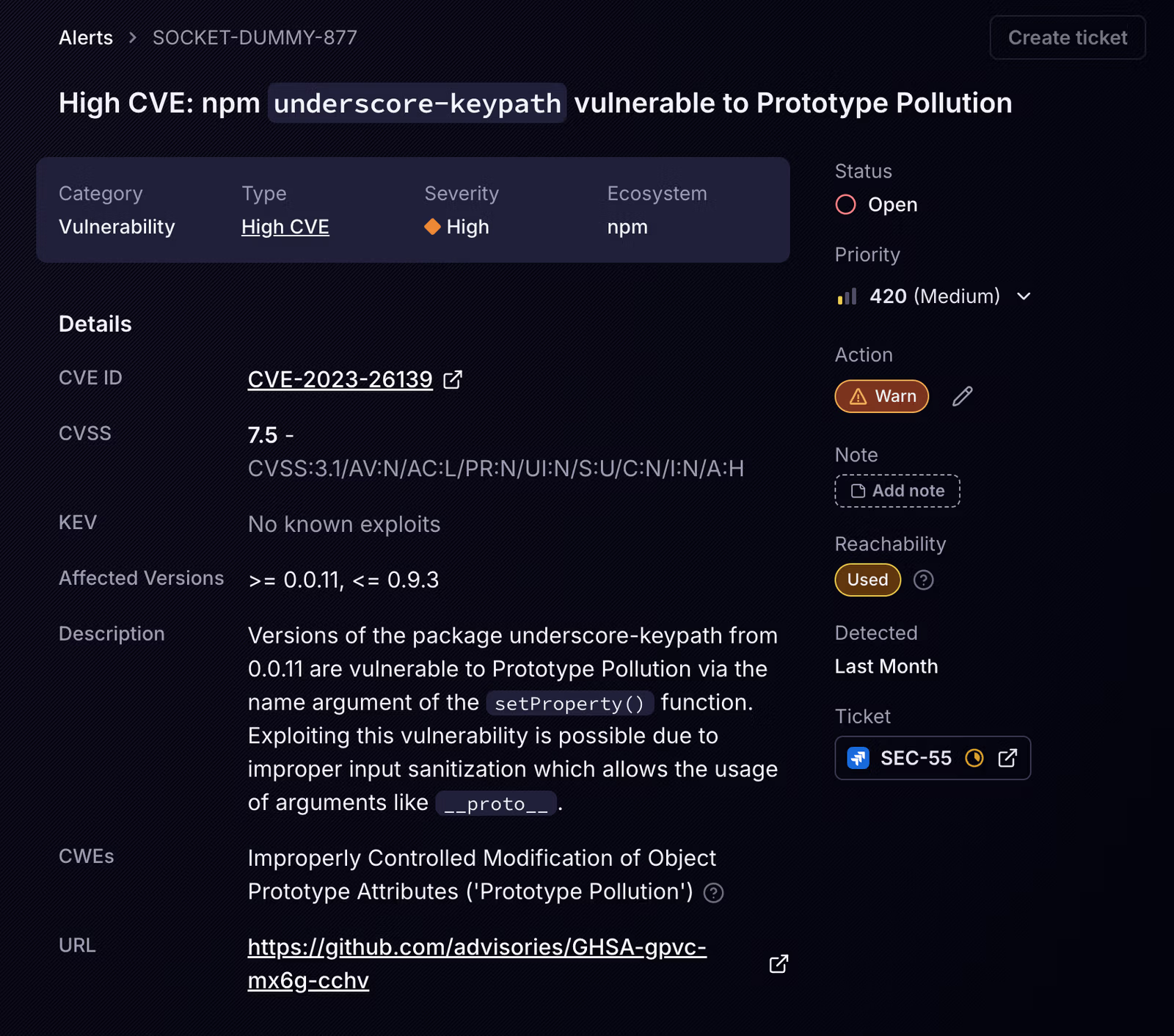
Once connected, Socket brings alert context directly into Jira so teams can track remediation in the workflow they already use.
Teams can create Jira tickets manually from alerts in the Socket dashboard, linking the issue back to the alert for easy navigation between systems.
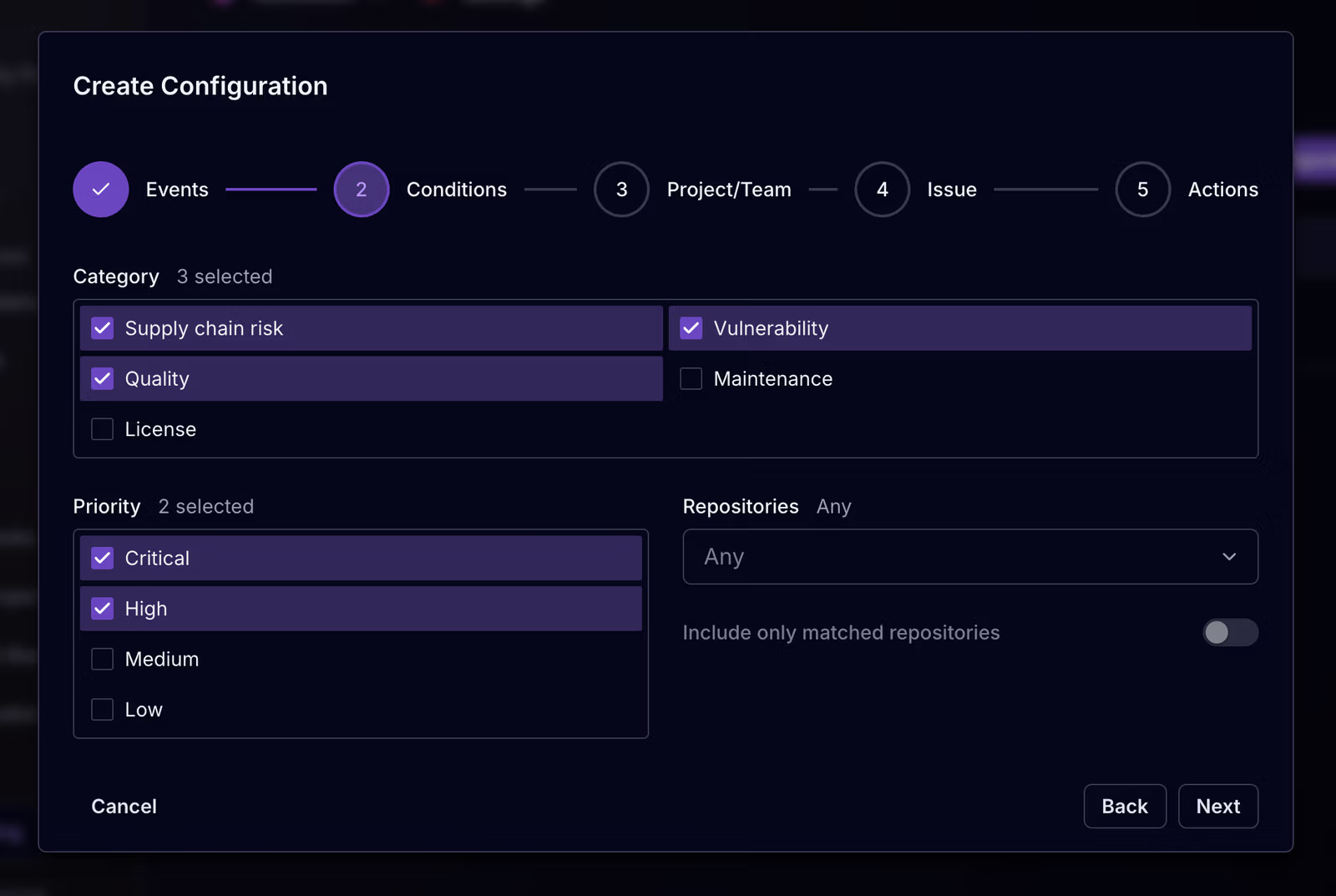
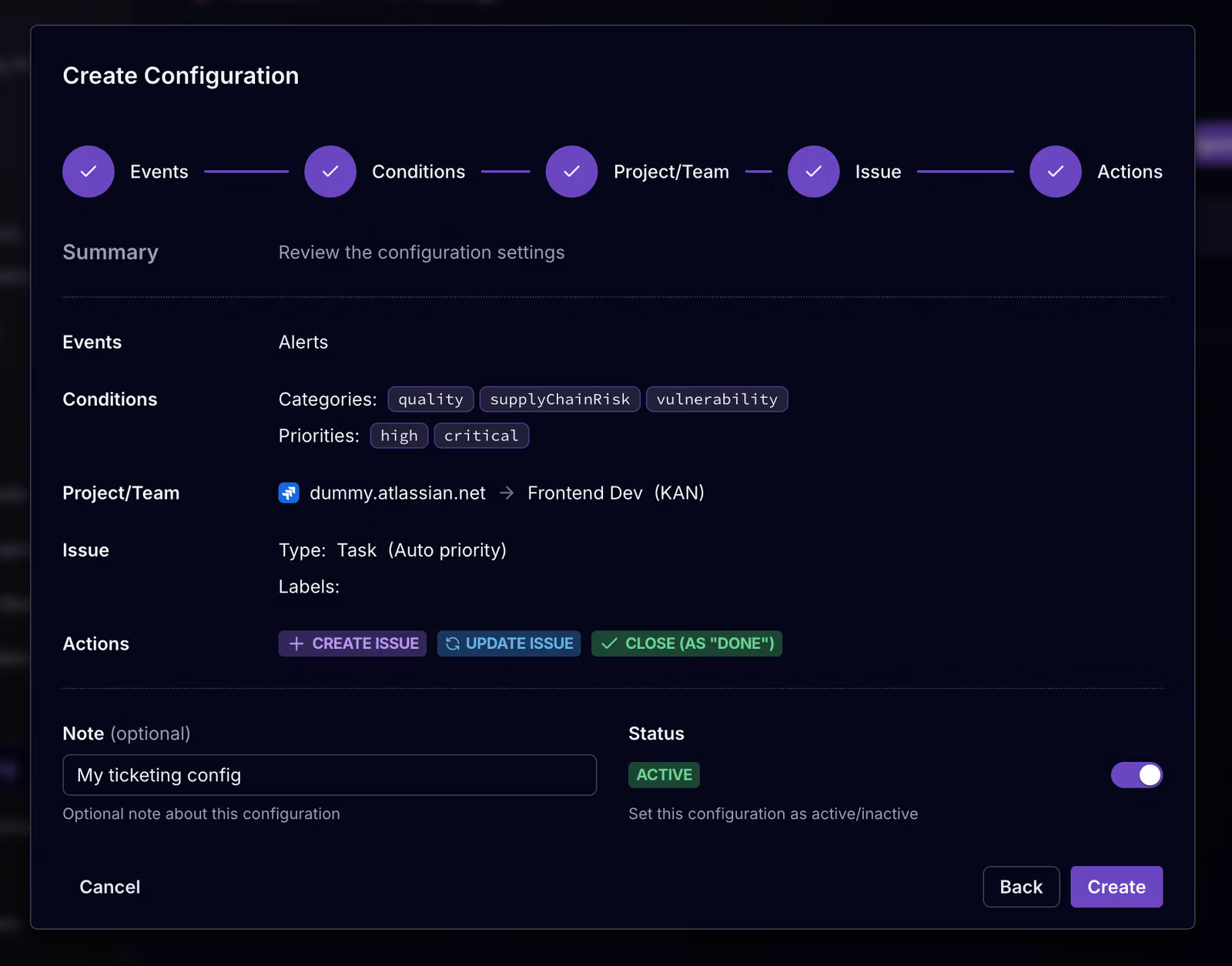
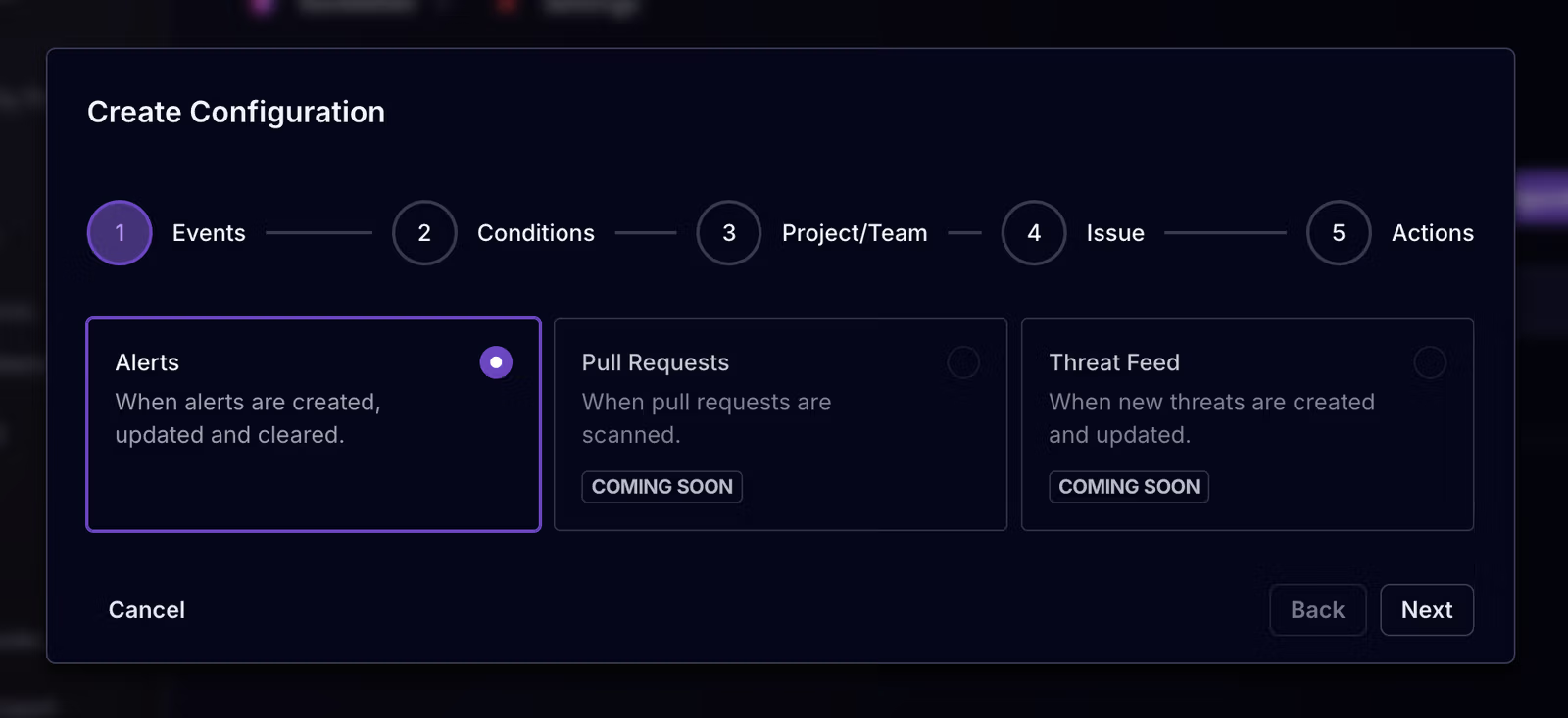
For teams that want a more scalable workflow, our Jira integration also supports automated ticketing rules. These rules let you define when Jira issues should be created, updated, or resolved based on alert events across your organization.
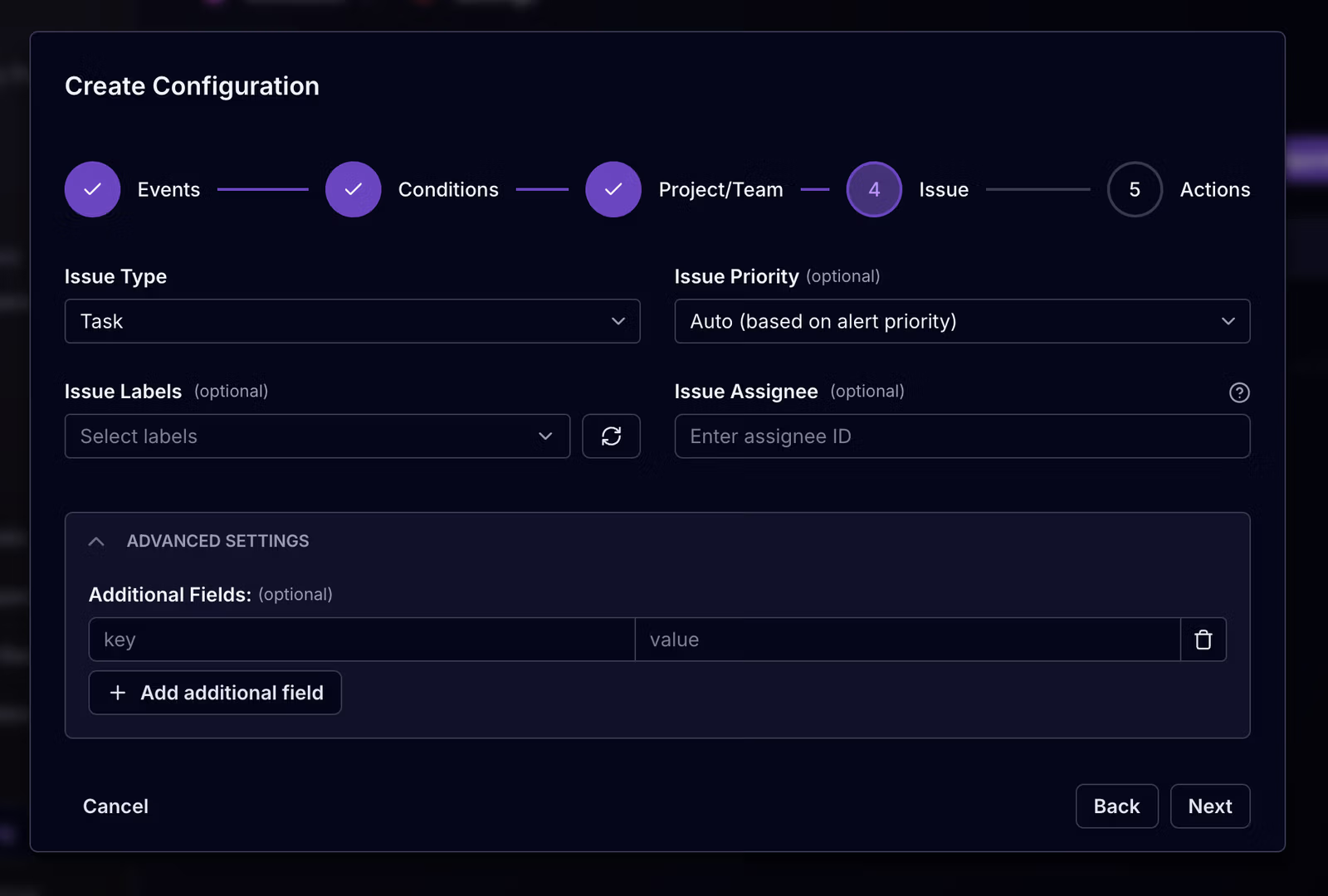
That includes the ability to choose which events trigger tickets, apply conditions such as category, priority, or repository scope, select a Jira project, and control how the issue should be created. You can configure issue type, priority, labels, assignee, and additional Jira fields as part of the workflow.
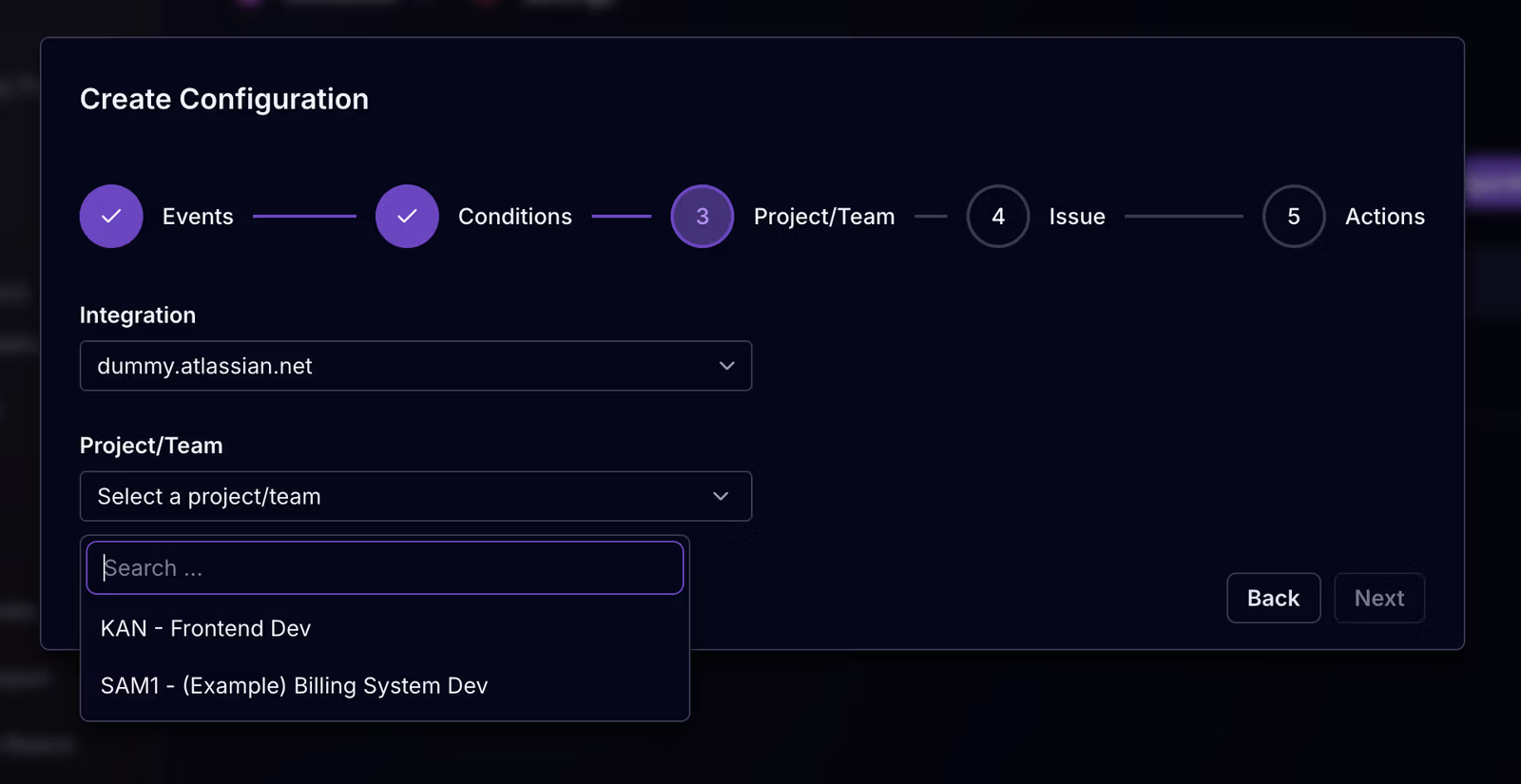
After defining which alerts should trigger tickets, teams choose the Jira site and project where those issues should land. This makes it possible to route different types of Socket alerts into the right team workflow instead of funneling everything into a single queue.
Socket also lets teams control how those Jira issues are created. In the issue configuration step, you can choose the issue type, set a priority or map it automatically from the alert, and optionally add labels, an assignee, or additional fields required by your Jira project.
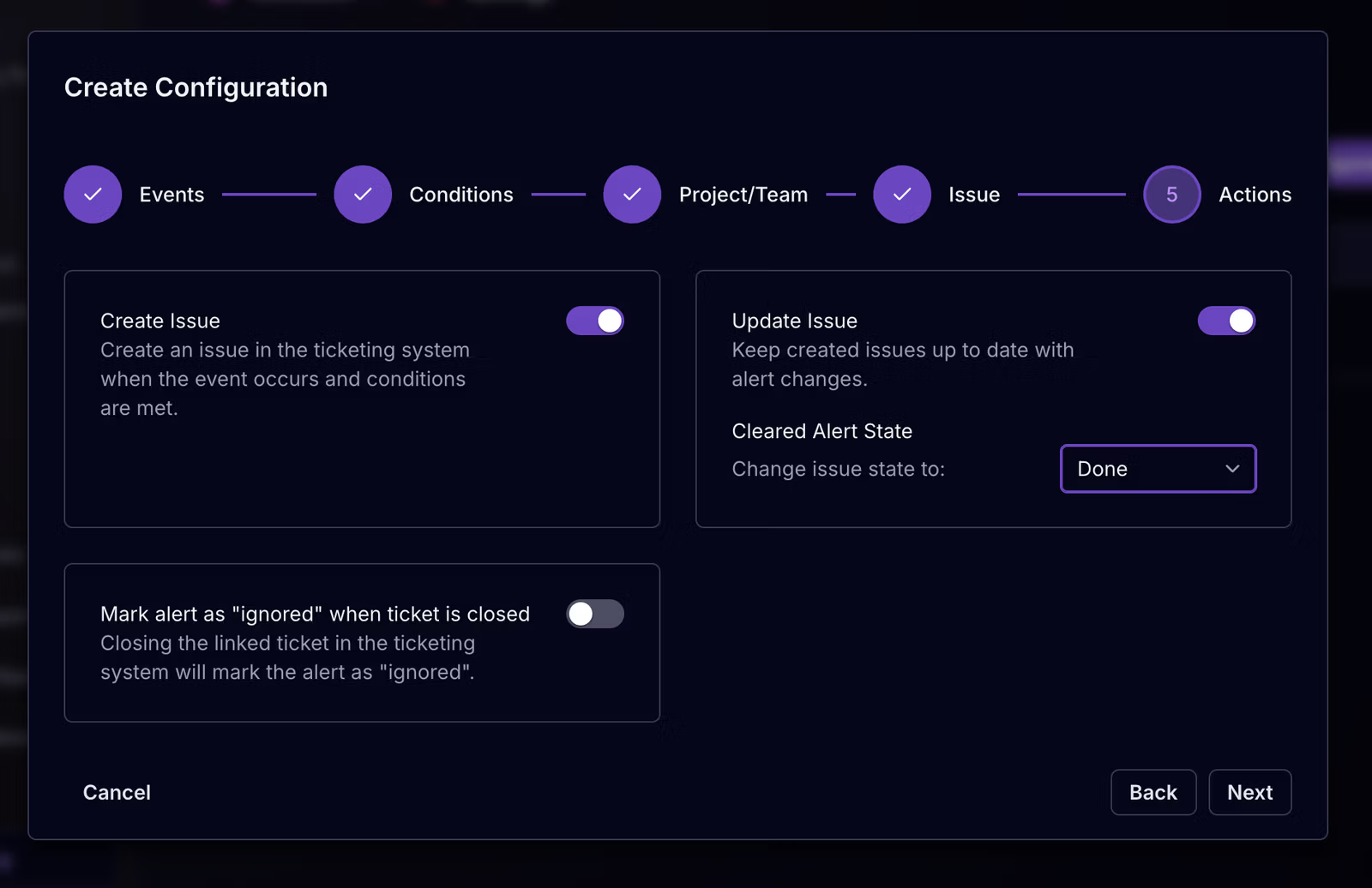
Socket for Jira includes two-way sync, so Jira issues do not become stale copies of security work. When linked issues are updated, resolved, or deleted in Jira, Socket can respond accordingly and update the related alert state.
Automated rules can also update linked issues as alerts change, transition Jira issues when alerts are cleared, and optionally mark Socket alerts as ignored when the linked ticket is closed.
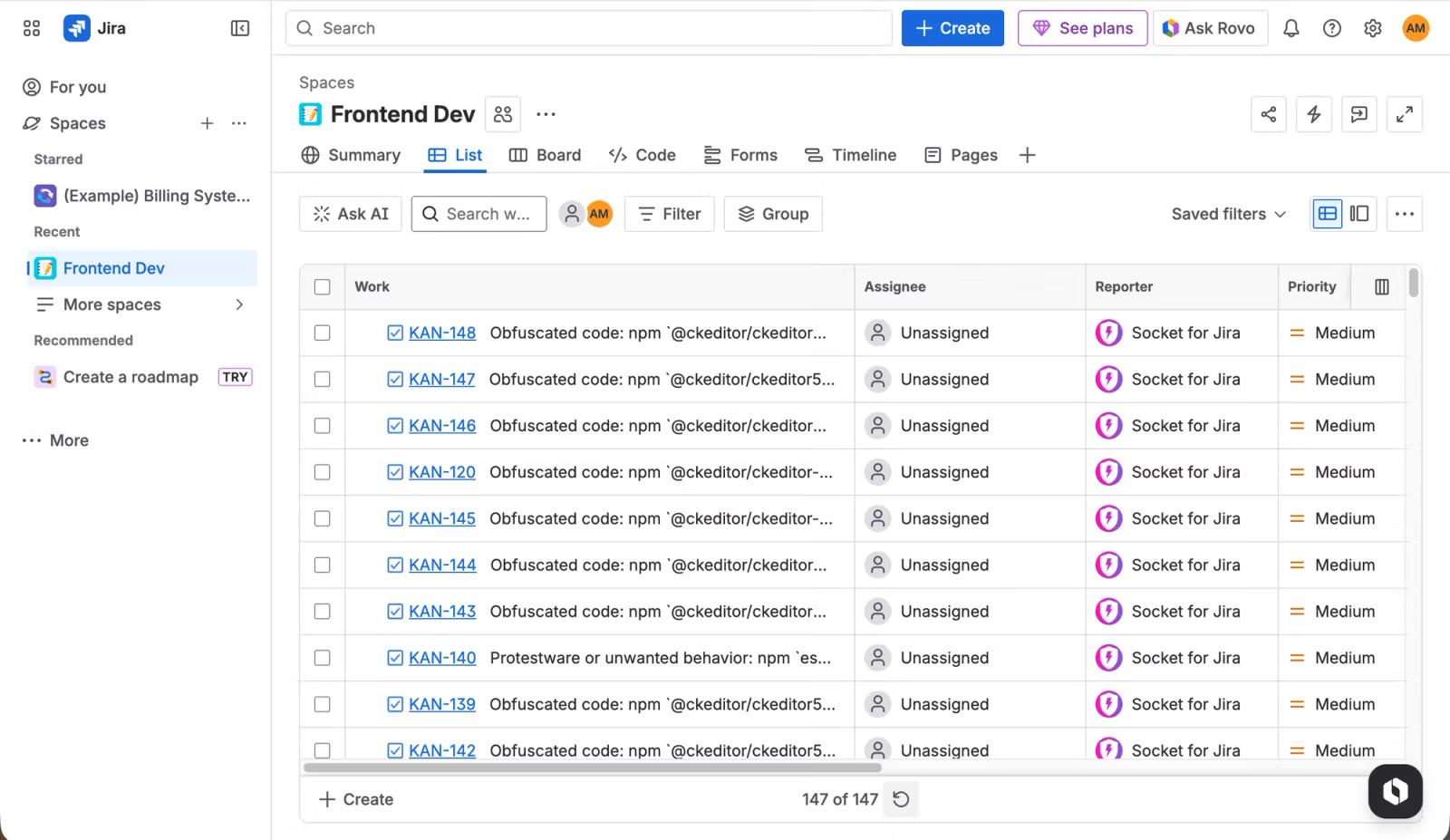
In Jira, tickets created by Socket appear alongside the rest of the team’s backlog, giving engineering and security teams a shared place to track remediation after alerts are created in Socket.
The integration is powered by the Socket for Jira Atlassian Forge app, which is installed in Jira Cloud and connected to a Socket organization. A single Jira site can also be connected to multiple Socket organizations when needed, which is useful for larger teams managing separate environments or business units.
Socket administrators can connect and configure the integration, while members can create tickets from alerts once the connection is in place.
Socket for Jira is now available to organizations on our Business and Enterprise plans. Teams can start using it today with Jira Cloud. Today, the Jira integration supports alert-based workflows, with additional event types such as Pull Requests and Threat Feed planned for the future.
To get started, head to Settings → Integrations → Jira in the Socket dashboard and connect your Jira Cloud instance. From there, you can create tickets manually from alerts or set up automated ticketing rules for your organization.
Check out the documentation to learn more and start configuring the integration.
此内容由惯性聚合(RSS阅读器)自动聚合整理,仅供阅读参考。 原文来自 — 版权归原作者所有。