





Socket proactively blocks malicious open source packages in your code. Install
Secure your dependencies with us
Security teams often need alert data in their own infrastructure, alongside the rest of their security telemetry. We're excited to share that Socket alert data can now flow directly into your own cloud storage.
Today we're launching Data Exports, a new integration that automatically writes alert changes from Socket to a bucket you own in AWS S3, Google Cloud Storage, or Azure Blob Storage.
Data Exports lets you to choose the format that fits your downstream systems, and decide whether you want a full snapshot or only the changes since the last run.
Some teams need a durable archive of alert data in their own environment. Others need an easy path into internal pipelines, analytics workflows, or SIEM tooling that already ingests from object storage. Data Exports makes that possible without forcing you into a single destination or workflow.
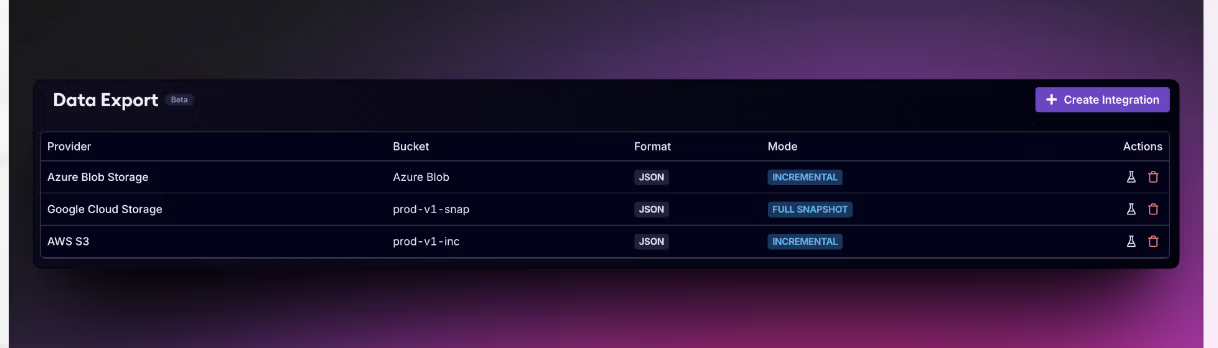
For many security teams, the hardest part of security operations is not generating findings. It is operationalizing them.
Data Exports helps bridge that gap by sending alert data directly to your cloud buckets. From there, you can retain the data on your own terms, feed it into internal analytics jobs, or make it available to tools that already pull from object storage.
Instead of starting with one narrow destination, we built a generic export path that works across the major cloud storage providers and supports common data formats. That gives you something useful immediately while creating a path for deeper integrations over time.
Data Exports gives you a few key choices:
Each provider uses the authentication model your team would expect for that environment. You provide the destination details and credentials for your chosen provider, and Socket handles the export flow from there.
Security programs rarely look identical across organizations. Some teams standardize on AWS. Others live in Google Cloud or Azure. Many already have internal retention, analytics, or ingestion patterns built around cloud storage.
Instead of asking you to adopt a new storage pattern just to get Socket alert data out, Data Exports lets you shape exports around the workflows you already have.
Here are the available export modes and formats:
Data Exports is designed to be simple to set up. From the Data Export settings page, you can create a new integration, choose your cloud provider, enter your bucket details, add provider-specific credentials, pick an export format, and choose an export mode.
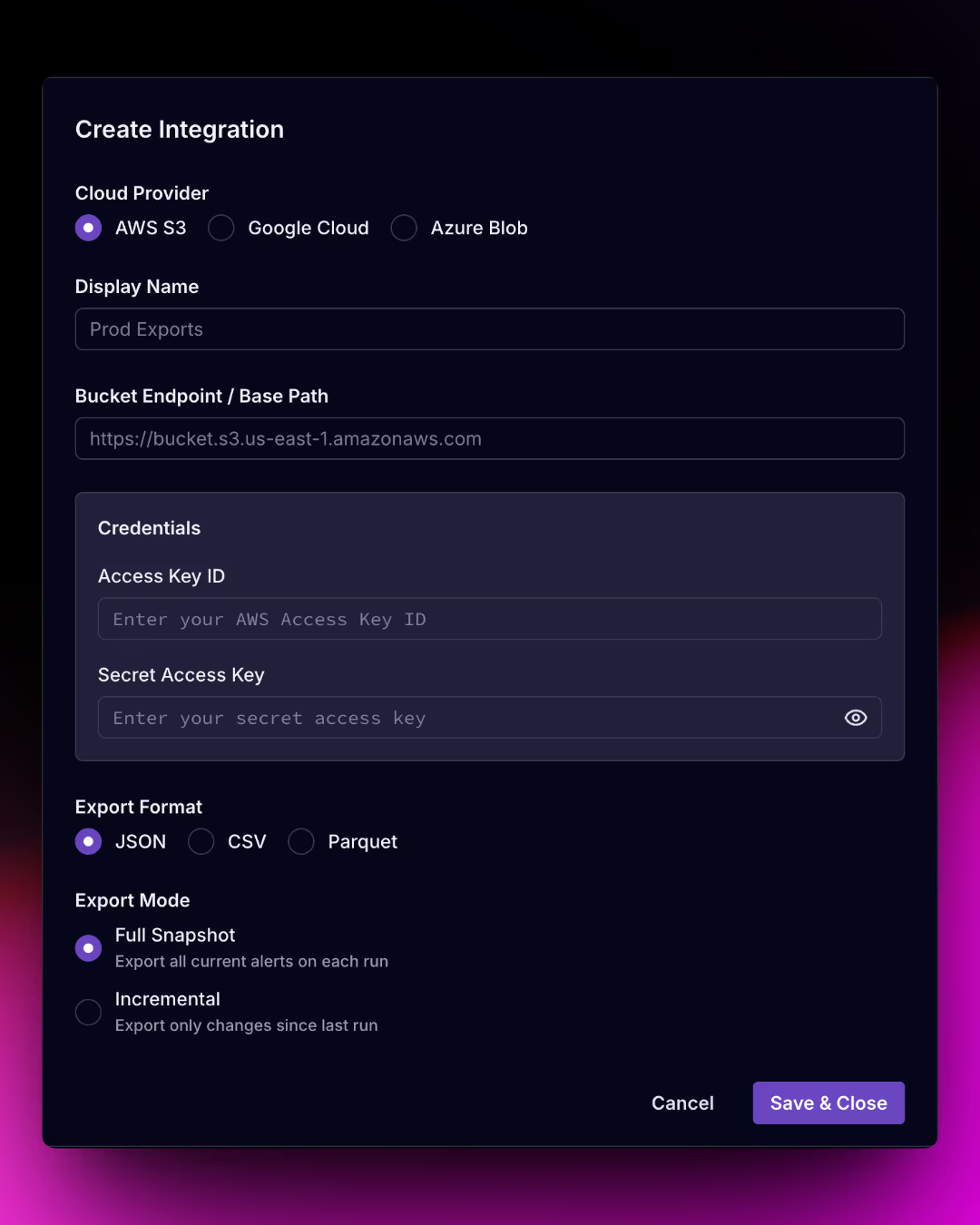
Socket also includes a Test Integration action so you can verify that the destination and credentials are correct before relying on scheduled exports.
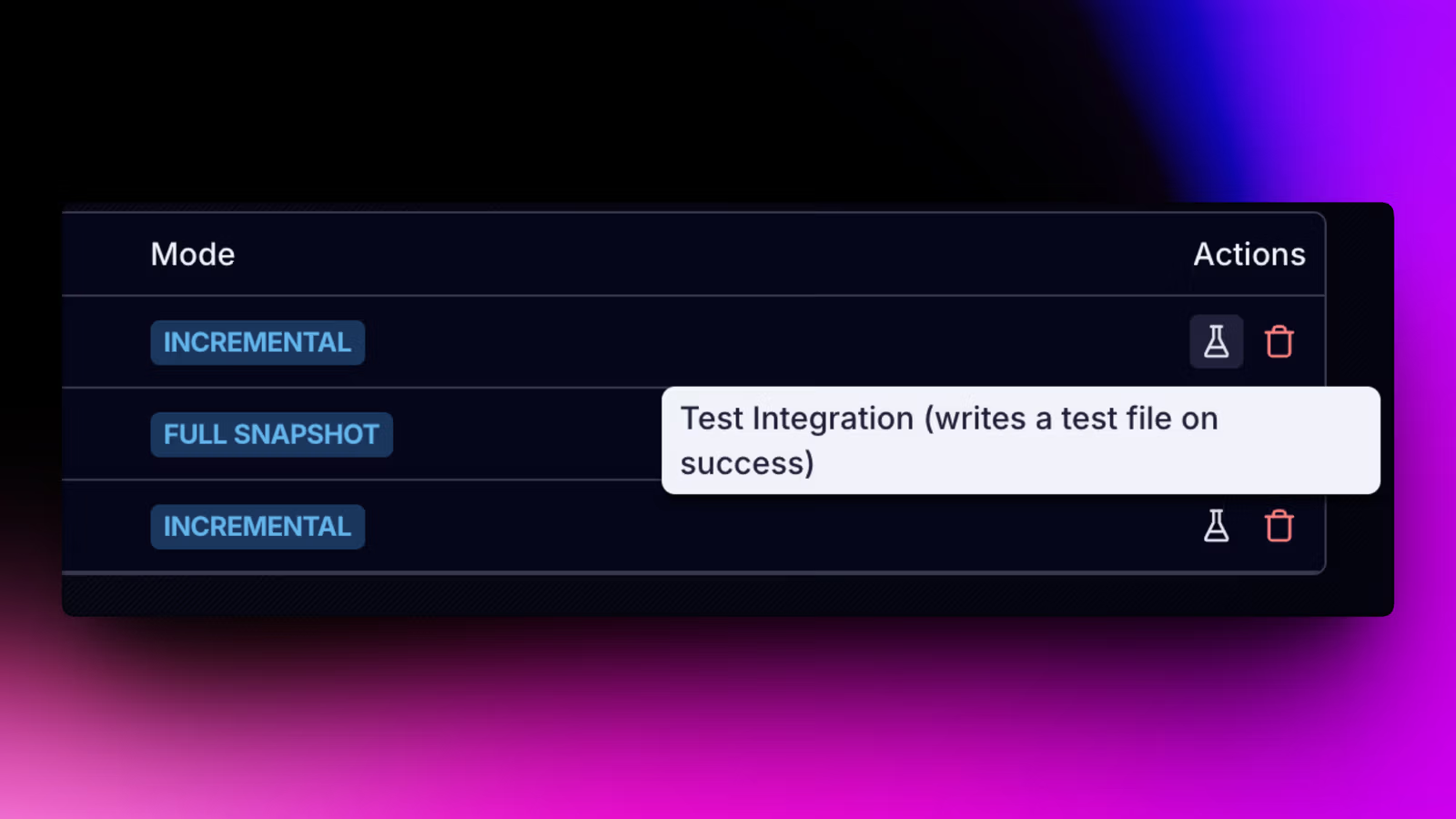
After a successful test, Socket writes a test file to the destination bucket so you can confirm the connection end to end.
Exports are written on a daily cadence. Files are organized under a predictable path structure so they are easy to find and manage in downstream storage workflows.
base_path/socket-alerts/Y-M-D/org_slug_date_mode.file_typeThat makes it easier to automate around exports, whether you are applying storage lifecycle policies, triggering ingestion jobs, or keeping an archive of alert data over time.
Data Exports is designed for customer-managed destinations where you control how exported data is retained on your side.
Starting with generic bucket exports gives you the immediate flexibility while aligning with how many SIEM and data platforms already ingest data from object storage. It also creates a foundation Socket can build on for more destination-specific SIEM integrations in the future.
Data Exports is available today on Enterprise plans. We'd love to hear from teams using this in production. If you have feedback on the export format, additional data you want included, or a SIEM platform you'd like us to prioritize, get in touch.
此内容由惯性聚合(RSS阅读器)自动聚合整理,仅供阅读参考。 原文来自 — 版权归原作者所有。