


Written by on CSS Wizardry.
Independent writing is brought to you via my wonderful Supporters.
I want to begin this post with a disclaimer: I’m not an audiophile, and I don’t claim to be particularly knowledgable when it comes to music technology. If I sound like I don’t have a clue what I’m talking about, that’s probably because I don’t. That said, perhaps this article might provide some use to people looking to get a better handle on their digital setup: I know I would have certainly appreciated a post like this when I was setting out.
I listen to a lot of music. Last year I logged over 70,000 minutes of listening time. That’s almot 50 non-stop days. 90% of that listening is digital audio from Spotify. When I’m on the move I’m almost constantly plugged into some music. This is usually in the form of Spotify offline playlists, but over some decent quality earphones (see below). At home, I’m used to just streaming Spotify through an Amazon Echo.
Here are my top five most-played tracks of 2017’s 70,000 minutes:
However, after recently discussing one of my all-time favourite tracks with a friend, and, bizarrely enough, with Nu:Tone himself, I decided that I wanted to start taking my listening a little more seriously.
Hey man! Looping back round to this (almost 4yr later 😂). Know anywhere I can get hold of a ‘dubious’ copy of this track? I’ll donate £25 to a charity of your choosing (DMs are open). Cheers!
— Harry Roberts (@csswizardry) 18 March, 2018
If you want to listen to the track—of course you do, it’s stunning—then you’ll have to make do with the YouTube version. Couple it with some good headphones and a decent amount of volume and you’ll still get the picture:
After falling fully back in love with this track (and managing to track down a quality version of it) I decided to ramp up my home digital music setup to something a little better than my current one. I guess this one track kicked everything off.
As I currently do listen to almost exclusively digitally streamed music, it was important to design a solution that was appropriate. With streaming music, particularly any lossless formats, you’re quickly going to hit diminishing returns where even the best equipment in the world fails to make any noticeable improvements to the music’s quality.
With this in mind, I set about my research: I needed a high-quality speaker that would work well with streamed media, but that wouldn’t be overkill. I didn’t necessarily want to use Bluetooth as its lower throughput would mean lower quality: I wanted a wifi enabled speaker that I could stream to directly.
Further, I needed to be mindful of space. I live in a city-centre apartment that,unfortunately, doesn’t leave me with much room to play with. Oh and I guess whatever I was going to buy needed to look nice—I’m really fond of my apartment and spent a lot of time furnishing it, so I wanted something that would look good.
Finally, while I was also prepared to spend some cash, I didn’t want to lay down thousands for mere digital listening. When I’m rich and I’ve got a huge house, then I’ll start spending!
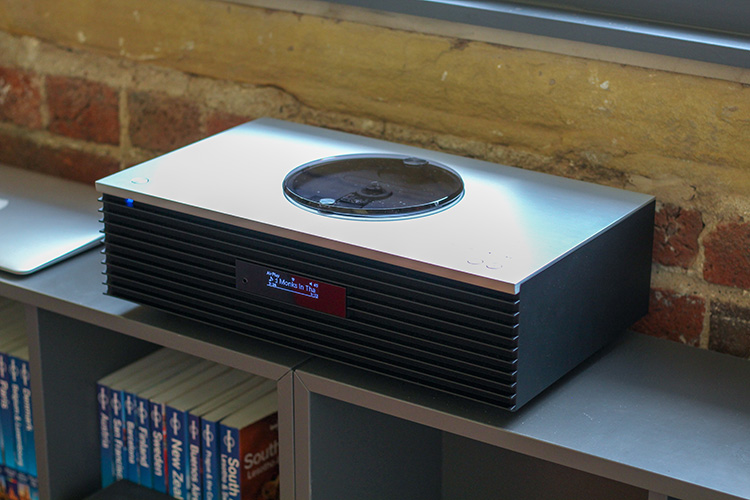
One of the units that kept getting mentioned was the Technics OTTAVA (or the Technics OTTAVA™ Forte SC-C70 to give it its rather catchy full name). It certainly looked stunning and seemed to tick all of the right boxes. On a whim—whilst I was technically just nipping out for coffee—I decided to drop into Richer Sounds to see if they had one in stock that I might be able to look at.
Nipped out to grab a coffee; came home with this @technics OTTAVA SC-C70 😍 Thanks for the help, @RicherSounds. pic.twitter.com/2Pm6Gt7NXq
— Harry Roberts (@csswizardry) March 20, 2018
They did.
The guy at Richer Sounds (cheers, Roger!) got his colleagues to set the unit up in the demo room for me while we chatted about my needs and requirements. Once it was set up, I was sat down and allowed to listen and play around with it. After listening to some tracks from a CD (remember those?), I hooked up my phone’s AirPlay to the OTTAVA and blasted out the Nu:Tone track (above). It sounded unreal. I was sold!
I bought the unit right there and then and then took it home to set it up immediately. It turned out to be a pretty expensive coffee break, but I’m absolutely convinced that it was worth it. It was an incredibly simple and straightforward setup: plug it in, connect it directly to your router, and that’s it. I played around with a suitable location and settled on placing it on a bookshelf near an external wall. This had two benefits:
The listening quality of the OTTAVA is sublime. Rich yet incredibly clear. Bold without being aggressive. Nuanced but not tinny. It feels incredibly immersive, and tracks I’ve known for years suddenly sounded so much more complex and impressive than I’d ever been used to. It has a huge presence, and manages to fill the room even on a modest volume setting.
I would wholeheartedly recommend it.
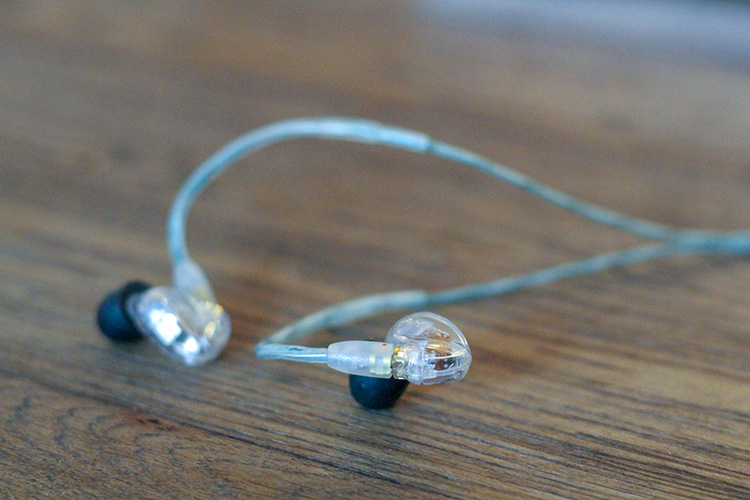
I’ve always taken music semi-seriously, so I’ve always owned good quality ear- and headphones. I’ve tried many brands and styles over the years, from in-ears, to on-ears, to circumaural, to monitors, and finally settling on the Shure SE425s a few years ago. They are by far my favourite.
Sound isolating (not cancelling), incredible clarity, and unusually comfortable for in-ear ’phones, they’re one of my favourite things I’ve ever owned. You should buy some. I can comfortably wear these for hours on end, their durable construction means that they travel well, and their clever design means that the earbuds themselves detach from the cable, meaning any damage to a specific part of the entire earphone can be replaced independently.
In fact, about two years ago, my then-pair of SE425s suffered some damage and the earphone nozzle sheared off of the earphone main unit. I could have put in a warranty claim to get a replacement, however that would have meant several weeks without the earphones while they got sent off. I love these way too much to go two weeks without them, so I just went out and bought a whole other pair. Unfortunately, I forgot to send the damaged unit off to Shure for repair, which is pretty bad of me. (Shure, if you’re reading this, maybe you can send me a replacement left-hand driver?)
That said, they do lack a little depth in the bass, and they’re not the most handsome things I’ve ever seen. Still, I do absolutely love ’em.
When listening to music from my earphones rather than a speaker, I’m most likely listening on my laptop or my phone. In order to improve sound quality, I usually use an external digital-to-analog converter (DAC). Most basic machines’ DACs aren’t really geared toward high-quality listening: they’re more functional out of necessity. From What Hi-Fi?:
The biggest problem is the DAC circuits used in many devices are just not efficient enough to do justice to the original recording, so a DAC upgrade can be the simplest way to improve your digital music and really get the most from your system.
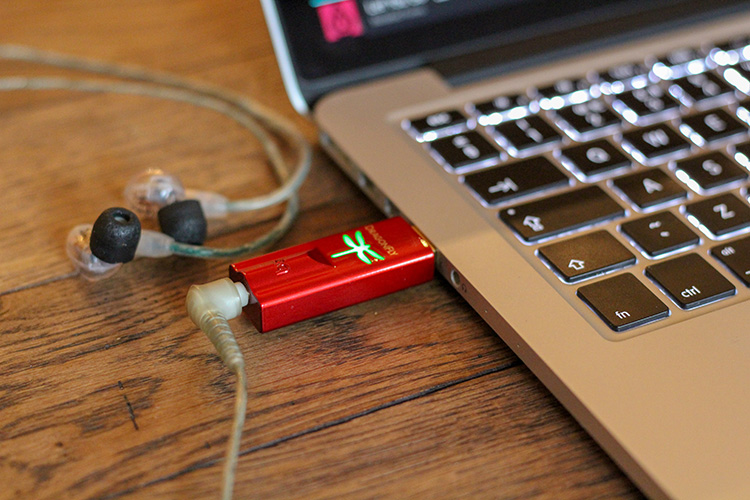
I’ve previously owned and loved the AudioQuest DragonFly v1.2 (review (★★★★★)), but their new DragonFly Red offers the ability to use the DAC with your phone, which means better quality listening on the move.
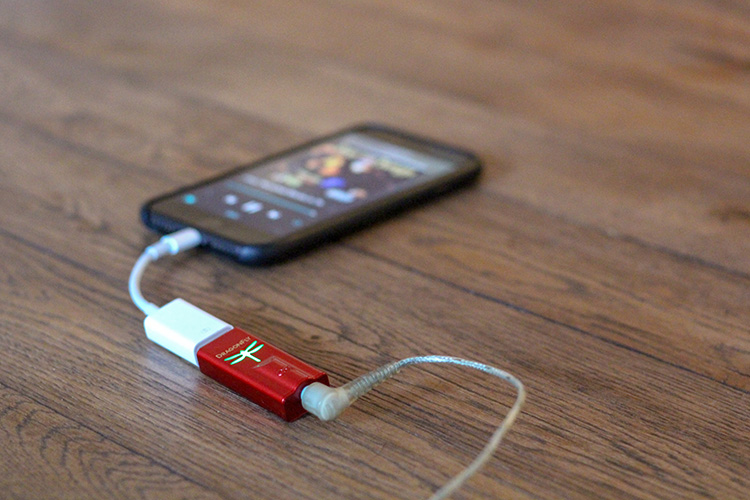
The DragonFly is tiny—the same size as a conventional USB stick—but there’s no denying that it does bulk up your phone somewhat. I have to plug my Shure’s 3.5mm jack into the DAC, then the DAC into an Apple Lightning to USB Camera Adapter, then the adapter into your phone. When I’m on a flight (as I am right now) or a train, this extra bulk doesn’t bother me too much—I get settled in anyway, so I don’t mind the extra room it takes. When I’m out and about, it’s too much to really stuff into a pocket, so I do just tend to forgo it entirely.
The improvement that the DAC provides is subtle, but definitely noticeable. The extra clarity you gain (particularly in tracks like Kygo’s ID) is pretty amazing and opens up parts of tracks that you’ve probably always been missing.
When listening on my laptop, it simply plugs into my Mac’s USB port and adds no real overhead. This is a great bit of kit, and if you’re listening to high enough quality audio then I’d recommend picking one up.
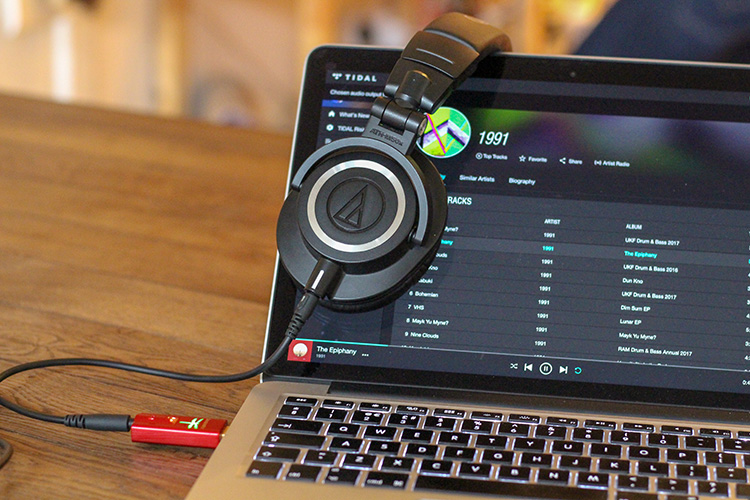
These get a lot less use than my Shures, but they are a great pair of headphones. A wonderfully comfortable pair of over-ear monitors that offer great clarity. I’m including them because, although I don’t use them so much any more, if you’re looking for a great pair of long-listen ’phones for work, these would be great.
I’ve been a loyal Spotify user for eight (what?!) years now. Although it isn’t perfect, I am a huge Spotify fan. My only concern is that I never really own any of my music, which is a frightening thought at times—if Spotify disappears then I’m lost. What I do love about Spotify is its reliability, its vast catalogue, and its discovery options.
Something I like a little less about Spotify is that it only streams MP3 formats, which is kind-of annoying. They teased mention of a Spotify Hi-Fi service but that soon disappeared, and they’ve gone very quiet on that front since:
That’s four years old 😔
— Harry Roberts (@csswizardry) March 21, 2018
If Spotify launch a hi-res service I would happily pay whatever extra cost and close down my Tidal account.
To mitigate this issue, I stream and download all music in the 320kbit/s Extreme format. This still sounds pretty nice when combined with the DragonFly DAC and my SE425s.
With my move to better quality listening, I became more interested in Tidal for their lossless and HiFi offering.
I was pretty hesitant about moving to Tidal. I’ve got such a long history with Spotify that I was put off the idea of swapping, even if Tidal does provide lossless streaming. Another blocker was that I had no way of finding out which songs in my Spotify library would be available on the Tidal service. I decided to take the month’s free trial and find out.
The good news is that the Tidal catalogue almost exactly mirrors Spotify’s, so plenty of the tracks I’d saved elsewhere were available. Unfortunately, though, not all of them: only about 80% of my Starred playlist is available on Tidal.
The practical upshot of which is that I’m unable to switch over fully, leaving me in a slightly uncanny valley where I use both services depending on what I want to listen to. Not the end of the world, but it does make everything feel a little incomplete. Plus, like I said, if Spotify begin offering a hi-res streaming service then I will swap fully back immediately.
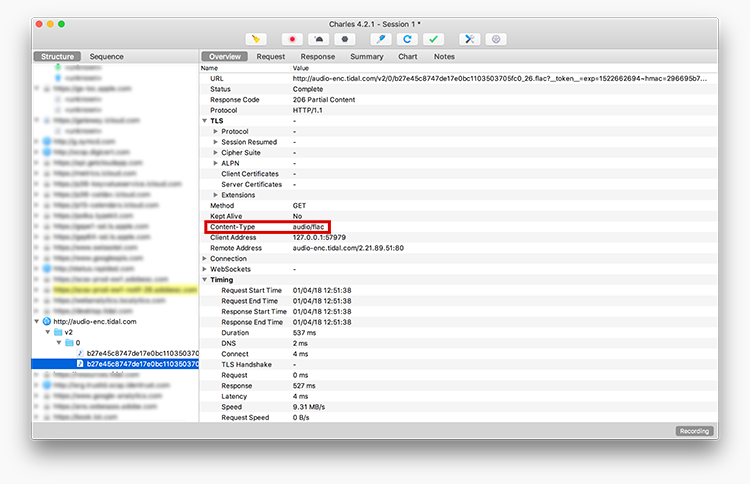
Because I have eight years of history with Spotify, I was very hesitant to begin moving to Tidal: that’s a lot of music to transfer. It turns out that SongShift for iOS is the perfect tool to help with that process.
SongShift allows you to transfer playlists from one streaming provider to another. The Pro version will keep tracking playlists across services and keep them all in sync, which means anything I add to my Spotify Starred playlist will automatically be replicated in Tidal (provided the track is available). That’s such a neat feature, and makes the £3.99 asking price seem unjustly low.
Sidenote: Always buy the premium version, even if you don’t need it. It’s important to support independent app developers.
I’m pretty happy with this setup for the vast majority of my listening, but I guess if I were to do a few things next, they’d probably be…
I’d like to start owning more of my music. I should really pay for digital downloads: it will better support the artists but will also allow me to own my own library and give me access (hopefully) to multiple file formats of my choosing.
If I go down this path, I’ll need to start considering many other things such as storage, backups, compatible media players, and maybe even dedicated hardware.
I’d like to eventually coalesce all of my music into one provider, but that will depend on Spotify’s decision to offer hi-res streaming, or on Tidal matching Spotify’s catalogue. I’m not going to hold my breath for either.
It would be pretty cool to get some custom sleeves made for the SE425s. I’m not really sure how to go about getting that done, but I’m sure it can’t be that complicated.
此内容由惯性聚合(RSS阅读器)自动聚合整理,仅供阅读参考。 原文来自 — 版权归原作者所有。