


Luckily, we can control to show a scrollbar or not only in the case of having a long content. That being said, it’s highly recommended to use auto as a value for overflow.
Consider the following example.
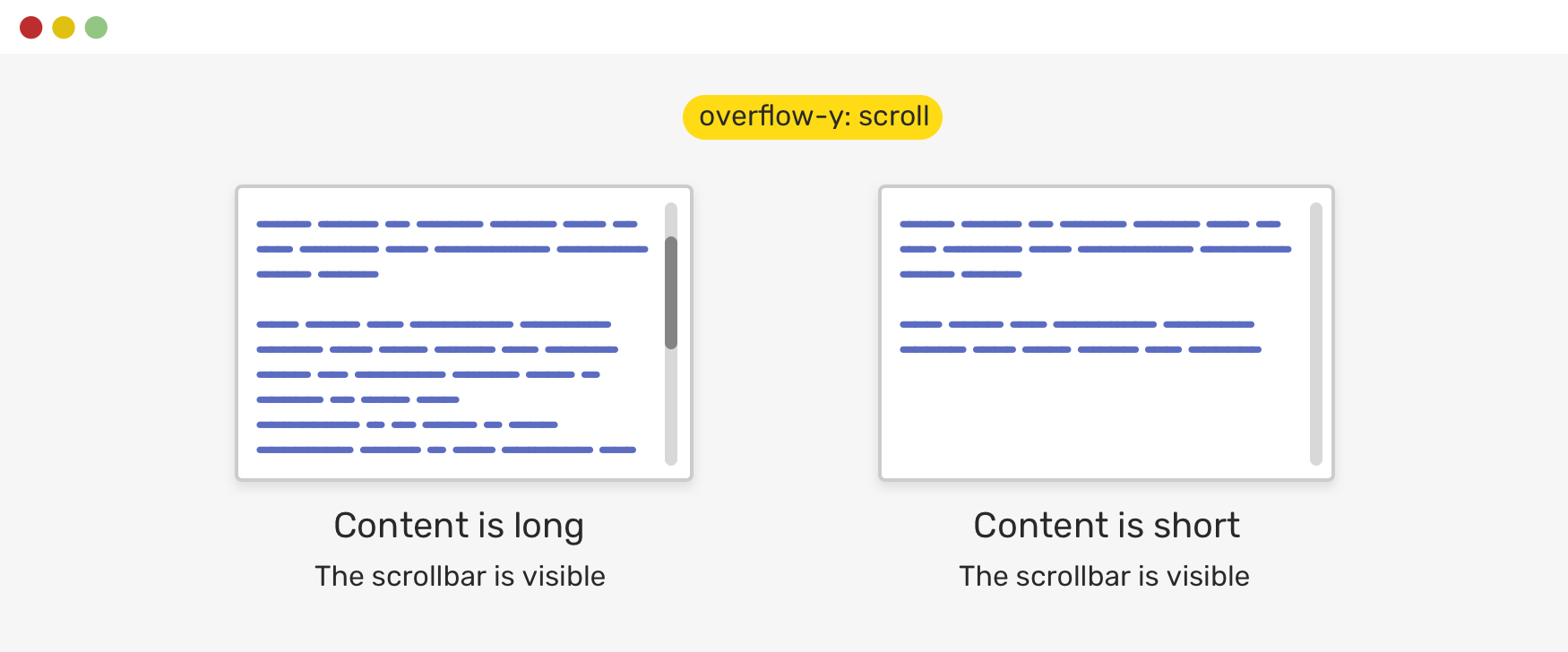
Notice how even if the content is short, there is a scrollbar visible. This isn’t good for a UI. As a designer, it’s just confusing to see a scrollbar when it’s not needed.
.element {
    overflow-y: auto;
}
With overflow-y: auto, the scrollbar will only be visible if the content is long. Otherwise, it won’t be there. Here is an updated figure.
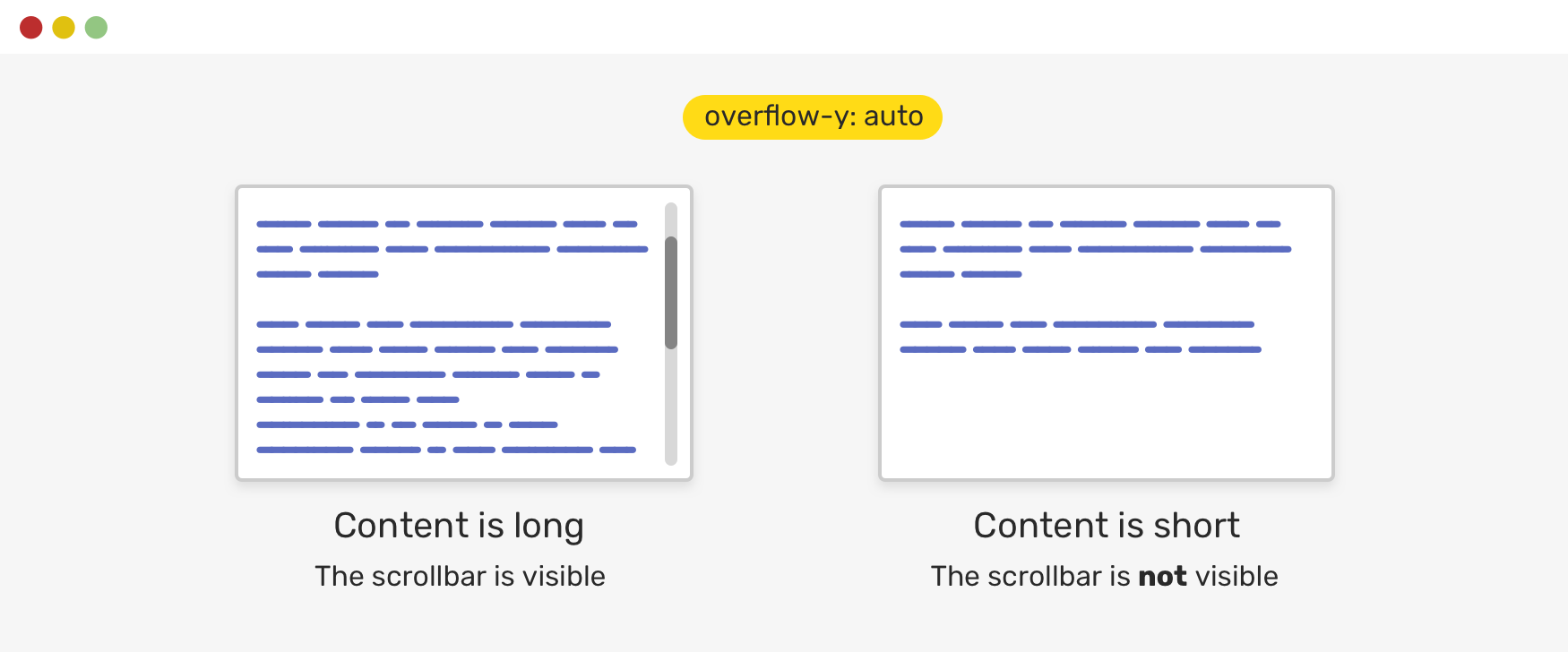
For macOS users, the scrollbar is shown only on scroll. You can change that in the settings via "System Preferences -> General -> Show scroll bars -> Always".

Lorem ipsum, dolor sit amet consectetur adipisicing elit. Doloremque harum est eum aperiam sed ut soluta quia nisi asperiores autem. Corporis consectetur amet sapiente necessitatibus veritatis aut quia maiores. Enim.
Toggle Defensive
此内容由惯性聚合(RSS阅读器)自动聚合整理,仅供阅读参考。 原文来自 — 版权归原作者所有。