


One of the common things that break a layout is using a fixed width or height with an element that has content in different lengths.
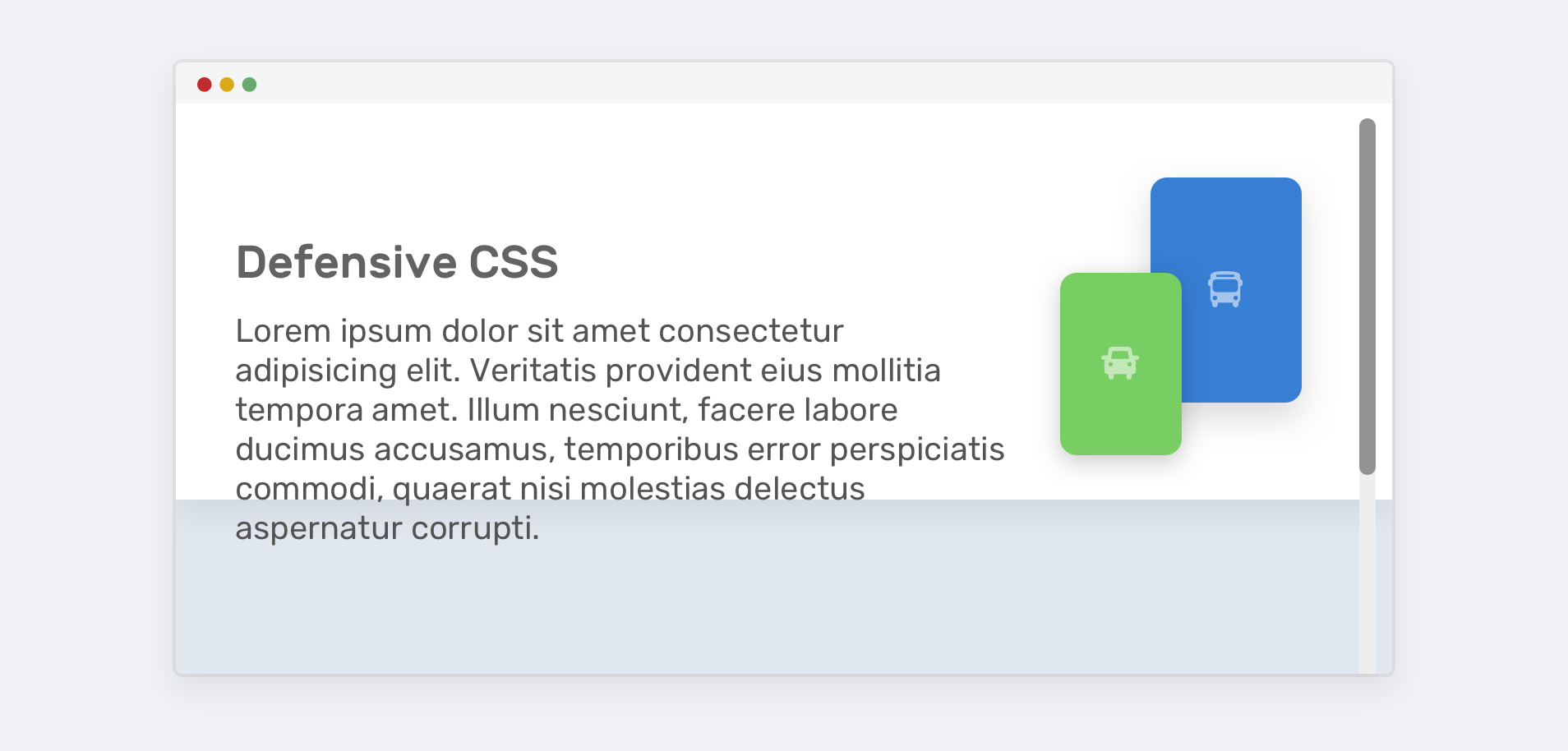
I often see a hero section with a fixed height and content that is larger than that height, which results in a broken layout. Not sure how that looks? Here it is.
.hero {
    height: 350px;
}
To avoid the content leaking out of the hero, we need to use min-height instead of height.
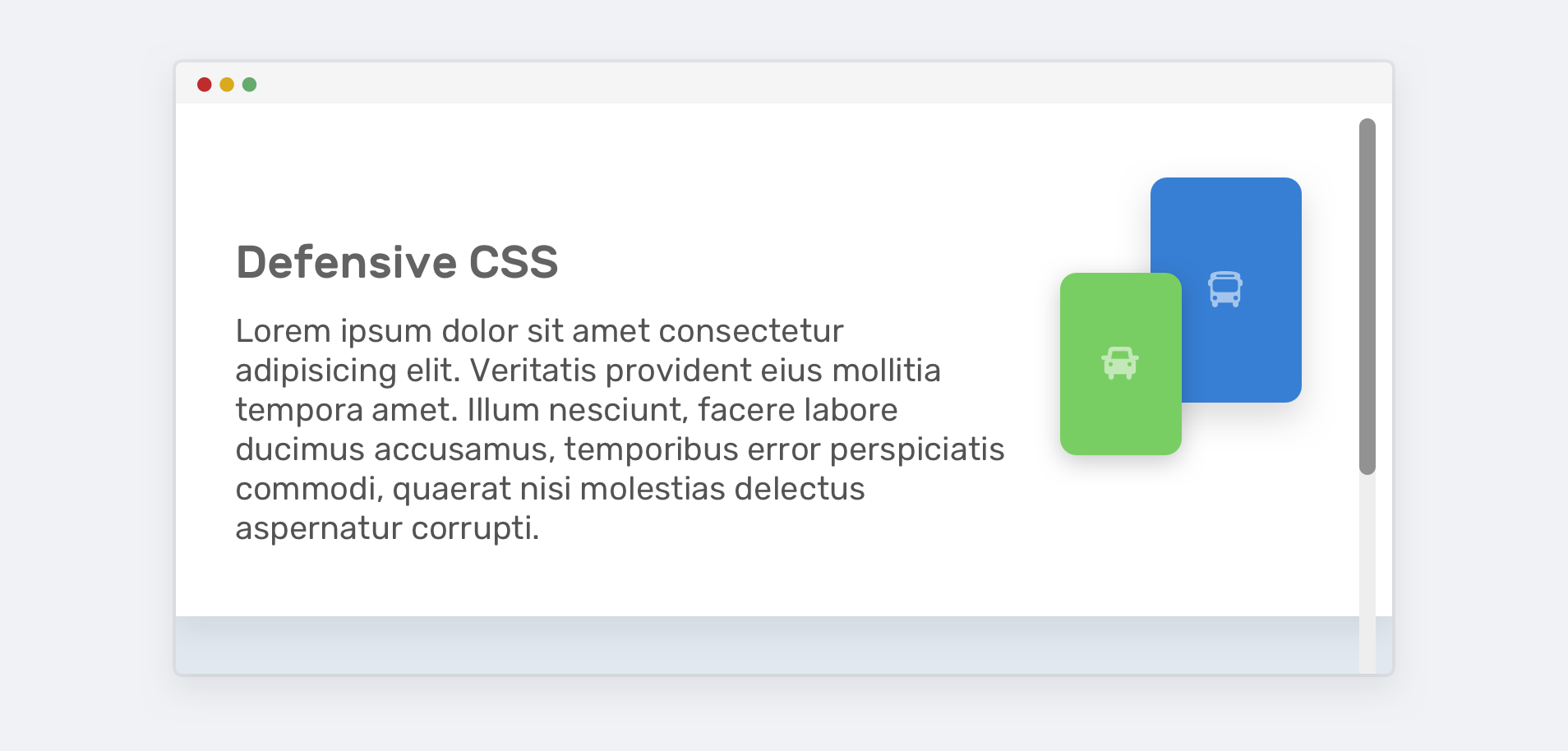
That way, if the content gets larger, the layout won’t break.
Have you ever seen a button that has its label too close to the left and right edges? This is due to using a fixed width.
.button {
    width: 100px;
}
If the button’s label is longer than 100px, it will be close to the edges. If it’s too long, the text will leak out of it. This isn’t good!
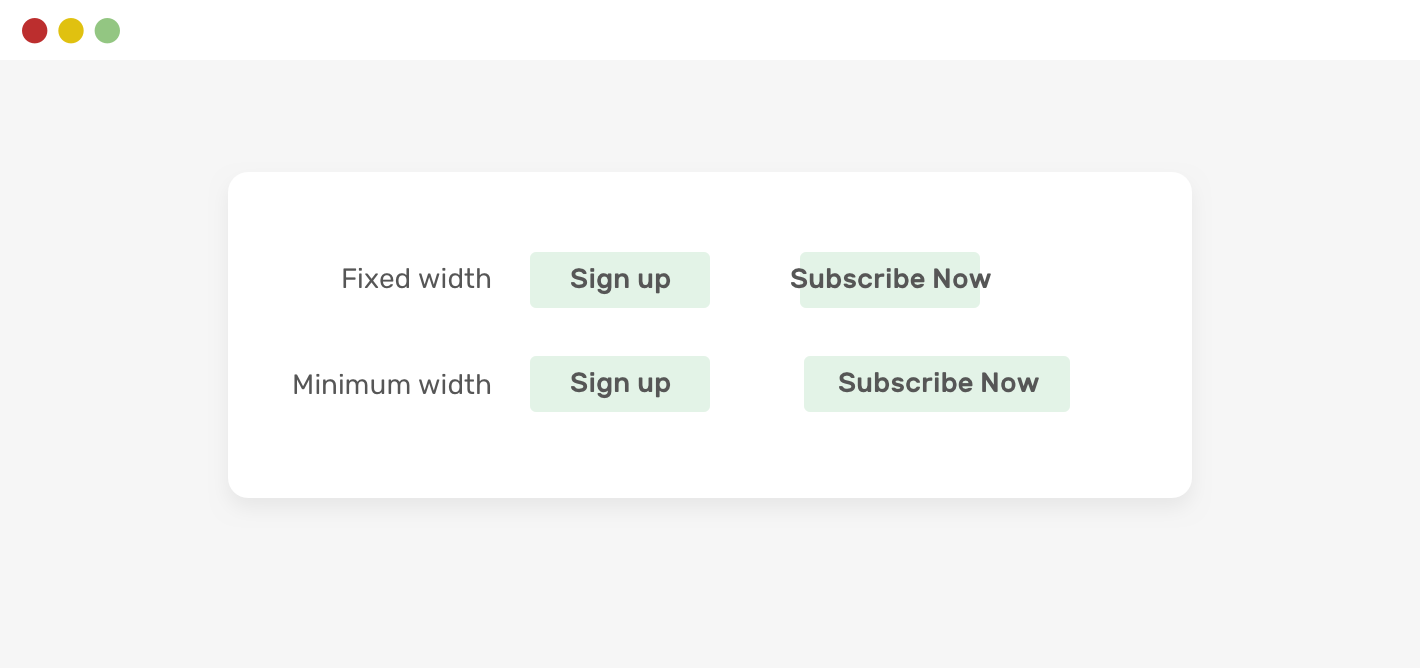
To fix that, we can simply replace width with min-width.
Lorem ipsum dolor sit amet consectetur adipisicing elit. Veritatis maxime aspernatur fugiat animi? Quae adipisci tenetur culpa quidem iste non quas, beatae, dolorem neque aut sunt magni minus, amet praesentium.
Toggle Defensive
此内容由惯性聚合(RSS阅读器)自动聚合整理,仅供阅读参考。 原文来自 — 版权归原作者所有。