


”a well-designed system makes it easy to do the right things and annoying (but not impossible) to do the wrong things” - Jeff Atwood
Pricing disincentivizes best practices.
It shouldn’t.
How? Well, you might recognize the Atwood quote from his blog “Falling into the pit of success” (which was originally a talk by Rico Mariani and blog by Brad Abram.
The Pit of Success basically states that language or API design should be made so that “our customers [can] simply fall into winning practices by using our platform and frameworks”.
While Atwood (and Abram and Mariani) were talking about language and API design, I recently had the pleasure of attending a Developer Experience (DX or DevX) talk by Chris Coyier where he made “the pit of success” more accessible to me, a developer with a penchant for frontend:
”React’s dangerouslySetInnerHTML prop is a perfect example of making the wrong thing harder. If you have a bit of raw HTML, it’s the wrong thing, generally, to just plop it onto a page (that’s ripe for XSS security vulnerabilities). So React automatically escapes, and thus makes safe, that HTML, but it also won’t really be HTML anymore, it will be a string representation of that HTML and probably not what you want. If you absolutely know it’s safe and need to do it anyway, you can but it’s annoying in that you have to use this weirdly named prop and pass in the value in a bit of a convoluted way”.

In other words, React protects you from doing something you may not be aware is wrong. It makes you think. It makes you pause. It annoys you. You REALLY have to want to do it that way to do it.
By relating it to React and relating that back to his developer product Codepen, it hit me: the “well-designed systems” that Atwood referred to are broader than API design or even framework design; “well-designed systems” refers to to connection between the goals of your users, the functionality of your product, and the design of how users can accomplish what they want with your product.
Let’s be honest, the teams building the features are probably not the same teams pricing them or deciding what feature is available in which pricing plan or what the quota is. In fact, the teams building the features are probably focused on building a “well-designed system”. But your customer journey doesn’t begin at “logged in”, it begins at “should I invest my time and money to adopt this product”.
Remember, a “well-designed system” takes the goals of your users, the functionality of your product, and the design of how users can accomplish what they want with your product into consideration. And when your product does exactly what a team needs, but you have seat caps, you might have an entire team sharing 1 seat. So the pricing of your product might actually be undoing all of the effort to build a “well-designed system”.
And here is a fact that we have to acknowledge: Pricing is a gate.
If that gate keeps people from using your features in the “proper way,” then it will encourage bad behaviors. Devs and small businesses will seek to get as much value out of your lowest plan or your free plan as they can. Workarounds are inevitable.
Let’s go back to the sharing seats example. Is an entire team sharing 1 seat ideal? No. Is it a bigger deal for your business than for your customer? Yeah, probably. But even if we think this is a relatively small issue, your customers are learning a bad habit. And as a result, they are likely missing out on the “well-designed system” that the engineering team has built behind the login. They probably can’t use collaboration features, or are losing out on security features because they’re forced to share credentials, or they are missing out on the ability to customize each team member’s experience with the product because it needs to be generic enough to fulfill an entire team’s needs. And this is the best case scenario!
When a specific pricing tier forces customers into really bad habits or workarounds, they begin to wonder if your product is worth it. While you intended your pricing to be a small gate to encourage customers to upgrade, what you’ve done is make your customer think you’ve hurt their user experience, and they’ll begin to find other products.
Here are a few examples. These are REAL examples, though I’m purposefully obfuscating companies and some have even been fixed.
There’s an amazing search product. You’ve probably used it. The free tier will get you a long way and this particular pricing issue has been cleared up.
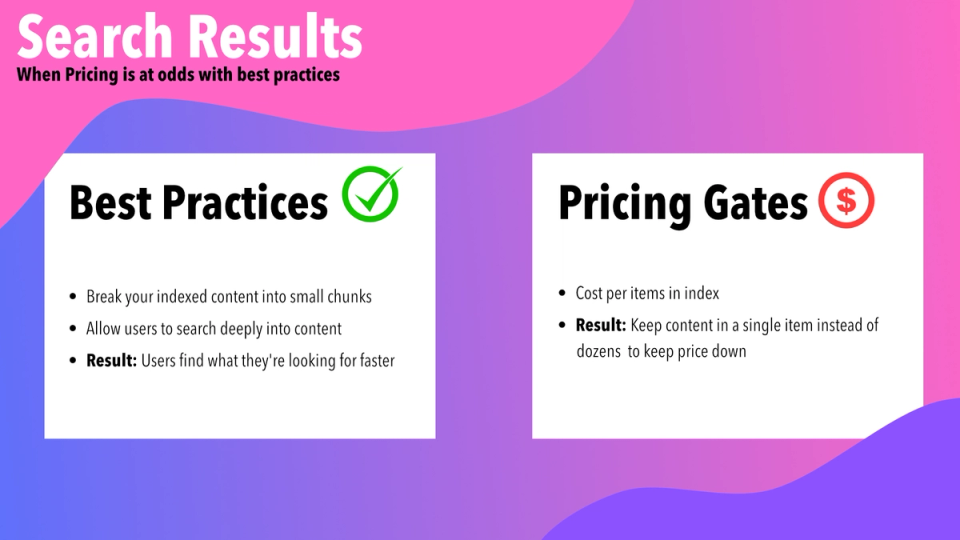
Here’s the rub: When you have a search index, it’s made up of multiple pieces of data. Once upon a time, part of pricing was how many items you had in your indices. That makes sense from a business perspective, for sure. It also doesn’t seem like a big deal. I’ve got a small blog, I don’t need too many items in my index. I’ve got a relatively small e-commerce store, not a big deal.
The problem comes when you consider a specific best practice the company pushed for: search results from deep parts of content.
Imagine you do a search and instead of getting the entire article as a result, you want to link a user to a deep section of that content. In order to do this, the best practice was to split your content items up into individual chunks that would be entered into the index. One article in search would result in a dozen or more items in your index. When part of pricing is how many items you have in your index, you’ll make the customer begin to wonder if they can afford you OR make them shy away from your suggested best practice.
Pricing can also affect the perception of your company as a best practice for whole industries!
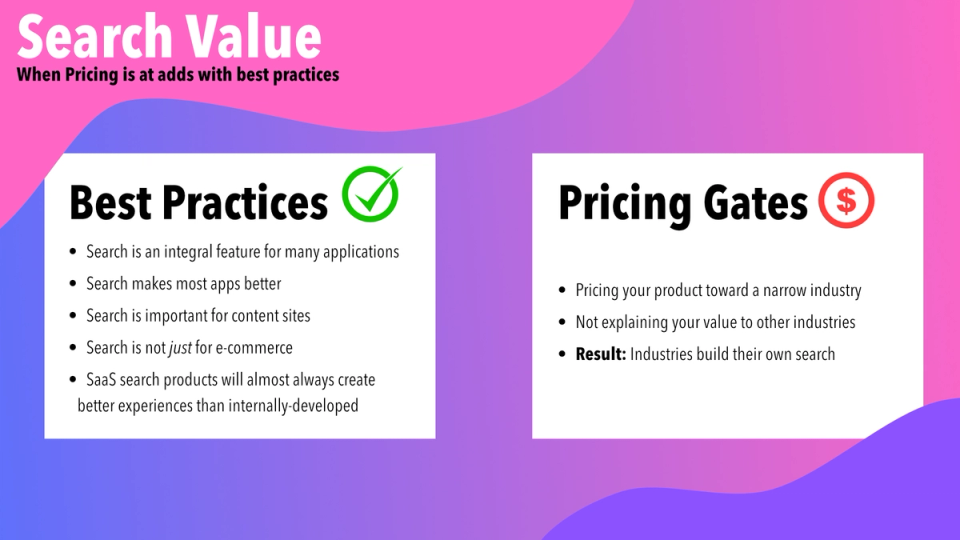
Much of the marketing around this product was centered on the value of well-tailored search results when tied directly to things that generate revenue. When you have a high-end e-commerce site, you get a lot of revenue from one sale. Each small interaction on your site is hugely important and search and personalization are critical. They’re also highly critical for content sites and for applications, but they’re harder to assign direct value capture.
The easy sell for the company was to high-end e-commerce. They focused most of their energy and content on this market segment. The problem was they wanted to get more customers that were content sites and full applications.
The pricing made sense for high-end e-commerce. Value was easy to associate. The pricing jump from free to even mid-level self-service pricing was HUGE: hundreds of dollars a month. When each search can directly correlate to a direct conversion, sale, or upsell, it’s an easy cost to justify. If you can’t associate direct revenue to each search, the price made no sense. So while the product was easily the industry-best paid search, customers outside of a narrow persona would churn quickly. They just didn’t see the value.
Instead of using this industry-leading search structure, application developers would just create their own search. Not what I’d consider a best practice. The amount of work, thought, architecture, design and more that goes into good search is ridiculous (and not something many teams are equipped to take on).
I actually worked at a product that made the switch from this platform to an in-house developed search because the pricing didn’t make economic sense. Part of the core of the product was searching a database of users. Needless to say, the user experience plummeted as a result of this switch.
It took months to reach some amount of feature parity and to fix many of the issues that came up as a result. We had search best practices built into the SaaS. We had to build those from scratch or ignore them… and honestly, many were ignored.
That being said, it “just cost internal resources.” It didn’t cost $5,000+ a year with no “discernible revenue impact.” And this is where the search product failed. Because the company I worked for probably ended up investing more through employee time and had a worse search experience. With a slight change to pricing, the search product could have kept us as a customer, my company could have saved money, developers could have built more interesting features, and our customers would have had an all around better experience.
The worst part is that the search company wanted this use case. It was exactly the target market they wanted to enter, but because of the pricing, they couldn’t effectively attack it.
I’d have to do a cost analysis on the SaaS’s new pricing structure, but this might also have been fixed in the years since. In all honesty, their pricing is still highly complex, so I don’t plan on running that analysis for fun
In this example, we have a federation platform whose pricing actively discouraged proper federation.
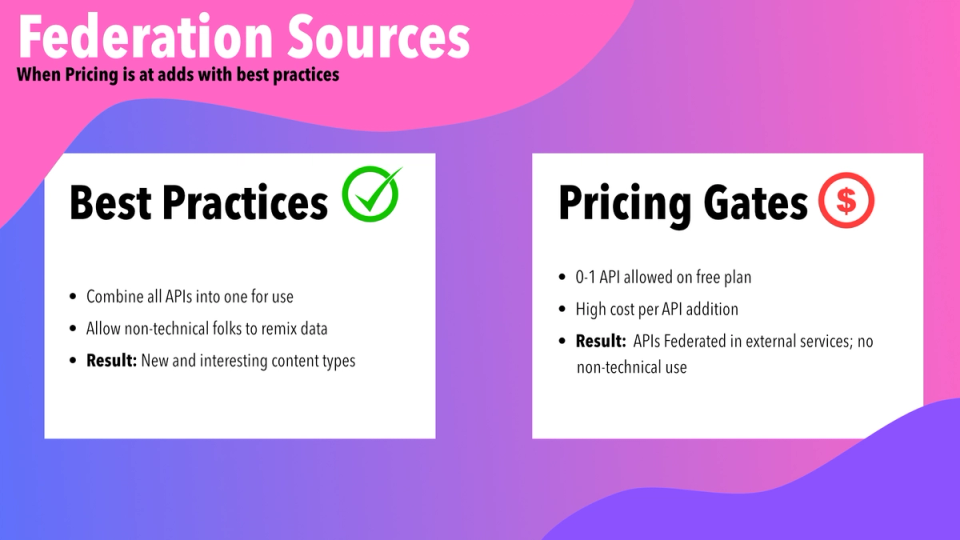
Federation is the concept that you can bring multiple APIs together into one unified experience. Often this is a big benefit to developers, but with the right platform, can be excellent for non-technical users, as well.
The platform wasn’t solely a federation platform, but had a series of pieces that allowed developers and non-technical folks to access and use data from multiple data sources. This was truly interesting and was a great feature set. It truly shined when you could add multiple external APIs to federate. While one API was interesting, being able to combine multiple APIs began to show real promise. Imagine an e-commerce platform where your marketing team had access to up-to-date product information and inventory, and both the marketing and product teams had access to reviews. All the information living in their own tailored systems, but federated into one useful place.
The free plan allowed for 1 source. That’s fine. It would have showed the true value if it allowed for 2, but I understand the need to gate complex use cases. The problem was even on the paid tier (which was expensive), you still had a strong limit. I believe it was 2-3. (Now 0 on free and 1 on paid with pricing per additional source).
Here’s the issue: As a developer, I can work around this and remain on the free plan. One way would be to consolidate APIs before putting them into the platform. In other words, federating my API before putting it into a federation platform. By doing this, I end up negating half the value proposition: the platform is supposed to combine my APIs, I shouldn’t have to do that before entering the platform.
From there, all that’s left is the value proposition for the non-technical folks. In general, that was a new segment of people to benefit from federation. Most of them had never had access to external data, and wouldn’t even know they would want it. So, but alienating the developer persona, we made it harder to sell to the non-technical persona. If the non-technical persona wasn’t asking for the feature, the developer persona would just turn to the tools they were already familiar with to do the job.
By pricing it in this way, they encouraged a bad habit which encouraged users to not engage with that feature set. And again, we’ve landed in a scenario where developers lose (they have to set up a new platform), cross-functional collaborators lose out (they don’t have access to all the data, and may even need to ask developers for help regularly, and end-users lose out on the remixed content, products, and other ideas that could have been if these personas could work together better.
This section is less about pricing encouraging bad practices and more about the capitalistic drive to make money at the theoretical direct expense of best practices.
There exists a hosting platform that has its own meta framework. They’re both very popular. I’ve enjoyed using them both.
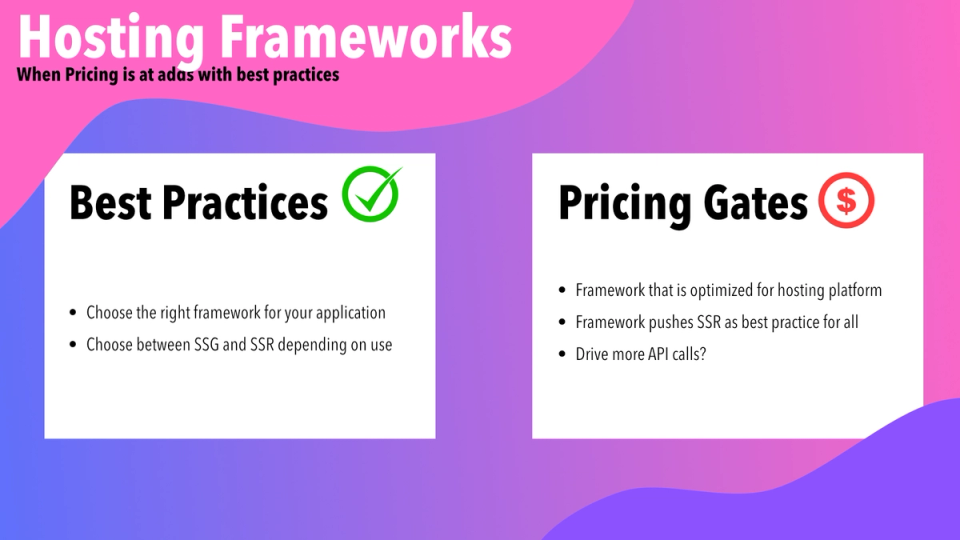
Their meta framework started out as a solid static-site generator with great frontend features. As the hosting business got stronger, more and more server-side features continued to roll out in the meta framework. No big deal, having some server-side and some build-time and some client-side seemed like a good idea! Best of all worlds, right?
Over time, the server-side aspects of the framework took more and more of the “best practice” conversation. Now, I wouldn’t necessarily consider this framework a “meta” framework. I consider it more a server-side framework. Which is quite odd when I think about it.
The hosting platform pushes the narrative that the server-side conversation is actually best practice. It may very well be. I’m not fully convinced personally, but that may be my own bias towards static. The problem is that I truly have to think: “Are they pushing me to server side rendering because their hosting prices on API calls and function invocations?” I’d like to think that’s not the case, but I’ve been in startup world for too long not to know that it’s at least partially the case.
I understand business. I even understand capitalism. I understand that we need to make money on our products. I understand that pricing needs to gate valuable features. Here’s the thing: we need to gate the right features in the right ways to encourage upgrading and upsells and discourage bad habits and bad practices.
A well-designed system can do that. A well-designed system includes pricing. By helping users accomplish their goals in ways they’ll enjoy using, they’ll be life-long product users. Each sale, will be less vulnerable to the churn that comes from a system that has “workarounds.”
Again, I’m not a pricing expert (though, I DO love telling CEOs—and product managers, and product marketing managers, and product leads, and CPOs… you get the picture— what I think of their pricing, so hit me up if you want to chat about this), but there has to be a better way.
I’ve got a couple thoughts on that. I’ll add them lightly here and maybe dig deeper in a follow-up article.
When thinking about pricing, focus on two areas: security and convenience.
Security can mean things like Single-Sign On and authentication features, but more than anything, what I mean by this style of feature is peace of mind. I’m willing to pay money to feels secure in what’s happening inside my application.
Each change I make inside your product is a chance to introduce a bug or a regression. Each new piece of data is a chance to add a typo. Each new user in the system is a potential for accidental carnage. Here are some pricing elements that can help ease a user’s worries around using your product.
Never underestimate the human desire for laziness. While we can get the job done without convenience features, we’ll be much more comfortable if we use them.
This is why users/seats are often a great pricing lever. We mentioned seats as a “benign” bad practice before. One seat can get the job done and the bad habits have minimal impact on product use… it can be much more annoying to only have one user. At some point, that inconvenience can be a great driver into a paid plan.
Here are some other thoughts on sales levers based on convenience:
These features aren’t always necessary. In fact, many of them aren’t necessary when a customer is just starting up. They need them later on when they’ve established more value from use of your product. When more users are in the system or more aspects of their product are using yours.
These features enable what we see in the SaaS world as a strong “land and expand” motion. Get them using the product; allow them to do things at a best practice; and when they’re happy (to use a sales technique), then “twist the knife” and show them that they can have even better experiences and sleep better at night with the paid plan. Of course, this only works if your customers are happy with your product. All the more reason to make sure they’re using the product correctly.
When I worked in user experience, I used to talk about how all pricing is technically “bad UX.” I stand by that, but I also used to remind everyone that UX can’t just be about “what’s best for the user,” it has to be about marrying business goals with user needs. Good relationships are built on compromise, but require a shared set of core values. In this case, users need to feel they get more value out of your product than the value you’re asking in return. Give them the best experience possible so that they share the value properly.
This is also the case with developer experience and developer tools.
We need to find ways to make the best DX that can drive people toward both best practices and eventually paying when the value proposition finally takes hold. Pricing is an integral part of how UX and DX work. If you’re a DevRel or DX lead, you need to be vocal in pricing conversations. This isn’t always easy (and is probably a subject for a follow-up blog post). The key is as a DevRel is that you know exactly how developers will work around your company’s pricing. Talk to your users and community, show your team exactly what their amazing features look like when a customer is reticent to pay and works around pricing.
Long-term, pricing that makes doing best practices harder will always catch up with a company, whether through churn based on perceived bad experience, missed opportunities due to misunderstandings, or just not realizing your product is a good fit for my company.
A well-designed system allows for your users to make an easy decision on paying you money; not an easy decision on hacking together solutions to work around paying.
此内容由惯性聚合(RSS阅读器)自动聚合整理,仅供阅读参考。 原文来自 — 版权归原作者所有。