







Framework for building REST endpoints for CRUD with models rather than code
Evolutility-Server-Node provides a set of generic model-driven REST endpoints for CRUD (Create, Read, Update, Delete) and simple charts on objects of different structures.
Stack: TypeScript with Node.js, Express, and PostgreSQL.
For a matching model-driven Web UI, use Evolutility-UI-React.
Table of Contents
- Installation
- Setup
- Configuration
- Models: Object - Field - Collection - Sample model
- REST API: Get - Update - Charts - More
- API Documentation
- Rate Limiting
- License
Installation
Download or clone from GitHub.
# To get the latest stable version, use git from the command line.
git clone https://github.com/evoluteur/evolutility-server-node
or use the npm package:
# To get the latest stable version, use npm from the command line.
npm install evolutility-server-node
Setup
After installing Evolutility-Server-Node, follow these steps:
-
Create a PostgreSQL database.
-
In the file config.js set the PostgreSQL connection string and the schema name to access your new database.
-
Review other configuration options as needed.
-
In the command line type the following:
# Install dependencies
npm install

# Create sample database w/ demo tables
npm run makedb

# Run the node.js server
npm start
Note: The database creation and population scripts are logged in the files "evol-db-schema-{datetime}.sql" and "evol-db-data-{datetime}.sql".
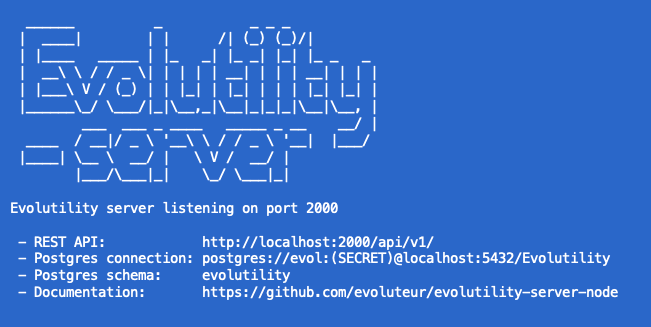
URLs on localhost:
- REST API: http://localhost:2000/api/v1/
- API Docs: http://localhost:2000/api-docs.html
Configuration
Configuration options are set in the file config.js.
| Option | Description |
|---|---|
| apiPath | Path for REST API (i.e.: "/api/v1/"). |
| apiPort | Port for REST API (i.e.: 2000). |
| connectionString | DB connection string (i.e.: "postgres://evol:love@localhost:5432/evol"). |
| schema | DB schema name (i.e.: "evolutility"). |
| pageSize | Number of rows per page in pagination (default = 50). |
| lovSize | Maximum number of values allowed for form dropdowns (default = 100). |
| csvSize | Maximum number of rows in CSV export (default = 1000). |
| csvHeader | Use field ids or labels as CSV column headers. |
| uploadPath | Path for pictures and document uploads (i.e.: "../evolutility-ui-react/public/pix/"). |
| logToConsole | Log SQL and errors to console. |
| logToFile | Log SQL and errors to a file. Log files are named like "evol-2019-09-15.log". |
| wComments | Allow for user comments (not implemented yet). |
| wRating | Allow for user ratings (not implemented yet). |
| wTimestamp | Timestamp columns w/ date of record creation and last update. |
| createdDateColumn | Column containing created date (default "created_at"). |
| updatedDateColumn | Column containing last update date (default "updated_at"). |
| schemaQueries | Enables endpoints to query for lists of tables and columns in the database schema. |
| rateLimit | Maximum number of API requests per IP per 15-minute window. Set to 0 to disable. Default: 500. |
| trustProxy | Set to true when running behind a reverse proxy (nginx, Heroku, etc.) so the real client IP is used for rate limiting instead of the proxy's IP. Default: false. |
Models
To be accessible by the REST API, each database table must be described in a model. Models contain the name of the driving table and the list of fields/columns present in the API.
- Object
- Field
- Collection
- Sample model
Object
| Property | Description |
|---|---|
| id | Unique key to identify the entity (used as API parameter). |
| table | Driving database table name (there are secondary tables for fields of type "lov"). |
| pKey | Name of the Primary key column (single column of type serial). Defaults to "id". In the data the key is always called "id". |
| fields | Array of fields. |
| titleField | Field id for the column value used as record title. |
| noCharts | Disable charts and dashboard views. |
| noStats | Disable stats for the object. |
Field
| Property | Description |
|---|---|
| id | Unique key for the field (can be the same as column but doesn't have to be). |
| column | Database column name for the field. |
| lovTable | Table to join to for field value (only for fields of type "lov"). |
| lovColumn | Column name (in the lovTable) for field value (only for fields of type "lov"). |
| lovIcon | Set to true to include an icon with LOV items (only for fields of type "lov"). |
| object | Model id for the object to link to (only for fields of type "lov"). |
| type | Field type is not a database column type but more a UI field type. Possible field types:
|
| required | Determines if the field is required for saving. |
| readOnly | Display field as readOnly (not editable). |
| inMany | Determines if the field is present (by default) in lists of records. |
| inSearch | Determines if the field is used in text searches. |
| max, min | Maximum/Minimum value allowed (only applies to numeric fields). |
| maxLength, minLength | Maximum/Minimum length allowed (only applies to text fields). |
| unique | Values must be unique (not implemented yet). |
| noCharts | Exclude field from charts. |
| noStats | Exclude field from Stats. |
| deleteTrigger | Deleting records in the lovTable will trigger a cascade delete (this property is only used while creating the database). |
Collection
Multiple Master-Details can be specified with collections.
| Property | Meaning |
|---|---|
| id | Unique key for the collection. |
| table | DB Table to query (master table, other tables will be included in the query for "lov" fields). |
| column | Column in the detail table to match against id of object. |
| object | Model id for the object to display (optional). |
| orderBy | Column(s) to sort by, e.g. "name" or "drink_date". |
| fields | Array of fields (objects or ids). Fields in collections can be field objects or just ids of fields in the collection's object. |
Example of collection in Wine cellar.
Sample model
Below is the model for a To-Do app.
export default {
    id: "todo",
    table: "task",
    titleField: "title",
    searchFields: ["title", "duedate", "description"],
    fields: [
        {
            id: "title",
            column: "title",
            type: "text",
            required: true,
            inMany: true
        },
        {
            id: "duedate",
            column: "duedate",
            type: "date",
            inMany: true
        },
        {
            id: "category",
            column: "category_id",
            type: "lov",
            lovTable: "task_category",
            inMany: true
        },
        {
            id: "priority",
            column: "priority_id",
            type: "lov",
            lovTable: "task_priority",
            required: true,
            inMany: true,
        },
        {
            id: "complete",
            column: "complete",
            type: "boolean",
            inMany: true
        },
        {
            id: "description",
            column: "description",
            type: "textmultiline"
        }
    ]
};
More sample models: Address book, Restaurants list, Wine cellar, Graphic novels inventory.
More information about Evolutility models and some useful scripts are available in a separate repository at evolutility-models.
REST API
Evolutility-Server-Node provides a generic RESTful API for CRUD (Create, Read, Update, Delete) and more. It is inspired by PostgREST.
- Get
- Update
- Charts
- More
When running Evolutility-Server-Node locally, the base url is http://localhost:2000/api/v1/.
Requesting Information
Get One
Gets a specific record by ID.
GET /{model.id}/{id}

GET /todo/12
By default this endpoint returns nested collections with the record. To reduce response size, collections can be omitted by using the parameter "shallow".
GET /{model.id}/{id}?shallow=1

GET /todo/12?shallow=1
Get Many
Gets a list of records.
GET /{model.id}

GET /todo
Filtering
You can filter result rows by adding conditions on fields; each condition is a query string parameter.
GET /{model.id}?{field.id}={operator}.{value}

GET /todo?title=sw.a
GET /todo?priority=in.1,2,3
Adding multiple parameters conjoins the conditions:
GET /todo?complete=0&duedate=lt.2018-12-24
For each field a sub-set of the operators below will be supported by the API (depending on field types).
| Operator | Meaning | Example |
|---|---|---|
| eq | equals | /todo?category=eq.1 |
| gt | greater than | /todo?duedate=gt.2026-01-15 |
| lt | less than | /todo?duedate=lt.2026-01-15 |
| gte | greater than or equal | /todo?duedate=gte.2026-01-15 |
| lte | less than or equal | /todo?duedate=lte.2026-01-15 |
| ct | contains | /todo?title=ct.e |
| sw | starts with | /todo?title=sw.a |
| fw | ends with | /todo?title=fw.z |
| in | one of a list of values | /todo?priority=in.1,2,3 |
| 0 | is false or null | /todo?complete=0 |
| 1 | is true | /todo?complete=1 |
| null | is null | /todo?category=null |
| nn | is not null | /todo?category=nn |
Searching
You can search for a specific string across multiple fields at once with the "search" parameter. The list of fields to be searched is specified with "searchFields" in the model (if unspecified, text fields flagged with "inMany" for list view will be used).
GET /{model.id}?search={value}

GET /todo?search=translation
Ordering
The reserved word "order" reorders the response rows. It uses a comma-separated list of fields and directions:
GET /{model.id}?order={field.id}.{asc/desc}

GET /todo?order=priority.desc,title.asc
If no direction is specified, it defaults to ascending order:
Limiting and Pagination
The reserved words "page" and "pageSize" limit the response rows.
GET /{model.id}?page={pageindex}&pageSize={pagesize}

GET /todo?page=0&pageSize=50
Formatting
By default all APIs return data in JSON format. Add format=csv to export data as CSV (Excel-compatible).
GET /{model.id}?format=csv

GET /todo?format=csv
Note: Each returned object includes a _full_count property indicating the total number of matching records (before pagination).
Updating Data
Record creation
To create a row in a database table post a JSON object whose keys are the names of the columns you would like to create. Missing keys will be set to default values when applicable.
POST {model.id} {data}

POST /todo
{ title: 'Finish testing', priority: 2}
Even though it is a POST, the request also returns the newly created record, saving a round-trip.
Update
PATCH or PUT can be used to update specific records.
PATCH /{model.id}/{id} {data}

PATCH /todo/5
{ title: 'Finish testing', priority: 2}
PUT /{model.id}/{id} {data}

PUT /todo/5
{ title: 'Finish testing', priority: 2}
Note: The request returns the updated record, saving a round-trip.
Deletion
Simply use the DELETE verb with the id of the record to remove.
DELETE /{model.id}/{id}

DELETE /todo/5
To delete multiple records at once, pass multiple ids (separated by commas).
DELETE /{model.id}/{id1},{id2},{id3}

DELETE /todo/5,7,12
Extra endpoints
In addition to CRUD, Evolutility-Server-Node provides endpoints for charts, lists of values, file upload, and API discovery.
Discovery
Returns the list of all active objects with URLs to their REST endpoints.
It is also possible to get a more detailed list of REST endpoints for a specific model.
GET /?id={model.id}

GET /?id=todo
GET /?id=contact
Note: These endpoints must be enabled in the configuration with { apiInfo: true }.
Charts
Returns aggregated data for fields of type lov, boolean, integer, decimal, and money. Use noCharts: true on a field to exclude it from charts.
GET /{model.id}/chart/{field.id}

GET /todo/chart/category
Stats
Returns the total count, and the min, max, average, variance, standard deviation and total for numeric fields in the model.
GET /{model.id}/stats

GET /todo/stats
Lists of Values
Dropdown fields in the UI (field.type="lov" in the model) have a REST endpoint to get the list of values. This endpoint can also take a search query parameter.
GET /{model.id}/lov/{field.id}

GET /todo/lov/category
GET /todo/lov/category?search=pro
File upload
Uploads a file to the server filesystem, in a subfolder named after the model id inside the directory specified by uploadPath in config.js.
POST /{model.id}/upload/{id}

POST /comics/upload/5
With query parameters: file and "field.id".
Nested collections
If the model has collections defined, they can be queried with this endpoint.
GET /{model.id}/collec/{collection.id}?id={id}

GET /winecellar/collec/wine_tasting?id=1
Models
When storing models in evol_object and evol_field tables, they can be queried through REST.
Get all models flagged as active.
Get a model by ID (integer).
GET /meta/model/{modelid}

GET /meta/model/1
Note: These endpoints must be enabled in the configuration with { apiDesigner: true }.
Schema tables and columns
These endpoints query the database structure (rather than the data) and return lists of tables and columns.
List of schema tables (props: table, type, readOnly).
List of columns (props: column, type, required) for a specified table.
GET /db/{table_name}/columns

GET /db/contact/columns
GET /db/task/columns
Note: These endpoints must be enabled in the configuration with { schemaQueries: true }.
API version
Returns the API version from package.json.
API Documentation
Evolutility-Server-Node automatically generates an OpenAPI 3.1 specification from the loaded models — no manual authoring required. Every field type, required constraint, and endpoint is derived directly from the model definitions.
OpenAPI spec
Returns the full OpenAPI 3.1 spec as JSON, reflecting all currently active models.
Swagger UI
An interactive API explorer is served as a static page at: http://localhost:2000/api-docs.html
It loads Swagger UI and points it at /api/v1/openapi.json. Every model gets its own tag grouping CRUD, stats, charts, list-of-values, and sub-collection endpoints. The spec and the UI stay in sync with the models automatically — adding or modifying a model is immediately reflected.


The spec can also be imported directly into Postman, Insomnia, or any OpenAPI-compatible client or code generator.
Rate Limiting
All API endpoints are rate-limited per IP address to protect the server and database from abuse. The default is 500 requests per 15-minute window, configurable via rateLimit in config.js. Set it to 0 to disable rate limiting entirely.
When the limit is exceeded the API returns 429 Too Many Requests with a RateLimit header indicating when the window resets.
Reverse proxy setup
If the server runs behind a reverse proxy (nginx, Apache, a load balancer, Heroku, Render, Railway, etc.), Express sees the proxy's IP address instead of the real client IP. Without correction, the rate limiter would count all users as one and block everyone simultaneously.
To fix this, set trustProxy: true in config.js. This tells Express to read the real client IP from the X-Forwarded-For header that the proxy injects:
// config.js
rateLimit: 500,
trustProxy: true,   // enable when behind nginx, Heroku, etc.
Only enable trustProxy if you actually control the proxy and trust it to set X-Forwarded-For correctly — enabling it on a directly internet-facing server would allow clients to spoof their IP and bypass the limiter.
License
Evolutility-Server-Node is released under the AGPLv3 license.
Encourage this project by becoming a sponsor.
Copyright (c) 2026 Olivier Giulieri.