


Functions are the small pieces of logic that together form applications. If you write applications in TypeScript, understanding function types is a must.
This guide covers everything you need to know to get started with TypeScript function types.
Functions in JavaScript/TypeScript are first-class objects. You can assign functions to variables, use functions as arguments to other functions, and even return functions.
Knowing how to type functions in TypeScript is a must if you want to pass functions around as objects.
Let's start with a simple case: a function that sums 2 numbers.
Here's the function in plain JavaScript:
// JavaScript
function sum(a, b) {
return a + b
}
sum() is a function that returns the sum of the parameters a and b.
In plain JavaScript, you know that the parameters a and b must be numbers, and the returned value must also be a number.
// JavaScript
function sum(a, b) {
return a + b
}
console.log(sum(4, 3)); // logs 7
In the example above the arguments 4 and 3, as well as the returned value 7 are all numbers.
Now that you have the parameter and return type information, you can easily translate this into a TypeScript function type of the sum():
// TypeScript function type
(a: number, b: number) => number
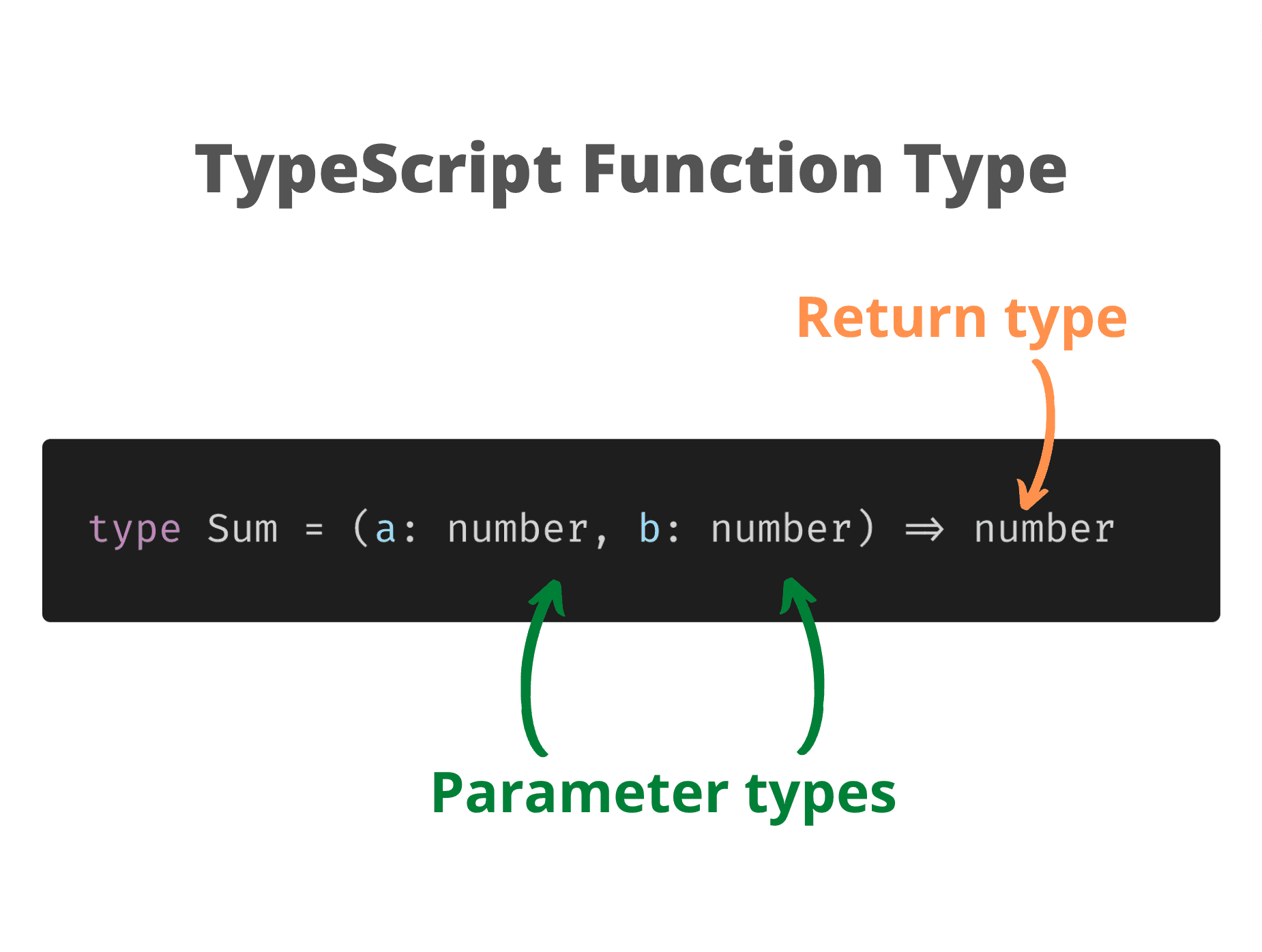
(a: number, b: number) is the part that specifies the parameters and their types. After the fat arrow indicate the return type: => number. That's it.
(Note: the function type looks similar to an arrow function. But they are different things.)
Because of their length, working with function types is more convenient if you store them into a type alias. An alias allows the type to be reused in multiple places:
// Sum is a type alias
type Sum = (a: number, b: number) => number
Having the Sum type, you can use it to annotate any place where the function object is passed around.
The first thing you can do, of course, is to assign the function to a variable:
type Sum = (a: number, b: number) => number
// Assign to variable
const sum1: Sum = function(a: number, b: number): number { return a + b } // OK
const sum2: Sum = function(a, b) { return a + b } // OK
In the example above sum1 and sum2 are of type Sum.
sum2 function doesn't have the parameter and return types indicated: this is because TypeScript infers these types from the Sum.
I recommend using type inference in your code to avoid repetition, e.g. label your functions as I did with sum2 instead of sum1. In the following examples I'm going to use type inference.
In case of a higher-order function, you use the function object as an argument or even return it from another function:
type Sum = (a: number, b: number) => number
// Sum as argument
function someFunc1(func: Sum): void {
func(1, 2)
}
someFunc1((a, b) => a + b) // OK
// Sum returned
function someFunc2(): Sum {
return (a, b) => a + b
}
someFunc2()(1, 2) // OK
To help you better understand how to use the function types, let's look at some guiding ideas.
1) Use ? to indicate an optional parameter:
type SumOpt = (a: number, b?: number) => number
const sumOpt: SumOpt = function sum(a, b) {
if (b === undefined) {
return a
}
return a + b
}
sumOpt(2) // OK
b? in SumOpt function type is an optional parameter. The second argument can be omitted when invoking sumOpt(2).
2) A rest parameter is typed using the three dots and an array type:
type SumRest = (...numbers: number[]) => number
const sumRest: SumRest = function sum(...numbers) {
return numbers.reduce((sum, number) => sum + number)
}
sumRest(1, 2) // OK
...numbers: number[] inside of the function type indicates a rest parameter.
3) The regular and the arrow functions have the same type:
type Sum = (a: number, b: number) => number
const regularFunc: Sum = function(a, b) { return a + b } // OK
const arrowFunc: Sum = (a, b) => a + b // OK
regularFunc is a regular function and arrowFunc is an arrow function. Both are Sum types.
4) The parameter names in the function type and the function instance can be different:
type Sum = (a: number, b: number) => number
const sumDiffParam: Sum = function(n1, n2) { return n1 + n2 } // OK
It's acceptable for the function type to have the parameter names a and b, but the function instance parameters n1 and n2.
5) The function instance can have fewer parameters than the function type:
type Sum = (a: number, b: number) => number
const sumShort: Sum = function (a) { return a } // OK
const sumShorter: Sum = function () { return 0 } // OK
sumShort and sumShorter have fewer parameters than the type Sum but are still of type Sum.
However, the function instance cannot have more parameters than the function type:
type Sum = (a: number, b: number) => number
const sumLonger: Sum = function (a, b, c) { return a + b + c } // Type error!
6) The return type of an async function must be a promise Promise<T>:
type SumAsync = (a: number, b: number) => Promise<number>
const sumAsync: SumAsync = async function (a, b) {
return await a + b
} // OK
sumAsync is an async function. The return type of an async function must be a promise — Promise<T> type (which is a generic type).
A method is a function that exists and is executed in the context of an object. Method types in TypeScript have to exist within the object type.
You can define methods on interfaces:
interface ObjectWithMethod {
sum(a: number, b: number): number
}
or even use a type alias:
type ObjectWithMethod = {
sum(a: number, b: number): number
}
ObjectWithMethod is an object type having a method sum(). The first and second parameter types (a: number, b: number) are numbers, and the return type : number is also a number.
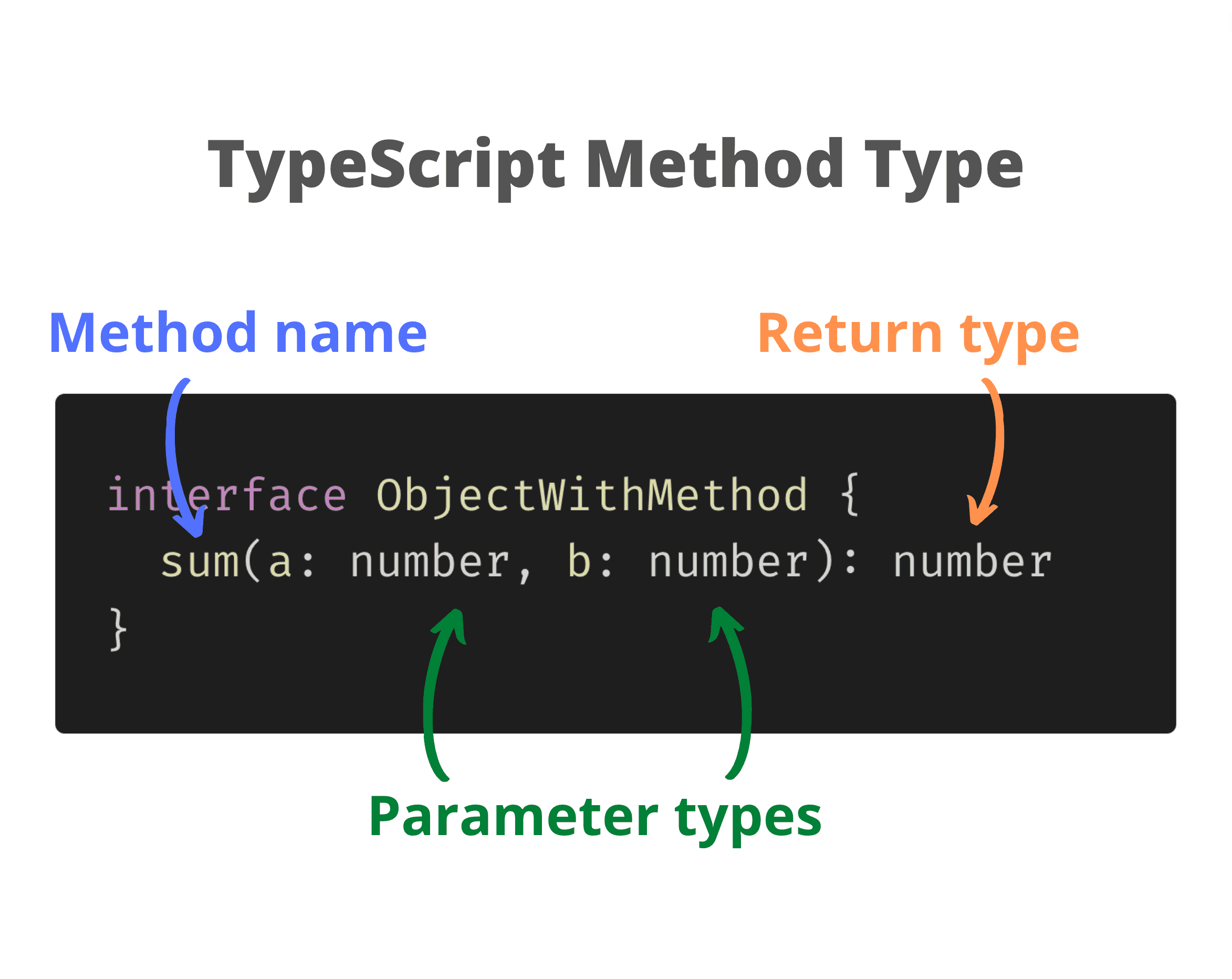
Note an important difference. The function type uses the fat arrow => to separate the parameter list from the return type, while the method type uses the colon :.
Let's look at a method type example:
interface ObjectWithMethod {
sum(a: number, b: number): number
}
const object: ObjectWithMethod = { // OK
sum(a, b) { return a + b }
}
object is of type ObjectWithMethod and contains a method sum().
Of course, you can add many method types to an object type:
interface ObjectWithMethod {
sum(a: number, b: number): number
product(a: number, b: number): number
abs(a: number): number
// etc...
}
Another interesting way of writing a function type is to use a TypeScript function interface. It's also called function call signature (too scientific for me).
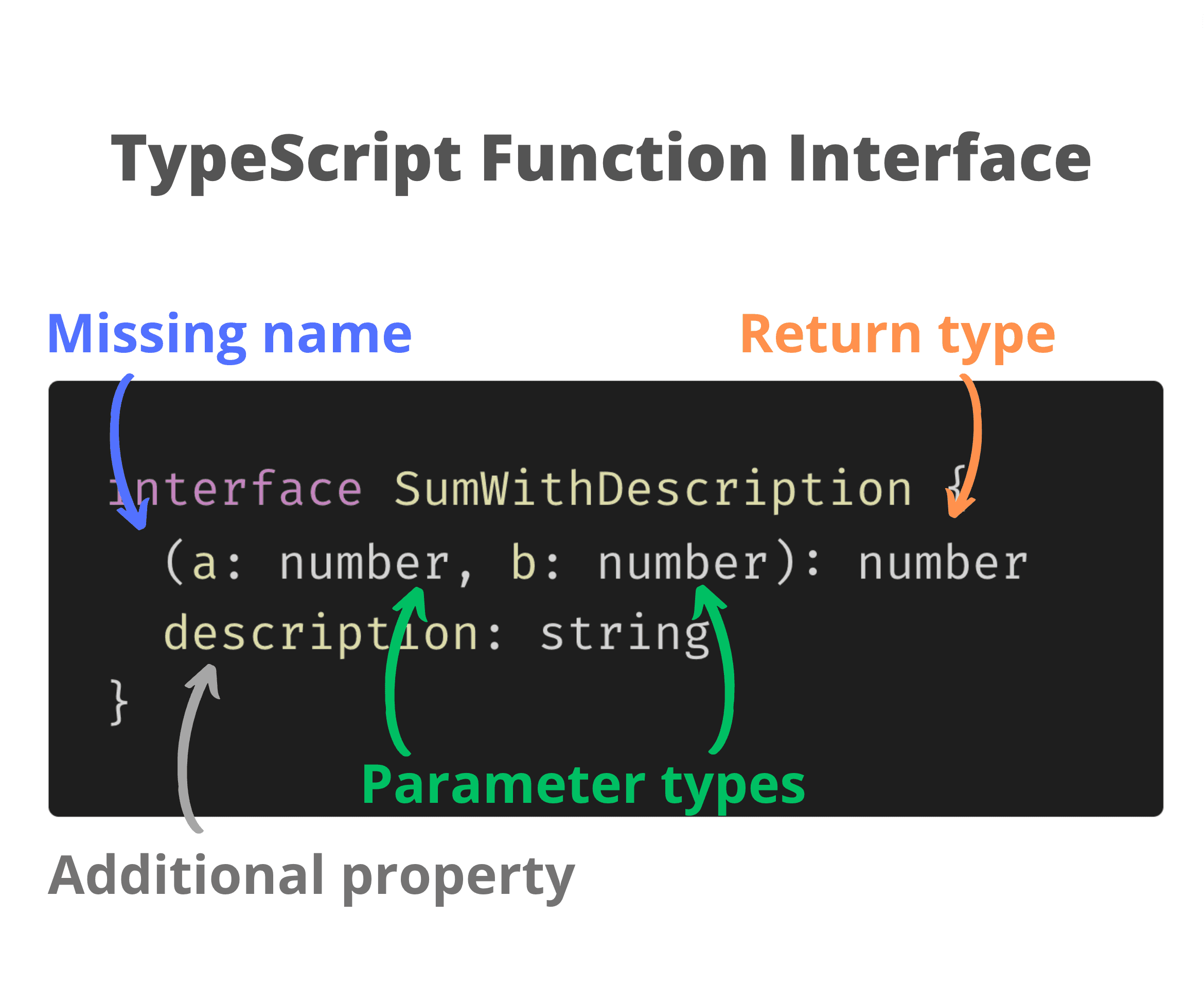
The function interface looks similar to an object interface with a method. But the function interface doesn't have the method name written:
interface SumInterface {
(a: number, b: number): number
}
SumInterface is a function interface. Note that before the expression (a: number, b: number): number there is no method name indicated.
Let's use SumInterface to annotate a variable:
interface SumInterface {
(a: number, b: number): number
}
const sum: SumInterface = function(a, b) { return a + b } // OK
Most of the time you will use the regular TypeScript function type (a: number, b: number) => number instead of a function interface. Mostly because a function type is shorter to write.
But you can benefit from the function interface when you want to add properties to the function object. Let's add the property description to the function interface:
interface SumWithDescription {
(a: number, b: number): number
description: string
}
const sum: SumWithDescription = function(a, b) {
return a + b
}
sum.description = 'A function that sums two numbers'
SumWithDescription, in addition to being a function, also has a description property of type string.
Writing a function type is simple:
type Sum = (a: number, b: number) => number
Specify the parameter types in a pair of parentheses, put the fat arrow =>, and the return type.
For methods, you have to define the method on an object type:
interface ObjectWithMethod {
sum(a: number, b: number): number
}
Again, put the parameters into a pair of parentheses, then a colon : and finally indicate the return type.
Now you should be able to type functions in your TypeScript code.
How can you type a function that can be invoked in multiple ways? Follow the TypeScript Function Overloading post for more information.
Have any questions about function types? Leave a comment and let's discuss!
此内容由惯性聚合(RSS阅读器)自动聚合整理,仅供阅读参考。 原文来自 — 版权归原作者所有。