
惯性聚合 高效追踪和阅读你感兴趣的博客、新闻、科技资讯
阅读原文 在惯性聚合中打开

推荐订阅源

C
Check Point Blog
AI
AI
CTFtime.org: upcoming CTF events
U
Unit 42
Vercel News
Vercel News
Stack Overflow Blog
Stack Overflow Blog
P
Proofpoint News Feed
Microsoft Security Blog
The GitHub Blog
The GitHub Blog
WordPress大学
WordPress大学
Martin Fowler
Martin Fowler
博客园 - 【当耐特】
B
Blog
Cyber Security Advisories - MS-ISAC
Apple Machine Learning Research
博客园_首页
F
Full Disclosure
Google DeepMind News
奇客Solidot–传递最新科技情报
奇客Solidot–传递最新科技情报
H
Help Net Security
Recorded Future
Recorded Future
N
News and Events Feed by Topic
雷峰网
雷峰网
V
Vulnerabilities – Threatpost
Schneier on Security
aimingoo的专栏
aimingoo的专栏
S
Schneier on Security
cs.AI updates on arXiv.org
O
OpenAI News
Project Zero
Project Zero
罗磊的独立博客
G
GRAHAM CLULEY
腾讯CDC
P
Privacy International News Feed
V
V2EX
Application and Cybersecurity Blog
Hugging Face - Blog
Hugging Face - Blog
爱范儿
爱范儿
H
Heimdal Security Blog
L
LINUX DO - 热门话题
Forbes - Security
Forbes - Security
美团技术团队
MongoDB | Blog
MongoDB | Blog
Security Latest
Security Latest
M
MIT News - Artificial intelligence
T
Tor Project blog
Cisco Talos Blog
Cisco Talos Blog
宝玉的分享
宝玉的分享
T
Threat Research - Cisco Blogs
TaoSecurity Blog
TaoSecurity Blog

Dmitri Pavlutin Blog

Pure Functions in JavaScript: A Beginner's Guide Record Type in TypeScript: A Quick Intro How to Write Comments in React: The Good, the Bad and the Ugly 4 Ways to Create an Enum in JavaScript React forwardRef(): How to Pass Refs to Child Components TypeScript Function Types: A Beginner's Guide How to Use v-model to Access Input Values in Vue Mastering Vue refs: From Zero to Hero Environment Variables in JavaScript: process.env 5 Must-Know Differences Between ref() and reactive() in Vue How to Destructure Props in Vue (Composition API) Triangulation in Test-Driven Development How to Use nextTick() in Vue Programming to Interface Vs to Implementation A Smarter JavaScript Mapper: array.flatMap() Array Grouping in JavaScript: Object.groupBy() How to Access ES Module Metadata using import.meta JSON Modules in JavaScript How to Trim Strings in JavaScript TypeScript Function Overloading How to Debounce and Throttle Callbacks in Vue How to Show/Hide Elements in Vue Sparse vs Dense Arrays in JavaScript How to Fill an Array with Initial Values in JavaScript Covariance and Contravariance in TypeScript What are Higher-Order Functions in JavaScript? How to Use TypeScript with React Components Index Signatures in TypeScript How to Use React useReducer() Hook unknown vs any in TypeScript A Guide to React Context and useContext() Hook How to Use Promise.any() 2 Ways to Remove a Property from an Object in JavaScript 'return await promise' vs 'return promise' in JavaScript How to Use Promise.allSettled() How to Use fetch() with JSON JavaScript Promises: then(f,f) vs then(f).catch(f) What is a Promise in JavaScript? How to Use Promise.all() A Simple Guide to Component Props in React Don't Stop Me Now: How to Use React useTransition() hook A Simple Explanation of JavaScript Variables: const, let, var ES Modules Dynamic Import How to Memoize with React.useMemo() How to Cleanup Async Effects in React Why Math.max() Without Arguments Returns -Infinity How to Debounce and Throttle Callbacks in React Don't Confuse Function Expressions and Function Declarations in JavaScript How to Use ES Modules in Node.js Solving a Mystery Behavior of parseInt() in JavaScript How to Use Array Reduce Method in JavaScript 3 Ways to Merge Arrays in JavaScript A Guide to Jotai: the Minimalist React State Management Library The Difference Between Values and References in JavaScript How to Implement a Queue in JavaScript A Helpful Algorithm to Determine "this" value in JavaScript React useRef() Hook Explained in 3 Steps 7 Interview Questions on "this" keyword in JavaScript. Can You Answer Them? How to Greatly Enhance fetch() with the Decorator Pattern 7 Interview Questions on JavaScript Closures. Can You Answer Them? What's a Method in JavaScript? array.sort() Does Not Simply Sort Numbers in JavaScript How to Solve the Infinite Loop of React.useEffect() What's the Difference between DOM Node and Element? Why Promises Are Faster Than setTimeout()? Everything About Callback Functions in JavaScript How React Updates State 5 Mistakes to Avoid When Using React Hooks 5 Best Practices to Write Quality JavaScript Variables Type checking in JavaScript: typeof and instanceof operators 3 Ways to Check if a Variable is Defined in JavaScript React Forms Tutorial: Access Input Values, Validate, Submit Forms Prototypal Inheritance in JavaScript How to Timeout a fetch() Request How to Learn JavaScript If You're a Beginner A Simple Explanation of React.useEffect() A Simple Explanation of JavaScript Iterators How to Use React Controlled Inputs Everything about null in JavaScript How to Use Fetch with async/await Getting Started with Arrow Functions in JavaScript An Interesting Explanation of async/await in JavaScript Front-end Architecture: Stable and Volatile Dependencies Is it Safe to Compare JavaScript Strings? How to Access Object's Keys, Values, and Entries in JavaScript What Actually is a String in JavaScript? 3 Ways to Shallow Clone Objects in JavaScript (w/ bonuses) Checking if an Array Contains a Value in JavaScript JavaScript Event Delegation: A Beginner's Guide How to Parse URL in JavaScript: hostname, pathname, query, hash 3 Ways to Detect an Array in JavaScript How to Get the Screen, Window, and Web Page Sizes in JavaScript 3 Ways to Check If an Object Has a Property/Key in JavaScript How to Compare Objects in JavaScript Object.is() vs Strict Equality Operator in JavaScript Own and Inherited Properties in JavaScript 5 Differences Between Arrow and Regular Functions How to Use Object Destructuring in JavaScript Your Guide to React.useCallback() 5 JavaScript Scope Gotchas
The New Array Method You'll Enjoy: array.at(index)
Dmitri Pavlutin · 2021-01-12 · via Dmitri Pavlutin Blog
Post cover

Alongside the plain object, the array is a widely used data structure in JavaScript. And a widely used operation on arrays is accessing elements by index.

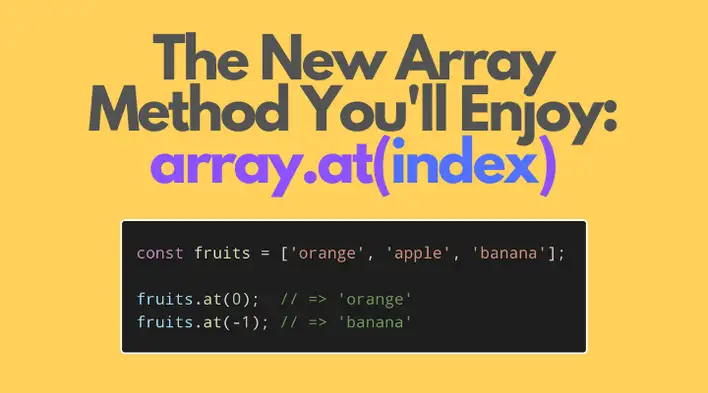
In this post, I'm going to present the new array method array.at(index).

The main benefit of the new method is accessing elements from the end of the array using a negative index, which isn't possible using the regular square brackets syntax array[index].

1. The limitation of the square brackets syntax

The usual way to access an array element by index is the use of square brackets array[index]:


const fruits = ['orange', 'apple', 'banana', 'grape'];

const item = fruits[1];

item; // => 'apple'


The expression array[index] evaluates to the array item located at index and is named property accessor. As you may already know, array indexing in JavaScript starts at 0.

In most cases, the square brackets syntax is a good way to access items by a positive index (>= 0). It has a simple and readable syntax.

But sometimes you'd like to access the elements from the end, rather than from the beginning. For example, let's access the last element of the array:


const fruits = ['orange', 'apple', 'banana', 'grape'];

const lastItem = fruits[fruits.length - 1];

lastItem; // => 'grape'


fruits[fruits.length - 1] is how you can access the last element of the array, where fruits.length - 1 is the index of the last element.

The difficulty is that the square brackets accessor doesn't allow a straightforward way to access items from the end of the array, and also doesn't accept a negative index.

Fortunately, a new proposal (at stage 3 as of January 2021) brings the method at() to arrays (as well to typed arrays and strings), and solves many limitations of the square brackets accessor.

2. array.at() method

In simple words, array.at(index) accesses the element at index argument.

If index argument is a positive integer >= 0, the method returns the item at that index:


const fruits = ['orange', 'apple', 'banana', 'grape'];

const item = fruits.at(1);

item; // => 'apple'


If index argument is bigger or equal than the array length, then, like the regular accessor, the method returns undefined:


const fruits = ['orange', 'apple', 'banana', 'grape'];

const item = fruits.at(999);

item; // => undefined


The real magic happens when you use a negative index with array.at() method — then the element is accessed from the end of the array.

For example, let's use the index -1 to access the last element of the array:


const fruits = ['orange', 'apple', 'banana', 'grape'];

const lastItem = fruits.at(-1);

lastItem; // => 'grape'


Here's a more detailed example of how array.at() method accesses elements:


const vegetables = ['potatoe', 'tomatoe', 'onion'];

vegetables.at(0); // => 'potatoe'

vegetables.at(1); // => 'tomatoe'

vegetables.at(2); // => 'onion'

vegetables.at(3); // => undefined

vegetables.at(-1); // => 'onion'

vegetables.at(-2); // => 'tomatoe'

vegetables.at(-3); // => 'potatoe'

vegetables.at(-4); // => undefined


Check out the demo.

If negIndex is a negative index < 0, then array.at(negIndex) accesses the element at index array.length + negIndex. Here's an example:


const fruits = ['orange', 'apple', 'banana', 'grape'];

const negIndex = -2;

fruits.at(negIndex); // => 'banana'

fruits[fruits.length + negIndex]; // => 'banana'


3. Summary

The square brackets syntax in JavaScript is the usual and good way to access items by index. Just put the index expression in square brackets array[index], and get the array item at that index.

However, accessing items from the end using the regular accessor isn't convenient since it doesn't accept negative indexes. So, for example, to access the last element of the array you have to use a workaround expression:


const lastItem = array[array.length - 1];


Fortunately, the new array method array.at(index) lets you access the array elements by index as a regular accessor. Moreover, array.at(index) accepts negative indexes, in which case the method takes elements from the end:


const lastItem = array.at(-1);


Just include the array.prototype.at polyfill into your application, and start using array.at() today!

Where to go next? Find out how to Check if an Array Contains a Value in JavaScript.

Dmitri Pavlutin

About Dmitri Pavlutin

Software developer and sometimes writer. My daily routine consists of (but not limited to) drinking coffee, coding, writing, overcoming boredom 😉, developing a gift boxes Shopify app, and blogging about Shopify. Living in the sunny Barcelona. 🇪🇸