


In part 1 of this series, I talked about how to get up and running with IcoMoon, generating an icon font, and using it.
In this second post, I want to get into the workflow that I've figured out that makes working with icon fonts a lot of fun.
First, before we even crack open a text editor, making a conscious choice to use an icon font will impact design. No matter who is working on the visual design, either you or someone else - if you can agree on using icons in the design that are found on IcoMoon, it will make life much easier.
However, what if just the right icon isn't available? Not to fear: IcoMoon lets you upload your own vector shapes. I will get more into that in Part 3.
Once I have a design direction in hand, and I want to start building an actual site, here is roughly what my workflow looks like:
/fonts/ directory, while keeping the folder I downloaded from IcoMoon intact.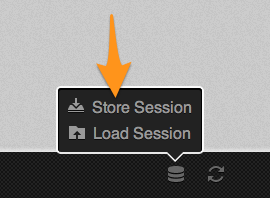
Now, I should also mention that the code I showed in Part 1 is kind of a lie. These days I'm writing all of my CSS in SASS, so my actual code looks a little different.
First, in my _variables.scss partial, I keep font stacks as variables. So I create one for my icon font:
$icon-font: "icomoon"; //or whatever your font name isYou can also keep your CSS-escaped unicode strings in easier-to remember variables, as well:
$icon-rocketship: "\e000";Then you insert it via a pseudo element:
.foo {
  &:before {
    content: $icon-rocketship;
    font-family: $icon-font;
    speak: none;
    font-weight: normal;
  }
}
Or, if you include the class name stack from the IcoMoon style.css, you can @extend as well:
.foo {
  &:before {
    @extend .icon-rocket; //found in the downloaded style.css
  }
}
One thing that I've done on a recent project was to create an icon font silent extendable class. It looks like this:
%icon {
  font-family: $icon-font;
  speak: none;
  font-weight: normal;
  font-variant: normal;
  text-transform: none;
  line-height: 1;
  -webkit-font-smoothing: antialiased;
}
Which can then be used like this:
.foo {
  &:before {
    @extend %icon;
    content: $icon-rocketship;
  }
}
Easy as vector based pie.
So that is a little insight into how I've ended up working with icon fonts. In Part 3 I'm going to share some ninja-level IcoMoon tricks that will show you how powerful the tool really is.
此内容由惯性聚合(RSS阅读器)自动聚合整理,仅供阅读参考。 原文来自 — 版权归原作者所有。