


Written By published March 5, 2026
Do you use a keyboard to navigate websites? If so, you’ve probably run into countless accessibility issues where groups of inputs or widgets are not easy, or even possible to get to with just the keyboard.
A keyboard-accessible website lets you easily reach its various sections and then navigate within them in an intuitive way.
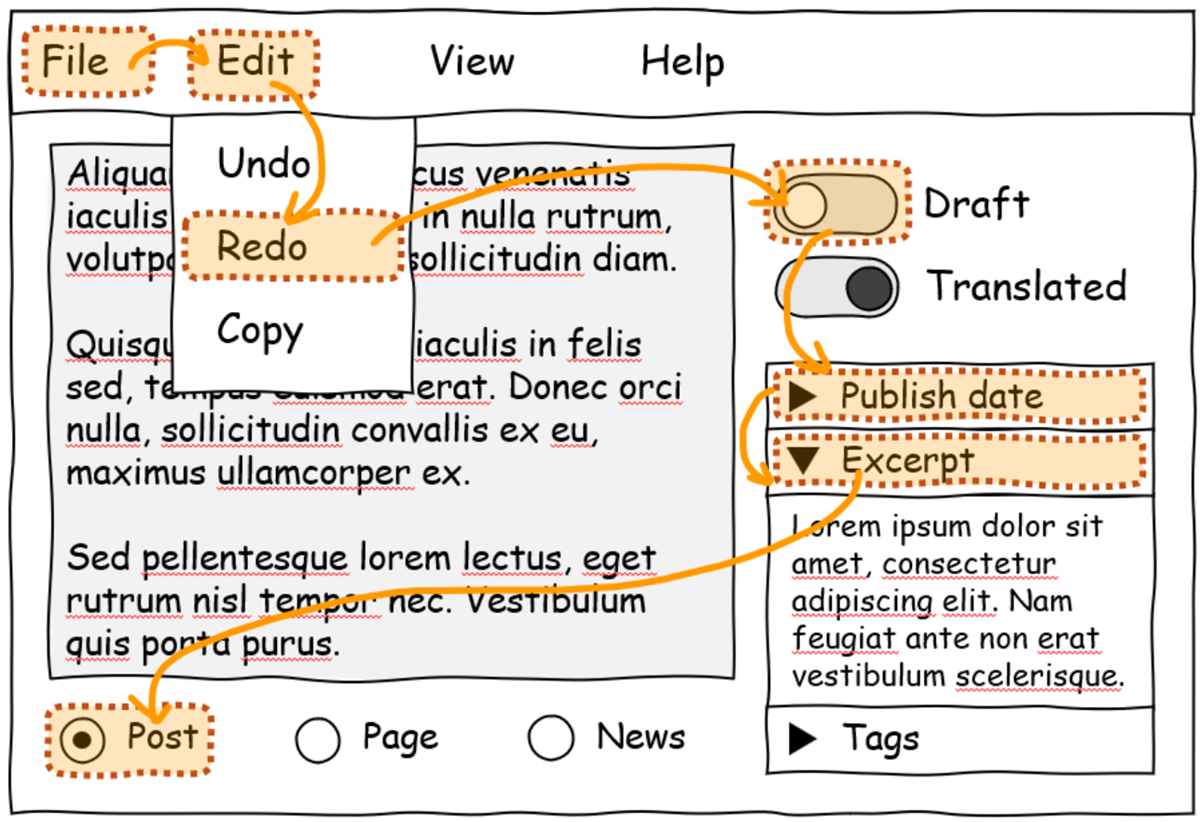
Unfortunately, inaccessible websites are common on the internet. The Web Almanac reports that about 50% of websites don’t use tabindex, a common technique for making keyboard navigation possible on the web.
The issue is complex, though. Web developers can create keyboard-accessible sites by using the technologies at their disposal today. But, often, these technologies don’t make things easy for them. Creating a fully keyboard-accessible site, especially one that has complex widgets such as menus, submenus, toolbars, tabs, and other groups of inputs, isn’t free; it requires a lot of work and knowledge.
In fact, if you are a web developer yourself, you have probably been confronted with the following common issues when trying to improve the accessibility of your website:
tabindex value or forgetting to set it at all.focus() function to move the focus to the right element.Even if you’ve managed to solve all of these issues, you’ve still faced the consequences: you either had to write a lot of complicated code or had to use a JavaScript library. In both cases, you now have more code to maintain, and your website loads more code on startup.
This, in turn, impacts the users of your website too. The more code your website needs, the more time it will take for the site to load and become usable.
This keyboard accessibility problem has been on our minds for a long time. We designed an early solution for it in 2021, called focusgroup, and we then started collaborating with others on it, as part of the OpenUI community group, in 2022.
Taking the problem and an early solution to a broad collaborative forum allowed us to mature the focusgroup idea and go through iterations, taking many perspectives into account. This led to a better, more complete solution for web developers.
Today, we’re happy to announce that the focusgroup feature is available for early testing by web developers in Microsoft Edge.
Developers can also test the feature in other Chromium-based browsers. We contributed the implementation to the Chromium open-source project to reach as many web users as possible, and we’ll be working with other browser vendors to implement focusgroup for the entire web.
If you’re a web developer, focusgroup makes your life much easier:
tabindex roving code yourself or import a library for it.More importantly, the impact that focusgroup will have for users who navigate websites with a keyboard is huge:
We’re excited to have web developers try our early implementation of focusgroup in Microsoft Edge and let us know what they think. With your help, we can make the solution even better and eventually ship it as a stable feature of the web platform.
To learn more about the feature and how to use it, check out our post on the Chrome for developers blog, and let us know what you think.
Together, let’s create a more accessible web.
此内容由惯性聚合(RSS阅读器)自动聚合整理,仅供阅读参考。 原文来自 — 版权归原作者所有。