


In this article we’re going to quickly explore 7 Angular development tools which can make our everyday life easier. The purpose of the list is to not be opinionated architecture wise. This means that we’re not going to discuss tooling which has impact over our choice of application state management, data layer, etc. For instance, although packages like ngrx/store devtools, universal, and others are amazing once we’ve chosen a specific architectural approach, we’re going to keep them out of this article because they assume we’re using a specific way of state management or application rendering.
The software below can improve our productivity as developers by providing scaffolding, static code analysis, code generation, code visualization and debugging support!
Number one tool for Angular which provides well encapsulated build and scaffolding is Angular CLI.
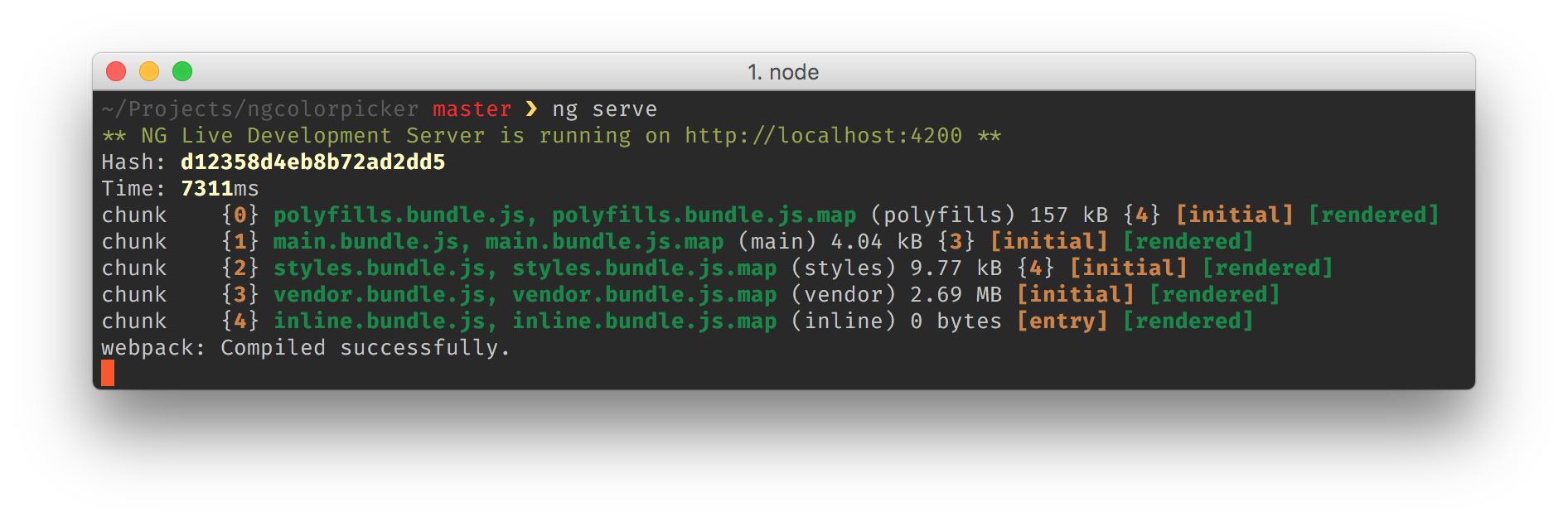
Angular CLI is a tool developed by Google and allows us to quickly bootstrap projects by automatically providing our build configuration, testing configuration (unit with karma & jasmine and e2e with protractor), and more. The CLI is based on webpack which means that it takes advantage of the different webpack loaders available, and performs tree-shaking for producing small bundles.
The Angular CLI is being developed by the Angular team which means that it provides smooth integration with other projects such as, Angular Core, Angular Material, Angular Mobile Toolkit, etc. For instance, soon Angular CLI will run the development build of our applications with ngc which will unify the production and development builds, reducing the learning curve and allowing developers to have predictable compilation behavior across different environments.
In case you’re just getting started with Angular, you should start your project with Angular CLI. This will dramatically improve your productivity and optimize the learning experience of the entire ecosystem. In case you have very deep understanding of the available tooling and you want to squeeze your production bundles to minimum with a custom solution you can always ng eject your application out of the CLI, or use an Angular starter project.
Big thanks to the guys helping to make the CLI awesome, including (but not limited to) Hans, Mike and Filipe. 👏
Very common mistakes that developers using a dynamic language (such as JavaScript) do is to misspell a method or a property name. TypeScript already can warn us about this thanks to tsc and it’s type system, however, this wasn’t possible within the strings representing our components’ templates. The language service of Angular provides the same type checking and auto completion, that we’re used to from TypeScript, in inline and external templates!
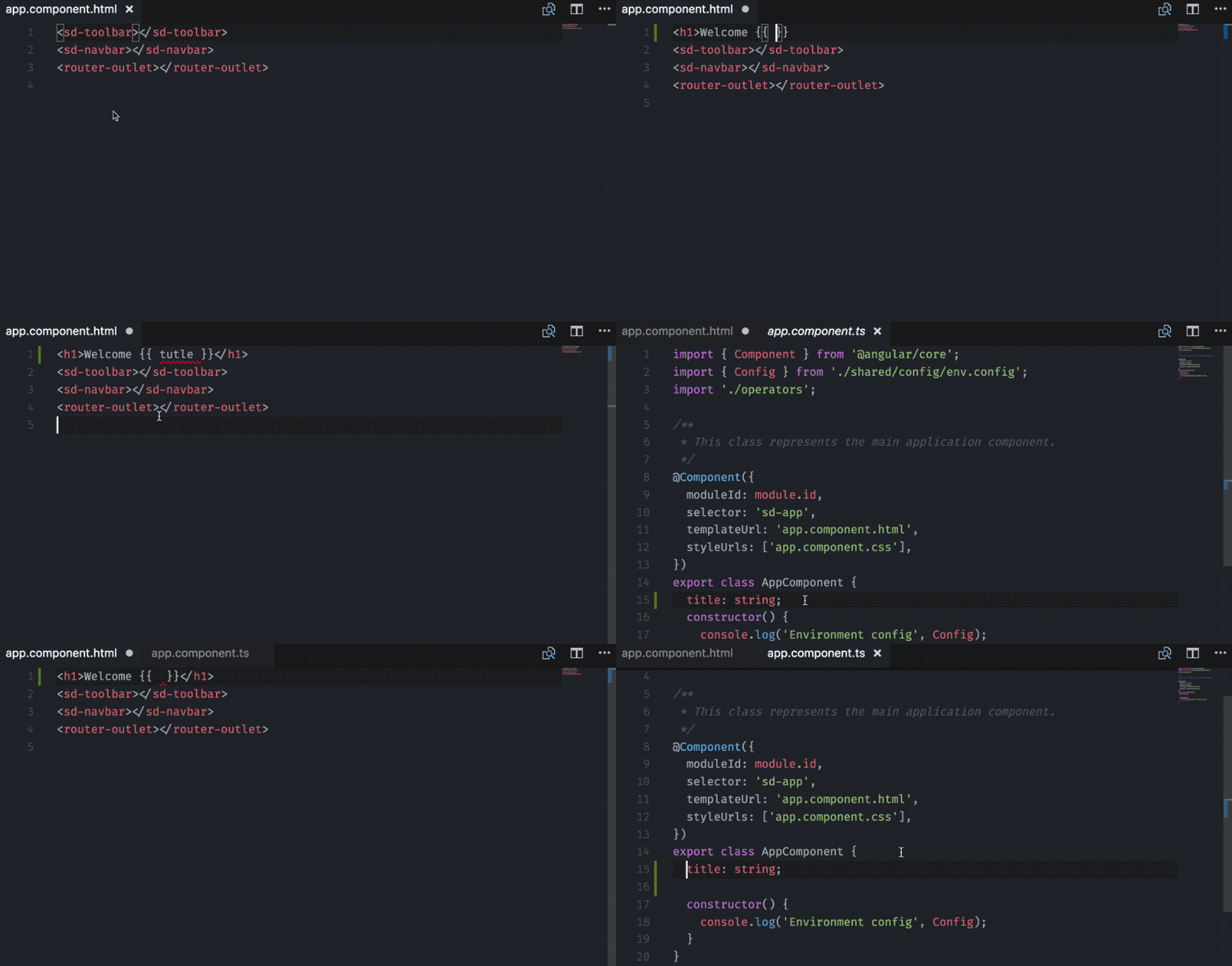
The language service is developed by the Angular core team. At the time of writing, it is ready to use in VSCode, Sublime Text and WebStorm.
Behind the scene the language service uses the Angular compiler for parsing our application and producing diagnostics. It decorates the TypeScript language service in order to reuse its logic. The most awesome thing about the language service is that it is not coupled to a specific Angular version and can be used in any text editor and IDE as soon as there’s an available plugin.
More about the language service can be found in the ng-conf talk by Chuck Jazdzewski (the creator of the language service) “Using the Angular Template Language Service”.
The language service can be found here.
Have you ever worked on an application where you had to automatically generate the API documentation? For JavaScript we have tools like ESDoc which take the JSDoc annotations and automatically generate documentation for us. The end result usually looks something like this.
This is enough for most projects but Angular provides some extra semantics on top that can make our documentation even richer! For instance, it allows us to list all the different UI components just by grabbing all classes decorated with @Component. Well, compodoc already does this for us!
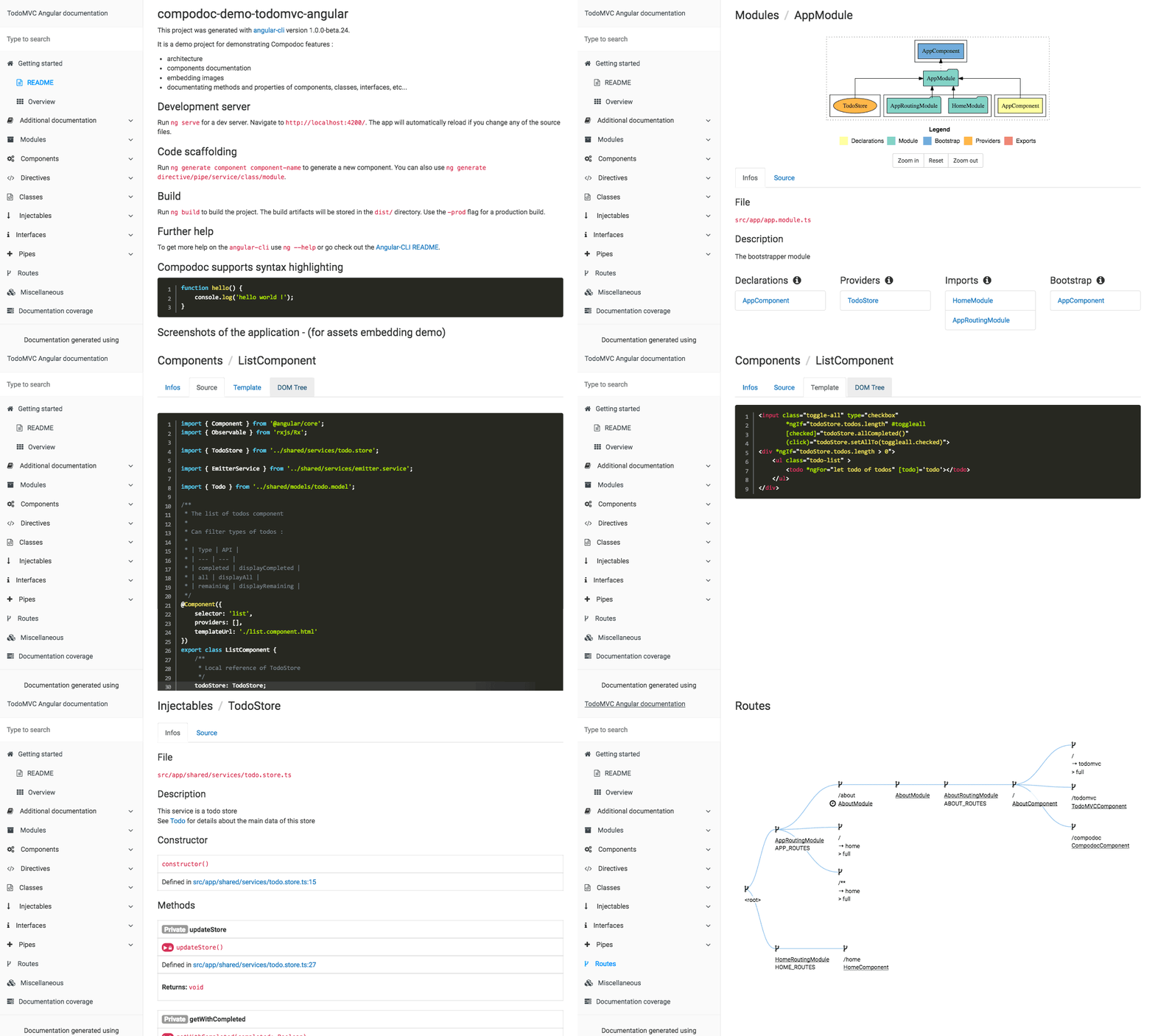
Compodoc has support of JSDoc light, generates search, table of content, has variety of good looking themes and is open source, available on GitHub!
Behind the scene compodoc uses ngd for parsing our Angular applications by using the TypeScript parser.
The guys from the Angular community working on this awesome tool are Vincent and Wassim.
More than a year ago I started codelyzer with the motivation to automatically verify that given project follows the official Angular Style Guide. Initially the project started as a couple of rules on top of tslint which based on the Angular Style Guide were validating the selectors of our components, proper implementation of life-cycle hooks, etc.
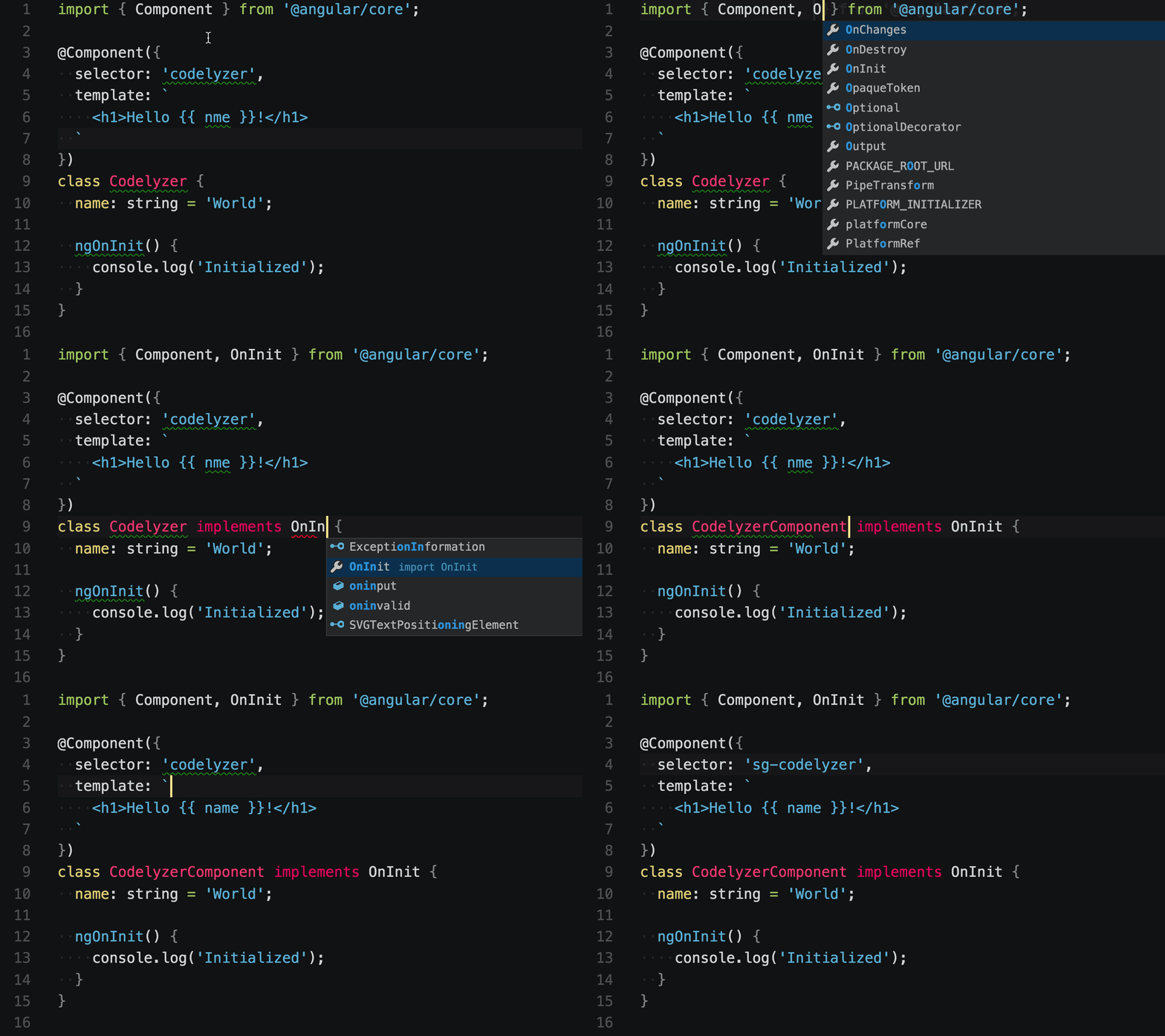
Since then, the scope of codelyzer has grown! Now it uses the Angular template and CSS parsers in order to provide more sophisticated analysis of our application. On top of verifying that our project follows the style guide, codelyzer can also detect misspelled variables in our templates, find dead styles and even automatically migrate a project between breaking changes & deprecation across Angular versions!
If you’re using Angular CLI, by running ng lint you’re already getting diagnostics from codelyzer which makes sure your code is following best practices!
Behind the scene, codelyzer performs either flat (per file) or deep (per project) static analysis of our project. The diagnostics that codelyzer will produce includes:
You can find instructions of how to use codelyzer here.
Are you tired of all the boilerplates when declaring a new Angular component, directive or a service? The process is manual, slow and with the tooling available nowadays, unnecessary!
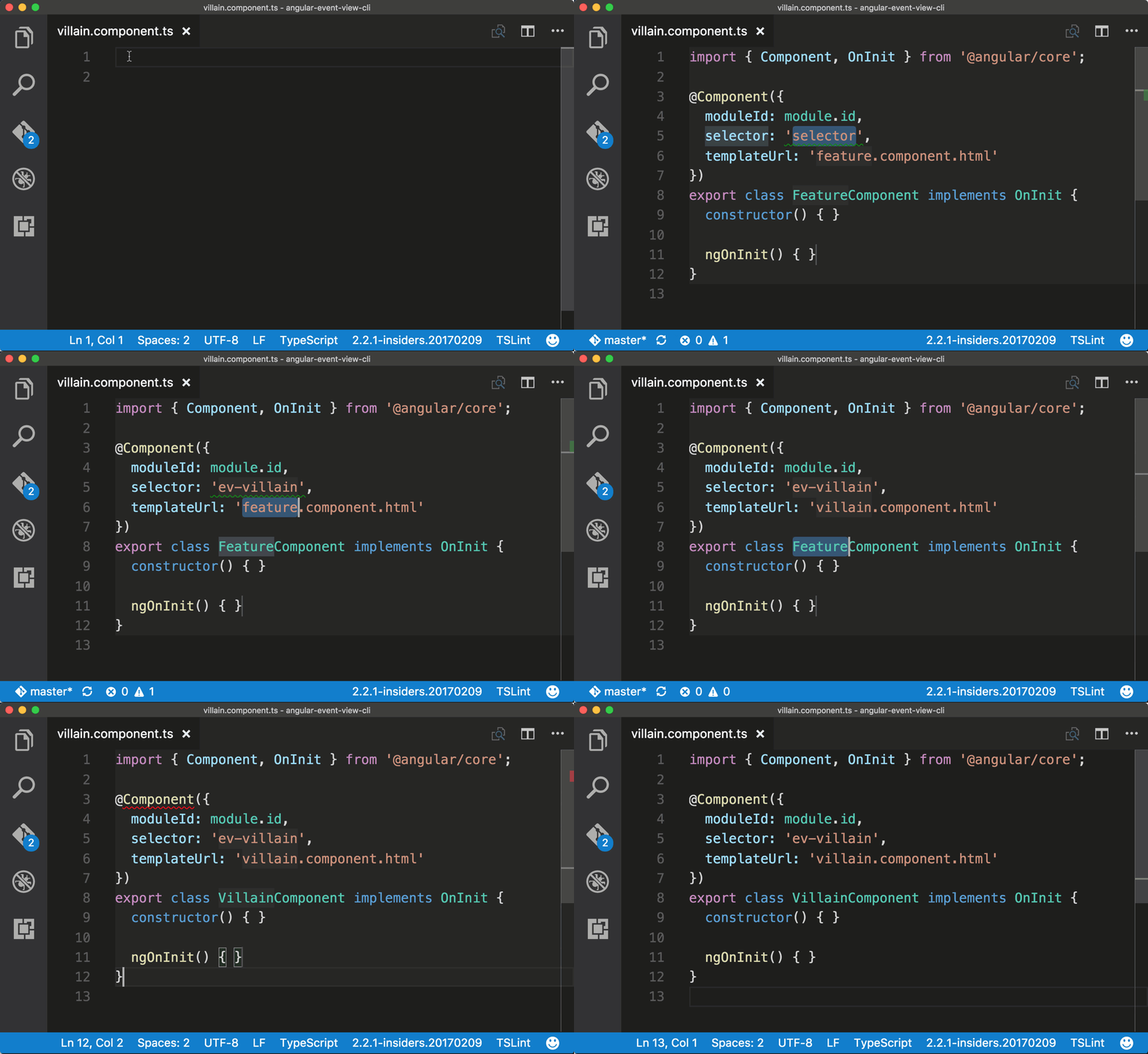
John Papa created a package of snippets for VSCode which improves our productivity by reducing the amount of boilerplate work that we need to perform when:
You can take advantage of the snippets by installing the VSCode extension available here.
Debugging an Angular application may get tricky. How our UI gets rendered often depends on large amount of mutable state across components, directives, services, stateful pipes. Fortunately, inspecting the state does not have to be always related to setting break point or debugger statements within the bodies of the individual building blocks of our app. In order to explore the dependencies of given component or a service, we don’t have to always dig into our codebase!
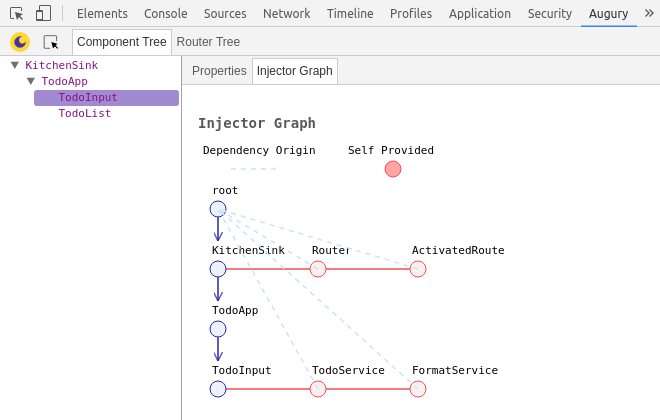
Augury is a Chrome extension which will plug into our Chrome DevTools. Once loaded, it will help us explore the relations between the individual components in our application which are visible on the page. We can trace the component state and modify it from provided inputs, we can manually trigger events, directly jump to the source code for a specific symbol and much more!
You can install Augury here.
Augury allows us to efficiently debug our application by performing dynamic code analysis which requires us to run the application. This way we can inspect the structure and the behavior of a project.
Sometimes, we are only interested in the structure of given application. This especially true when we are new to a project and we want to explore it’s individual building blocks as quickly as possible. In such case, we don’t even need to struggle with the deployment of the application, which often may not be trivial. In this scenario the dynamic code analysis is not very convenient because all what we want is to explore the different abstractions level by level, without running the application.
For instance, we can start by seeing the top-level modules of our application and their relations, after that exploring the individual modules’ declarations and exports, understanding the relation between the different providers, components, their templates, etc.
On ng-conf 2017 I announced ngrev. This is a tool for reverse engineering of Angular applications which allows us to visually explore the individual building blocks forming our project.
Under the hood, ngrev uses ngast. ngast is a project which provides a simple interface for parsing Angular projects. By playing around with it, you can build custom tools which statically analyze Angular projects for different purposes (performance, security, etc). Internally, ngast uses the Angular compiler, which automatically allows the most efficient and complete possible metadata collection.
You can find ngrev here and its Windows, Linux & Mac binaries here. More about ngrev here.
In this article we explored a couple of tools which can improve our development experience dramatically! Starting from project scaffolding with the Angular CLI, going through efficient development with the Angular Language Service and Angular Snippets, to dynamic and static code analysis for easy debugging and reverse engineering!
Most of the projects we explored are developed by the Angular community which is a great sign for how convenient for tooling the framework is.
Give these tools a try! I’d love to get your feedback on using them in the comments section below.
此内容由惯性聚合(RSS阅读器)自动聚合整理,仅供阅读参考。 原文来自 — 版权归原作者所有。