


Edit · Dec 17, 2018 · 8 minutes read · Follow @mgechev Bazel Build TypeScript Angular
In this blog post, we want to share our new schematics for Angular CLI which provide Bazel build support. You can find the implementation by Keen Liau on GitHub. With the @angular/bazel package, we want to let developers use Angular CLI with Bazel as a build tool.
What’s Bazel?
Google open sourced the software responsible for building most of our projects under the name Bazel. Bazel is a powerful tool which can keep track of the dependencies between different packages and build targets.
Some of the cool features of Bazel are:
- It has a smart algorithm for determining the build dependencies
- Bazel is independent of the tech stack. We can build anything we want with it using the same interface. For example, there are plugins for Java, Go, TypeScript, JavaScript, and more!
Let us take a look at the first point. Based on the dependency graph of a project, Bazel determines which targets it can build in parallel. Such a feature is only possible because the individual units have well-defined inputs and outputs, and they don’t produce side effects. To some extent, we can think of them as “pure functions.” One of the benefits of such a computational model is that it’s straightforward to optimize the calculations using parallelism and caching. That’s true for Bazel as well. It can cache the produced outputs from the individual build tasks anywhere, including in the cloud.
Why does the cloud cache matter? If Bazel has built a target and cached it in the cloud, anyone can reuse it without building it from scratch! If you’re in a large organization, this is quite attractive, but even small teams can take advantage of such a feature. Bazel is not coupled to any particular cloud platform, which means that we can take advantage of the remote build execution and caching in Google Cloud, Azure, AWS, or our on-premise infrastructure.
Does this mean we want to replace webpack in Angular CLI? No. Although webpack and Bazel have some intersection regarding vision, to a large extent they are orthogonal. For example, Bazel is a universal build tool which can bundle JavaScript projects with webpack.
Introducing Bazel Schematics for Angular CLI
The @angular/bazel schematics allow us to bootstrap a project in a way that our build will be managed by Bazel. Here’s how we can use them:
npm i -g yarn
yarn global add @angular/bazel@7.2.0-rc.0
After we have the schematics installed, just execute:
ng new bzl-app --collection=@angular/bazel
Once the Angular CLI asks us for routing respond with “No.” For styles choose CSS.
This will create the following directory structure:
.
├── BUILD.bazel
├── README.md
├── WORKSPACE
├── angular.json
├── e2e
│   ├── BUILD.bazel
│   ├── protractor.conf.js
│   ├── protractor.on-prepare.js
│   ├── src
│   │   ├── app.e2e-spec.ts
│   │   └── app.po.ts
│   └── tsconfig.e2e.json
├── package.json
├── src
│   ├── BUILD.bazel
│   ├── app
│   ├── assets
│   ├── browserslist
│   ├── environments
│   │   ├── environment.prod.ts
│   │   └── environment.ts
│   ├── favicon.ico
│   ├── index.html
│   ├── initialize_testbed.ts
│   ├── karma.conf.js
│   ├── main.dev.ts
│   ├── main.prod.ts
│   ├── main.ts
│   ├── polyfills.ts
│   ├── styles.css
│   ├── test.ts
│   ├── tsconfig.app.json
│   ├── tsconfig.spec.json
│   └── tslint.json
├── tsconfig.json
├── tslint.json
└── yarn.lock

6 directories, 36 files
In the snippet above we can see that the structure of the Bazel project is quite similar to a standard Angular CLI project today with a few significant differences:
- We have a
WORKSPACEfile. It configures our build dependencies, such as Bazel rules for TypeScript, web testing, and others. - There are a few
BUILD.bazelfiles which contain build configuration. We don’t have to worry about them at the moment. In the future releases, Angular CLI will manage them automatically for us. In short, they divide our project into packages, configure the build configuration for each package, and define the dependencies between the individual packages. - We have a few
mainfiles, for the individual environments. This is another implementation detail that we’ll hide in the stable version of the schematics.
In future releases, we’ll make the build as encapsulated as possible so we won’t have to worry about any of these details.
Before running our development server, we need to go through a few manual steps:
- Open
package.jsonand update the@angular/bazelversion to7.2.0-rc.0 - After that, open
WORKSPACEand update the value of theANGULAR_VERSIONconstant to7.2.0-rc.0as well
These steps are required to ensure that the Bazel rules for Angular are the same in both node_modules and in the Bazel workspace. In the next versions of the schematics, Bazel will reuse the rules from the node_modules directory.
Now in the project folder run:
Keep in mind that the first build may take a bit longer compared to the build with the default Angular CLI schematics. This happens because by default Bazel rebuilds a lot of the artifacts from source code. The same happens in Google, with the difference that here we take advantage of remote caching. In future releases we’ll make sure that we distribute already compiled artifacts, to speed the cold build up.
As the next step, let us start the development server! As expected, run ng serve (or npm start). The cold build may take a few minutes, please, don’t interrupt it. Once it completes, open 127.0.0.1:4200. If all the steps so far have been successful, you should see the familiar home screen of the CLI:
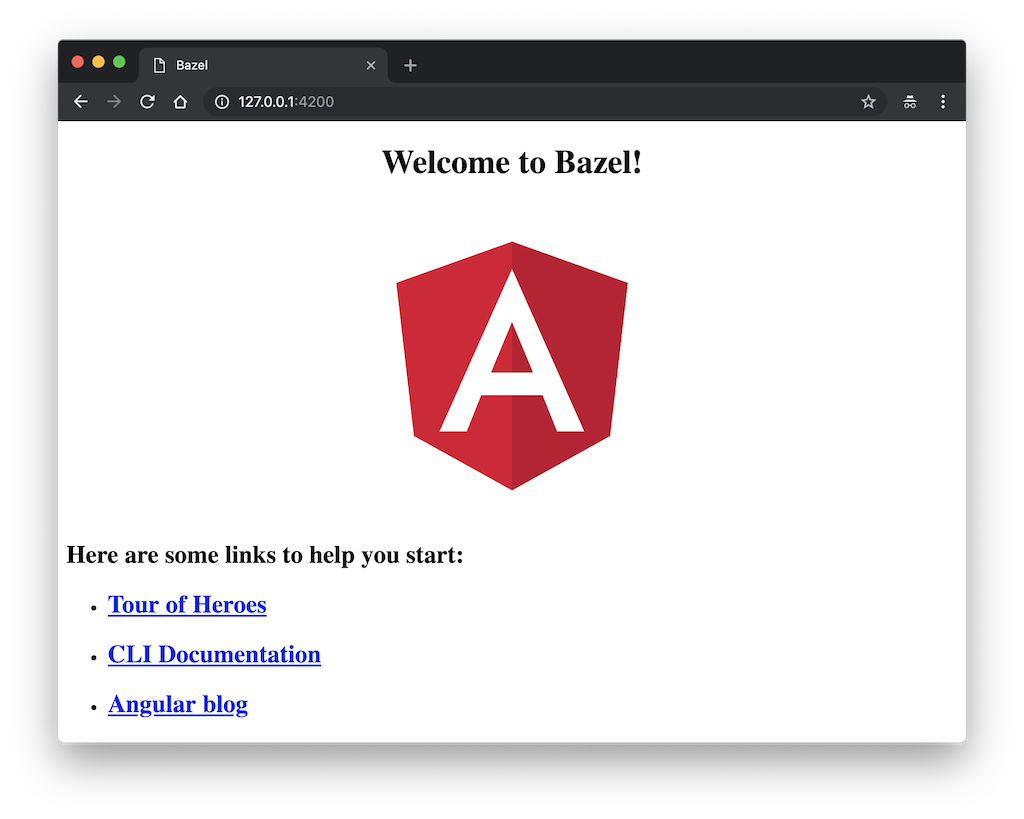
Notice that if we update app.component.ts the browser will not automatically refresh. Bazel will not even recompile the changed file. In future releases of the schematics, this will be fixed. Until now, feel free to use ibazel:
- First, install
ibazelusingyarn add @bazel/ibazel - Instead of starting the development server with
npm startuse./node_modules/.bin/ibazel run //src:devserver
That’s it! Now we have a fully functional development server with live reloading. 🎉
We can make sure the rest of the commands work by running: ng test, ng e2e, and ng build --prod.
What else do we have?
Currently, the Bazel schematics for Angular CLI provide the following set of features:
- High-performance Go development server
- Unit testing with Karma and Jasmine
- End-to-end testing with protractor
- Production build
In the future releases, we’ll reduce the feature gap even further. The Bazel schematics will provide some of our favorite features such as PWA support, generators, and much more!
Why that excited?
If you’ve followed all the steps so far, I’m sure you didn’t have the best tooling experience in your life. Everything was slow and not too intuitive. Although this will certainly change in the future releases and the development experience will be at least as good as the one with Angular CLI nowadays, even today the Bazel schematics have a lot to offer!
Bazel allows us to build at scale, this is what I explained in my previous blog post “Building TypeScript Projects with Bazel”. Ideally, the initial build time with Bazel will be comparable to the traditional JavaScript tooling; the difference is that the time will not grow exponentially when our application’s size increases. Many large projects report a significant increase in their incremental builds when their codebase grows. With Bazel most of the time the build time will stay constant. By analyzing the build graph provided by the BUILD.bazel files, Bazel rebuilds only the packages which have changed and nothing else!
This is well proven in Google where we rely on the internal version of Bazel (Blaze) every day. Our Continuous Integration system rebuilds all the projects in our monorepo on each commit, and for the purpose it uses Bazel.
Two features that I want to come back to our remote caching and remote build execution. In short, remote caching allows us to build the project’s artifacts only once and upload them to a remote cache. This is very attractive not just because we won’t have to rebuild the same code twice but also because all of our team members and our CI can reuse the same cache! The remote build execution takes this even further. Bazel can build our code in the cloud on a cluster of machines. This would allow us to build a project with the scale of Google Cloud, which has hundreds of thousands of TypeScript files, on our cell phone.
Current Limitations
A significant limitation at the moment is the single BUILD.bazel file that the scaffolded project has under the src directory. This means that the project is a single compilation unit, which will prevent Bazel from running an optimal build. In case you want to experiment a bit further on a larger project, we’d strongly recommend you to create a BUILD.bazel file for each of your @NgModules. Each @NgModule should be in a separate directory, and each BUILD.bazel file should declare its dependencies, together with the build rules, similarly to the BUILD.bazel file under src.
Once Bazel has the build configuration for the individual @NgModules and their dependencies, it can compile them in isolation only when required.
Conclusion
In this post, we looked at the Bazel schematics for Angular CLI. We saw how we can scaffold a new Angular project and build it with Bazel! In the process, we discussed the high-level build configuration, including the WORKSPACE file and the BUILD.bazel files which declare the build rules for the individual @NgModules (or in the general case, Bazel packages).
We hope this will make it much easier to try Bazel today! Keep in mind that everything is work in progress 👩🔬. In the next months, we’ll be working hard on implementing a complete feature set of tools stepping on top of Bazel, which provide a polished development experience 🚀