


- DuckDuckGo now blocks most video ads! Use our free browser to get the full YouTube experience, minus the ads.
- YouTube Ad Blocking joins our powerful lineup of browsing protections that manage cookie pop-ups, protect you from invasive tracker-based web ads, and more.
- YouTube Ad Blocking is already on by default for most iPhone, Windows, and Mac users! It will be auto-enabled for Android soon, but users can opt in via browser Settings in the meantime.
Interruption-free YouTube with DuckDuckGo
Tired of ads interrupting your videos? Us, too. The DuckDuckGo browser now blocks most video ads, including on YouTube! This new feature blocks ads that run before and during your videos, letting you watch YouTube without the interruptions.
If you’ve been here a while, you already know that the DuckDuckGo browser also protects you from invasive ads and annoying pop-ups on multiple fronts. We block tracker-powered web ads before they can load. We have Global Privacy Control enabled by default, expressing your opt-out rights by telling websites not to sell or share your personal information. We can even manage cookie pop-ups behind the scenes, so you don’t have to deal with the distraction.
YouTube Ad Blocking is on by default for iOS, Windows, and Mac. So, there’s no need to adjust your settings, if your app is up to date; just open the browser and start enjoying ad-free videos! The feature will be on by default for Android soon, but in the meantime, turn it on in your browser’s Settings > Ad Blocking. If you don’t see YouTube Ad Blocking on your device, try updating your app.
On all devices, you can disable or re-enable YouTube Ad Blocking any time from your browser’s Settings > Ad Blocking. You can also turn it on and off while you’re watching a video. On desktop, click the video icon next to the green shield in your address bar. On mobile, tap ☰ > Disable YouTube Ad Blocking.
When you disable ad blocking mid-video, the browser will prompt you to send an error report, alerting us to any problems. This is completely optional, anonymous, and helps us make our product better…so we appreciate it!
Please note: if you’re on a mobile device, links to YouTube videos may open in the YouTube app by default. To enjoy DuckDuckGo’s YouTube Ad Blocking, you need to open the YouTube website in the DuckDuckGo browser. It won’t work in the YouTube app.
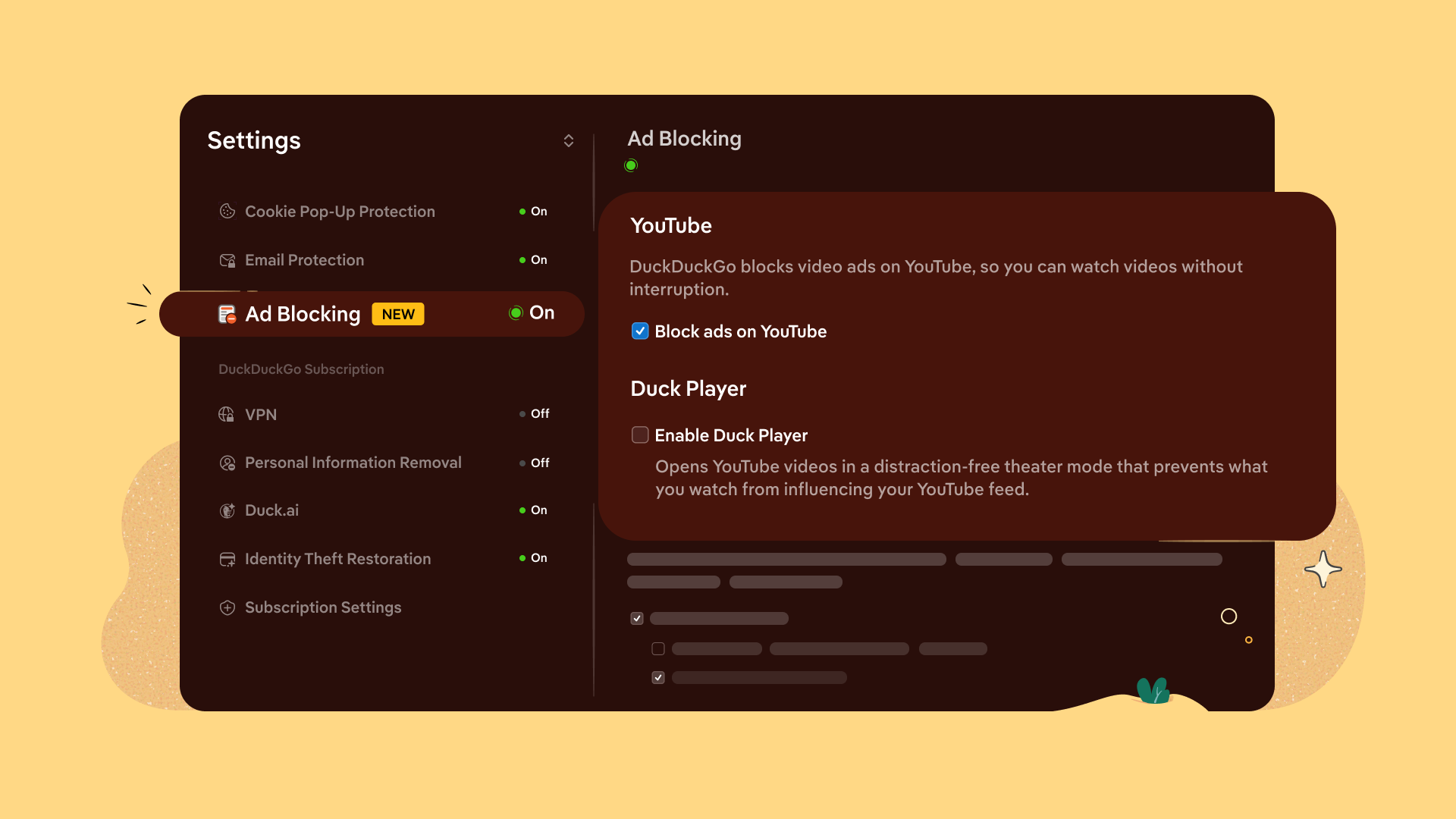
Manage your YouTube Ad Blocking and Duck Player preferences from browser Settings.
Yes, they’re different – but complementary!
Duck Player is the browser’s built-in video player that lets you watch YouTube videos in a distraction-free theater mode. It also protects you from tracking cookies and personalized ads by enforcing YouTube’s strictest privacy settings for embedded video. This means what you watch in Duck Player won't influence your YouTube recommendations. (It also won’t save your place in playlists.) Opt in to Duck Player and adjust your preferences from your browser Settings > Ad Blocking.
YouTube Ad Blocking blocks video ads on the YouTube website, so you can watch without interruption. It's the regular YouTube experience, just without ads. So you’re free to take advantage of YouTube features like remembering your viewing history and saving your spot in playlists.
You don’t have to pick just one: you can have YouTube Ad Blocking and Duck Player enabled at the same time.
To detect and block YouTube ads, we use community-driven filter lists sourced from uBlock Origin. These lists are maintained by an active open-source community and are regularly updated to keep up with changes to how ads are served. We may also apply our own rules to improve compatibility and reduce breakage. As with most ad blockers, using our ad blocker can lead to some additional buffering times. But once your video loads, you won't be interrupted with ads.
Let us know what you think!
YouTube Ad Blocking is available now in the DuckDuckGo browser. It’s still a new feature, so give it a try and let us know how it’s working for you! Send anonymous feedback any time from your browser’s ☰ menu.