





- Now live: Sync bookmarks, passwords, and Email Protection settings between DuckDuckGo browsers on phones, tablets, and computers, privately and securely.
- Our new Sync & Backup feature is designed with your privacy and security in mind. You don’t need to create an account or sign in to use it, and DuckDuckGo never sees your bookmarks or passwords.
- The DuckDuckGo browser is our privacy-respecting alternative to Chrome and other browsers – use it every day to visit websites and search the web. Get it here for Windows, Mac, iPhone, and Android devices.
Ditching Chrome for the DuckDuckGo browser is easier than ever.
Have you been waiting to try the DuckDuckGo browser? Maybe you’re using our browser on your phone but haven’t tried the Windows or Mac version? Now is the perfect time to make DuckDuckGo the default browser on all your devices, thanks to our latest improvement: Sync & Backup. You could already import bookmarks and passwords from other browsers into DuckDuckGo, but now you can privately sync those bookmarks and passwords between DuckDuckGo browsers on multiple devices.
Bring your passwords and bookmarks with you – without compromising your privacy.
When you use Chrome, there’s a good chance you’re signed in with your Google account – because they’re constantly pressuring you to do so! There is a convenience in that; all your bookmarks, passwords, and favorites follow you wherever you browse, whether you’re using your computer, phone, or tablet. But there’s a problem. This also gives Google implicit permission to collect even more data about your browsing activity than they would otherwise have and use it for targeted advertising that can follow you around.
At DuckDuckGo, we don’t track you; that’s our privacy policy in a nutshell. We’ve developed our privacy-respecting import and sync functions without requiring a DuckDuckGo account – and without compromising your personal data.
Our built-in password manager stores and encrypts your passwords locally on your device. Our private sync is end-to-end encrypted. (When you use private sync, your data stays securely encrypted throughout the syncing process, because the unique key needed to decrypt it is stored only on your devices.) Your passwords are completely inaccessible to anyone but you. That includes us: DuckDuckGo cannot access your data at any time.
What can Sync & Backup do?
- Privately sync and access the bookmarks and passwords saved in your DuckDuckGo browsers – including any you’ve imported from other browsers – across multiple devices.
- Back up passwords, bookmarks, and favorites in case your device is lost or damaged.
- Migrate your bookmarks and passwords to a new device.
- Sync your Email Protection account between devices.
Ready to give it a try? Here’s where to start…
The first step is to download our free browser on one or more devices. (The feature works across most Windows, Mac, Android, and iPhone devices – if you’ve got our browser, you can use Sync & Backup!) If you’re already using the browser, check that it’s up to date. Next, head to the browser’s Settings, choose Sync & Backup > Sync With Another Device and follow the instructions under Begin Syncing.
If you’re on a mobile phone or tablet, you can link devices with a QR code; on desktop computers, you’ll manually enter an alphanumeric code.
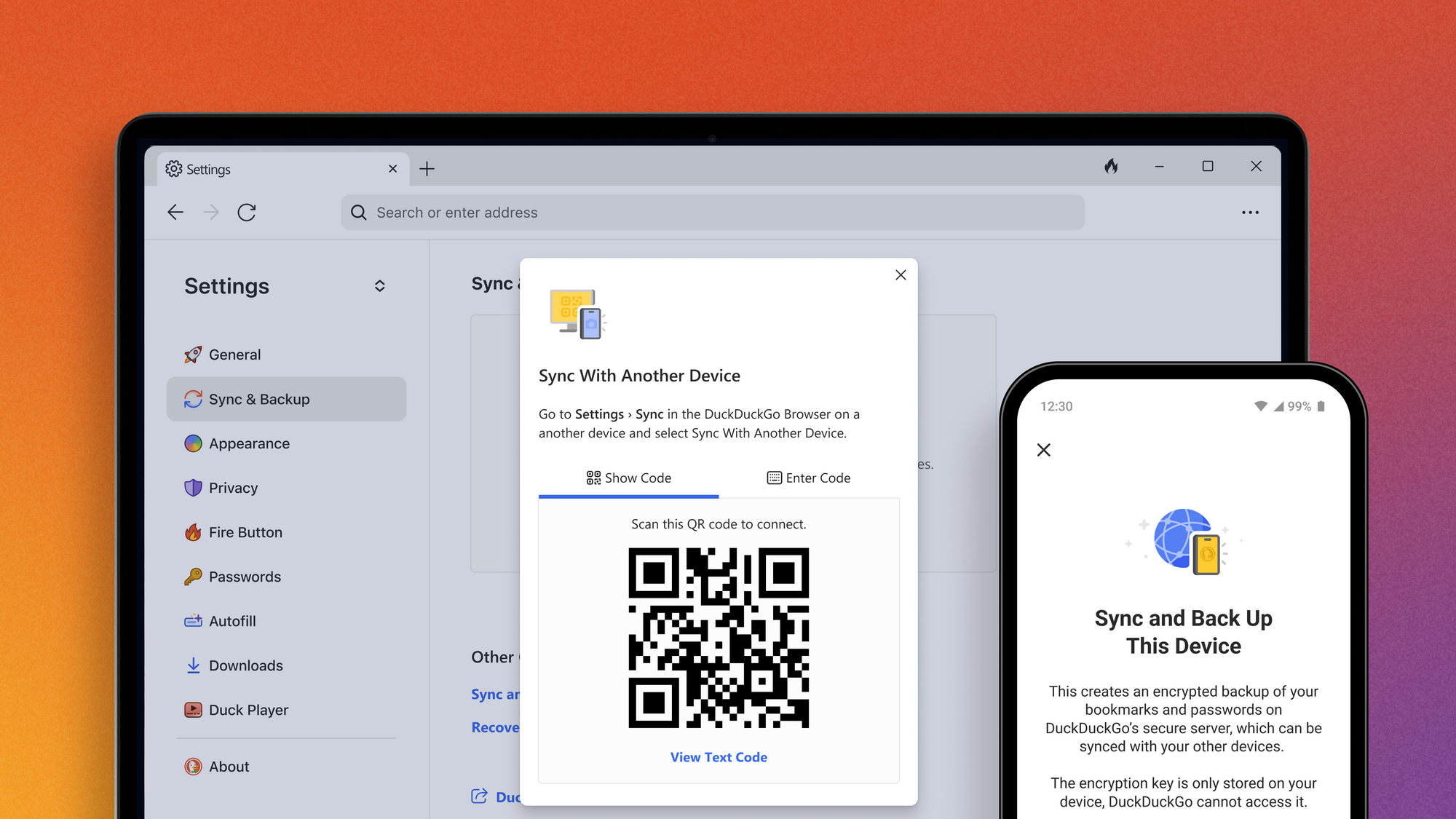
Sync passwords and bookmarks between devices by scanning a QR code or manually entering a unique alphanumeric code – no signing in necessary.
Only working with one device? Choose Sync and Back Up This Device from the “Single-Device Setup” section. Once your sync is complete, you can see a list of all your synced devices, edit device nicknames, and fine-tune your settings.
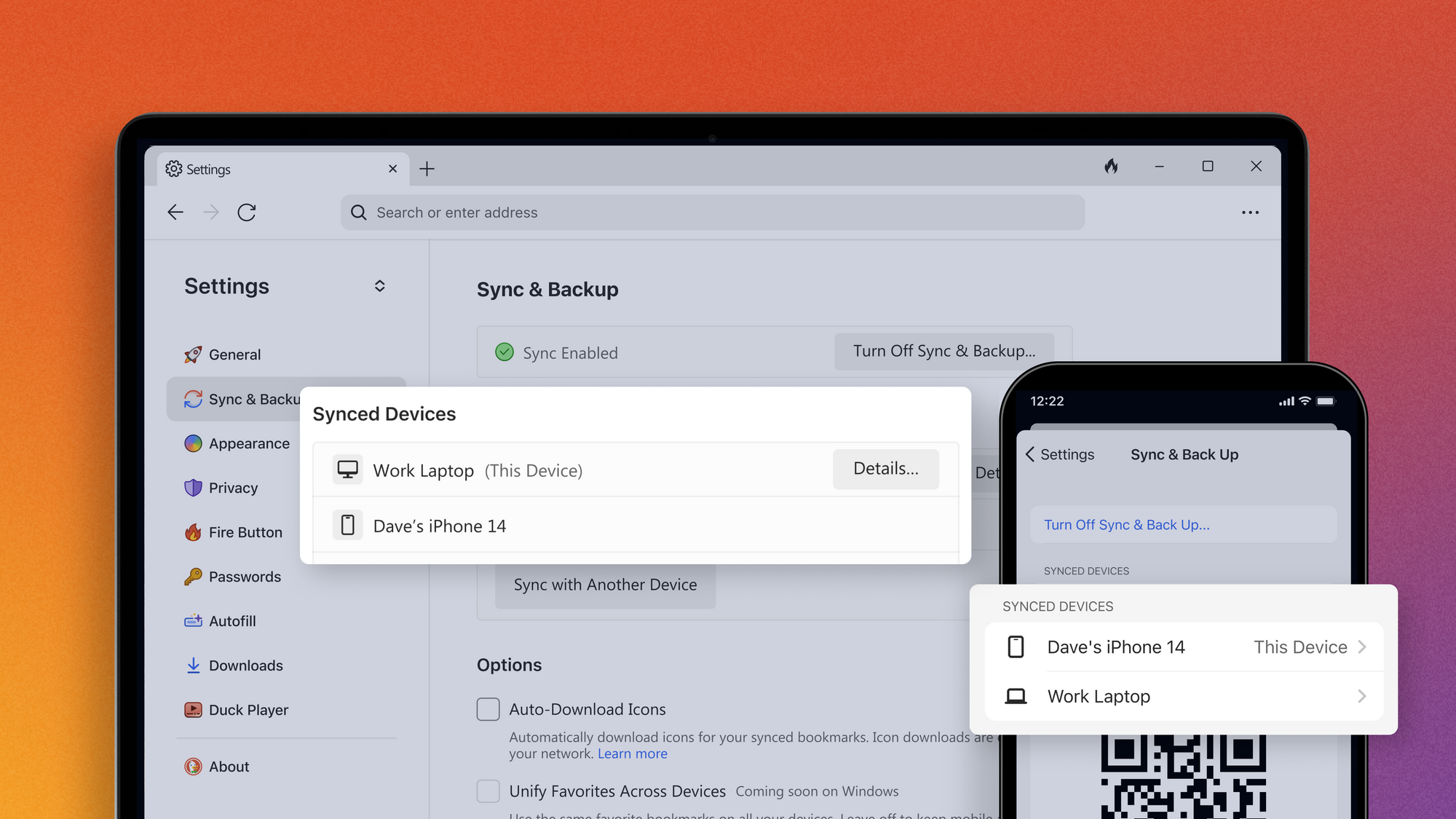
See a list of your synced devices – and add new ones! – under your browser’s Settings > Sync & Back Up.
Once you’re set up, you’ll want to save your Recovery PDF in a secure place. This document contains your Recovery Code, a unique code that will let you access your synced data if your devices are lost or damaged. This is especially important because of our secure end-to-end encryption; your Recovery Code contains the unique, locally generated encryption key that keeps your data private from everyone – including us! If you lose your devices, your Recovery Code is the only way to access your data from a new phone or computer.
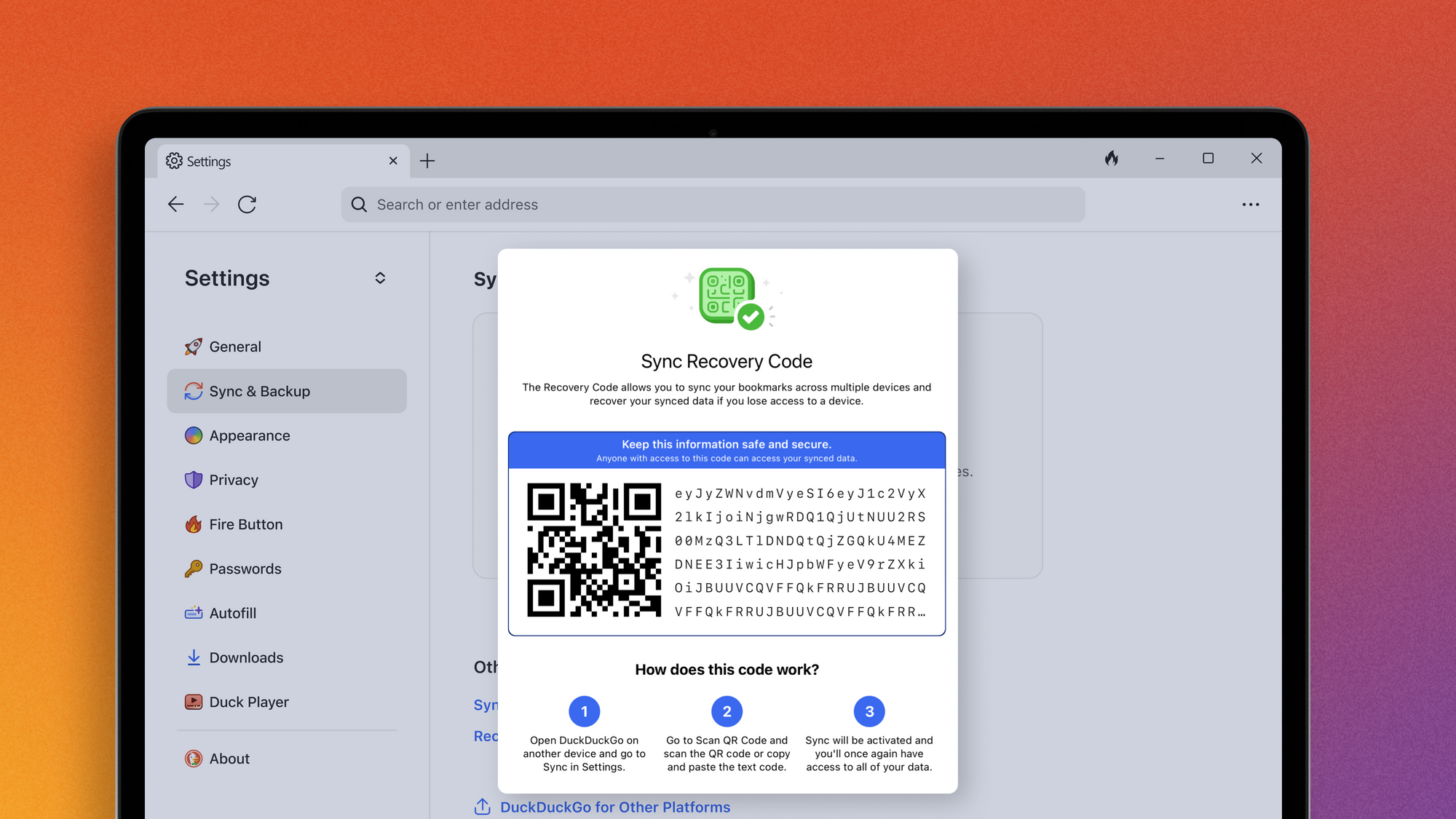
With your Recovery Code, you can restore bookmarks, favorites, and other DuckDuckGo settings on a replacement device if yours is lost or damaged.
What else can the DuckDuckGo browser do?
The DuckDuckGo browser comes with the features you expect from a go-to browser – it even banishes any ads we find that run on creepy trackers, without the need for an outside ad blocker. It also handles cookie pop-ups for you where we can. Plus, over a dozen powerful privacy protections not offered in most popular browsers by default. This uniquely comprehensive set of privacy protections helps protect your online activities, from searching to browsing, emailing, and more.
Our privacy protections work without you having to know anything about the technical details or deal with complicated settings. Just switch your browser to DuckDuckGo across all your devices, and you’ll get privacy by default.
For more detailed instructions on how to use the new sync function – or to peek under the hood of any of DuckDuckGo’s privacy protections! – you can find more information on our Help Pages.