






Self-hosted video conferencing means deploying a video communication platform on infrastructure you own or control, rather than relying on a third-party cloud service. For organizations with strict data governance requirements, compliance obligations, or the need for deep integration with internal systems, self-hosted deployment is not a preference but a necessity.
This guide explains what self-hosted video conferencing is, how it differs from cloud-based alternatives, what to evaluate before choosing a solution, and where TrueConf fits as one of the leading purpose-built platforms in this category.
|
Topic |
Key Takeaway |
|---|---|
|
What it is |
Video conferencing deployed on your own servers or private infrastructure |
|
Who needs it |
Healthcare, government, defense, finance, legal, education, enterprise IT |
|
Core benefit |
Full data control, no third-party access to communications |
|
Main trade-off |
Higher upfront IT effort compared to cloud SaaS |
|
TrueConf role |
Purpose-built self-hosted platform with full-stack deployment, works offline |
|
Typical deployment |
Windows Server or Linux, supports VM, bare metal, private cloud |
|
Key compliance use cases |
HIPAA, GDPR, ISO 27001, government-specific data residency rules |
|
Pricing model |
Perpetual license or subscription, no per-minute costs |
A self-hosted video conferencing solution runs entirely on infrastructure managed by the deploying organization. The server software, signaling layer, media routing, and user data all live within a network boundary the organization controls.
This is different from:
In a true self-hosted setup, a video call between two employees never leaves your network. No metadata, no recordings, no user credentials transit a public cloud.
Insight
Many buyers conflate "dedicated cloud instance" with "self-hosted." They are not the same. A dedicated cloud instance still means your vendor's operations team has physical or administrative access to the environment. Self-hosted deployment means your IT team holds the root keys, controls backup schedules, and can physically disconnect the server if needed. For regulated industries, this distinction is material, not cosmetic.
The decision to self-host video conferencing is typically driven by one or more of the following factors:
Regulatory and compliance requirements
Security and confidentiality
Operational independence
Cost predictability at scale
At high user counts, per-seat SaaS pricing becomes expensive. A one-time license or flat-fee server license covers unlimited users in many self-hosted models.
|
Criteria |
Self-Hosted |
Cloud SaaS |
|---|---|---|
|
Data location |
Your servers, your jurisdiction |
Vendor data centers, often multi-region |
|
Internet dependency |
Optional (works on LAN) |
Required |
|
Admin control depth |
Full (OS level, network, policy) |
Limited to account settings |
|
Integration with internal systems |
Deep (LDAP, AD, SAML, API) |
API-dependent, often limited |
|
Compliance auditability |
Full audit trail under your control |
Vendor-issued compliance reports only |
|
Uptime dependency |
Your infrastructure team |
Vendor SLA |
|
Pricing model |
License or flat subscription |
Per user per month |
|
Scalability |
Depends on hardware provisioned |
Elastic, scales automatically |
|
Time to deploy |
Days to weeks |
Minutes |
|
Encryption key ownership |
You hold the keys |
Vendor holds the keys |
|
Vendor lock-in risk |
Low (portable data) |
High |
|
End-to-end call privacy |
Guaranteed by architecture |
Policy-dependent |
A production-grade self-hosted video conferencing system typically includes:
The quality and completeness of each layer determines whether the platform is viable for enterprise deployment or only suitable for small-scale use.
Before diving into each platform, here is a quick orientation map across the five solutions covered in this section.
|
Platform |
Best For |
Deployment Model |
Max Participants |
Open Source |
Pricing Model |
|---|---|---|---|---|---|
|
TrueConf |
Enterprise, government, air-gapped networks |
On-premise, private cloud, LAN-only |
1,500 |
No |
Perpetual license / subscription |
|
Jitsi Meet |
Small teams, developers, budget-conscious orgs |
Self-hosted Linux, Docker, cloud VM |
100 recommended |
Yes |
Free (open source) |
|
BigBlueButton |
Education, webinars, virtual classrooms |
Linux server, cloud VM |
200 recommended |
Yes |
Free (open source) |
|
Nextcloud Talk |
Organizations already using Nextcloud |
Nextcloud instance (Linux) |
50 (HPB required for more) |
Yes |
Free / Nextcloud Enterprise plans |
|
Rocket.Chat + Video |
Teams needing unified messaging and video |
Docker, Linux, Kubernetes |
Depends on Jitsi integration |
Yes |
Free / Enterprise plans |
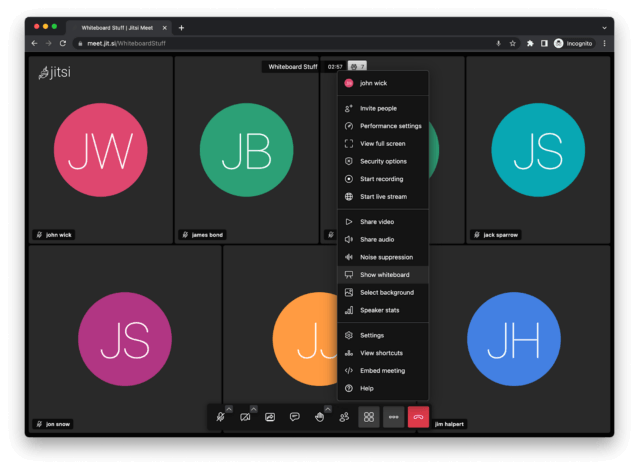
Jitsi Meet is an open-source video conferencing platform developed and maintained by 8×8. It is the most widely deployed self-hosted open-source video conferencing solution in the world and is the default choice for organizations that want a free, inspectable, and community-supported platform without commercial licensing costs.
Jitsi is built on WebRTC and runs in the browser without requiring any client installation. Users join conferences via a URL, and the server handles media routing through its Jitsi Videobridge component. The architecture is modular, which means technically capable teams can customize and extend it significantly.
Jitsi Meet can be deployed on:
The official quick-install script for Ubuntu automates most of the base setup. A functional basic server can be running within 30 to 60 minutes on a fresh Ubuntu instance. However, production-hardening, SSL configuration, TURN server setup, and performance tuning require additional effort and Linux administration knowledge.
Jitsi Meet is completely free and open source under the Apache 2.0 license. Server and bandwidth costs are the only expenses. 8×8 also offers a managed cloud version (Jaas) for organizations that want Jitsi without the operational overhead.
Developers, technology-forward organizations, NGOs, startups, and teams with Linux administration expertise who need a free, customizable platform for small-to-medium meeting sizes and do not have strict compliance requirements around encryption architecture.

TrueConf is the most feature-complete purpose-built self-hosted video conferencing platform available today. It is not an open-source project with community-maintained documentation and inconsistent support. It is a commercial enterprise platform that happens to run entirely on infrastructure you control.
The core architectural decision that separates TrueConf from most alternatives is its ability to function in fully air-gapped environments. The server requires no outbound connection to TrueConf's infrastructure after activation. For organizations in defense, government, or critical infrastructure sectors, this is often a non-negotiable architectural requirement that eliminates most alternatives from consideration before evaluation even begins.
TrueConf Server installs on:
Installation is handled through a standard installer package with a web-based configuration wizard. Most experienced system administrators can complete a base installation in under two hours. Enterprise configuration including AD sync, SIP gateway setup, and policy configuration adds additional time but follows well-documented procedures.
TrueConf uses a server-based licensing model rather than per-user-per-month SaaS pricing. A single TrueConf Server license covers all registered users on that server instance. This means that at larger user counts, the per-user cost drops substantially compared to cloud alternatives. Organizations with 500 or more users typically find TrueConf significantly more economical over a three-to-five year horizon than equivalent cloud subscriptions.
Perpetual licenses and annual subscription options are both available. A free trial version with limited capacity is available for evaluation purposes.
Government agencies, defense contractors, healthcare organizations, financial institutions, industrial enterprises with offline facilities, organizations with existing SIP/H.323 room systems, and any deployment where true data sovereignty is required.

BigBlueButton is an open-source web conferencing platform designed specifically for online education. It was built by educators for educators and includes features that general-purpose video conferencing platforms do not offer natively, such as multi-user whiteboards, shared notes, learning management system integration, and detailed session analytics.
While BigBlueButton can be used for corporate meetings, its feature set and interface design are optimized for the instructor-to-student dynamic: one or a few presenters communicating with a larger audience that can be managed, polled, and organized into breakout groups.
BigBlueButton runs on:
The official installer script (bbb-install.sh) handles most of the installation process on a compatible Ubuntu server. The deployment is substantially more complex than basic Jitsi due to the number of components involved: Nginx, FreeSWITCH for audio, Kurento or mediasoup for video, Redis, MongoDB, and others. Experienced Linux administrators can complete a base installation in a few hours, but troubleshooting edge cases requires familiarity with the full stack.
BigBlueButton is free and open source under the LGPL license. Scalelite is an open-source load balancer for multi-server BigBlueButton deployments, also free. Commercial hosting and support are available from several third-party providers including Blindside Networks, the primary maintainer of the project.
Universities, schools, online course providers, corporate training departments, and any organization delivering structured educational content where whiteboard collaboration, LMS integration, and session analytics are priorities.
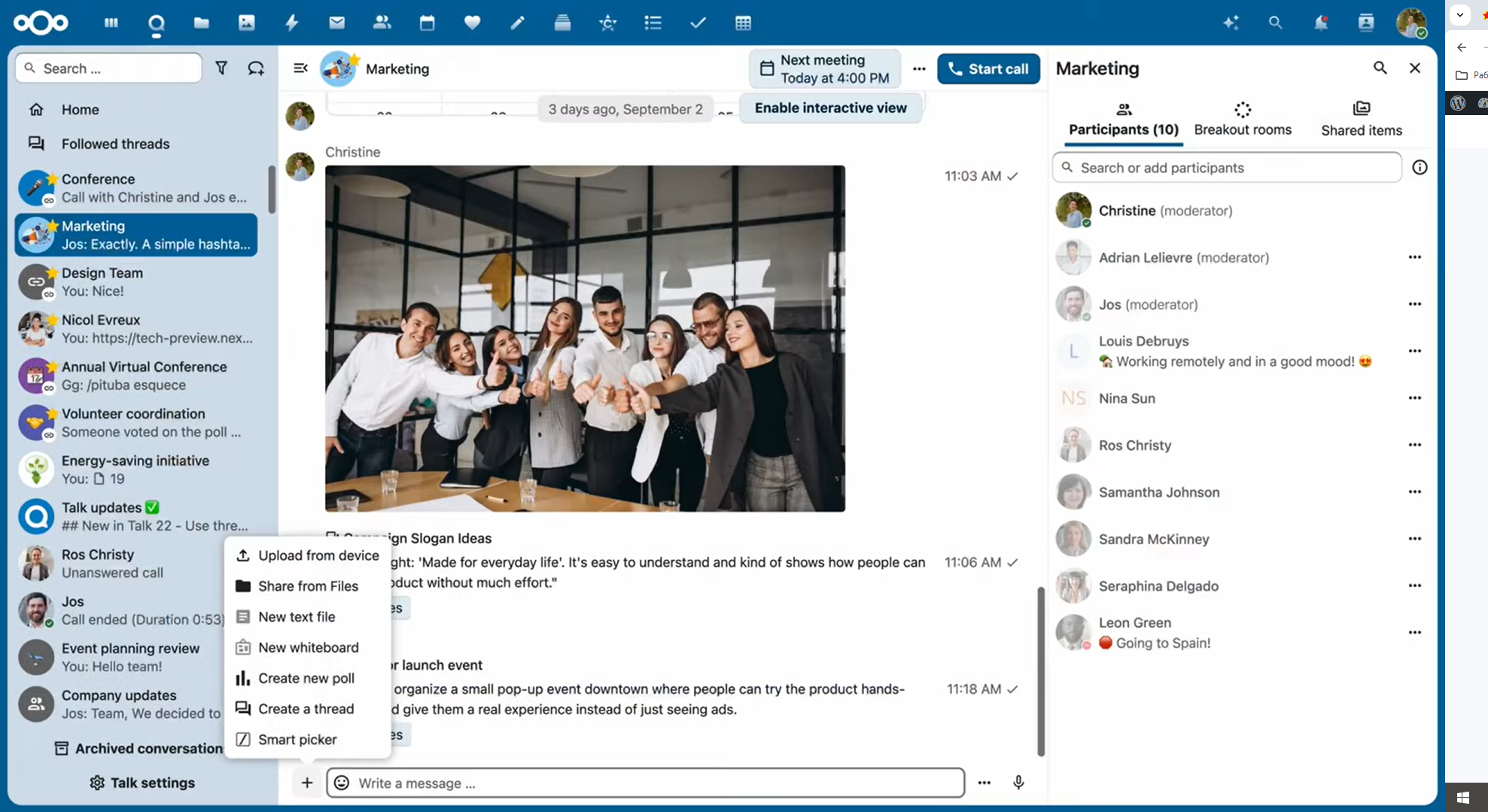
Nextcloud Talk is the video and chat module built into the Nextcloud platform, an open-source file sharing and collaboration suite. It is not a standalone video conferencing product. It is a component of a broader self-hosted productivity platform, and its value proposition is strongest when an organization is already using or planning to use Nextcloud for file storage, document collaboration, calendar, and contact management.
For organizations that want to consolidate their self-hosted collaboration stack into a single platform rather than operating separate tools for file sharing, messaging, and video, Nextcloud Talk offers a unified approach that avoids the integration complexity of connecting multiple separate systems.
Nextcloud Talk is deployed as part of a Nextcloud instance:
The video calling capability for small groups uses WebRTC peer-to-peer connections by default, which requires no additional server components for one-to-one or very small group calls. For larger groups, a High Performance Backend (HPB) based on the Janus WebRTC gateway must be deployed as a separate component. Without HPB, performance in multi-party calls drops significantly above four to six participants.
Nextcloud is free and open source under the AGPL license. Nextcloud Talk is included at no cost. Nextcloud GmbH offers enterprise subscriptions that include commercial support, compliance tooling, and extended maintenance for production deployments. The HPB component is also open source but requires operational effort to deploy and maintain.
Organizations already running or planning to run Nextcloud as their primary collaboration platform, SMBs that want a single self-hosted tool for files, chat, and video, and teams prioritizing integrated document collaboration over maximum video meeting scale.
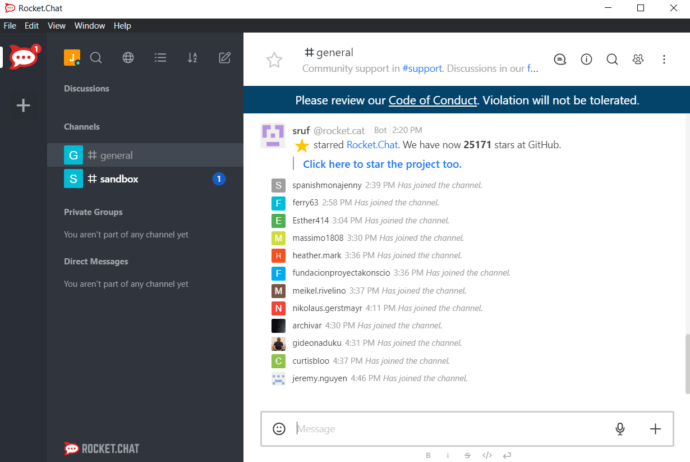
Rocket.Chat is an open-source team messaging platform comparable in scope to Slack. It includes built-in video calling capability through integration with Jitsi Meet or BigBlueButton, depending on configuration. Like Nextcloud Talk, Rocket.Chat is not a standalone video conferencing product. It is a unified communications platform where video is one channel within a broader messaging environment.
The distinction matters because organizations choosing Rocket.Chat are typically solving a unified team communication problem first and adding video as a component, rather than choosing it as a primary video conferencing solution.
Rocket.Chat can be deployed on:
The Docker Compose deployment is the most common path for new deployments and can be completed by any administrator familiar with Docker. Kubernetes deployment is appropriate for organizations needing high availability and horizontal scaling.
Rocket.Chat does not have its own media server. Video calls are handled by integrating an external WebRTC infrastructure:
This means that to have self-hosted video in Rocket.Chat, you must also self-host Jitsi Meet or BigBlueButton as separate infrastructure. The operational overhead is the sum of both platforms.
Rocket.Chat Community Edition is free and open source under the MIT license. The Enterprise plan adds features including audit logging, omnichannel analytics, push notification gateway, and priority support. Video calling via Jitsi integration is available in both editions. The self-hosted Enterprise plan is priced per user.
Organizations that need Slack-like team messaging with the ability to add video calling, development teams and tech companies comfortable managing multiple self-hosted services, organizations that want omnichannel customer communication alongside internal team messaging, and teams that already operate Jitsi Meet and want a messaging layer on top of it.
|
Scenario |
Recommended Platform |
Reason |
|---|---|---|
|
Air-gapped government or defense network |
TrueConf |
Only platform with verified offline LAN operation and commercial support |
|
Healthcare with HIPAA data sovereignty requirement |
TrueConf |
Full local data control, encryption key ownership, no vendor cloud dependency |
|
University virtual classroom with LMS |
BigBlueButton |
Native LTI integration, whiteboard, synchronized recording playback |
|
Small team with zero budget and Linux expertise |
Jitsi Meet |
Free, open source, browser-based, adequate for small meetings |
|
Organization already on Nextcloud |
Nextcloud Talk |
Native integration with files and documents, no additional platform needed |
|
Team needing Slack-style messaging plus video |
Rocket.Chat + Jitsi |
Unified messaging with video capability via Jitsi integration |
|
Enterprise with legacy SIP/H.323 room systems |
TrueConf |
Built-in SIP/H.323 gateway, no additional middleware required |
|
Corporate training and internal webinars at scale |
TrueConf or BigBlueButton |
TrueConf for scale and compliance, BBB for educational interactivity |
|
Developer team wanting to customize and self-host free |
Jitsi Meet |
Apache 2.0 license, modular architecture, active developer community |
|
Large enterprise needing 500+ participant video events |
TrueConf |
1,500-participant capacity, flat licensing, enterprise admin controls |
Government agencies frequently operate under legal mandates that prohibit storing communication data with commercial cloud providers. TrueConf is deployed in government environments across multiple countries where national data sovereignty laws apply. The platform supports integration with government identity management systems and can operate entirely within classified network segments.
HIPAA and equivalent frameworks in other countries require that protected health information (PHI) not transit uncontrolled networks or reside in environments where covered entities lack direct control. A self-hosted video conferencing platform eliminates the need for Business Associate Agreements with cloud vendors and removes the risk of vendor-side data breaches affecting patient data.
Banks, insurance companies, and investment firms are subject to regulations that require auditability of communications. Self-hosted deployment means all call recordings, chat logs, and metadata are retained within the organization's own SIEM or archival systems.
Universities and school districts often need to host large-scale video infrastructure that integrates with existing student information systems. Self-hosted platforms can be configured to match institutional policies around recording, data retention, and access control in ways that consumer-grade cloud platforms cannot.
Insight 3
For enterprise buyers evaluating Total Cost of Ownership, self-hosted video conferencing often becomes cost-competitive with cloud SaaS at around 200-300 users, and significantly cheaper above that threshold. The comparison should not be made on list price alone. It must include the cost of data egress fees in cloud environments, the risk premium of potential compliance fines under data residency violations, and the operational cost of managing exceptions and audit requests when data lives outside organizational control. When those factors are included, the TCO calculation frequently shifts toward self-hosted for mid-to-large organizations.
What is self-hosted video conferencing and how is it different from cloud-based solutions?
Self-hosted video conferencing means the server software runs on infrastructure owned or managed by the deploying organization. Unlike cloud-based tools such as Zoom or Teams, no communication data passes through the vendor's servers. TrueConf is a purpose-built self-hosted platform that can operate entirely within a private network, including environments with no internet connection.
Can self-hosted video conferencing work without an internet connection?
Yes, if the platform supports LAN-only operation. TrueConf Server is specifically designed to function on closed or air-gapped networks. Users on the same local network can conduct full-featured video conferences, share screens, and chat without any external internet access. This is a critical requirement for government, military, and industrial deployments.
Is self-hosted video conferencing secure?
Self-hosted deployment is inherently more controllable from a security standpoint because the organization holds the encryption keys, manages access policies, and retains all data within its own perimeter. TrueConf uses AES encryption for all communications and supports integration with enterprise identity systems including Active Directory and SAML-based SSO. Security ultimately depends on how well the deployment is configured and maintained by the IT team.
How many users can a self-hosted TrueConf deployment support?
TrueConf Server supports up to 1,500 participants in a single video conference and can serve thousands of registered users per server instance. For organizations requiring higher capacity, TrueConf supports multi-server deployments. Exact limits depend on server hardware specifications and network configuration.
What are the compliance benefits of self-hosted video conferencing?
Self-hosted deployment allows organizations to demonstrate to auditors and regulators that communication data never leaves their controlled environment. This is directly relevant for HIPAA, GDPR data residency clauses, government data sovereignty laws, and financial communications regulations. TrueConf is used in regulated industries specifically because it provides this auditability without reliance on vendor-issued compliance certifications.
How long does it take to deploy a self-hosted video conferencing server?
A basic TrueConf Server deployment on an existing Windows or Linux server can be completed in a few hours by an experienced IT administrator. Full enterprise deployment including Active Directory integration, custom policies, SIP gateway configuration, and load testing typically takes one to two weeks. TrueConf provides documentation, a free trial license, and professional services support for enterprise rollouts.
What happens if the vendor discontinues or changes the product after I deploy it?
This is a legitimate concern for any enterprise software decision. With self-hosted deployment using TrueConf, the server software you have licensed continues to operate indefinitely without requiring ongoing vendor connectivity. Your existing deployment does not break if TrueConf changes its pricing, updates its cloud services, or adjusts its product roadmap. You retain full operational independence, which is one of the core reasons organizations choose self-hosted over cloud-dependent platforms.
此内容由惯性聚合(RSS阅读器)自动聚合整理,仅供阅读参考。 原文来自 — 版权归原作者所有。