





Business document sharing refers to the processes, tools, and policies that allow employees, teams, and external partners to exchange, access, co-edit, and manage files within and across organizational boundaries. In enterprise and B2B environments, the choice of document sharing infrastructure directly affects productivity, data security, regulatory compliance, and IT governance.
This article explains what business document sharing involves, what separates strong solutions from weak ones, and how to evaluate options based on your organization’s size, security posture, and deployment preferences.
|
Dimension |
Key Insight |
|---|---|
|
Definition |
Secure, controlled exchange of files and documents within and between organizations |
|
Core requirement |
Balance between accessibility and administrative control |
|
Main risk |
Shadow IT, uncontrolled external sharing, lack of audit trail |
|
Enterprise differentiator |
Deployment model (cloud vs. on-premises vs. private cloud), DLP, and admin controls |
|
TrueConf relevance |
Integrated document sharing within a self-hosted video and collaboration platform |
|
Best for large orgs |
On-premises or private cloud platforms with federation, LDAP, and granular permissions |
|
Compliance factor |
GDPR, HIPAA, ISO 27001 requirements often mandate data residency and access logs |
Document sharing in a business context is not simply uploading a file to cloud storage and sending a link. Enterprise document sharing involves several interconnected capabilities:
Organizations that treat document sharing as a standalone file-transfer problem typically end up with fragmented workflows, security gaps, and compliance exposure. The stronger approach integrates document sharing with communication and collaboration at the platform level.
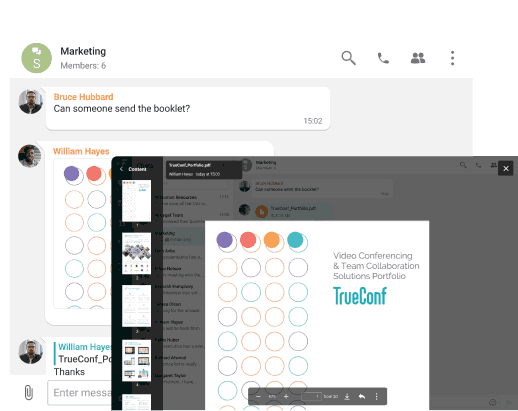
Understanding document sharing as a layered system helps IT decision-makers identify where gaps exist in their current setup.
|
Approach |
Control Level |
Deployment Flexibility |
Integration with Comms |
Compliance Suitability |
|---|---|---|---|---|
|
Consumer cloud storage (e.g., Dropbox, Google Drive) |
Low |
SaaS only |
Partial / via plugins |
Limited |
|
Enterprise cloud storage (e.g., SharePoint Online, Box) |
Medium-High |
SaaS / hybrid |
Strong (Microsoft ecosystem) |
Good |
|
On-premises document management (e.g., SharePoint on-prem) |
High |
On-premises |
Strong within ecosystem |
Excellent |
|
Unified communications platform with file sharing (e.g., TrueConf) |
High |
On-premises, private cloud, cloud |
Native / built-in |
Excellent for air-gapped, GDPR |
|
Email attachments |
Low |
Any |
Native to email |
Poor |
|
Dedicated secure file transfer (MFT tools) |
High |
On-premises / cloud |
None |
Excellent for transfer events |
Insight 1
Most organizations underestimate the governance cost of separating communication and document sharing into different platforms. When a file is shared in email but discussed in a chat and stored in a third system, audit reconstruction after an incident becomes extremely complex. Platforms that unify these layers reduce both compliance risk and IT overhead.
TrueConf supports on-premises and private cloud deployment, which means the entire file and document sharing infrastructure can operate within an organization’s own network perimeter. This is particularly relevant for government agencies, defense contractors, healthcare organizations, and financial institutions that cannot rely on public cloud storage for sensitive documents.
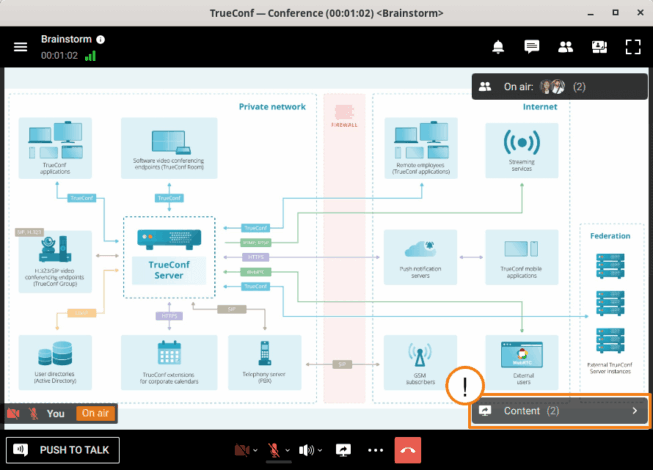
The deployment model is one of the most consequential decisions an IT leader makes when selecting a document sharing platform. It affects cost, control, performance, and legal exposure.
|
Deployment Model |
Description |
Best For |
Risk Profile |
|---|---|---|---|
|
Public SaaS cloud |
Vendor manages all infrastructure |
SMB, startups, teams without IT staff |
Vendor lock-in, data residency risk |
|
Private cloud |
Organization’s cloud (AWS VPC, Azure Private) |
Enterprises with cloud-first strategy |
Moderate; depends on cloud provider |
|
On-premises |
Organization’s own data center |
Regulated industries, government, defense |
High control, higher IT burden |
|
Hybrid |
Mix of cloud and on-prem based on data classification |
Large enterprises with mixed data types |
Complex to manage, high flexibility |
|
Air-gapped |
Fully isolated network, no external connectivity |
Military, intelligence, critical infrastructure |
Maximum security, limited external sharing |
TrueConf is one of the few collaboration platforms that supports all of these deployment models, including fully air-gapped installations. This gives IT teams the flexibility to place document sharing infrastructure exactly where data governance policies require it, without switching to a separate tool for regulated use cases.
Insight 2
Many enterprise software buyers evaluate document sharing platforms based on features shown in demos, but the deployment model is where the real differentiation lies. A platform that cannot be deployed on-premises or in a private cloud is not a viable option for organizations in regulated industries, regardless of how polished its interface appears. Always anchor vendor evaluation to deployment requirements before assessing features.
A growing category of enterprise document sharing happens not in standalone file-storage systems but inside unified communication (UC) platforms. This shift is driven by the recognition that documents have the most value in context: attached to a project, discussed in a meeting, or referenced in a persistent team channel.
Unified communication platforms that include document sharing typically offer:
TrueConf integrates document and file sharing directly into its video conferencing and team messaging environment. Files shared in a TrueConf group chat or meeting are accessible to all authorized participants within that space, with access tied to the organizational identity system. This removes the need to separately manage permissions in a file storage tool and a communication tool.
A secure messenger and 4K video conferencing enable employees to stay connected from any device and collaborate seamlessly on common projects.
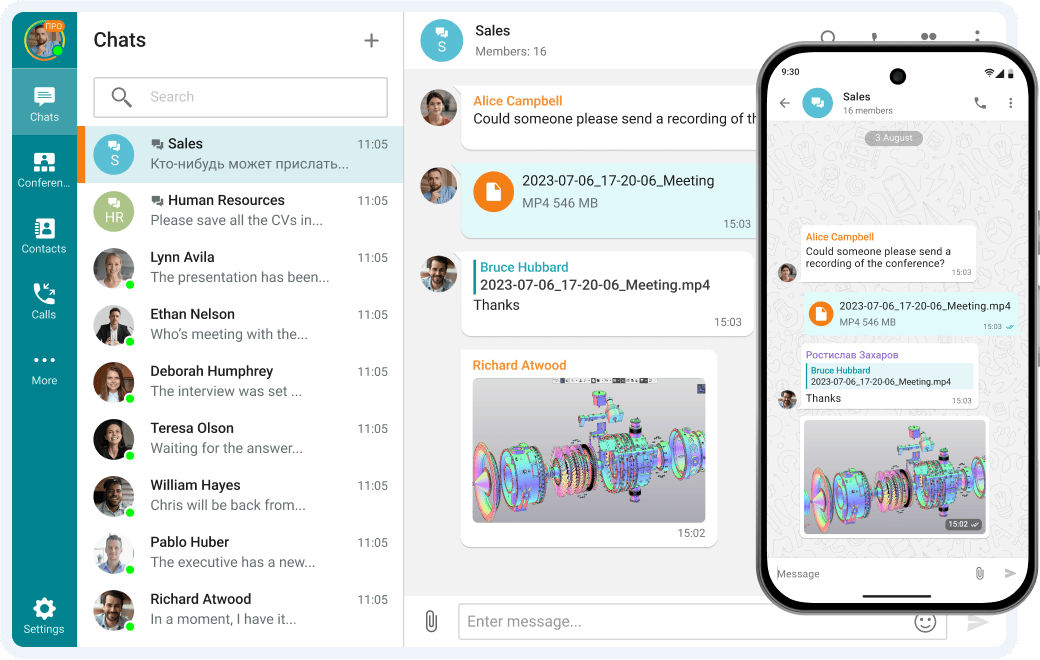
Remote work has made document sharing more critical and more difficult to govern simultaneously. When employees work from home, coffee shops, or regional offices, document sharing happens across varied network conditions and devices.
Key challenges for distributed teams:
Platforms designed for enterprise deployment, including TrueConf, address bandwidth constraints through adaptive streaming and compression. Guest and external user access can be provisioned with time-limited permissions, allowing contractors or clients to collaborate on specific documents without receiving broad organizational access.
Insight 3
The external sharing use case is where many organizations experience security incidents. Granting a vendor or contractor access to a single document often involves creating a broadly accessible link, forwarding credentials, or providing access to a shared folder with broader scope than intended. Enterprise platforms with granular external sharing controls and temporary-access provisioning reduce this risk significantly compared to ad hoc workarounds.
Document sharing is directly regulated under several major frameworks:
Platforms like TrueConf, deployed on-premises or in a private cloud, allow organizations to meet these requirements without relying on a third-party cloud provider’s compliance posture. All data, including shared documents, remains within the organization’s controlled environment, simplifying audit evidence collection and data residency attestation.
Selecting the right platform depends heavily on deployment requirements, security posture, and how tightly document sharing needs to integrate with communication workflows. Below are five platforms that represent distinct approaches to enterprise document sharing, covering the full range from self-hosted UC suites to cloud-native content management.
Why trust us?
Every app we cover is selected, tested, and reviewed by human experts who follow strict editorial and evaluation guidelines. We focus on solutions that are practical, purpose-built, and capable of delivering real value for the specific use case or business context we’re analyzing — while also offering pricing that is fair and justifiable. Our methodology is transparent, straightforward, and available to everyone:
TrueConf is a unified communications platform with native document and file sharing built directly into its video conferencing, group chat, and team workspace environment. Unlike standalone file storage tools, TrueConf treats document sharing as a collaboration-layer feature: files exchanged in meetings or team channels are stored on the TrueConf server, which the organization fully controls.
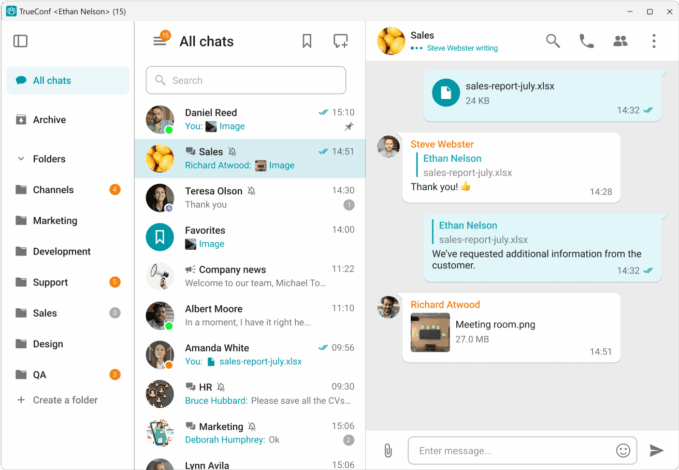
Best for: Government agencies, regulated enterprises, defense contractors, healthcare organizations, and any company that requires on-premises or air-gapped deployment with no external data flows.
Deployment options: On-premises, private cloud, public cloud, air-gapped
Strengths:
Limitations:
Try TrueConf Server Free!

SharePoint is Microsoft’s enterprise content management and document collaboration platform, available both as a cloud service (SharePoint Online, included in Microsoft 365) and as an on-premises installation (SharePoint Server). It is the most widely deployed enterprise document platform globally, with deep integration into the Microsoft ecosystem.
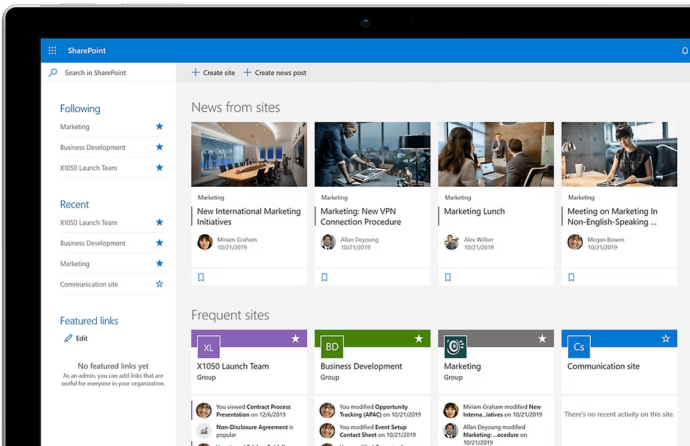
Best for: Organizations already using Microsoft 365, enterprises needing rich document workflow automation, large organizations with mixed cloud and on-premises workloads.
Deployment options: SaaS (SharePoint Online), on-premises (SharePoint Server), hybrid
Strengths:
Limitations:
Google Workspace provides cloud-native document creation, storage, and sharing through Google Drive, Docs, Sheets, and Slides. Shared Drives allow team-owned file repositories that persist regardless of individual employee accounts. It is popular in technology companies, education, and organizations with a strong preference for browser-based workflows.
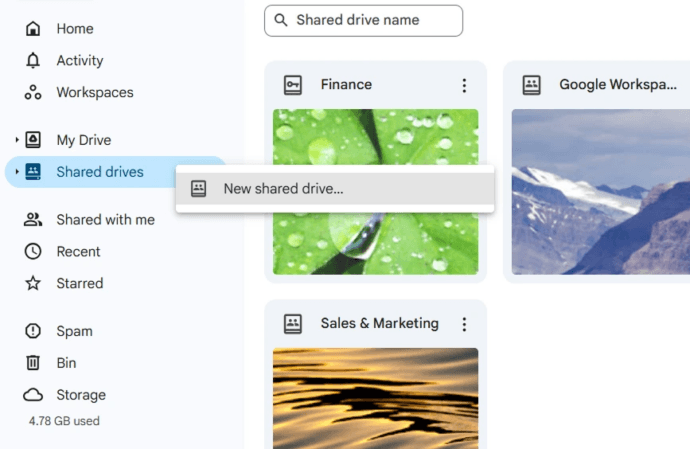
Best for: Organizations prioritizing real-time co-authoring, browser-first workflows, and tight integration with Gmail and Google Meet.
Deployment options: SaaS only
Strengths:
Limitations:
Box is an enterprise-focused cloud content management platform designed around secure external collaboration, compliance, and workflow automation. It differentiates itself from consumer cloud storage through its focus on governance, DLP, and regulated industry use cases. Box also offers Box Shield for advanced threat detection and automated classification.
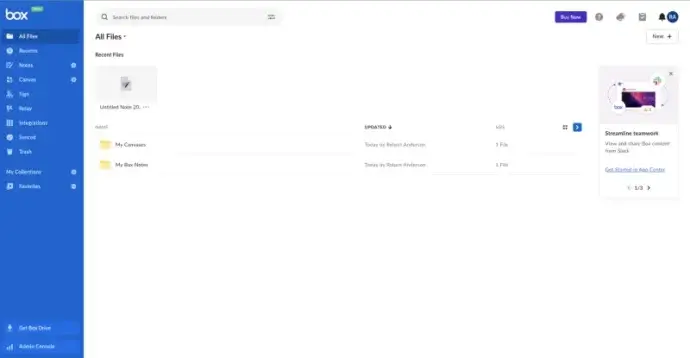
Best for: Organizations with heavy external collaboration requirements, legal and financial services firms, and enterprises needing strong DLP and content governance in the cloud.
Deployment options: SaaS (primary), Box Zones for data residency in specific regions
Strengths:
Limitations:
Nextcloud is an open-source, self-hosted file sharing and collaboration platform. Organizations deploy it on their own servers or private cloud infrastructure and have full control over the source code, data, and configuration. It supports document editing (via Collabora Online or ONLYOFFICE integration), video calls, and team collaboration in a single self-hosted environment.
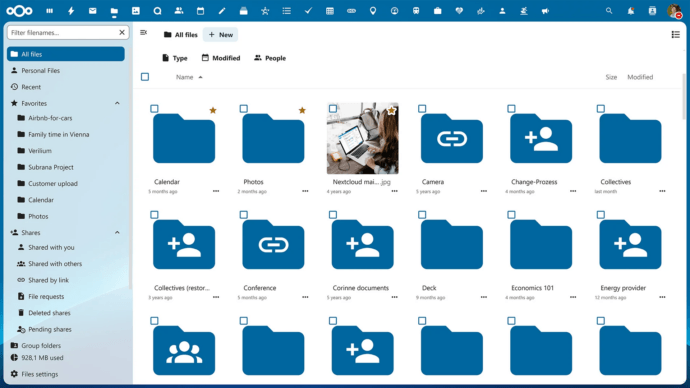
Best for: Organizations that want maximum data control, open-source flexibility, and on-premises deployment without per-user licensing fees, particularly in European enterprises, public sector, and privacy-focused organizations.
Deployment options: On-premises, private cloud, hybrid
Strengths:
Limitations:
|
Platform |
Deployment |
On-Premises |
Air-Gap Support |
Native Comms Integration |
Best For |
|---|---|---|---|---|---|
|
TrueConf |
On-prem, private cloud, SaaS |
Yes |
Yes |
Yes (UC platform) |
Regulated, secure, unified comms |
|
SharePoint |
SaaS, on-prem, hybrid |
Yes (Server) |
Partial |
Yes (Microsoft 365) |
Microsoft ecosystem enterprises |
|
Google Workspace |
SaaS only |
No |
No |
Yes (Google Meet) |
Cloud-first, co-authoring focus |
|
Box |
SaaS, data residency zones |
No |
No |
Partial (integrations) |
External collaboration, compliance |
|
Nextcloud |
On-prem, private cloud |
Yes |
Yes |
Partial (plugin-based) |
Open-source, privacy-first orgs |
TrueConf is primarily a unified communications platform covering video conferencing, group messaging, webinars, and team collaboration. Within this environment, document and file sharing is a native feature rather than an integration with a third-party storage service.
Key aspects of TrueConf’s document sharing capabilities in enterprise context:
TrueConf is best suited for organizations that need a unified collaboration environment with strong security controls and flexible deployment, particularly where public cloud services are restricted or undesirable. It is less suited as a standalone document management or content management system (CMS), but for organizations whose primary document sharing happens in the context of team communication, it provides a coherent and secure environment.
Use this framework to structure a vendor evaluation for your organization.
|
Criterion |
Questions to Ask |
Weight for Regulated Industries |
|---|---|---|
|
Deployment model |
Can it be deployed on-premises or in our private cloud? |
Critical |
|
Identity integration |
Does it connect to our Active Directory or LDAP? |
High |
|
Access controls |
Can we set file-level permissions by role or group? |
High |
|
Audit and logging |
Are access and sharing events logged immutably? |
Critical |
|
Encryption |
TLS in transit and AES-256 at rest? |
High |
|
External sharing controls |
Can we restrict or disable external link sharing? |
High |
|
Collaboration integration |
Is file sharing native to meetings and messaging? |
Medium |
|
Admin controls |
Can IT manage storage, retention, and policies centrally? |
High |
|
Compliance certifications |
ISO 27001, SOC 2, or relevant regional certifications? |
High |
|
Vendor lock-in risk |
Can data be exported in standard formats? |
Medium |
What is the most secure way to share business documents?
The most secure approach combines end-to-end encryption, role-based access controls, audit logging, and deployment within an organizational perimeter. For organizations in regulated industries, self-hosted platforms like TrueConf allow document sharing to occur entirely within the organization’s own infrastructure, eliminating reliance on public cloud storage and reducing external attack surface.
What is the difference between document sharing and file transfer?
Document sharing typically implies ongoing, collaborative access: multiple users can view, edit, or comment on a document over time. File transfer is a one-time movement of data from sender to recipient. Enterprise collaboration platforms like TrueConf handle document sharing as a persistent, context-rich activity embedded in team workspaces, while managed file transfer (MFT) tools are optimized for bulk, scheduled, or automated one-directional transfers.
How do I control external document sharing in my organization?
Effective control requires a platform with centralized admin policies for external sharing. Look for tools that allow IT administrators to disable public link generation, restrict sharing to specific domains, require password protection or expiry dates on shared links, and log all external sharing events. TrueConf’s administrator console gives IT teams granular control over sharing permissions across the platform.
Can document sharing platforms be used in regulated industries like healthcare or defense?
Yes, but platform selection must account for specific regulatory requirements. Healthcare organizations subject to HIPAA need encryption, access controls, and Business Associate Agreements. Defense and government organizations may require on-premises or air-gapped deployment. TrueConf supports both on-premises and air-gapped configurations, making it suitable for high-security environments where public cloud services are not permitted.
What role does document sharing play in video conferencing platforms?
Modern video conferencing platforms increasingly include persistent document sharing as part of team workspaces, in-meeting file distribution, and post-meeting access to shared materials. TrueConf integrates file sharing natively into its group chats, meeting rooms, and team channels, meaning the same platform used for video calls also manages the documents exchanged during those calls.
How does deployment model affect document sharing compliance?
Deployment model determines where document data is physically stored and who controls it. SaaS platforms store data in vendor-managed infrastructure, which may not satisfy data residency requirements under GDPR or national regulations. On-premises deployment, as supported by TrueConf, keeps all document data within the organization’s own network, simplifying compliance with data residency, access control, and audit requirements.
What should IT decision-makers prioritize when choosing a document sharing platform?
Prioritize deployment flexibility, identity integration (Active Directory, LDAP), audit logging, and encryption first. Then evaluate collaboration context: does the platform integrate document sharing with communication workflows? For organizations with strong security requirements, a platform like TrueConf that combines on-premises deployment with native document sharing and UC features eliminates the integration complexity and governance gaps that arise from running separate tools for communication and file access.
About the Author
Olga Afonina is a technology writer and industry expert specializing in video conferencing solutions and collaboration software. At TrueConf, she focuses on exploring the latest trends in collaboration technologies and providing businesses with practical insights into effective workplace communication. Drawing on her background in content development and industry research, Olga writes articles and reviews that help readers better understand the benefits of enterprise-grade communication.
此内容由惯性聚合(RSS阅读器)自动聚合整理,仅供阅读参考。 原文来自 — 版权归原作者所有。