





Lemonade, created by AMD, is a server application plus GUI for running local AI models, similar to projects like LM Studio (or, more distantly, ComfyUI). What it lacks in configurability, it tries to make up for in broader integration with third-party apps that use standard APIs, and with support for non-NVIDIA runtimes.
Lemonade works with a variety of runtimes and back-end engines. It supports AMD GPUs, Ryzen NPUs, Vulkan, and CPU execution (although not for all tasks), along with the llamacpp, whispercpp, sd-cpp, kokoro, ryzenai-llm and flm back ends. In addition to providing its own set of APIs, Lemonade interoperates with a broad set of industry standards including OpenAI, Ollama, Anthropic, and llama.cpp. Both GGUF and ONNX models are supported.
The biggest omission is NVIDIA-specific GPU support. Only Vulkan (generic GPU) and AMD (ROCm) GPUs are supported. So, if you plan on using StableDiffusion models with NVIDIA hardware, you may want to look elsewhere for now. (StableDiffusion models do not have Vulkan runtime support, only AMD GPU and generic CPU support.)
While NPU processing is available, here too the support is limited. On Linux it’s available only via FastFlowLM, and on Windows it works only via Ryzen AI SW.
When you set up Lemonade, it will make a best guess as to what inference engine and back-end configuration is best suited to the system.
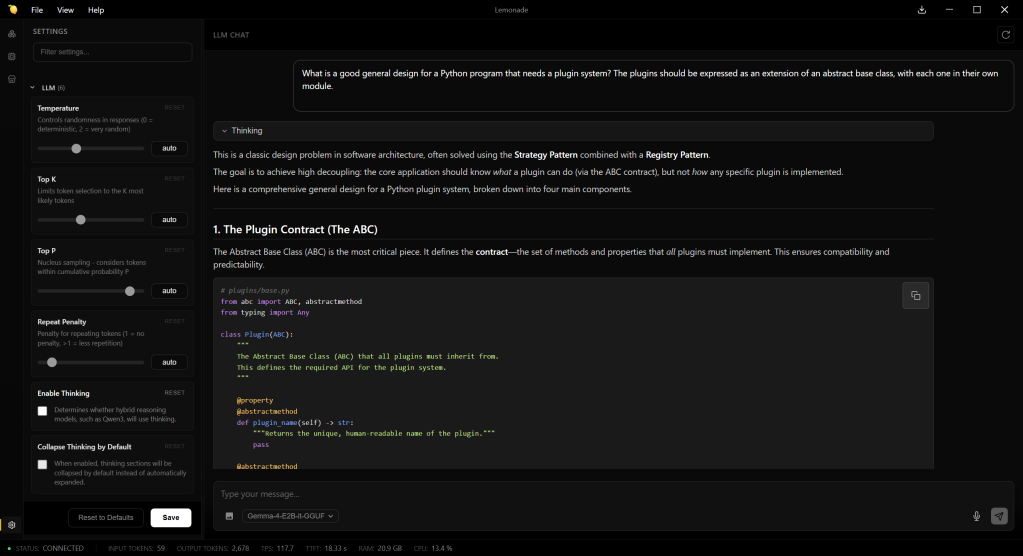
Chat interface for AMD’s Lemonade server. Few configuration options are available for working with models; most of them are visible at the left.
Foundry
The Lemonade app can run a few different ways: as a CLI application, as a GUI desktop app (a la LM Studio), and as a server. The CLI version can be used to run the inference engine headlessly — with no GUI, just the server components and APIs — or as a way to launch the GUI with a specific model and other settings. Lemonade’s server can also be delivered as an embeddable component for other apps.
Like LM Server, Lemonade offers a ready-to-download catalog of models for common tasks: LLMs (Gemma, gpt-oss, Qwen), image generation (Flux, SD, Z-Image), and so on. You’re not limited to the models in the catalog, although that’s the most convenient way to set them up. Integrating with other apps that use one of Lemonade’s supported APIs typically involves little more than pointing the app to Lemonade as an endpoint, and talking to one of the supported API types.
Unfortunately, Lemonade’s most visible feature, its GUI — a chat interface where you can interact with locally-run models — is also its weakest feature, because it exposes very little flexibility when running or serving models. Not many “knobs” are available for how models are served, and they’re rudimentary ones: temperature, top K and P, repeat penalty, turning thinking on or off, and that’s about it.
Notably, you can’t use the GUI to control how many layers of a model run on the GPU, which means for the most part you’re stuck with models that fit in memory. You can do this by manually passing parameters to how models are loaded, but the point is that you shouldn’t have to. After all, having to perform such manual twiddling defeats much of the purpose of having a convenient GUI.
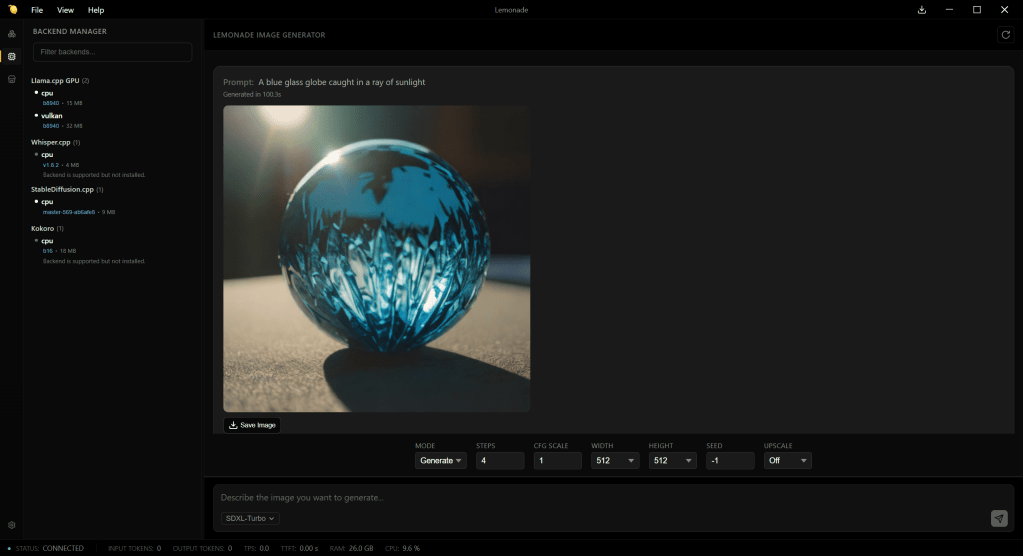
Generating an image using Lemonade server, via the SDXL-Turbo model. Only AMD GPU and Vulkan acceleration is supported.
Foundry
Lemonade’s chat interface also lacks some useful features. If you start a new chat, any existing chat is wiped out; there’s no chat history system as there is with LM Studio or other apps. Images generated in chats can be saved, but there’s no straightforward way to save the text of a chat; right-clicking on the chat and hitting “Save” generates an HTML copy of the whole interface of the application at that moment.
On the plus side, I appreciated the “Logs” pane, which shows detailed real-time information generated by the server.
The main reason to use Lemonade, given its current feature set and general design, is to have a convenient way to work with AMD (ROCm) GPUs, the Ryzen NPUs, and their runtimes, when you are likely to keep the entire model in memory. But for scenarios where you want more control available through the GUI, and support for NVIDIA devices as a standard feature, you’ll want to look elsewhere first.