
惯性聚合 高效追踪和阅读你感兴趣的博客、新闻、科技资讯
阅读原文 在惯性聚合中打开

推荐订阅源

Cyber Security Advisories - MS-ISAC
The GitHub Blog
The GitHub Blog
OSCHINA 社区最新新闻
OSCHINA 社区最新新闻
P
Proofpoint News Feed
S
Secure Thoughts
GbyAI
GbyAI
N
News and Events Feed by Topic
Google DeepMind News
罗磊的独立博客
博客园 - 【当耐特】
G
Google Developers Blog
A
About on SuperTechFans
IT之家
IT之家
Security Latest
Security Latest
T
Troy Hunt's Blog
李成银的技术随笔
N
News and Events Feed by Topic
V
Vulnerabilities – Threatpost
美团技术团队
博客园 - 叶小钗
B
Blog
C
CXSECURITY Database RSS Feed - CXSecurity.com
H
Hacker News: Front Page
Jina AI
Jina AI
K
Kaspersky official blog
博客园 - 三生石上(FineUI控件)
F
Future of Privacy Forum
D
Darknet – Hacking Tools, Hacker News & Cyber Security
Microsoft Azure Blog
NISL@THU
NISL@THU
WordPress大学
WordPress大学
Cyberwarzone
Cyberwarzone
Stack Overflow Blog
Stack Overflow Blog
L
LangChain Blog
P
Palo Alto Networks Blog
C
Cybersecurity and Infrastructure Security Agency CISA
Scott Helme
Scott Helme
The Hacker News
The Hacker News
aimingoo的专栏
aimingoo的专栏
小众软件
小众软件
S
Security @ Cisco Blogs
Martin Fowler
Martin Fowler
Google DeepMind News
人人都是产品经理
人人都是产品经理
D
Docker
cs.CV updates on arXiv.org
Last Week in AI
Last Week in AI
L
Lohrmann on Cybersecurity
Stack Overflow Blog
Stack Overflow Blog
月光博客
月光博客

Comments for The Eclectic Light Company

A weekend with Misia: 2 Reading Visual Art: 251 Snakes and staff, caduceus Comment on How to search Time Machine backups? by hoakley Unmount a volume or eject a disk Apple has released an update to XProtect for all macOS Comment on Medium and message: Pottery by hoakley Settings, preferences and defaults Comment on Hero or hooligan: Theseus and the sandals by hoakley Solutions to Saturday Mac riddles 360 Comment on How QuickLook provides thumbnails and previews by hoakley Comment on Paintings of visits to India 1878-1944 by snmphtg Hunting extended attributes with an update to xattred Comment on Saturday Mac riddles 360 by Duncan Explainer: QuickLook Chinese whispers in PDF metadata Comment on What has changed in macOS Tahoe 26.5? by jmrichards7f14f5632c Comment on How to preserve versions, and how to create versioned PDFs by markbot2zero Comment on What gets synced in iCloud Drive? by hoakley Apple has released macOS Tahoe 26.5, and security updates 15.7.7 and 14.8.7 Does iCloud Drive now lose almost all metadata? Comment on Solutions to Saturday Mac riddles 359 by joethewalrus Paintings of Beatrice Portinari: after 1862 Comment on Last Week on My Mac: snapshots, the elephant in APFS by Sebastian Explainer: File Provider and cloud services Comment on How to check whether Spotlight is getting the right metadata by hoakley How to make and roll back to a snapshot macOS Tahoe no longer fully supports Time Capsules Medium and message: miniature Explainer: AppKit and SwiftUI How macOS can ignore and hide metadata How to store and manage metadata in macOS Comment on The bicentenary of Frederic Edwin Church: 1857-77 by frpsr Comment on macOS virtual machines and audio-video syncing by hoakley Last Week on My Mac: Where’s the fire escape? How fast is a macOS VM, and how small could it be? A walk in the parks of London and Paris Comment on Use Finder tags for categories by Chuck Last Week on My Mac: Dependency and skill fade On Reflection: The Venus Effect Comment on Virtualisation on Apple silicon Macs is different by AndyS Finder comments, steganography and malware The Minimise Easter Egg lives on Comment on Painting Pandora and her box: 1883-1919 by Duncan Last Week on My Mac: Didn’t macOS have a GUI? Explainer: Network file systems Mac Easter eggs Naturalists: Education Networking changes coming in macOS 27 On Reflection: Hodler and Klimt Comment on Painting Spring blossom 2 by hoakley Comment on The macOS Natural Language framework and Nalaprop by Ingo Comment on The MACL extended attribute by hoakley Five months later and the Clock app still has an obvious bug DFU mode Comment on On Reflection: Cézanne by artiste212 Comment on Privacy: Which folders are protected in Tahoe? by hoakley Dual-boot an Apple silicon Mac in Sequoia or Tahoe CPU core frequencies updated for all current Apple silicon Macs CPU core frequencies updated for all current Apple silicon Macs Explainer: AppKit and SwiftUI Buying a used Mac CPU core frequencies updated for all current Apple silicon Macs Last Week on My Mac: Root cause analysis and ClickFix Explainer: AppKit and SwiftUI Comment on Buying a used Mac by derek Comment on CPU core frequencies updated for all current Apple silicon Macs by Alan B Comment on Last Week on My Mac: Root cause analysis and ClickFix by Aravindh Comment on Last Week on My Mac: Root cause analysis and ClickFix by hoakley Comment on Last Week on My Mac: Root cause analysis and ClickFix by markbot2zero By: hoakley By: hoakley Comment on Last Week on My Mac: Root cause analysis and ClickFix by hoakley By: bmike Comment on Last Week on My Mac: Root cause analysis and ClickFix by Sebastian Comment on Last Week on My Mac: Root cause analysis and ClickFix by hoakley Comment on Last Week on My Mac: Root cause analysis and ClickFix by hoakley Comment on Last Week on My Mac: Root cause analysis and ClickFix by Alex Comment on Last Week on My Mac: Root cause analysis and ClickFix by Enzo Vincenzo
Fun with UTIs, QuickLook and Spotlight
Paul R · 2026-05-24 · via Comments for The Eclectic Light Company

In case you haven’t got the message from the last few weeks looking at Spotlight and QuickLook, UTIs (Uniform Type Identifiers) are important, but not always as critical as they could be. To understand how macOS copes with misleading UTIs, I have a little demonstration you can try in the privacy of your own Mac.

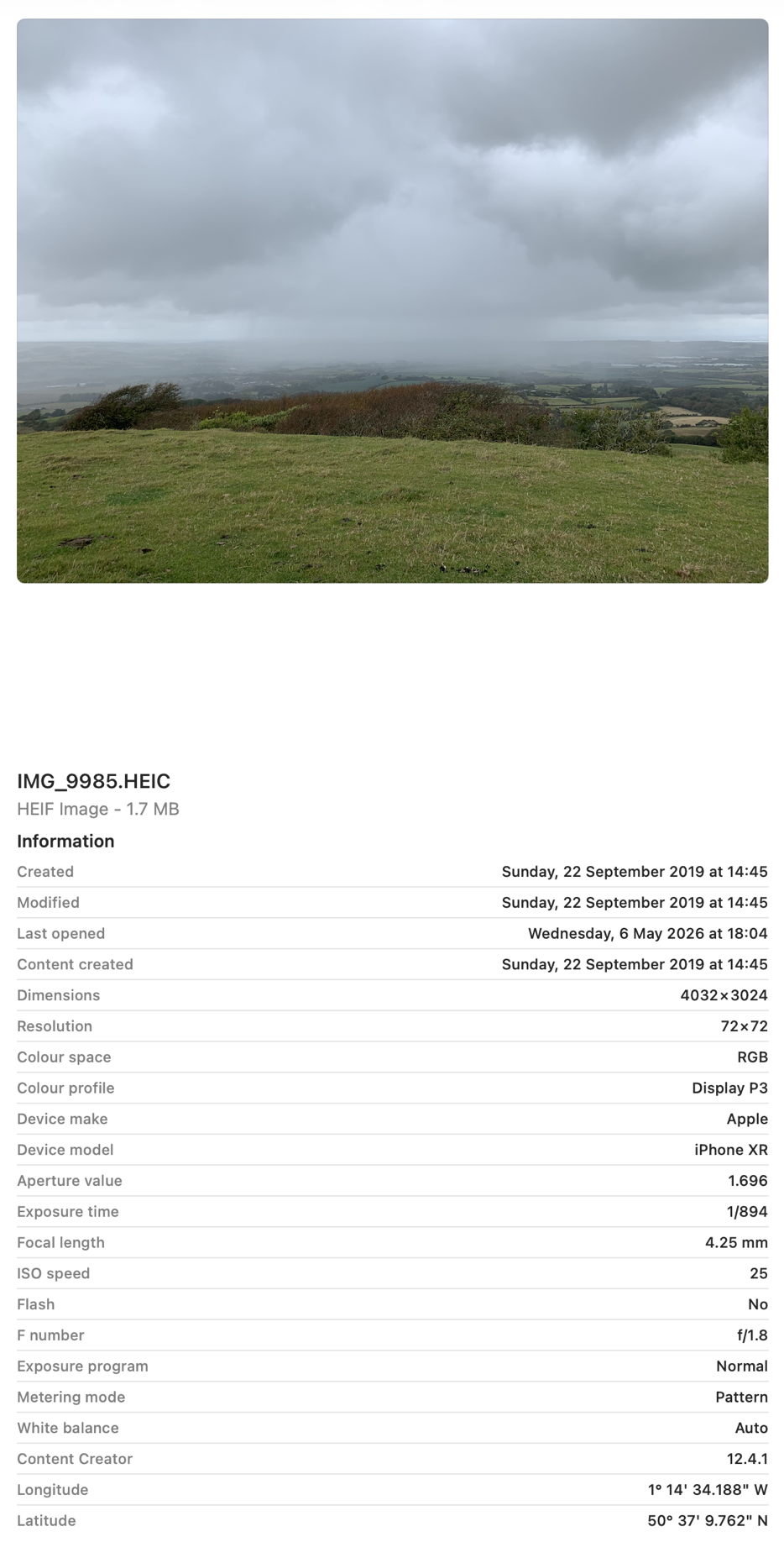
All you need for this is an image with some Exif metadata. Those taken by an iPhone are particularly suitable, as they usually contain rich Exif information about which model took that image, focal length, aperture, exposure time and more. In my case, the image is in HEIC format. If you have my apps UTIutility and SpotTest, you can also explore UTIs more thoroughly, and inspect the metadata from images that gets indexed by Spotlight, but those are optional extras.

A file with the extension HEIC or heic is assumed to have the UTI public.heic, which conforms to public.heif-standard, and that in turn conforms to public.image, the parent of most image formats in macOS. The Help book for UTIutility shows these in a dense diagram.

Select that image in the Finder’s Column view to inspect its public metadata. While the image is selected, open Show Preview Options in the View menu and enable all the metadata listed there to be shown in previews.
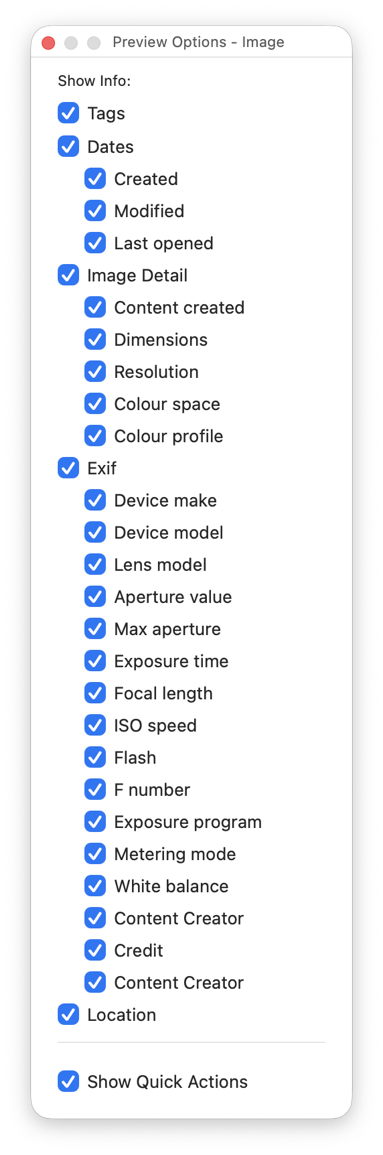
You should then have a good preview pane with lots of metadata below it.
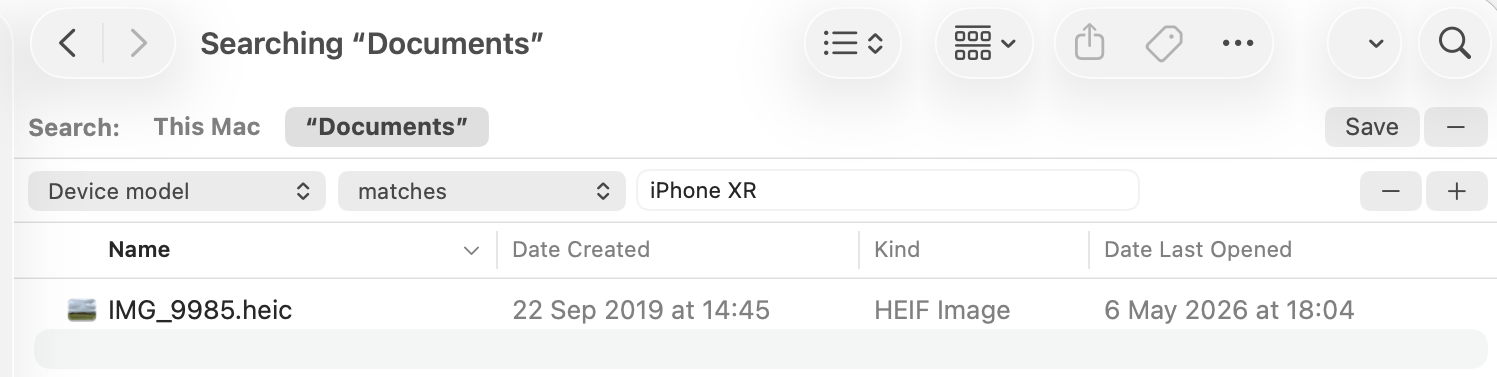
Next open a new Finder window and set it to Find. Using the search criterion popup menu, enable the Device model attribute, or another your image has metadata for, and search for that attribute, here iPhone XR, and you should see your image among the hits.
If you have SpotTest to hand, drop your image on its Drop Window. Being an image, it will crash mdimport, so the information you’ll see will be the metadata fields from Spotlight’s indexes, which should include the Device model as kMDItemAcquisitionModel.

So far, everything has worked as expected, but we’re now going to throw a spanner in the works by changing the extension on that image from HEIC to jpg, which changes the image’s UTI to public.jpeg, although that still conforms to public.image.

Its basic thumbnail icon now changes to a generic JPEG icon, so we’ve managed to confuse the basic thumbnailing scheme in QuickLook. But it’s still shown in the preview pane correctly, with all its metadata intact.

This is because that image has its larger thumbnails and previews generated by the qlgenerator for public.image, and that goes out of its way to parse the file data correctly, and recognise this is really a HEIC not a JPEG. If you’ve left the Finder Find window open, you’ll see that continues to find the image as if nothing had happened, as Spotlight also imports metadata using a common mdimporter for public.image, rather than relying on the more specific UTIs of public.jpeg or public.heic.

Finally, change the file’s extension to text, and you’ll see a preview of its text content, and it vanishes from the Find window too. That’s because text files are handled by their UTI of public.text, which includes public.rtf and others. Those don’t check the file data to ensure they’re not images, so the file is now being handled by the wrong qlgenerator and mdimporter, and won’t make any sense. As public.text formats don’t support Exif data, that isn’t extracted either, as you can see in SpotTest.
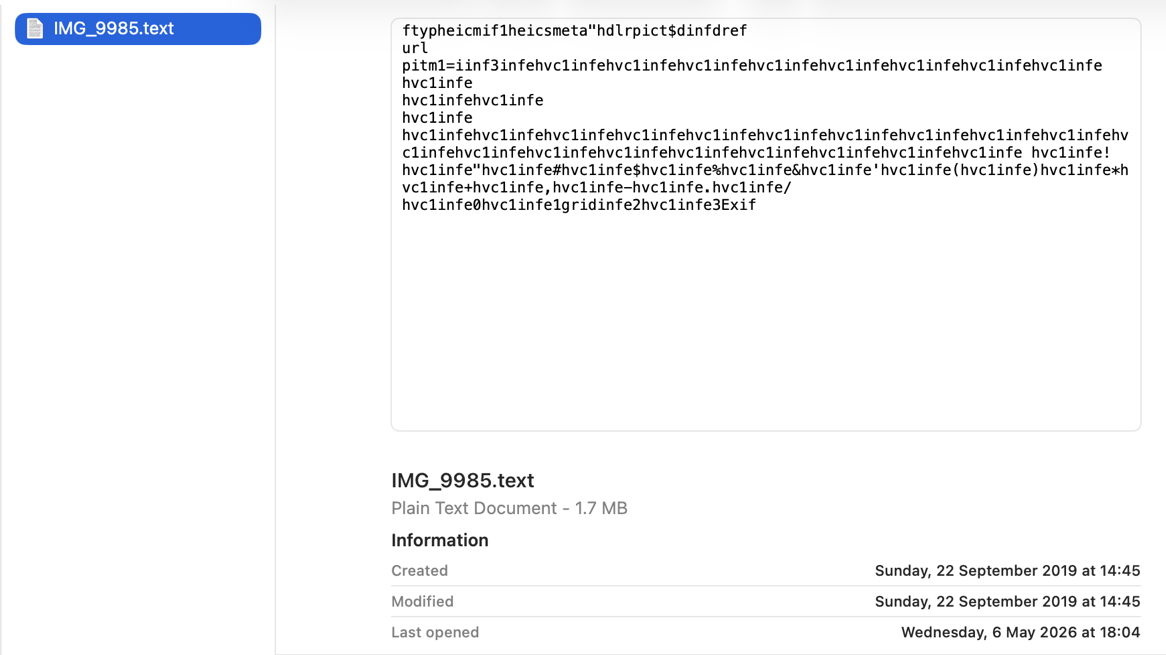
Change the extension back to heic, and you’ll see how quickly the right qlgenerator and mdimporter correct its thumbnails, previews, and search discovery, thanks to UTIs.