





It’s not every day that a radically new architecture comes along, but here we are: in-browser SQLite, combined with reactive SQL and auto-syncing. The promise is instant interactivity on the front end, while maintaining data symmetry with the back end. As a direct challenger to the RESTful group-think that has dominated web development for a decade, it is well worth a look.
Not really new, but improved
This idea isn’t brand new. Developers have been doing this kind of thing in one fashion or another for years (think of how some apps work offline). But this new-generation stack feels different, and it’s starting to see broader appeal.
It’s called local-first data. I recently covered the idea at a high level. Now it’s time for a look at the nitty gritty.
The concept is simple. Instead of asking a remote server for permission to change a number, your app writes state directly to a local SQLite database running in the browser (via WebAssembly). A sophisticated background engine then handles the hard work of syncing those changes to the cloud and other devices.
For React developers, the best part is that we remain in the reactive paradigm. Even though we are writing raw SQL queries, the shuffling of the data is handled for us. Our UI components subscribe to the database, and when the data changes (whether locally from a user click or an inbound sync update from the cloud), the UI updates instantly.
When you use Spotify, you don’t download their entire multi-million song catalog. You just download your list and, even if you are offline, you listen to your music lag-free. This is the same kind of model we are building with local-first data, but with a lot of extra power. We can make changes to our local state, and those changes will be synced with the back end when a connection is available. And correspondingly, we will automatically receive important updates from the world.
Three architectural components
To pull this off we need three major architectural components:
- The client-side UI and database (React and SQLite Wasm )
- A syncing engine (PowerSync)
- A database of record (Supabase)
Let’s start by setting up the cloud services we need: Supabase and PowerSync, both of which will be free-tier. For our client-side UI and database, we’ll make use of a React+SQLite demo app provided by Supabase.
Supabase – the database of record
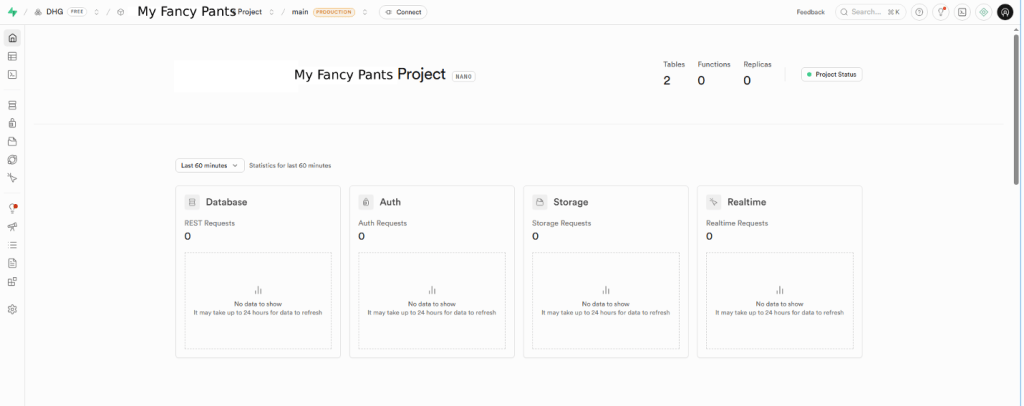
Supabase is a managed Postgres service with a lot of niceties. Our example is going to be very simple, with only one row required. Go to Supabase.com, create a free account, and start a new project. Clicking on the project will bring you to its details:
Foundry
Next we create a database schema to hold our data, which will be a simple one. On the left side menu, open the SQL Editor and run the following code.
-- 1. Create the table to store our counters
CREATE TABLE counters (
  id UUID PRIMARY KEY DEFAULT gen_random_uuid(),
  created_at TIMESTAMPTZ DEFAULT NOW(),
  count INTEGER DEFAULT 0,
  owner_id UUID DEFAULT auth.uid()
);

-- 2. Turn on Row Level Security (RLS)
ALTER TABLE counters ENABLE ROW LEVEL SECURITY;

-- 3. Access Policies
CREATE POLICY "Users can all on own counters"
ON counters FOR ALL
USING (auth.uid() = owner_id);

-- 4. Publish the table
DROP PUBLICATION IF EXISTS powersync;
CREATE PUBLICATION powersync FOR TABLE counters;
Each step is annotated within the code above. The first step is standard SQL, creating a table with a few columns including a random UUID primary key. The second step turns on row level security. The third step creates an access policy allowing users access to their own counter row (as determined by their logged in id: auth.uid() = owner_id). The fourth step creates a link between the Supabase instance and PowerSync.
Before we leave Supabase, click the “+ Connect” button at the top and grab the connection string, which looks something like this:
postgresql://postgres:[YOUR-PASSWORD]@db.fooizpddffaabqcydusj.supabase.co:5432/postgresPowerSync – the syncing engine
Now let’s jump into PowerSync. Go to PowerSync.com, create a free account, and start a new project. Open the project details:
Foundry
In the PowerSync dashboard, we need to create a bridge to Supabase. Follow these steps:
- Click “Create New Instance”.
- Click the “Database Connections” item on the left, then click the + button.
- Paste the connection string you copied from Supabase. Note: If your string has a
[YOUR-PASSWORD]placeholder, replace it with the actual password you created for the instance. - Click “Test Connection”.
PowerSync will now reach out to the Postgres instance we created before. If you ran the CREATE PUBLICATION SQL command correctly in the Supabase setup, this will succeed, and you’ll see a green “Connection Successful!” status message.
Configure authentication
We told PowerSync how to read our Supabase data (Postgres). Now we need tell it how to trust our users. Here are the steps:
- In the PowerSync dashboard, click the “Client Auth” tab
- Look for the “JWKS URI” field.
- Construct your JWKS URL. It is your Supabase Project URL + a specific suffix.
- Format:
https://[YOUR-PROJECT-ID].supabase.co/auth/v1/.well-known/jwks.json - Note: You can get your Project URL from Supabase > Settings > API.
- Format:
- Paste your JWKS URL into the JWKS URI field and click “Save”.
- Set the Audience to “authenticated”:
- Click the (+) Add button under “Token Claims”.
- Claim: Type
aud - Value: Type
authenticated
This configuration tells PowerSync, “Only trust tokens that are signed by Supabase AND are meant for the ‘authenticated’ user group.”
Define the sync rules
The sync rules are the essential architectural element to understand. This is where we tell Powersync what part of the data the user is privy to. This is sometimes called the “data shape” for the user. Each user has their own shape of the overall data, based on their unique profile.
We do not want to sync the entire database to the user’s laptop. That would be bad on many levels. Instead, we define a sync rule (or “bucket” in PowerSync), which is a filter that determines what data belongs to which user.
Navigate to “Sync Rules” on the left. You’ll get a YAML editor. Replace the default code with the following code.
YAML
config:
  edition: 2

bucket_definitions:
  user_counters:
    # 1. Identify the user from their Auth Token
    parameters: SELECT request.user_id() as user_id

    # 2. Only sync rows that belong to them
    data:
      - SELECT * FROM counters WHERE owner_id = bucket.user_id
This code defines the special view of the data for users:
user_counters: This is a “bucket”, a collection of datarequest.user_id(): PowerSync automatically extracts the user id from the Supabase auth token.- The data query: This SQL runs in the cloud, grabbing only the rows where the
owner_idcolumn matches the logged-in user and streams them down to the device.
You can click “Validate” to check that this is working. Click “Deploy” to make it live.
React and SQLite – the client-side UI and database
We have done a lot of administrative work here, but it is giving us an entire reactive architecture based on SQL. Let’s push ahead with a client that can use it.
To get a quick look, let’s clone a demo app from Supabase. At the command line, run:
$ git clone https://github.com/powersync-community/vite-react-ts-powersync-supabase.git
$ cd vite-react-ts-powersync-supabase
$ npm install
Once the npm command finishes, we want to point the app at the infrastructure we just created. We can do that using the .env.local environmental variable file. Open .env.local and change the vars to point to your services. Here is the code:
VITE_SUPABASE_URL=https://fooizpddffaabqcydusj.supabase.co
VITE_SUPABASE_ANON_KEY=sb_publishable_gqUrYxDt04rg74fopz5rUg_ayDxpmgE
VITE_POWERSYNC_URL=https://foofcf18cc2560584a018a12.powersync.journeyapps.com
We are ready to test our React app:
$ npm run dev:ui
The demo app is a simple counter—a web page that presents an “Increment” button and shows the count. None too exciting, except for the data syncing magic behind the scenes.
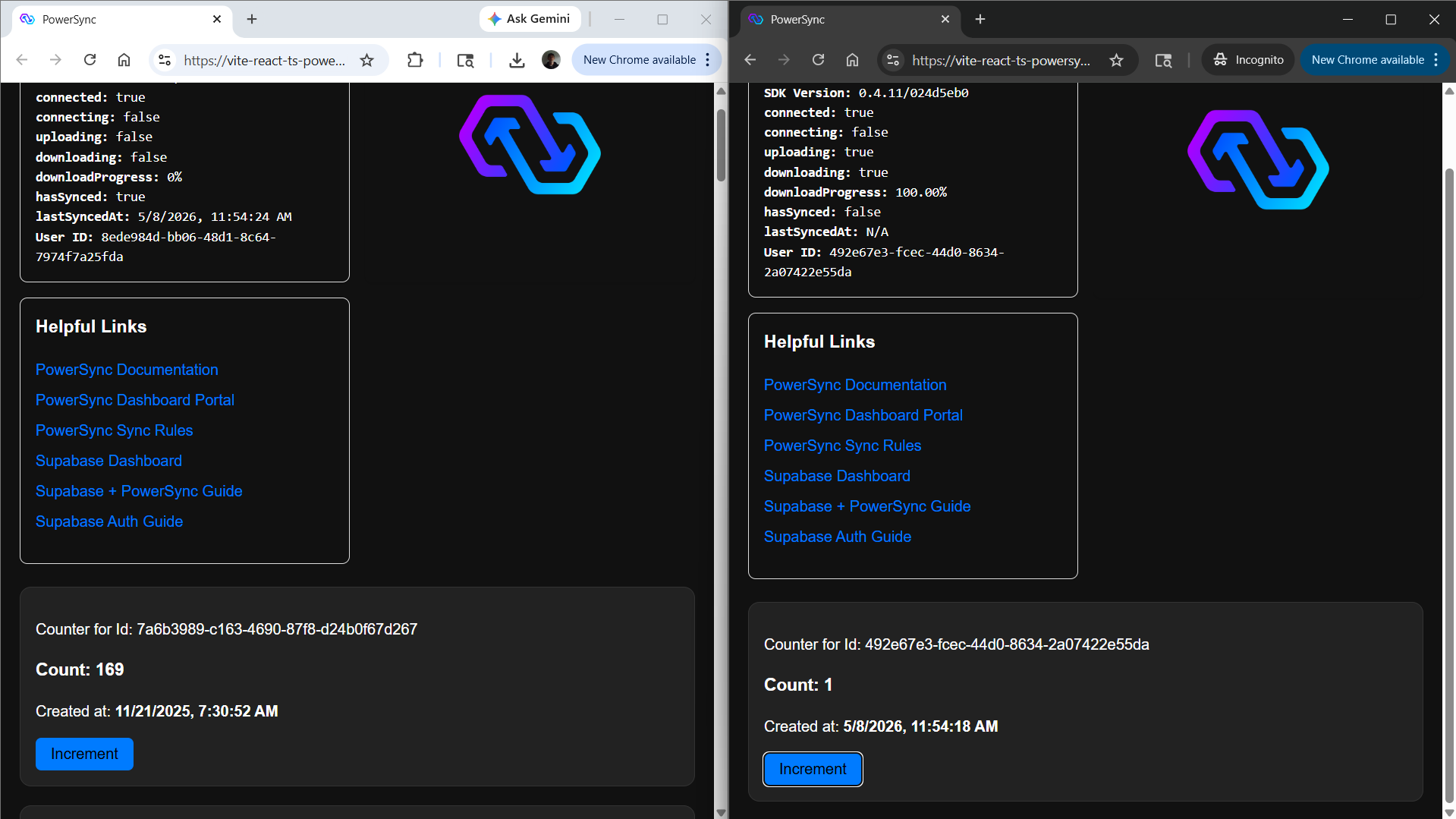
Run the above command, and a browser window will open showing a “Create Counter” button. When you click it, the demo will give you a counter in a new window, along with a user ID and a panel that shows connection and sync status. You can create as many counters as you like, each in a separate browser window.
You can verify your counter is working by going to the Supabase dashboard, looking at the “Table” pane and seeing that a row has indeed been inserted for your user in the counter table. Another good check is to log in using another browser/device (or incognito tab).
Log in and create another counter in the second browser window, so that you have two different Supabase-synced session counters side by side:
Foundry
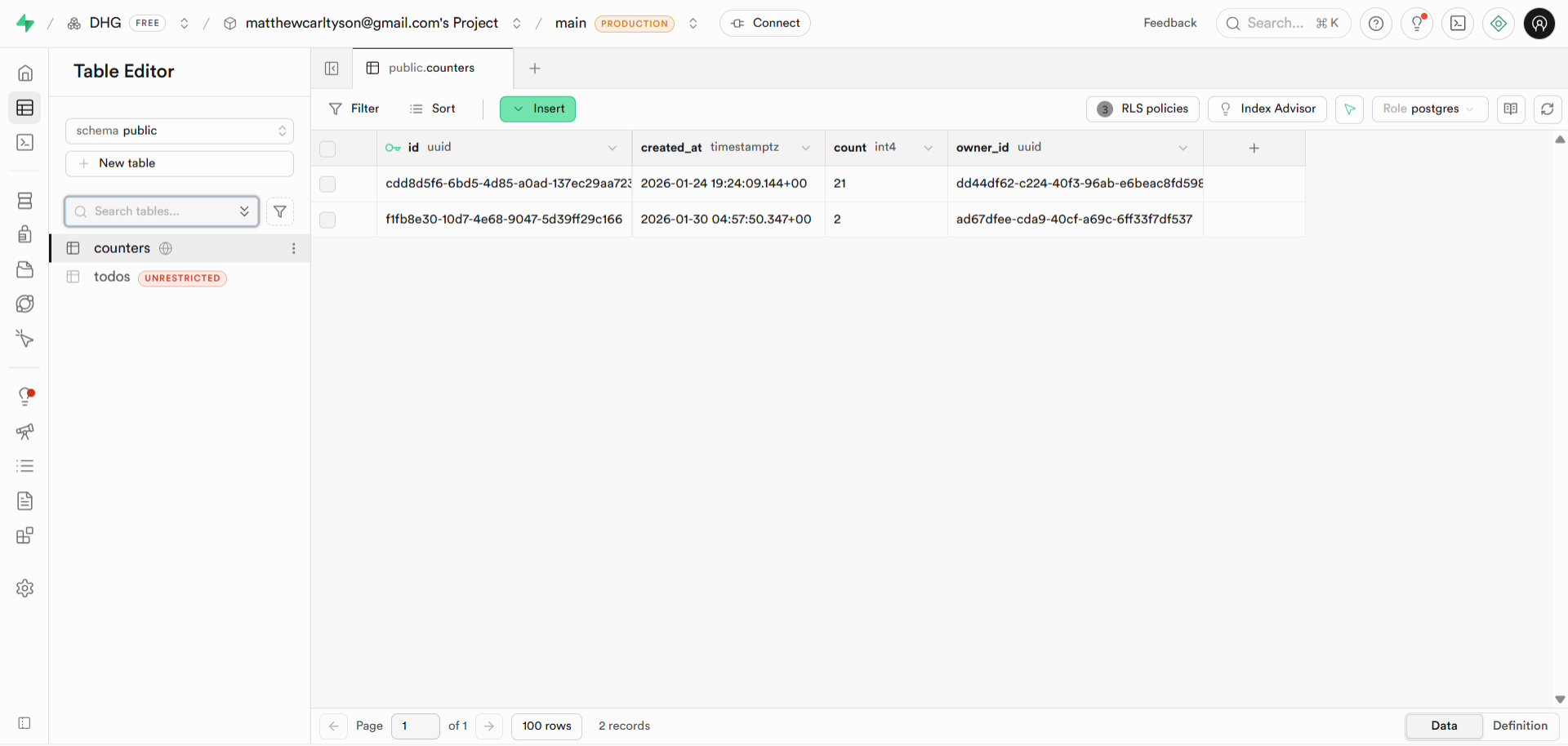
Whenever you create a new counter, a new row will be inserted into Supabase. The screenshot below shows a Supabase table with two rows, each with its own user ID and counter value.
Foundry
The React code (App.tsx)
We are moving quickly, but there are some interesting things to make note of in the src/App.tsx file. This code is the main React code for the app, and demonstrates the shift from “asking the server” to “interacting with local database state.”
There are two landmarks here that every React developer needs to see: the reactive read and the instant write.
The reactive read (useQuery)
In a standard React app, we would retrieve the data by using a useEffect to call fetch('/api/counters'). In our local-first React app, we use raw SQL:
const { data: counters, isLoading } = useQuery<CounterRecord>(
  `SELECT * FROM ${COUNTER_TABLE} ORDER BY created_at ASC`,
  [],
  {
    rowComparator: {
      keyBy: (item) => item.id,
      compareBy: (item) => JSON.stringify(item)
    }
  }
);
This is the “reactive SQL” part of the architecture.
This useQuery hook subscribes to the local SQLite database. When the background worker receives an update from the cloud—or when you update a row locally—this hook fires instantly and re-renders the component. No manual state management or re-fetching logic is required, and there is no intermediate object of state. The back-end state and the front-end state are the same.
The instant write (powerSync.execute)
Notice what happens when we increment the counter. There is no await api.post(...) and no loading spinner state.
const updateCounter = async (counter: CounterRecord, newCount: number) => {
  // Writes to Local SQLite immediately
  await powerSync.execute(
    `UPDATE ${COUNTER_TABLE} SET count = ? WHERE owner_id = ?`,
    [newCount, counter.owner_id]
  );
};
This code is interesting on its own, because it’s like a reactive SQL statement. We write to the local file (Wasm). The write completes in milliseconds, and the UI updates immediately via the useQuery hook. The PowerSync syncing engine picks up the change asynchronously and pushes it to Supabase.
The local-first vs. RESTful calculation
So, is all of this configuration and newfangled code worth it?
If you are building a simple dashboard or a form-based application, the traditional JSON API (REST or GraphQL) approach is still king. In those models, the server is the single source of truth, and the client is just a dumb terminal. It is simple, stateless, and easy to debug. It’s also familiar.
But that simplicity comes with an unavoidable latency cost. Every interaction requires a round-trip ticket to the server. If the network hiccups, your app freezes. JSON APIs force you to manage loading states, error boundaries, and optimistic UI rollbacks manually.
Local-first flips the calculation. You pay a higher cost up front: you have to define a schema, manage a local database, and think about syncing rules. But in exchange, you get an application that feels like a native piece of software. Local-first creates data continuity, the ability to walk out of Wi-Fi range, keep working, and have your data follow you across devices when you reconnect.
Architecturally, we used three major components: the database, the syncing engine, and the client. This is actually similar to your conventional RESTful stack. In the local-first structure, the syncing engine takes the place of the JSON API server. In short, you have a similar amount of high-level complexity, but with different actors on the ground.
Local-first architecture is a fascinating development for JavaScript and the web in general. There is a huge inertial mass of JSON APIs to overcome, but here is a real countercurrent. Local-first may never rise to the level of adoption of RESTful architecture, but local-first data and reactive SQL constitute one of the most important trends to be watching closely right now.