


Introducing openrouter:web_search and openrouter:web_fetch, two new tools that any model can call during a request. When a model decides to use one, OpenRouter executes it server-side and returns the result to the model without requiring any client-side implementation.
Try it now in the chatroom by clicking the tool icon  and read the docs for the API details.
Each model provider has its own built-in web search tool with a different schema. Switch models or providers, and you’re stuck rewriting how you define, configure, and parse search results. You’re also not guaranteed to have the same behaviors available, which can be problematic if you need features like strictly enforced blocked domains.
These new server tools give you one consistent way of enabling search and fetch. Specify {"type": "openrouter:web_search"} once, and the tool definition, invocation, and result format stay identical across all tool-calling models. If you want identical search behavior as well, you can specify a provider like Exa or Parallel so the results coming back to the model are consistent regardless of whether the request routes to GPT-5.5, Claude, or Kimi.
{
  "model": "openai/gpt-5.5",
  "messages": [{ "role": "user", "content": "What happened in tech news today?" }],
  "tools": [
    { "type": "openrouter:web_search" },
    { "type": "openrouter:web_fetch" }
  ]
}
Web search supports four engines:
| Engine | How it works | Pricing |
|---|---|---|
| Auto (default) | Uses native if the provider supports it, otherwise Exa | Varies |
| Native | The provider’s built-in search (OpenAI, Anthropic, Google, xAI, Perplexity) | Provider pricing |
| Exa | Passes the search to Exa and bills from your OpenRouter credits | $0.005 per request. Includes up to 10 results, then $0.001 per additional result. |
| Parallel | Passes the search to Parallel and bills from your OpenRouter credits | $0.005 per request. Includes up to 10 results, then $0.001 per additional result. |
Each engine has different strengths. Native search is tightly integrated with the provider’s model. Exa and Parallel add configurable result context size (search_context_size), which native engines ignore. Most engines support domain filtering (allowed_domains, excluded_domains).
You can configure this in the chatroom UI or via the API:
{
  "type": "openrouter:web_search",
  "parameters": {
    "engine": "exa",
    "max_results": 5,
    "search_context_size": "high",
    "allowed_domains": ["arxiv.org", "nature.com"]
  }
}When a model needs to compare information across sources, it can fire multiple searches in a single request. A question like “compare the pricing of the top 3 cloud GPU providers” might trigger three separate searches, each with different queries, before the model synthesizes an answer.
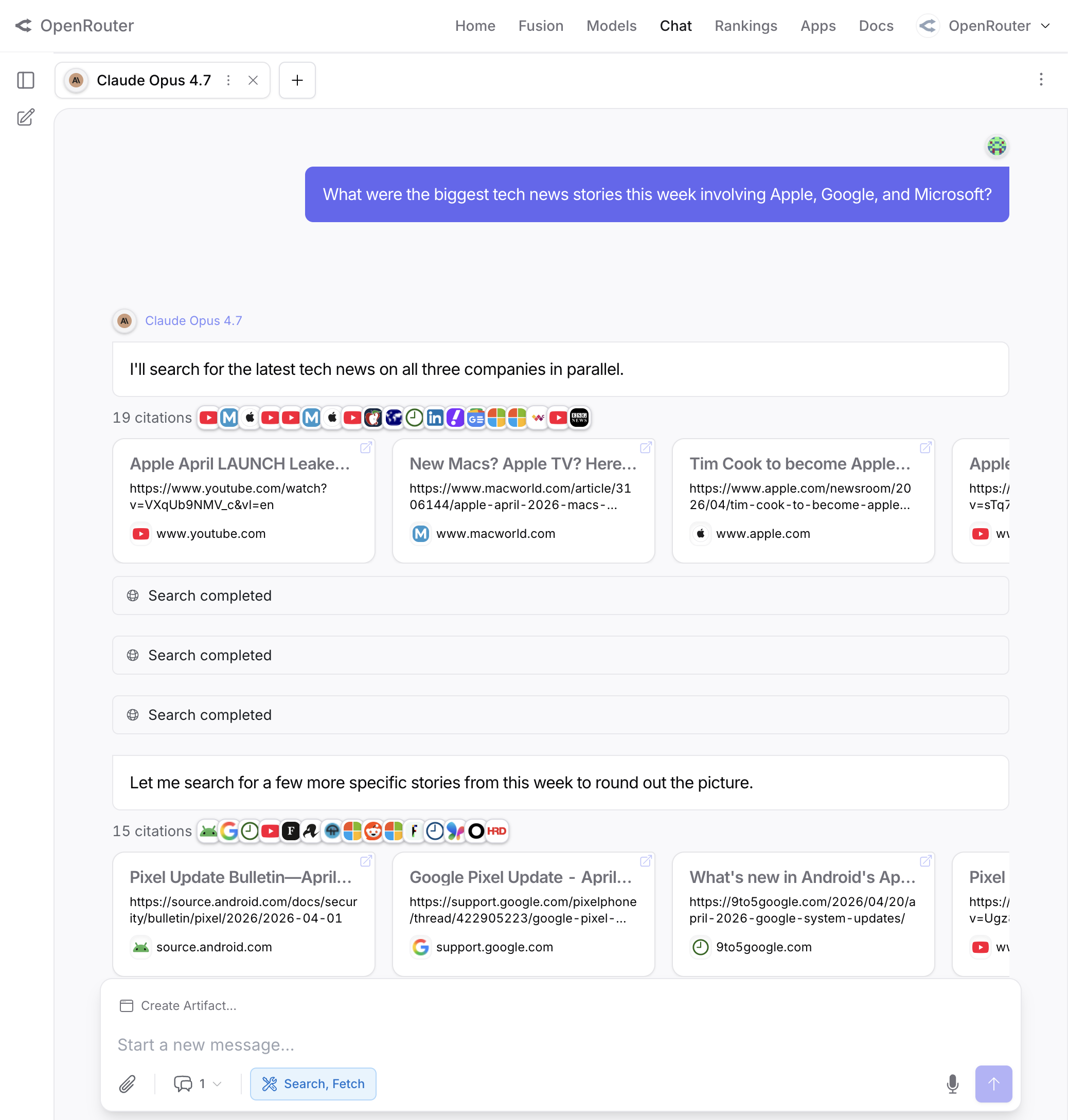
Use max_total_results to cap cumulative results across all searches in a request. This keeps costs and context usage predictable:
{
  "type": "openrouter:web_search",
  "parameters": {
    "max_results": 5,
    "max_total_results": 15
  }
}
Once the cap is hit, the model gets a message saying the limit was reached instead of running another search.
Web fetch lets models retrieve full page content from URLs and comes with five supported engines.
| Engine | How it works | Pricing |
|---|---|---|
| Auto (default) | Uses native if supported, otherwise Exa | Varies |
| Native | The provider’s built-in fetch | Provider pricing |
| OpenRouter | Direct HTTP fetch by OpenRouter | Free |
| Exa | Content extraction and clean markdown output | $0.001 per fetch |
| Parallel | High-quality content extraction via Parallel’s extract API | $0.001 per fetch |
Specifying Exa, Parallel, or OpenRouter as the engine ensures consistent fetch behavior across all models, including the ability to restrict which URLs the model can fetch using allowed_domains and blocked_domains. Native provider fetch capabilities vary, so choose one of these engines if you need the parameters to be respected across models.
Use max_content_tokens to cap how much content the model receives (useful for large pages that would eat your context window):
{
  "type": "openrouter:web_fetch",
  "parameters": {
    "engine": "openrouter",
    "max_content_tokens": 50000,
    "allowed_domains": ["docs.example.com", "api.example.com"],
    "blocked_domains": ["internal.example.com"]
  }
}Until now, models could only search through the web search plugin, which ran exactly one search per request regardless of what the model actually needed. The model had no say in when to search, what to search for, or whether to search at all.
To migrate, replace plugins with tools in your request body:
Before (plugin):
"plugins": [{ "id": "web" }]After (server tool):
"tools": [{ "type": "openrouter:web_search" }]Server tools let the model decide when and how often to search. One caveat: server tools require a model that supports tool calling. If your current model doesn’t support tools, you’ll need to switch to one that does or keep using the plugin.
We’ve created a migration guide with full details.
此内容由惯性聚合(RSS阅读器)自动聚合整理,仅供阅读参考。 原文来自 — 版权归原作者所有。