








The API development lifecycle has changed. In 2026, the choice of API testing tools is no longer just about sending requests. It's about data ownership, seamless team collaboration, ensuring reliable deployments and deep protocol support.
For years, Postman has been the industry standard, but its shift toward a "cloud-mandatory" ecosystem has caused discontent for developers who value privacy and local workflows.
On the other side of the spectrum sits Kreya, a "privacy-first" desktop client designed to run where your code lives: in your file system and your version control.
In this post, we'll dive into a side-by-side comparison of Postman and Kreya.
| Feature / topic | Postman | Kreya |
|---|---|---|
| Philosophy | Cloud-first, workspace-centric | Local-first, file-based |
| Account | Mandatory for core features | Optional (license sync only) |
| Data Storage | Proprietary cloud | Local JSON (Git-friendly) |
| Authentication | Strict inheritance (folder-based) | Reusable resource (apply anywhere) |
| Importers | Static / one-time import | Continuous / auto-syncing import |
| Testing | Manual JS assertions (pm.test) | Manual + snapshot testing |
| Offline Mode | Limited / "Scratchpad" only | 100% native & offline |
| Pricing (Solo) | $9 user/month | $5 user/month |
| Pricing (Enterprise) | $49 user/month | $10 user/month |
Postman supports a lot of features. Really, lots of features. In fact, probably the main criticism of Postman is that it is very bloated, slow and "enterprisey".
Kreya tries to maintain its simplicity by limiting its feature set and only releasing fully thought-out features.
Postman has shifted toward a cloud-first model where an account is required for core features like collection management. While a "lightweight Scratchpad" version exists, most modern features (e.g. add requests to a collection, basic collection management) require a Postman account.
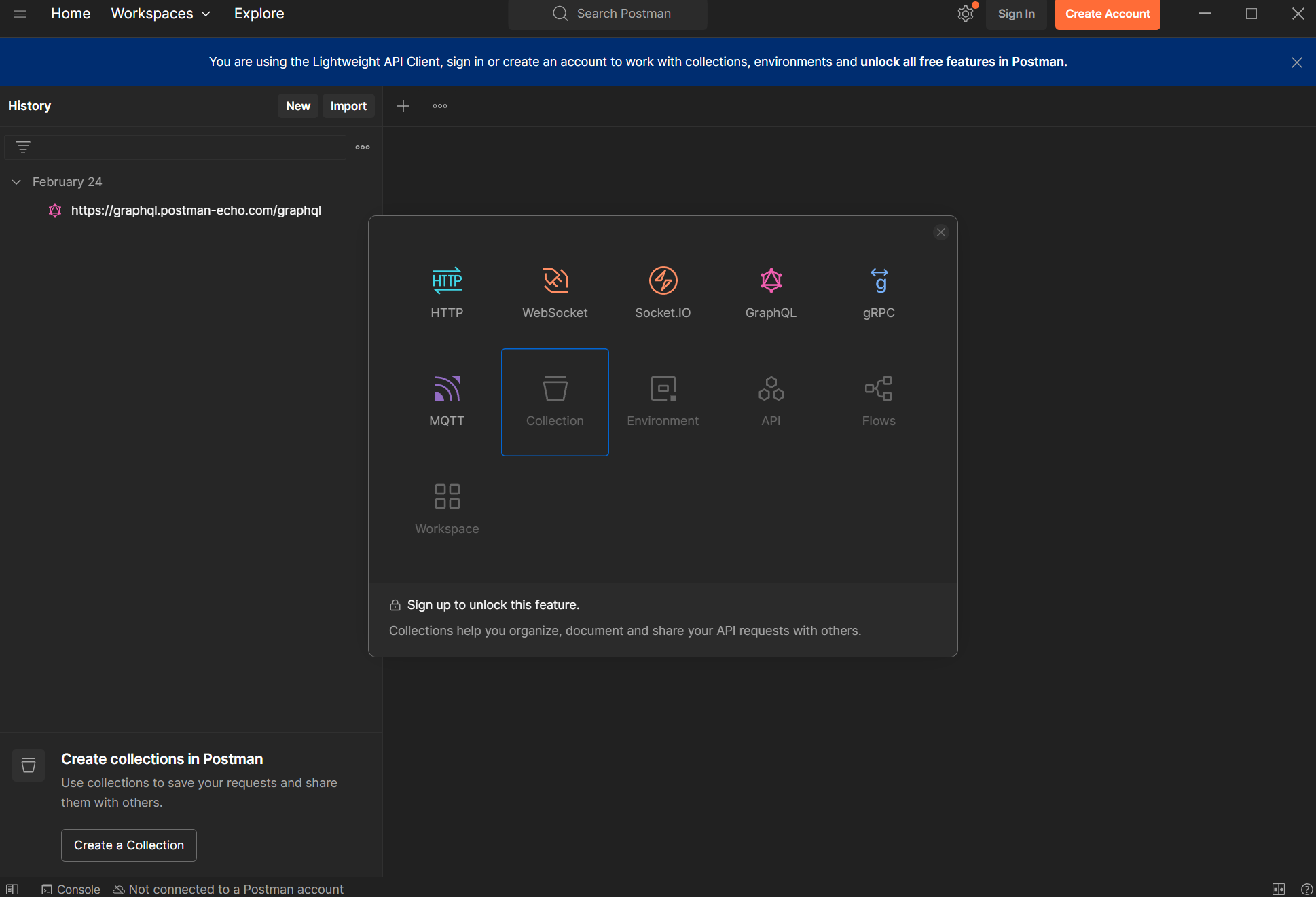
You are often pressured or forced to sign in, which can be a hurdle for developers who just want to test an endpoint quickly.
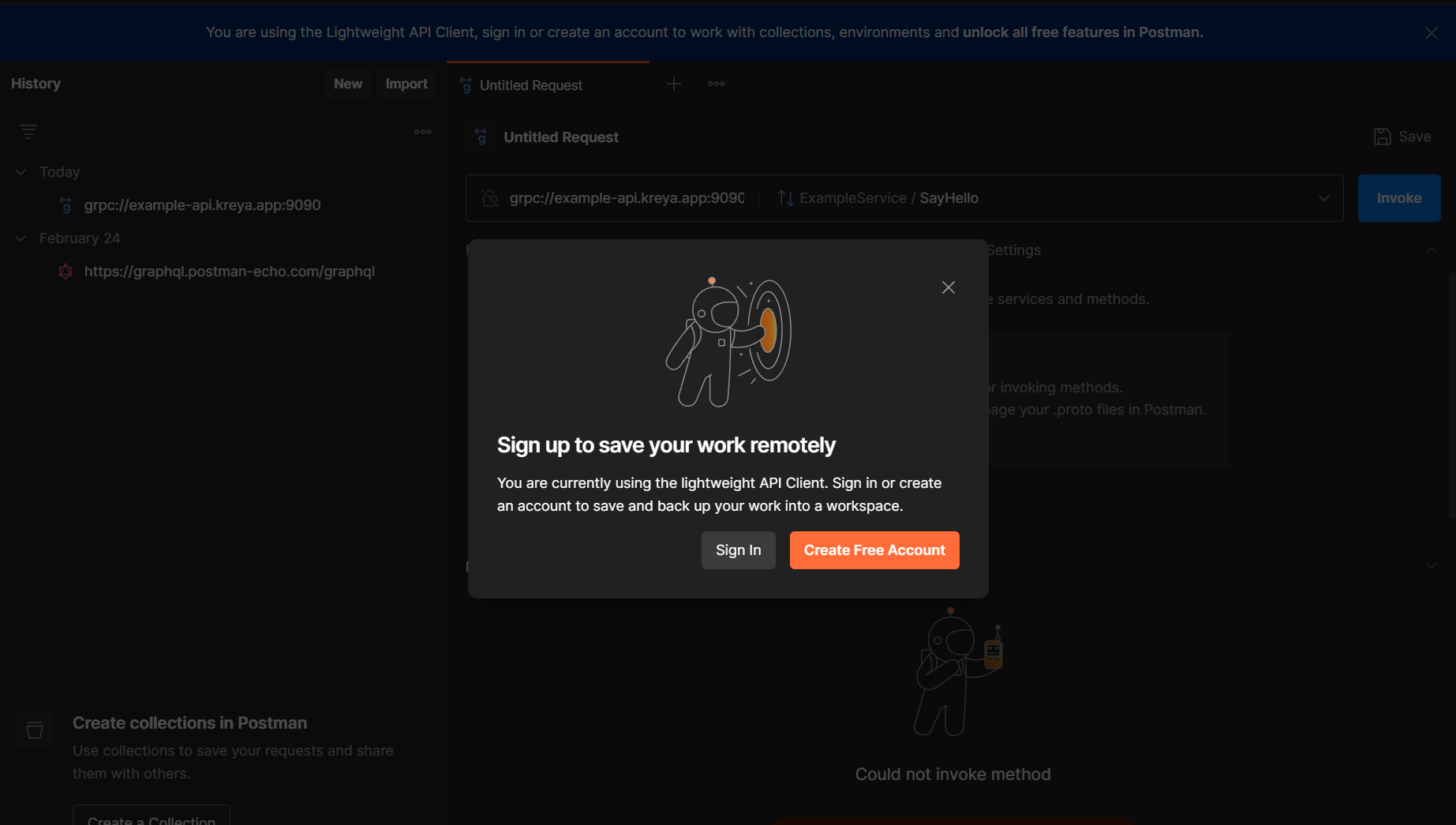
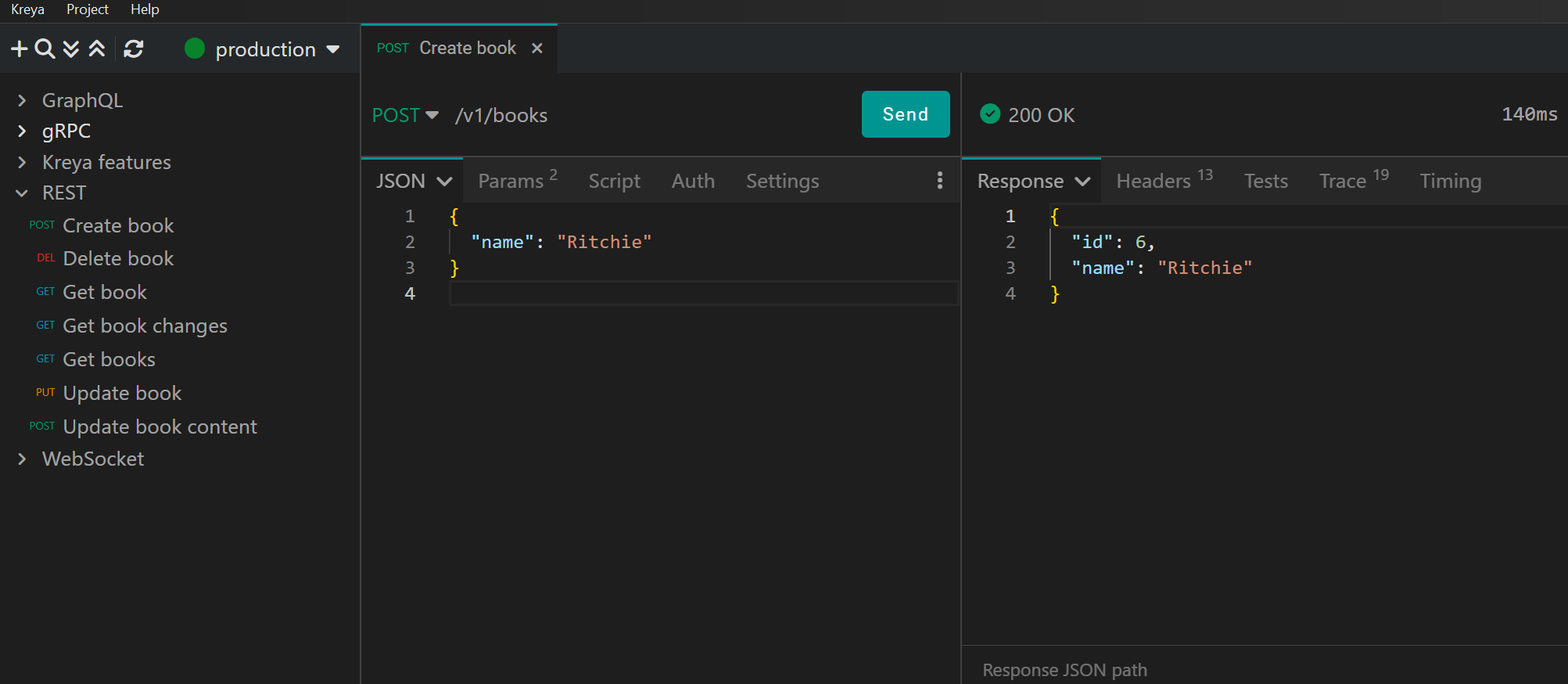
In contrast, Kreya follows a "no-account-required" philosophy. It remains fully functional out-of-the-box, requiring a login only for license synchronization, ensuring work can begin the moment the app is opened.
Postman stores data primarily in its own cloud. While this makes syncing easy, it creates a vendor lock-in. Sharing usually happens through Postman Workspaces which requires a paid tier since March 2026 and often requires moving your sensitive API data onto their servers (e.g. sensitive API keys are stored in environment variables, which end up on their cloud by accident). The heavy cloud dependency may conflict with strict corporate security policies.
While it is possible to export Postman collections to your disk and then share them via Git, this process is not inherently simple, and additional context data, such as environment variables, is missing. Furthermore, not all collections can be exported this way (e.g. gRPC collection export is not supported yet).
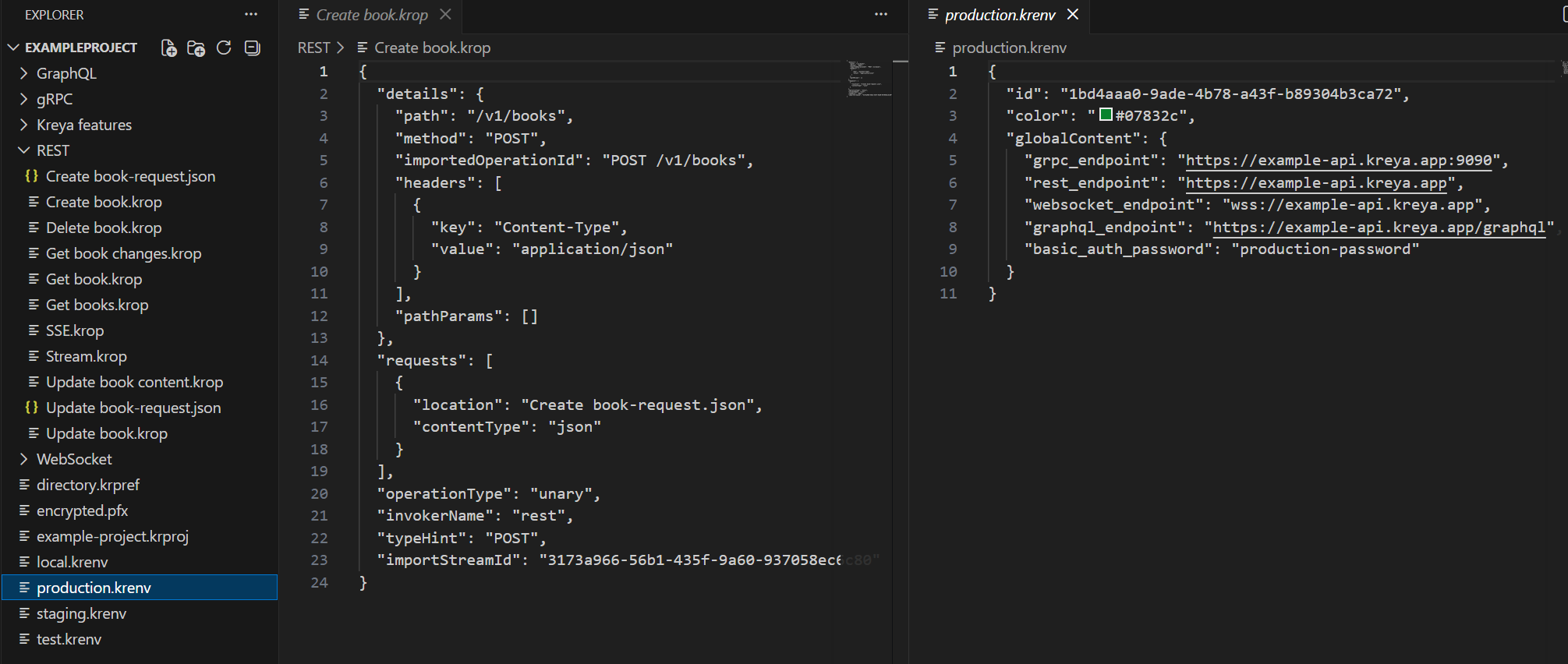
Kreya uses a local-first, file-based storage system. Your projects are just a folder of JSON and configuration files on your disk. This means you can share your Kreya project the same way you share code: via Version Control Systems like Git. No proprietary cloud is required, your existing CI/CD and version control systems are your sharing platform.
Because of its heavy reliance on cloud synchronization, Postman's offline experience can be clunky. If you lose your connection, you may lose access to certain workspace features or you may find that the current values for variables don't sync as expected when you get back online.
Kreya is designed as a native desktop application with local storage, it is 100% offline-capable. Your data never leaves your local machine, unless you explicitly push it to your own repository.
Postman uses an inheritance model to apply authentication. Authentication is tied to a specific request or folder, often forcing you into rigid hierarchies just to share a single token.
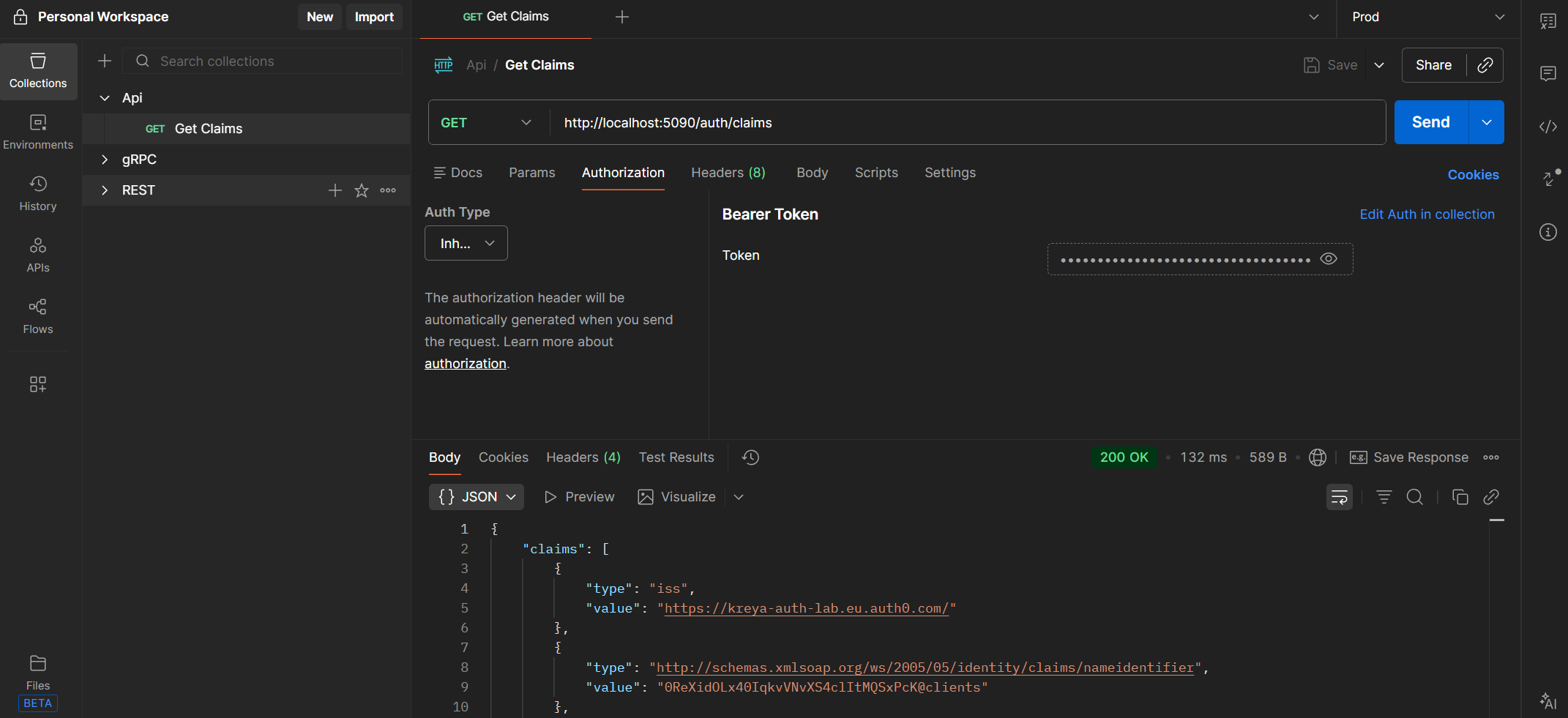
Kreya treats authentication as a reusable resource. You create an Auth configuration once and apply it to any request or directory, regardless of where it lives in your project.
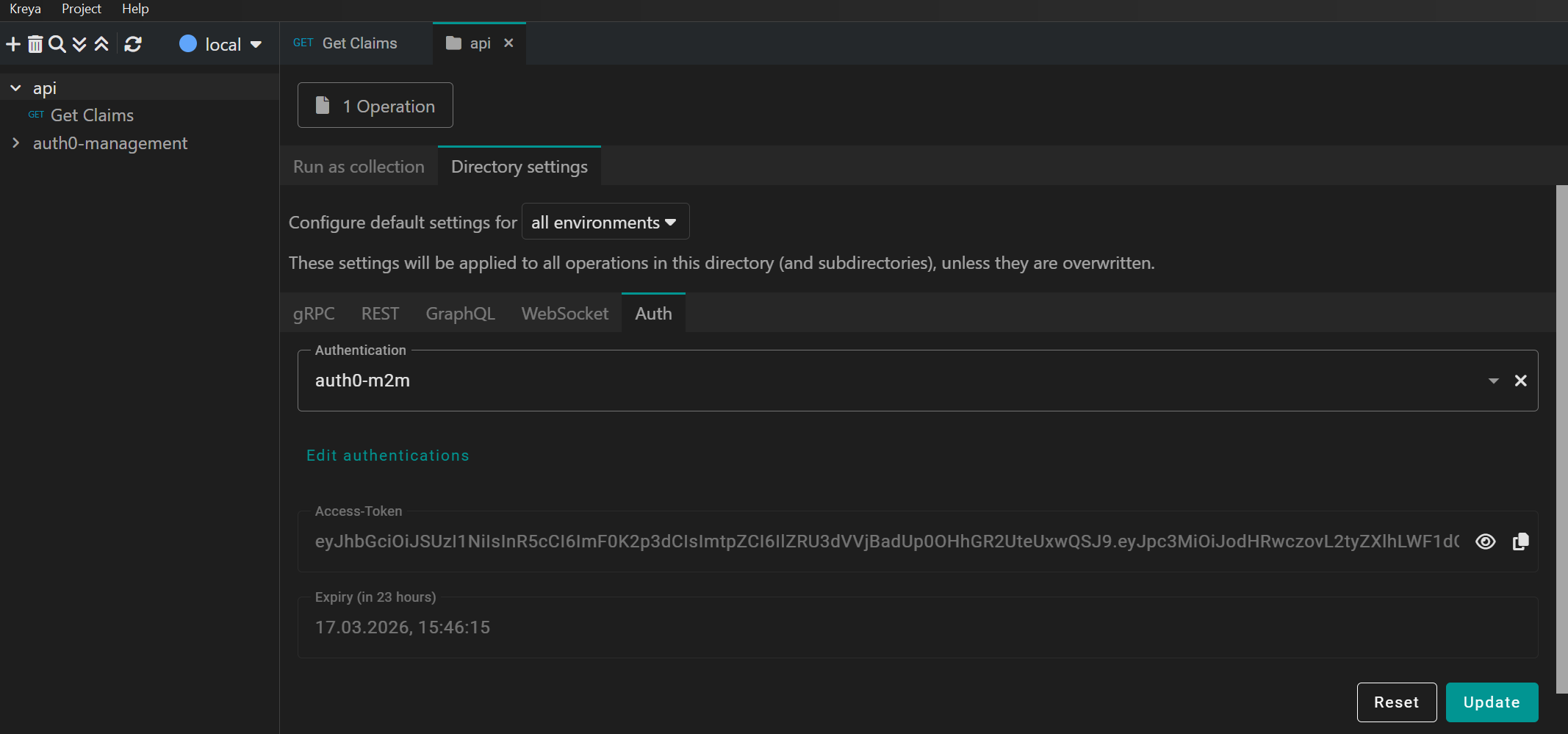
Postman primarily supports static imports. You upload a file or paste a link, and Postman creates a copy of that data in its cloud. If your OpenAPI definition or gRPC proto file changes, you have to re-import to keep your collection in sync.
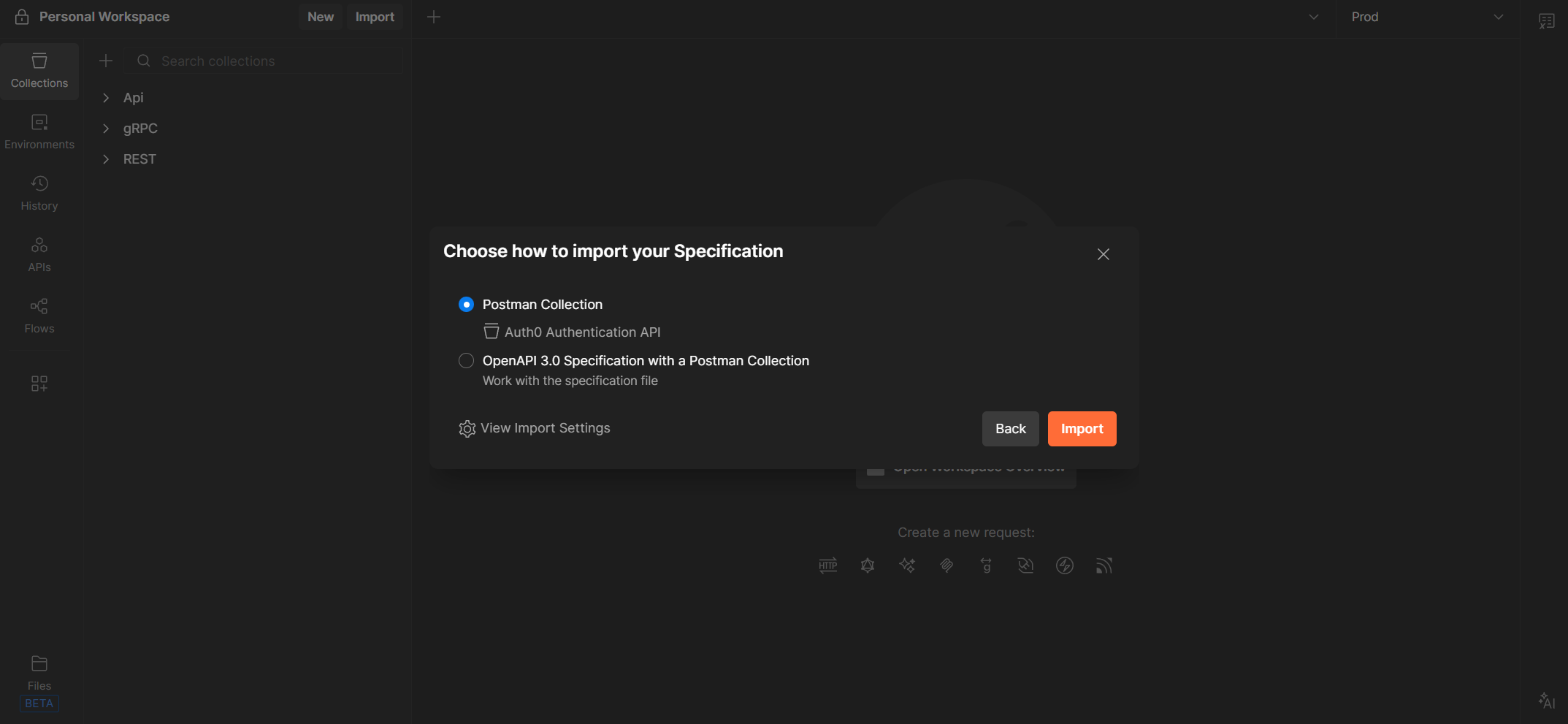
Kreya uses continuous importers.
Instead of just copying data, you link your project directly to a source, like a local folder of .proto files or a remote OpenAPI URL.
Kreya monitors these sources and automatically updates your requests whenever the underlying schema changes,
ensuring your project is never out of date.
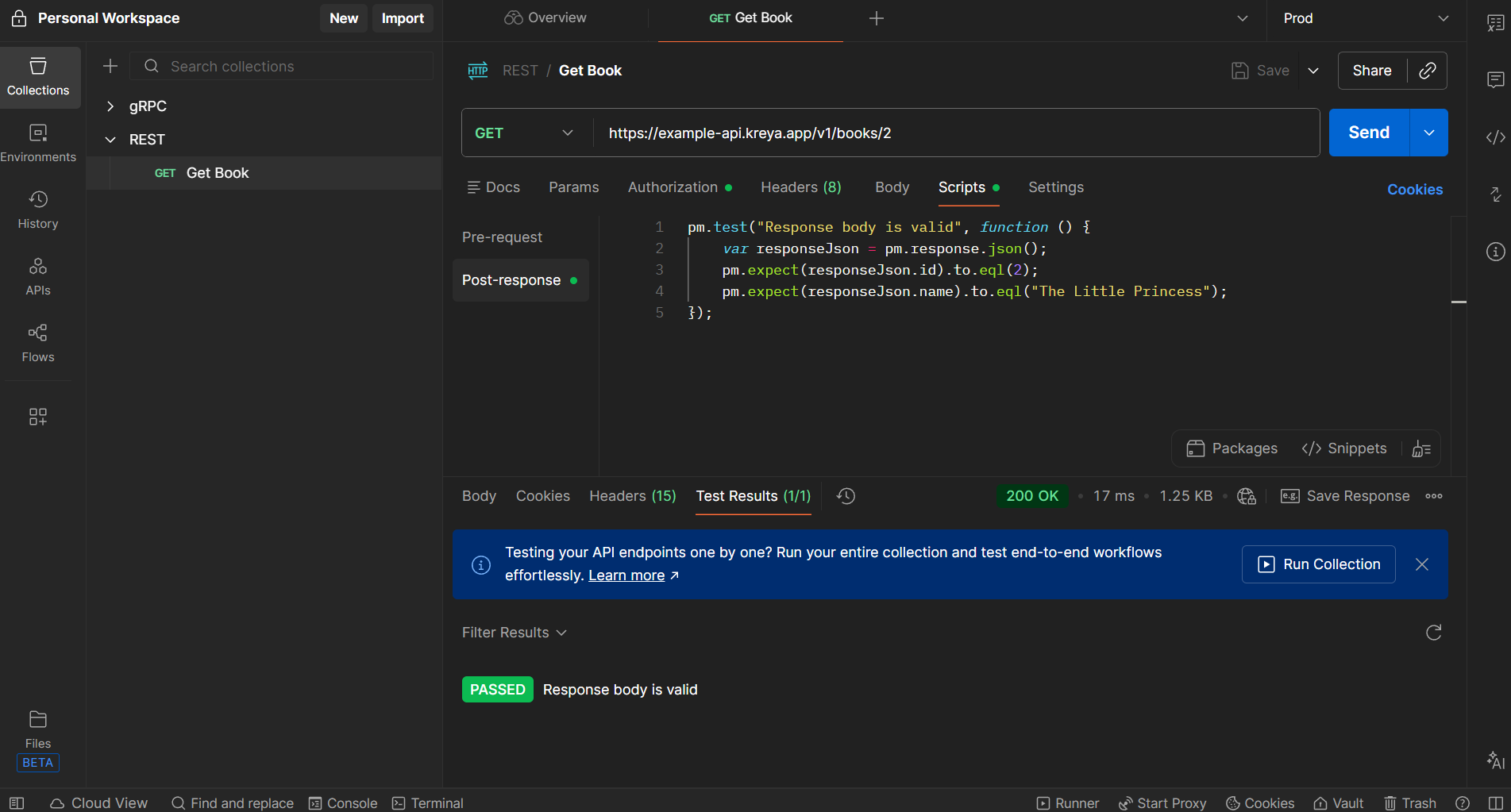
Testing in Postman usually requires writing manual pm.test assertions for
every single field you want to check.
If your API response has multiple fields, you're writing a lot of repetitive code.
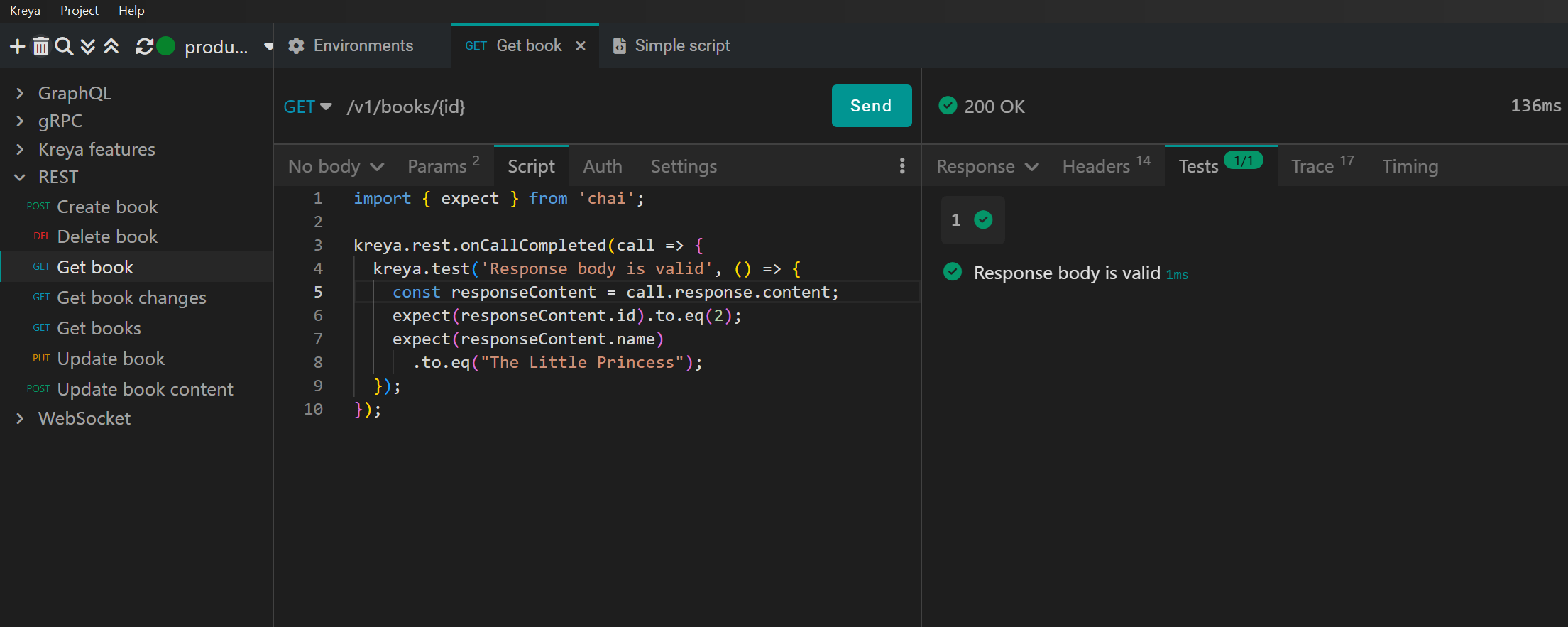
Kreya fully supports traditional scripting assertions for those who need them:
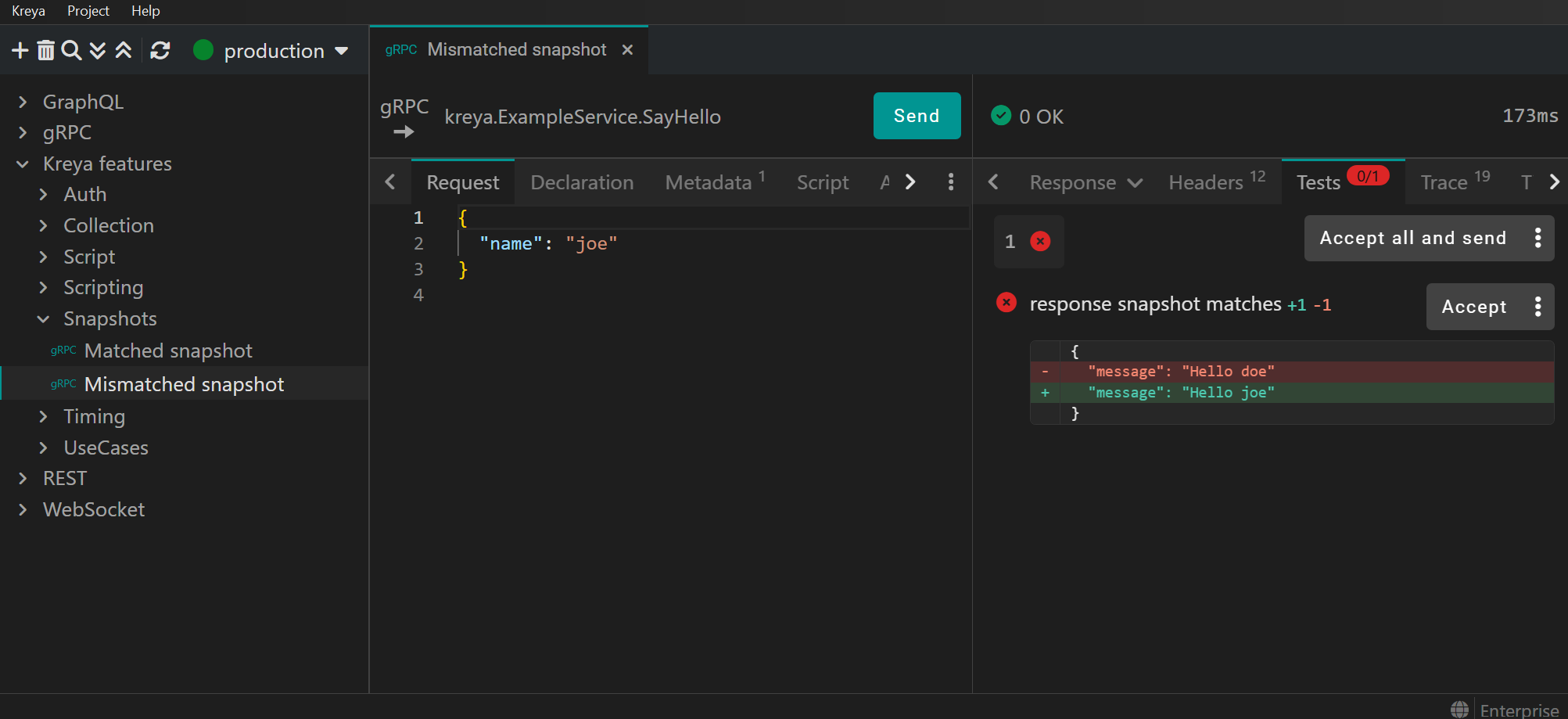
But Kreya also introduces an alternative approach: Snapshot testing ("Golden Master" testing). Instead of writing multiple lines of code, you simply "save" a known-good response as a snapshot. Kreya detects and highlights regressions in future runs, eliminating the need to write manual test code for every individual field.
Postman remains a REST-first powerhouse, though its support for modern standards often trails the industry. For instance, it only added HTTP/2 support in late 2024, nearly a decade after the protocol's release. This "retrofitted" approach can make gRPC and GraphQL feel like secondary layers within a heavy, cloud-locked UI.
In contrast, Kreya is built for the modern edge. It frequently is one step ahead of Postman and offers deep protocol support, including native HTTP/3 and seamless streaming (e.g. gRPC bidirection, Server-sent events, streamed responses). If you are working on the absolute bleeding edge of modern protocols, Kreya is usually the more specialized tool.
Postman's pricing has become increasingly complex, with "Professional" and "Enterprise" tiers that can be quite expensive for small teams. Following changes in March 2026, free team plans are no longer supported, meaning collaboration now requires a paid subscription. Additionally, many features are now metered via a consumption model, where users may face overage charges for AI credits, monitoring, or mock server usage.
Kreya maintains a simpler, more predictable structure with a functional free tier and transparent pricing for teams needing advanced features like snapshot testing or scripting.
The shift we're seeing in 2026 isn't just about features, it's about the philosophy of development. Postman is evolving into an all-in-one API Governance platform, which brings power but also significant overhead and "vendor lock-in".
Kreya succeeds by doing the opposite, it stays out of your way. By leveraging file-based storage and native protocol support, it turns your API collections into first-class citizens of your codebase. If your team prioritizes CI/CD integration and data privacy over a proprietary, login-protected cloud platform, Kreya is the better tool for the job.
此内容由惯性聚合(RSS阅读器)自动聚合整理,仅供阅读参考。 原文来自 — 版权归原作者所有。