惯性聚合 高效追踪和阅读你感兴趣的博客、新闻、科技资讯
阅读原文 在惯性聚合中打开

推荐订阅源

博客园 - 【当耐特】
Help Net Security
Help Net Security
P
Proofpoint News Feed
J
Java Code Geeks
爱范儿
爱范儿
Last Week in AI
Last Week in AI
钛媒体:引领未来商业与生活新知
钛媒体:引领未来商业与生活新知
F
Full Disclosure
Google DeepMind News
H
Help Net Security
G
Google Developers Blog
Jina AI
Jina AI
Vercel News
Vercel News
cs.AI updates on arXiv.org
L
Lohrmann on Cybersecurity
S
Schneier on Security
Microsoft Azure Blog
IT之家
IT之家
Security Archives - TechRepublic
阮一峰的网络日志
阮一峰的网络日志
N
News and Events Feed by Topic
GbyAI
GbyAI
B
Blog
O
OpenAI News
博客园_首页
Cisco Talos Blog
Cisco Talos Blog
K
KPMG report finds enterprise disconnect between AI and its ROI | CIO
Hacker News: Ask HN
Hacker News: Ask HN
TaoSecurity Blog
TaoSecurity Blog
腾讯CDC
MongoDB | Blog
MongoDB | Blog
M
MIT News - Artificial intelligence
C
Cybersecurity and Infrastructure Security Agency CISA
Cyberwarzone
Cyberwarzone
Webroot Blog
Webroot Blog
Simon Willison's Weblog
Y
Y Combinator Blog
C
Cisco Blogs
A
Arctic Wolf
CTFtime.org: upcoming CTF events
T
The Exploit Database - CXSecurity.com
Security Latest
Security Latest
AI
AI
W
WeLiveSecurity
aimingoo的专栏
aimingoo的专栏
The Register - Security
Project Zero
Project Zero
H
Hackread – Cybersecurity News, Data Breaches, AI and More
N
Netflix TechBlog - Medium
Blog — PlanetScale
Blog — PlanetScale

Rat's Blog - FileManager

使用Docker安装Aria2+AriaNg+Filebrowser,可离线BT下载/在线播放 - Rat's Blog Linux一键安装Aria2+Yaaw+FileManager实现BT磁力下载,并在线查看/观看 - Rat's Blog 利用Caddy扩展快速安装FileManager(Filebrowser)私人网盘/在线文件管理器 - Rat's Blog 使用Aria2+AriaNG+FileManager来进行离线BT下载及在线播放 - Rat's Blog
一个基于GO的轻量级文件管理系统:Filebrowser安装教程 - Rat's Blog
博主: Rat's · 2017-09-26 · via Rat's Blog - FileManager
  •  发布时间:
  •  62096 次浏览
  •   43 条评论
  •  1680 字数
  • 分类: 主机教程
  1.  首页
  2. 正文  
  3. 分享到:

简介

File Browser是一个基于GO的轻量级文件管理系统支持登录系统 角色系统、在线PDF、图片、视频浏览、上传下载、打包下载等功能。总而言之很强大。

类似的文件管理还有h5aiNextCloud等,安装方法可参考:NextCloud安装教程h5ai安装教程

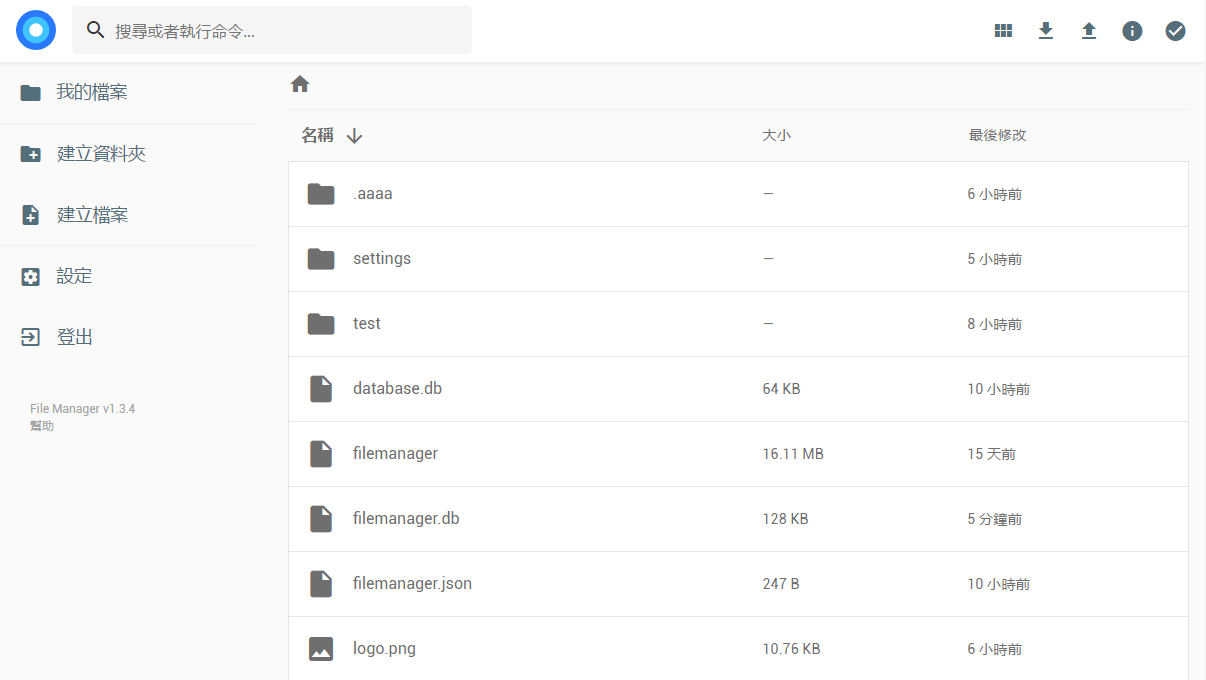
截图

请输入图片描述

安装

官方地址:https://filebrowser.org/

1、安装运行
安装命令:

curl -fsSL https://raw.githubusercontent.com/filebrowser/get/master/get.sh | bash

运行命令:

#后面参数分别是监听地址、端口,文件存放根目录,数据库存放路径
filebrowser -a 0.0.0.0 -p 8888 -r /file -d /opt/filebrowser.db

如果文件根目录不存在的话,就需要新建一下再启动,然后就可以访问ip:8888了,管理员用户名和密码均为admin

对于CentOS系统,还需要开启8888端口,不然会打不开Web面板,使用命令:

#CentOS 6
iptables -I INPUT -p tcp --dport 8888 -j ACCEPT
service iptables save
service iptables restart

#CentOS 7
firewall-cmd --zone=public --add-port=8888/tcp --permanent
firewall-cmd --reload

2、开机自启
接下来这里可以建一个简单的systemd配置文件,适用于CentOS 7Debian 8+Ubuntu 16+,使用命令:

#先输入命令参数,只要上面filebrowser后面的即可
command="-a 0.0.0.0 -p 8888 -r /file -d /opt/filebrowser.db"
#然后将以下代码一起复制到SSH运行
cat > /etc/systemd/system/filebrowser.service <<EOF
[Unit]
Description=filebrowser
After=network.target

[Service]
Type=simple
ExecStart=$(command -v filebrowser) $command
Restart=on-failure

[Install]
WantedBy=multi-user.target
EOF 

然后启动并设置开机自启:

systemctl start filebrowser
systemctl enable filebrowser

此时可以查看运行状态,使用命令:

systemctl status filebrowser

显示Active: active(running)则为运行成功,如果不是,可能还需要重启下服务器?使用reboot即可。


版权声明:本文为原创文章,版权归 Rat's Blog 所有,转载请注明出处!

本文链接:https://www.moerats.com/archives/316/

如教程需要更新,或者相关链接出现404,可以在文章下面评论留言。

Vultr新用户注册送100美元/16个机房按小时计费,支持支付宝,【点击查看】。