


说明:我们一般搭建博客的方法就是使用lnmp、lamp等一键包,或者宝塔等面板来搭建Web环境,不过都只适合大点内存的VPS服务器,小点的比如96M、128M服务器就不行了,这时候我们就可以通过安装其它环境来搭建网站环境了,这里博主就说下Caddy+PHP7+Sqlite3安装教程,3分钟就可以搭建一个Typecho博客,并成功运行在96M的VPS服务器上,至于96M以下的服务器就不测试了,毕竟很少见了。
教程只写Debian 8、9,建议选择mini版。如果你是96M或者128M的KVM建议增加点Swap,教程查看:VPS添加Swap虚拟内存。
1、安装PHP 7和Sqlite 3
#Debian 8系统
#添加源
echo "deb http://packages.dotdeb.org jessie all" | tee --append /etc/apt/sources.list
echo "deb-src http://packages.dotdeb.org jessie all" | tee --append /etc/apt/sources.list
#添加key
wget --no-check-certificate https://www.dotdeb.org/dotdeb.gpg
apt-key add dotdeb.gpg
#更新系统
apt-get update -y
#安装PHP 7和Sqlite 3
apt-get install php7.0-cgi php7.0-fpm php7.0-curl php7.0-gd php7.0-mbstring php7.0-xml php7.0-sqlite3 sqlite3 -y

#Debian 9系统
#更新系统
apt-get update -y
#安装PHP 7和Sqlite 3
apt-get install php7.0-cgi php7.0-fpm php7.0-curl php7.0-gd php7.0-mbstring php7.0-xml php7.0-sqlite3 sqlite3 -y
2、安装Caddy
这里直接使用逗比的一键脚本。
wget -N --no-check-certificate https://raw.githubusercontent.com/iiiiiii1/doubi/master/caddy_install.sh && chmod +x caddy_install.sh && bash caddy_install.sh
#备用地址
wget -N --no-check-certificate https://www.moerats.com/usr/shell/Caddy/caddy_install.sh && chmod +x caddy_install.sh && bash caddy_install.sh
3、下载Typecho
mkdir /typecho && cd /typecho
#以下为最新稳定版
wget http://typecho.org/downloads/1.1-17.10.30-release.tar.gz
tar zxvf 1.1*
mv ./build/* ./
rm -rf 1.1* buil*
chmod -R 755 ./*
chown www-data:www-data -R ./*
4、配置Caddy
#以下全部内容是一个整体,是一个命令,修改示例域名后全部复制粘贴到SSH软件中并一起执行
echo "http://moerats.com {
    redir https://www.moerats.com{uri}
    }
    https://www.moerats.com {
    gzip
    tls admin@moerats.com
    root /typecho
    fastcgi / /run/php/php7.0-fpm.sock php
    rewrite {
        if {path} not_match ^\/admin
        to {path} {path}/ /index.php?{query}
     }
}" > /usr/local/caddy/Caddyfile
参数说明:
#第一个{}参数为重定向,将http://moerats.com重定向到了https://www.moerats.com,根据实际情况修改
#tls为自动签发Let's证书,邮箱随便填,使用自签发证书的请先解析好域名,如果想使用自己的证书,则将tls一行改成tls
/root/xxx.crt /root/xxx.key即可,后面为证书路径。
最后启动Caddy
#如果启动失败,请查看下系统是否自带Apache2,然后运行apt remove apache2卸载掉
/etc/init.d/caddy start
然后可以访问域名进行安装了。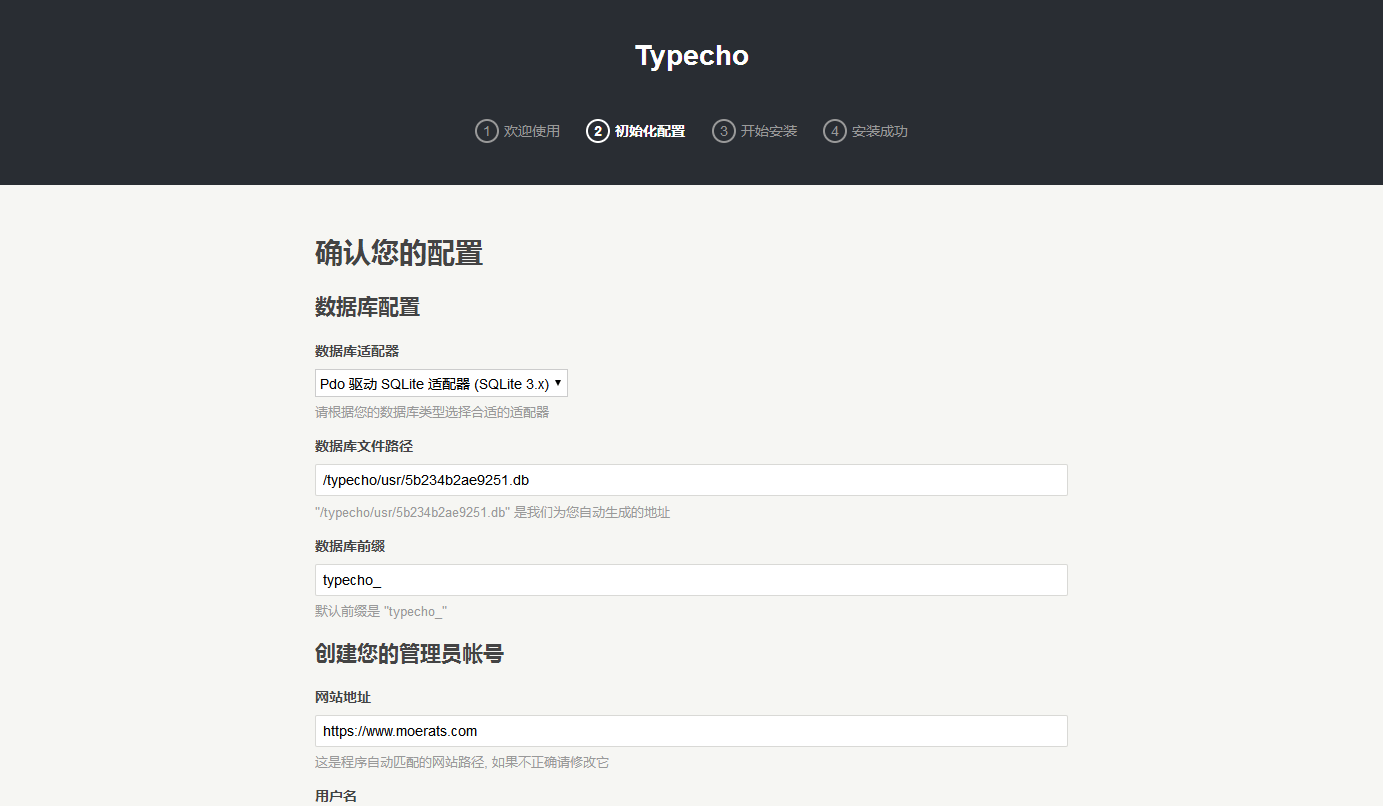
数据库文件在/typecho/usr文件夹,记得随时备份。
启动:/etc/init.d/caddy start
停止:/etc/init.d/caddy stop
重启:/etc/init.d/caddy restart
查看状态:/etc/init.d/caddy status
查看Caddy启动日志:tail -f /tmp/caddy.log
安装目录:/usr/local/caddy
Caddy配置文件位置:/usr/local/caddy/Caddyfile
Caddy自动申请SSL证书位置:/.caddy/acme/acme-v01.api.letsencrypt.org/sites/xxx.xxx(域名)/
版权声明:本文为原创文章,版权归 Rat's Blog 所有,转载请注明出处!
本文链接:https://www.moerats.com/archives/651/
如教程需要更新,或者相关链接出现404,可以在文章下面评论留言。
此内容由惯性聚合(RSS阅读器)自动聚合整理,仅供阅读参考。 原文来自 — 版权归原作者所有。