序
SNMP 是管理进程(NMS)和代理进程(Agent)之间的通信协议。它规定了在网络环境中对设备进行监视和管理的标准化管理框架、通信的公共语言、相应的安全和访问控制机制。网络管理员使用 SNMP 功能可以查询设备信息、修改设备的参数值、监控设备状态、自动发现网络故障、生成报告等。
snmp_exporter 安装
下载你需要的版本,解压并运行
https://github.com/prometheus/snmp_exporter/releases
1
| nohup /root/snmp_exporter/snmp_exporter --web.listen-address=0.0.0.0:9116 --config.file=/root/snmp_exporter/snmp.yml > /root/logs/snmp_exporter.log 2>&1 &
|
mibs 下载
1
2
3
4
5
6
7
8
9
| # Dell iDRAC-SMIv2.mib 下载地址
wget https://dl.dell.com/FOLDER06571535M/1/Dell-OM-MIBS-950_A00.zip
# 解压文件 (记住你的解压路径,后面需要用到)
unzip Dell-OM-MIBS-950_A00.zip
# 目录结构
support/
└── station
└── mibs
├── *.mib
|
或者可以在下面的 git 地址找到你所需要的 mibs
https://github.com/librenms/librenms/tree/master/mibs
1
2
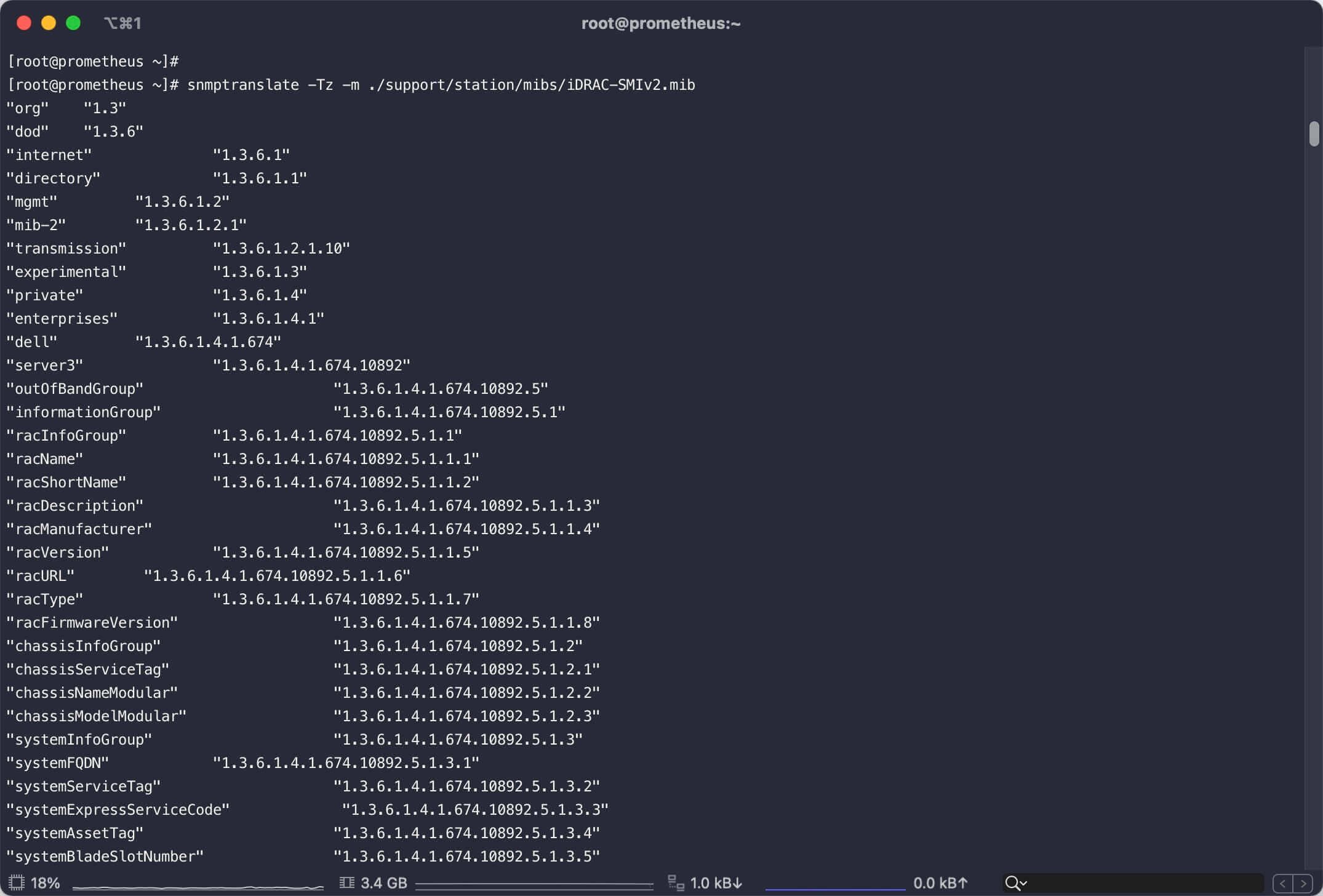
| # 执行此命令可查看OID对应的名字,我们使用 internet 来采集所有指标,记下这个OID
snmptranslate -Tz -m /root/support/station/mibs/iDRAC-SMIv2.mib
|
通过 mibs 生成 snmp.yml
参考链接 https://github.com/prometheus/snmp_exporter/tree/main/generator#file-format
1
2
3
4
5
6
7
8
9
10
11
12
13
| # 基于 RHEL 的发行版
sudo yum install gcc gcc-g++ make net-snmp net-snmp-utils net-snmp-libs net-snmp-devel
# 安装 golang 与 git
yum install golang git -y
# 配置 go 代理
export GO111MODULE=on
export GOPROXY=https://mirrors.aliyun.com/goproxy/
# 获取 pgk
go get github.com/prometheus/snmp_exporter/generator
# 进入到 pgk 目录
cd ${GOPATH-$HOME/go}/src/github.com/prometheus/snmp_exporter/generator
# 编译 generator
go build
|
cd ${GOPATH-$HOME/go}/src/github.com/prometheus/snmp_exporter/generator 在该目录目录创建 generator.yml,并编辑如下内容
1
2
3
4
5
6
7
8
| modules:
idrac:
walk:
- 1.3.6.1
version: 2
timeout: 30s
auth:
community: public
|
1
2
3
4
5
6
7
8
9
| # MIBDIRS替换为你自己的解压路径
export MIBDIRS=/root/support/station/mibs
# 此步骤必须执行,否则将会生成失败,并得到如下失败信息
# level=error ts=2021-07-29T02:44:56.144Z caller=main.go:130 msg="Error generating config netsnmp" err="cannot find oid '1.3.6.1' to walk"
cp /usr/share/snmp/mibs/SNMPv2-SMI.txt /root/support/station/mibs/
# 生成监控指标
./generator generate
# 将 snmp.yml 复制到 snmp_exporter 目录下
cp ./snmp.yml ~/root/snmp_exporter/
|
如果一切顺利,你将看到如下输出内容
并生成 snmp.yml 文件,生成路径见最后一行的 file 字段
1
2
3
4
5
6
| [root@prometheus generator]# ./generator generate
level=info ts=2021-07-29T02:46:37.096Z caller=net_snmp.go:144 msg="Loading MIBs" from=/root/support/station/mibs
level=warn ts=2021-07-29T02:46:37.165Z caller=main.go:120 msg="NetSNMP reported parse error(s)" errors=1
level=info ts=2021-07-29T02:46:37.210Z caller=main.go:52 msg="Generating config for module" module=idrac
level=info ts=2021-07-29T02:46:37.246Z caller=main.go:67 msg="Generated metrics" module=idrac metrics=2418
level=info ts=2021-07-29T02:46:37.797Z caller=main.go:92 msg="Config written" file=/root/go/src/github.com/prometheus/snmp_exporter/generator/snmp.yml
|
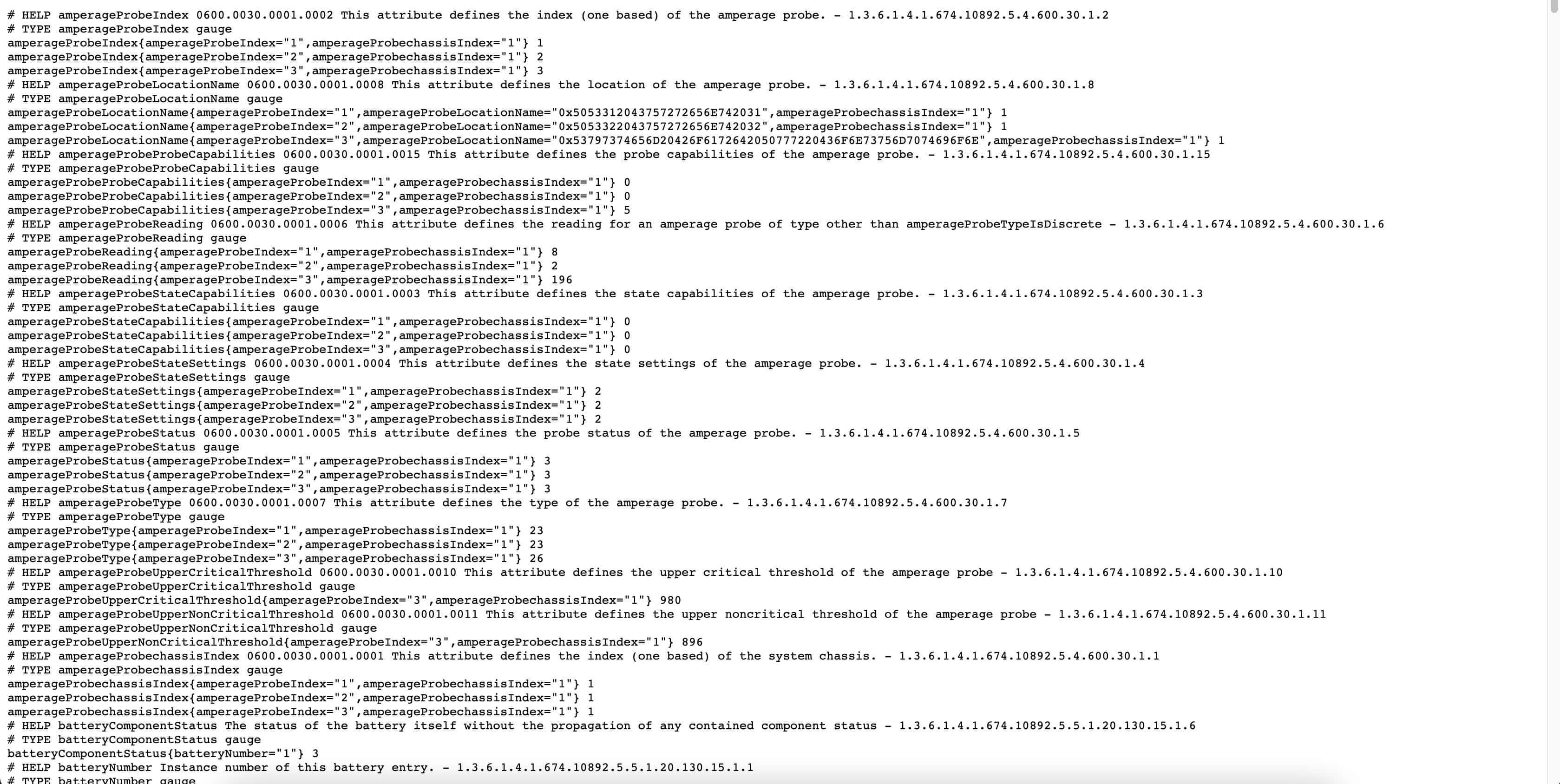
测试指标抓取是否正常
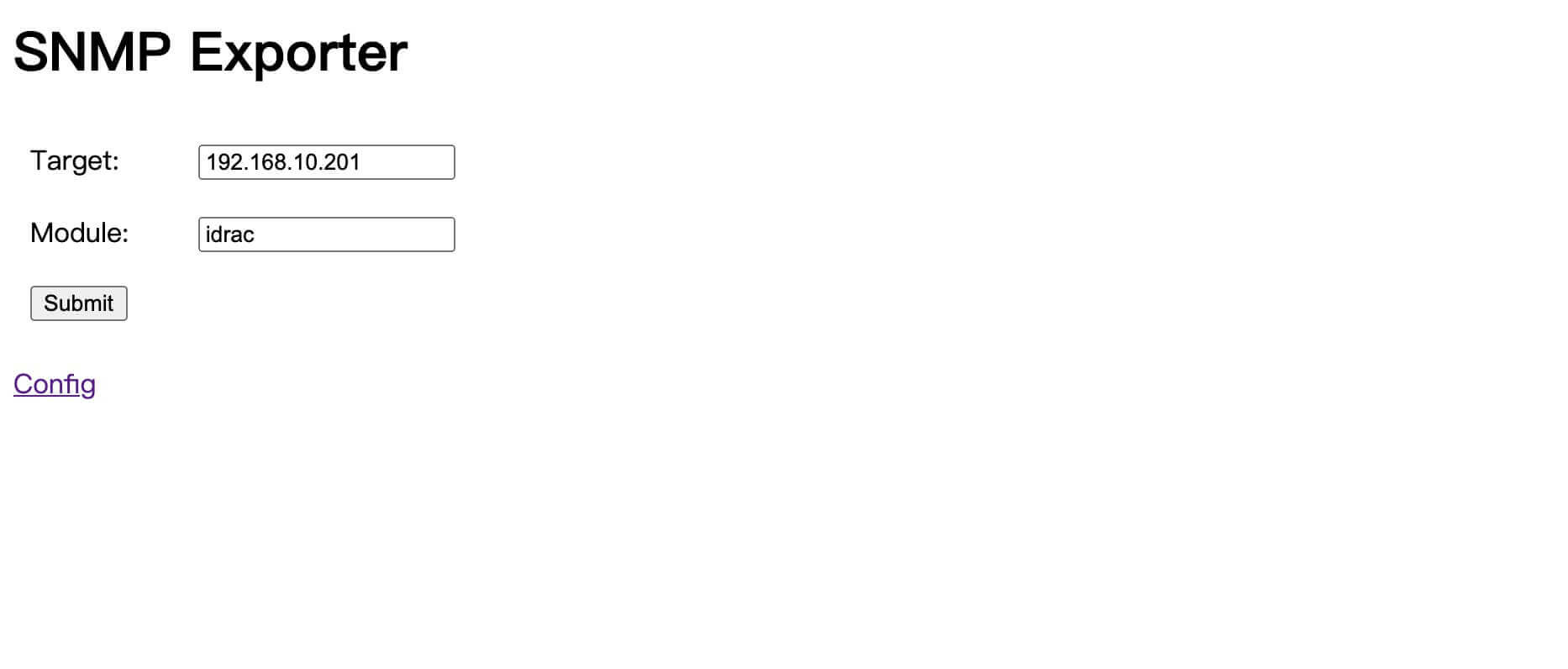
编辑 prometheus.yml 文件,添加如下 job
1
2
3
4
5
6
7
8
9
10
11
12
13
14
15
16
| - job_name: "idrac_snmp"
scrape_interval: 60s
scrape_timeout: 60s
static_configs:
- targets:
- 192.168.10.201
metrics_path: /snmp
params:
module: [idrac]
relabel_configs:
- source_labels: [__address__]
target_label: __param_target
- source_labels: [__param_target]
target_label: instance
- target_label: __address__
replacement: 127.0.0.1:9116
|
测试 promethues 指标查询
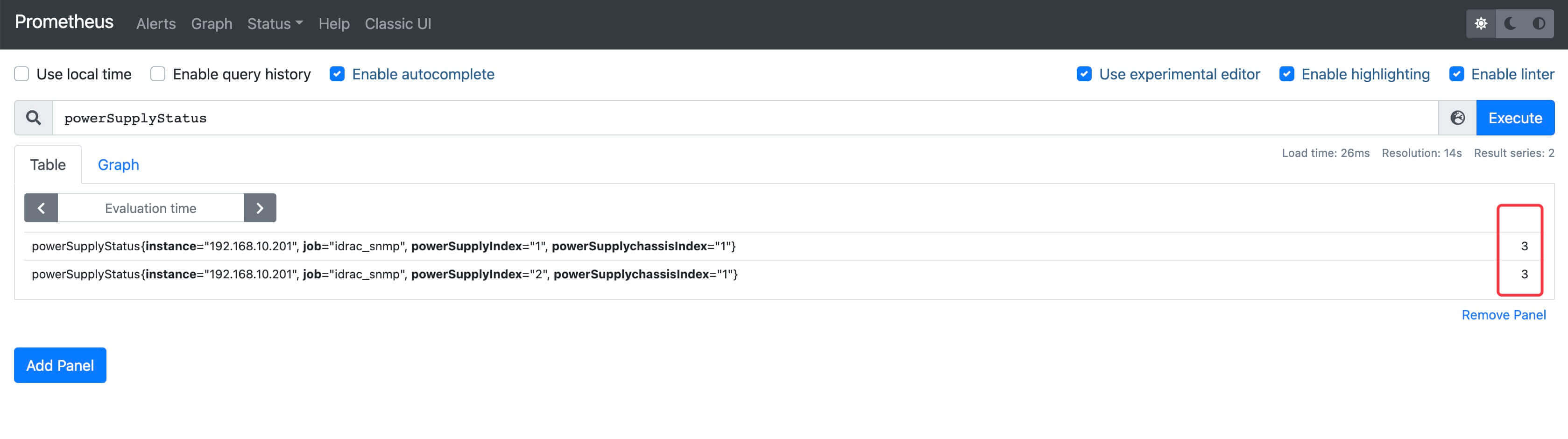
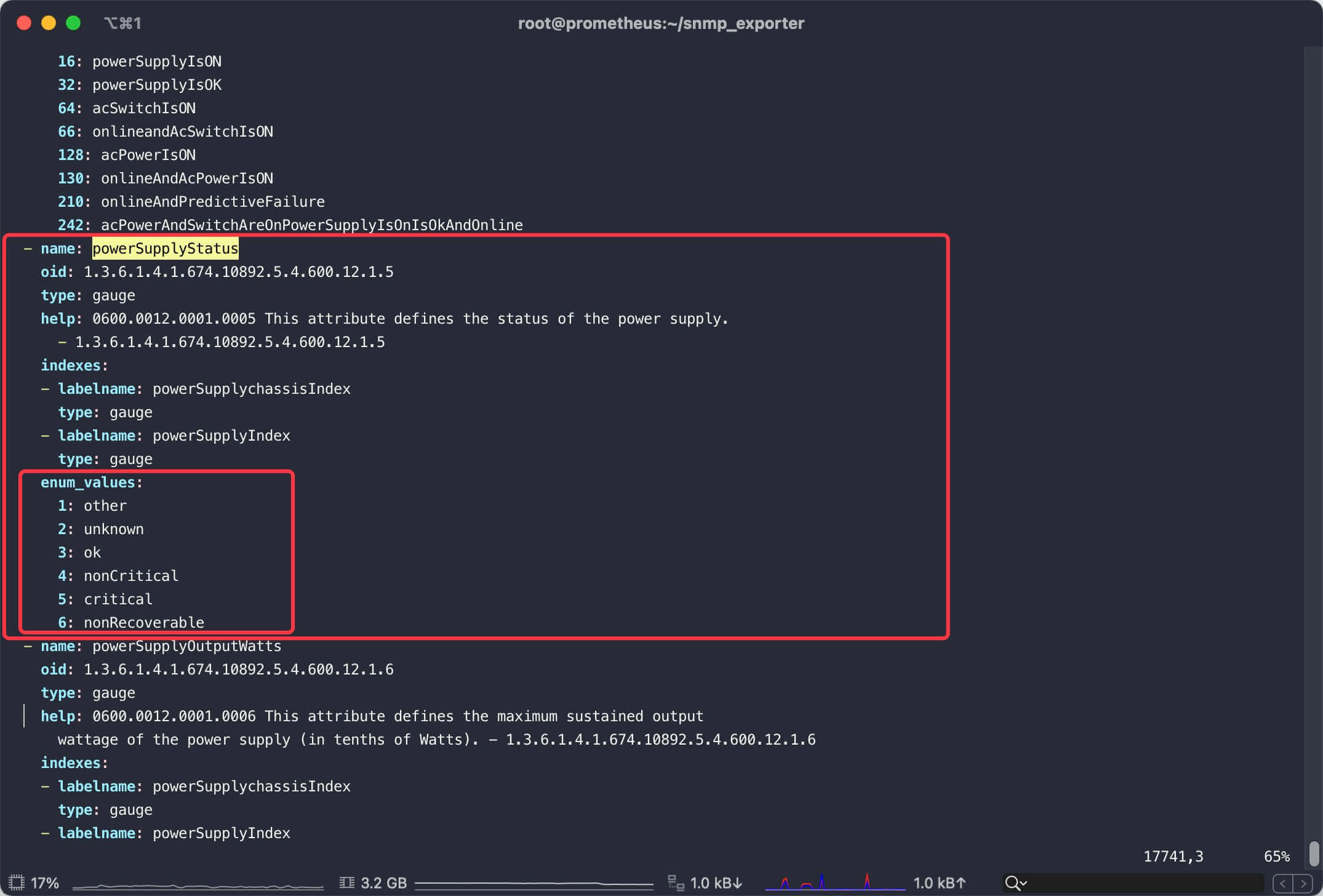
指标返回值的具体含义可查看snmp.yml文件内对应的enum_values