


惯性聚合 高效追踪和阅读你感兴趣的博客、新闻、科技资讯
阅读原文 在惯性聚合中打开

推荐订阅源

AI
AI
WordPress大学
WordPress大学
博客园 - 聂微东
Hugging Face - Blog
Hugging Face - Blog
小众软件
小众软件
V
V2EX
让小产品的独立变现更简单 - ezindie.com
奇客Solidot–传递最新科技情报
奇客Solidot–传递最新科技情报
Google DeepMind News
V
Visual Studio Blog
The GitHub Blog
The GitHub Blog
IT之家
IT之家
D
Docker
M
MIT News - Artificial intelligence
D
DataBreaches.Net
博客园 - 三生石上(FineUI控件)
酷 壳 – CoolShell
酷 壳 – CoolShell
量子位
博客园_首页
Y
Y Combinator Blog
F
Full Disclosure
Microsoft Security Blog
月光博客
月光博客
C
CXSECURITY Database RSS Feed - CXSecurity.com
Threat Intelligence Blog | Flashpoint
Spread Privacy
Spread Privacy
Know Your Adversary
Know Your Adversary
A
Arctic Wolf
Vercel News
Vercel News
T
Threat Research - Cisco Blogs
T
Threatpost
Apple Machine Learning Research
L
LINUX DO - 热门话题
T
The Exploit Database - CXSecurity.com
N
Netflix TechBlog - Medium
GbyAI
GbyAI
OSCHINA 社区最新新闻
OSCHINA 社区最新新闻
T
Tailwind CSS Blog
J
Java Code Geeks
爱范儿
爱范儿
Cisco Talos Blog
Cisco Talos Blog
博客园 - 叶小钗
Latest news
Latest news
C
Check Point Blog
阮一峰的网络日志
阮一峰的网络日志
博客园 - Franky
P
Privacy International News Feed
MyScale Blog
MyScale Blog
Project Zero
Project Zero
Simon Willison's Weblog

Blog of Simple Analytics

The EU wants to kill cookie banners Google is tracking you (even when you use DuckDuckGo) German court rules Meta’s tracking tech violates GDPR Closing the data gap - Simple Analytics x Usercentrics The EU-US data deal may be dead in the water You are missing 20% of your website data with GA4 How a reverse trial will push Simple Analytics to the next level Google will start tracking all your devices (WTF?) Big Tech Fails EU’s Digital Services Act: Only Wikipedia Passes the Test Meta fined $102 million by the Irish Data Protection Commission Europeans spend 575 Million hours per year clicking cookie banners The most interesting GDPR fines GDPR and fines: all there is to know Google loses key antitrust case Web Analytics for Crypto Companies Web analytics for publishers Google pulls Uno Reverse card: Rolls back decision to kill third-party cookies Privacy Monthly July 2024 Privacy Perspectives June 2024 Privacy Monthly June APRA fumbles targeted advertising Privacy Monthly May Meta loses key privacy battle Google delays cookie phase-out once again Privacy Monthly April 2024 Web Analytics and Consent Cookies 101 Privacy Monthly March 2024 German authority cracks down on cookie banners Google Tag Manager vs Google Analytics Google search alternative Data retention in Google Analytics Guide to Google Analytics and Cookie consent What are Google Analytics' identifiers? How to export data from Google Analytics Privacy Monthly February 2024 The Criteo case: a big deal for Big Tech Privacy Monthy January 2024 What the Digital Markets Act means for privacy Google Settles in $5B Incognito Mode Lawsuit Legal troubles for Adobe Analytics Web analytics for nonprofits HIPAA and mental health Why Meta subscriptions are under attack, and why it matters for privacy Privacy Monthly: December Simple Analytics AI Host analytics on Cloudflare Zaraz Add Google Analytics to Convertkit Google Analytics Pricing - Paid vs Free Road to 1 Million ARR - October update CCPA and Data Protection: all there is to know Analytics without a cookie banner Enterprise Analytics Privacy Monthly: November 2023 Delete Act: all you need to know Mobile App Tracking Under Fire The road to 1 Million ARR - September Update Privacy Monthly: October 2023 HIPAA violations First challenge to the EU-US data transfer framework Direct Marketing under GDPR Road to 1 million ARR - August Update CCPA vs CPRA: what is new? Privacy Monthly: September 2023 A/B Testing with Simple Analytics Dobbs v. Jackson ruling is a privacy mess Privacy Monthly: August 2023 What are your rights under the CCPA? When does the CCPA apply? How does the HIPAA compare to the CCPA and GDPR? Why Meta is in a world of trouble CJEU: cookie-based analytics collects sensitive data Road to 1 million ARR - July update All about the new Data Transfer Framework Road to 1 Million ARR - June update What is PHI under HIPAA? Sweden declares Google Analytics illegal Searching for GA4 Alternatives? Top 10 Reliable Options for Google Analyticss Ultimate HIPAA Compliance Checklist: Essential Steps for Healthcare Providers Privacy Monthly: June 2023 More troubles for Google Analytics The path to 1M ARR - May Update Data Processing Agreements Minimal Product Analytics Facebook data transfers declared illegal Is Google Analytics CCPA-compliant? Help us with your input Cookie banners: How to stay GDPR compliant? GDPR Compliance Checklist Privacy Monthly: May 2023 Simple Analytics: Privacy-first website analytics Improve your e-commerce performance with analytics European Facebook blackout is closer than we think Know your website’s Carbon Emissions - and how to reduce it The path to 1M ARR - April 2023 How to add video tracking using Google Tag Manager? How to track form submissions using Google Tag Manager? Why is my Simple Analytics data different from Google Analytics? How to Import Google Analytics Data to Simple Analytics
Debug Simple Analytics script
Iron Brands · 2023-04-20 · via Blog of Simple Analytics

You may have installed the simple analytics script on your website, but it's not working or showing visitors in the dashboard due to adblockers.

Ad blockers are software applications or browser extensions that block or filter online advertisements. They prevent ads from being displayed on websites, improving the browsing experience for users.

Sometimes ad blockers block our privacy-friendly Simple Analytics script, unfortunately. To get around websites visitor with ad blockers, we recommend installing a custom domain.

We assume you don’t have a custom domain set up for this guide.

Before we dive in, we also created a video show explaining how to debug the Simple Analytics' script. If you want to follow the video instead of reading this: Here you go!

  1. No website traffic in your dashboard
  2. Ad-blocker
  3. Status code 200
  4. Page views but no visitors
  5. Content Security Policy
  6. Final thoughts

No website traffic in your dashboard

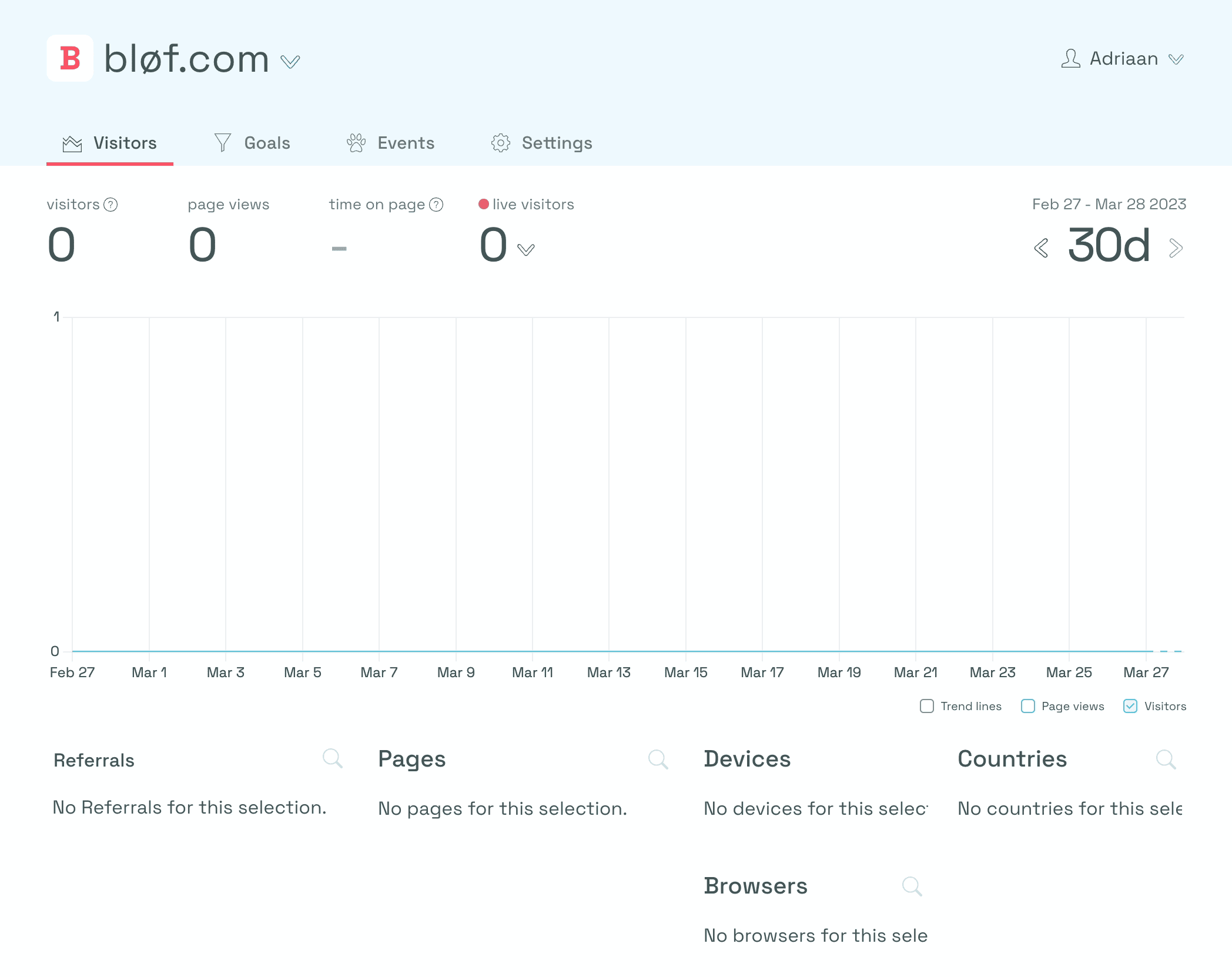
If your dashboard looks like the image below, then you know there's no data coming in yet. If you see visitors or page views, everything is correct, and you are good to go.

For this guide, we use the example website of bløf.com.
script-no-visitors.png

Ad-blocker

So why is it not showing visitors? A common case where it doesn't work is when you have an ad blocker enabled.

First, we need to find out if you installed the embed script correctly. To do this, follow these steps:

  1. If you go to your website (or, in this case, bløf.com)
  2. Right-click on your website
  3. Click on “inspect”

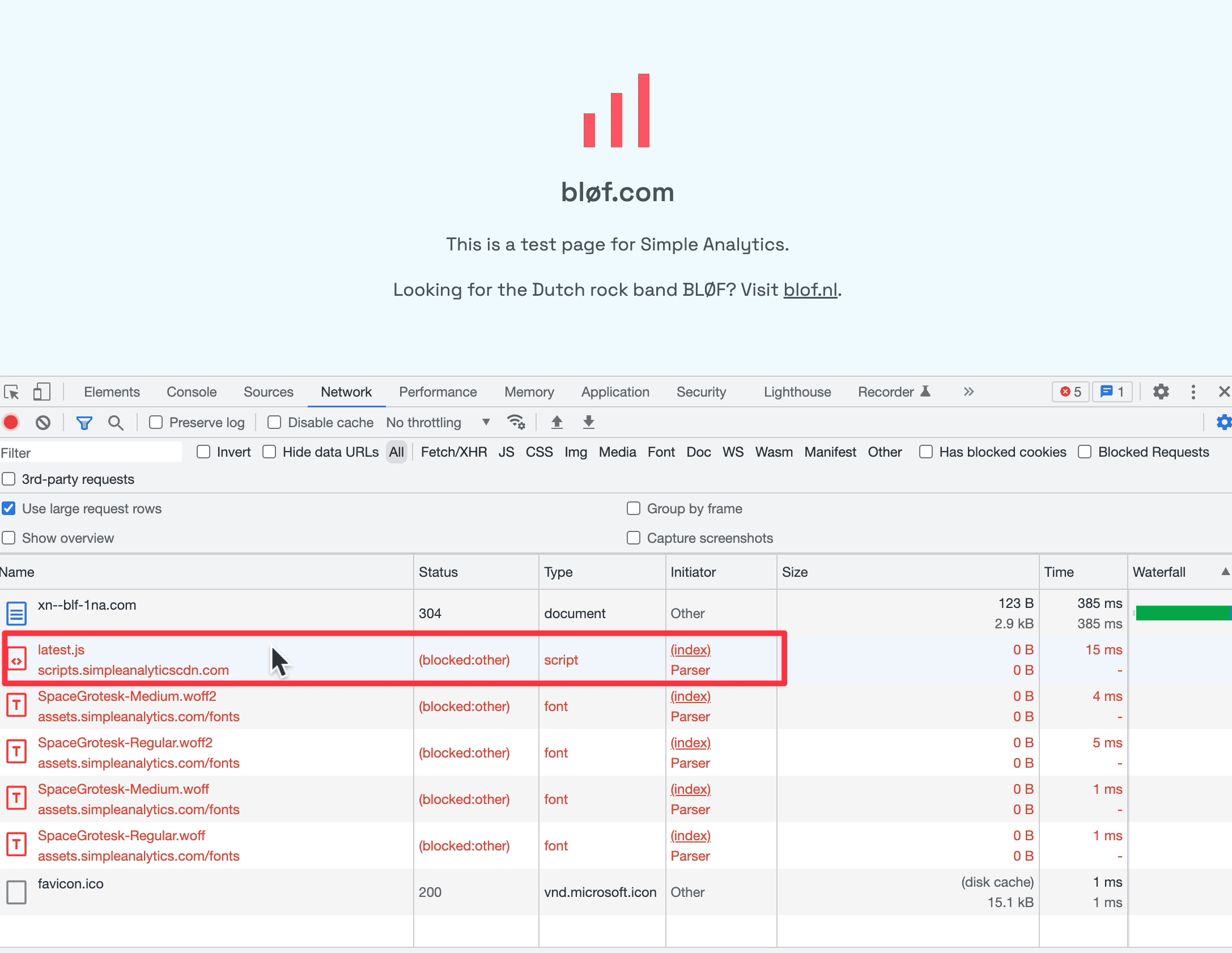
You’ll see a menu opening. If you go to the network tab, you will see an empty page. That's because the network tab has only been opened when the page has been loaded. So let's refresh the website.

You’ll see something like the image below.
script-network-tab.png

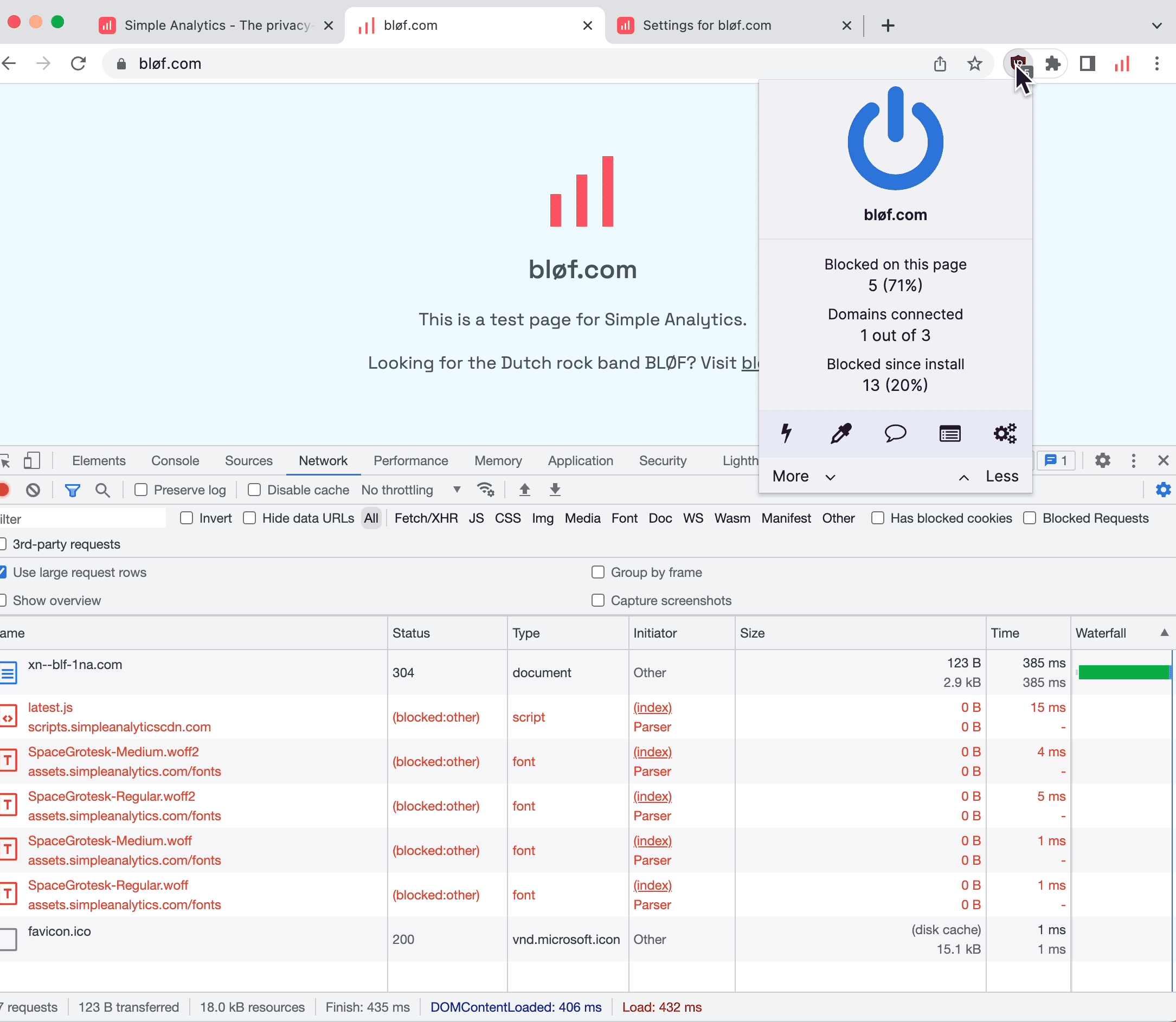
This “latest JS” is our embed script. If you look under “Status,” it says “(blocked:other).” This usually means that an extension blocks it.
script-extension.png

We should turn off the ad blocker to check if our script is installed correctly. Let's refresh and see what happens.

Status code 200
script-green-status.png

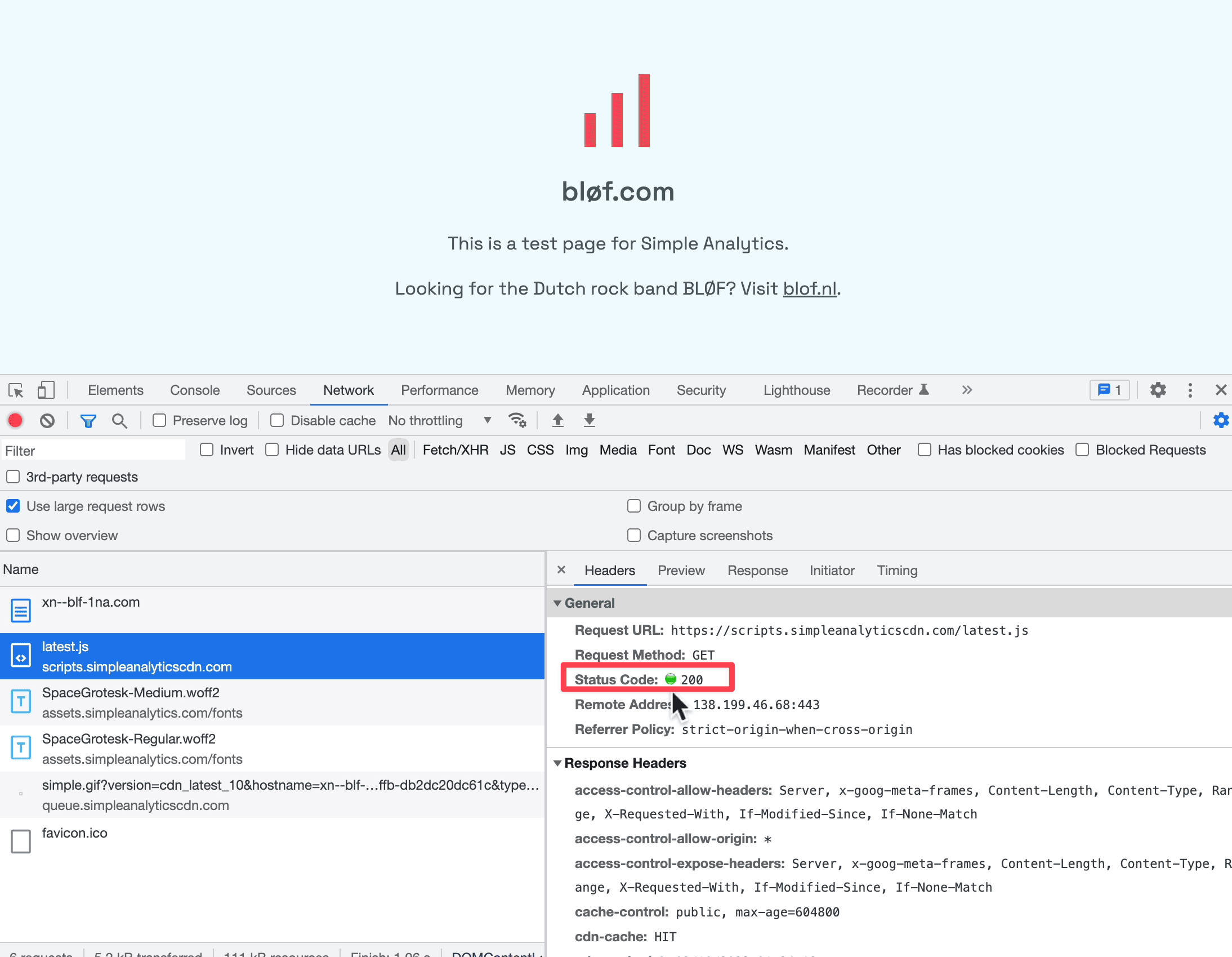
In the image above, I’ve refreshed the page, and now we see that our embed script “latest js” is loading correctly. It has a green status icon when you click on it.

Page views but no visitors

We should see some data if we go back to our dashboard. Occasionally, when you click “Page views” you see data, but when you click “Visitors” you don't. This happens when you only have non-unique page views. We show unique page views as visitors; hence, you only see page views. To read more about how we count visitors, read our documentation.
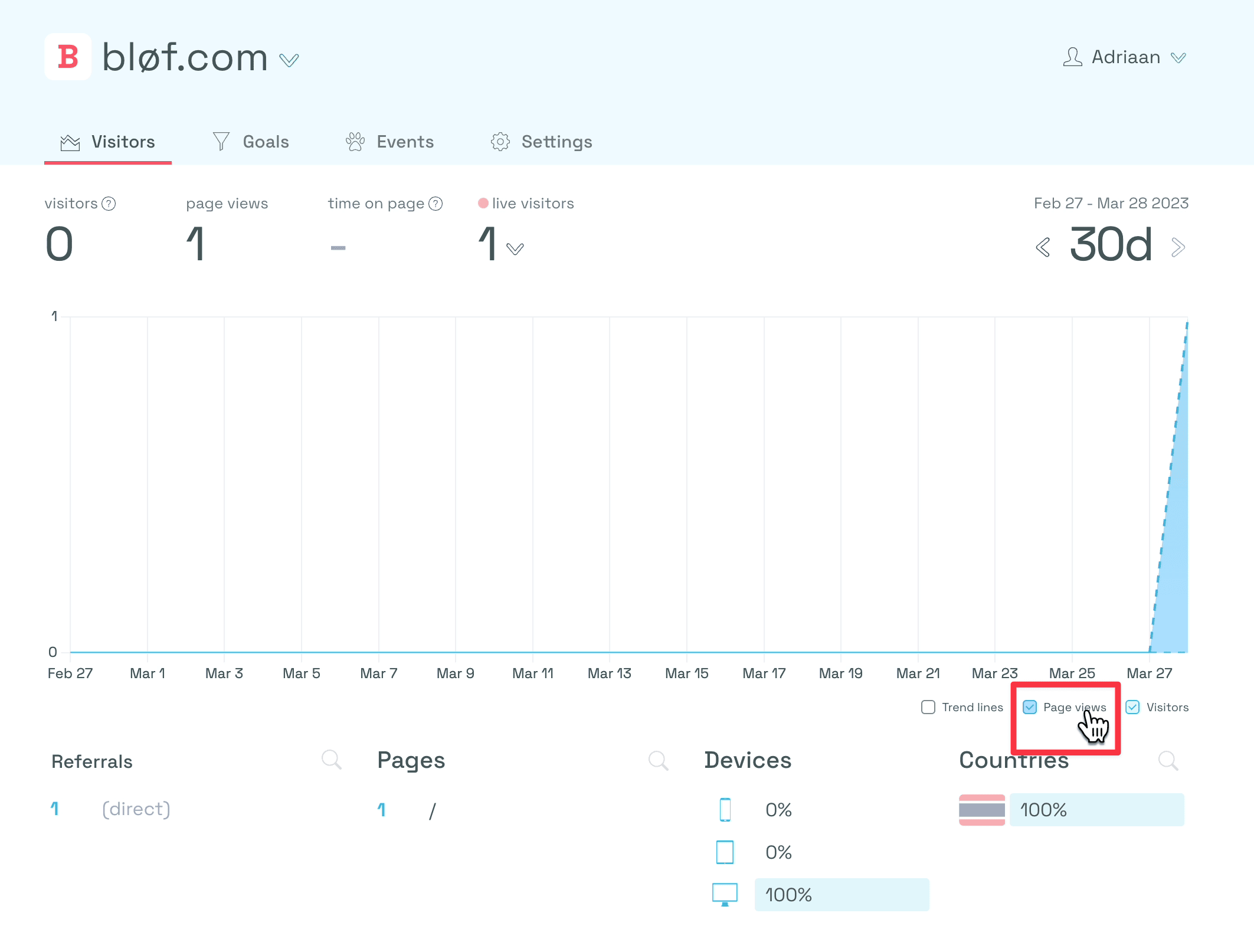
script-pageview.png

Content Security Policy

Some websites have some added security defined in a Content Security Policy. Content Security Policy (CSP) is an added layer of security that helps to detect and mitigate certain types of attacks, including Cross Site Scripting (XSS) and data injection attacks. These attacks are used for everything from data theft to site defacement to distribution of malware. Read more on CSP at MDN.

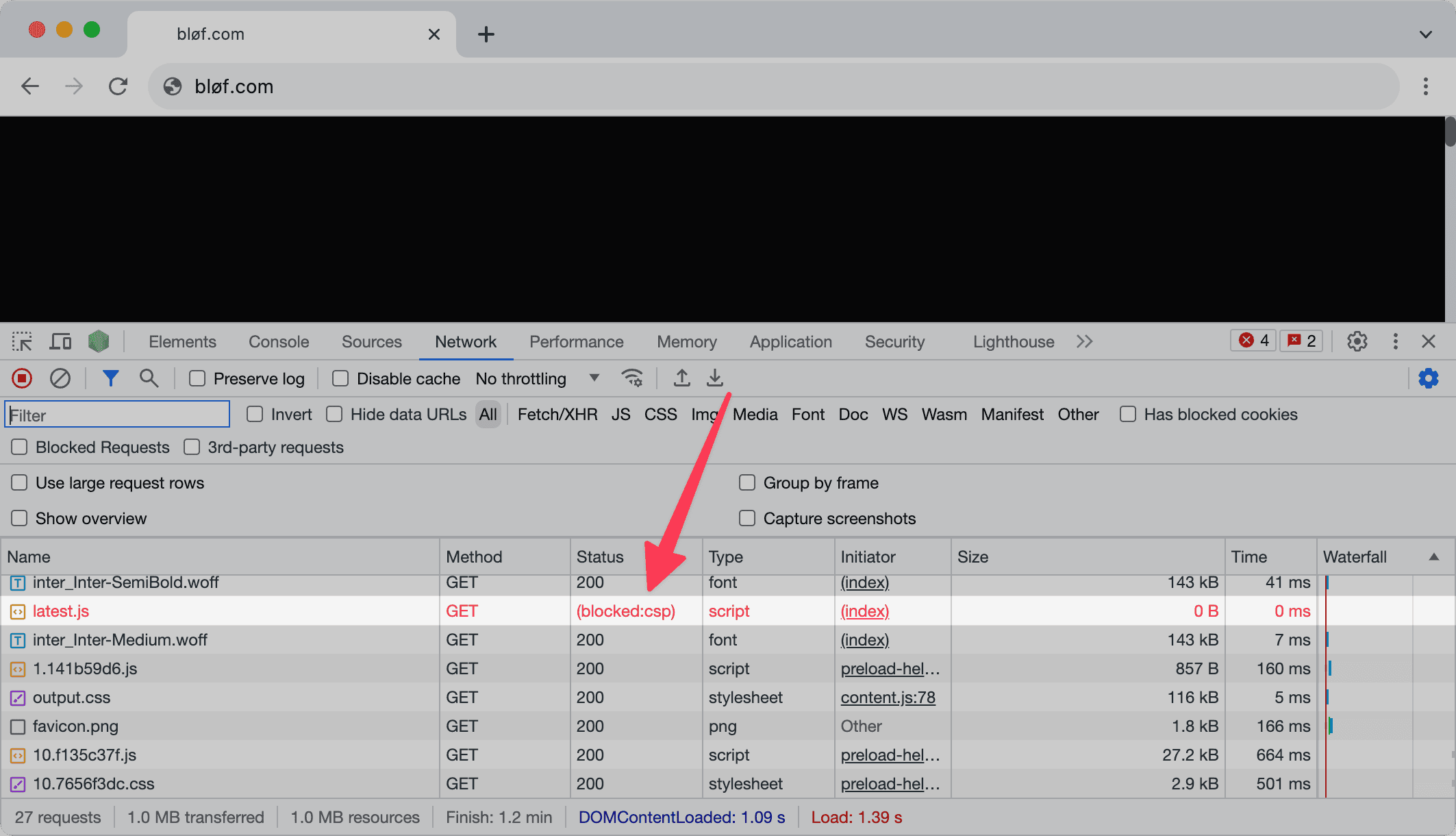
When loading your script, you might see something like this:
blof-csp.png

The CSP in "blocked:csp" stands for Content Security Policy. Read our documentation on how to add Simple Analytics to your Content Security Policy.

Final thoughts

These are a few issues that customers reported to us. If you experience any issues installing our script, we are happy to help. Contact us with as many details as possible.