




You are probaly aware of this, but Google Analytics uses cookies to track your website visitors. According to privacy laws like the GDPR, you (the website owner) need to inform your website visitors about this and ask for their consent to use cookies.
Handling consent for the use of Google Analytics might sound a bit daunting, but it's fairly easy. In this article, we'll touch upon the rules regarding cookies and how to make sure you are fully compliant when tracking your website visitors.
Let's dive in!
💡 Oh just one thing, the easiest option around this is using privacy-friendly website analytics that don't use cookies. You still get the insights you need and don't need to ask for consent or show a cookiebanner on your website: Try Simple Analytics
Google Analytics cookie consent
Cookie consent is a minefield, but in the EU the situation is fairly clear: the ePrivacy Directive and the GDPR require opt-in consent for cookies.
The same goes for the European Economic Area where the GDPR applies (read: all EU countries plus Iceland, Liechtenstein, and Norway) and countries with privacy laws similar to the GDPR, such as the UK and Brazil.
Other countries have more lax rules. For instance, federal US law does not require consent for cookies- but some States laws such as the CCPA have stricter rules.
It gets more confusing than that. The law sometimes requires consent in some situations, but not others. For instance, the US COPPA limits what you can do with cookies when monitoring children.
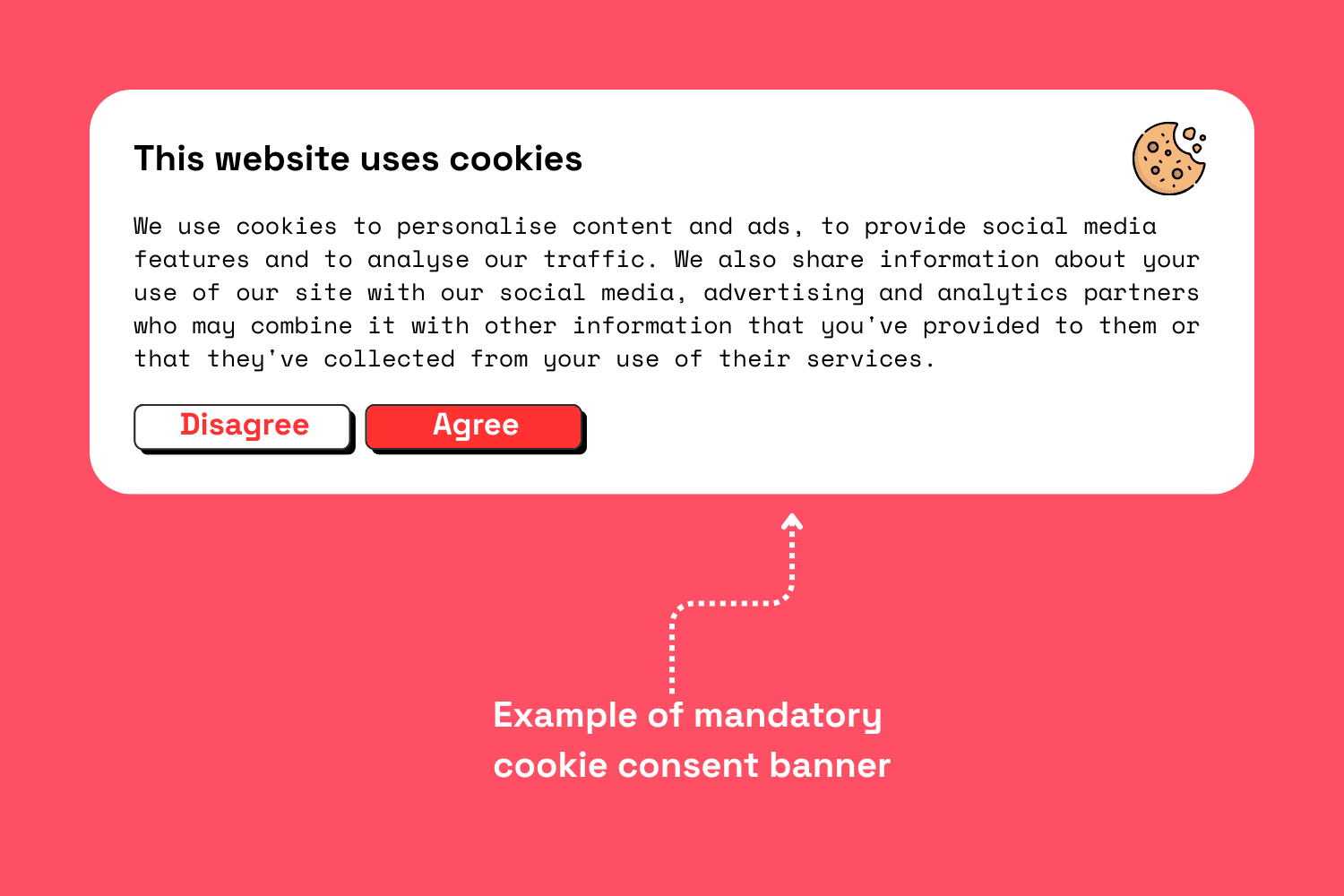
Bottom line, the need for consent changes with the law of individual countries. But for the EU, the answer is clear: Google Analytics requires consent in the EU. We created an interactive map that provides information per country.
Do I need consent for Google Analytics 4 as well?
Yes, you do- at least in the EU. Google Analytics 4 is not a cookieless solution. It does not support third-party cookies but still uses first-party cookies that require consent under EU law.
The legal aspects of Google Analytics cookie consent largely revolve around privacy laws and regulations like the General Data Protection Regulation (GDPR) in the European Union and the California Consumer Privacy Act (CCPA) in the United States.
Here are key considerations regarding Google Analytics and cookie consent:
GDPR Compliance: Under GDPR, which has been in effect since May 25, 2018, personal data processing requires explicit consent. Google Analytics uses cookies to track visitor data, which can be considered personal data, thus requiring consent before placing cookies on a user's device. Website owners must:
- Obtain explicit consent from users before using tracking cookies.
- Offer visitors information about how their data will be used.
- Allow users to easily withdraw consent.
- Ensure consent is documented as proof of compliance.
CCPA Compliance: Effective January 1, 2020, the CCPA requires businesses to inform users about the collection of their data and offer the option to opt-out of the sale of their personal information. While CCPA is less strict about obtaining explicit consent compared to GDPR, it emphasizes transparency. Businesses using Google Analytics should:
- Provide a clear notice about the use of cookies and collected data.
- Include an opt-out option for data selling.
- Update privacy policies to reflect the use of Google Analytics.
ePrivacy Directive: Often considered alongside GDPR, this directive requires consent before storing or accessing information on a user's device in the EU, which includes Google Analytics cookies.
Cookie Banners: Many sites use cookie banners to comply with these legal requirements. These banners inform users about cookie usage and seek their consent before loading cookies.
Anonymizing IP Addresses: Google provides an option to anonymize IP addresses in Google Analytics. While this is a useful feature to increase privacy, consent is still generally required under GDPR.
Third-party Services: If websites use Google Analytics alongside other third-party services, they need to ensure overall compliance, as each service might have different data handling policies.
Websites should stay updated with changes in privacy laws, as privacy regulations continue to evolve. Consulting with legal professionals or data protection experts can ensure tailored compliance strategies specific to business needs and geographic regions.
Collecting consent for using Google Analytics
The most practical way to collect consent is through a cookie banner. This banner must provide clear information on what the cookies are for and provide a clear and easy option to reject them.
Websites typically rely on third party software called Consent Management Platforms (CMP) to handle consent. Most CMPs are well integrated with Google Analytics, so getting them to work together is not too much of a pain.
Please note that EU consent is always, with no exception, opt-in consent. In practical terms, your visitor needs to click some sort of “yes, give me cookies” button. Giving them the option to opt-out is not enough!
How to collect consent for Google Analytics
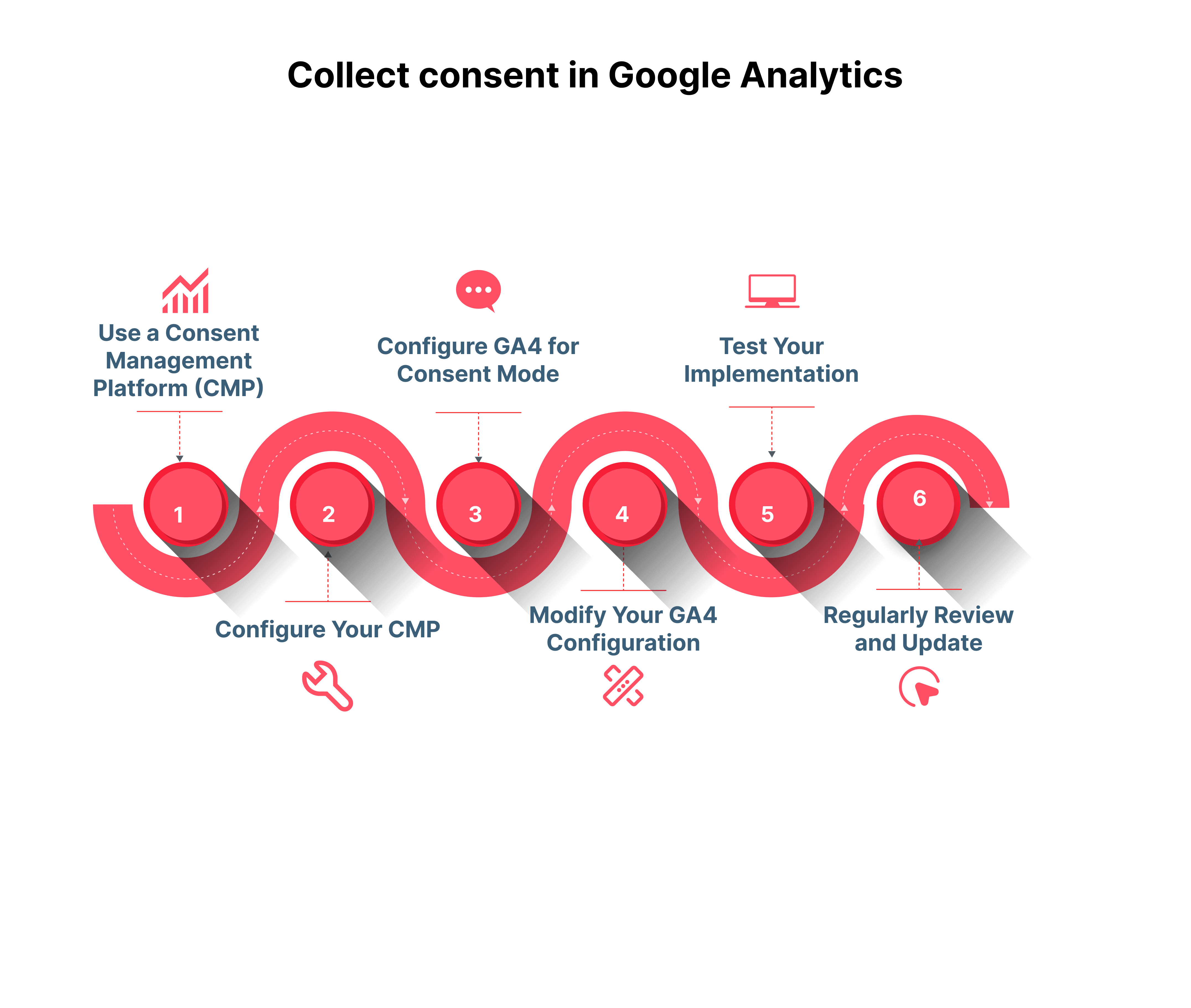
Here is a step-by-step approach to get consent from your website visitors.
Implement a CMP on your website. This platform will display a consent banner to users and allow them to choose their preferences regarding cookie usage and data collection.
Configure Your CMP: It is up to you to ensure that your CMP is set up in a GDPR-compliant way! Don't assume that the work is done just because you have a CMP. Among other things, you need to make sure that your cookie banner provides a clear option to reject cookies,and provides transparent information on cookie use
Configure GA4 for Consent Mode: In GA4, you can enable Consent Mode, from the GA4 property setting. Consent mode allows you to adjust how Google Analytics behaves based on the consent given by the user.
Modify your GA4 configuration: Adjust your GA4 configuration to respect the consent choices made by users. This typically involves modifying the analytics tag on your website to check for consent status before firing. For example you can set up triggers based on consent status in Google Tag Manager.
Test Your Implementation: Finally, make sure to test your implementation thoroughly to ensure that analytics behaves correctly based on the consent given.
Regularly review and update: Laws and regulations may change, so regularly review and update your consent management process as necessary.
Some of these steps depend on the CMP and Google Analytics integrations you use. Unfortunately, there is no script you can copy and paste. Refer to documentation from Google Analytics and your CMP to know what code you need in your specific case.
However, a general rule is that your website must call the consent code before placing cookies. Otherwise, cookies will be placed regardless of user preference, which is illegal in countries that require consent.
Set up a “do not sell” button in Google Analytics
Some privacy laws such as the CCPA require an opt-out option for the sale of personal information. This can be done by implementing a cookie opt-out mechanism:
Develop a mechanism on your website (like a button or a link in your privacy policy page) that allows users to express their wish to opt out of Google Analytics tracking.
Take Google Analytics' JavaScript API to respect this opt-out choice. When a user opts out, you can set a flag in your website's cookie or local storage to remember this preference, Modify your Google Analytics tracking code to check for this opt-out flag before sending any data.
You could also use a cookie-based solution where setting a specific cookie will instruct the Google Analytics JavaScript not to send any information to Google Analytics for that user. Please note that this solution still uses cookies: it may be non-compliant with some privacy laws and it is very, very likely to not be compliant with EU law.
Please note that opt-out mechanisms don't comply with EU law. The ePrivacy Directive requires opt-in consent!.
Do-not-track requests in Google Analytics
Google Analytics does not automatically recognize do-not-track requests, which is rather infuriating. You need to roll up your sleeves and do the work yourself:
Detect DNT Settings: First, use JavaScript to detect if the user has enabled DNT in their browser. You can check the DNT status using navigator.doNotTrack in JavaScript, which returns 1 if DNT is enabled.
Conditionally Load GA4: Before initializing your GA4 tracking code, call a function to determine if DNT is enabled. If it is, skip the initialization of GA4.
Alternatively, handle the DNT status on the server side. If a DNT request is detected, your server can modify the page to either not include the GA4 tracking code or to include a modified version that disables data sending.
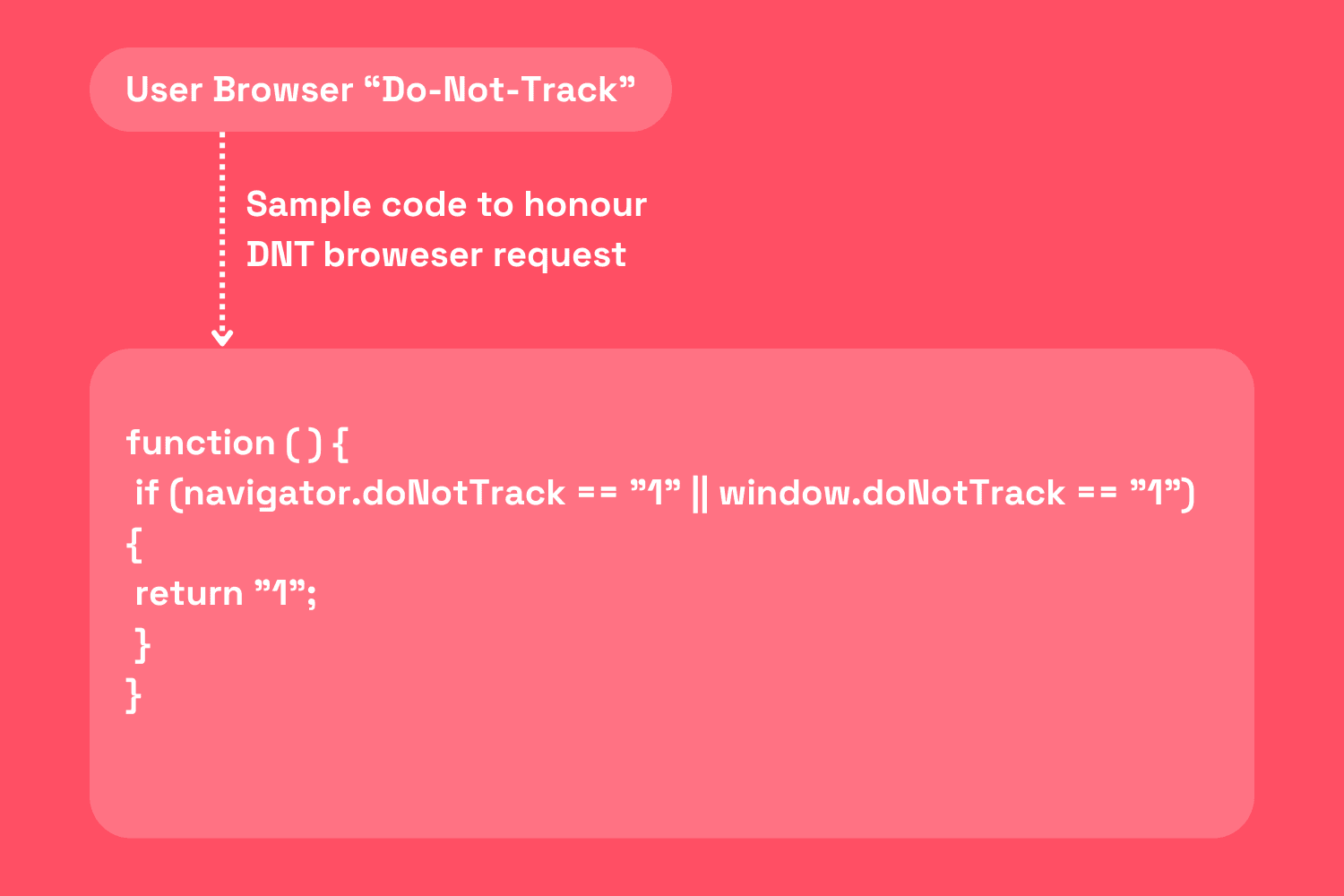
There is no requirement to honor DNT requests for EU users, but if you want to do it anyway, we strongly suggest that you handle the DNT status-server side. Detecting DNT through JavaScript is a little iffy under the ePrivacy Directive and it is better to err on the side of caution.
No cookie consent out-of-the-box
Google decided not to deal with consent management in Google Analytics, leaving it up to the customer to find a compliant CMP and figure out how to integrate it with Google Analytics.
This has some advantages: it affords the customer a lot of flexibility and gives them the option to handle consent management in-house, should they have the required know-how. On the flip side, it makes Google Analytics harder to use because no single, copy-paste code will make GA work with their CMPs and integrations of choice.
CMP vendors would have you believe that there is some secret magic formula for a GDPR compliant cookie banner with sky high opt-in rates. That’s not how it works! There are several tricks you can use to boost your opt-in rates, but they are shady at best and flat out illegal at worst.
European regulators recently took a stance on the thorny issues of cookie banner design. They stated loud and clear that many widely abused design tricks are GDPR violations.
If you want to comply with the law, don’t hide the “reject all” button in a second or third layer of your cookie notice. Don’t force the users to “customize” twenty different confusing settings, hoping that they will just get tired and just click “accept all”. Don’t hide your “reject” button with small or low-contrast fonts. Don’t offer dumb options like “save”- this is a cookie banner, not a video game.
A GDPR compliant cookie banner offers the user a visible, immediately available, clearly worded option to reject unneeded trackers. It's as simple as giving the users a big, visible "no, I do not want your cookies" button.
Of course, this kind of banner will also give you low opt-in rates. This is a feature, not a bug: if the user doesn't want to be tracked, you cannot track them. Manipulating them with obscure, deceptive UIs won't fly with EU regulators. You can learn more about website analytics without cookies here.
If your visitors reject cookies, your web analytics performance suffers- no way around it. The data gap from cookie rejection is quite significant and impactful for analytics accuracy. From a study we ran this amounts to 20% of your total traffics that goes missing.
Consent Mode V2
Consent Mode V2 refers to an updated version of Google’s Consent Mode, a solution designed to help websites comply with data protection regulations like the General Data Protection Regulation (GDPR) in the European Union. Consent Mode allows websites to adjust how Google products behave based on the consent status of users. This means websites can ensure that Google services like Google Analytics, Google Ads, and others only collect user data if the user has given their consent.
The updated Consent Mode V2 offers more granular control and flexibility compared to its predecessor. It allows website owners to manage and customize the behavior of Google's tags and scripts based on user consent choices, ensuring a more transparent and privacy-oriented user experience.
Key aspects of Consent Mode V2 typically include:
Consent Signals: It offers more detailed signals regarding user consent status for different categories of data processing purposes, such as advertising and analytics.
Tag Behavior: Depending on the consent status of a user, Google Tags adjust their behavior automatically. For instance, if a user does not consent to analytics, tags will not use cookies for measuring user interactions but can still measure non-identifying information.
Eventual Consistency: The system allows for data to be sent conditionally, which means that data can be collected and processed in an aggregated form while waiting for the consent decision, ensuring smoother transitions once consent is given or revoked.
Implementation Flexibility: Provides more options for developers and marketers to implement and manage consent in a way that aligns with their specific data protection compliance needs.
This approach helps businesses improve user privacy while still gaining valuable insights from data in a compliant manner. As consent agreements and data protection regulations continue to evolve, tools like Consent Mode V2 play a crucial role in balancing the need for data analytics with user privacy rights.
Final Thoughts
TL;DR: there is a trade-off between GDPR compliance and opt-in rates. There is no clever way around it.
Setting up Google Analytics is more complicated than it needs to be and can be quite burdensome for smaller organizations. GA also suffers from a significant data gap due to cookie rejection.
Simple Analytics privacy-friendly website analytics tool that does not use cookies. You don't need consent to collect website visits and don't need a cookie banner.
We give you all the insights we need without collecting personal data. This policy respects the user's privacy and is 100% GDPR-compliant. If this sounds good to you, feel free to give us a try!