







Many might remember (or still be subjected to) long, drawn-out deployment processes. Complex, monolithic products often needed a time-consuming deployment process, taking many days and many people. CI/CD tooling transformed this aspect of web development and also unlocked the potential for highly performant and robust static assets to power sites that frequently update to stay fresh. Triggering a site build and deployment at the right moment is key to this, and build hooks give us that ability.
We can manage and monitor the events that trigger updates to our sites with build hooks. In this guide, we’ll see how simple it is to create build hooks from the Netlify UI or using the CLI, and show how to conveniently test them.
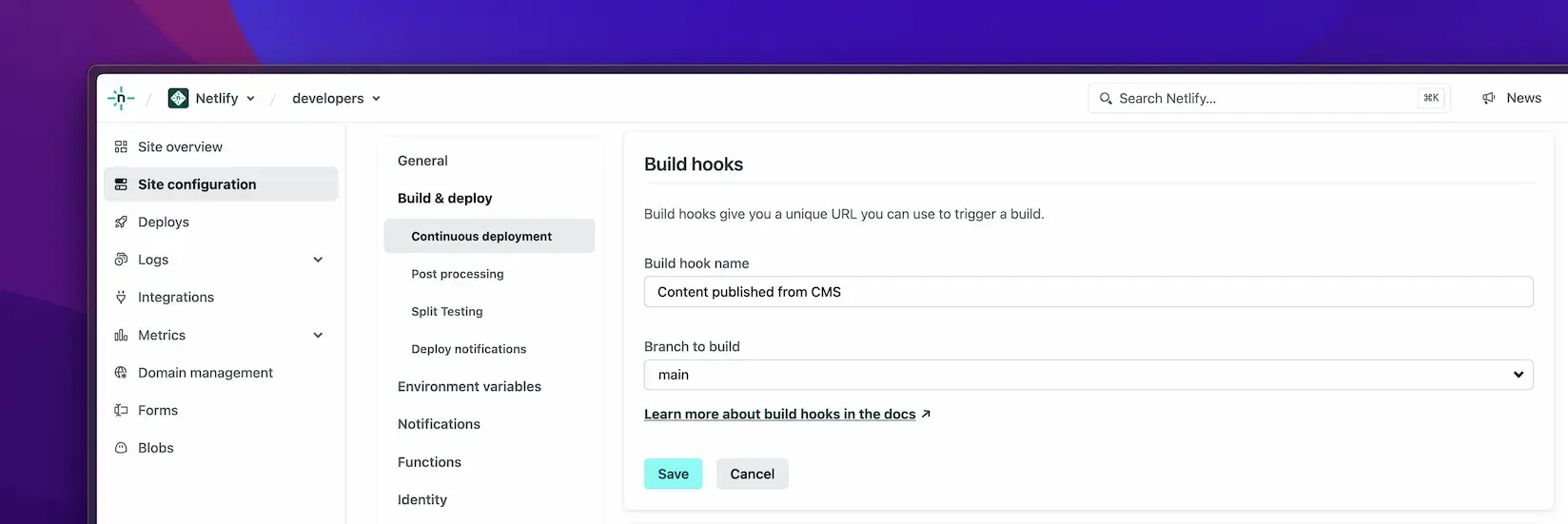
By creating different build hooks, we can initiate new builds from all sorts of different events and see which event triggered our builds. To create a new build hook visit your Site configuration in the Netlify UI and go to Build & deploy to find the Build hooks panel.
You can select the branch that you’d like to deploy and give your new build hook a meaningful name.
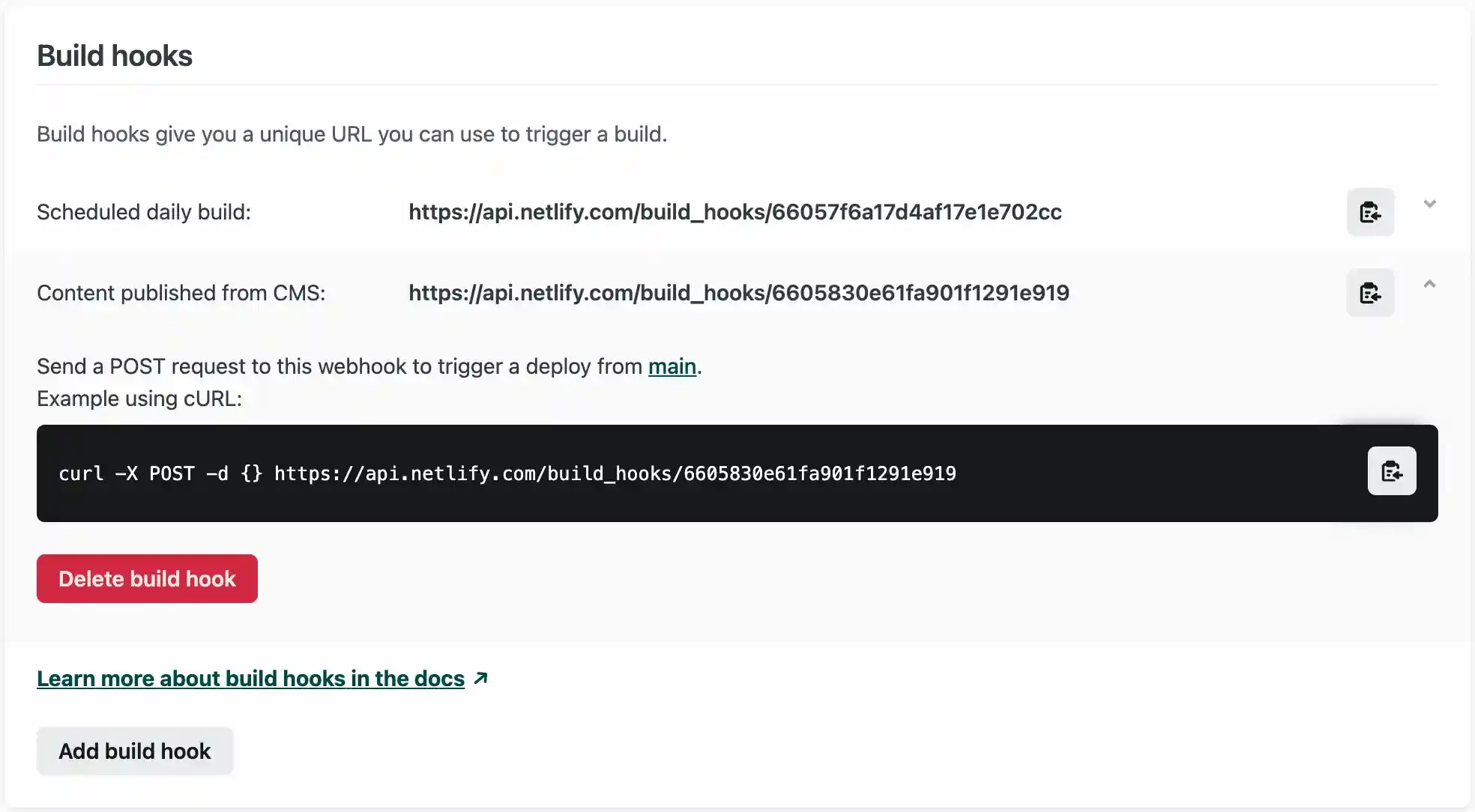
It’s not possible to edit existing build hooks, but the list of your site’s build hooks gives easy access to copy their URLs, and to copy a cURL command to test them out. You can also delete build hooks from here too.
The Netlify CLI doesn’t include commands to manage build hooks, but the Netlify API does. Since the CLI also gives access to any API command, you can use that facility to do this from your command line or programmatically should you wish.
In addition to the built-in utilities in the Netlify CLI, you can also access API commands like so:
netlify api {API—METHOD}
Try running netlify api --list to show the available API methods and get quick access to their documentation.
Use the following command to list any build hooks on your site. (You’ll need your Site ID, which you can get from the Netlify UI or from the CLI by running netlify status)
netlify api listSiteBuildHooks --data '{"site_id": "YOUR—SITE—ID"}'
To create a new build hook using the CLI, use the createSiteBuildHook API method, passing it the required data:
netlify api createSiteBuildHook --data '
{
"site_id": "YOUR—SITE—ID",
"body": {"title":"My build hook", "branch":"main"}
}'
The command will return information about your new build hook including its URL:
{
"title": "My build hook",
"branch": "main",
"url": "https://api.netlify.com/build_hooks/66058fe91febf5273753e516",
"draft": false,
"created_at": "2024-03-28T15:42:33.674Z",
"id": "66058fe91febf5273753e516",
"site_id": "41d9d252-cc2d-4600-bf60-XXXX",
"msg": "POST https://api.netlify.com/build_hooks/66058fe91febf5273753e516 to trigger a build"
}
Invoking a build hook is as simple as making an HTTP POST request to its URL. These URLs contain a unique, non-guessable path but no other form of authentication. It’s recommended that you don’t advertise your build hook URLs publicly, although it is trivial to delete a build hook and you can create as many as you need. (The ones in this post are all deleted, before you try to have some fun with me!)
You can make an HTTP POST from your command line using cURL. There is no payload to pass, just an HTTP POST to the correct URL. Like this:
curl -X POST -d {} https://api.netlify.com/build_hooks/{YOUR-BUILD-HOOK-ID}
After making the request, you’ll see a new build identified with the label you gave to your build hook in your site’s deploys in the Netlify UI. Or you could look for the newly requested build by inspecting your deploys with the Netlify Raycast extension if you prefer not to leave your desktop.
Triggering builds programmatically from a variety of different sources and events has the potential to swamp Netlify with requests to build and deploy your site, so we have some safeguards against that, and some recommendations to further protect your build minutes.
The Netlify Build Bots (as they are affectionately known internally at Netlify) have the intelligence to protect our systems and avoid wasting your build minutes. While a build is in progress, any additional build requests are queued behind it until the active build completes, at which time all subsequent build requests are skipped except for the most recent one. This avoids wasted builds that would have been quickly superseded and also gets the most recent request processed in a more timely way.
You can also avoid making excessive build requests by being thoughtful about what events you choose to trigger a build.
For instance, most headless content management systems (CMS) can post to a webhook for different types of events in their systems. Choose wisely here. For convenience, many save your content automatically as you type. This has saved my bacon (that is to say, my content) many times over the years, but also resulted in a lot of build requests to my sites as each keystroke created another request to build. Using the configuration of your chosen CMS to request a build based on publishing events rather than save events can be a good choice.
Combining build hooks, with access to data and content from a variety of tools and services, and the ability to trigger calls to your build hooks from different events makes for a huge array of possibilities.
By making APIs the interfaces between services, and by making the incredibly ubiquitous HTTP the means to communicate between services and trigger actions, we can compose many tools and services together with excellent hygiene and defined roles and responsibilities.
Unifying content sources, digital asset management systems, version control systems, and so much more, all becomes viable and manageable.
In addition to the more conventional uses we might imagine, I’ve seen many creative uses of build hooks too, with people calling on them to trigger site builds from Alexa, Apple Shortcuts on an iWatch, hardware buttons, and even motion sensors!
Whether we’re having fun or solving big, serious infrastructure and tooling challenges, the days of high friction and painful deployment processes are well and truly over.
此内容由惯性聚合(RSS阅读器)自动聚合整理,仅供阅读参考。 原文来自 — 版权归原作者所有。