

惯性聚合 高效追踪和阅读你感兴趣的博客、新闻、科技资讯
阅读原文 在惯性聚合中打开

推荐订阅源

IT之家
IT之家
OSCHINA 社区最新新闻
OSCHINA 社区最新新闻
A
About on SuperTechFans
博客园 - 聂微东
奇客Solidot–传递最新科技情报
奇客Solidot–传递最新科技情报
freeCodeCamp Programming Tutorials: Python, JavaScript, Git & More
B
Blog RSS Feed
U
Unit 42
Stack Overflow Blog
Stack Overflow Blog
Recent Announcements
雷峰网
雷峰网
罗磊的独立博客
Microsoft Security Blog
Hugging Face - Blog
Hugging Face - Blog
L
LangChain Blog
人人都是产品经理
人人都是产品经理
The GitHub Blog
The GitHub Blog
F
Fortinet All Blogs
Cyber Security Advisories - MS-ISAC
H
Help Net Security
P
Proofpoint News Feed
The Cloudflare Blog
D
Docker
大猫的无限游戏
大猫的无限游戏

Netlify Developers

AI model comparison using Netlify's AI Gateway | Netlify Developers Build an AI agent to automatically process and summarize form submissions | Netlify Developers Build an AI agent to automatically generate relevant images for blog posts | Netlify Developers Prerendering SPA content pages to enable AI agent access | Netlify Developers Identify image optimization opportunities with Netlify Observability | Netlify Developers Fix top 404 page not found errors with Netlify Observability | Netlify Developers Introducing AI Gateway: built-in AI model access on Netlify | Netlify Developers Introducing Observability: your project insights on Netlify | Netlify Developers From first publish to first update with AI agents | Netlify Developers How to use Agent Runners on Netlify | Netlify Developers Add forms to your project with AI + Netlify | Netlify Developers Track Real User Metrics | Netlify Developers Lighthouse performance scores on Netlify | Netlify Developers Review your AI project before you ship | Netlify Developers Using environment variables in AI Projects on Netlify | Netlify Developers Build prototypes and MVPs fast with AI + Netlify | Netlify Developers Pause auto-publishing on Netlify | Netlify Developers Run serverless functions, storage, and more natively in Nuxt dev | Netlify Developers Netlify Office Hours: The AX Arcade challenge | Netlify Developers Netlify Office Hours: Prompting with style | Netlify Developers Netlify Office Hours: RAG Apps with OpenAI + Netlify DB | Netlify Developers How to build a RAG application with Neon, Netlify & OpenAI | Netlify Developers Netlify Office Hours: Netlify DB (powered by Neon) | Netlify Developers Netlify Office Hours: Netlify MCP Server | Netlify Developers Netlify Office Hours: Netlify Vite Plugin | Netlify Developers Building MCPs with Netlify | Netlify Developers Deploying sites from your AI tool | Netlify Developers Adding your domain using Netlify API | Netlify Developers Build a context driven chat bot with Netlify Blob and OpenAI | Netlify Developers Simplify deployments with Netlify’s branch-matching environment variables | Netlify Developers
Adding pinned notes and thumbnails to projects | Netlify ...
2024-02-16 · via Netlify Developers

Anyone working with many projects over long periods of time in Netlify might be familiar with the task of seeking out a particular project in the Netlify admin. The sites page can get busy if you work on lots of projects, or if many people are collaborating and need to hop from project to project. Friction can kill your productivity momentum, so here are two little things that can make a big difference.

#TL;DR

The Netlify admin supports custom thumbnail images and pinned messages on your site overviews. They are simple to use and this post will show you how.

#Making the best of site thumbnails

When your site is deployed, Netlify will automatically generate a thumbnail image of the home page of your site which will be used to help you identify your sites in the site list page and in each sites overview page.

You can toggle between letting Netlify generate the thumbnail or providing an image of your own. This can be particularly helpful if you have many sites which look similar from a distance, or if you have sites which don’t have much meaningful UI because they focus on providing APIs or services for example.

Specify a custom thumbnail image via the “Customize” button in your site’s overview summary.
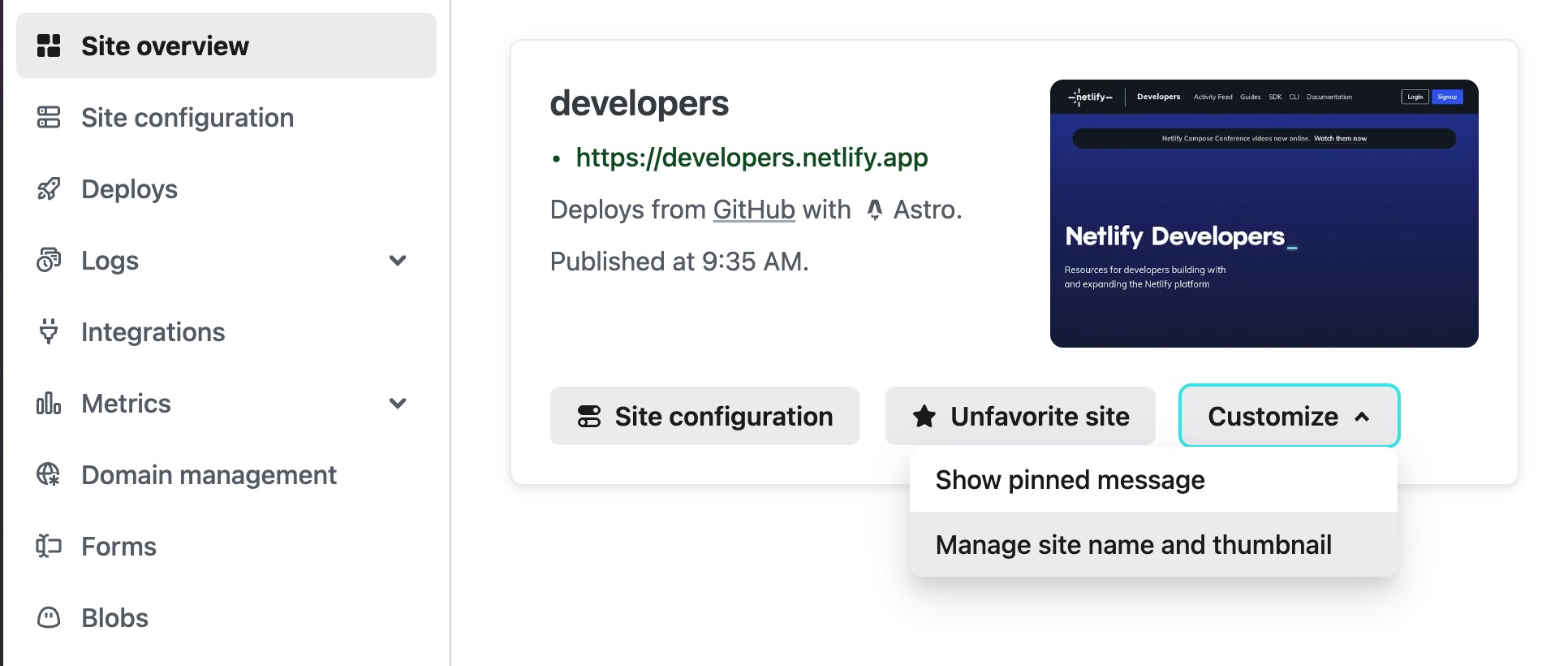
Customize thumbnail UI

#Make team collaboration easier with pinned messages

This much-requested feature makes it possible for you to locate valuable project information right in context and visible to collaborators (and let’s be honest — future you) directly in the site overview page of your projects.

While much documentation about a project might live in a readme file in its code repository, some information is not appropriate to place there, or might not be so discoverable to all those needing that information. Pinned messages support markdown and are perfect for communicating useful project information to your teammates, such as project purposes, project lifespans, links to issue trackers, and links to project communication channels.

Or just emojis. You do you. 😉
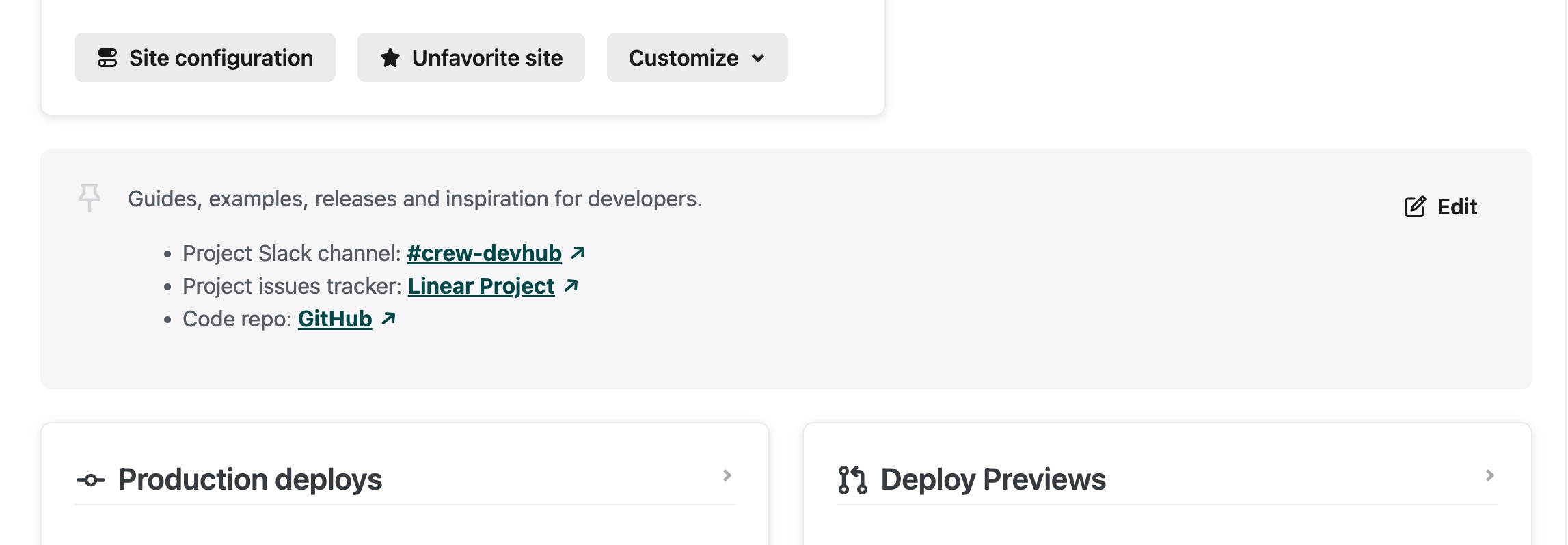
Pinned message

#Just show me

If you prefer to watch a quick video of this, here’s how it looks.

Play

#Deploy a site to explore

You don’t have any sites deployed on Netlify already, but you really want to click around and play with this feature? No problem, a couple of clicks and we’ll get you an example site. Click the button below to get started.

Deploy to Netlify