






Git monorepos are great. Git multirepos are great. But how do you migrate a repo into a monorepo? The naive way of doing this is to copy over all the code, commit it, and call it a day. This loses all Git history and muddles any issues being tracked. We don’t want that. What we want is to retain all of that history and knowledge captured in the issues of a code repo, even after it gets merged into a larger monorepo. Let’s do that.
In this guide, we’ll learn what tools and commands are needed to combine Git repositories into a monorepo so that their commit histories and issues are not lost along the way.
Perhaps you have a number of projects which live in their own Git repositories, and you’ve decided that they would be better off residing as directories within one larger monorepo. Good use cases for this are products or frameworks which include all their product code, but also contain a set of examples and references. These could all be separate, but keeping them together is good for maintenance and discoverability.
For the sake of our example in this guide, let’s consider the following scenario:
org-name/cool-demoorg-name/product which houses our product along with some demoscool-demo includes a long history of changes, issues, and discussions in pull requests.Losing all of the history and context upon migrating cool-demo into all-demos would be baaaaaad. So how does one migrate a Git Repo without losing history?
We’ll explain these steps in more detail below, but in summary:
The solution is to do a git merge across repositories. When I first saw this, I was surprised - but it works! Before we do that though, let’s do some preparation.
Before you begin, let your team know that you’re working on this, and that they should hold off on any work on the repository that’s being integrated. The best time for executing a migration like this is when there’s no open pull requests.
We’ll use a tool called git-filter-repo. On MacOS, you can install this using brew with the command brew install git-filter-repo.
This is the tool that the Git docs endorse for modifying history. Sounds scary to you? It is! But we’ll be fine. To prevent us from losing precious changes, we’ll apply the modifications in a temporary throwaway clone of the repository. In our case, this is org-name/cool-demo, so go to a temp directory and run git clone https://github.com/org-name/cool-demo.
First, we need to move all files into the right subdirectory. In the org-name/product monorepo, the demos all live in a demos folder. Run git filter-repo --to-subdirectory-filter demos/cool-demo to move all files into the demos/cool-demo subdirectory. If you check the Git log, you’ll see that instead of creating a big rename commit (that GitHub doesn’t properly account for), it modified all past commits to move the files, as if they’d always been in that subdirectory.
Then, we want to ensure that PR and Issue references remain intact. GitHub likes to place references to issues and pull requests in commit titles, like in feat: fix some bug (#68). Having this reference is great to understand the context of a change, but when we move this commit to another repo, they suddenly point to the wrong issues! To fix this, we’ll prefix all of these references with the repository:
git filter-repo --commit-callback '
msg = commit.message.decode("utf-8")
newmsg = re.sub("\(#(?=\d+\))", "(org-name/cool-demo#", msg)
commit.message = newmsg.encode("utf-8")
'
This turns (#68) into (org-name/cool-demo#68), which continues pointing to the right issue, even after merging.
Now, we’re ready to merge it in. Go to your monorepo (in our case that’s org-name/product), add the multi repo as a remote, and merge it:
git checkout -b integrate-cool-demo-repo
git remote add temp /path/to/your/tmp/cool-demo
git fetch temp
git merge temp/main --allow-unrelated-histories
If everything went well, this worked perfectly, and you’ll now see the contents of the old multirepo inside the demos/cool-demo folder. Heureka! To celebrate our Git sorcery, let’s open a Pull Request. Call it “Integrate cool-demo repository”, and give it the following description:
This pull request integrates the cool-demo repo into this monorepo. I followed the steps outlined in this guide to modify the subdirectory and commit titles. I’ll create a separate PR to adapt everything else, please focus your review on that.
Splitting the PRs up in two like this is crucial because it creates one giant PR that contains the entire history, but very little substantial change, and a much more reviewable second PR that contains the actual changes. Open up that second PR targeting your first PR, and iterate on that until you’re happy. In the case of cool-demo, we might have some GitHub Actions workflows, config files to update, and other bits of config and admin to make this code sit happily in its new location in a new repo. Depending on the complexity of the repo you are merging into the monorepo, this part might take a while to get right, so it’s great that you have the PR to discuss these changes.
After you and your team are happy with the second PR, merge it. Then go to the first PR, and merge it - this is crucial - WITH A MERGE COMMIT.
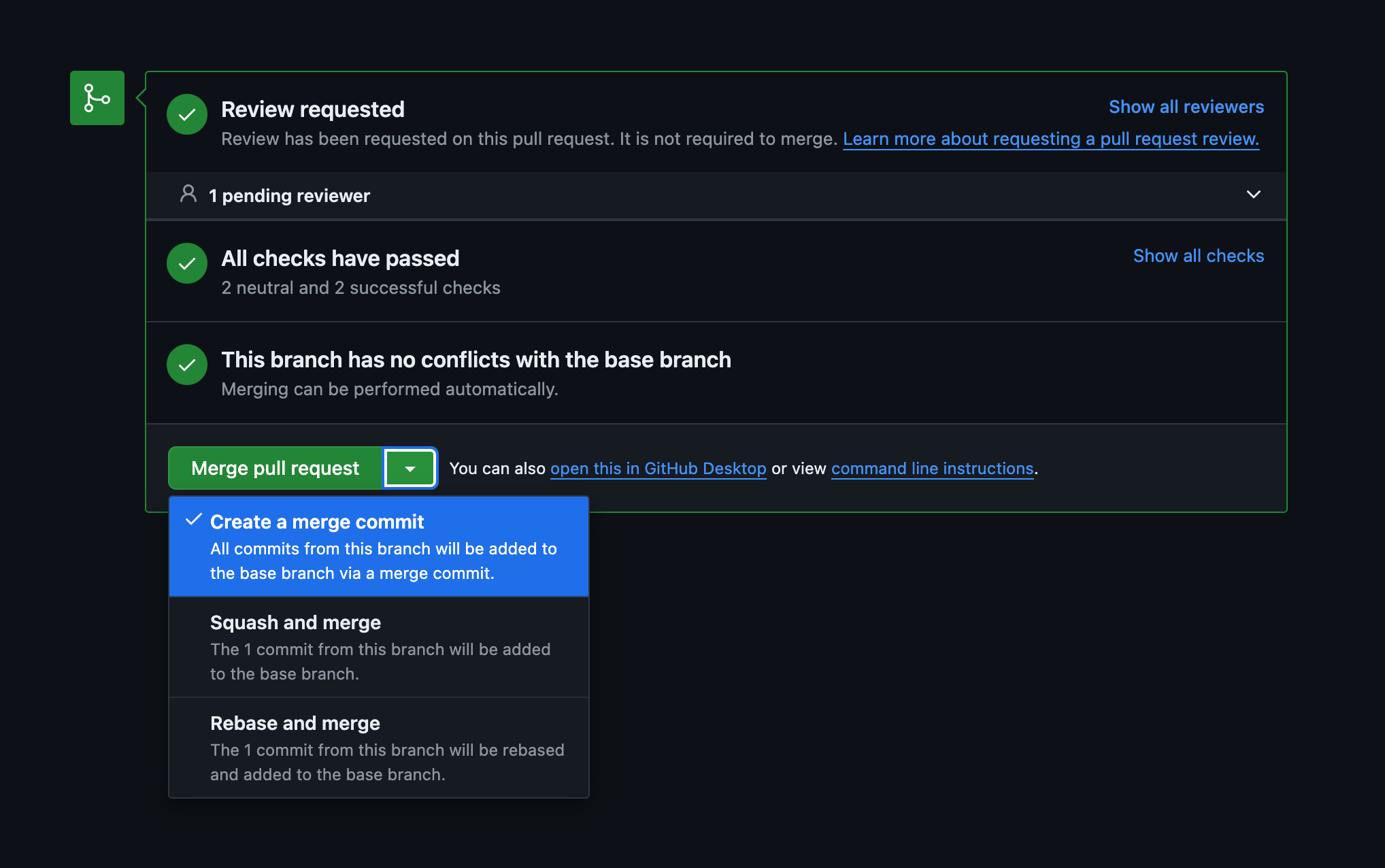
If you squashed the PR before committing, all history would be gone. You need to use a merge commit. In some cases, you might even have to temporarily change the branch protection settings to allow that. You should do that in order to make all of this effort worthwhile and retain that precious history.
Congratulations, you’re done!
Go to your old multi-repo, put a callout and link to the new monorepo location in the README, and archive the repository to prevent any drift. Let your team know that you’re done with the migration, and where the repository is located now. Then pat yourself on the shoulder, you’re a real Git sorcerer now.
此内容由惯性聚合(RSS阅读器)自动聚合整理,仅供阅读参考。 原文来自 — 版权归原作者所有。