背景
Web 性能优化特别是长列表滚动优化是一个老生常谈的问题,一般我们的思路是通过虚拟滚动、GPU 加速、fragment 复用等方式优化性能。
在本篇文章中,主要介绍一个压缩合成层的思路来进行性能优化,关于合成层的文章网上也有一些(附录部分有列出),不过大部分文章会对合成层创建的原因进行冗长的介绍,本文会跳过这些部分。原因是我们通过 devTools 可以比较方便的针对具体情况分析创建合成层的原因,另外一个原因是 blink 已经把创建合成层的原因写到了一个文件中(传送门),我们直接参考就行,也没有必要去全都记住。
合成层是什么
对于 blink 渲染引擎的渲染流程,大致可以分为以下几个阶段:
1
| Dom Tree -> Layout Object -> Paint Layer -> Graphics Layers Tree -> Paint
|
我们对以上过程进行一个简述:
- Dom Tree 到 Render Tree 这个过程,基本是一一对应的,除了一些 display:none 的元素。
- Layout Object 会按照一定条件创建 Paint Layer。
- Paint Layer 在到 Graphics Layer 的过程中,会创建合成层(Composite Layer),会对应独立的 Graphics Layer。
- Graphics Layer 会把结果渲染到纹理,最终通过 Chrome 的渲染层以及系统进行上屏。
实际上我们可以发现,合成层的多少会比较影响我们的渲染性能,合成层比较多的情况下,当我们对页面进行交互(比如滚动),触发重新渲染,就会有卡顿的风险。
分析合成层
Chrome 的 DevTools 工具可以让我们比较方便地进行合成层分析,例如我们通过一个 demo 来进行分析:
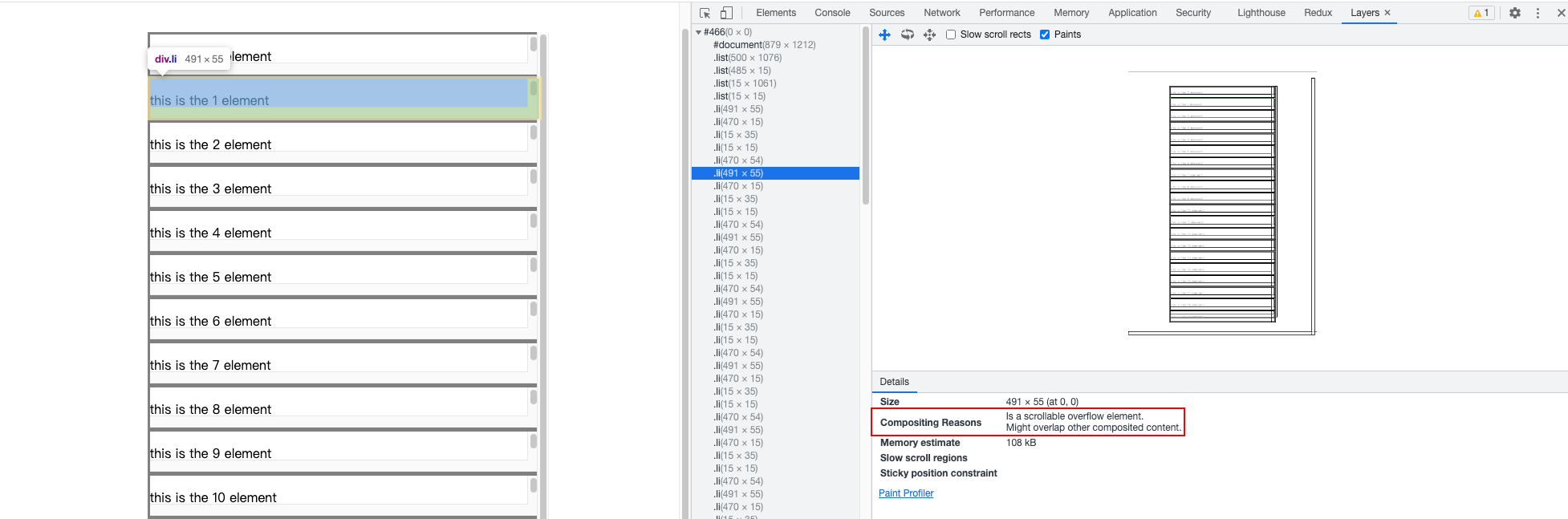
在上图中,我们会发现这个 demo 的合成层比较多,我们点进去可以查看到是因为 overflow 导致创建了新的合成层。
也就是说,对该 demo 而言我们可以尝试在这些 Demo 中去掉或者修改 overflow 的相关设置,从而进行合成层优化。
优化合成层
我们尝试去掉 overflow: scroll;。( Demo 源代码会在本文最后给出)
然后我们设置页面的列表元素为 500 个,通过模拟页面持续滚动,来检查去掉前后的性能。
去掉前,cpu 保持在 50%+,这实际上已经是一个比较高的数值了:
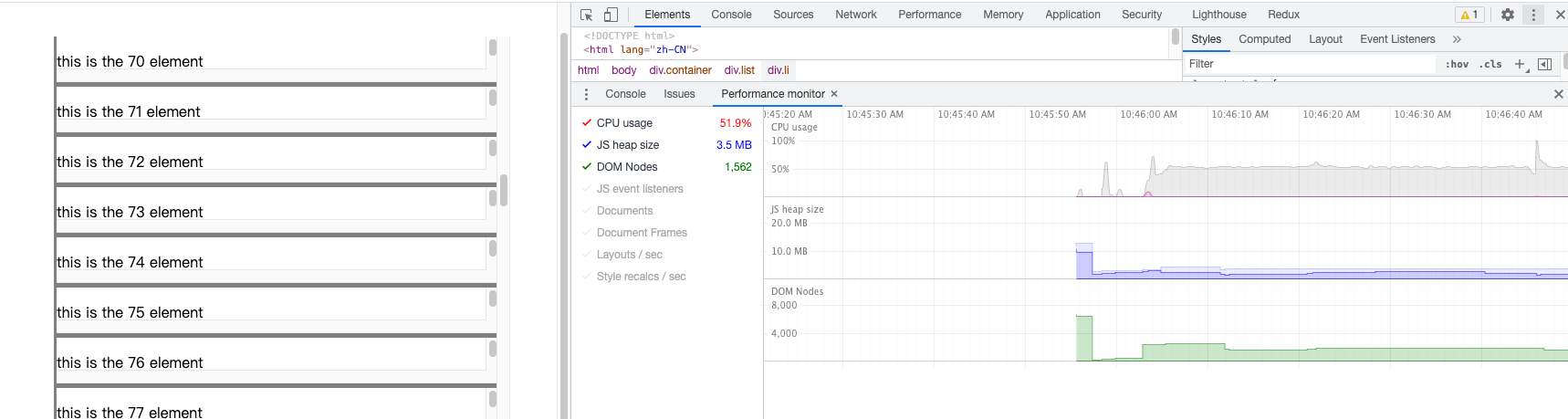
去掉后,cpu 保持在 2% 左右:
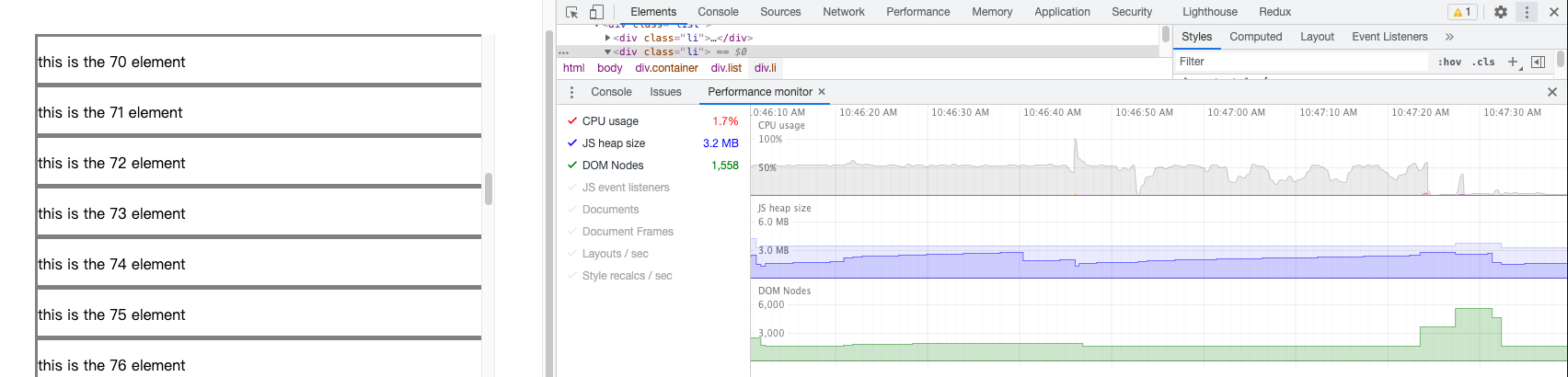
我们可以看到,优化后有巨大的性能提升,这种量级的性能提升,会远超虚拟滚动等方案(其实我个人是不建议采用虚拟滚动的,非常难维护,而且你很难做到浏览器原生滚动的丝滑水准)。
附录
示例代码:
1
2
3
4
5
6
7
8
9
10
11
12
13
14
15
16
17
18
19
20
21
22
23
24
25
26
27
28
29
30
31
32
33
34
35
36
37
38
39
40
41
42
43
44
45
46
47
48
49
50
51
52
53
54
55
56
| <!DOCTYPE html>
<html lang="zh-CN">
<head>
<meta charset="UTF-8">
<meta name="viewport" content="width=device-width, initial-scale=1.0, maximum-scale=1.0, user-scalable=0,minimal-ui:ios">
<meta http-equiv="X-UA-Compatible" content="ie=edge">
<title>Document</title>
<style >
.container {
width: 100vw;
height: 100vh;
display: flex;
align-items: center;
justify-content: center;
}
.list {
width: 500px;
height: 90vh;
overflow: scroll;
}
.li {
width: 100%;
height: 50px;
border-bottom: 2px;
border-style: solid;
border-color: grey;
}
</style>
</head>
<body>
<div class="container">
<div class="list">
</div>
</div>
</body>
<script>
const totalListCount = 500;
const list = document.querySelector(".list");
for(let i = 0; i < totalListCount; i += 1) {
let fragment = document.createElement("div");
fragment.classList.add("li");
fragment.innerHTML = `<p>this is the ${i} element</p>`;
list.appendChild(fragment);
}
let curr = 0;
const renderScroll = function () {
curr += 5;
if (curr >= totalListCount) curr = 0;
list.children[curr].scrollIntoView();
window.requestAnimationFrame(renderScroll)
};
renderScroll();
</script>
</html>
|
参考:









