惯性聚合 高效追踪和阅读你感兴趣的博客、新闻、科技资讯
阅读原文 在惯性聚合中打开

推荐订阅源

Simon Willison's Weblog
G
Google Developers Blog
Spread Privacy
Spread Privacy
I
InfoQ
V
V2EX
S
Schneier on Security
小众软件
小众软件
C
CERT Recently Published Vulnerability Notes
博客园 - 聂微东
奇客Solidot–传递最新科技情报
奇客Solidot–传递最新科技情报
Stack Overflow Blog
Stack Overflow Blog
T
Threat Research - Cisco Blogs
L
Lohrmann on Cybersecurity
Recent Announcements
Cyber Security Advisories - MS-ISAC
Attack and Defense Labs
云风的 BLOG
云风的 BLOG
The Hacker News
The Hacker News
S
SegmentFault 最新的问题
C
Cybersecurity and Infrastructure Security Agency CISA
NISL@THU
NISL@THU
OSCHINA 社区最新新闻
OSCHINA 社区最新新闻
GbyAI
GbyAI
Latest news
Latest news
S
Secure Thoughts
Project Zero
Project Zero
MongoDB | Blog
MongoDB | Blog
I
Intezer
Security Latest
Security Latest
Apple Machine Learning Research
Vercel News
Vercel News
N
Netflix TechBlog - Medium
V2EX - 技术
V2EX - 技术
量子位
T
Threatpost
T
The Blog of Author Tim Ferriss
Y
Y Combinator Blog
T
Tor Project blog
A
Arctic Wolf
Microsoft Security Blog
T
The Exploit Database - CXSecurity.com
大猫的无限游戏
大猫的无限游戏
T
Tailwind CSS Blog
freeCodeCamp Programming Tutorials: Python, JavaScript, Git & More
C
Check Point Blog
博客园 - Franky
Google DeepMind News
The Register - Security
The GitHub Blog
The GitHub Blog
L
LINUX DO - 热门话题

无闻风

博客迁移到了华为云 - 无闻风 iMac Pro维修记 - 无闻风 Git服务器从gitblit升级到gitlab - 无闻风 搭建了一个Minecraft服务器 - 无闻风 QT学习作品,多线程IP扫描器 - 无闻风 服务器小升级,装了个OpenWrt做端口转发 - 无闻风 服务器回档了:( - 无闻风 MAX30102血氧心率传感器开发研究 - 无闻风 换了个机箱 - 无闻风
使用Gitblit搭建个人小型Git服务器 - 无闻风
博主: Kevin · 2021-12-08 · via 无闻风
  1. 首页
  2. 正文  
  3. 分享到:

git.lmve<-入口
1.png
这个在很久以前就已将搭建了,一直在用,效果还不错,管理小项目足够给力。

我的搭建方法

1.先去Gitblit官网下载服务包。
2.下载JAVA


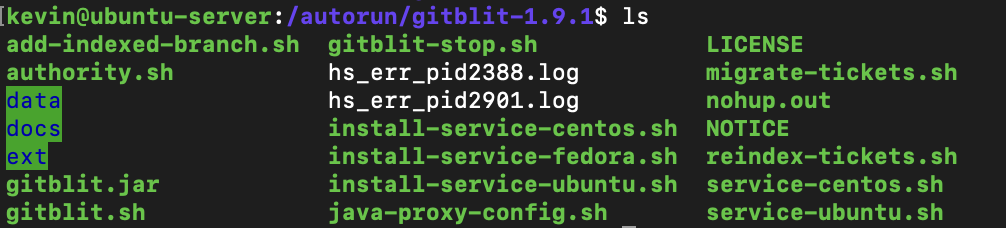
解压下载的Gitblit服务包,里面应该会有这些文件
截屏2021-12-04 下午5.16.49.png
修改gitblit.sh
截屏2021-12-04 下午5.19.47.png
先cd把执行路径改成当前路径
我这里是修改了java的路径
java -cp "gitblit.jar:ext/*" com.gitblit.GitBlitServer --baseFolder data这句本来就有的

进入data文件夹
修改defaults.properties这个文件(所有外观LOGO、推送、克隆的设置都通过修改这个文件完成)

随便做了个logo放了上去,再用H5做了个动态的logo
关闭了http和git两种推送克隆方式,因为我有url整洁强迫症,链接中有端口号就受不了,git方式需要ssh,ssh需要22号端口,我的系统已将用了这个端口,所有要用的话肯定要改端口
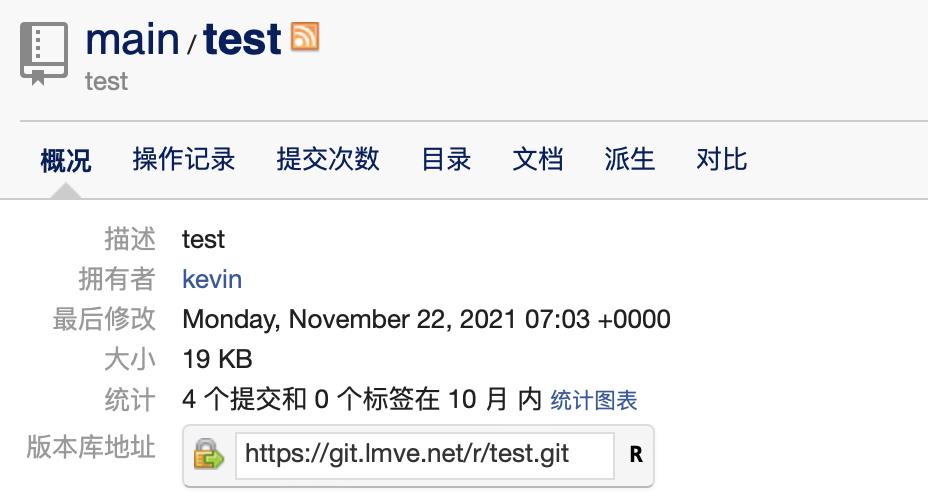
截屏2021-12-04 下午5.43.15.png
只保留https的方式

运行gitblit.sh
不出意外的话 在浏览器地址输入 127.0.0.1:8443 就能进去
默认账号密码是
admin
12345678
改了就可以上线了

前面我说了我是有url整洁强迫症的人,带个8443端口怎么能直接上线
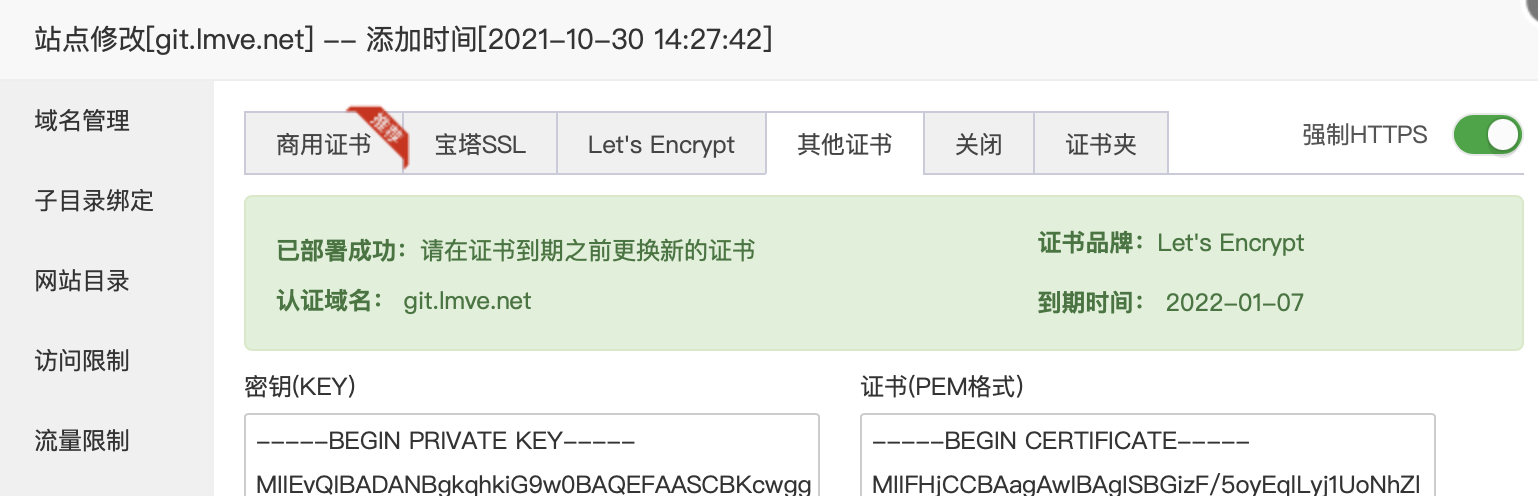
截屏2021-12-04 下午5.48.34.png
用一个域名在宝塔配置好站点,配置好ssl,
通过反向代理的方式,就可以用过443端口进入,而且不和我其他网站冲突。

截屏2021-12-04 下午5.49.54.png

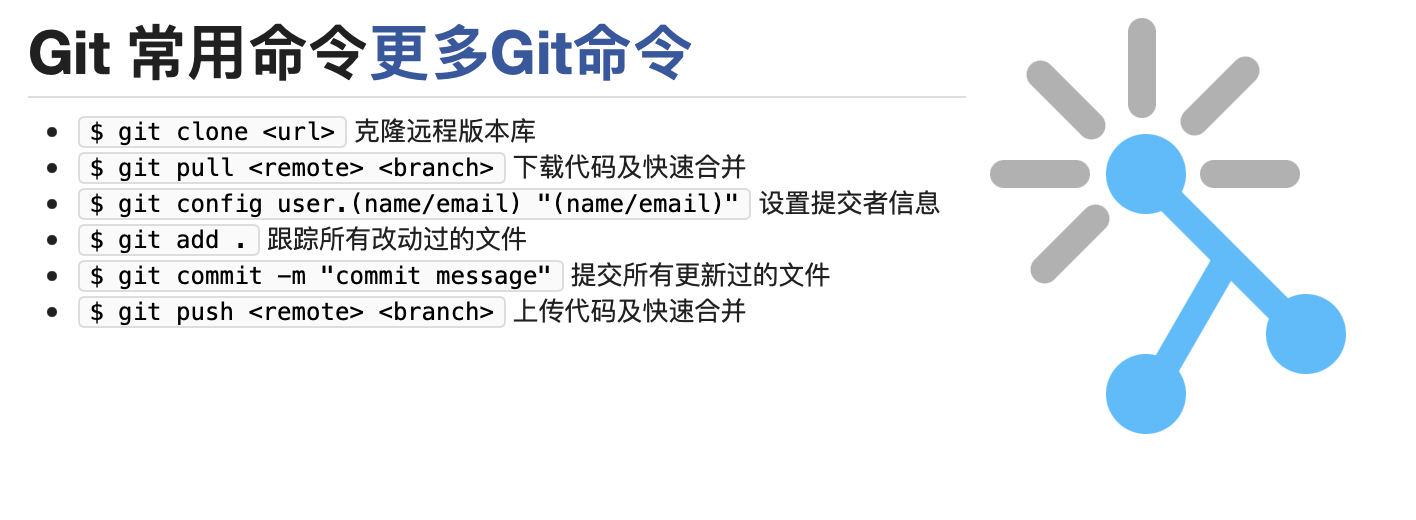
最近又有一些好活要整,有几个小项目。代码不算复杂,找了几个工具人帮忙,有了伟大的版本管理工具Git,应该效率会提升不少

赞赏作者

声明:无闻风博客|版权所有,违者必究|如未注明,均为原创| 转载:转载请注明原文链接

使用Gitblit搭建个人小型Git服务器

 •