


惯性聚合 高效追踪和阅读你感兴趣的博客、新闻、科技资讯
阅读原文 在惯性聚合中打开

推荐订阅源

F
Fortinet All Blogs
美团技术团队
T
Tenable Blog
大猫的无限游戏
大猫的无限游戏
Schneier on Security
S
Schneier on Security
博客园_首页
C
Cyber Attacks, Cyber Crime and Cyber Security
I
Intezer
T
Tailwind CSS Blog
GbyAI
GbyAI
C
CERT Recently Published Vulnerability Notes
博客园 - 【当耐特】
IT之家
IT之家
G
Google Developers Blog
C
CXSECURITY Database RSS Feed - CXSecurity.com
P
Privacy International News Feed
Vercel News
Vercel News
Cyberwarzone
Cyberwarzone
N
News and Events Feed by Topic
Application and Cybersecurity Blog
freeCodeCamp Programming Tutorials: Python, JavaScript, Git & More
The Register - Security
人人都是产品经理
人人都是产品经理
Cisco Talos Blog
Cisco Talos Blog
CTFtime.org: upcoming CTF events
Project Zero
Project Zero
V
V2EX
K
KPMG report finds enterprise disconnect between AI and its ROI | CIO
月光博客
月光博客
Hacker News - Newest:
Hacker News - Newest: "LLM"
WordPress大学
WordPress大学
L
LangChain Blog
阮一峰的网络日志
阮一峰的网络日志
MongoDB | Blog
MongoDB | Blog
F
Full Disclosure
让小产品的独立变现更简单 - ezindie.com
N
News and Events Feed by Topic
G
GRAHAM CLULEY
H
Hacker News: Front Page
Forbes - Security
Forbes - Security
H
Heimdal Security Blog
L
LINUX DO - 最新话题
L
Lohrmann on Cybersecurity
Apple Machine Learning Research
Help Net Security
Help Net Security
C
Cybersecurity and Infrastructure Security Agency CISA
Recent Announcements
C
Cisco Blogs
L
LINUX DO - 热门话题

freeCodeCamp Programming Tutorials: Python, JavaScript, Git & More

Learn Command Line Interface (CLI) Development with Dart: From Zero to a Fully Published Developer Tool How to Bypass Cloud SMTP Restrictions Using Brevo and HTTP APIs How to Build a Live Options Database in Python – A Complete Guide How to Migrate to S3 Native State Locking in Terraform How to Use SCons to Build Software Projects [Full Handbook] How to Run Open Source LLMs Locally and in the Cloud QuRT: The Real-Time OS Inside Your Phone's Processor [Full Handbook] The Real Infrastructure Behind Remote Work (It’s Not Just Wi-Fi) The Lithography Handbook: Machines, Markets, and the Next Wave of Semiconductor Startups ITCM vs DTCM vs DDR: Embedded Memory Types Explained [Full Handbook] AI Paper Review: Improving Language Understanding by Generative Pre-Training (GPT-1) How to Build a Market Research Copilot with MCP and Python [Full Handbook] How to Build a Scoped Note-Taking API with Django Rest Framework and SimpleJWT The Complete SOC 2 Type II Implementation Handbook for Engineers: A Month-by-Month Roadmap with Real Commands Mastering the JavaScript Event Loop Data Science Insights: Why the Mean Lies When Handling Messy Retail Data How to Build High-Ranking SEO Landing Page How to Query Data in DynamoDB Using .Net How to Unblock Your AI PR Review Bottleneck: A Tech Lead’s Guide to Building a Codebase-Aware Reviewer How to Navigate Microservices as a Frontend Engineer How to Compress PDF Files in the Browser Using JavaScript (Step-by-Step) Stanford's youngest instructor talks InfoSec, AI, and catching cheaters - Rachel Fernandez interview [Podcast #217] Product Experimentation with Propensity Scores: Causal Inference for LLM-Based Features in Python How to Build a Multi-Agent AI System with LangGraph, MCP, and A2A [Full Book] How to Land Your First Cloud or DevOps Role: What Hiring Managers Actually Look For How to Deploy a Serverless Spam Classifier Using Scikit-Learn, AWS Lambda, & API Gateway How to Dockerize a Go Application – Full Step-by-Step Walkthrough Learn Hardware, Cloud, DevOps, Networking, Security, Databases, DNS, Git, and Linux Inside TreeHacks 2026, Stanford’s Elite Student Hakc Inside Stanford’s Elite Student Hackathon [Full Documentary] How to Measure Your AI Citation Rate Across ChatGPT, Perplexity, and Claude How to Deploy a Full-Stack Next.js App on Cloudflare Workers with GitHub Actions CI/CD How to Build a Multi-Tenant SaaS Platform with Next.js, Express, and Prisma How I Completed 15 freeCodeCamp Certifications in 4 Months: A Structured Learning Journey How to Build an Agentic Terminal Workflow with GitHub Copilot CLI and MCP Servers How AI Changed the Economics of Writing Clean Code How to Apply STRIDE Threat Modeling and SonarQube Analysis for Secure Software Development How to Set Up OpenID Connect (OIDC) in GitHub Actions for AWS How to Split PDF Files in the Browser Using JavaScript (Step-by-Step) How to Build Your Own Language-Specific LLM [Full Handbook] How to Build a Self-Learning RAG System with Knowledge Reflection How to Trace Multi-Agent AI Swarms with Jaeger v2 How I Tested Malaysia's Open Data Portals with Plain English How I Built a Production-Ready CI/CD Pipeline for a Monorepo-Based Microservices System with Jenkins, Docker Compose, and Traefik The Hidden Tax of Infrastructure: Why Your Team Shouldn’t Be Running It Anymore From Metrics to Meaning: How PaaS Helps Developers Understand Production From Symptoms to Root Cause: How to Use the 5 Whys Technique Product Experimentation for AI Rollouts: Why A/B Testing Breaks and How Difference-in-Differences in Python Fixes It How to Create a GPU-Optimized Machine Image with HashiCorp Packer on GCP 3D Web Development with Blender and Three.js How to Fix a Failing GitHub PR: Debugging CI, Lint Errors, and Build Errors Step by Step How to Merge PDF Files in the Browser Using JavaScript (Step-by-Step) How to Handle Stripe Webhooks Reliably with Background Jobs How to Build an Automatic Knowledge Graph for Your Blog with PHP and JSON-LD Understanding Proxies and Reverse Proxies: Your Gateway to Secure Networking The Evolution of Nvidia Blackwell GPU Memory Architecture How to Use PostgreSQL as a Cache, Queue, and Search Engine The New Definition of Software Engineering in the Age of AI Reclaim Your Time – Master Automation with Zapier How to Create Dynamic Emails in Go with React Email Why Many Beginner Self-Taught Developers Struggle (And What to Do About It) How to Build a Headless WordPress Frontend with Astro SSR on Cloudflare Pages How to Use Context Hub (chub) to Build a Companion Relevance Engine Why Chrome OS Is the Operating System the AI Era Was Built For How to Build Microservices-Based REST APIs for Healthcare Portals How to friction-max your learning with software engineer Jessica Rose [Podcast #216] Shadow AI Explained: Why Employees Are Using AI Behind Your Back Traditional Scraping vs AI Scraping: A Practical Guide for Developers and Data Teams How Database Indexes Work – A Practical Guide with PostgreSQL Examples How to Streamline Search in Web Applications with Elasticsearch How to Build an Open Source Data Lake for Batch Ingestion OpenAI Codex Essentials – AI Assisted Agentic Development Course Learn Software System Design How to Generate PDF Files in the Browser Using JavaScript (With a Real Invoice Example) How to Get Started with Terraform Service-to-Service Communication: When to Use REST, gRPC, and Event-Driven Messaging A Developer’s Guide to Lazy Loading in React and Next.js The Data Quality Handbook: Data Errors, the Developer's Role, and Validation Layers Explained. United States Residential Proxy: Why Local IP Accuracy Matters for SERP, Ads, and Pricing How to Build a Fashion App That Helps You Organize Your Wardrobe How to Build an Admin Dashboard Sidebar with shadcn/ui and Base UI The AI Governance Handbook: How to Build Responsible AI Systems That Actually Ship How to Build a Local DevOps HomeLab with Docker, Kubernetes, and Ansible How to Use Mixins in Flutter [Full Handbook] How to Prep for Technical Interviews – A Guide for Web Developers GPT-5.4 vs GLM-5: Is Open Source Finally Matching Proprietary AI? Data Visualization Tools for Svelte Developers How to Keep Human Experts Visible in Your AI-Assisted Codebase Efficient Data Processing in Python: Batch vs Streaming Pipelines Explained How to Build and Deploy Multi-Architecture Docker Apps on Google Cloud Using ARM Nodes (Without QEMU) How to Build a Secure AI PR Reviewer with Claude, GitHub Actions, and JavaScript How to Build a Positioning-Based Crude Oil Strategy in Python [Full Handbook] How to learn programming and CS in the AI hype era – interview with dev and prof Mark Mahoney [Podcast #215] CUDA Programming for NVIDIA H100s How to Build Reliable AI Systems. How to Build an Online Marketplace with Next.js, Express, and Stripe Connect How to Build a Cost-Efficient AI Agent with Tiered Model Routing The WebCodecs Handbook: Native Video Processing in the Browser The Bluetooth LE Audio Handbook: From "Why Does My Call Sound Like a Tin Can?" to AOSP Implementation How to Set Up OpenClaw and Design an A2A Plugin Bridge
How to Make Your GitHub Profile Stand Out
Chinaza Chuk · 2026-04-18 · via freeCodeCamp Programming Tutorials: Python, JavaScript, Git & More
How to Make Your GitHub Profile Stand Out

If you have a Github profile, you might overlook the many ways you can customize it – and that's completely understandable. After all, at its core, GitHub is a home for your code.

But beyond repositories and commits, your profile can say a lot about you as a developer.

When used intentionally, GitHub becomes more than a code hosting platform. It becomes your CV for your codebase. It tells your story, showcases your skills, and gives people a reason to trust your work.

In this article, we'll break down the different ways to make your GitHub profile stand out. From setting up your GitHub account to engaging storytelling for your repositories, there's lots you can do.

Let's get started!

Table of Contents

Step 1: Sign Up for a Github Account

To begin, you'll need a GitHub account. If you don’t have one, you can set one up here.

Once you have your account set up and you're logged in, we can move on to the next step.

Step 2: Add a Profile Image

Your profile image is often the first thing people notice. It could be a professional photo of yourself, or an image or avatar that represents you or your interests

As long as it’s appropriate, you’re good to go.

To add a profile image, you'll need to:

  • Open your profile menu/dashboard

  • Click on the image icon at the left

  • Click on the edit text on the image icon

  • Select the image to set as your profile picture

  • Click the "Set new profile picture" button

So, you should have something like this:
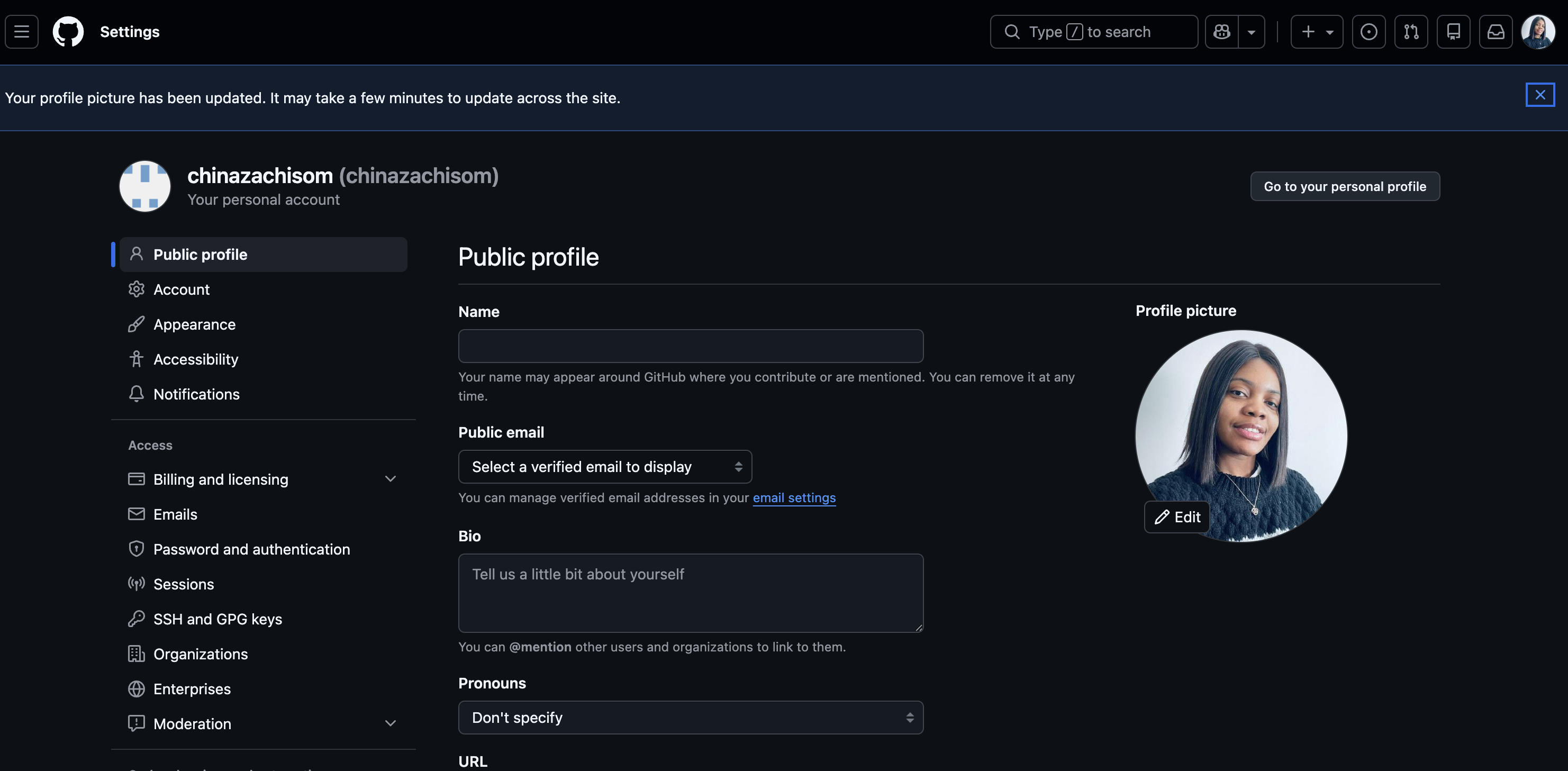
Image showing the new Profile image added

GitHub link to this page: https://github.com/settings/profile

And there you have it, your GitHub profile image is set.

On to the next one…

Step 3: Add Profile Details

This step is all about credibility and discoverability.

At the center of your profile settings you'll see fields like email, location, social media links and so on. We'll be adding those details so you can take advantage of the discoverability it lends to your profile.
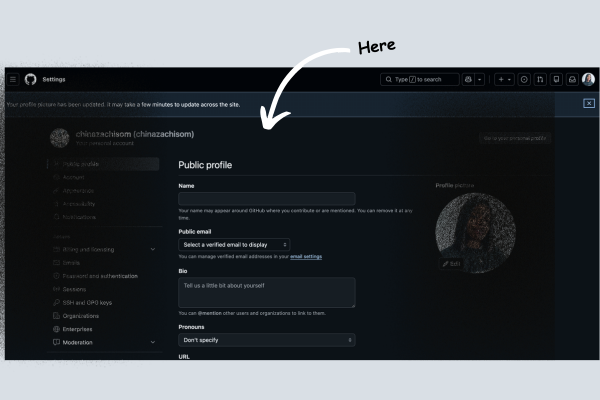
Image showing public profile settings tab

GitHub link to this page: https://github.com/settings/profile

For this step, you'll want to add as much detail as possible (apart from your home address – I think we both know why).

For the location, you can just put in your city or country so others have a general idea of where you are in the world.

Step 4: Add a Profile README File

This is where you introduce yourself properly and tell your story.

A Profile README is a special repository named exactly the same as your GitHub username. Your README file appears directly on your profile page.

The READme should answer the following questions:

  • Who are you?

  • What are your project highlights?

  • What are you currently working on or learning?

  • Your hobbies or interests (optional)

While answering these questions, you should aim to keep it minimal and yet interesting. You don't want to overwhelm the visitor.

Here's how to create your README:

  • Click New repository

  • Name the repository exactly the same as your GitHub username

  • Check “Add a README file”

  • Make sure the repository is public

  • Click Create repository

Profile README file setup:
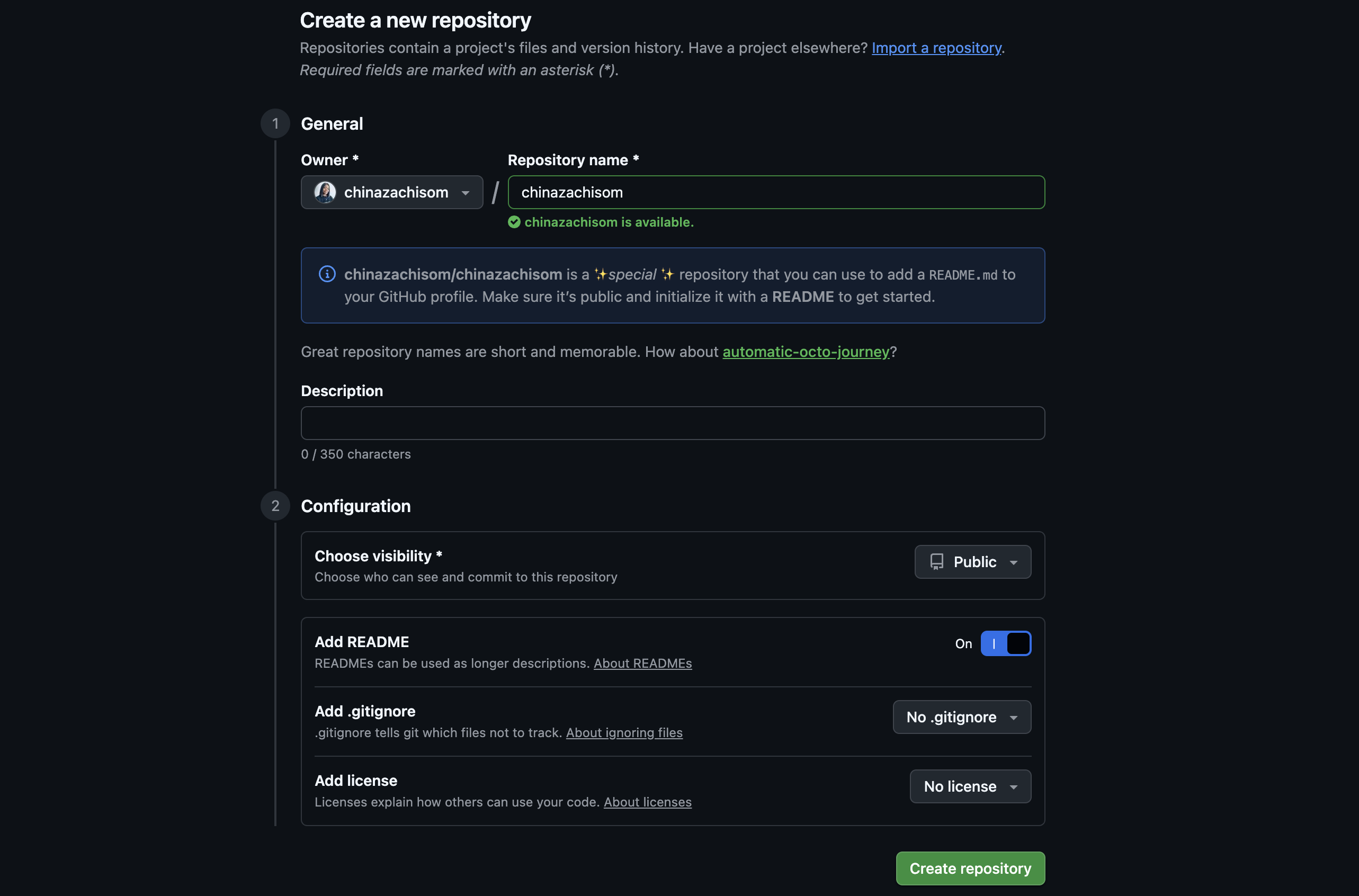
Image showing profile README file being created

GitHub link to this page: https://github.com/new

So if you answered the questions listed above, your README file should look something like this:
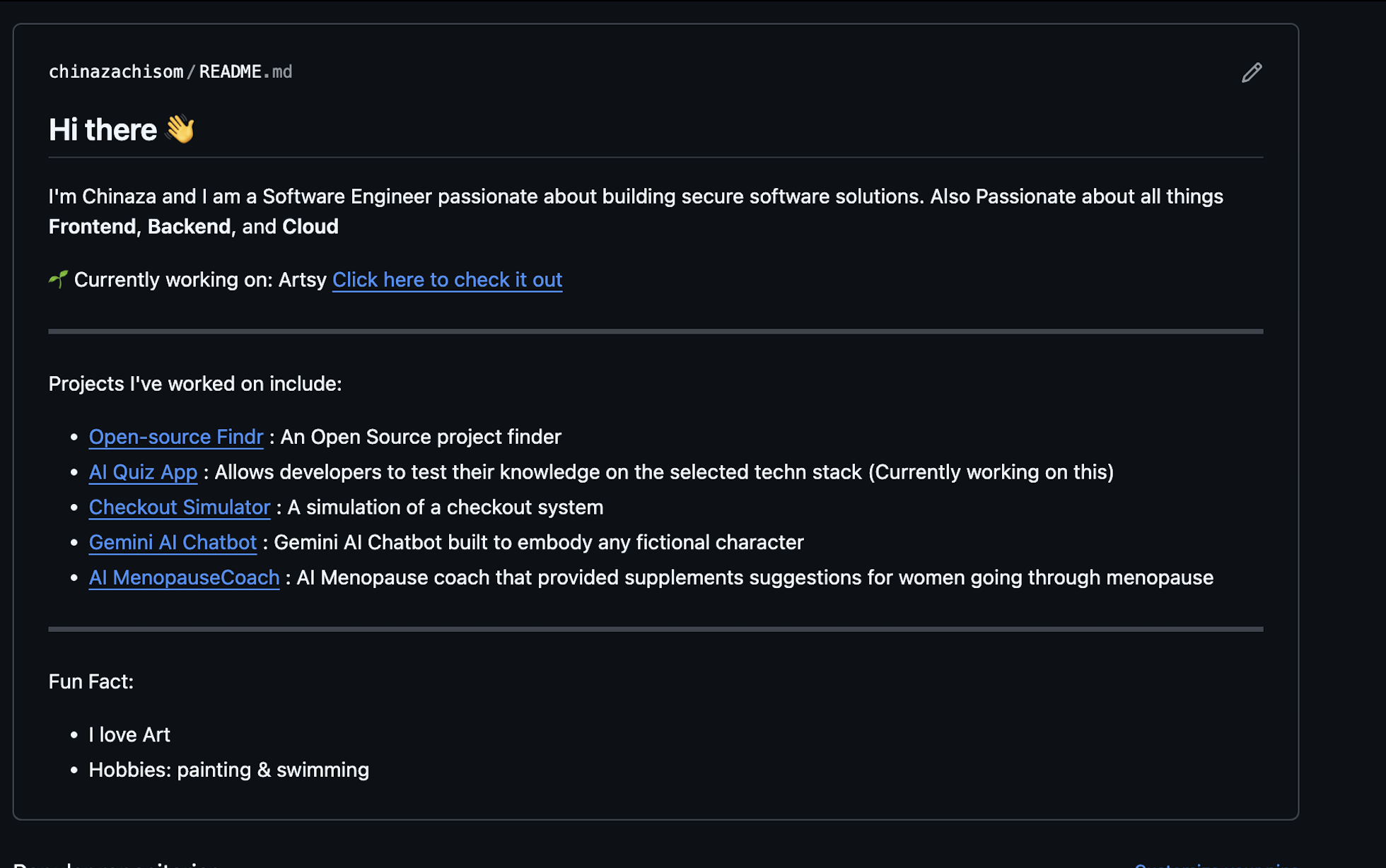
Image showing Profile README section already created

GitHub link to this page: https://github.com/chinazachisom/chinazachisom

It should also be showing directly on your GitHub profile like below:
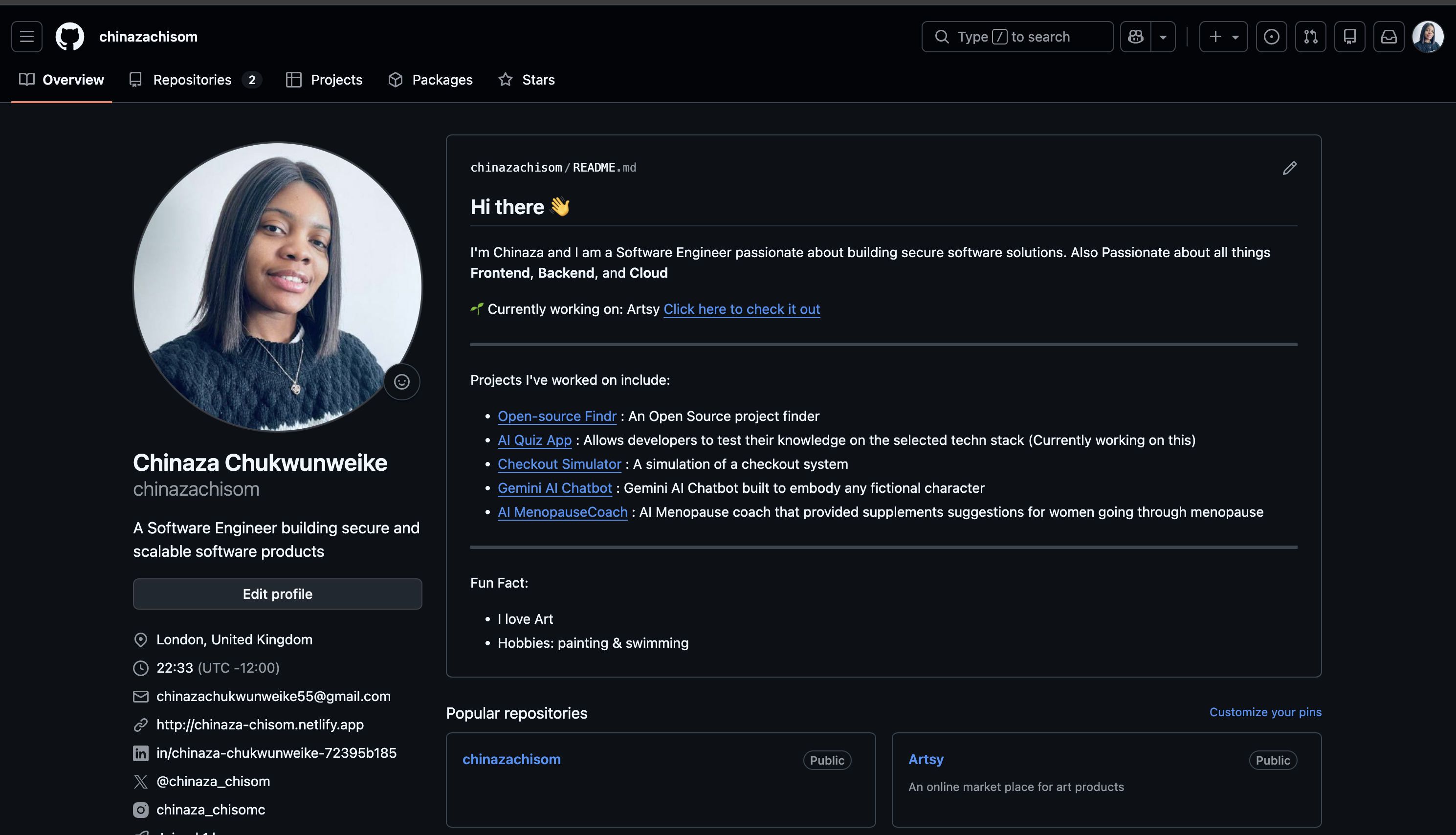
Github Profile Showing the Newly Added README file

GitHub link to this page: https://github.com/chinazachisom

Step 5: Tell a Story About Each Repository

Now, this is where you can tell a story about each of your repositories using a README file.

NB: Each repository should have its own separate README file.

What to include in a repository README:

  • Project title

  • What the project is

  • The purpose (the “why”)

  • Key features

  • Challenges you faced and how you solved them

  • Setup or usage instructions (or a live link if hosted)

  • Technical concepts used (e.g., throttling, caching, lazy loading) (optional)

  • Images or video demos

You may also include badges, charts, contribution graphs or other visual enhancements that help highlight project quality, activity and impact.

With the above structure, you can tell the stories behind your projects, show your problem-solving skills, and make your work easier to understand and evaluate.

Repository README File Sample:
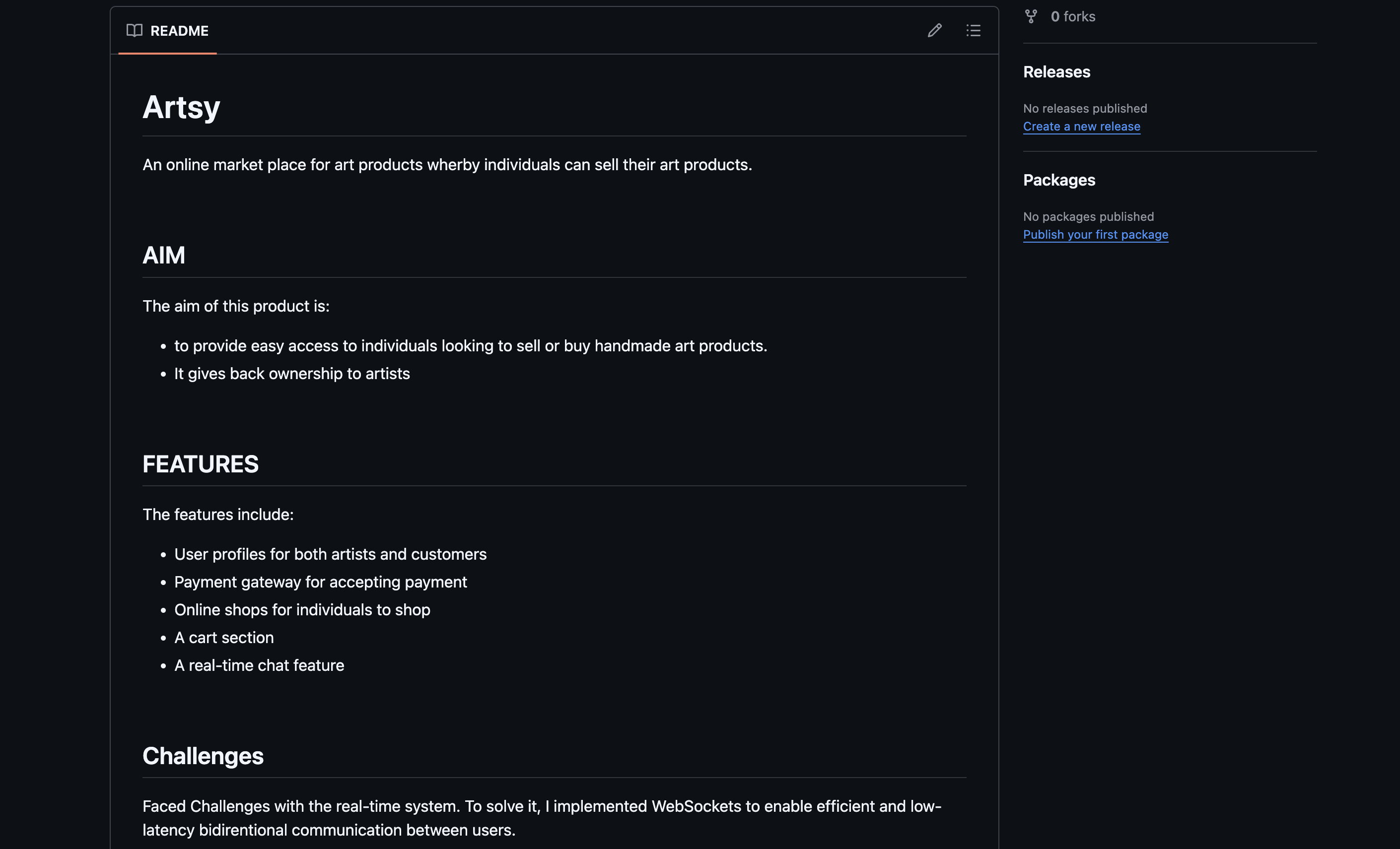
Image showing the README file for the new repository

GitHub link to this page: https://github.com/chinazachisom/Artsy

Conclusion

Your Github Profile is more than just a storage space for your codebase. It's your developer Identity as well.

Following these basic steps can help turn your Github into a portfolio infused with your personal brand. It makes your GitHub Profile stand out, which can help open doors for more opportunities.

Treat it like a CV for your code and let your work speak for you.

About the Author

Hi there! I'm Chinaza Chukwunweike, a Software Engineer passionate about building robust, scalable systems that make a real world impact. I'm also an advocate for continuous learning and improvement.

If you found this useful, please share it! And follow me for more Software Engineering tips, AI learning strategies, and productivity frameworks.


Learn to code for free. freeCodeCamp's open source curriculum has helped more than 40,000 people get jobs as developers. Get started