When you check them periodically to make sure you haven’t missed anything, clearing them out means you won’t skim the same emails next time. (Or just let it flow — Screened Out and Spam auto-delete after 90 days; Trash after 30.)







暂无文章
New
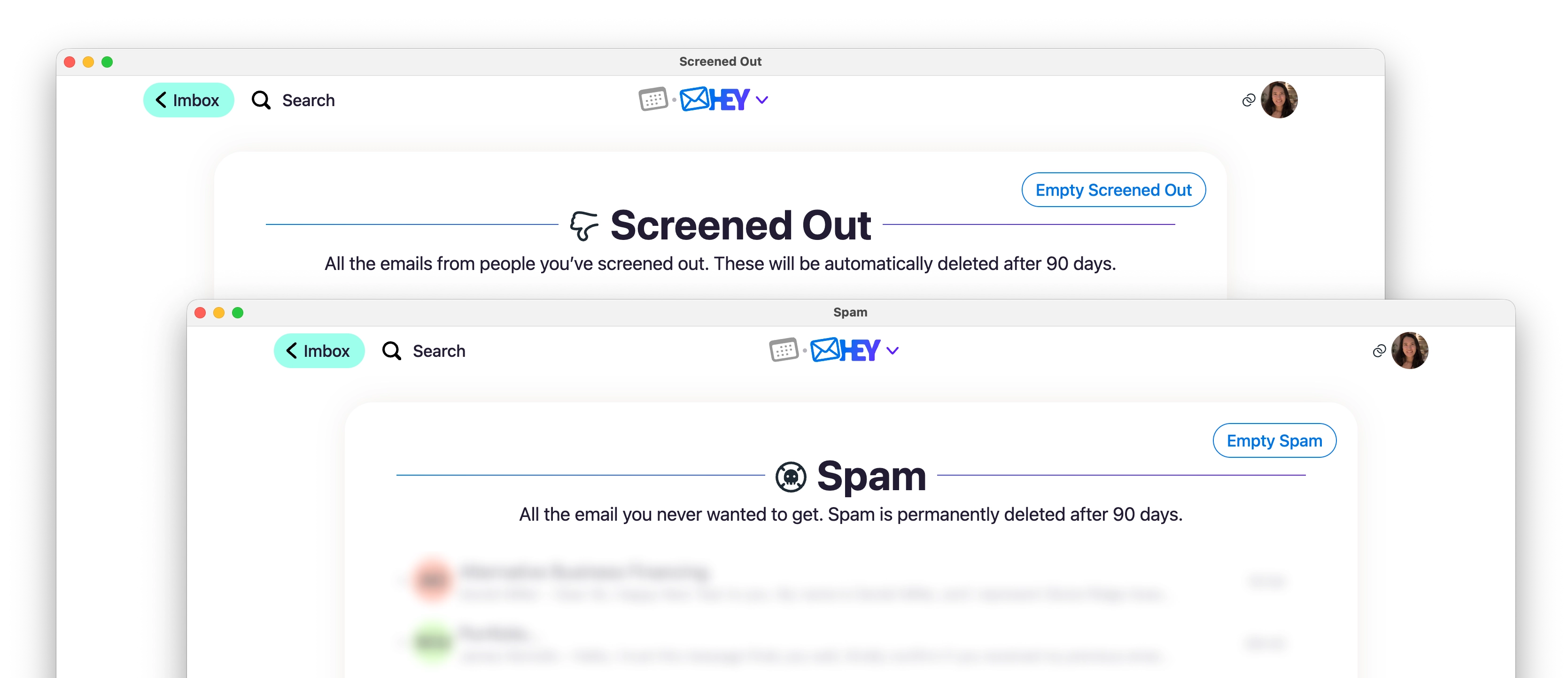
When you check them periodically to make sure you haven’t missed anything, clearing them out means you won’t skim the same emails next time. (Or just let it flow — Screened Out and Spam auto-delete after 90 days; Trash after 30.)
New • Web
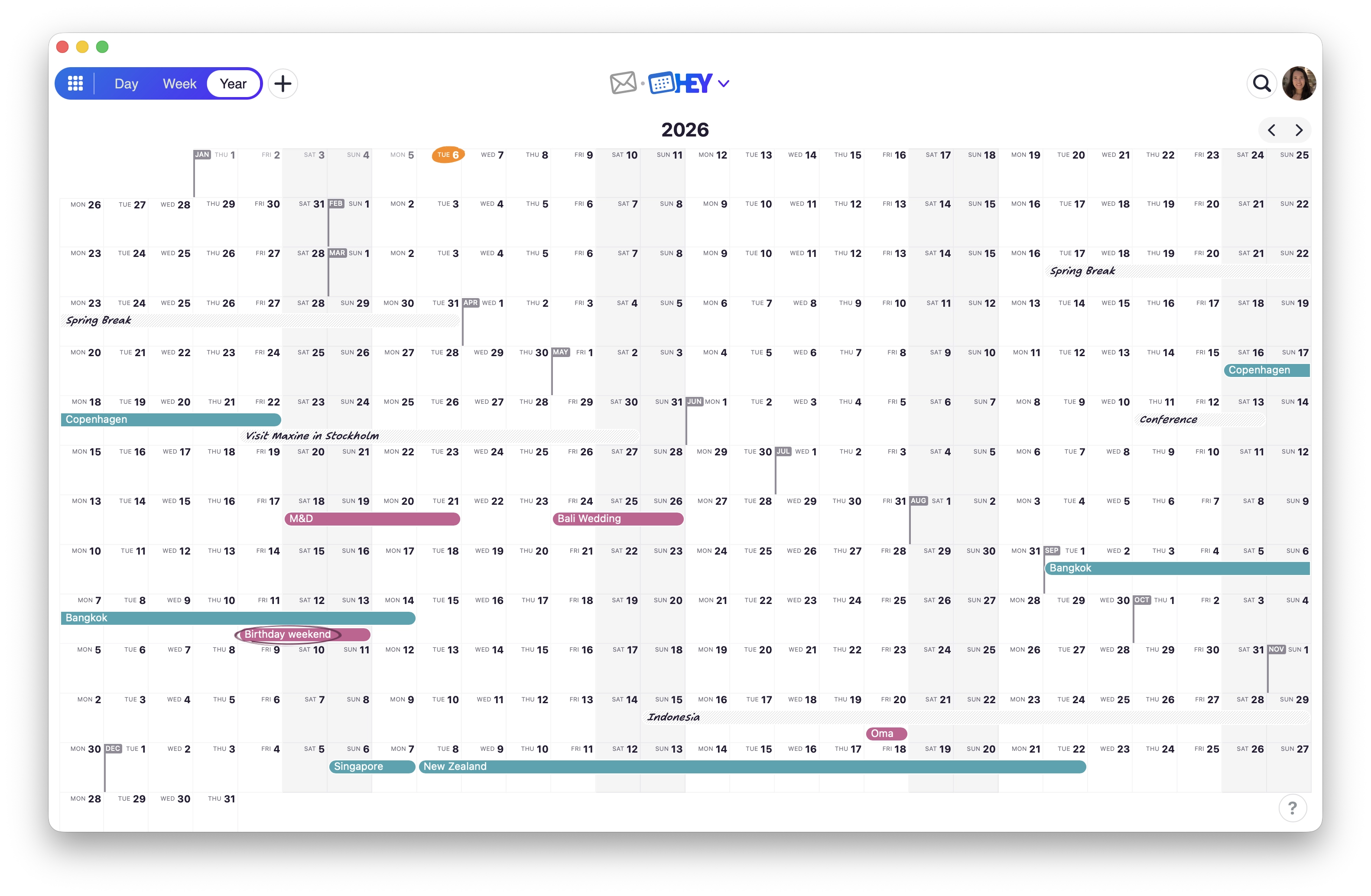
Your whole year, one screen. A birds-eye view to see what’s ahead—busy stretches, open weekends, upcoming trips. Click Year in the view switcher (or keyboard shortcut Y).
New
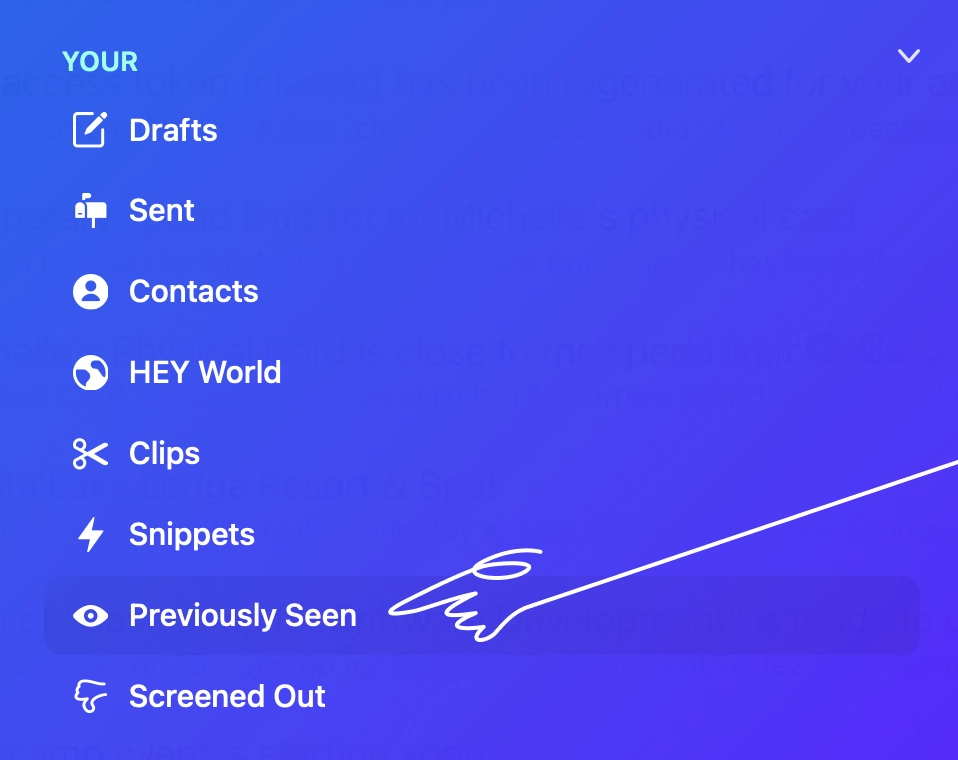
For when your Imbox piles up and you just want to find something you’ve already seen, open the HEY menu and tap Previously Seen (or keyboard shortcut 9).
New
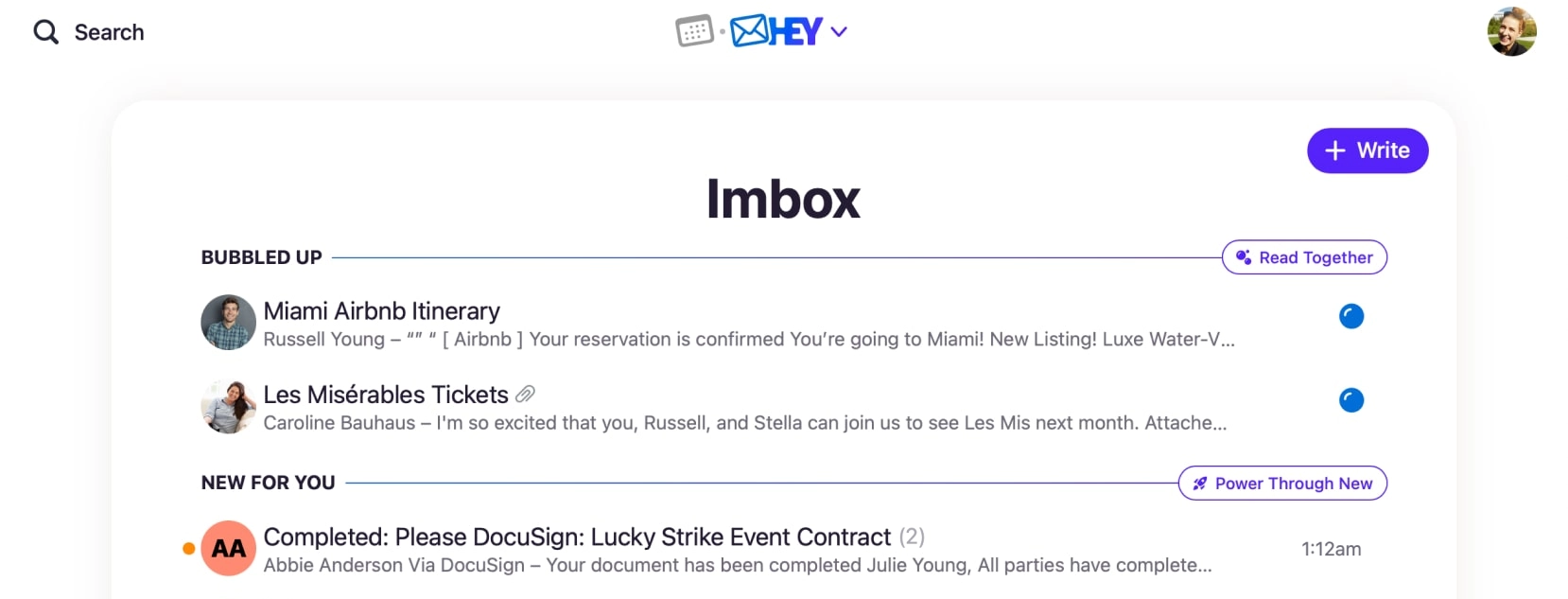
When you Bubble Up an email and then someone replies, the thread now moves to New For You.
New
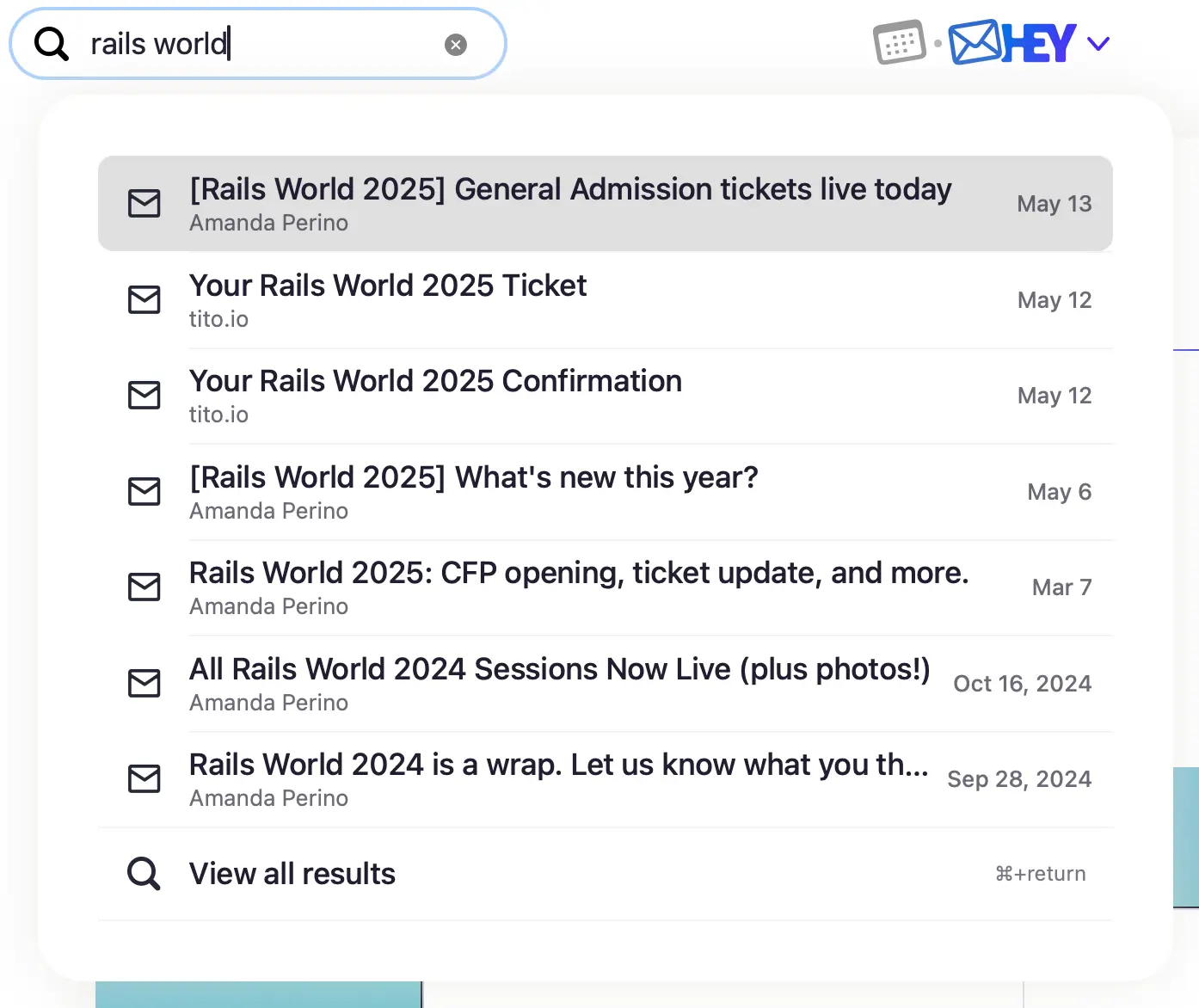
Search is better, lighter, and up to seven times faster than before! As you type, you’ll see the first seven results. To load more and refine your search, tap View all results.
New • Web
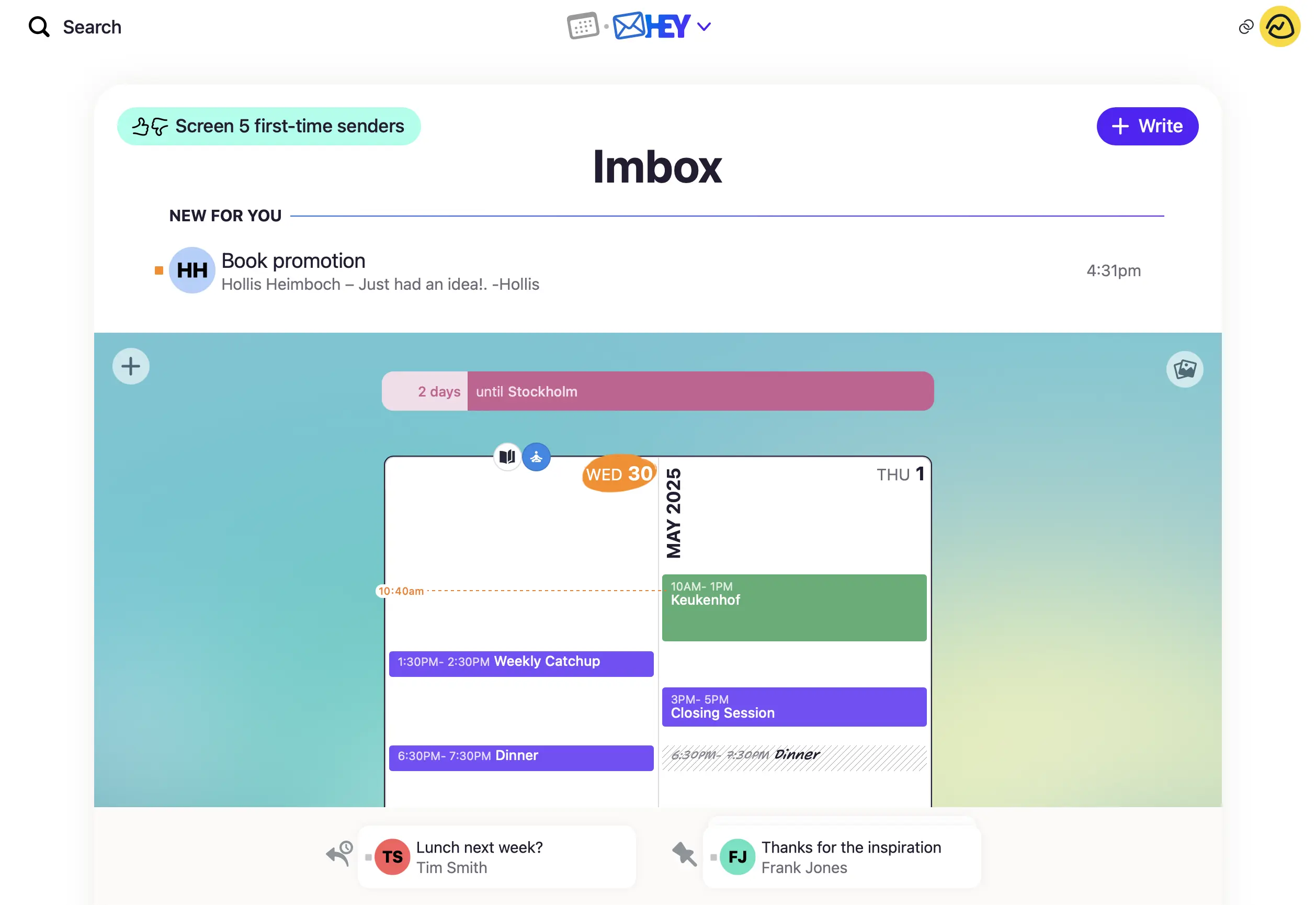
Get a glimpse into your calendar without leaving the Imbox. Choose the calendar cover art and you can see what the next few days look like, join your next meeting, countdown to your trip, check off a habit, and add something to do this week.
New • Web
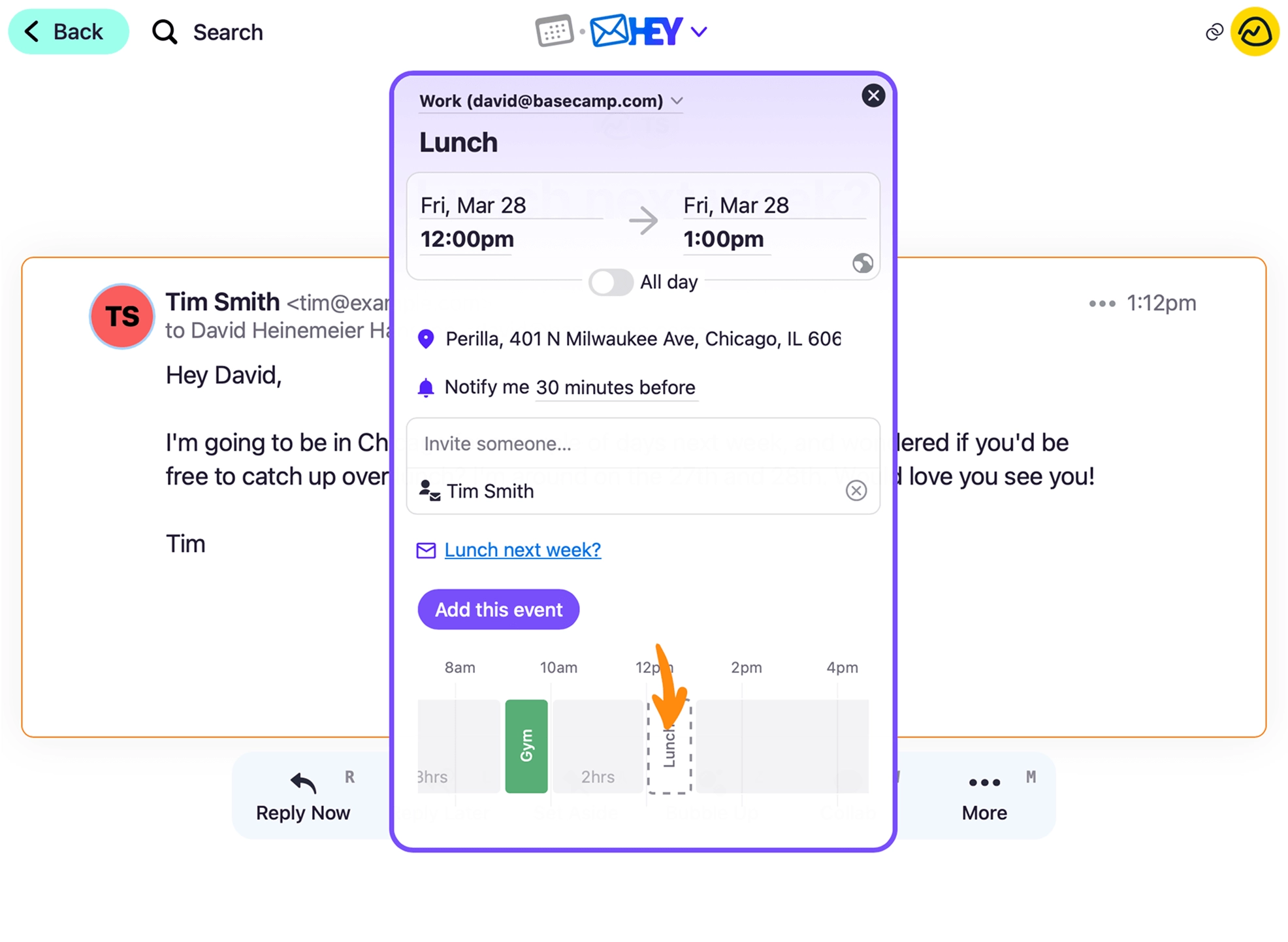
Quickly turn an email into an event. Click the ••• menu on a message and select Create event. Preview your day to find the perfect time, and the email will be auto-linked so you can jump back to it.
New • iOS
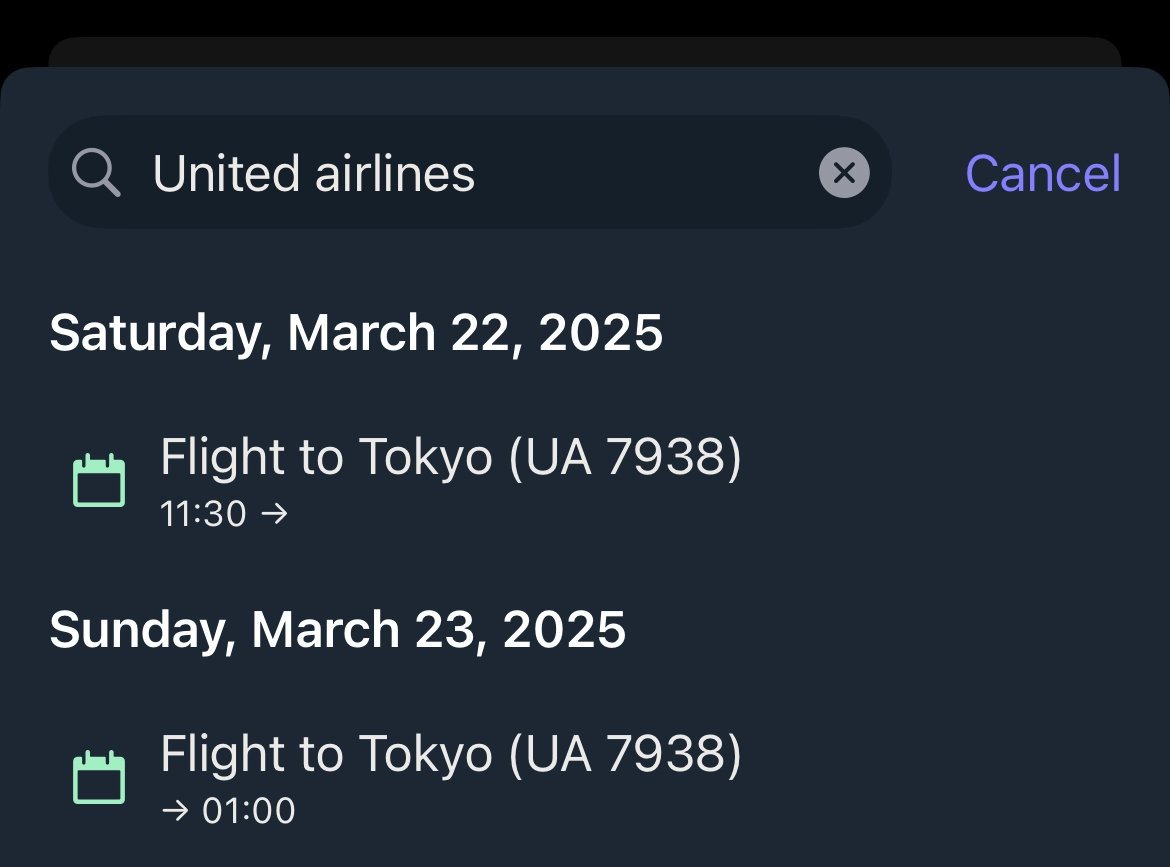
Click 🔍 on the toolbar to search events, sometime this week, custom day names, journal entries, and tracked times.
New • Android
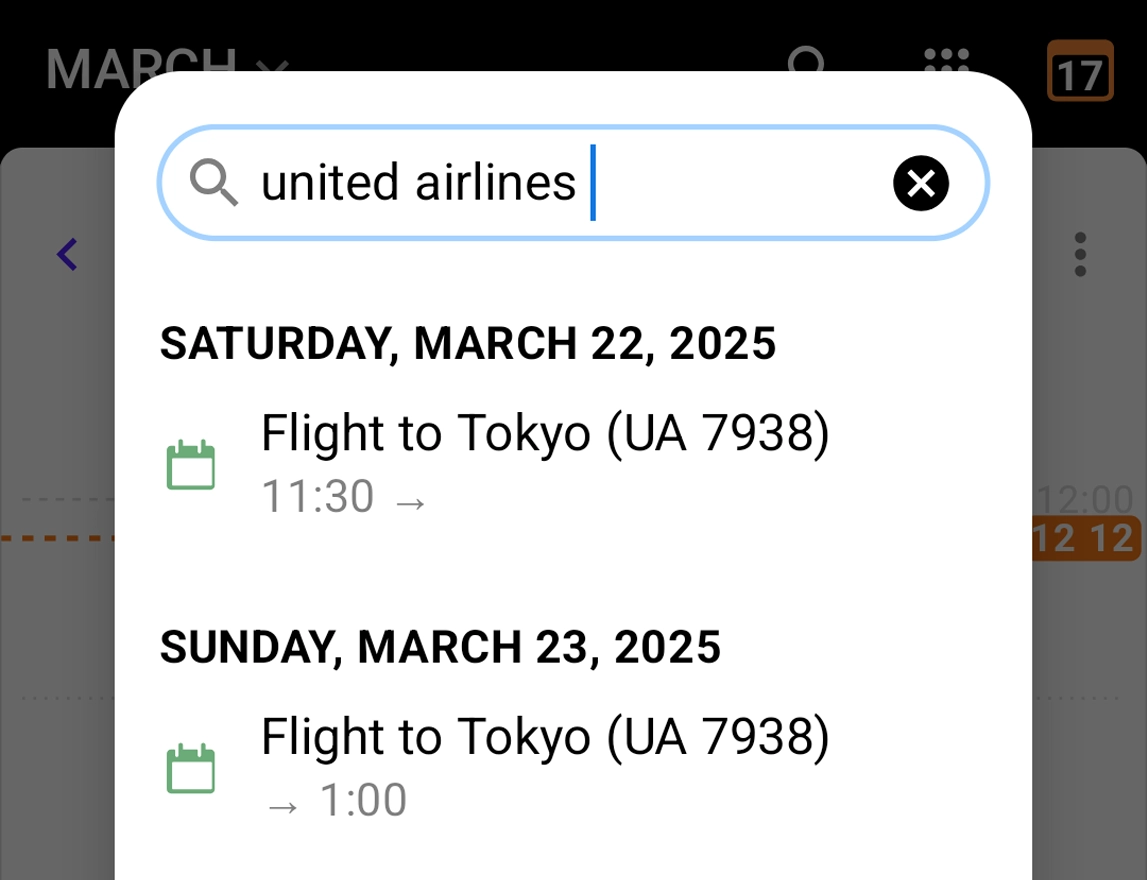
Click 🔍 on the toolbar to search events, sometime this week, custom day names, journal entries, and tracked times.
New • Web
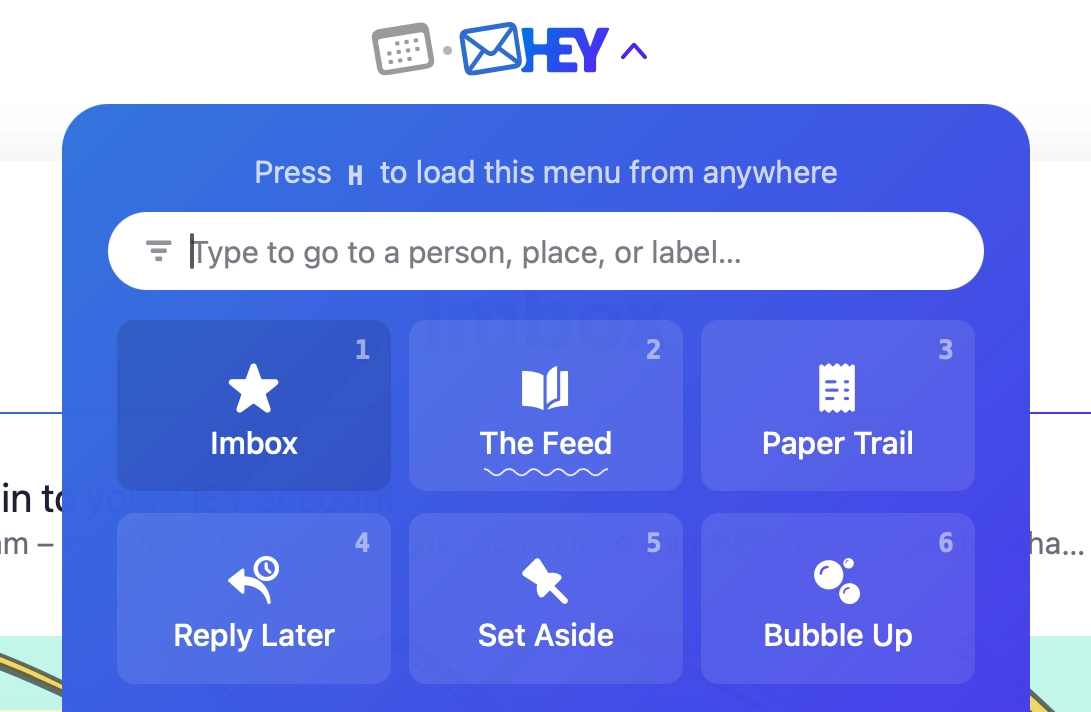
See when there’s something new in The Feed and Paper Trail since you last visited, right from the HEY menu.
New • Web
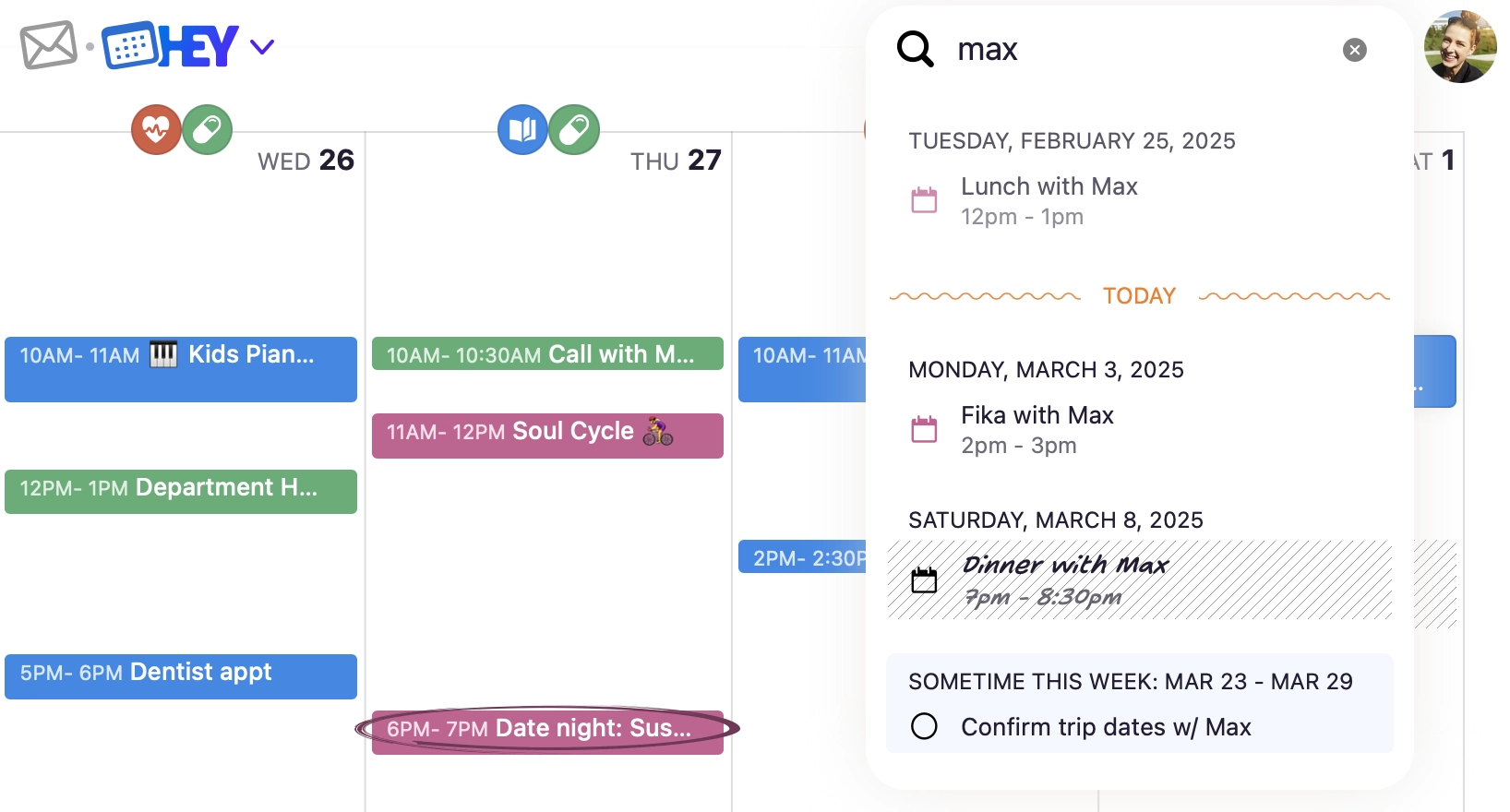
Click 🔍 beside your avatar to search events, sometime this week, custom day names, journal entries, and tracked times.
New • Web
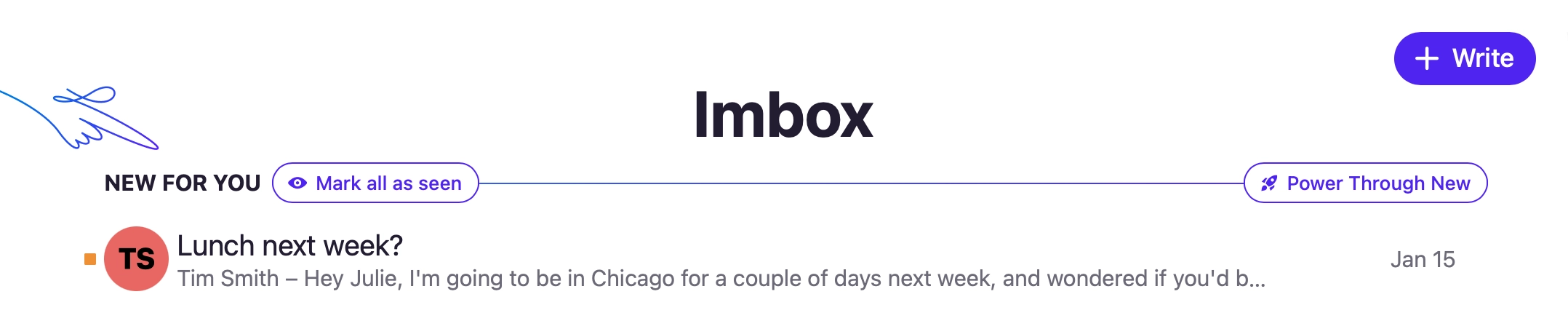
Looking to clear out your Imbox and mark everything as seen? You can hover New For You to reveal a button to Mark all as seen.
New
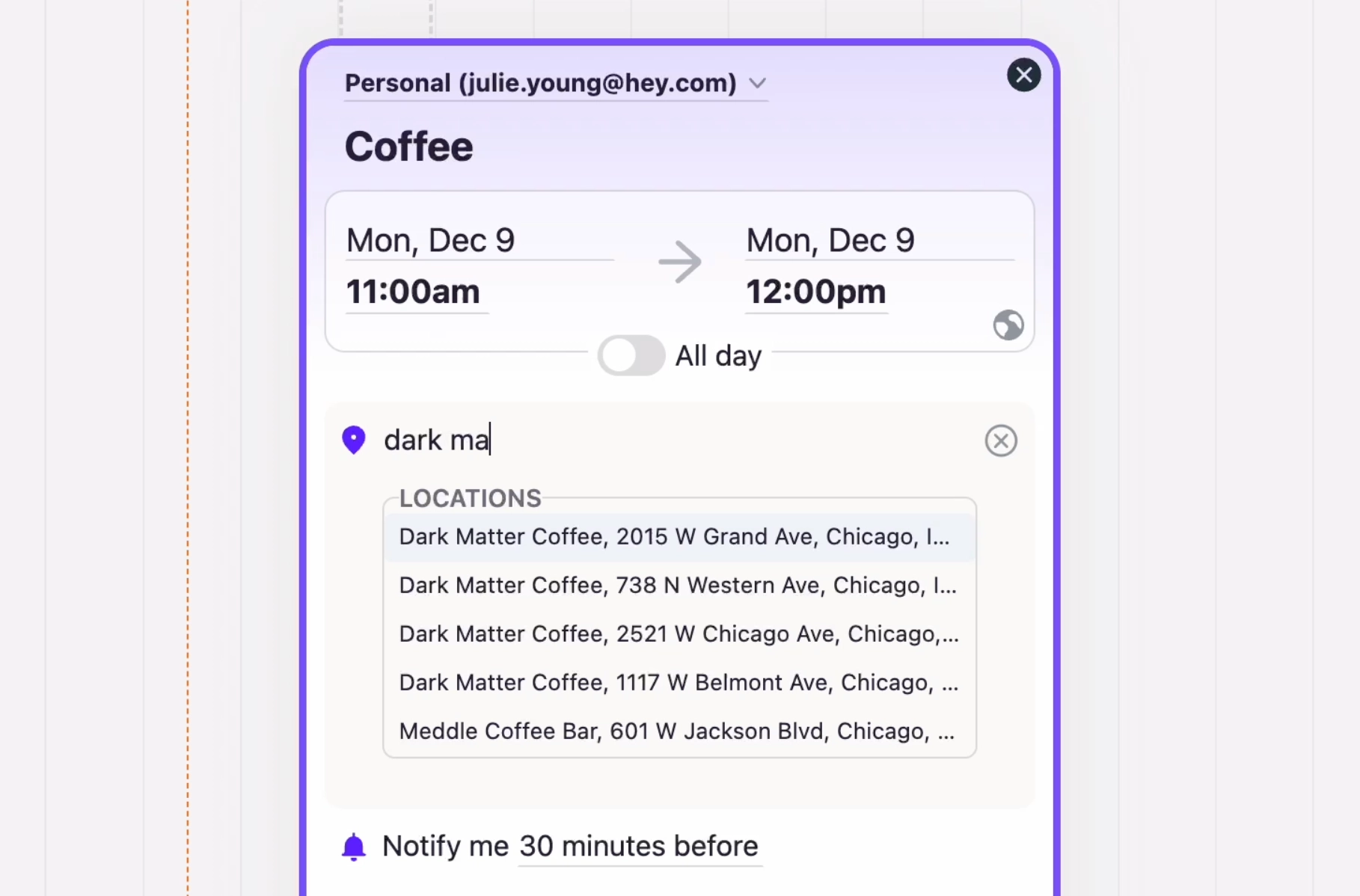
Search and autocomplete places and addresses as you type in the Location field for an event. Tap the clipboard icon to copy the address.
New • iOS
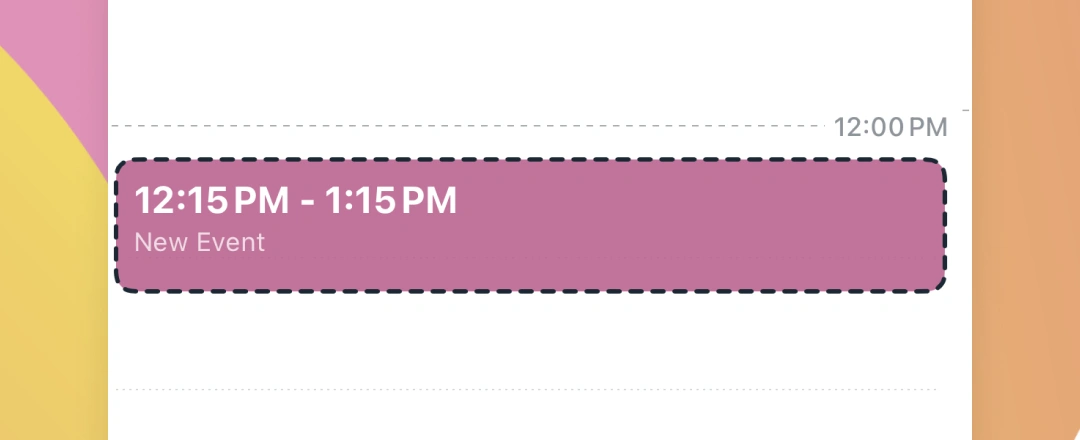
Tap, hold & drag in your day timeline to create and position a new event. Release your finger to fill in the details.
New • Android
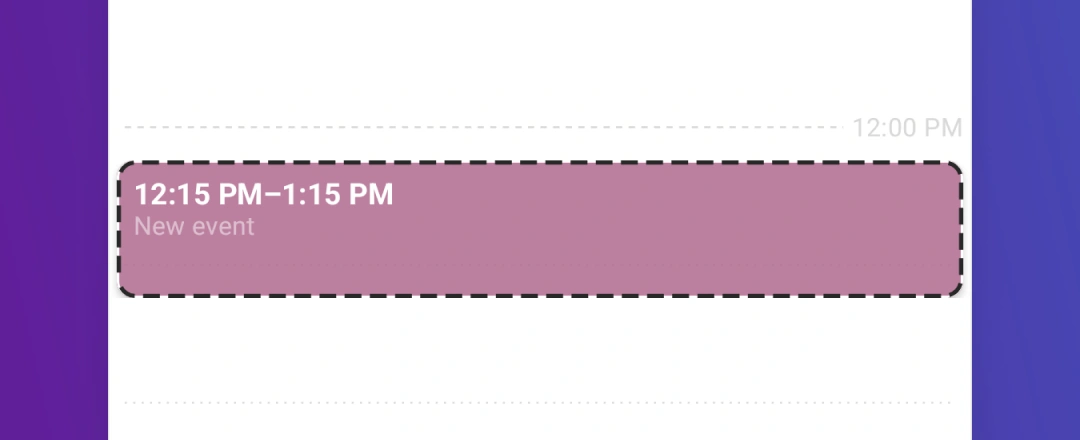
Tap, hold & drag in your day timeline to create and position a new event. Release your finger to fill in the details.
New
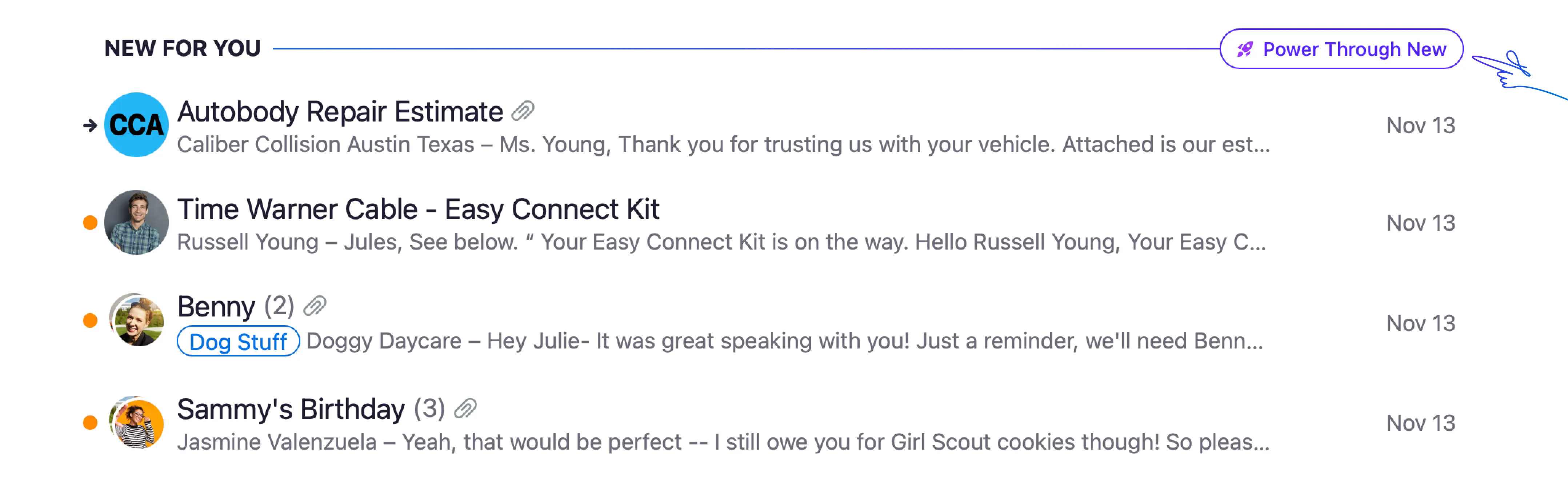
The next time your Imbox piles up, power through it all with Power Through New. Knock out all your unread messages in one go with inline replies and quick actions.
New • Web
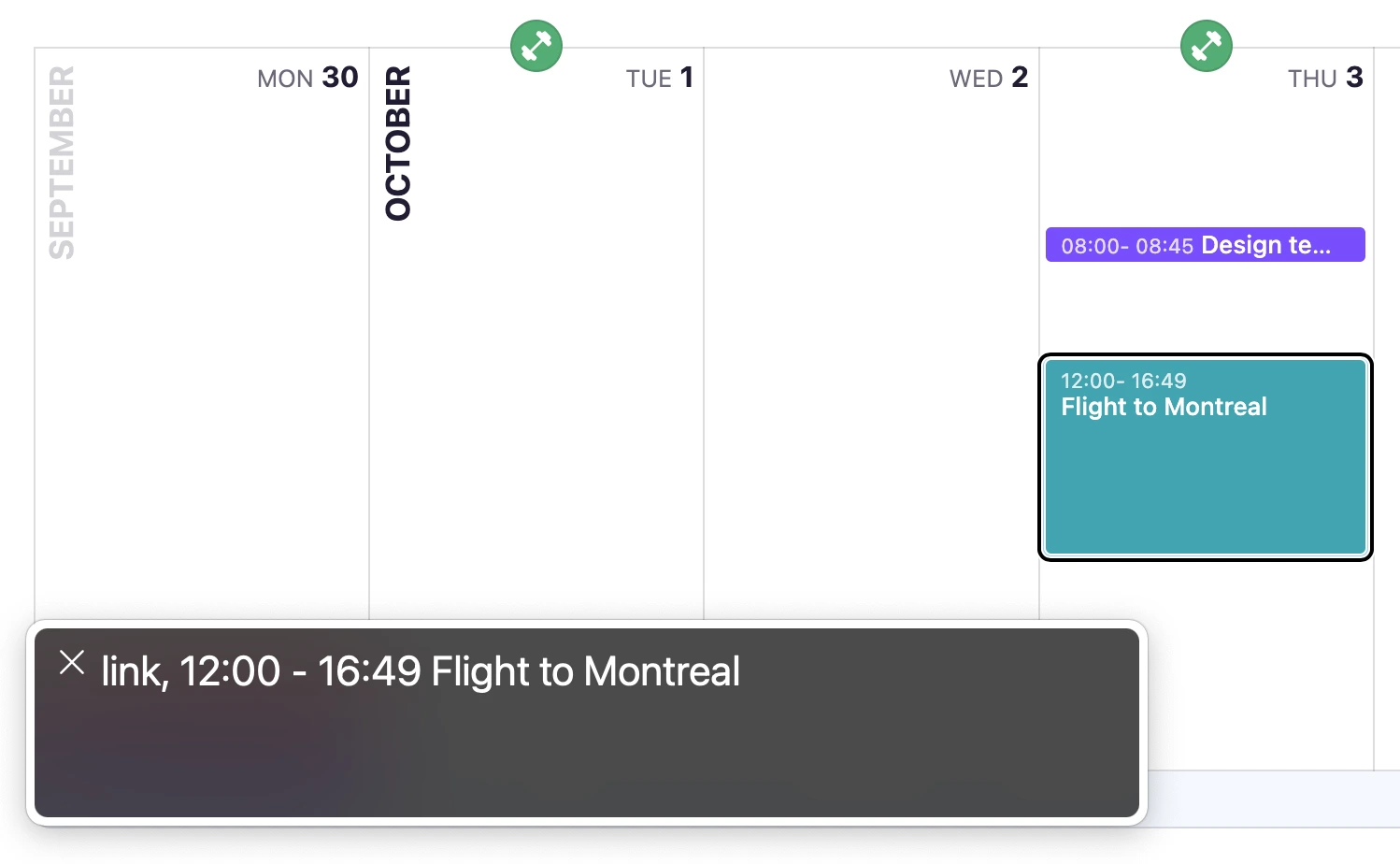
In the Week view, we improved screen reader navigation to make it easy to jump between weeks and to read all the elements in each day.
We also made accessibility improvements to create and edit habits, review your tracked time recordings, and mark Sometime this week as completed in the Day view.
New • iOS
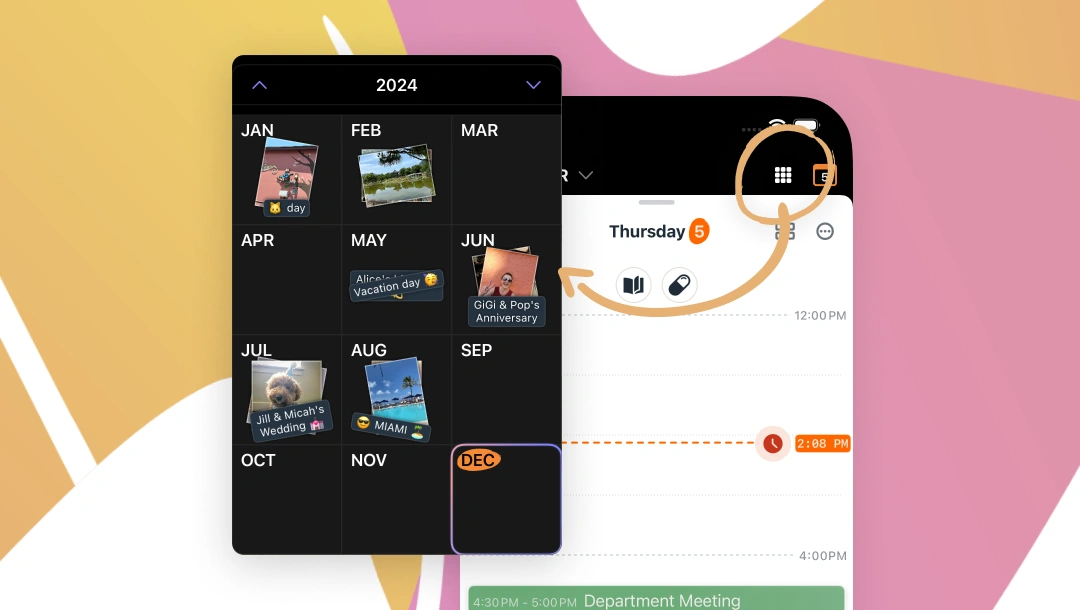
Jump months or years with the always available month picker. It’s a fast and beautifully personalized — using your day backgrounds and titles — way to navigate in your HEY Calendar.
New • Android
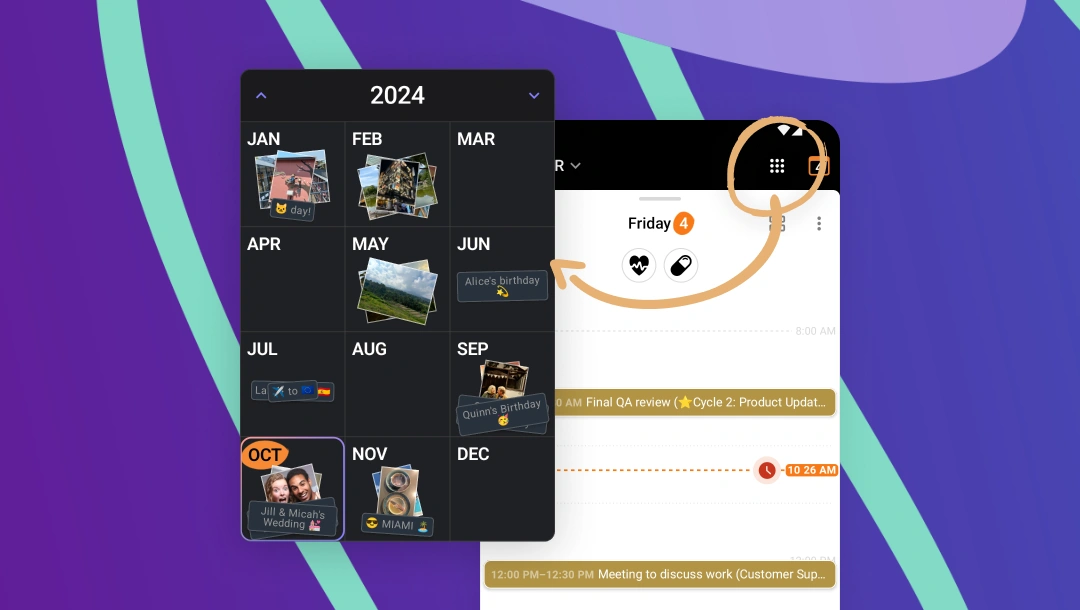
Jump months or years with the always available month picker. It’s a fast and beautifully personalized — using your day backgrounds and titles — way to navigate in your HEY Calendar.
New • iOS
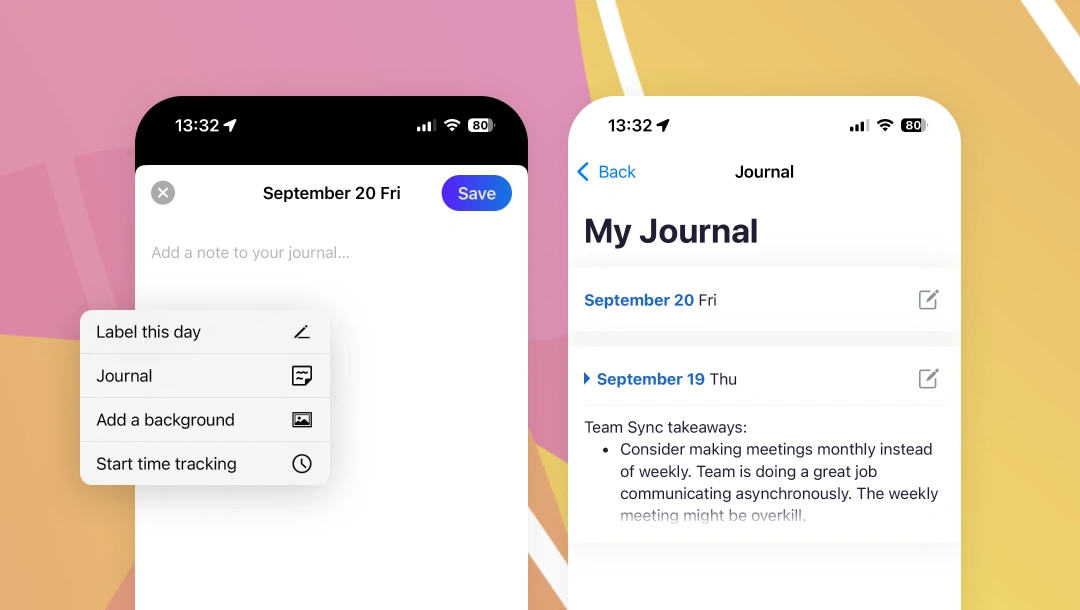
Jot down reminders, take notes during a meeting, or simply reflect on the day — it’s your private space and it’s now available on your iPhone or iPad.
New • Android
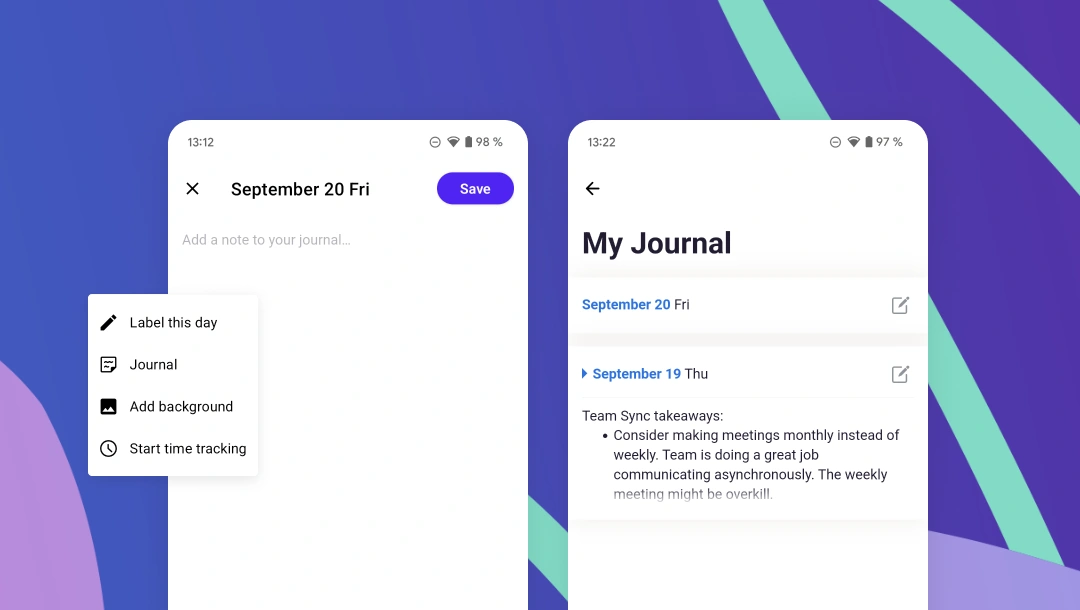
Jot down reminders, take notes during a meeting, or simply reflect on the day — it’s your private space and it’s now available on your Android device.
New
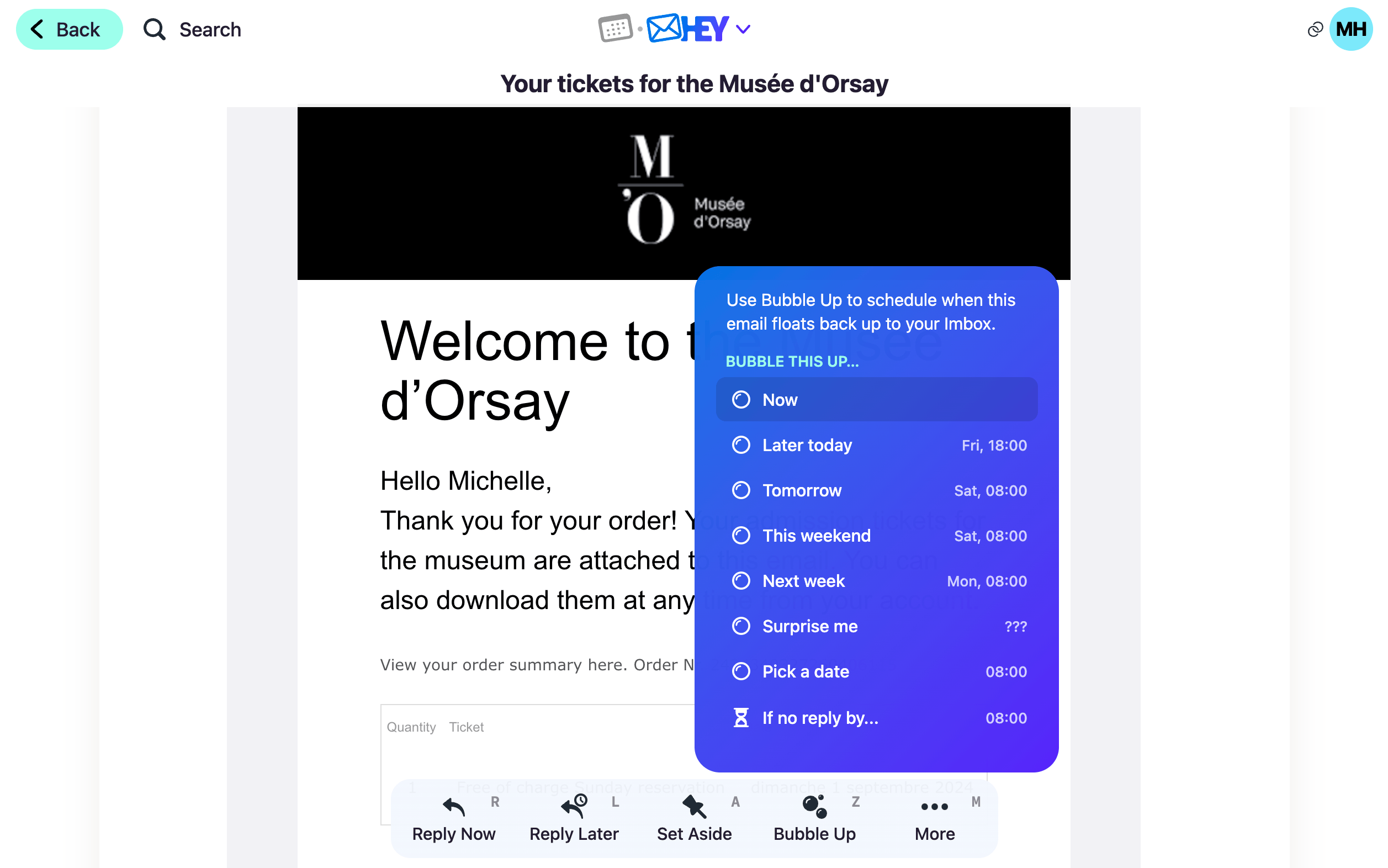
Give any email a prominent spot in your Imbox, without having to wait. Bubble Up an email now and float it to the top of your Imbox immediately.
New • Web
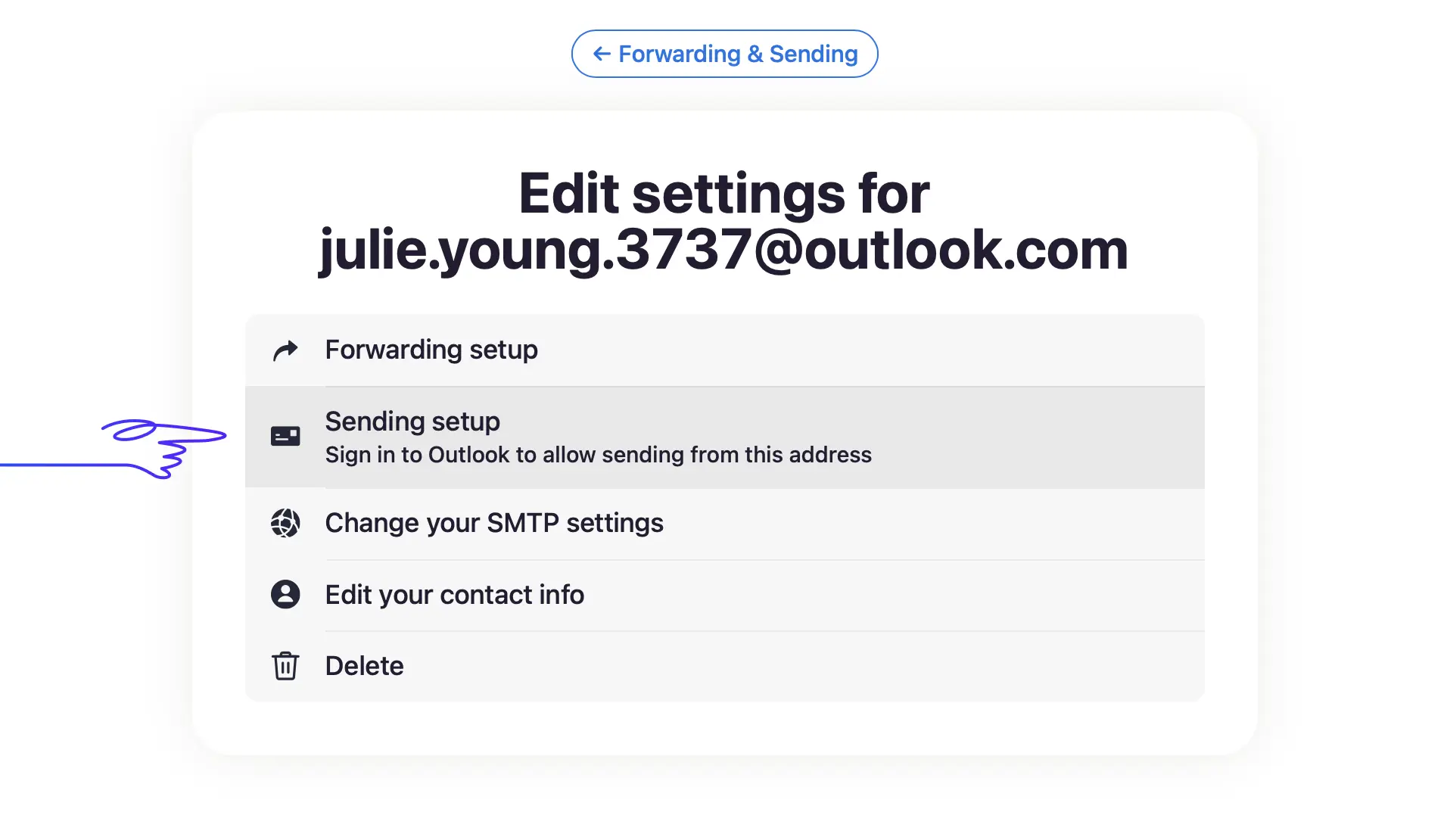
With Microsoft discontinuing support for SMTP basic authentication, we made the switch to OAuth2 authentication and API delivery.
On a web browser, head to account settings › Forwarding & Sending › Edit › Sending setup › Sign in to Outlook › Accept.
New
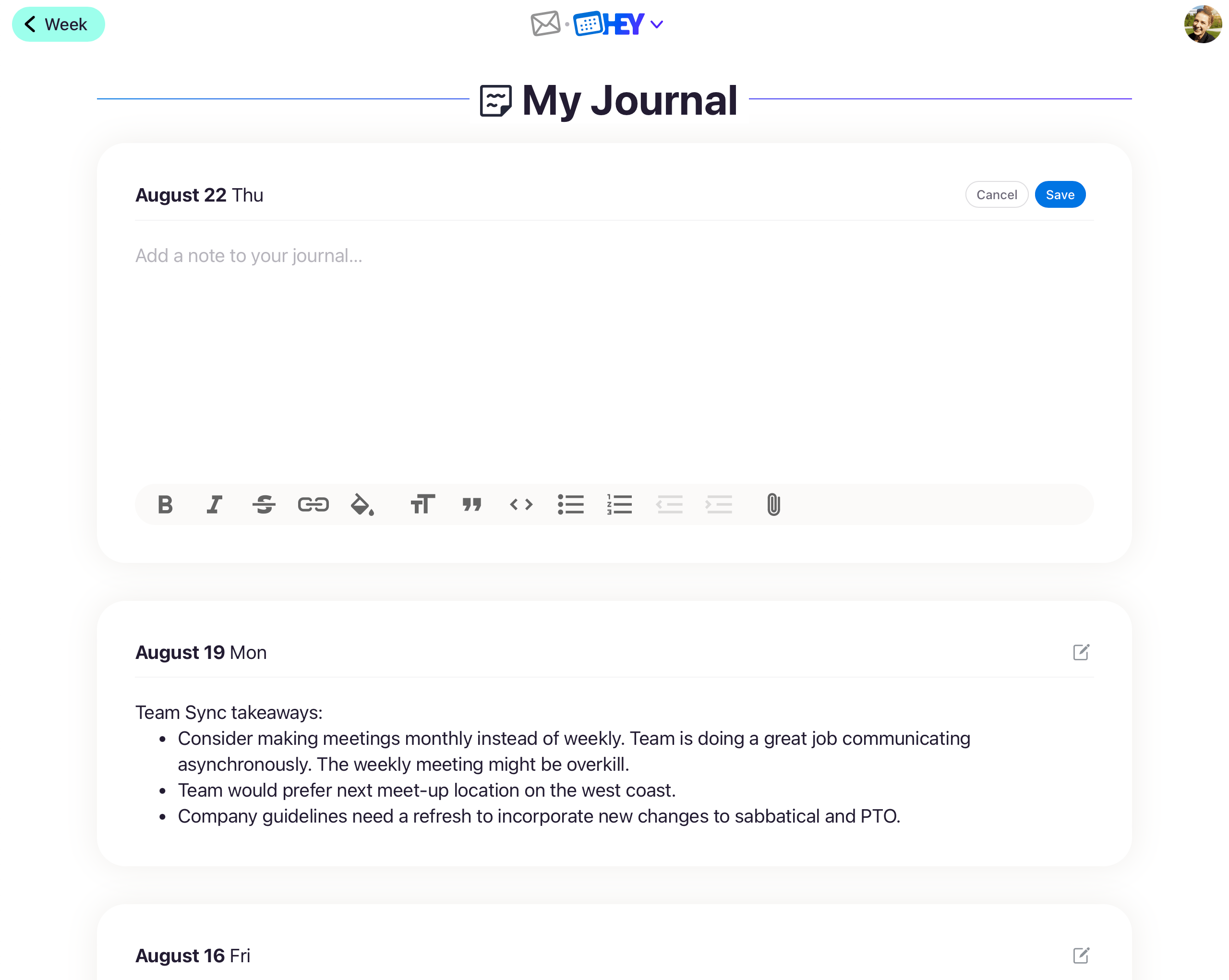
HEY Calendar is a lot more than just events on a schedule. You can track time, log habits, and add tasks — all in one place.
Now, it’s even more personal with the addition of Journal, a dedicated spot for daily notes. Use it to jot down reminders, take notes during a meeting, or simply reflect on the day — it’s your private space to use as you’d like!
New • Web
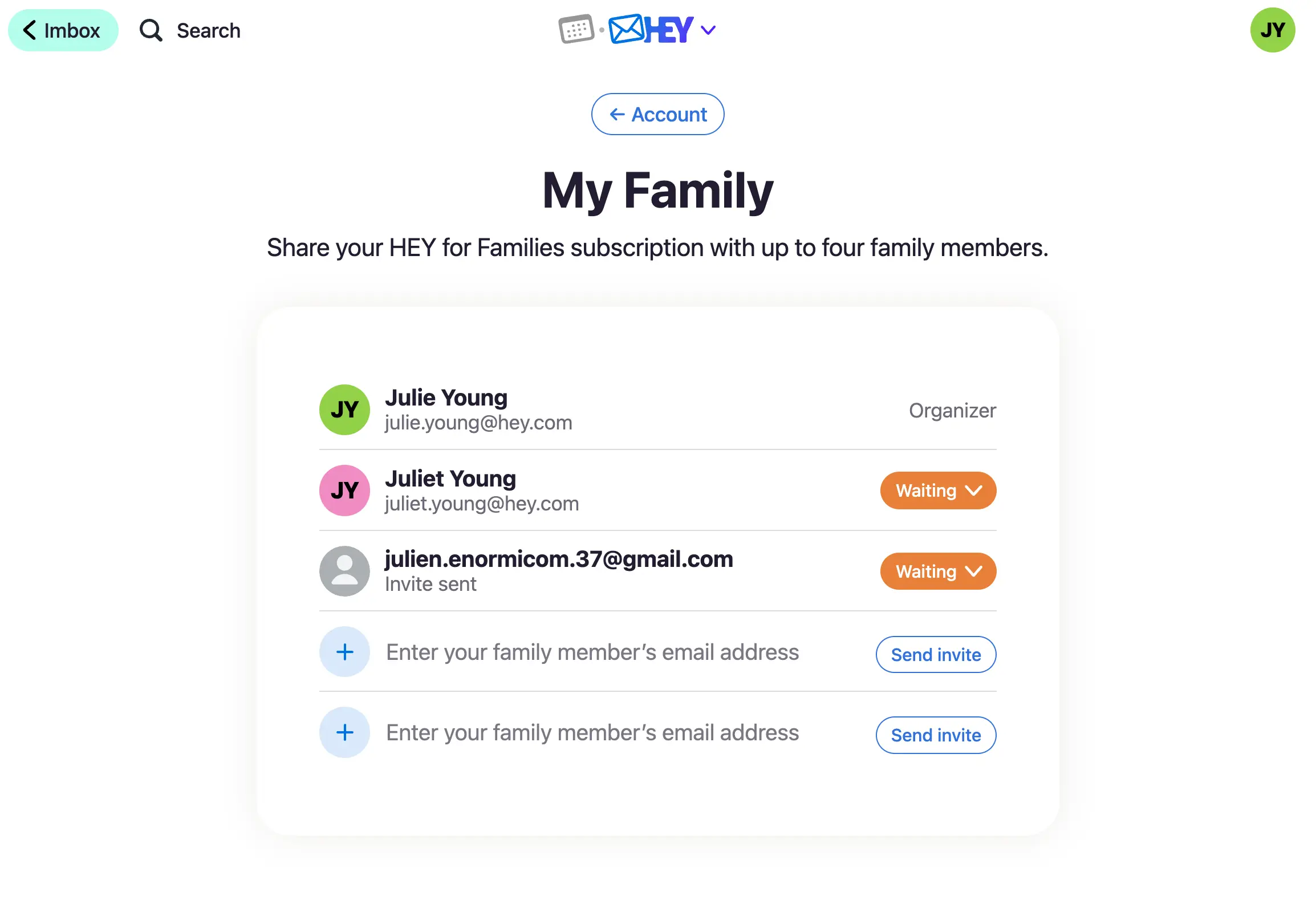
We’ve heard from many of you who want to share all the goodness of HEY with the people in your family. We get it! We have partners, kids, and parents who would benefit from HEY, too.
So, today we’re introducing HEY for Families — add up to 4 additional HEY accounts for just $179/year total! One person pays and invites everyone, but the accounts remain separate and private.
New
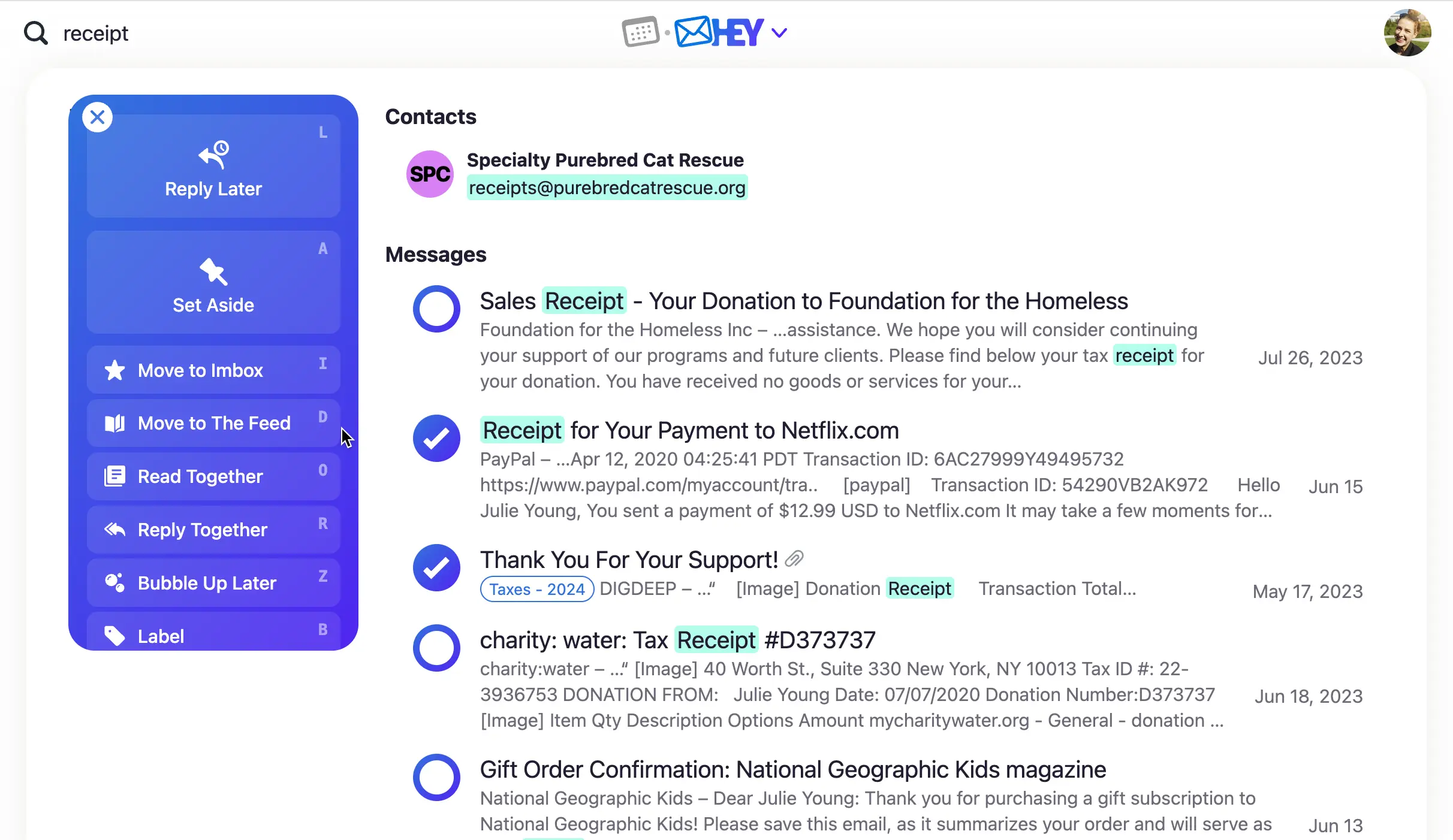
Search results are now more relevant and actionable. You can select emails in search results and apply a label, add to a workflow, or read together–up to you!
There’s a new option to filter results by attachment, and you’ll see your recent searches to pick up where you left off.
New • iOS
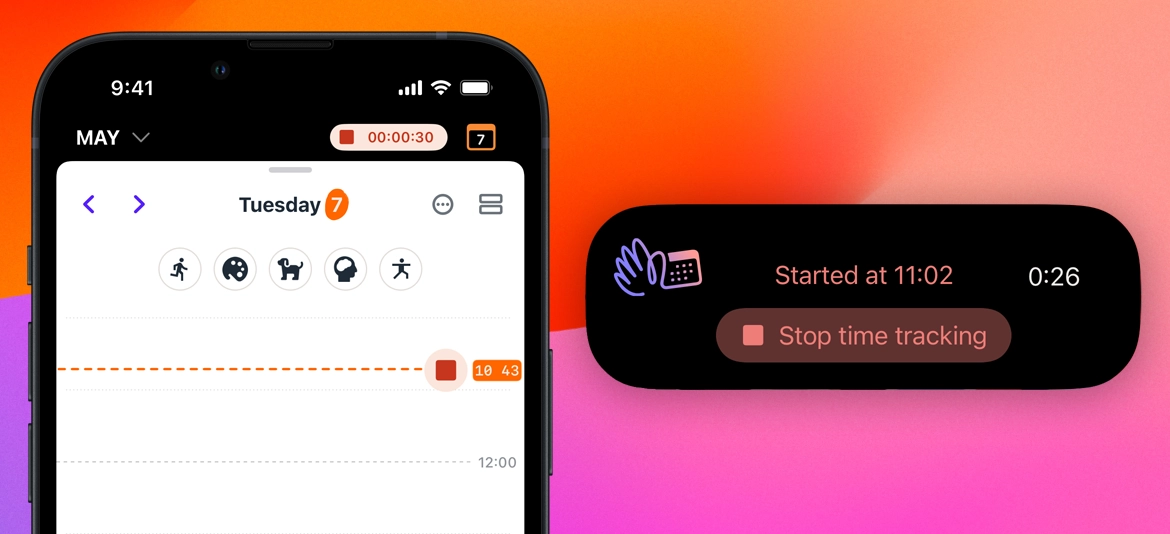
Track time spent on any activity by recording it directly from your iPhone or iPad. See real-time duration and stop time tracking from outside the app via Lockscreen and Dynamic Island widgets.
New • Android
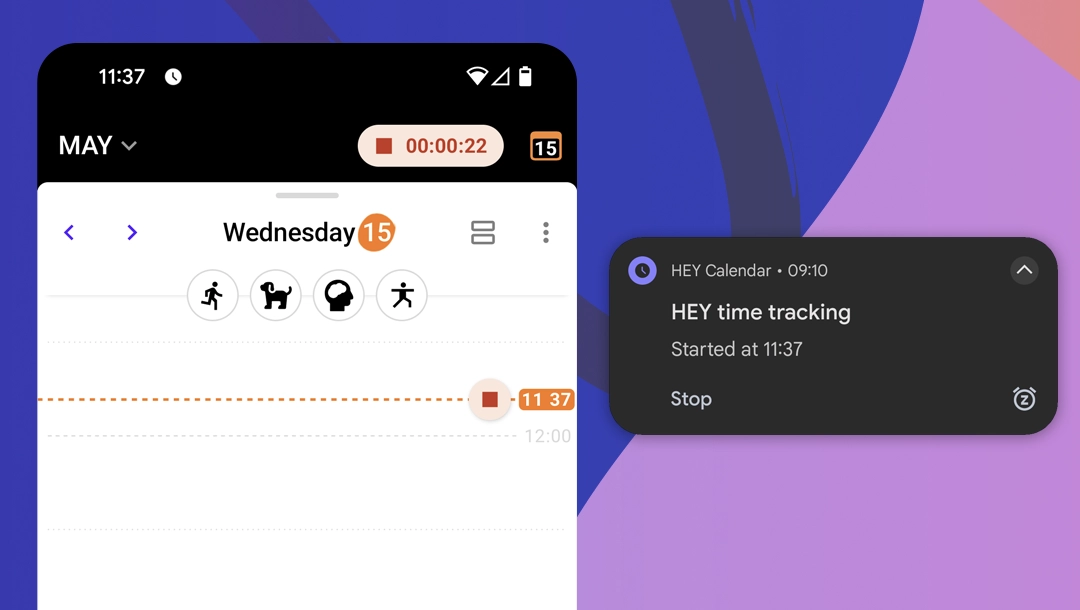
Track time spent on any activity by recording it directly from your Android device. See real-time duration and stop time tracking from outside the app via persistent notification.
New • iOS
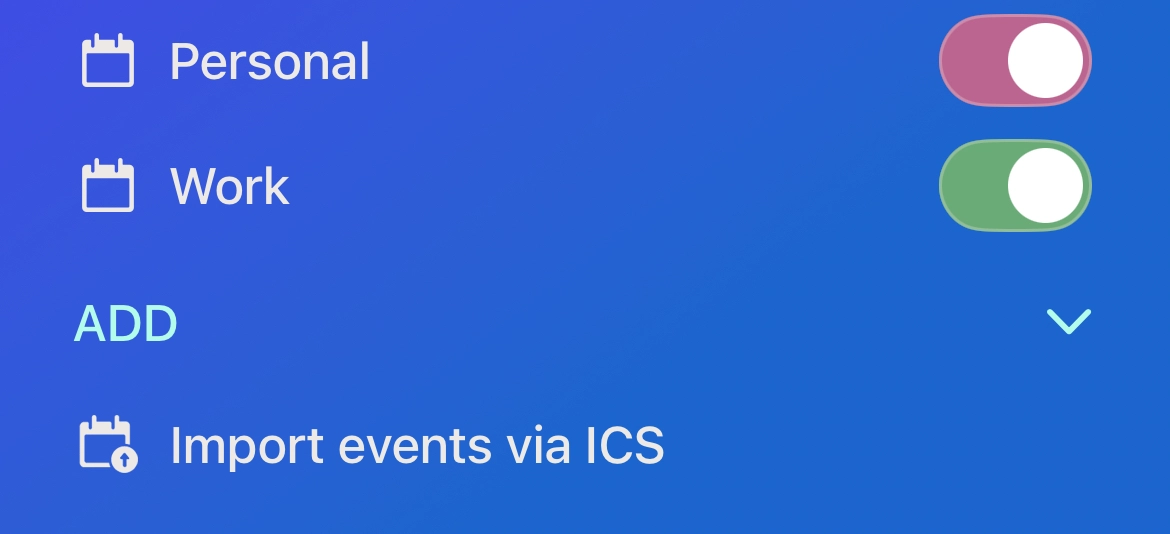
Open the HEY menu and scroll down to add ICS files to your calendar.
New • Android
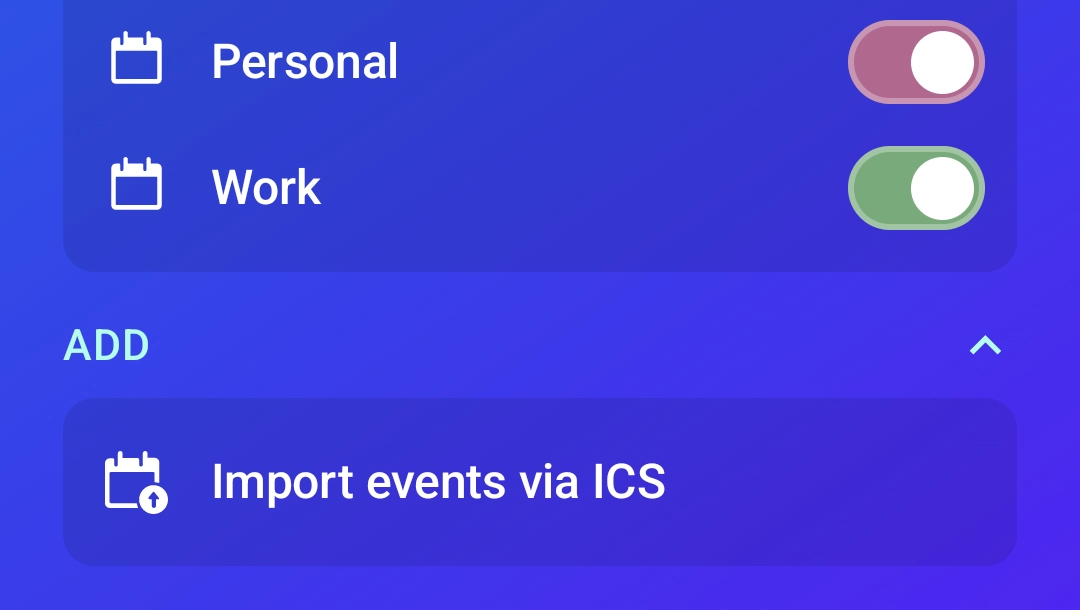
Open the HEY menu and scroll down to add ICS files to your calendar.
New • iOS
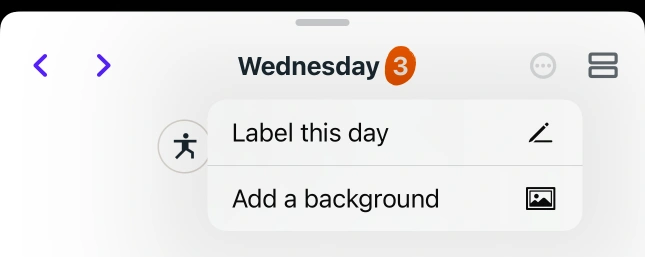
New option in the day menu: Add a background lets you pick images from your photo library to use as a personalised day background.
New
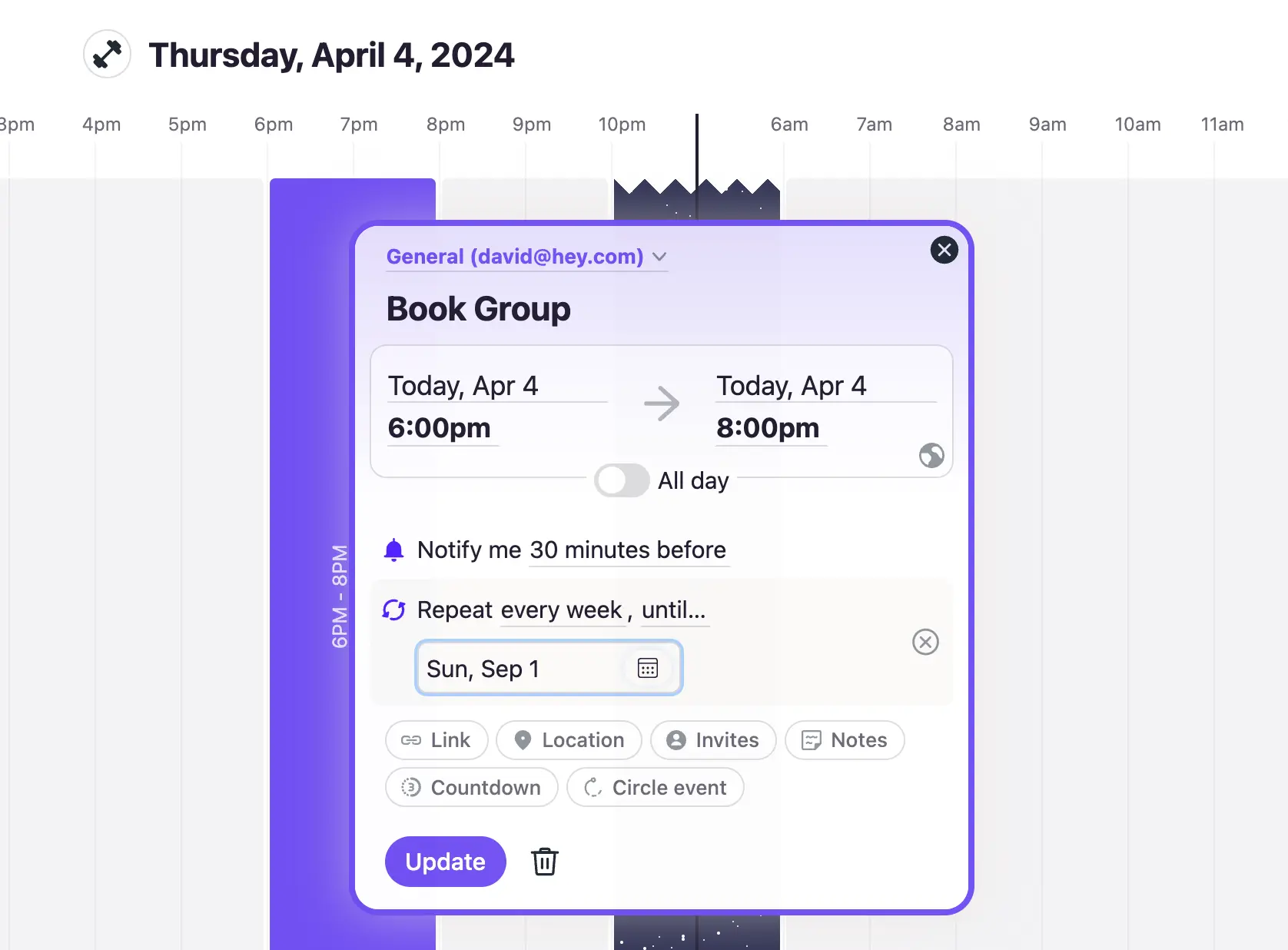
Many repeating events have an end point. Maybe your kickboxing punch pass lasts 5 days or your book group takes the Summer off. In addition to letting events repeat forever, you can now stop them at a specific date or after a particular number of times.
New • Android
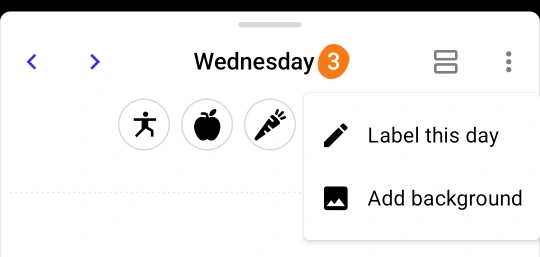
New option in the day menu: Add background lets you pick images from your photo library to use as a personalised day background.
New • Web
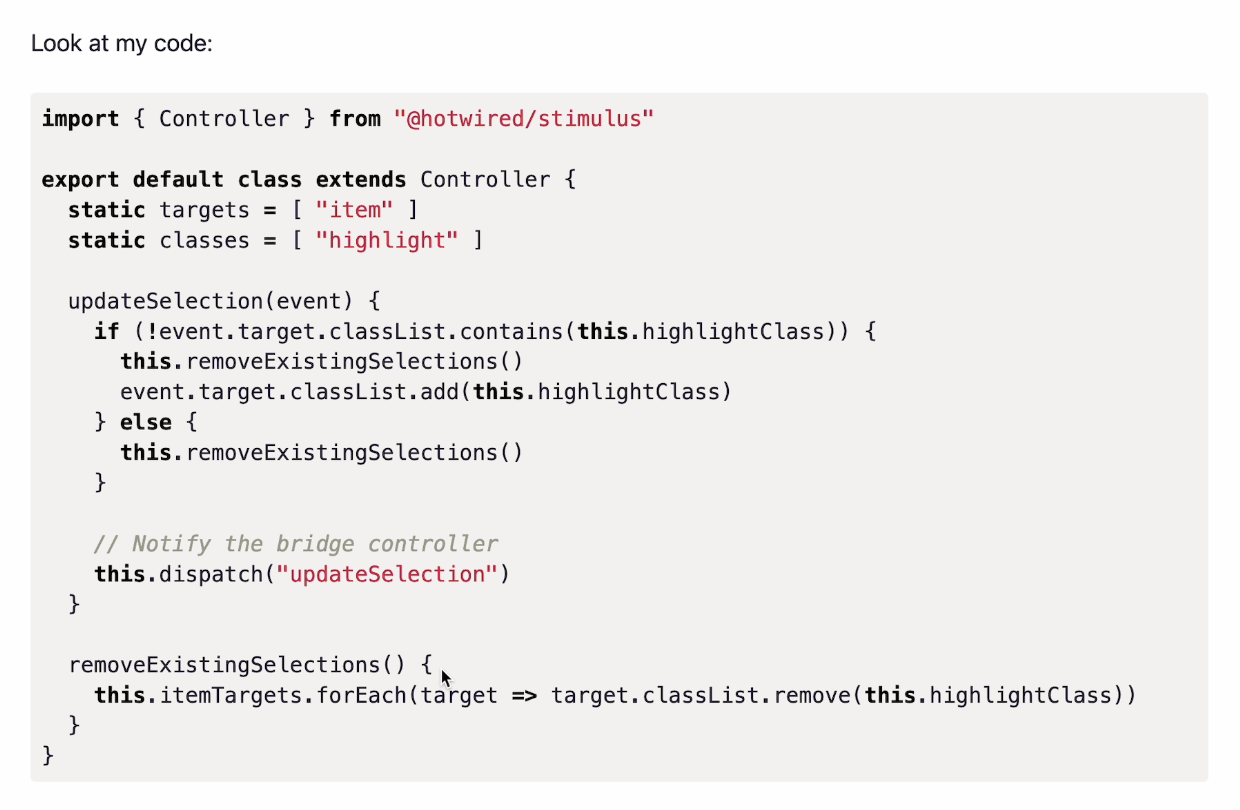
When you write a code block, you can now specify the language to get syntax highlighting. This makes it easier to read and understand code snippets in your emails and HEY World posts.
New
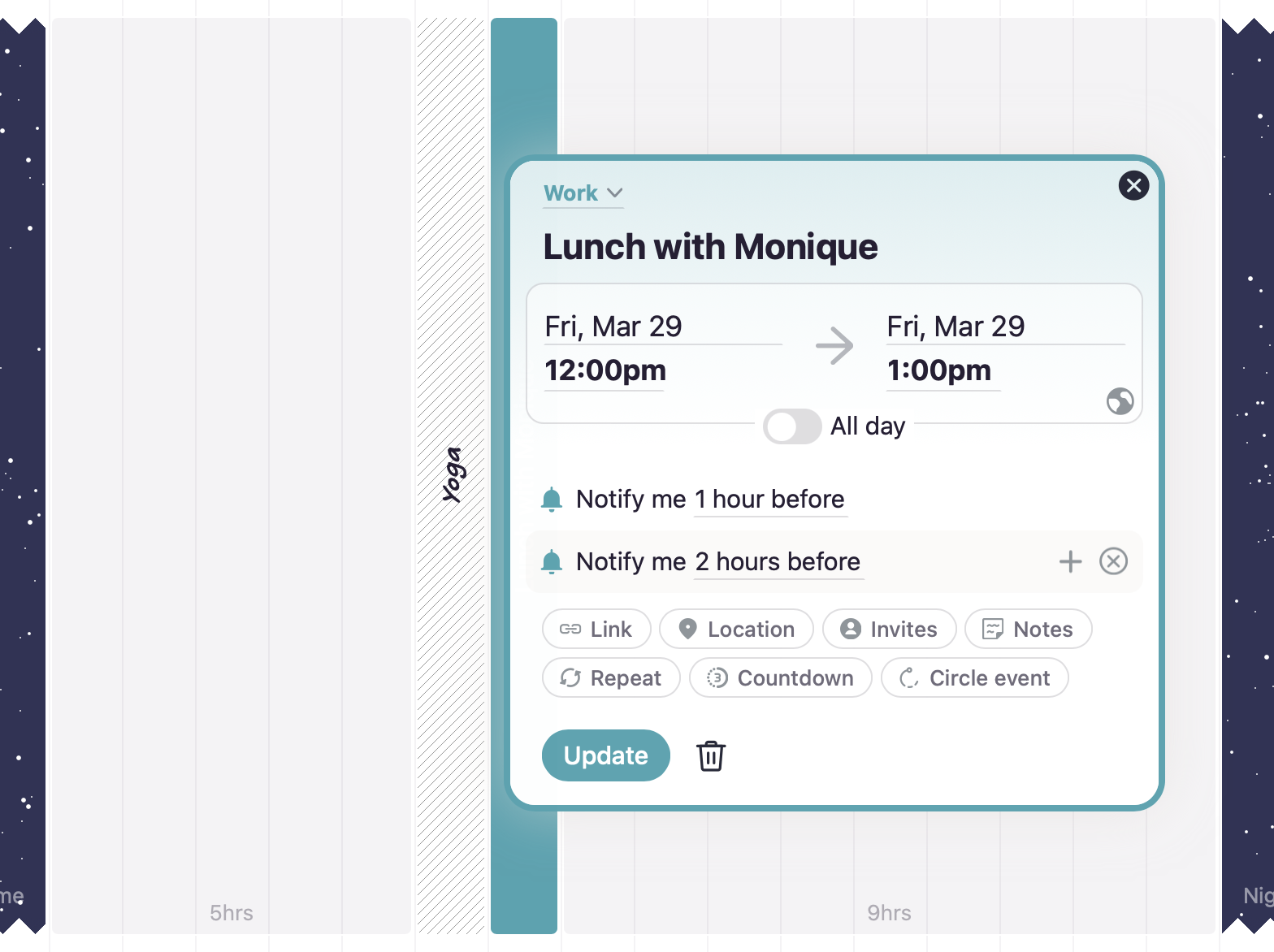
It’s nice to get a heads-up about something a few hours beforehand and a follow up reminder much closer to the event. To set up multiple reminders on an event, select 🔔 Notify me and then +.
To set defaults for your event notifications, head to the calendar settings page.
New • Android
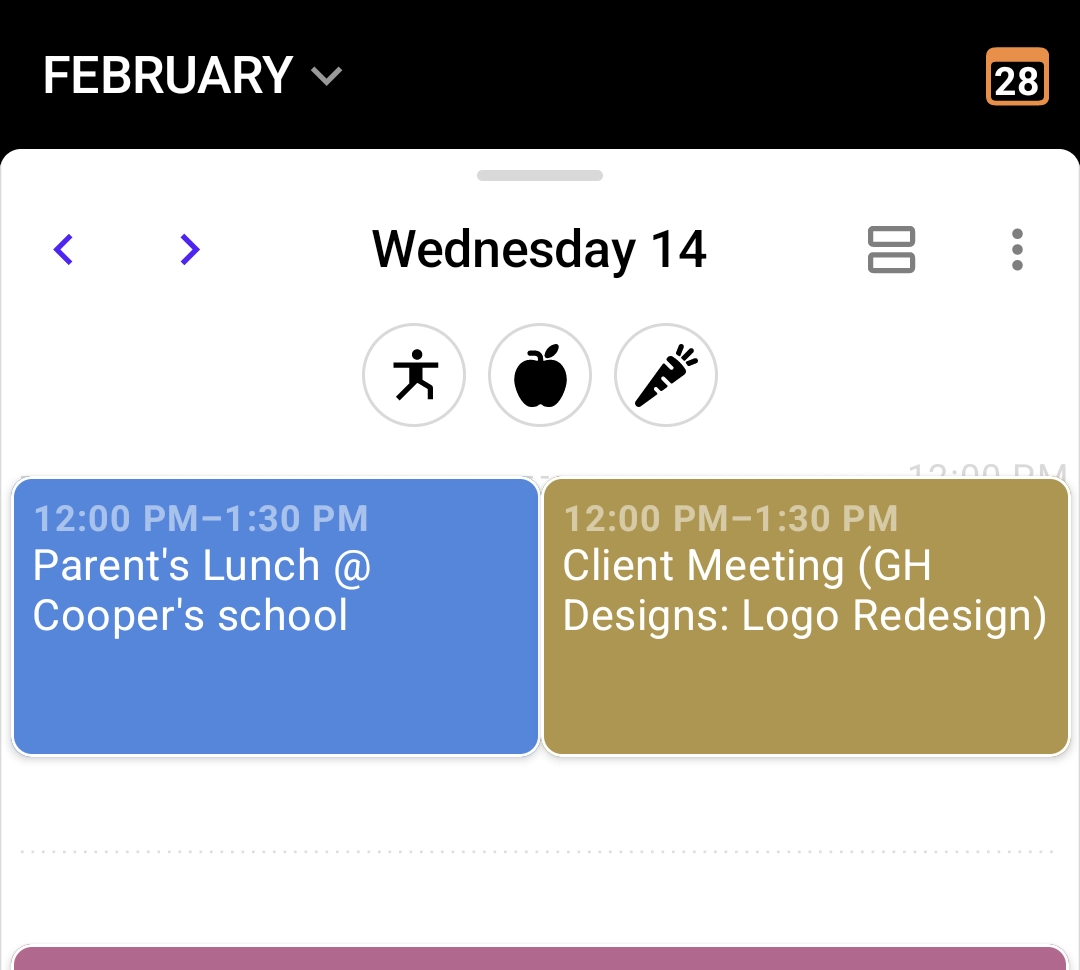
Previously when events overlapped they were shown as stacked on top of each other. Now they’re shown side-by-side.
New • Android
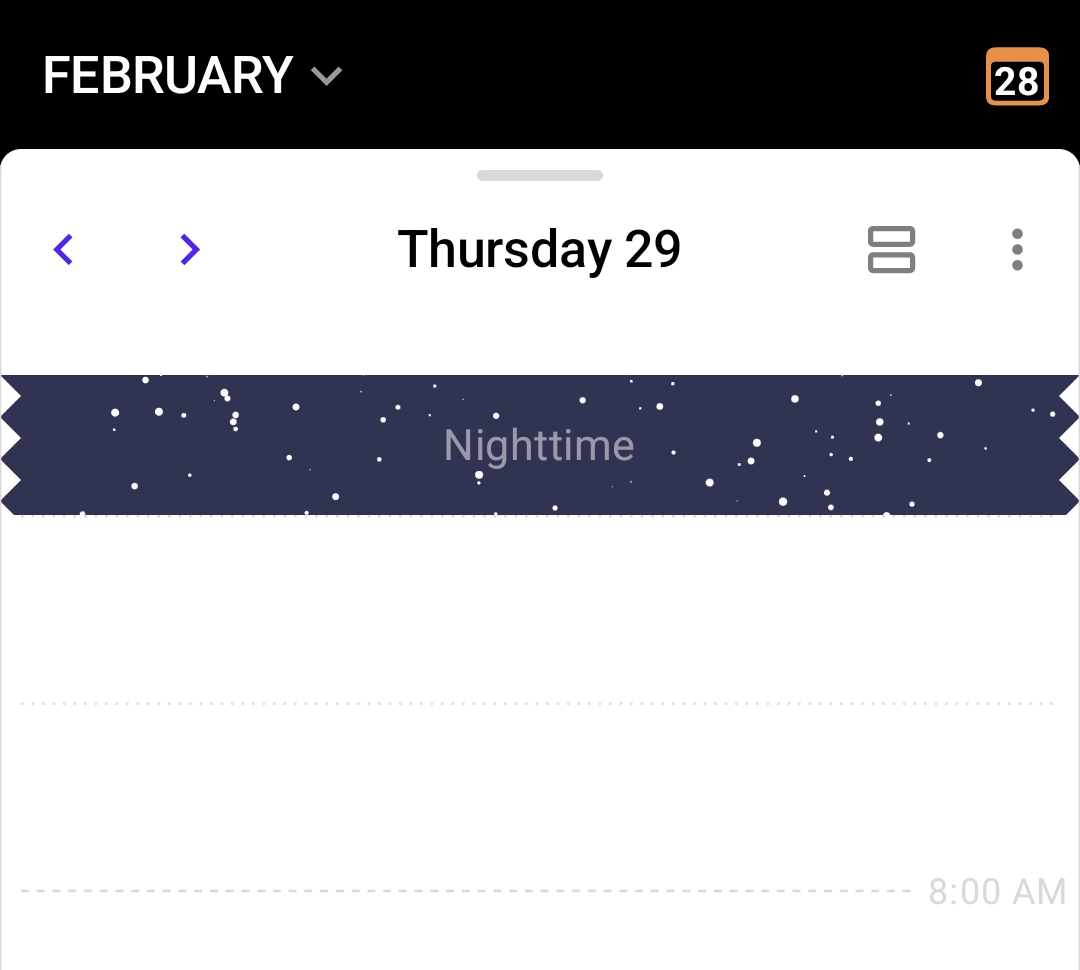
Scrolling your daily schedule is minimized with collapsed Nighttime hours. Need to schedule something in that time? Just tap to expand.
New • Android
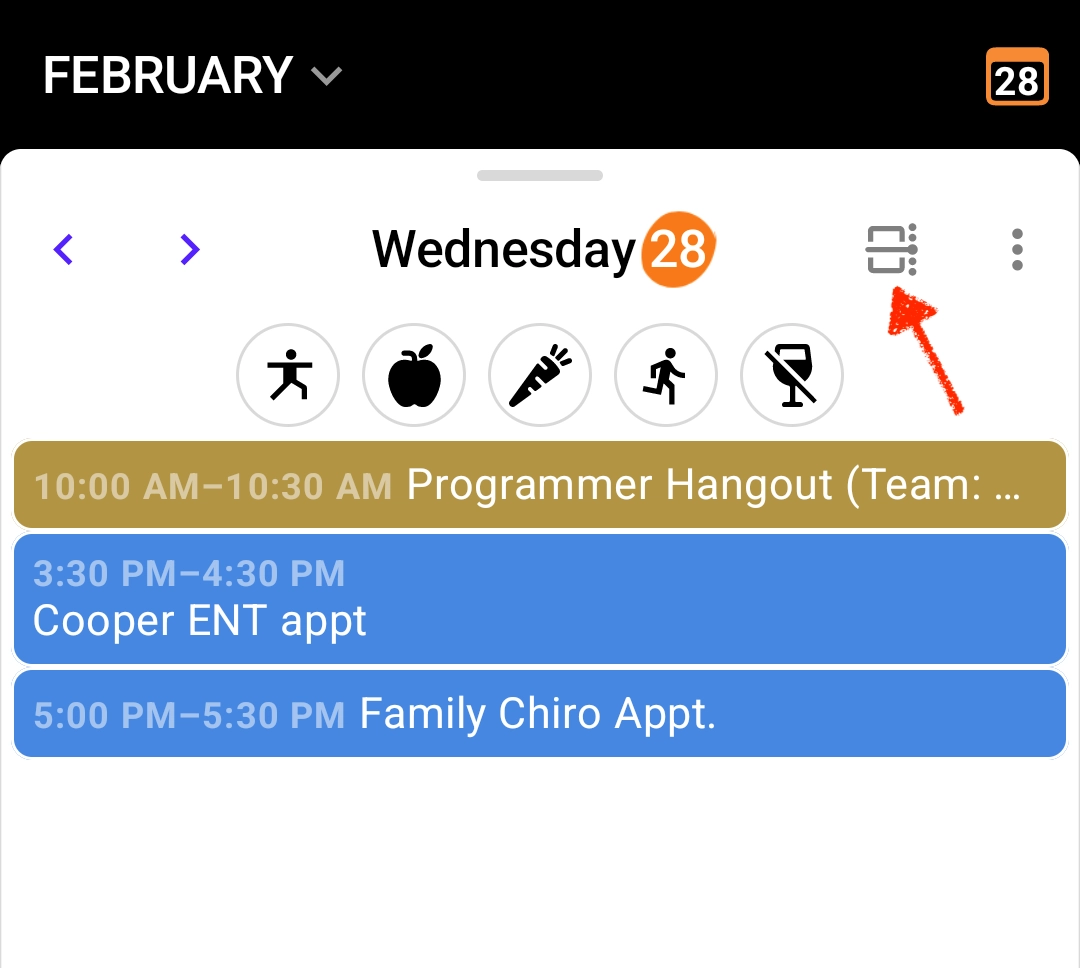
Tap the Agenda/Timeline icon to show your events as a listed agenda or in relative time across a 24-hour period.
New • iOS
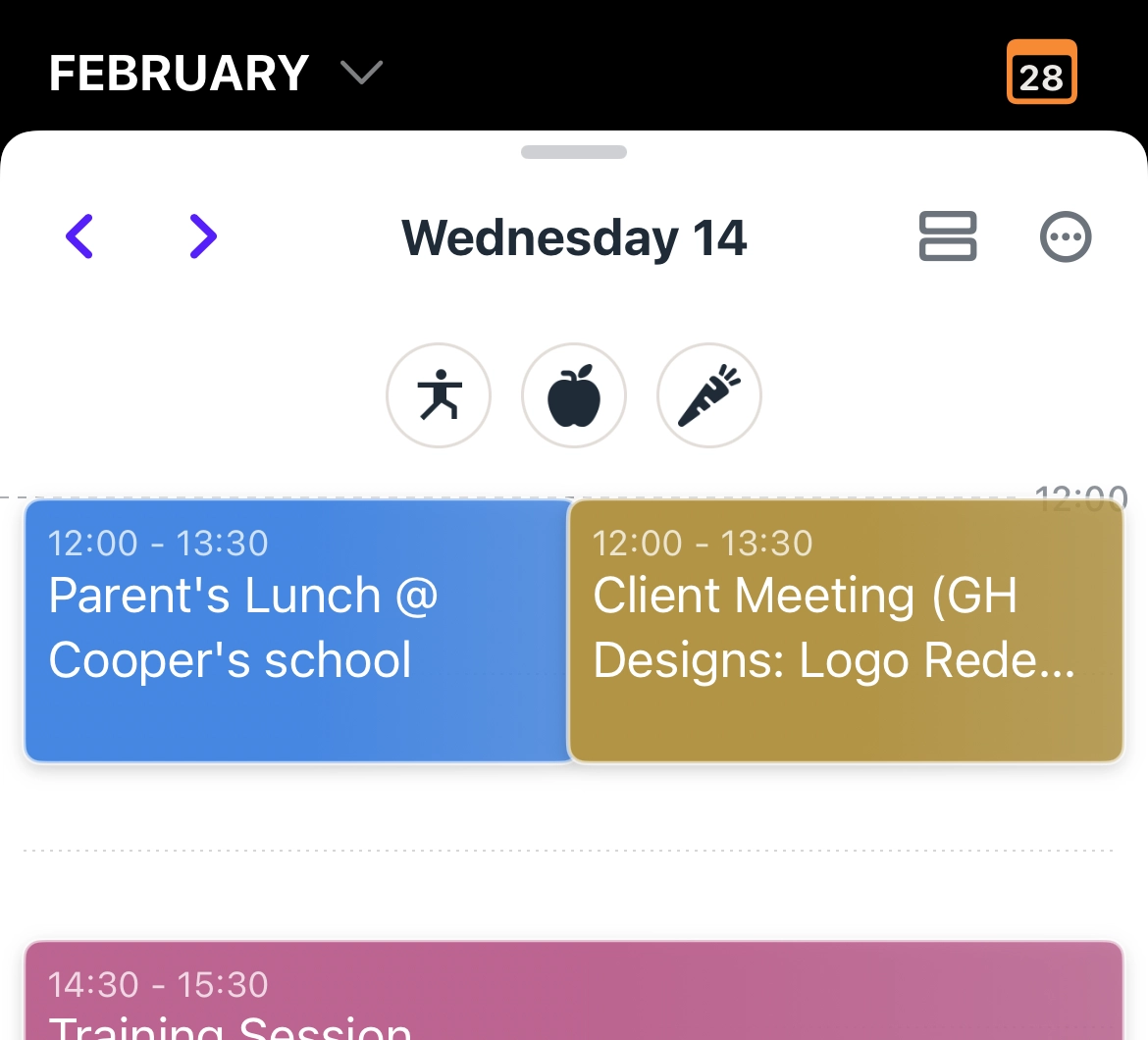
Previously when events overlapped they were shown as stacked on top of each other. Now they’re shown side-by-side.
New • iOS
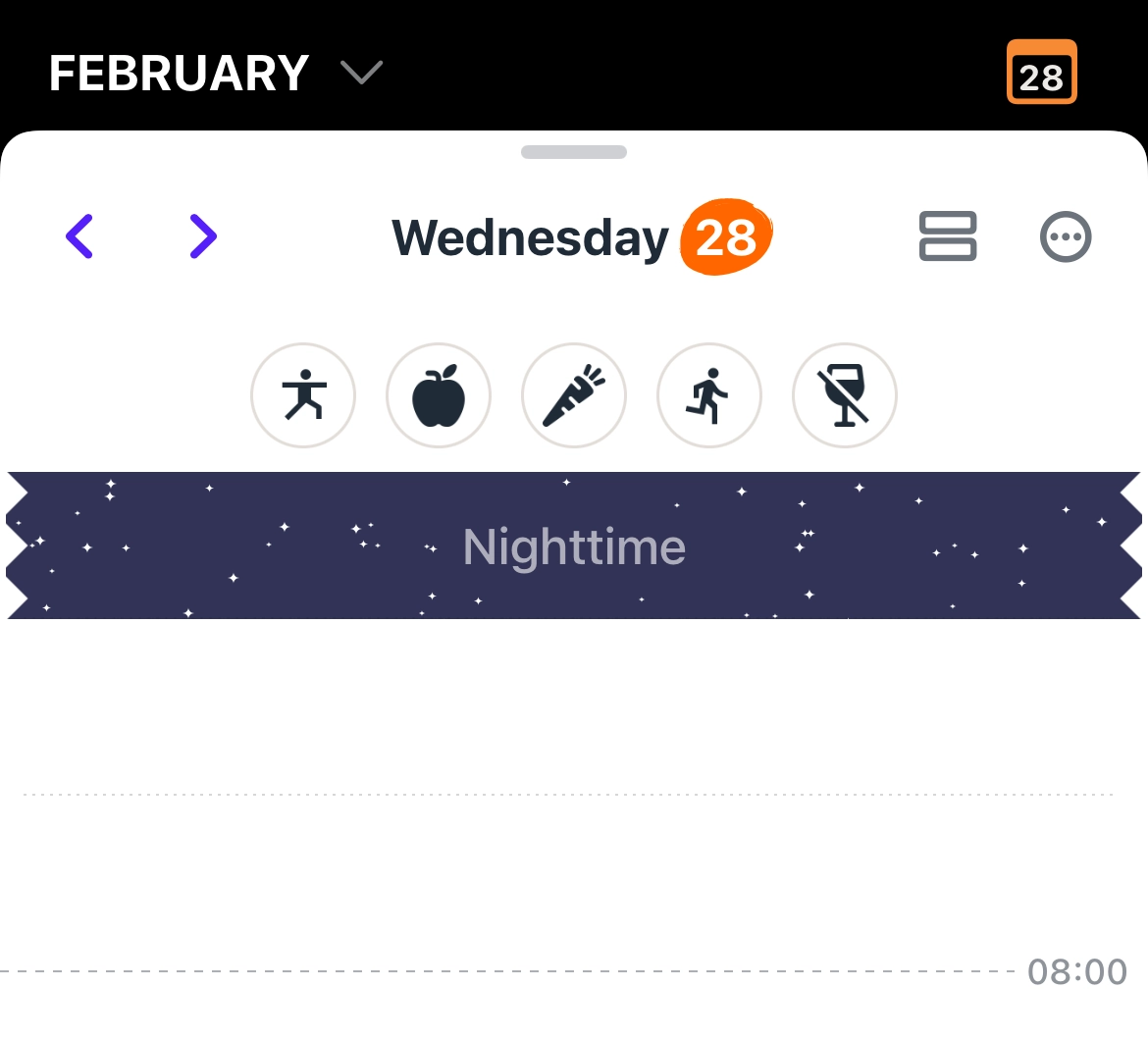
Scrolling your daily schedule is minimized with collapsed Nighttime hours. Need to schedule something in that time? Just tap to expand.
New • iOS
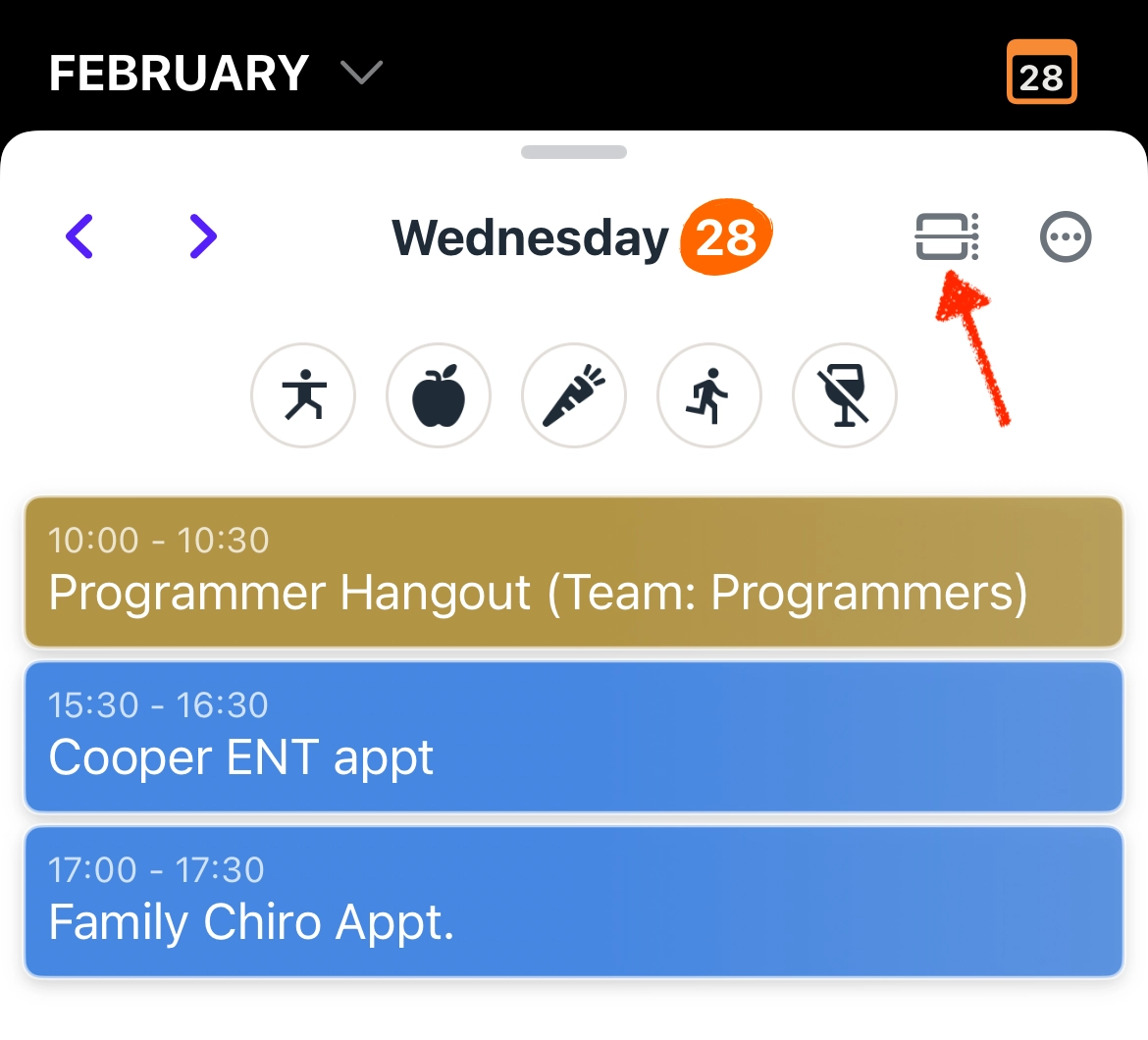
Tap the Agenda/Timeline icon to show your events as a listed agenda or in relative time across a 24-hour period.
New • Web
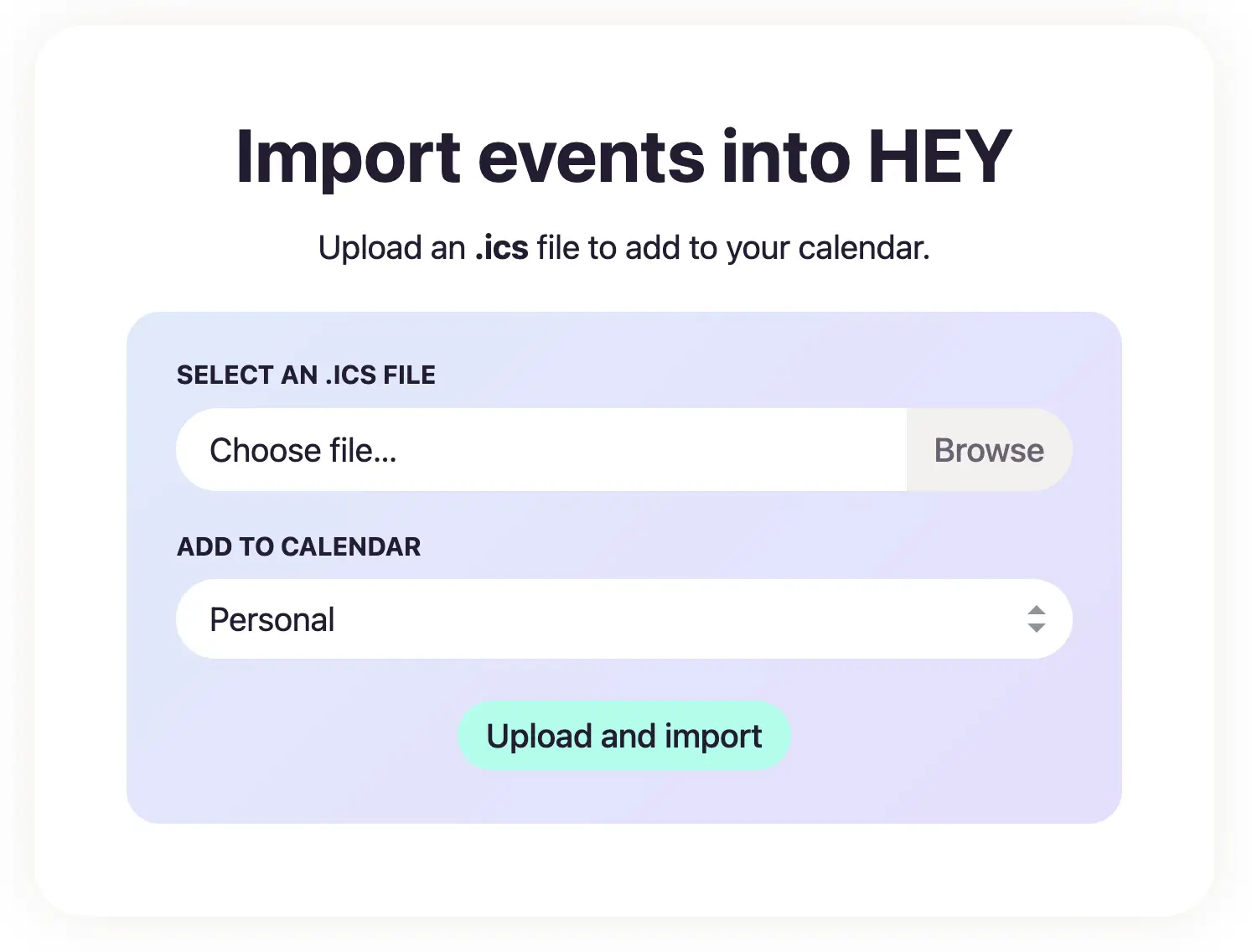
When you make a reservation or book a flight, you sometimes have the option to download the ICS file to add the event to your calendar. Now, you can open the HEY menu › Import events via ICS and upload the file to the right calendar.
You can also use this to migrate from another calendar service to HEY.
New • iOS
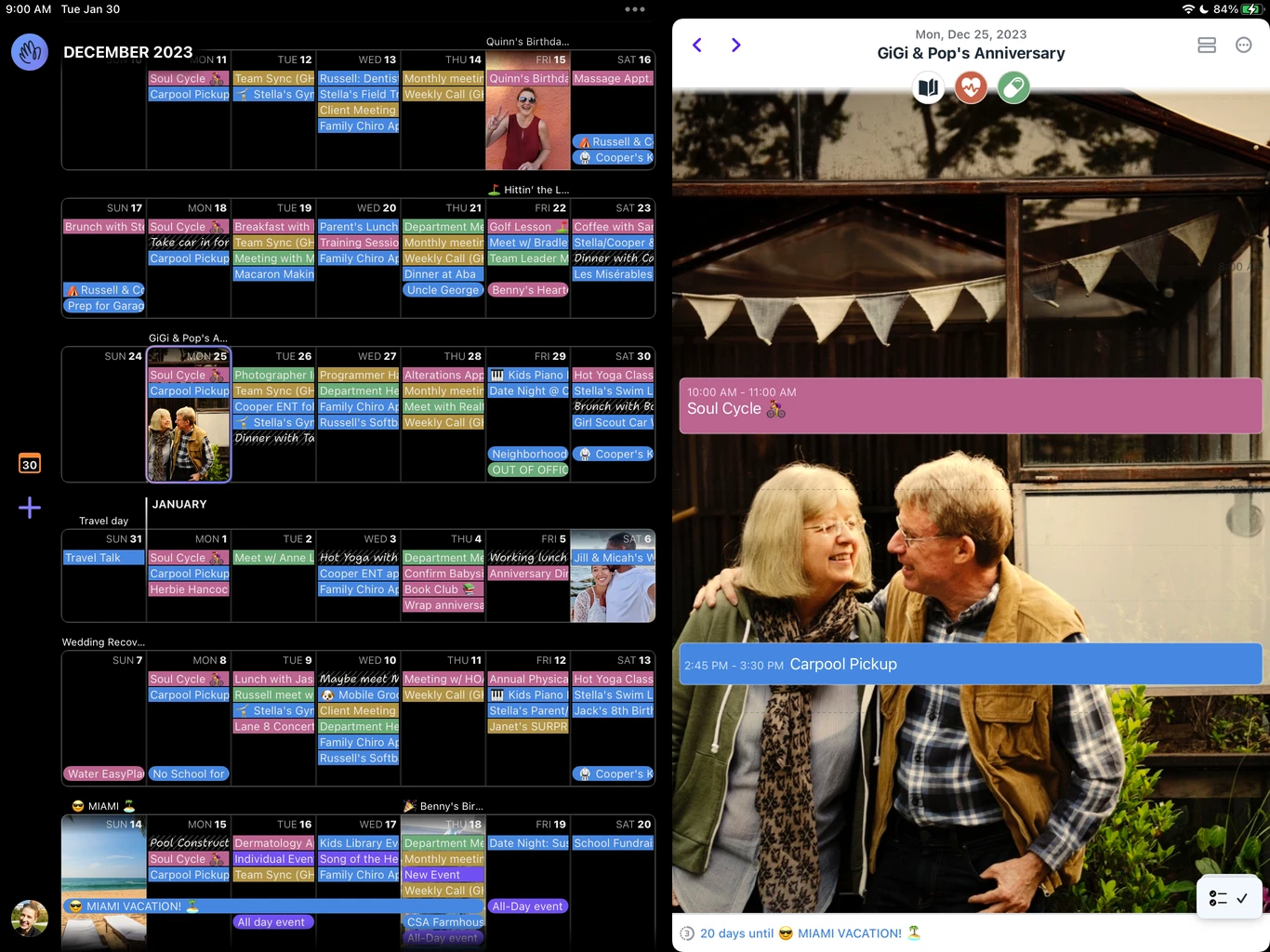
HEY Calendar for iPad is here with a new landscape design. See your Weeks and Day side by side on the big screen… or the small: just rotate your iPhone.
New
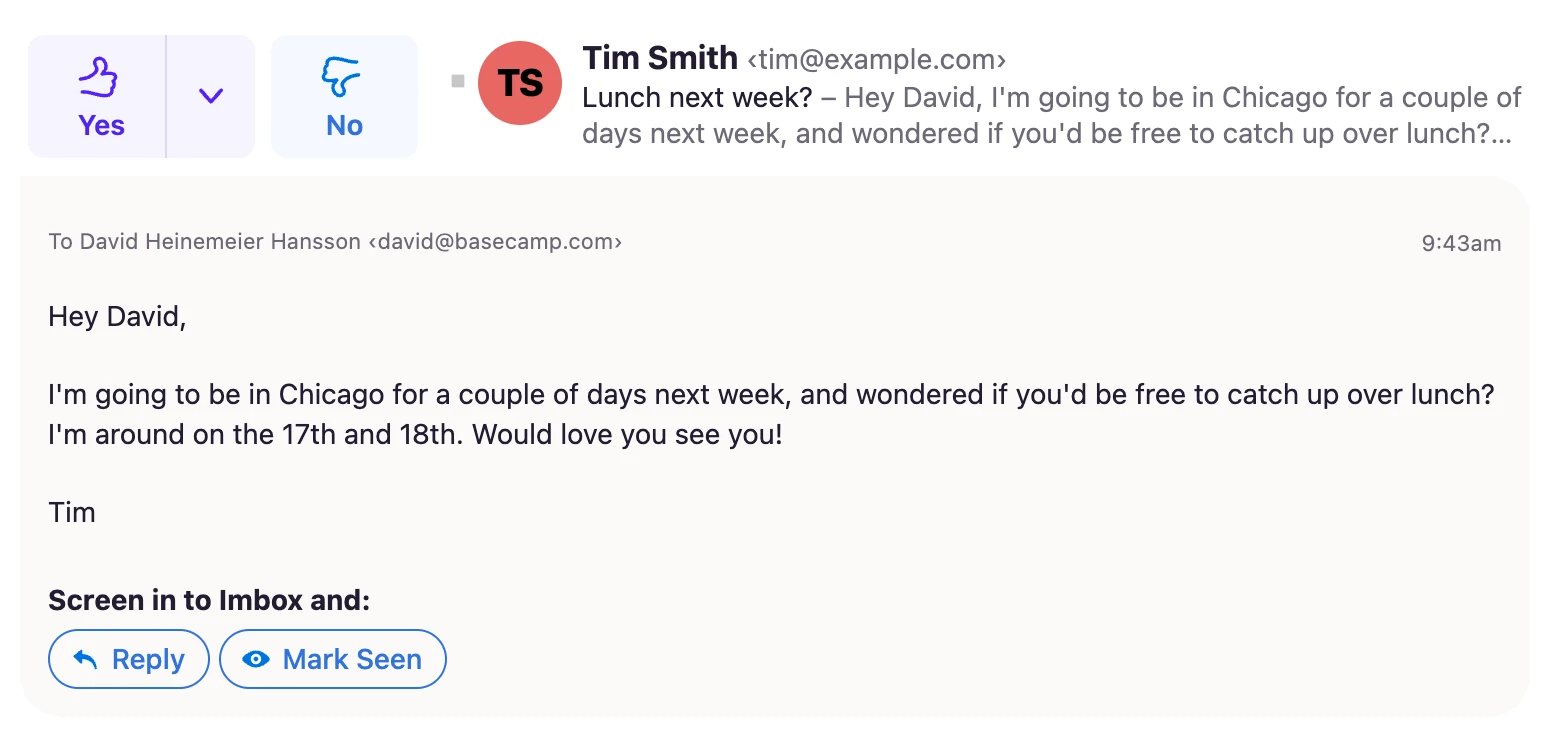
Sometimes, you read an email inside The Screener and then decide to screen the contact in. But since you’ve already read the email, you just want to mark it seen. Now you can!
New • Web
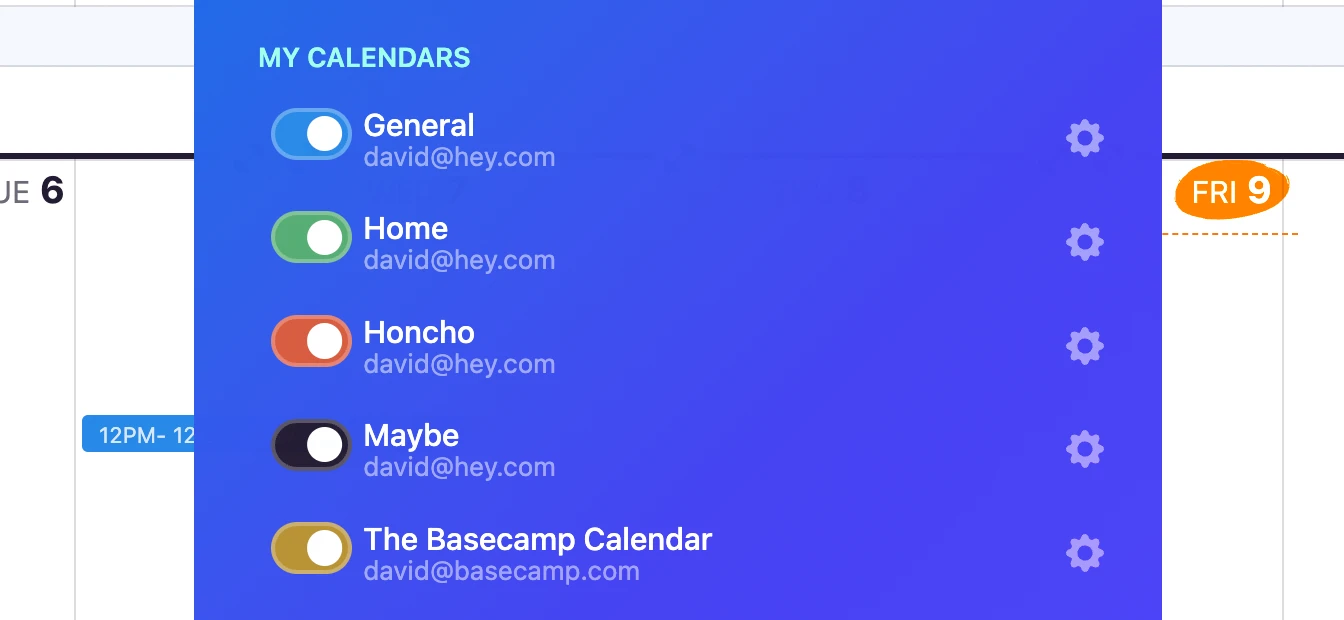
When you link multiple accounts, HEY Calendar will display the email address associated with each calendar in the HEY menu. Now, it’s easier to differentiate between each calendar at a glance.
New
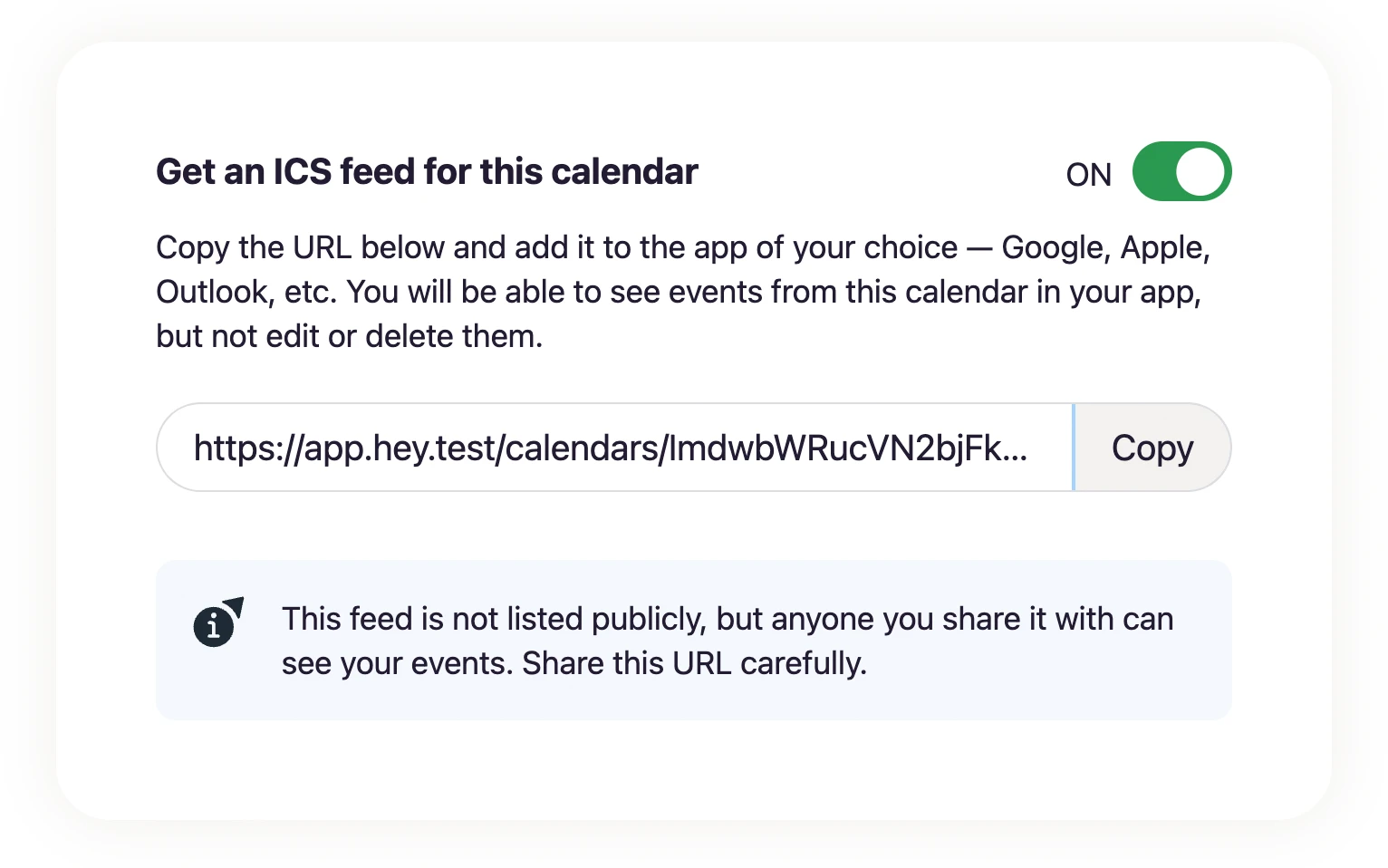
Add events from any HEY calendar to apps like Google, Apple, or Outlook. Just copy the feed URL, add it to your app, and events will start flowing in from HEY.
New • Web
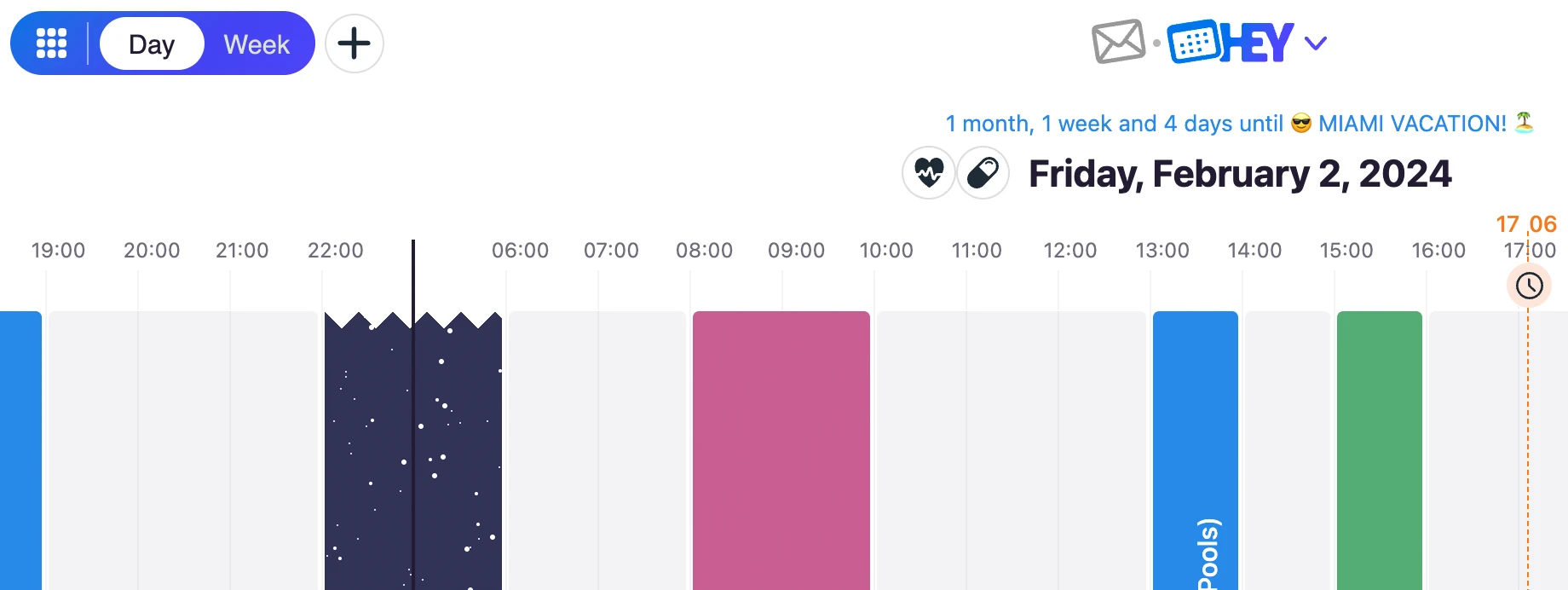
HEY Calendar remembers the view (Day/Week) and the date you were looking at when you hop over to Email. Now, when you return to the Calendar, you’ll be right where you left off.
New • Web
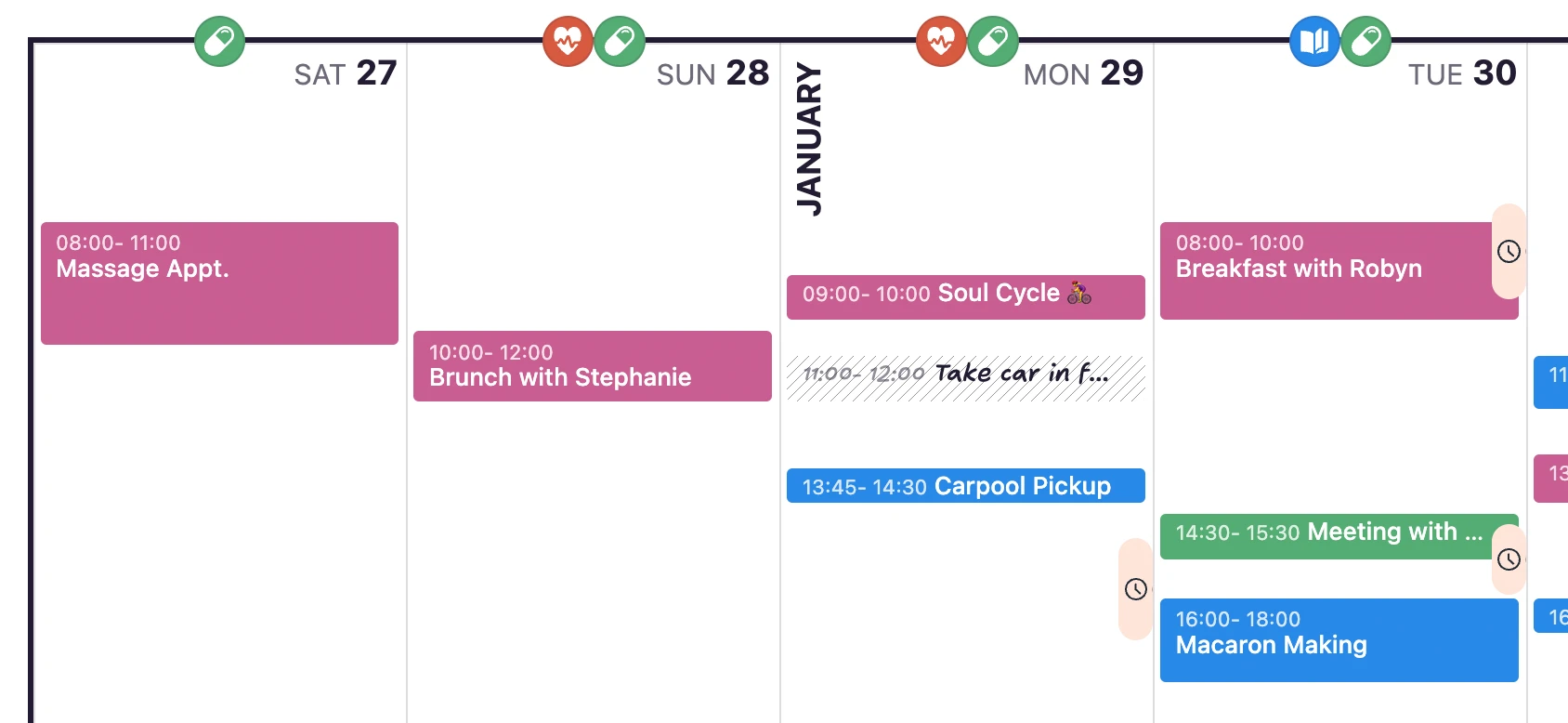
You can now choose the first day of the week in HEY Calendar. Prefer Saturday? Or maybe Wednesday? Click the avatar menu while you’re in the Calendar to change your preference.
New
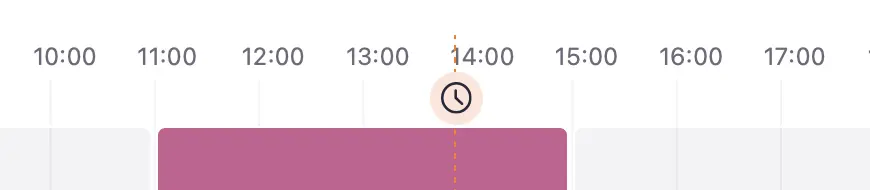
Prefer using 24-hour time? Now you can head to Accounts & Settings › Date & Time and switch it on. The choice is yours.
New
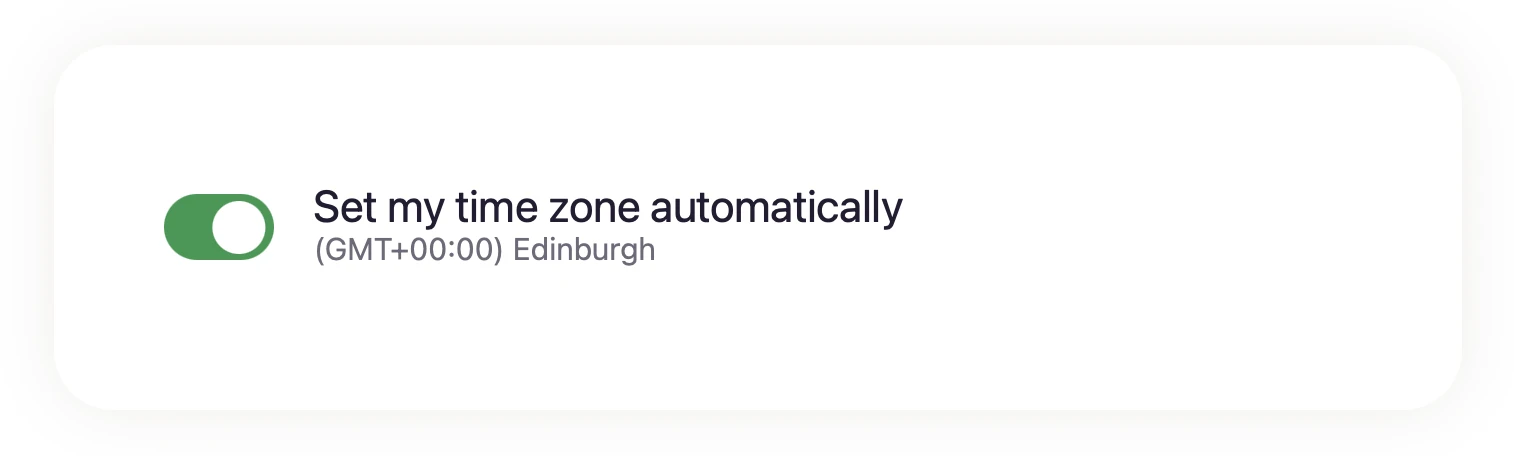
We’ll keep your time zone up to date as you travel around the world 🌏. You can still manually set a time zone by turning this option off and selecting one from a list.
New • iOS
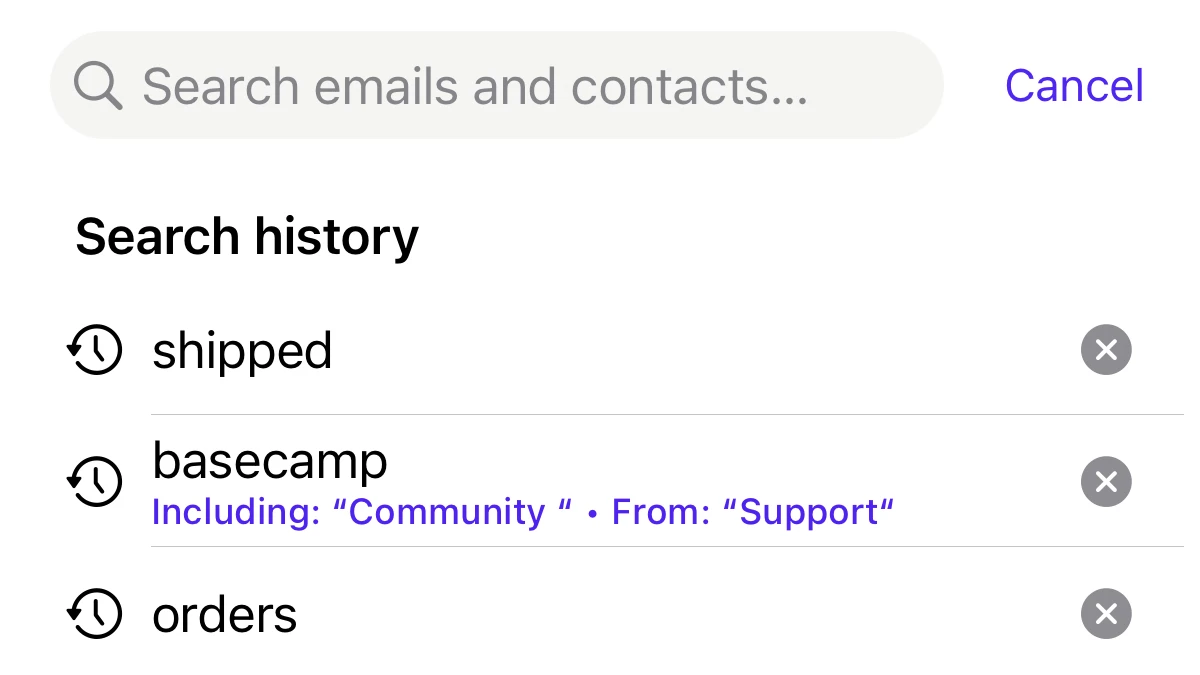
HEY for iOS remembers what you recently searched for. This is especially handy when you’re often searching for the same types of emails. This search history is only on your device, and you can easily clear terms by tapping the X.
New
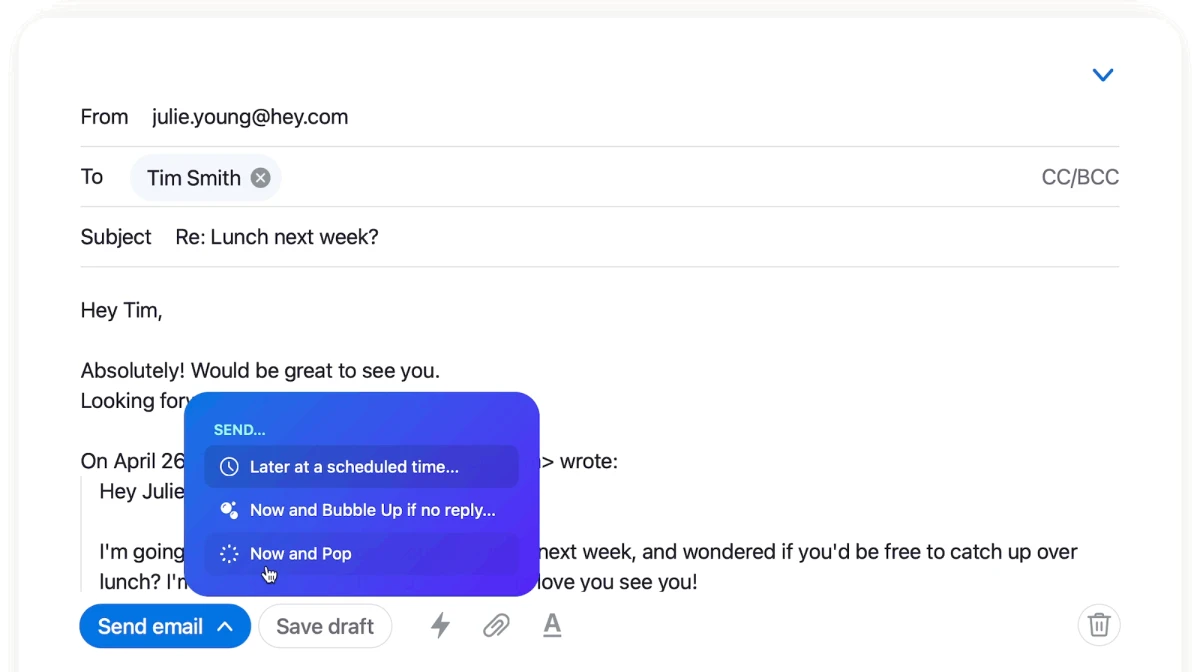
When you Bubble Up an email, it floats to the top of your Imbox and it stays there until you Pop it. If an email Bubbled Up and you replied to it, did you still want it up there or are you done with it?
Now, when you’re replying to an email in Bubble Up, you can select Now and Pop.
New
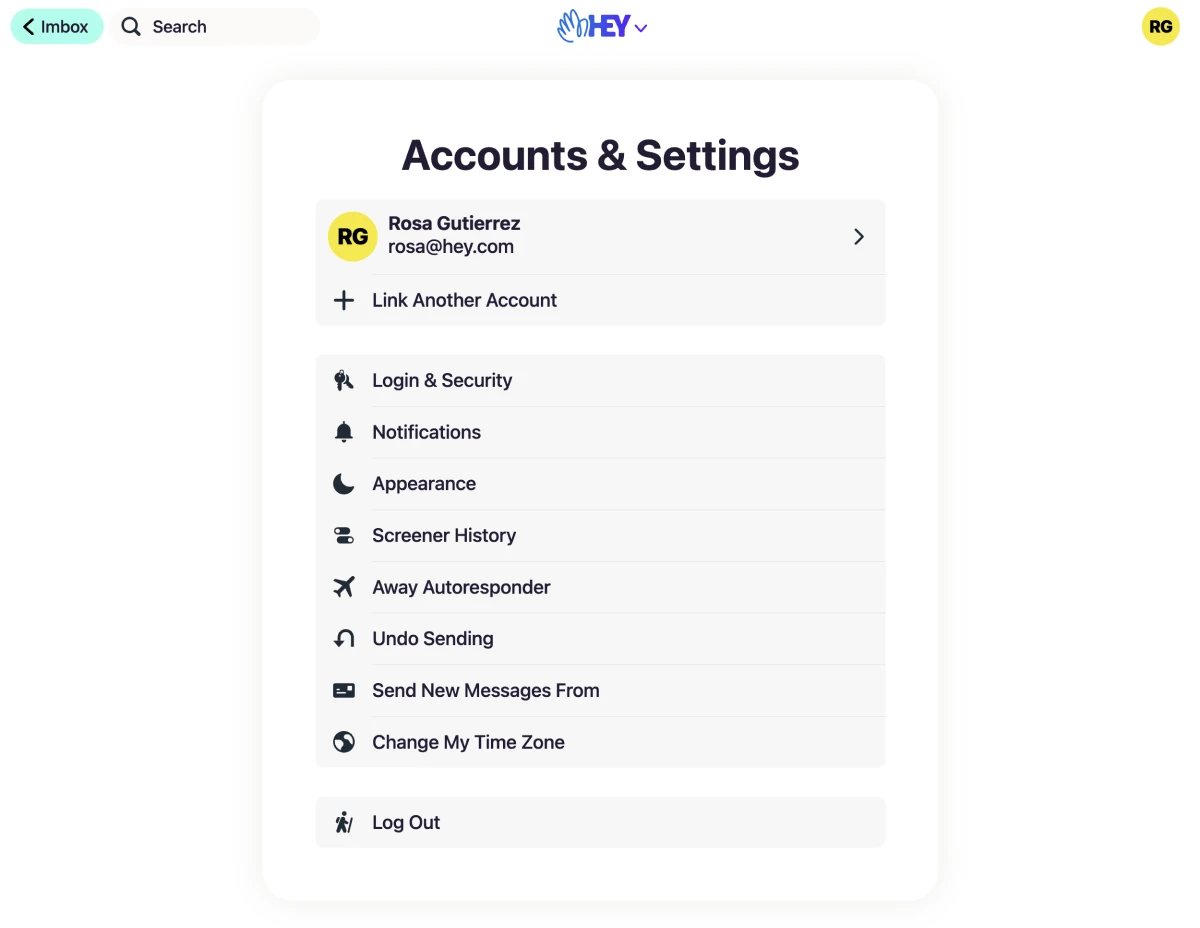
The new Accounts & Settings screen has all of the global settings plus all of your accounts — click an account to see all of the options specific to that account.
Live now on web, desktop, iOS and Android.
New • Web
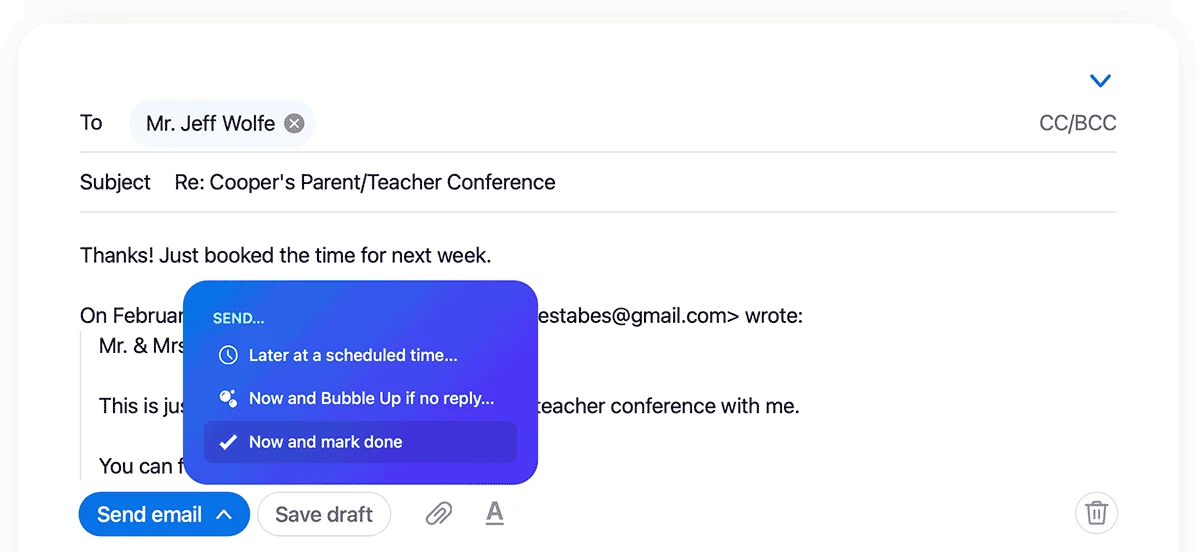
You Set Aside an email, then reply to it. Question is, is it Done? Now, when you’re replying to an email in Set Aside, you can make it so with a new action to send now and mark done.
Live on web and Android, coming soon to iOS.
New
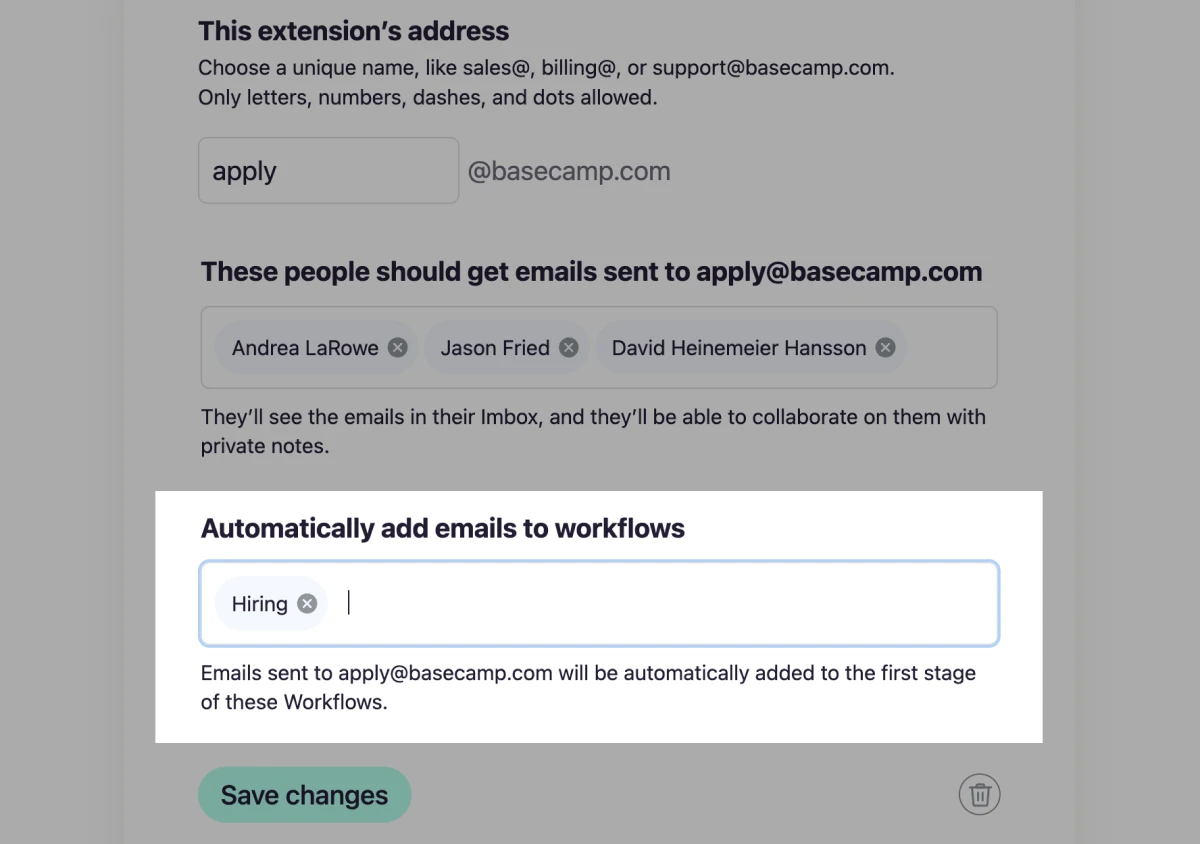
The new Workflows feature has been a big hit with customers, especially those who are craving more CRM tools. Now, HEY for Domains users can set any extension to automatically put incoming emails into one or more Workflows.
New
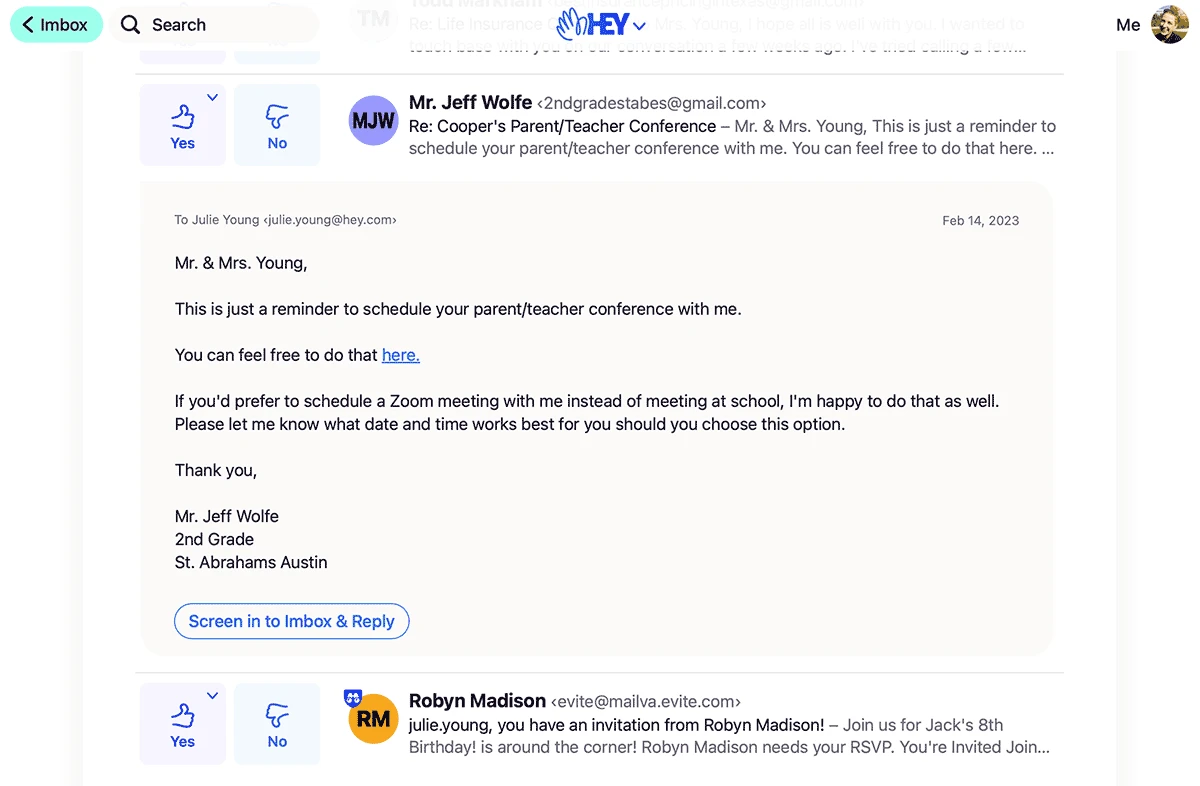
Ever checked The Screener and see an email you immediately want to reply to, so you screen them in, go to the Imbox, find the email, then reply? This one’s for you. Screen in & Reply in one swoop.
New
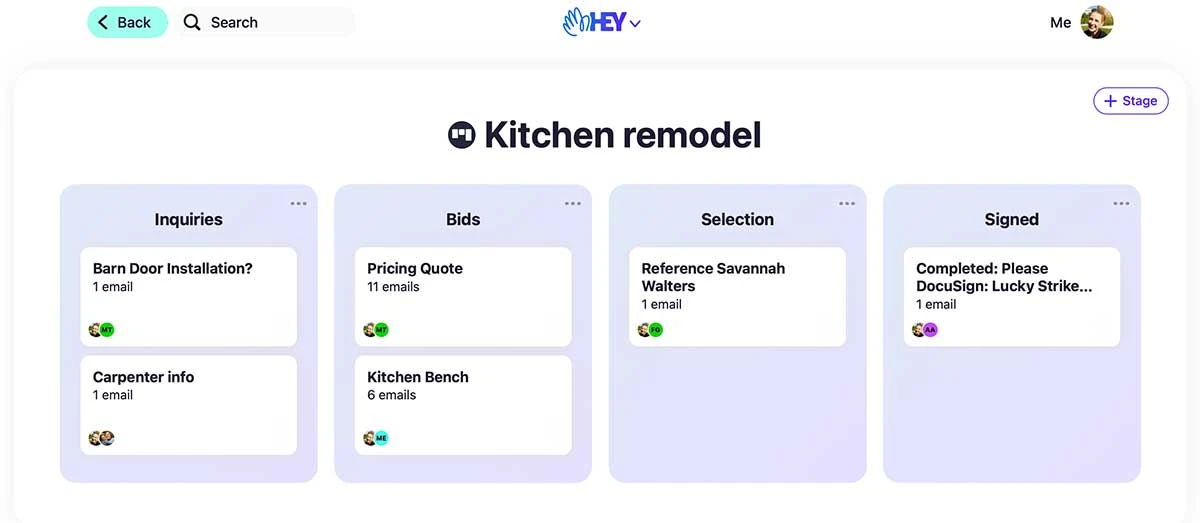
Add email threads to a Workflow to track progress through the stages of a process (sales, hiring, purchasing, etc.).
New • Web
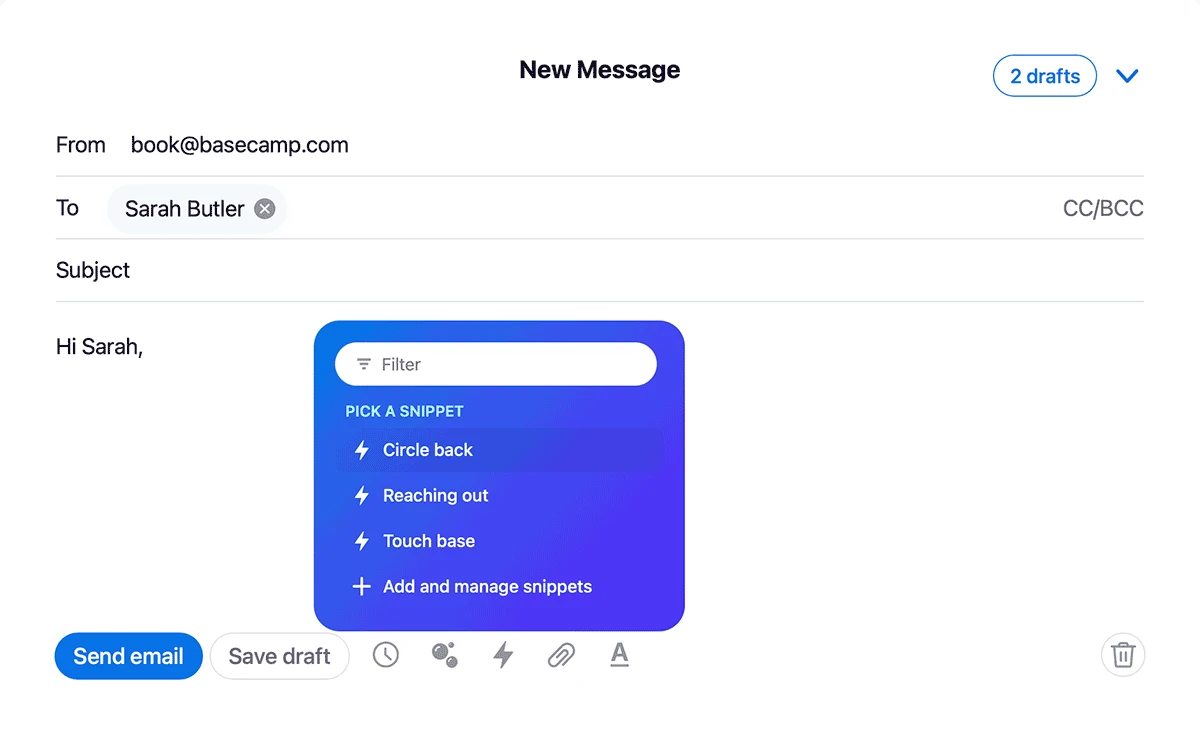
No one wants to type the same message over and over. Snippets let you quickly insert a few sentences or an entire email, which means less time wasted on repetitive work. To add your first snippet, click the HEY menu › Snippets.
New
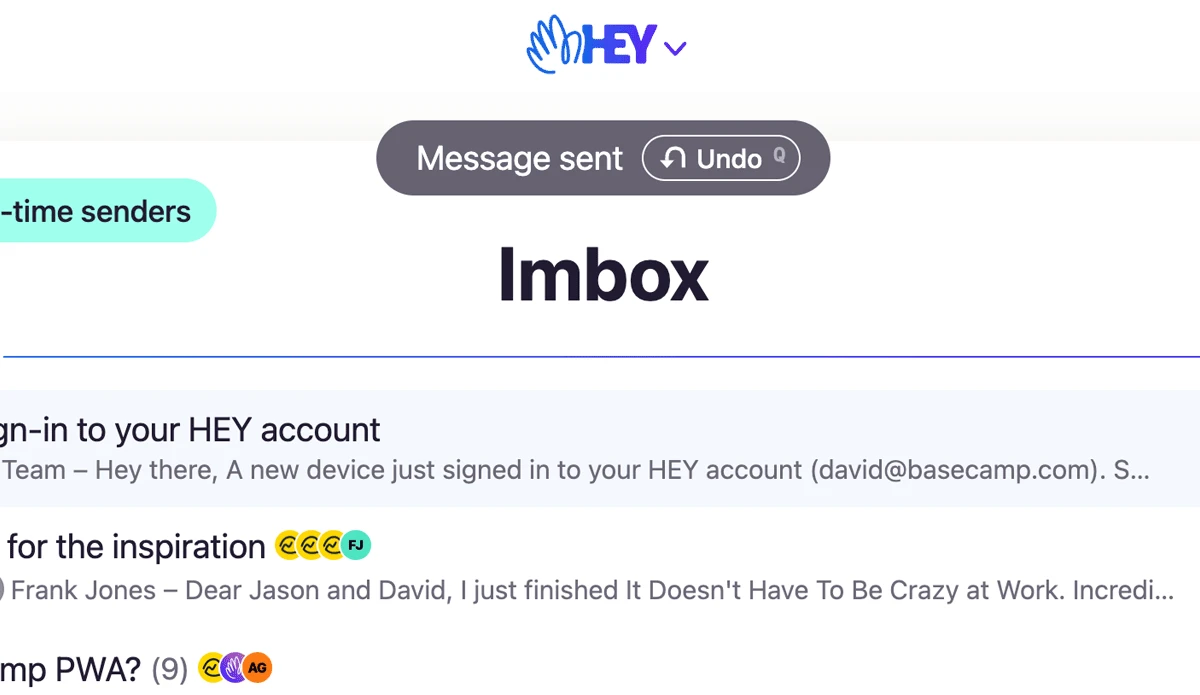
Undo sending a message (within a few seconds) if you catch a mistake, forget the attachment (again) or have instant regret.
New
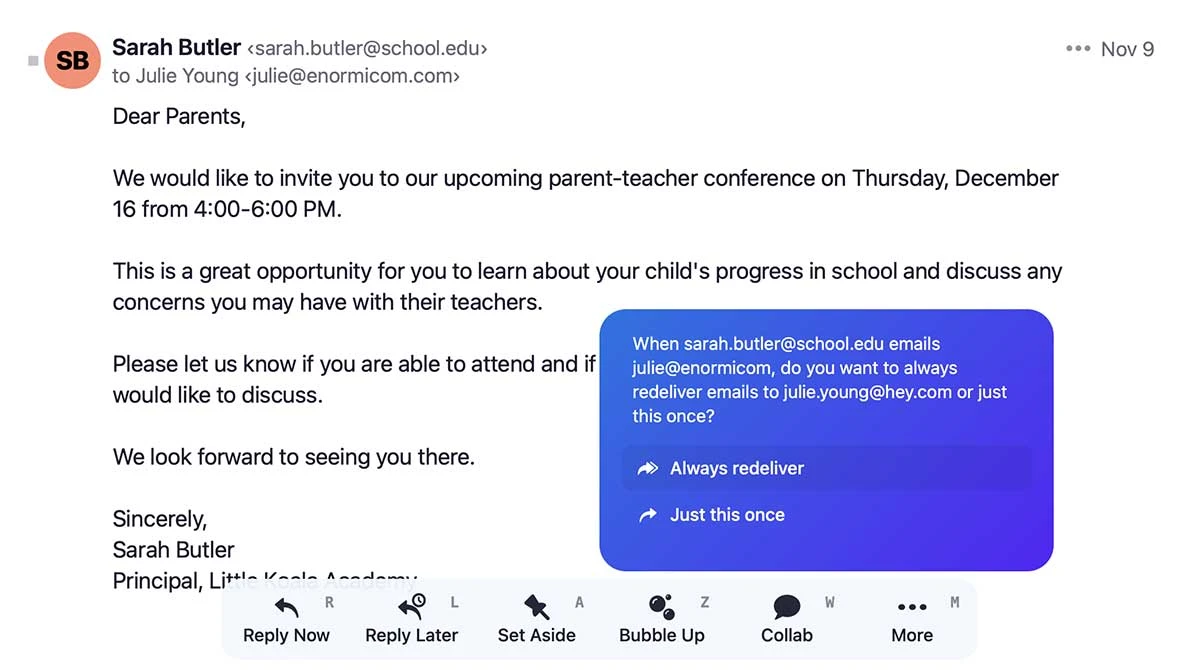
Great for keeping personal and work emails separate, you can redeliver emails received in one of your HEY accounts to another. On an email, select More › Move › Redeliver to.
New
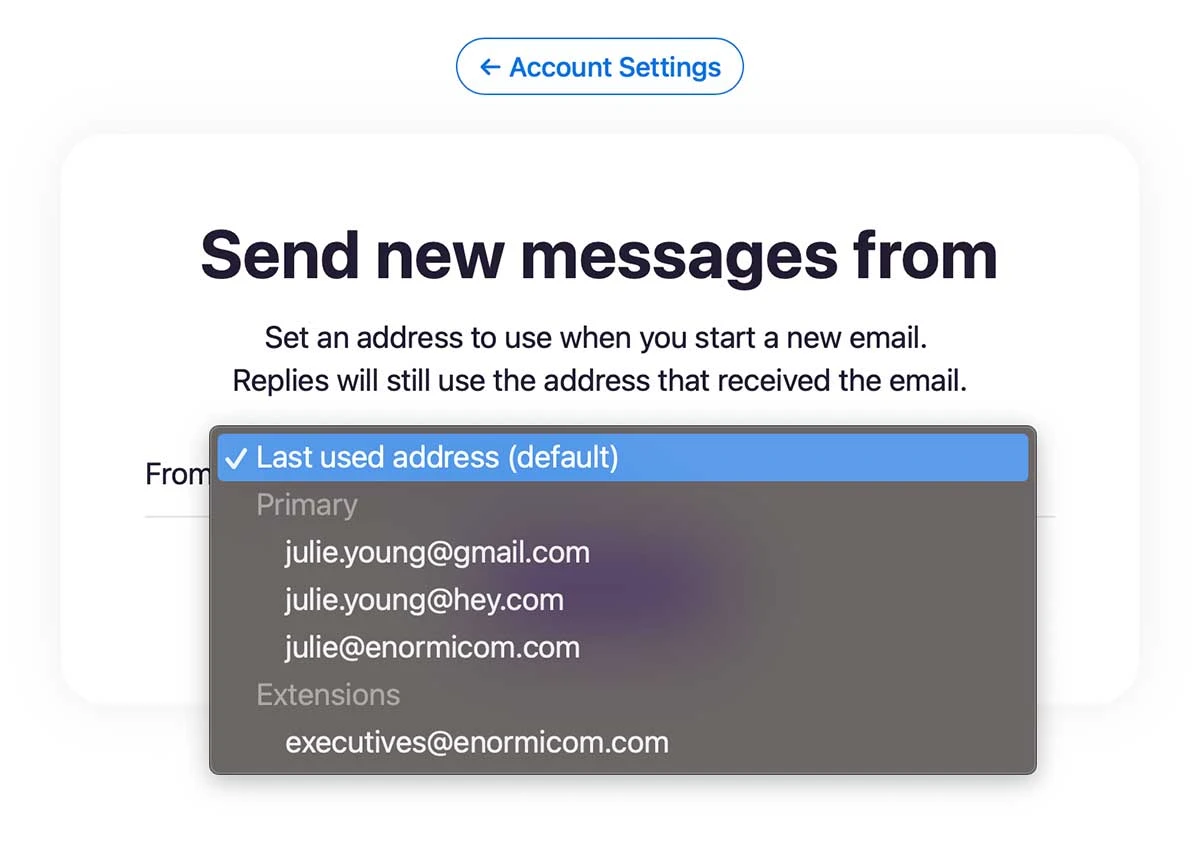
When you have multiple addresses in HEY, you can now set which address you’d like to send new messages from.
New • Web
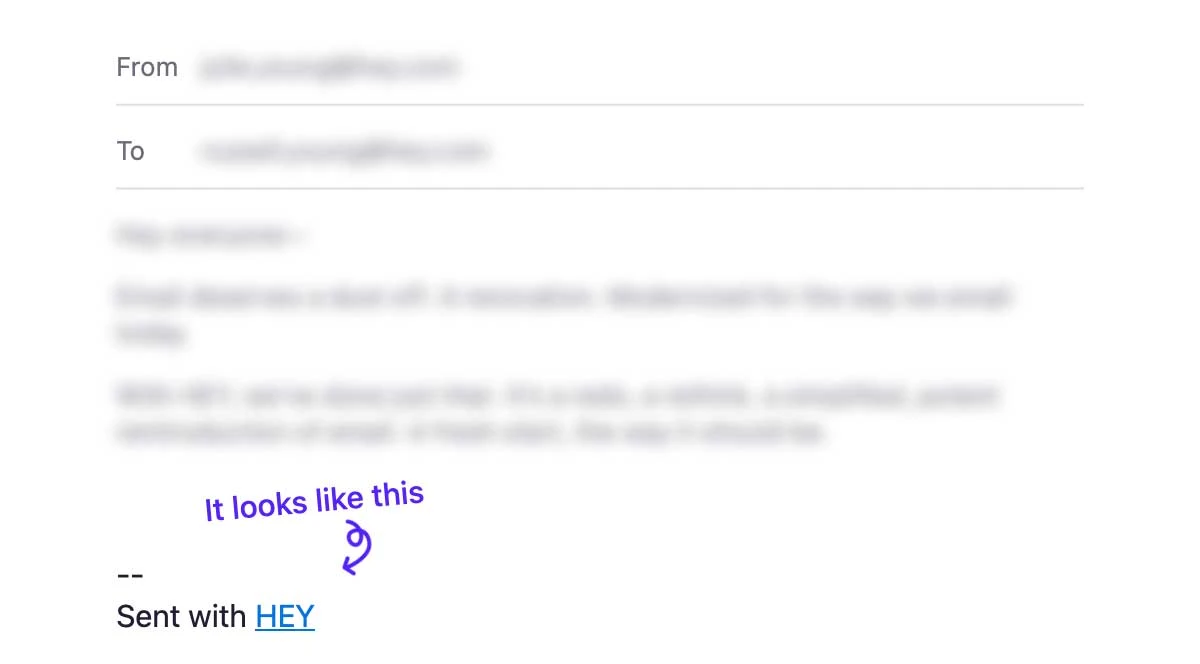
Spread the word and get a free month, or two, or three… For every three months you have the Sent with HEY footer on, you’ll earn a free month of HEY.
New • Web
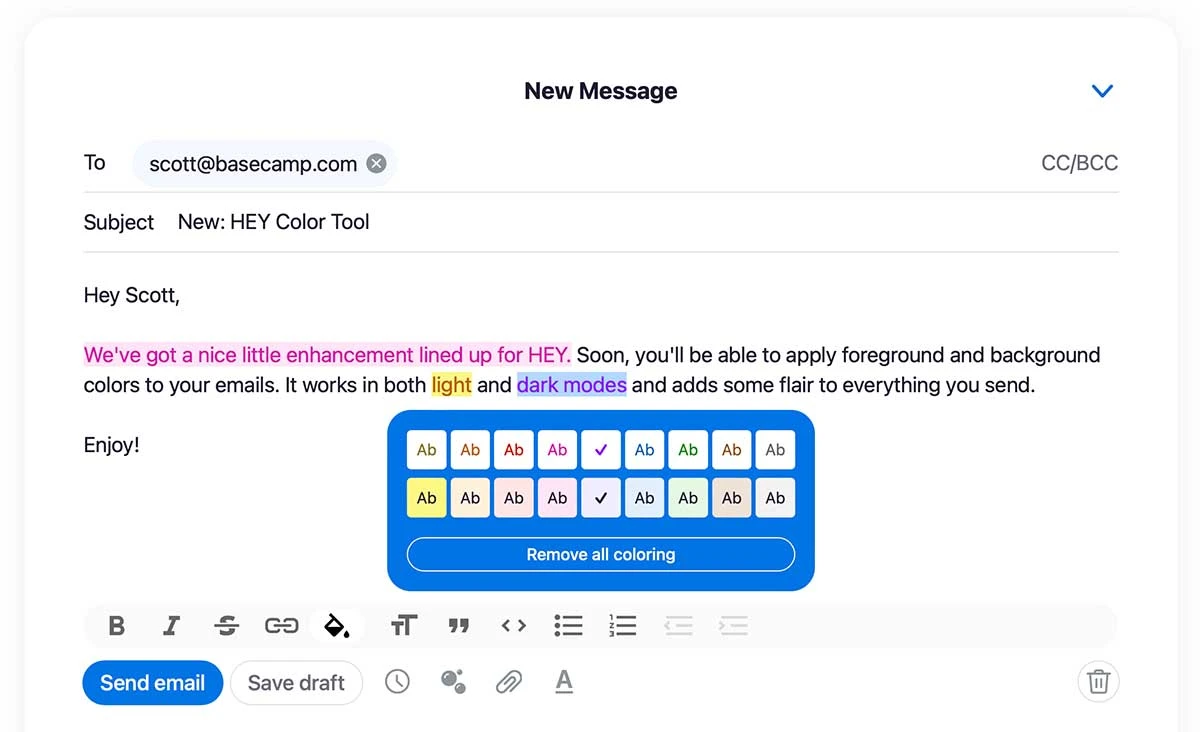
Get creative! Now you can add color and background highlights to make your HEY messages more expressive.
New
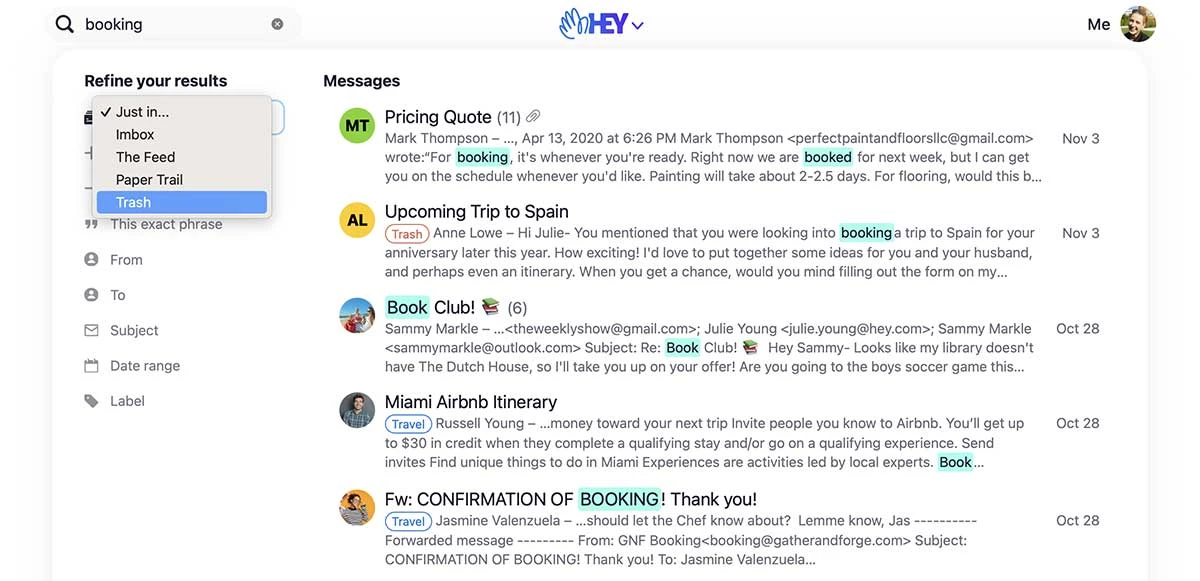
If you search, you’ll find that search results have a new look. And with it, is the ability to search emails in Trash.
New
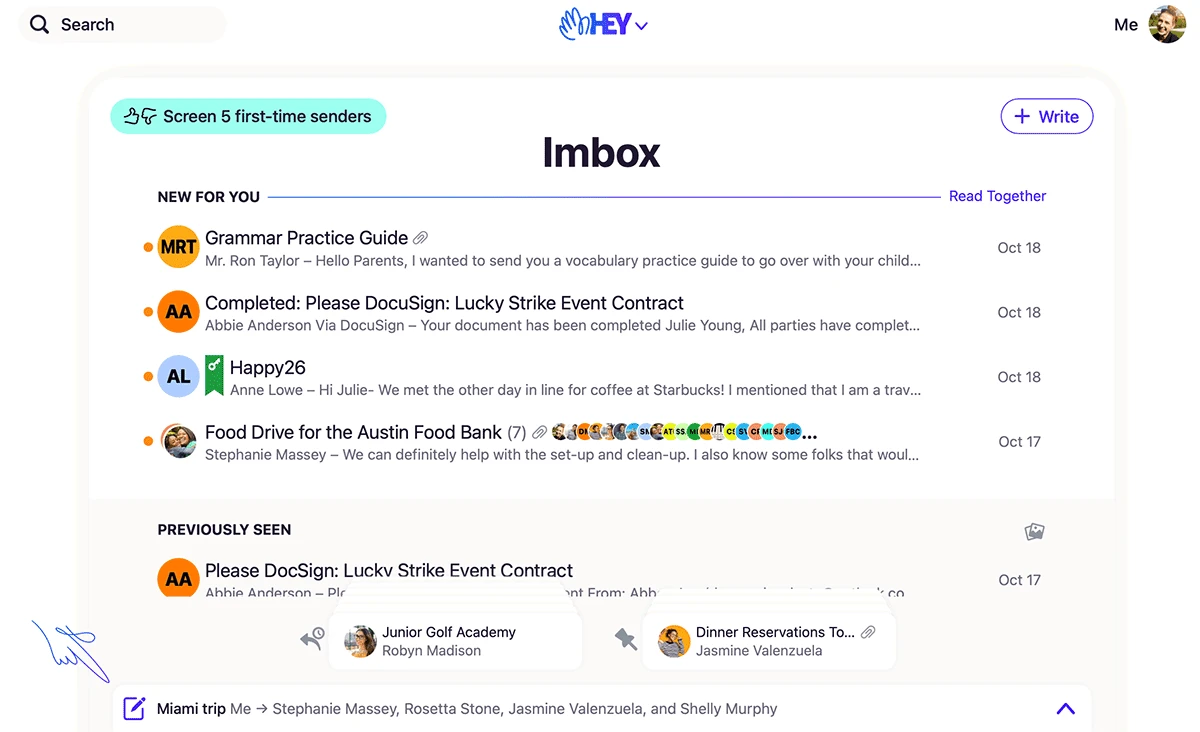
Sometimes while you’re writing an email you need to reference another email thread. Now you can minimize your draft to the bottom where it’ll stay docked while you move around in HEY. When you’re ready to resume writing, just pop it back open and continue where you left off.
New
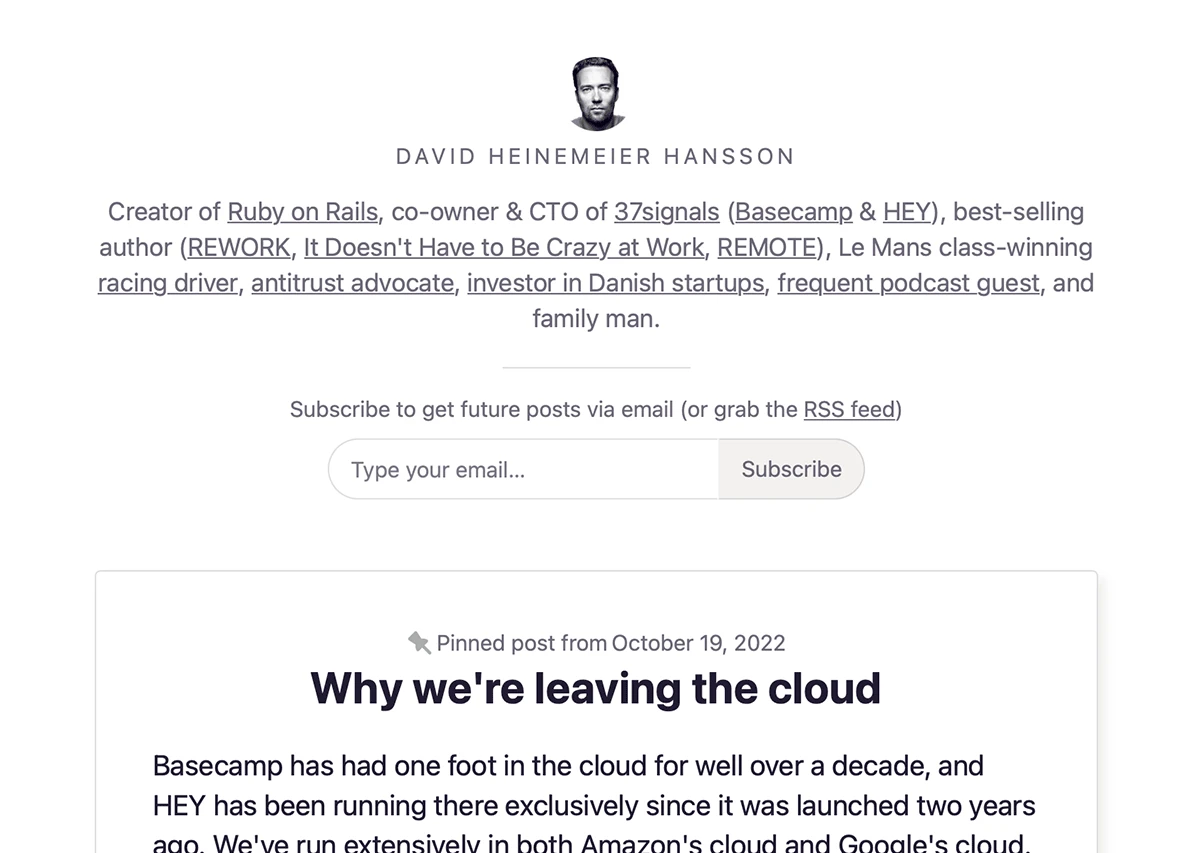
Spiff up your HEY World blog page by adding a short bio and pinning your best posts to the top.
New
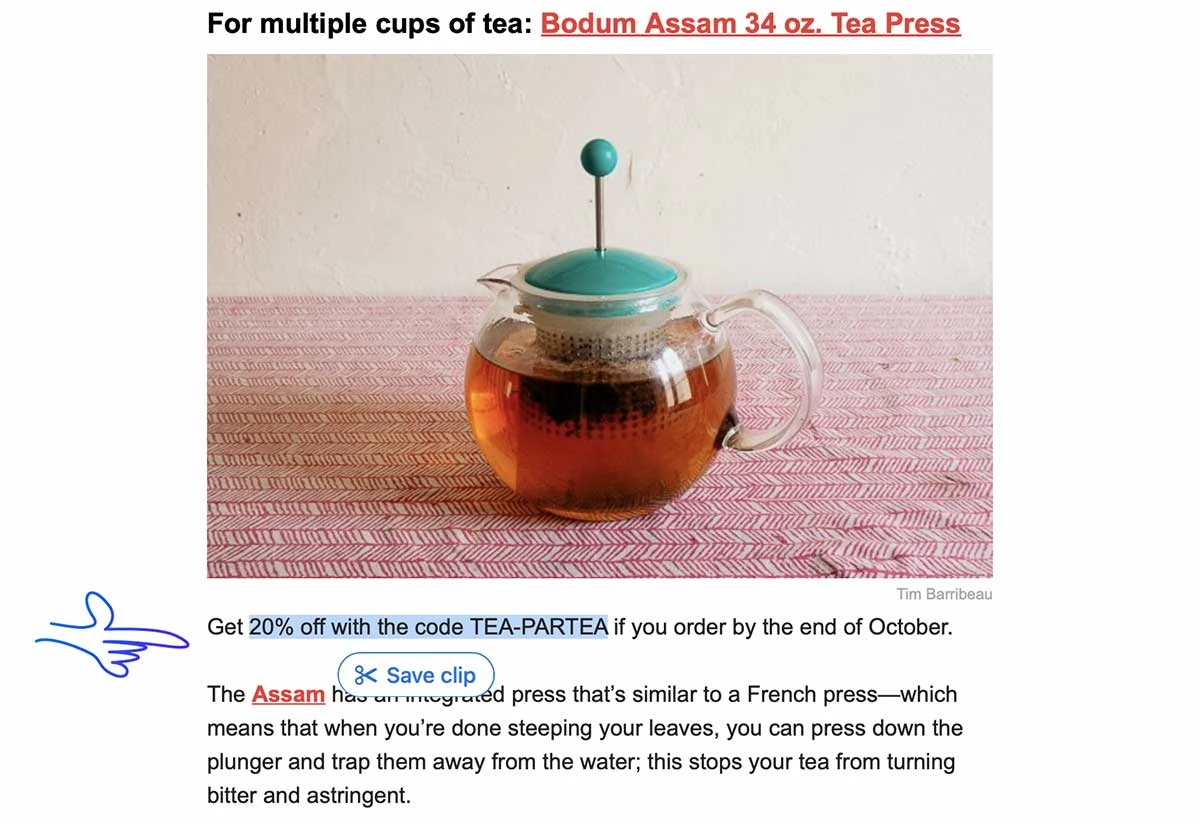
Perfect for saving coupon codes and vouchers. Highlight the text then tap “Save clip”. To view your saved clips, tap the HEY menu › Your Clips.
New
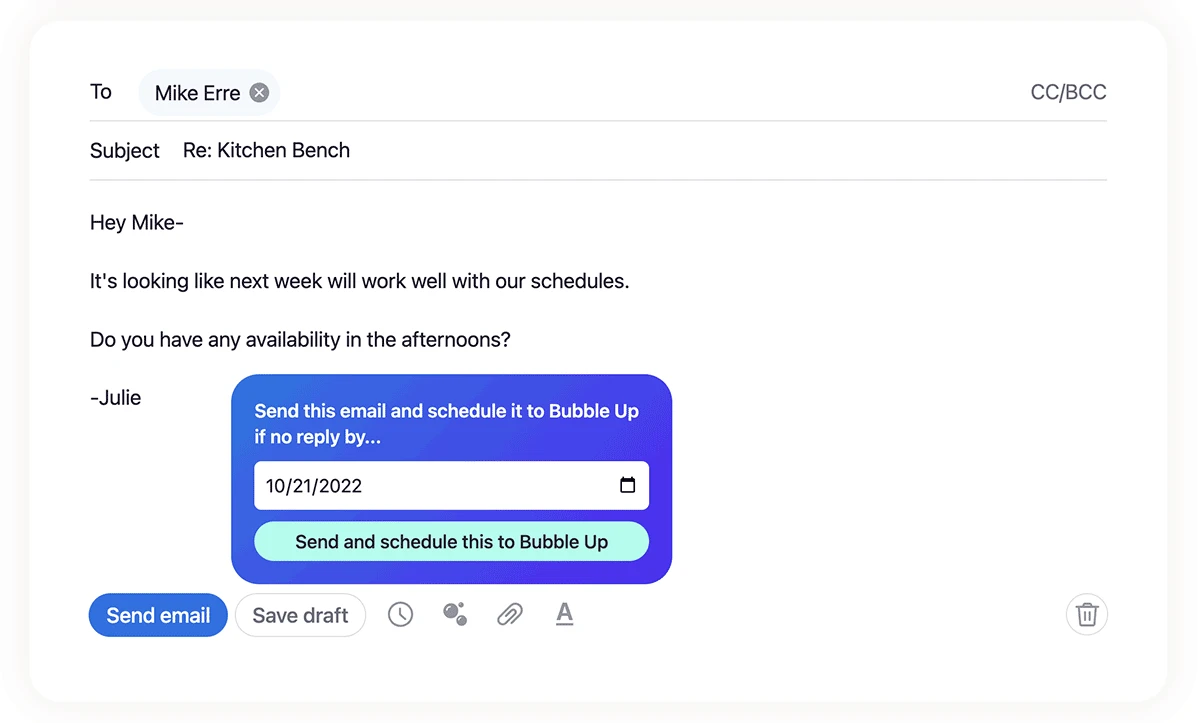
Now you can bubble up an email if you haven’t received a reply by a certain date. This is really handy for situations when you’re waiting on someone for something, and don’t want to forget.
New
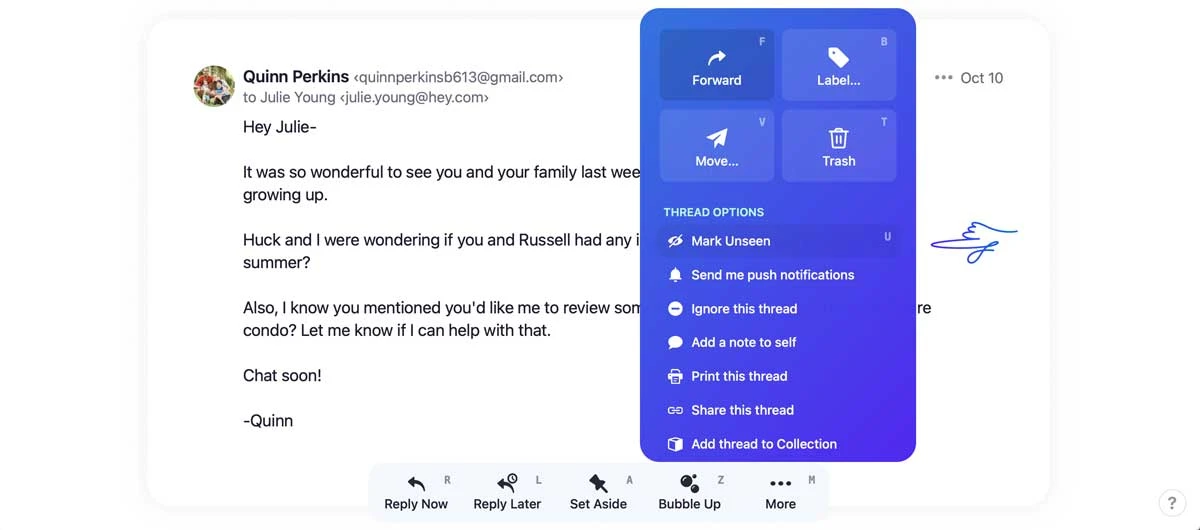
You can mark an email as unseen when you’re viewing it. Tap More (or keyboard shortcut u) to Mark Unseen.
New
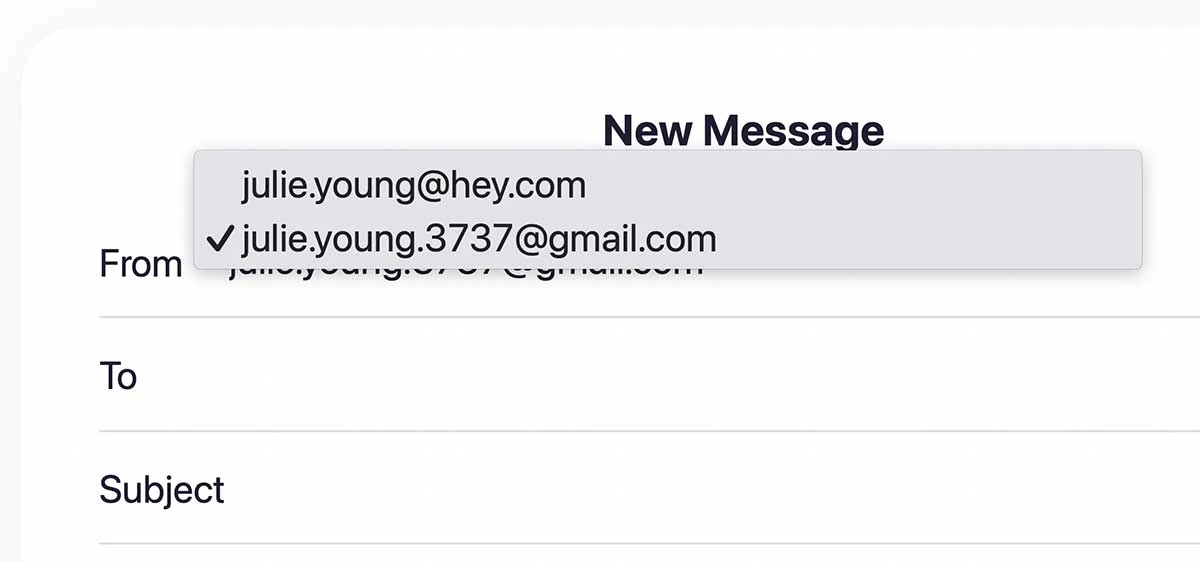
HEY now supports sending emails using your Gmail address! To get set up, head to your account settings › Forwarding & Sending › Connect an address. You’ll then be able to switch which address you’re sending from by tapping on the “From” field.
New
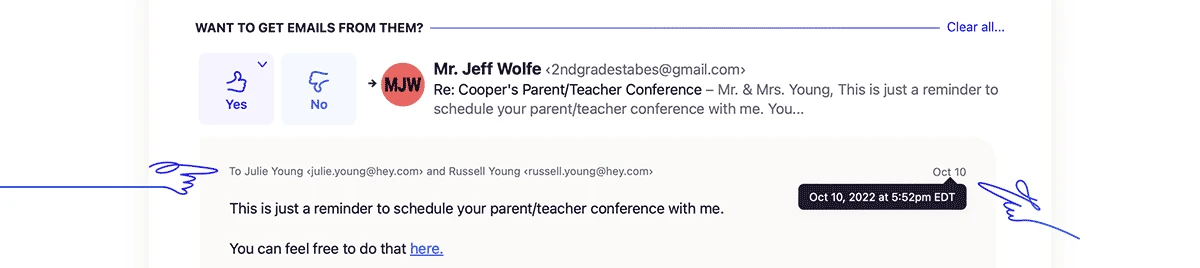
Ever seen something come through in The Screener and wonder when it was sent, which of your emails it was sent to, and who else got it? Now when you tap to preview the email, you’ll see recipients and timestamps in The Screener.
New
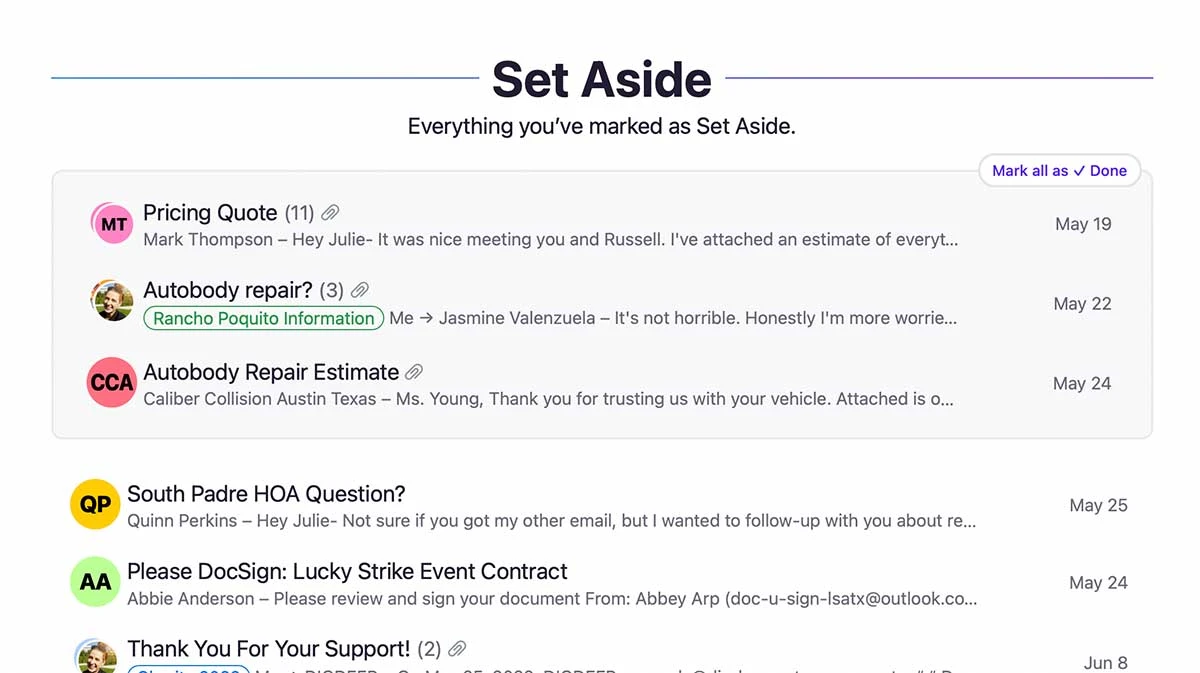
Organize emails you’ve Set Aside into groups at the top of the list. Groups are a great way to keep track of bills-to-pay, confirmations for your upcoming trip, or receipts for your expense report — just drag and drop!
New
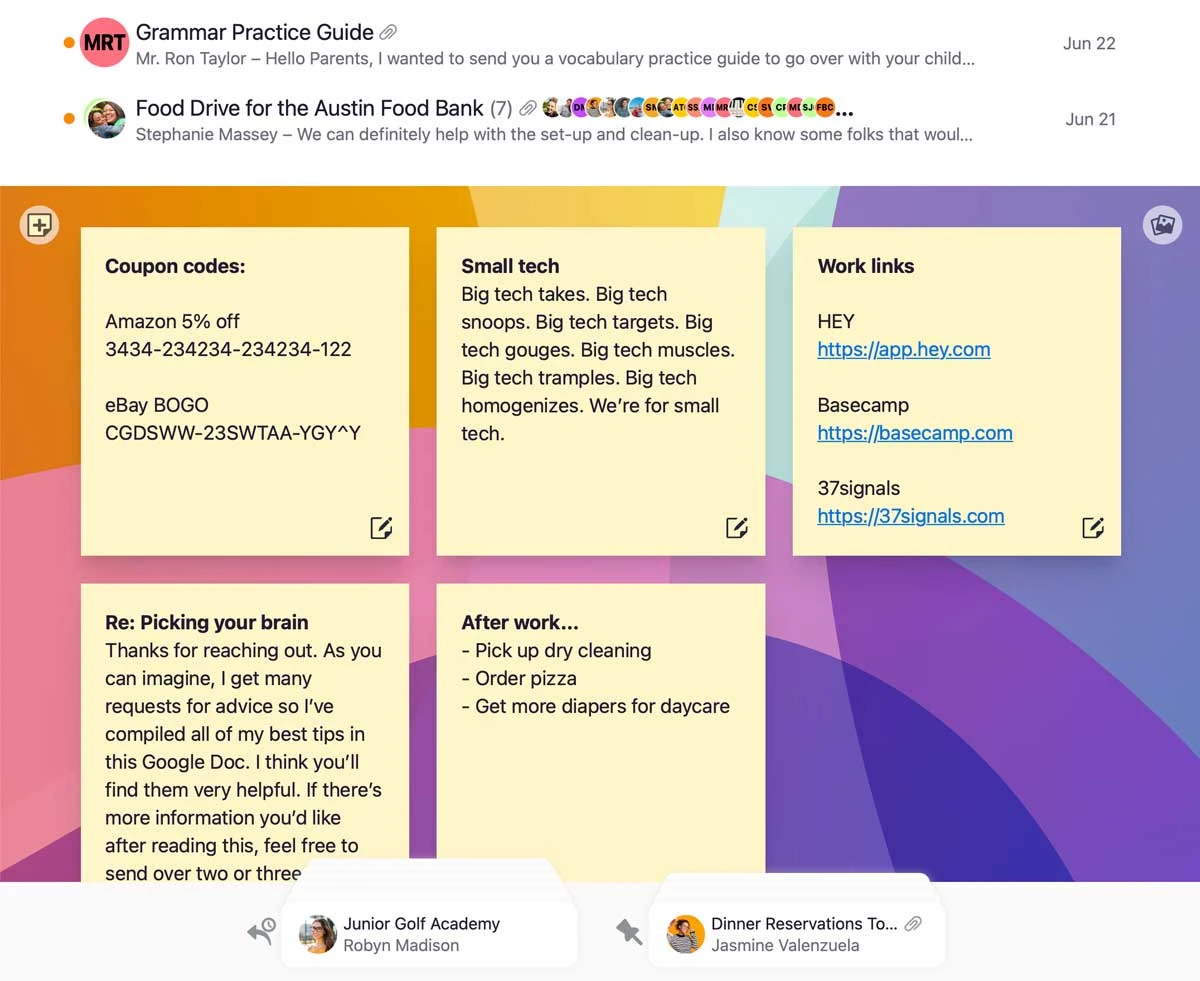
Stick a note to your Cover Art where it’ll always be right there when you need it. Great for for reminders, reply snippets, phone numbers, links, and more!
New
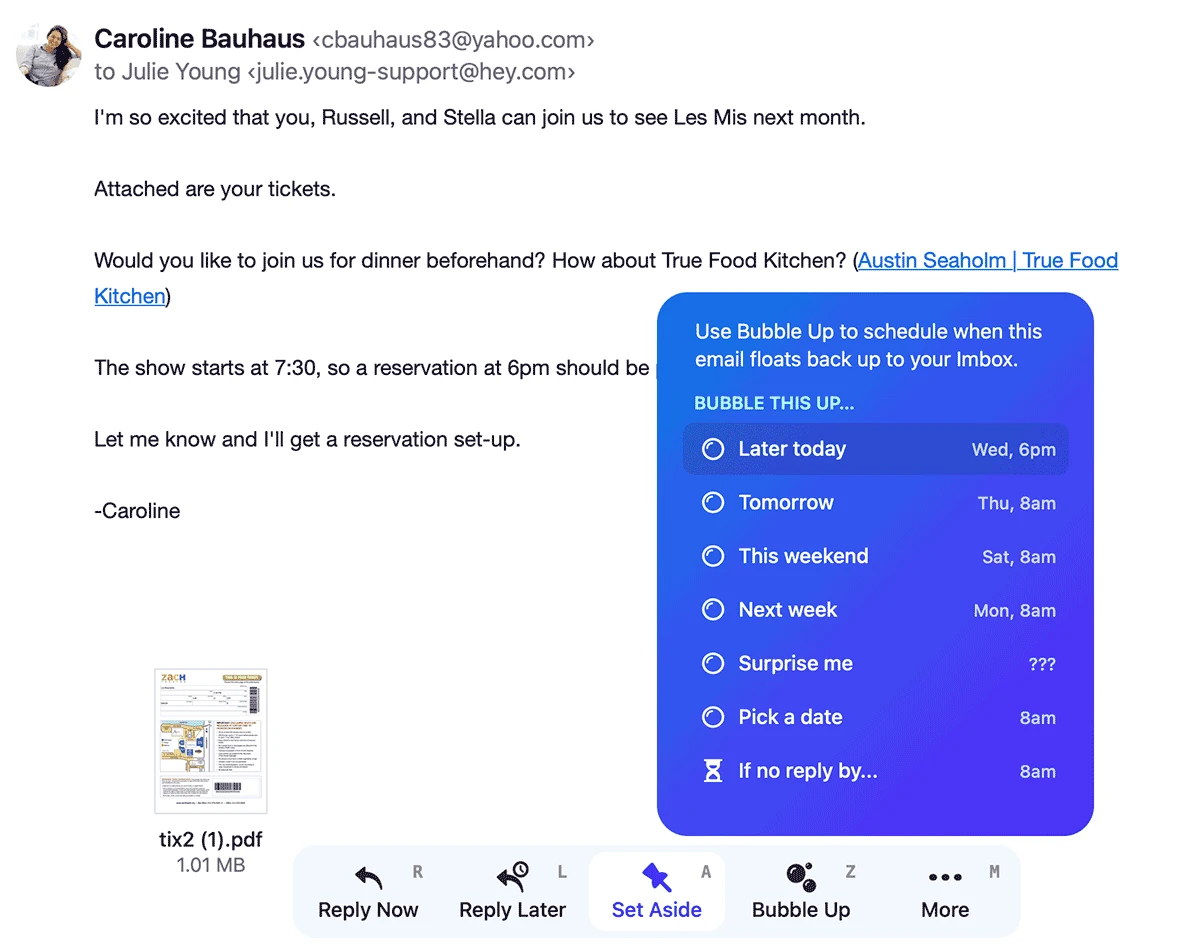
Bubble Up is HEY’s take on snooze. If you don’t need to look at an email now, schedule a time for it to float back up to your Imbox.
New • Web
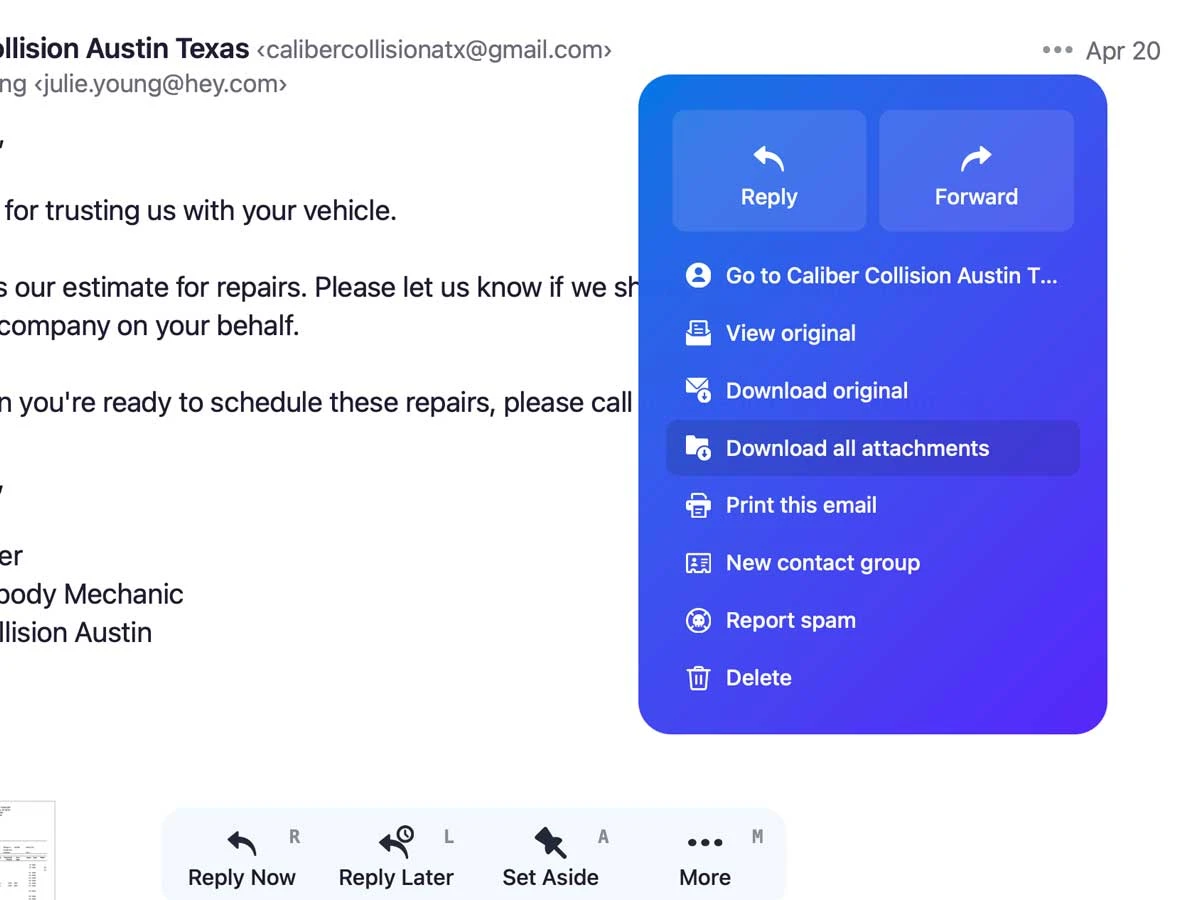
Received an email with a ton of attachments? Boom! Now you can download them all-at-once with just two clicks.
New
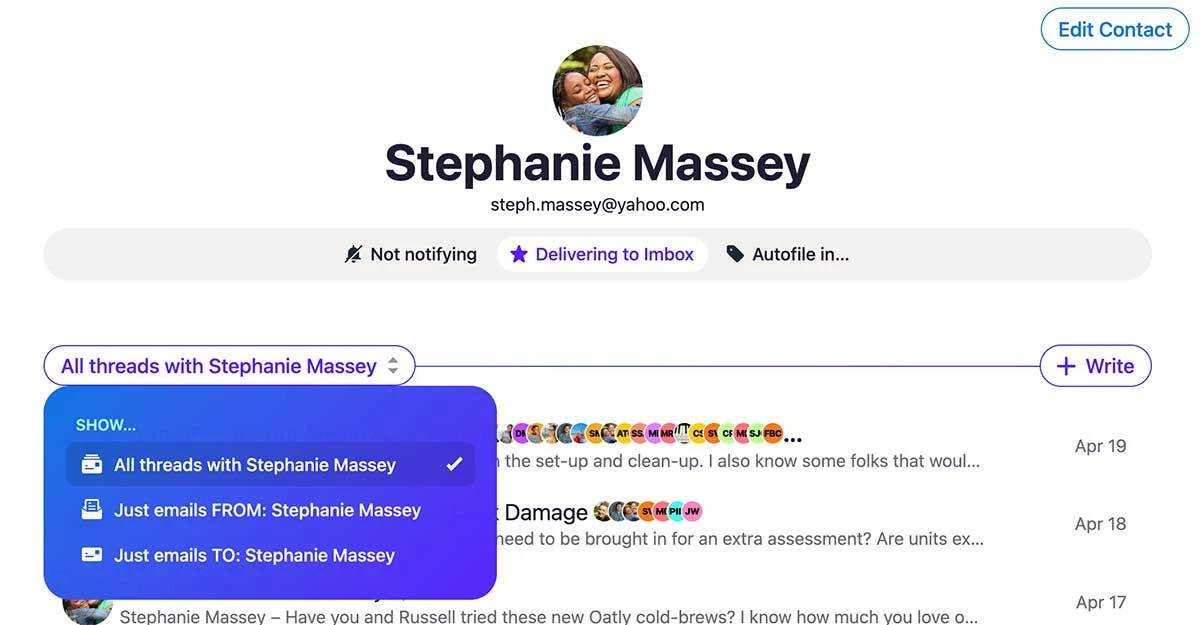
We’ve just added another great way to find things in HEY. Jump to any contact to see all email threads including that person or narrow-in to just emails FROM them or just emails you’ve sent TO them.
New • Desktop
HEY’s native app for macOS is now available in an Apple Silicon variant. Faster boot times, no Rosetta translation. Enjoy! 🎉
If you’d like the Apple Silicon variant you’ll need to download it — the Intel variant will not auto-update to Apple Silicon.
New
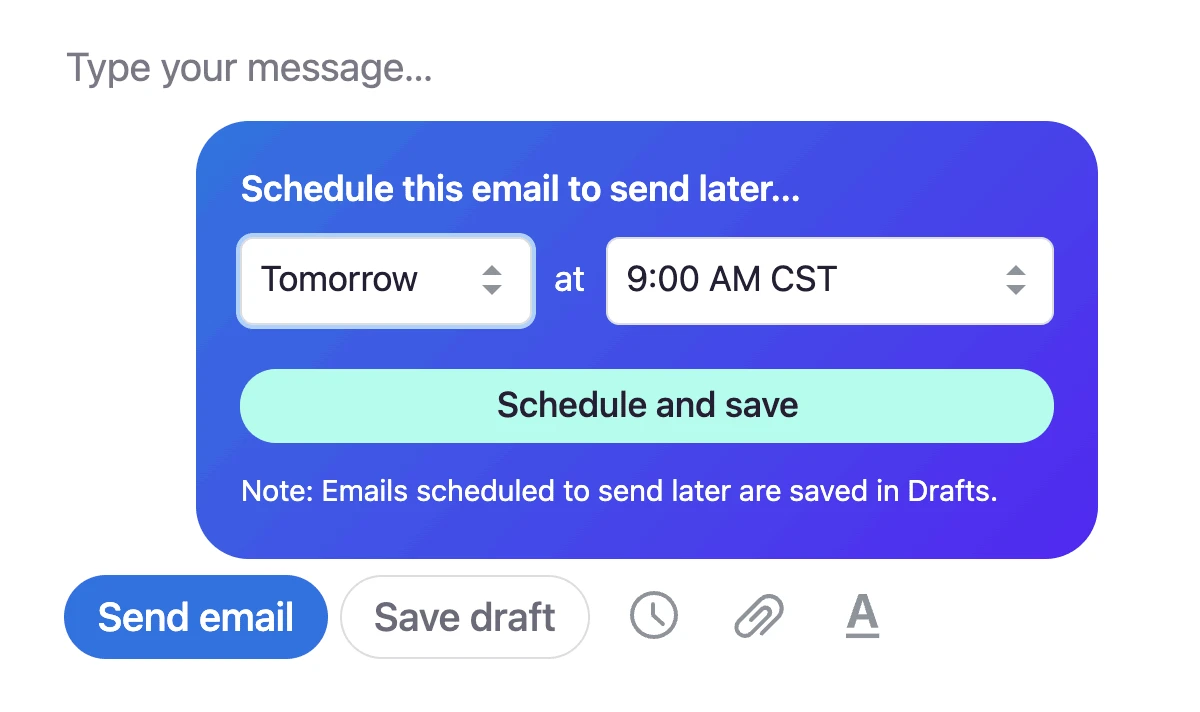
Schedule new messages and replies as drafts that’ll automatically be sent at a later time and day.
New
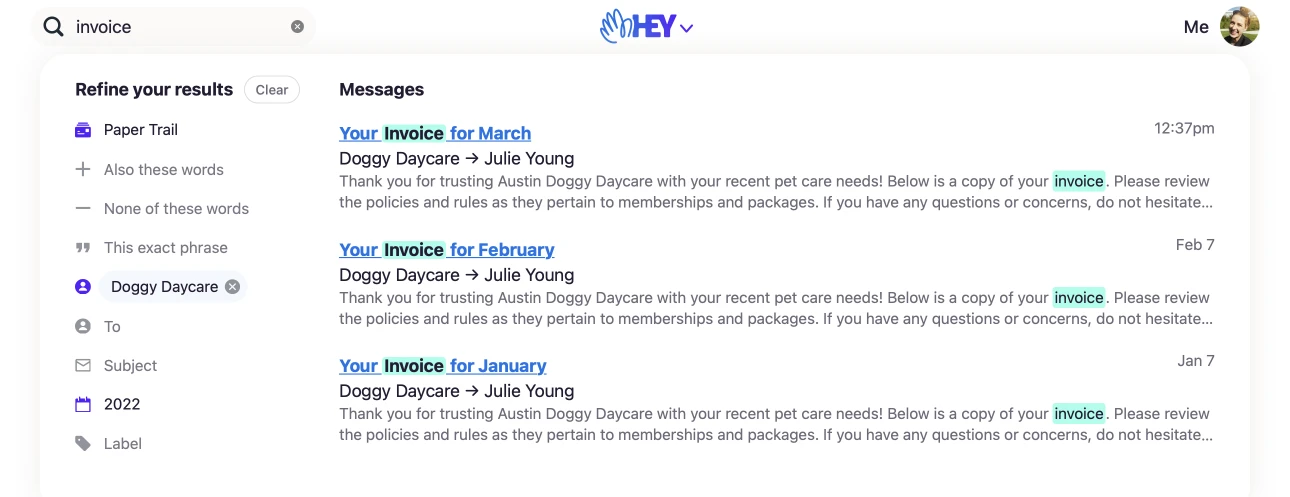
Find exactly the email you’re looking for. Filter by sender, recipient, date, and label. Refine and search just the Imbox, The Feed or Paper Trail. You can even find emails that include (or exclude) certain words. The power is yours.
New
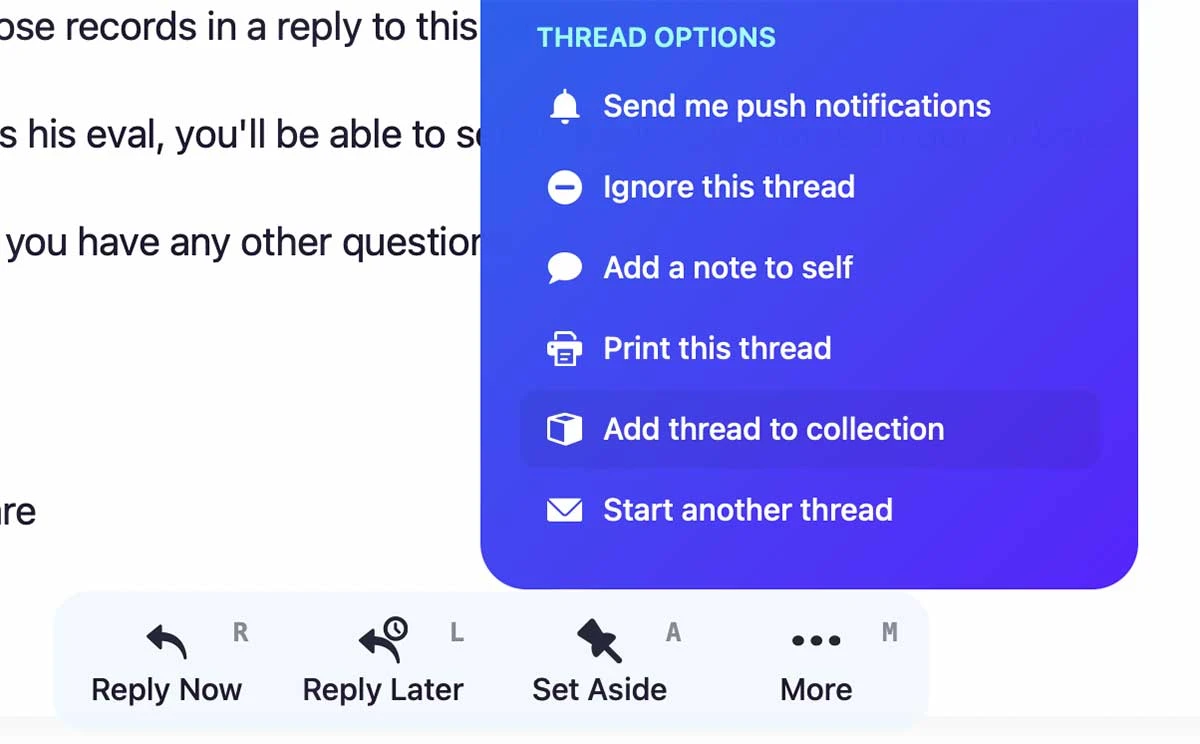
Previously a HEY for Domains-only feature, Collections are now available on all HEY accounts. Collections let you take a mess of separate threads and lay them out on a single, organized, easy to follow timeline. Learn more about Collections.
New
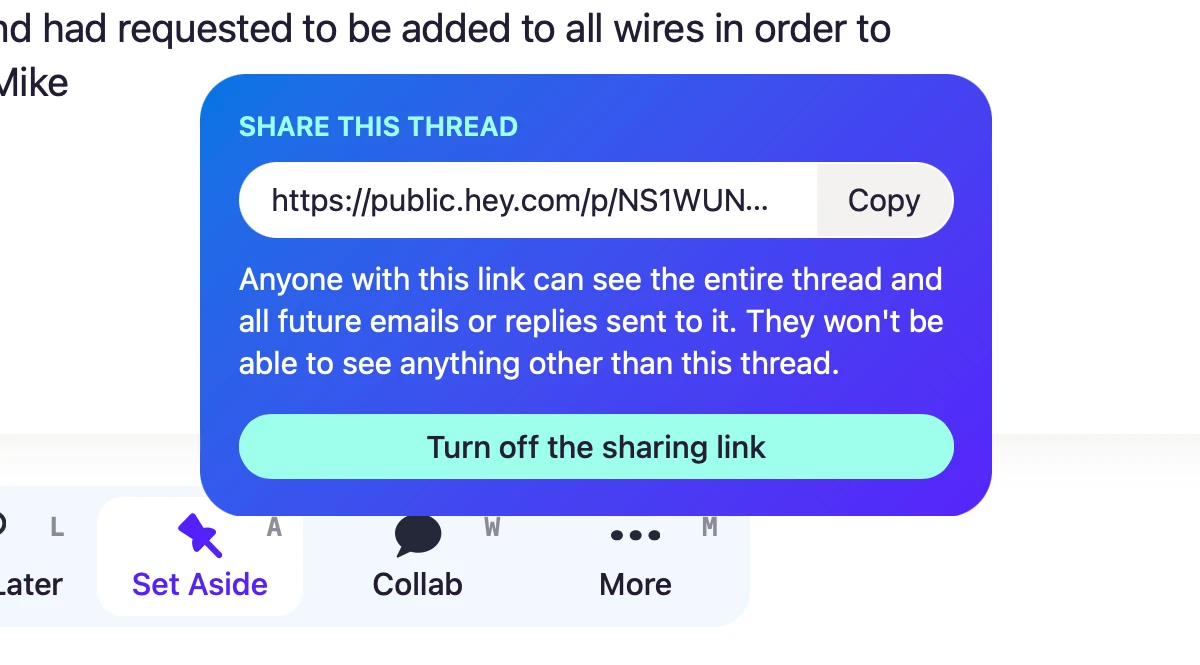
Share a link to an email thread with someone else — even if they don’t use HEY. They’ll see the whole thread, and any future emails/replies sent to that thread, all on a single page.
New
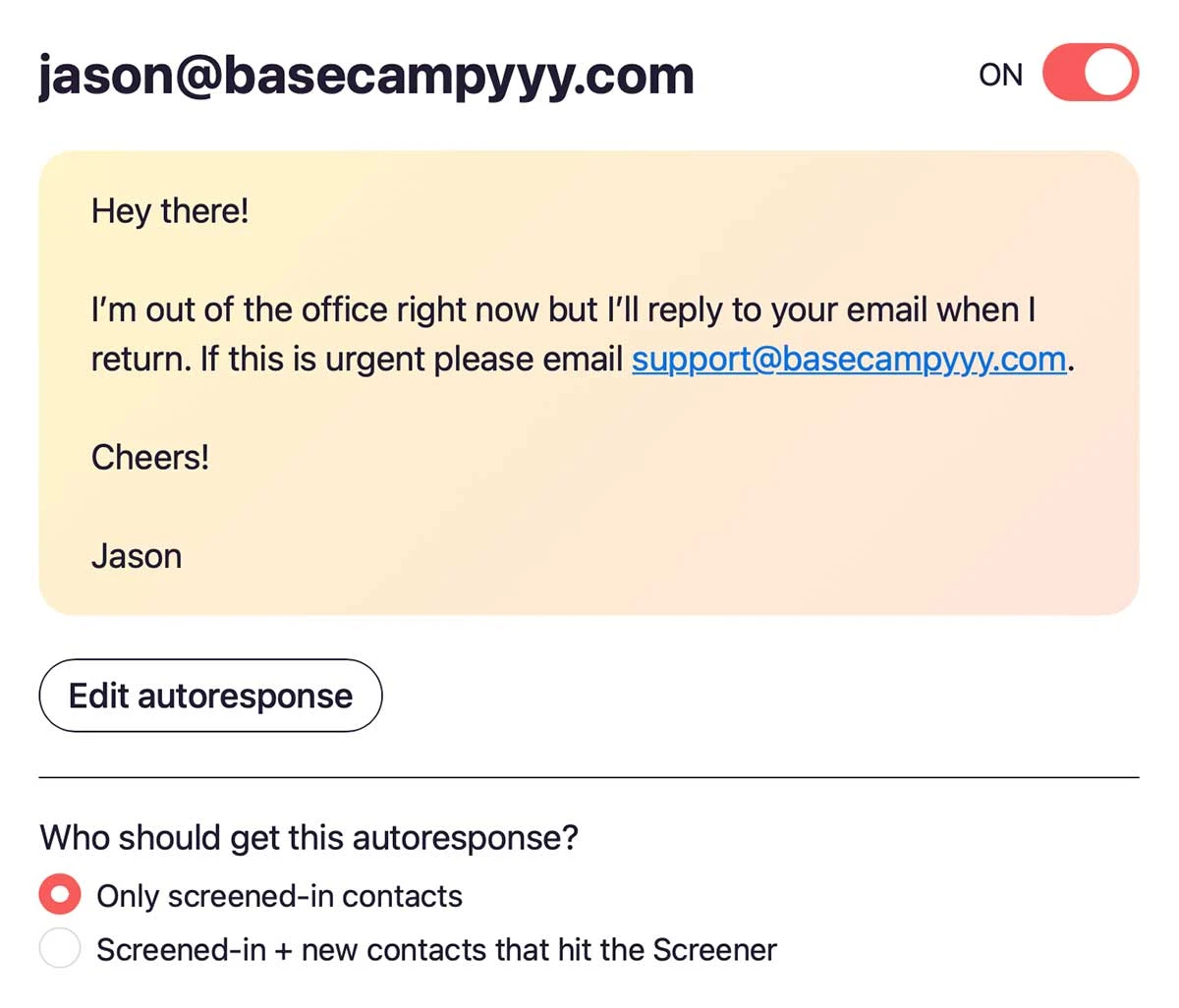
Now you can set up an autoresponder to automatically reply to email when you’re away on vacation, out of the office, or otherwise unavailable.
New
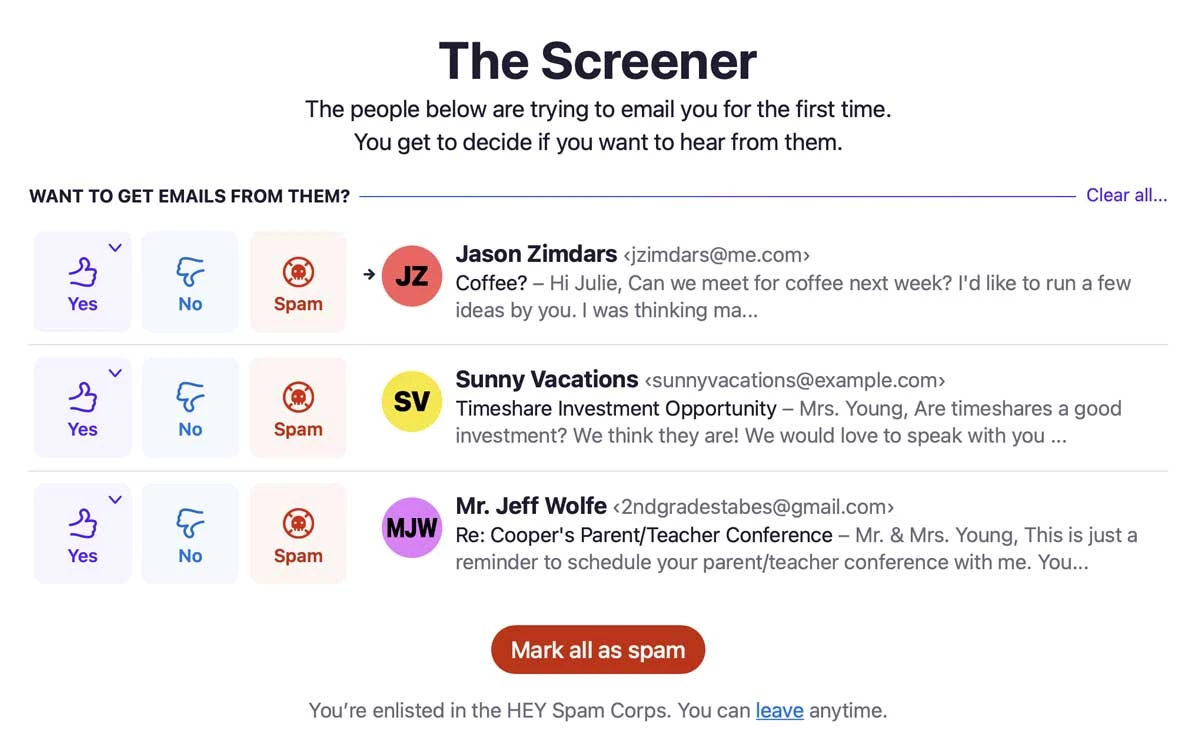
Enlist in the HEY Spam Corps and unlock a new button to mark emails as spam right in The Screener. We’ll use that feedback to improve HEY’s system-wide spam filtering for you — and for everyone who uses HEY.
New
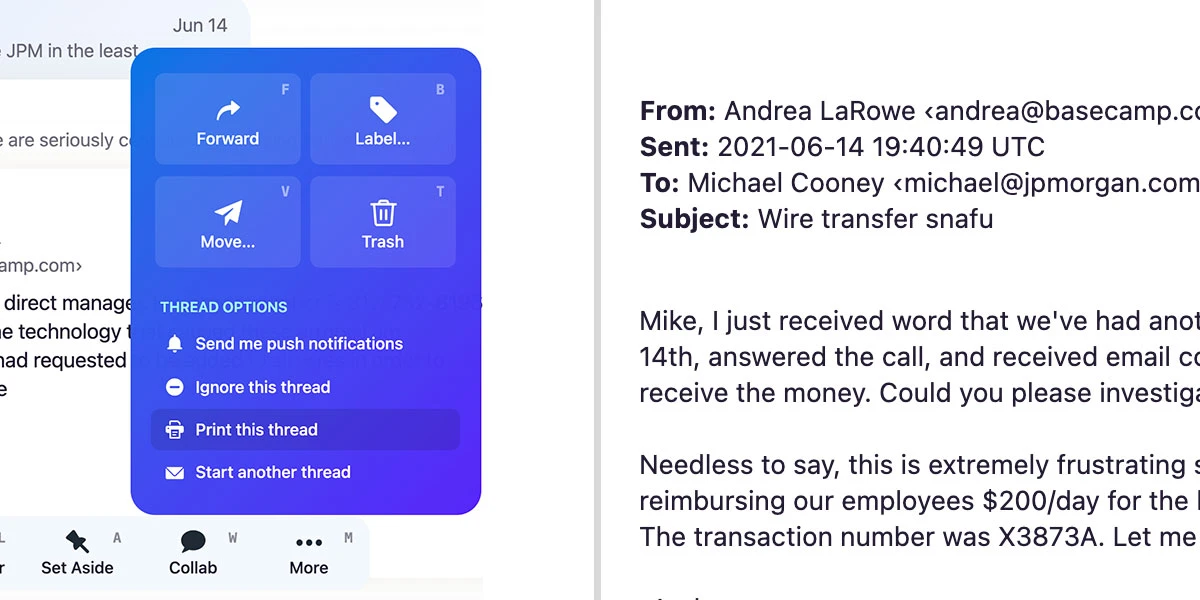
Now, HEY makes it easier to print every email in a thread. Just click “Print this thread” from the menu and you’ll get an unadorned, printer-friendly view of the entire thread. Need to print a single email? You can do that, too. Sometimes, nothing beats a hard copy.
New
Before, HEY would only apply labels based on the sender’s email address. Now, HEY will autofile based on addresses in the CC & BCC fields as well. Labels will also be applied on replies — not just when you receive the first email in a thread.
New • Web
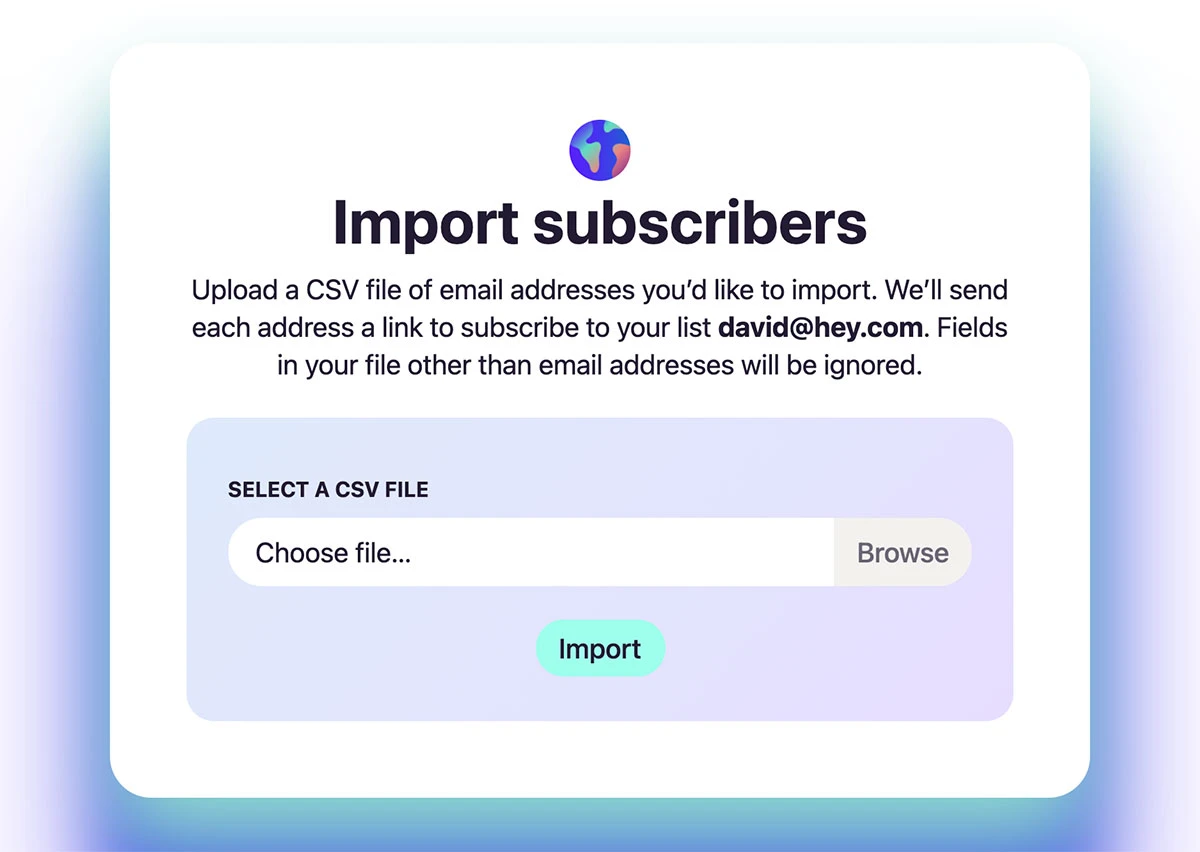
Got an existing subscriber list from another newsletter? Now you can bring that list over to HEY World. Just upload a CSV file of email addresses and we’ll send them a link to subscribe.
New
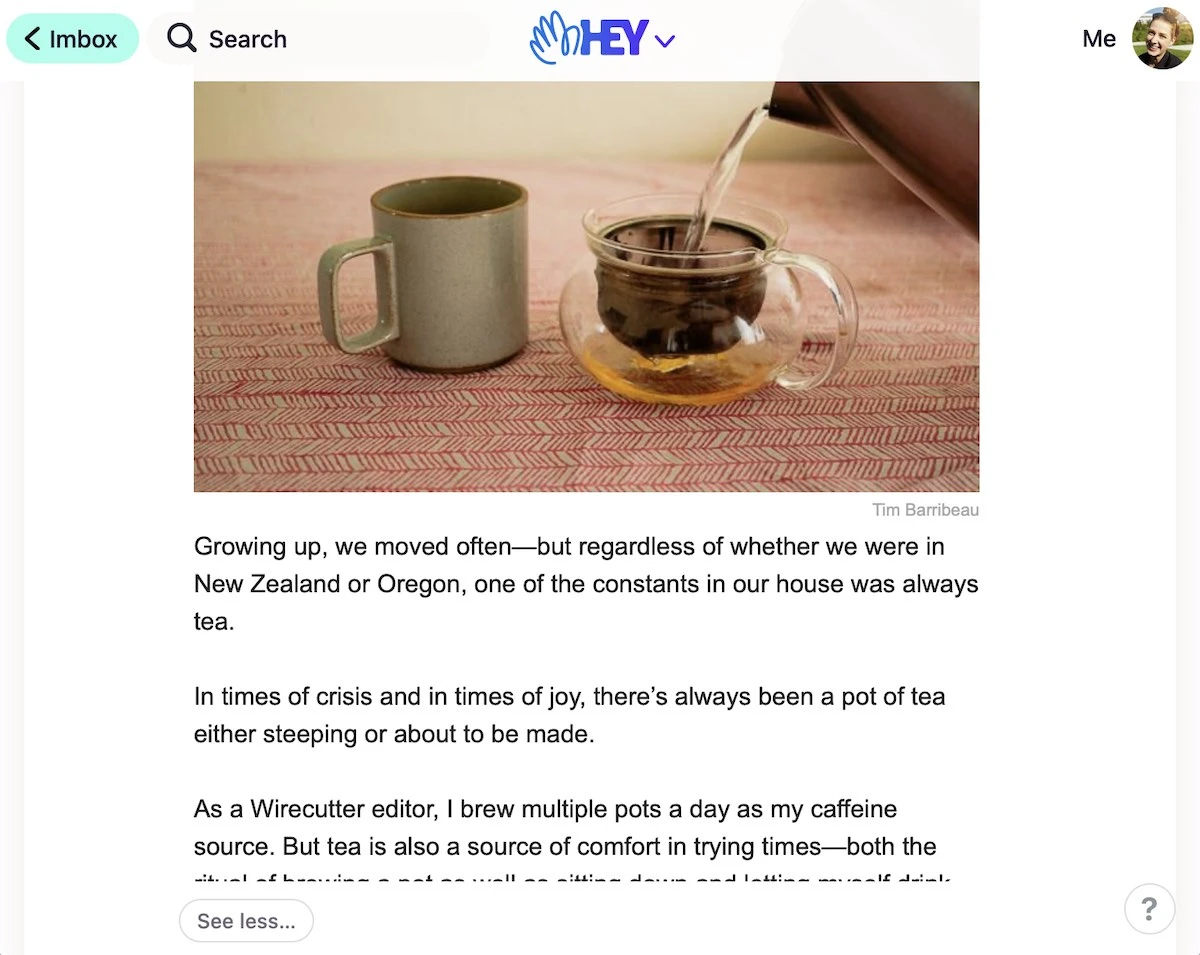
You can now collapse long newsletters you don’t care to read till the end with the “see less” button in The Feed. No more scrolling ad nauseam to get past a super long newsletter that fails to keep you interested.
New • Web
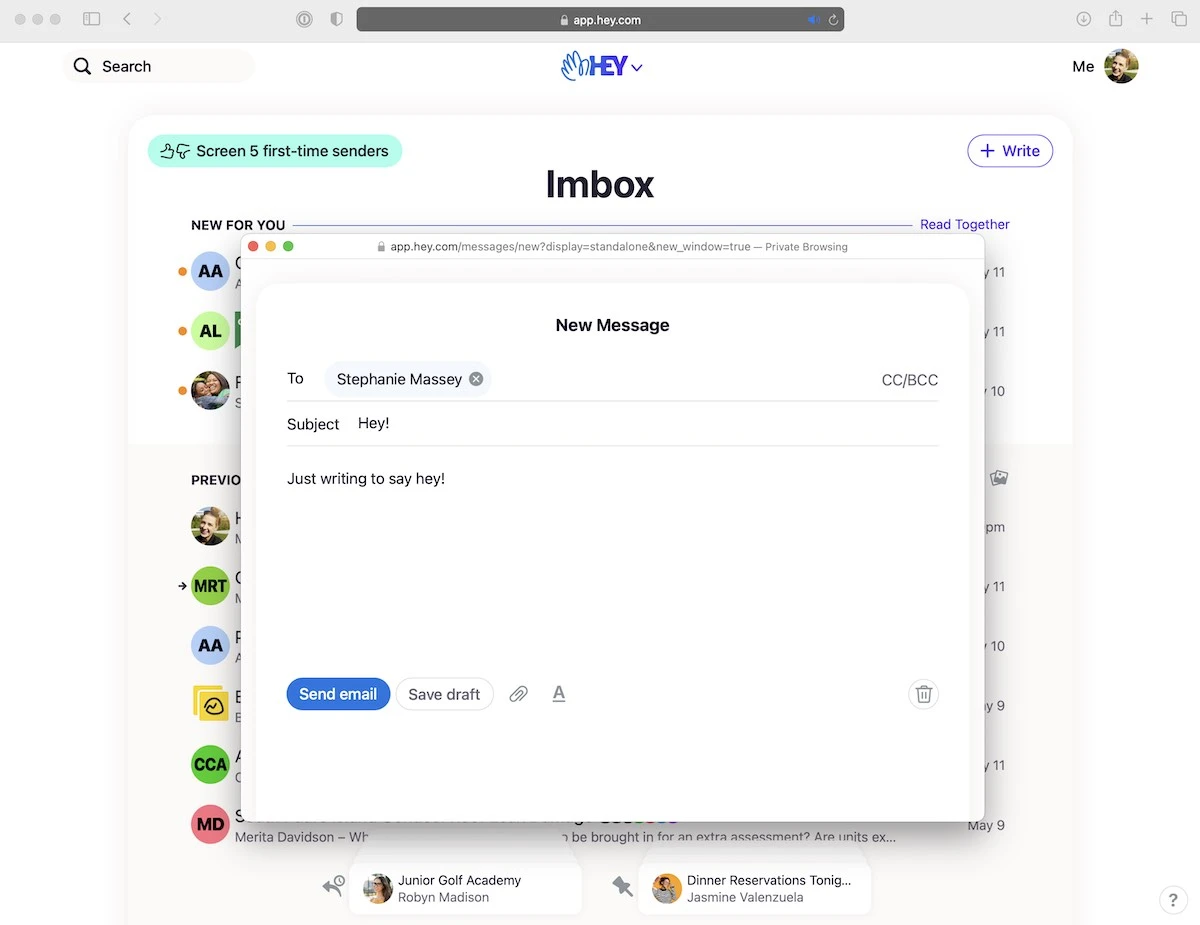
Use the SHIFT+W hotkey on desktop browsers to start writing in a new window. Makes composing a new email while referencing others easier.
New
Opening The Feed could be a little slow at times, especially on mobile devices with modest CPUs. Now we’ve made it up to four times faster, so you can start reading those newsletter sooner. See a comparison on an Android phone.
New
Email spoofing detection is now even better in HEY. Before, when you received an email spoofing an address you’d previously screened in, it would still reach your Imbox. Now, HEY will correctly move those emails to Spam.
New
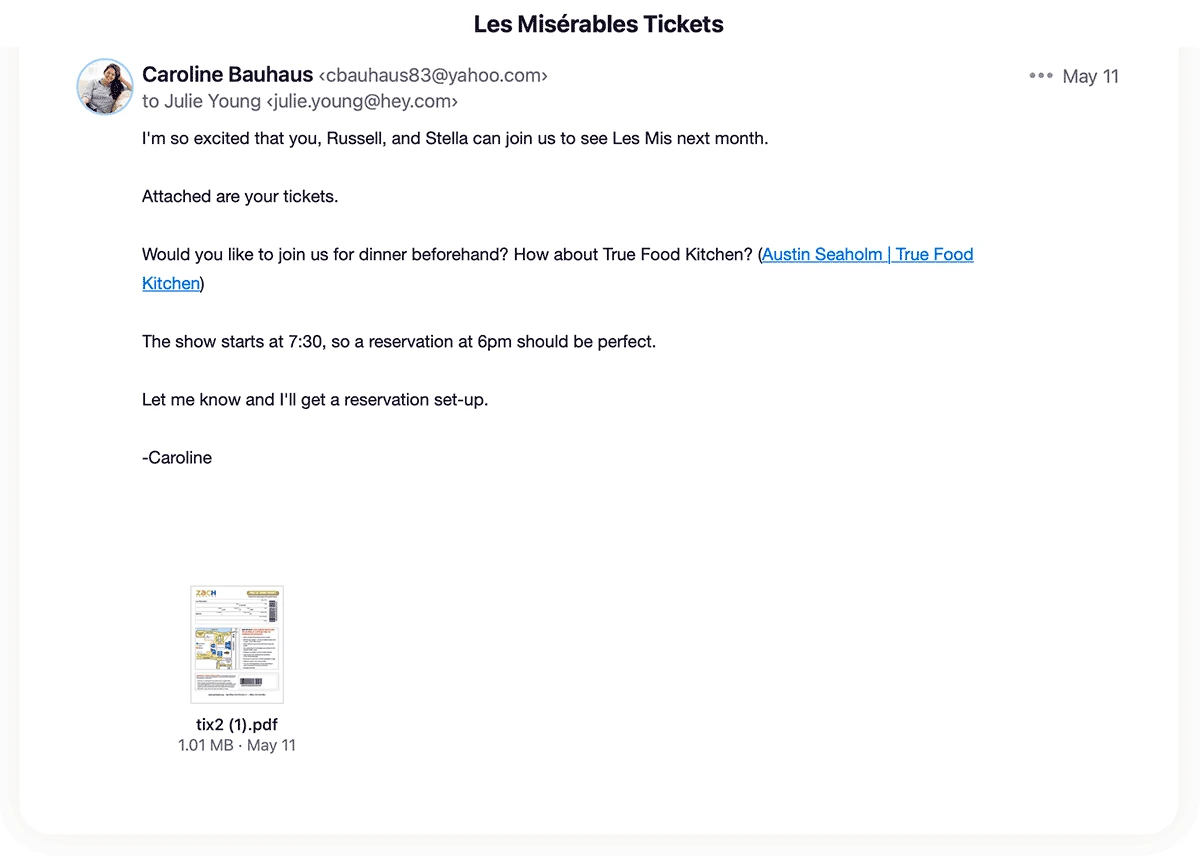
Long emails could sometimes push attachments out of view. Now, HEY will display previews of these attachments directly beneath the contents of the email.
New
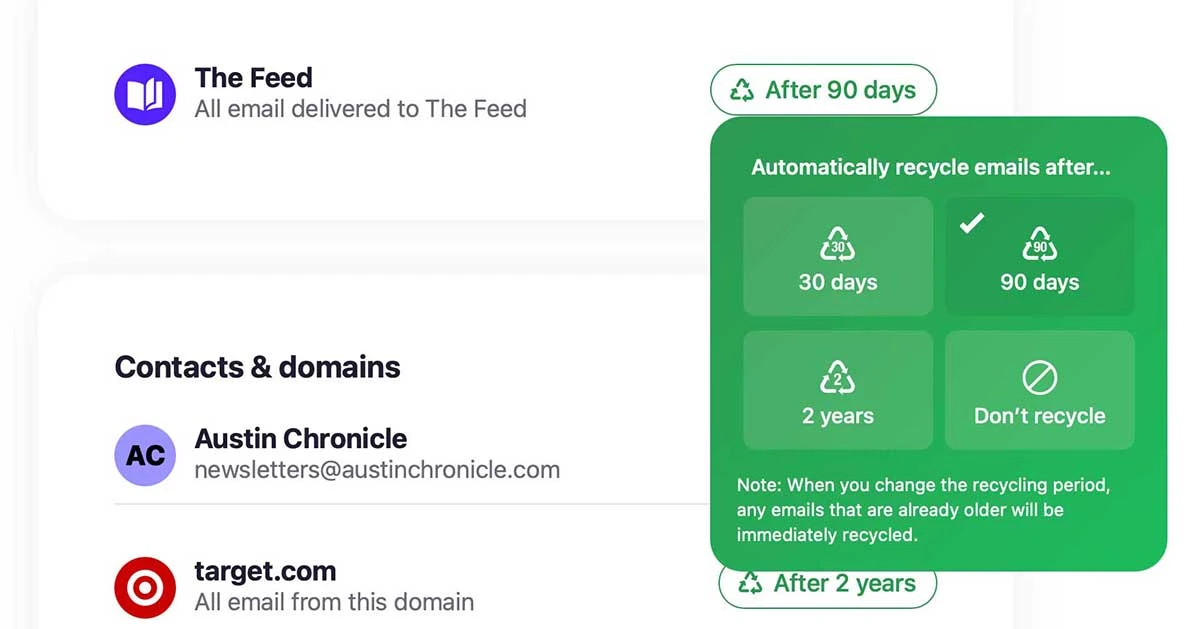
Keeping every email forever means ever increasing storage, more servers, more power, and more pollution. Most of them are never looked at again anyway. Now HEY can help you recycle old email than you no longer need.
New
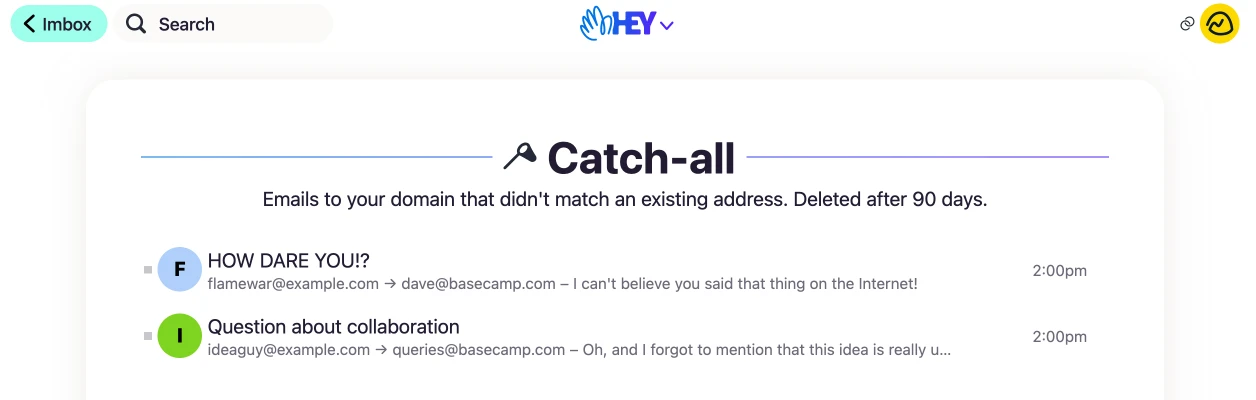
Account managers can now set up a Catch-all box to capture any email sent to an unrecognized address in a domain.
New
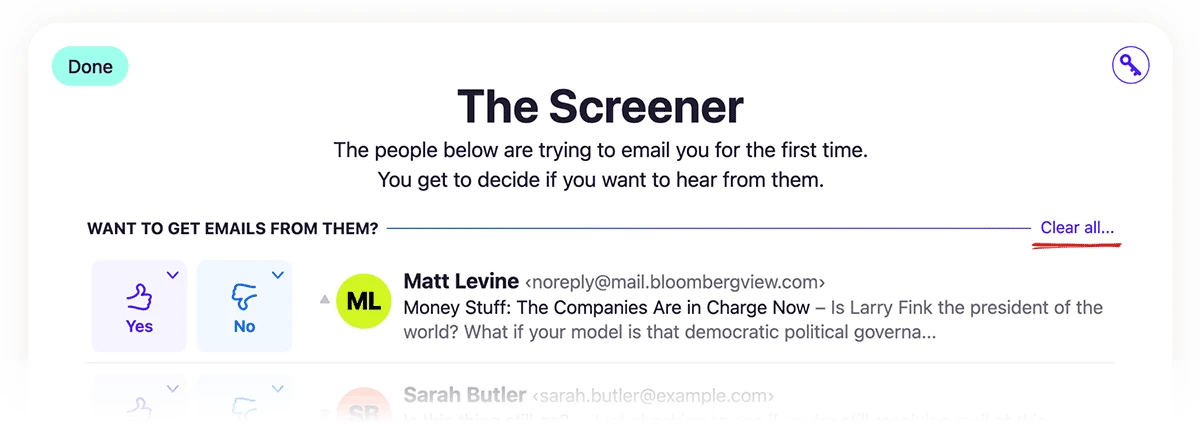
Screener backed up? Case of procrastination? Trying HEY again after taking some time away, and finding The Screener with 100+ emails? Now you can “punt” by clearing The Screener without having to make Yes/No decisions.
New
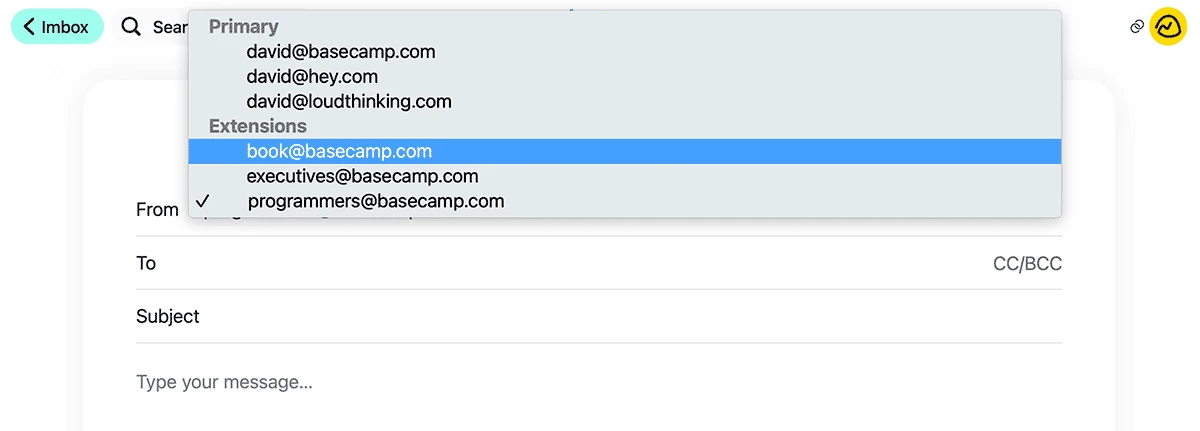
You can now send or reply to emails using extension addresses in your From field.
New • Android
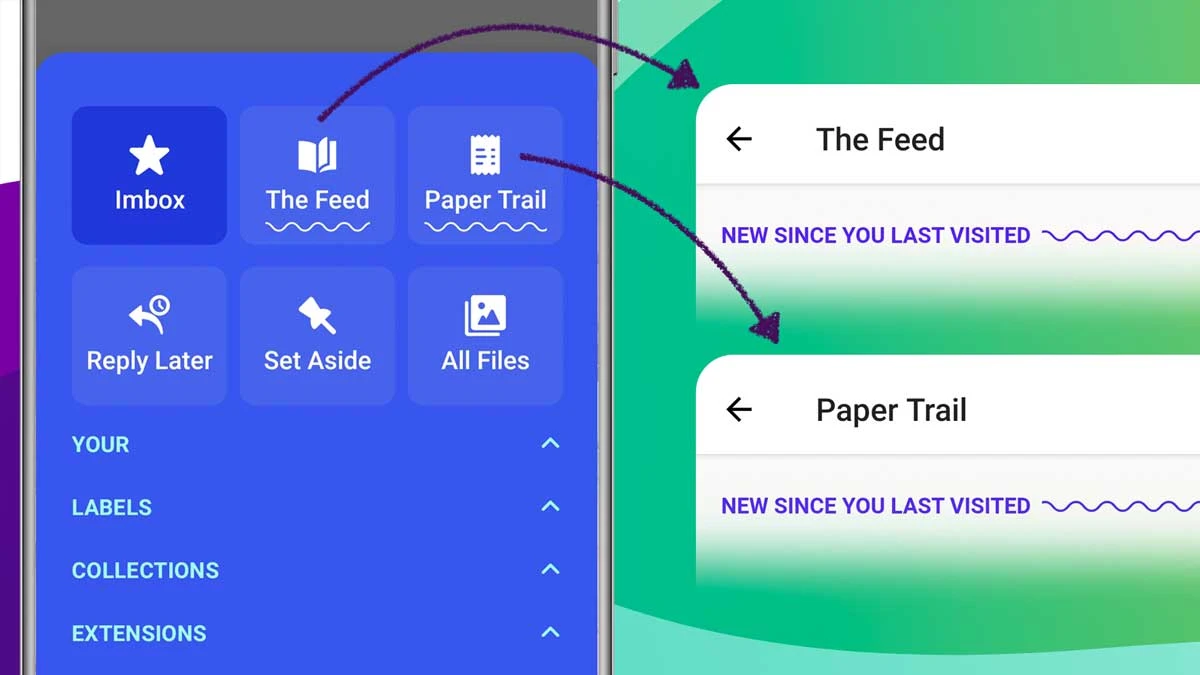
Saved you a tap! See when there’s something new in The Feed and Paper Trail since you last visited, directly from the HEY menu.
New • Web
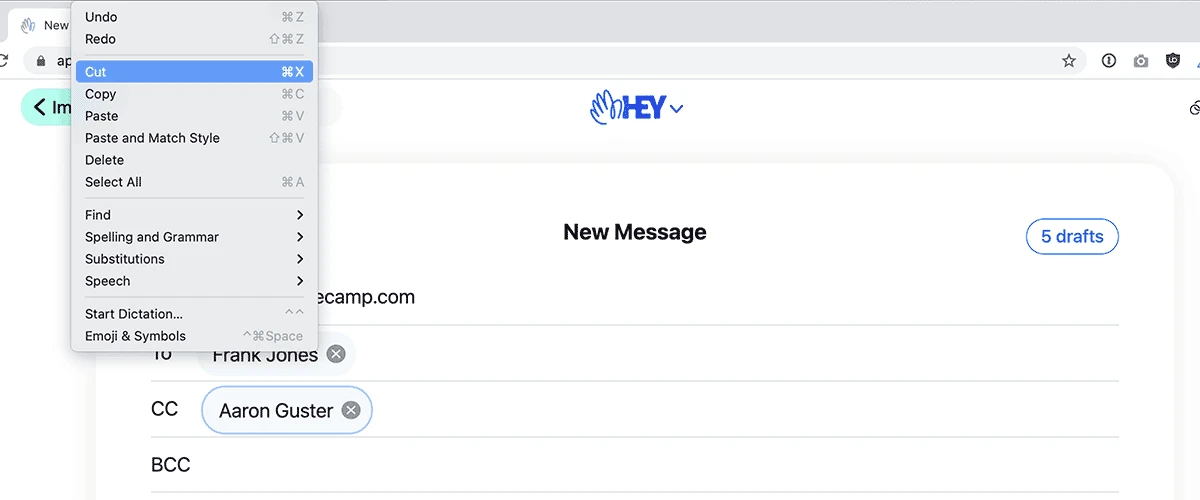
Working with recipients just got more accessible. Now, you can use your keyboard to tab/shift-tab through recipients and cut/copy/paste them between fields.
New • Android
HEY for Android will play a video attached to an email when you tap it. If you need to save it, you can also download the video from the in-app player.
New • Android
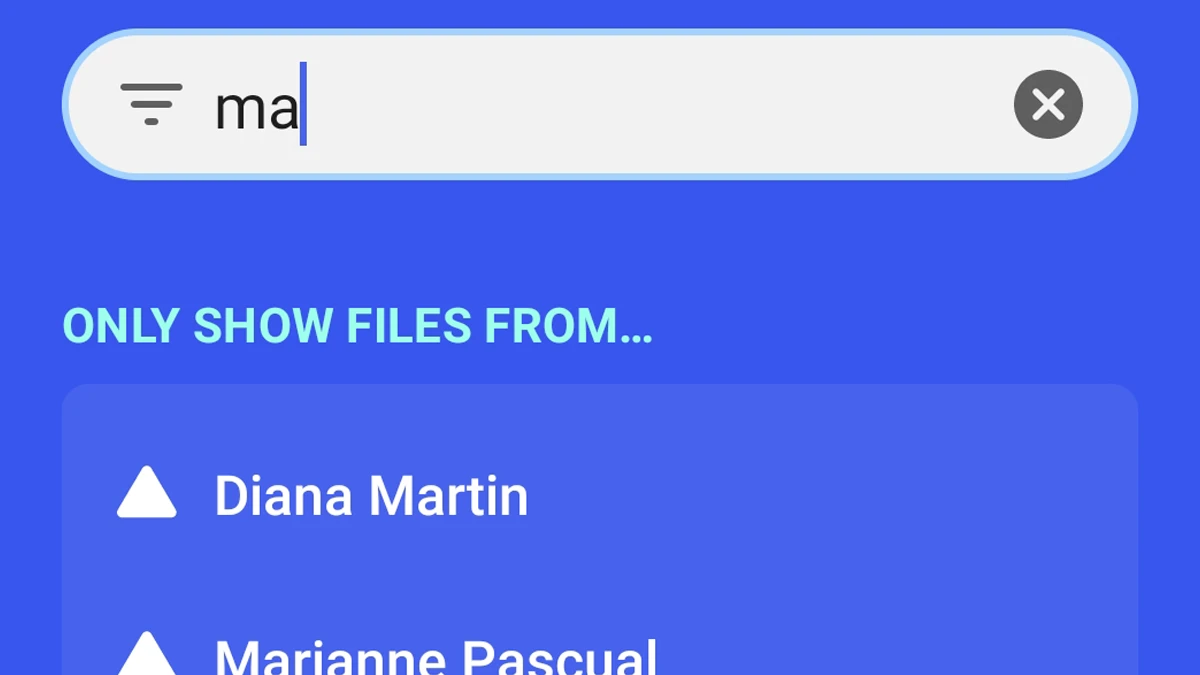
You can now filter down the list of people who have sent you files in HEY for Android. Browse to All Files then tap on “everyone” in “All files sent by everyone” to get started.
New • Web
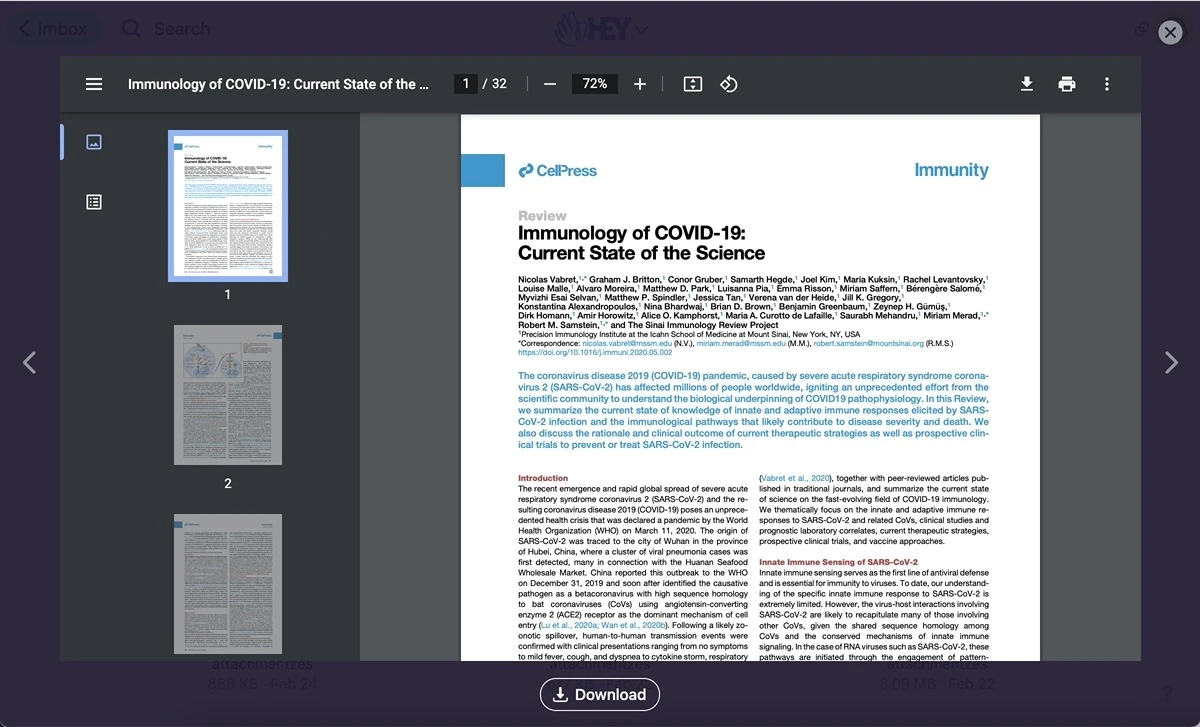
Now you can zoom in on attachments like photos, animated GIFs, and PDF documents. Click on a file, load the viewer, and navigate between other attachments with your keyboard or mouse.
New • Web
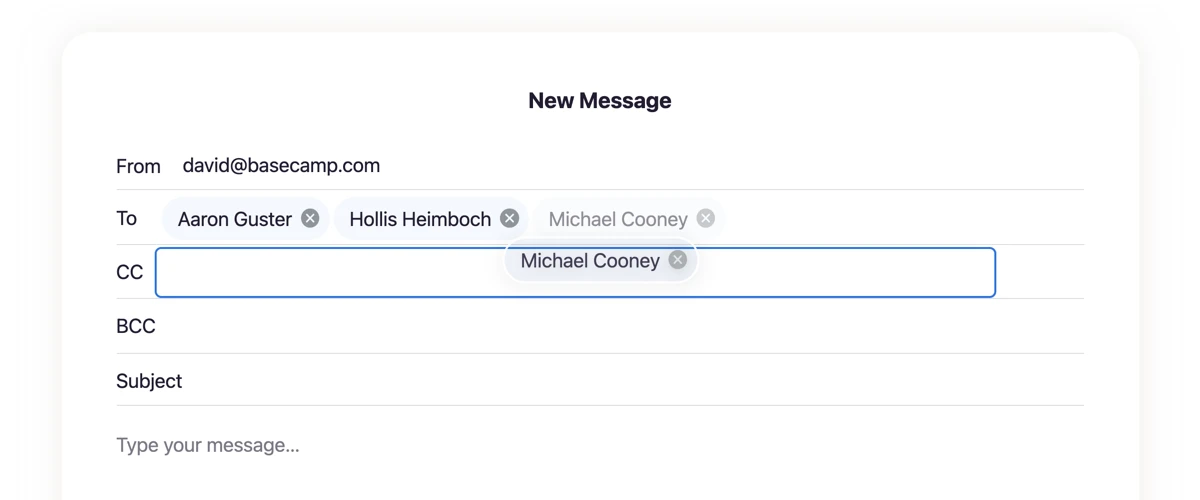
We’ve enhanced the composer to make it even easier to add recipients. Meant to CC someone? Now, you can easily drag and drop your contacts between fields.
New • iOS
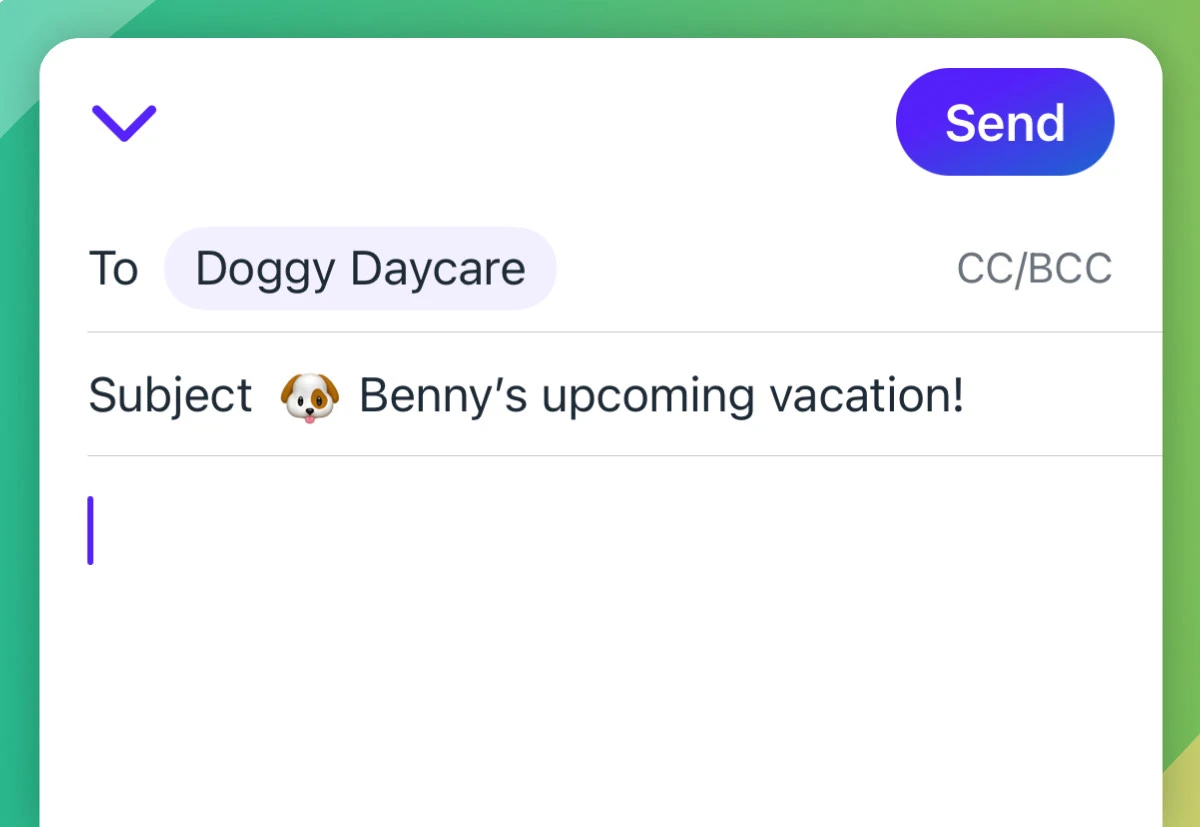
We’ve rebuilt the email composer to make it super speedy, better offline, with smarter contact suggestions, and a more finger-friendly UI.
New
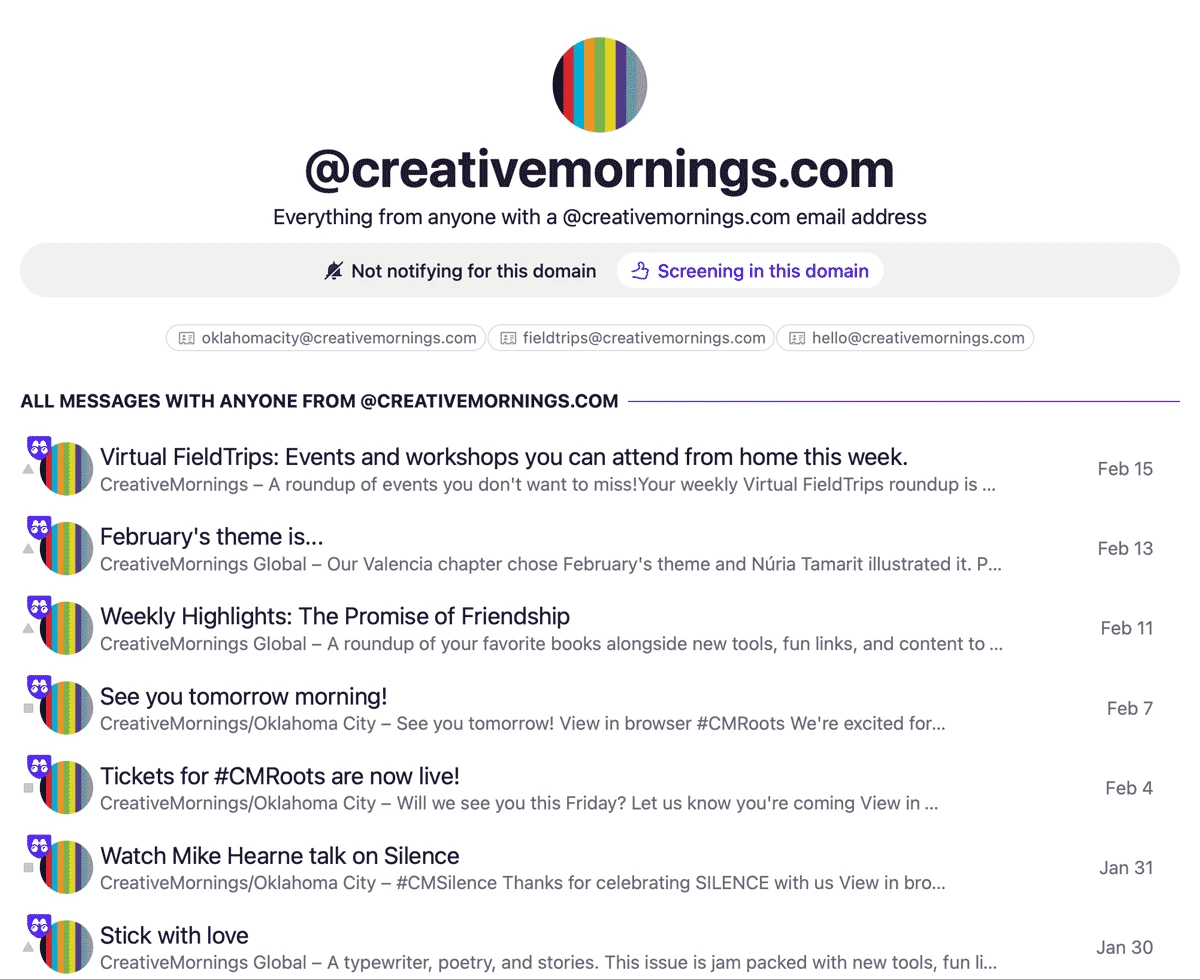
See every contact, message, and recent files with every sender from an entire domain. Get notified when someone emails you from a domain or automatically screen in/out new senders.
New
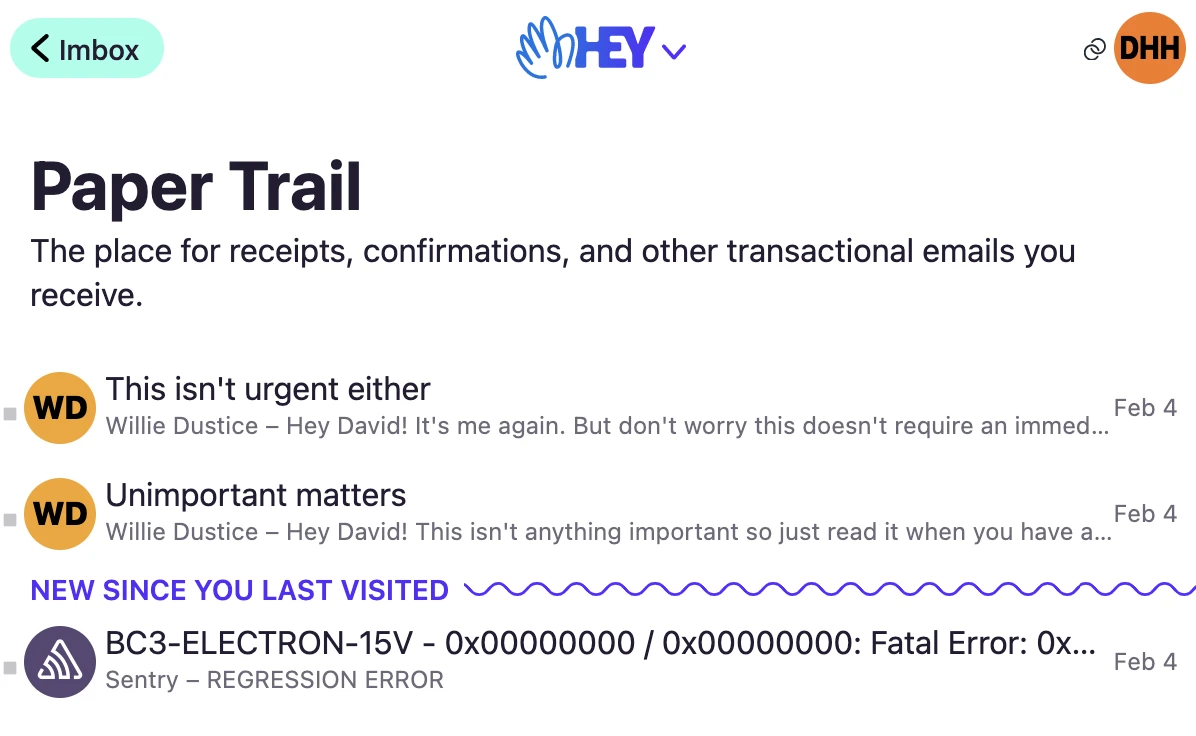
When you visit the Paper Trail and The Feed, HEY will now remember where you left off. That means the next time you visit these pages, new items are much easier to spot.
New
Now you can send email from your @hey.com address plus external email addresses, domains hosted elsewhere, work accounts on other systems, etc. Check it out.
New
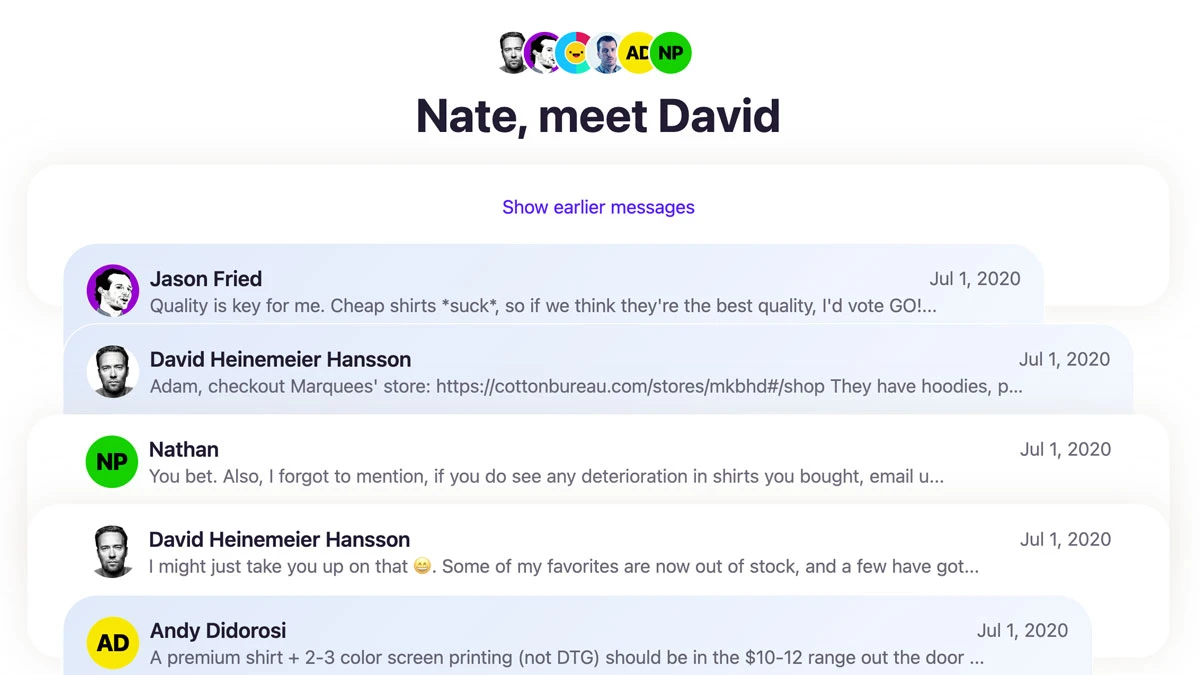
HEY for Domains is open for business, and packed to the brim with features like Shared Threads and Collections that make collaborating via email so much better. Take a look.
New
If you have multiple HEY accounts — like one for personal use and one for work — now you can view them together without having to log in and out. Personal emails are marked with a ▲, work ones with a ◼️.
New • iOS
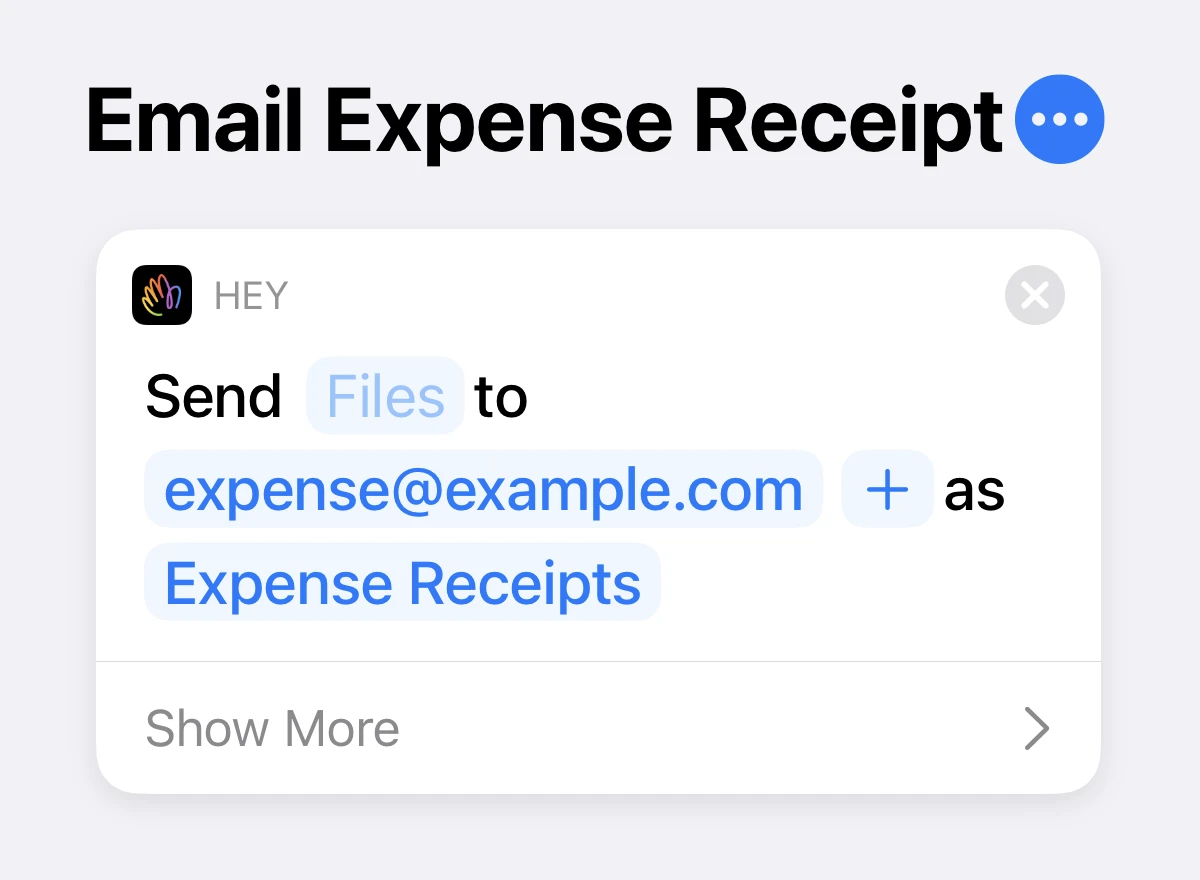
Now you can automate composing email with Siri and the Shortcuts app. Connect inputs with the recipient, subject, and content fields of a new email to simplify sharing to email, or automating tasks like emailing an expense receipt.
New • iOS
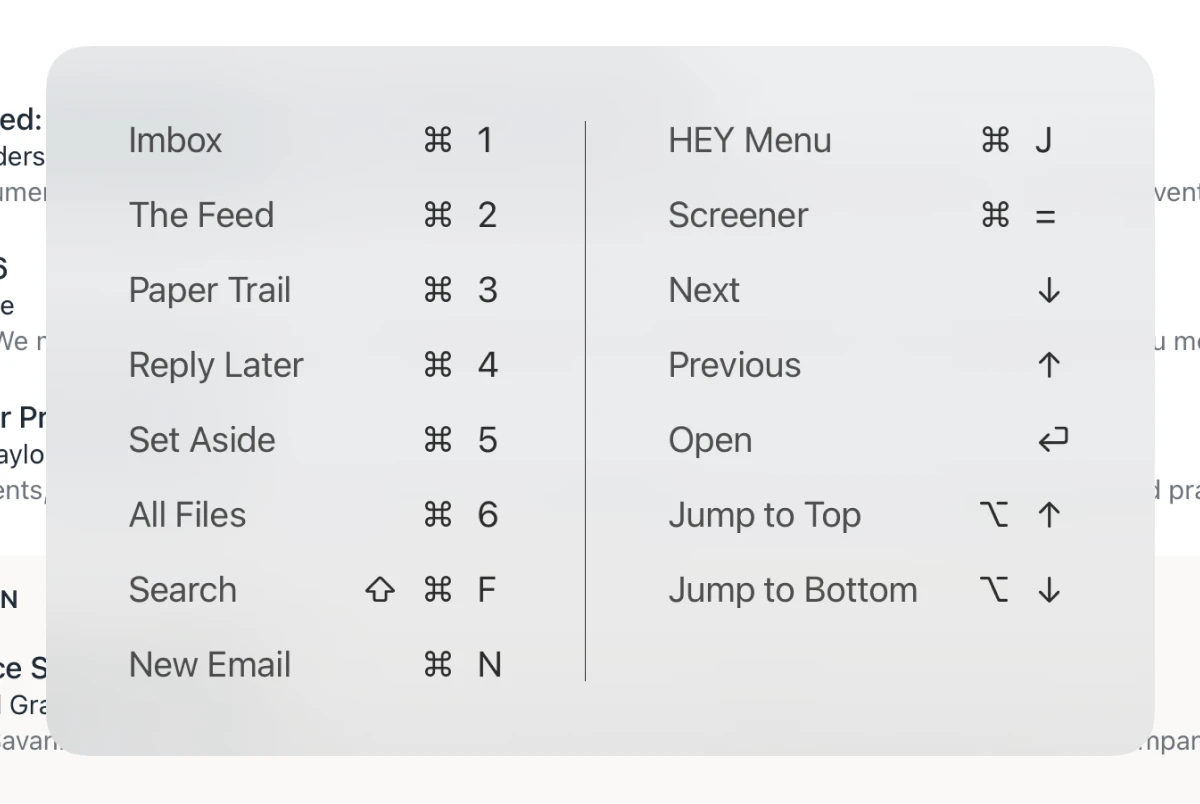
Keyboard navigation has been expanded to make it possible to navigate in and out of a list of emails without ever touching the screen.
New • iOS
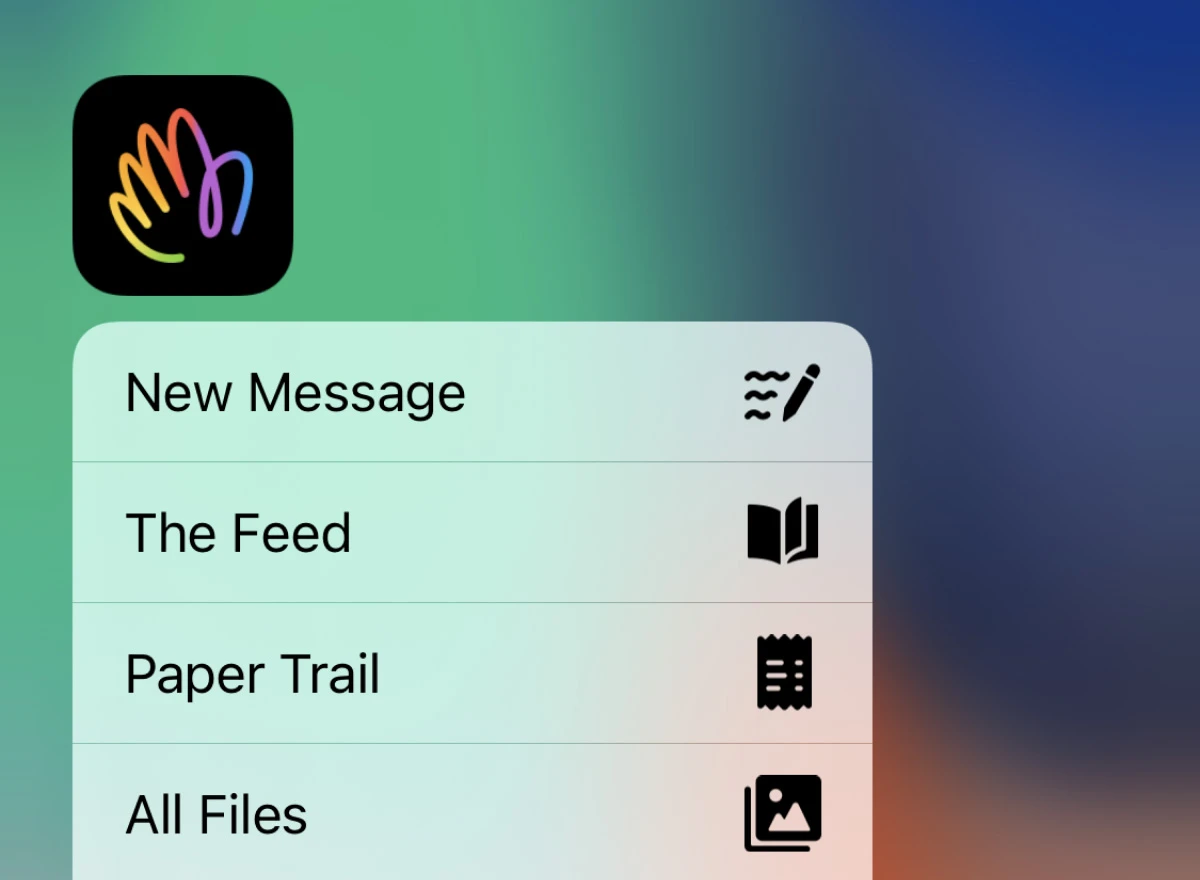
Long-press on the HEY app icon from your home screen to get a menu of shortcuts to the new message composer, The Feed, Paper Trail, and All Files.
New • Android
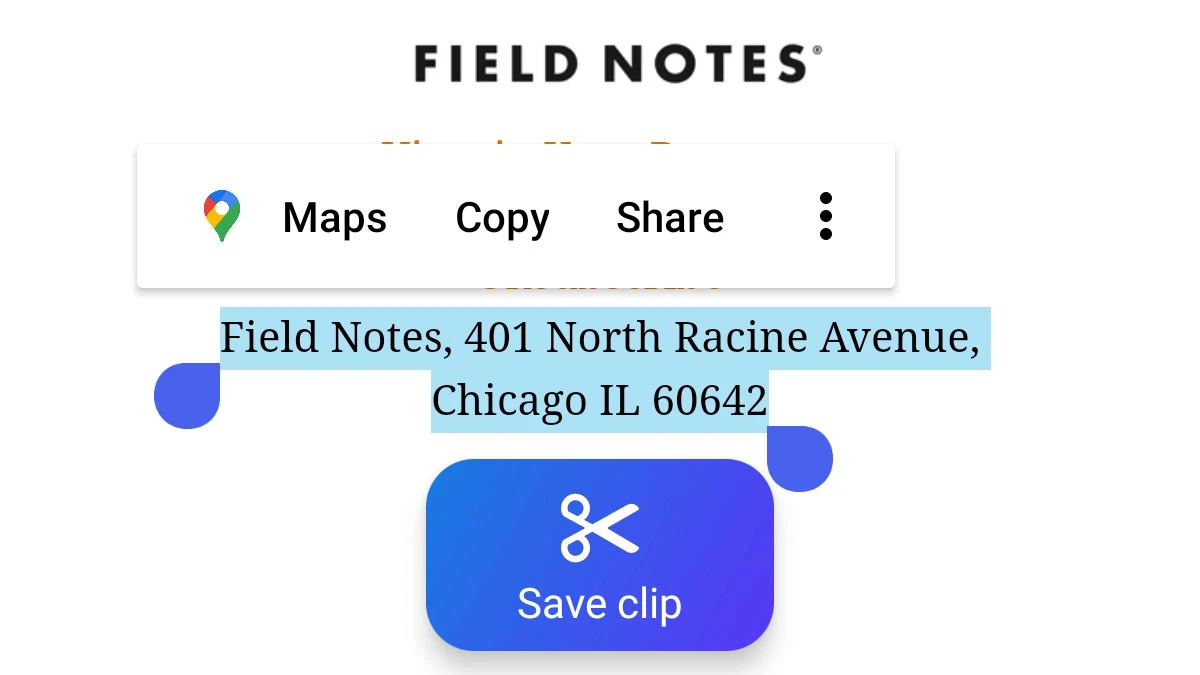
We improved Clipping text to save for later in HEY for Android. As text is highlighted, a larger easier-to-tap Save clip button appears.
New • Android
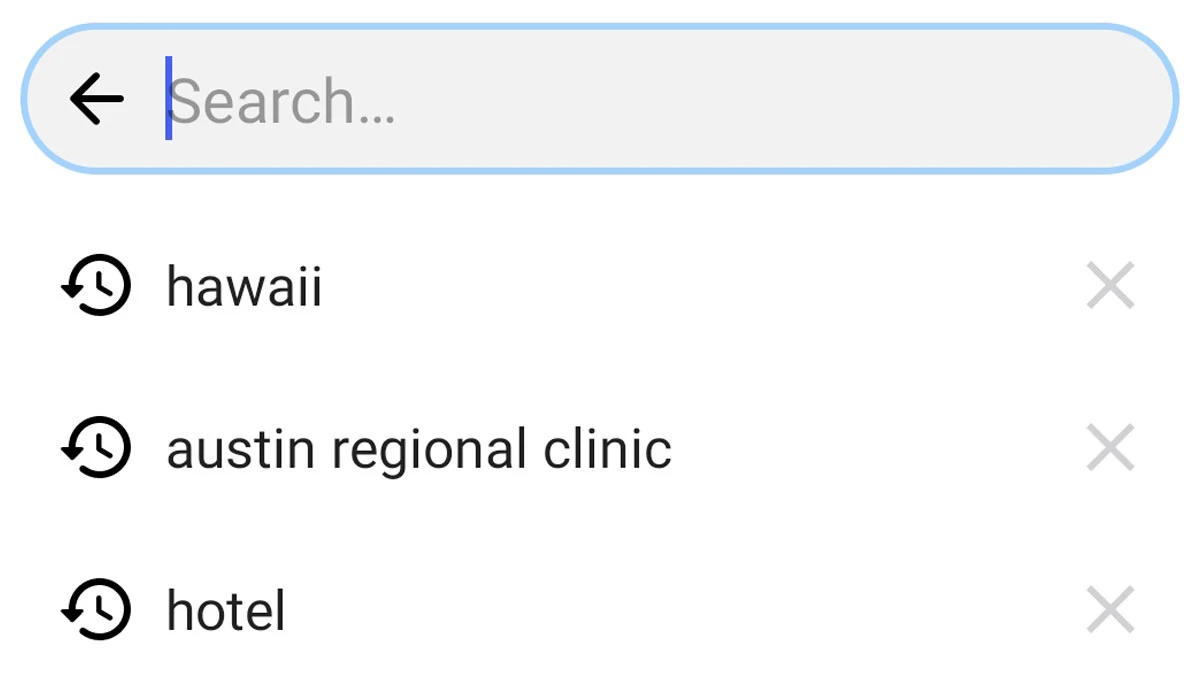
HEY for Android remembers what you recently searched for. This is especially handy when you’re often searching for the same types of emails. This search history is only on your device, and you can easily clear terms by tapping the X.
New • Android
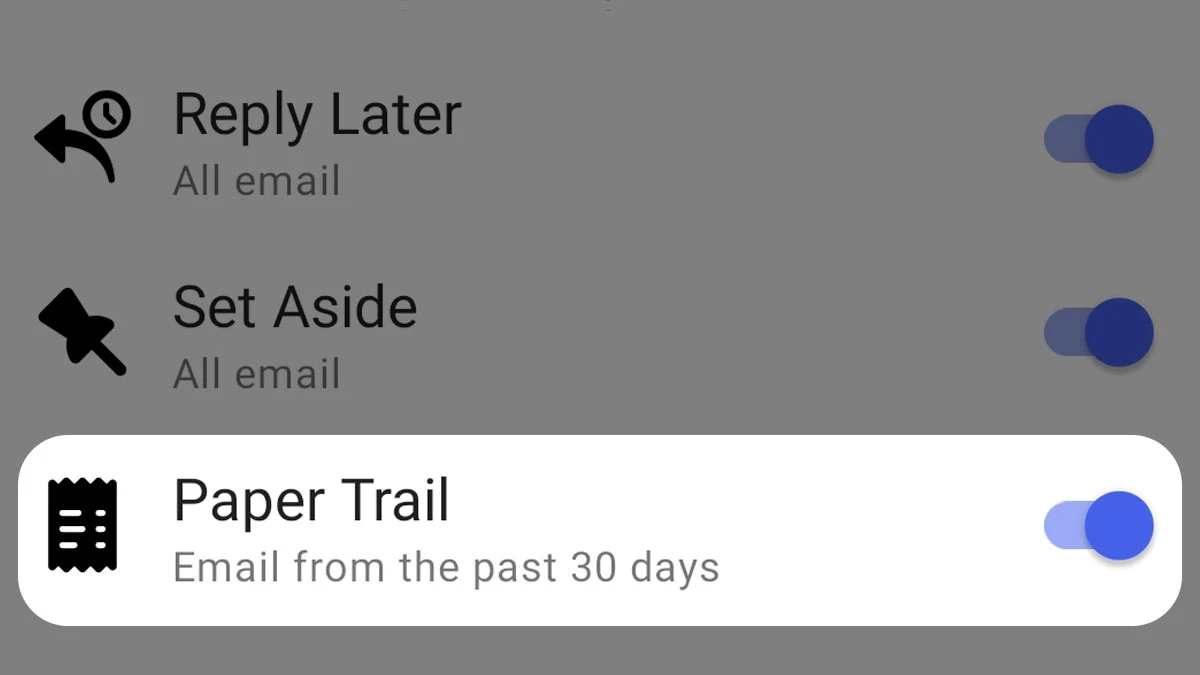
HEY for Android now allows you to save Paper Trail emails from the past 30 days offline. Tap your profile picture then select Saved for offline. When your connection is unreliable, you’ll always have access to your emails saved offline.
New • iOS
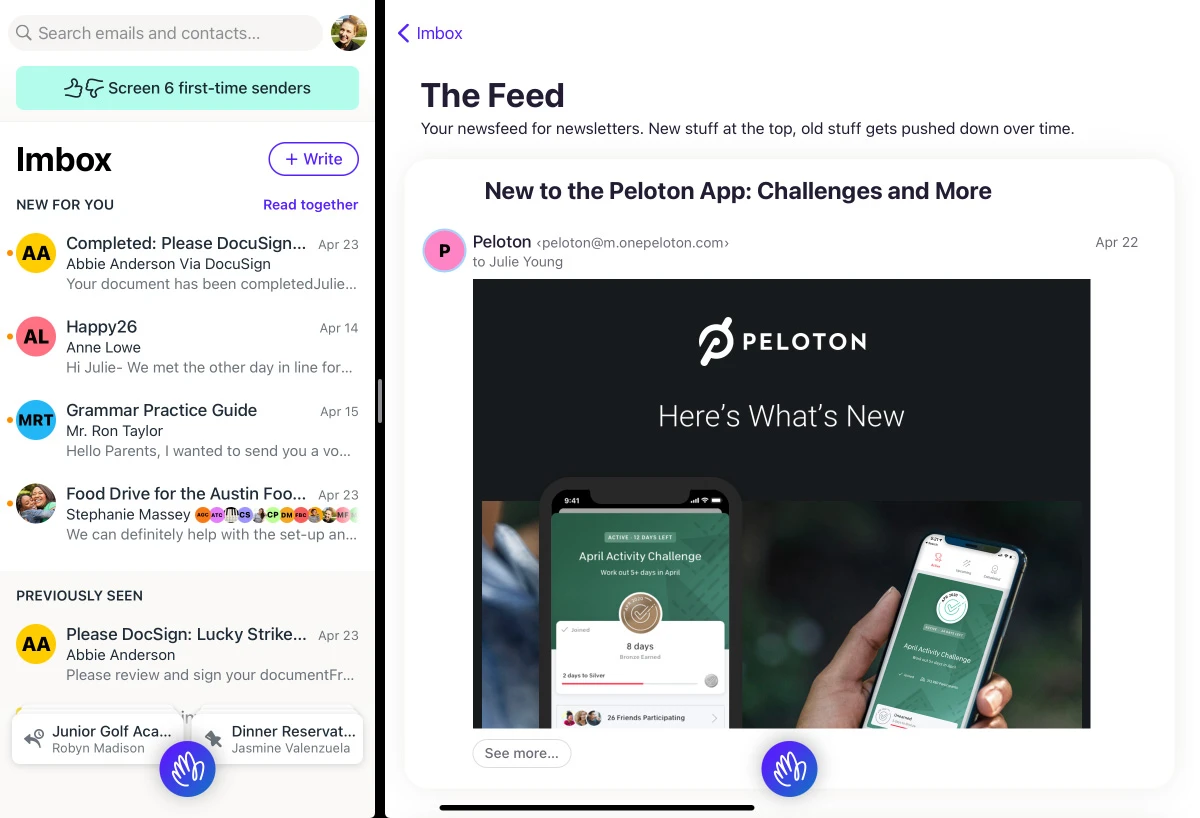
If you’re an iPad power user — or aspire to be one — this update is for you! With multiple windows, you can have the Imbox open on the left while browsing The Feed or replying to an email on the right. You can split your windows, use them as slideovers, or have multiple fullscreen instances of the app.
If you’re new to iPad multi-tasking, we’ve put together a guide for you: Using multiple windows on iPad.
New • Android
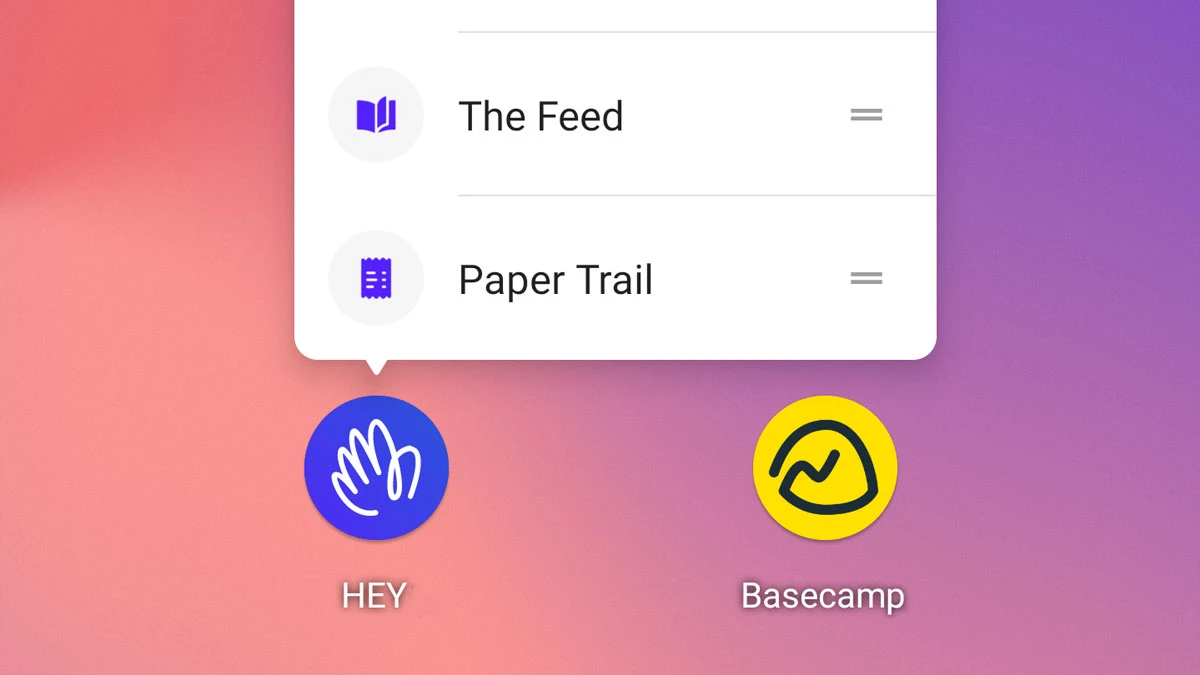
Long-press the HEY app icon on your home screen (or app drawer) for shortcuts to New message, The Feed, and Paper Trail. You can also drag and drop these shortcuts — The Feed for instance — from the menu onto your home screen for quick access.
New
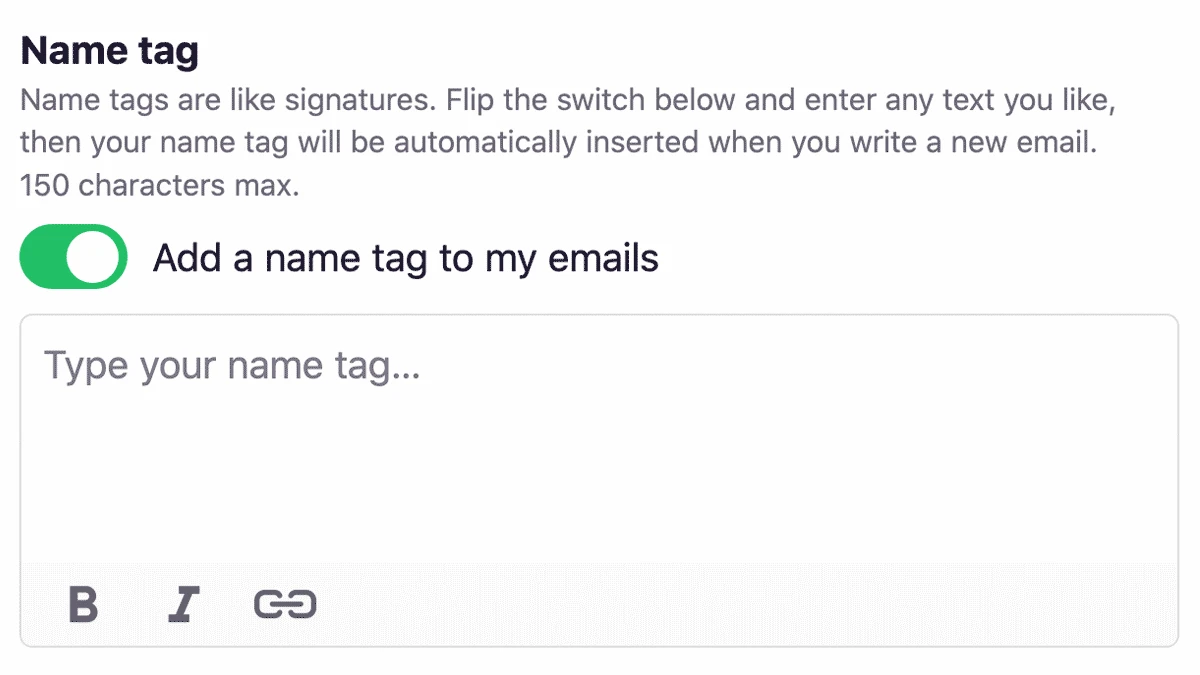
Email signatures are a mixed bag. A lot of people need them for legal reasons, but does anyone really enjoy getting an email with a signature that looks like an early, unedited draft of War and Peace? No.
We wanted to keep the good and minimize the bad, so we made a little feature we call Name Tags. 150 characters max, no images, minimal formatting. Just enough flexibility to get the job done while ensuring that your email is mostly email.
New • Android
Use Android? Have multiple HEY accounts? Buckle up friend, because we just added a fast account switcher to our Android app. Once it’s set up (via the app settings), a single tap on your avatar toggles between accounts.
New
Part of running an email service is dealing with spam. Not only do we need to prevent spam from reaching your account, we also need to make sure that people can’t abuse HEY to send spam. So we rolled out a system to detect and quarantine HEY accounts that are looking decidedly spammy. It makes HEY a better email citizen and helps ensure your emails don’t get flagged as spam by association.
New • Android
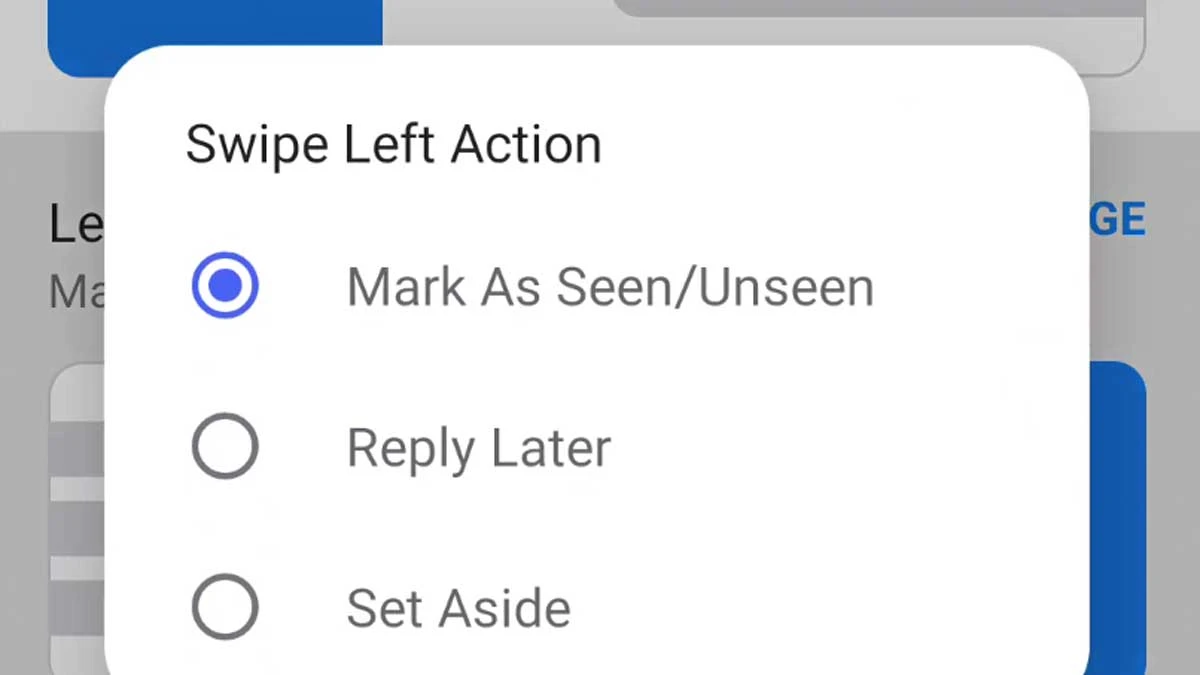
By default, swiping left or right marks an email as Seen or Unseen. Now you can customize the swipe behavior in all sorts of ways. Prefer that a left swipe moves something to the Set Aside box? You can do that. Want to put something in the Reply Later box when you swipe right? You can do that too. Swipe right to like this message.
New • iOS
If you’re running iOS 14, you can now set HEY as your default email app. That means any mailto links will automatically open in HEY instead of mail.app.
New • Android
Someone once said that the difference between a toy and a real computer is determined by whether you can print from it. We added the ability to print emails in HEY for Android, so congrats, you’ve got a handheld computer now.
New • iOS
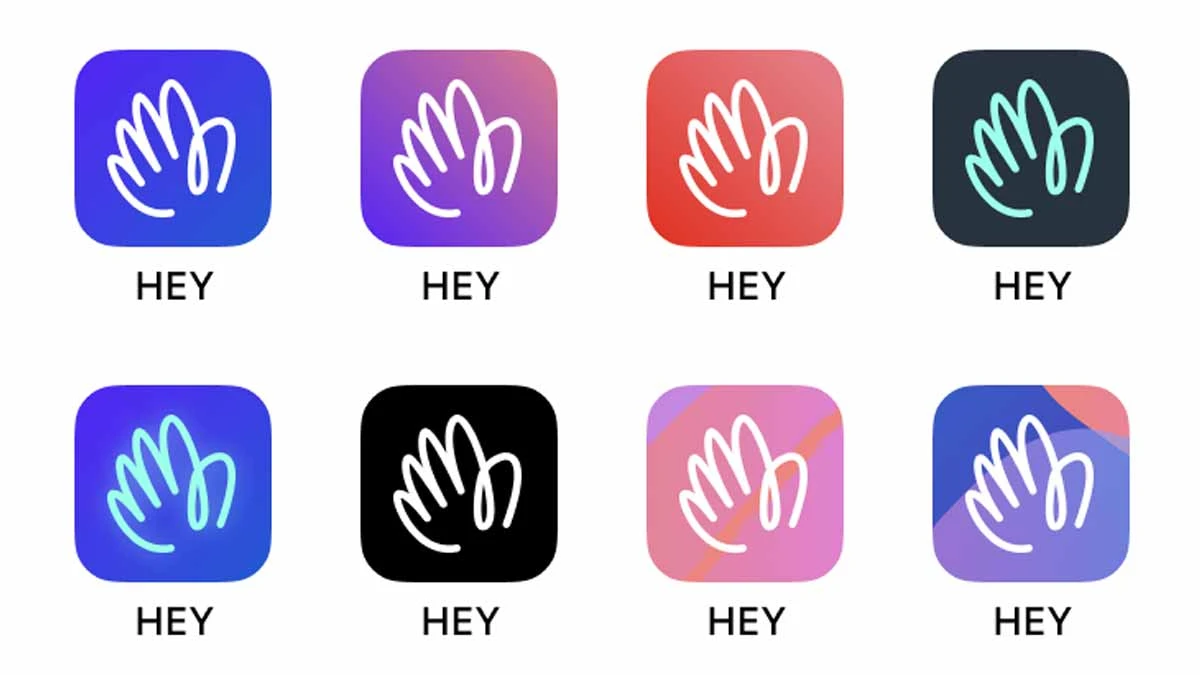
The default HEY app icon uses our trademark blurple color, but what if you’re not a blurple fan? This one’s for you. Now you can pick from a whole slew of app icons to make HEY vibe with your aesthetic.
New
ARC (Authenticated Received Chain) signing is our latest effort in making sure that emails you send land in inboxes, not spam folders. It’s like a chain of custody for forwarded emails that lets all the servers involved know that your email really is from you and not someone spoofing your address. A positive change for everyone except purported Nigerian princes.
New • Android
If you turn on notifications for threads or senders, we now show even more good stuff without having to open the HEY app. Now we show the sender’s photo, their name, and a more robust summary of the email.
New • Android
HEY for Android v1.0.11 brings a trio of enhancements:
New
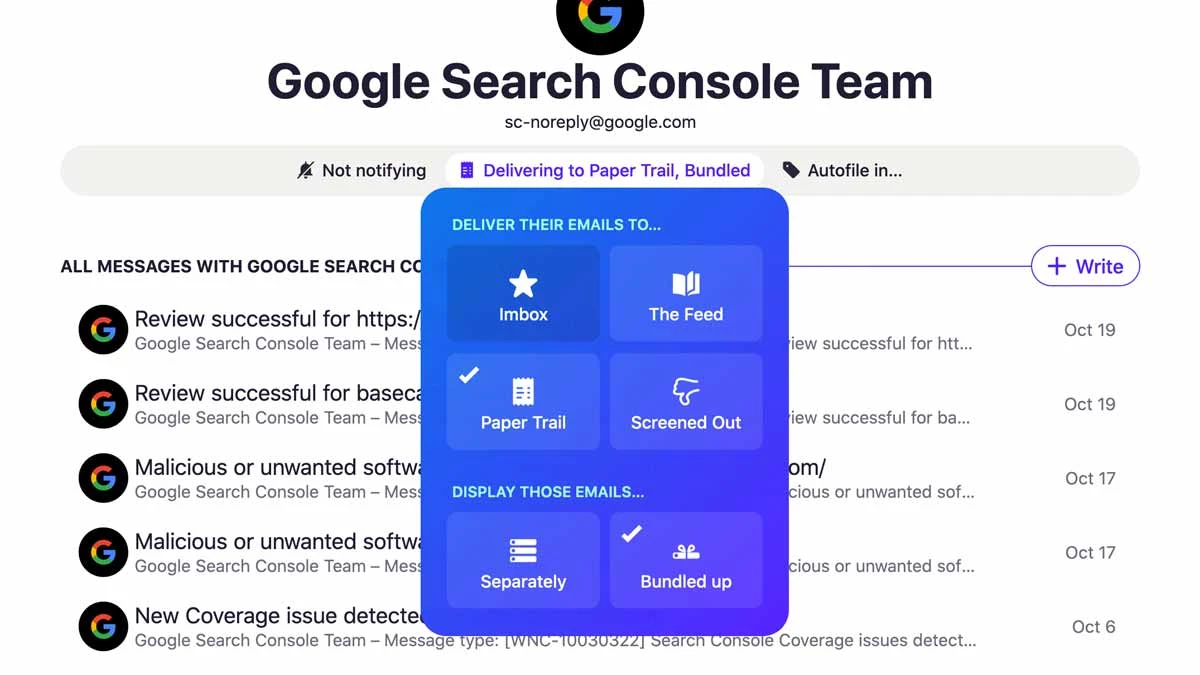
HEY’s Paper Trail is a great place to stick all those receipts that you need to keep but don’t want clogging up your Imbox. We just rolled out a new feature that makes it even better. Now, you can bundle receipts from the same sender into a single row and cut the clutter even more.
New
We think notifications for everything is a bit much, but some folks really do need them. That’s why we just rolled out a way to turn on notifications for every single thing that lands in your Imbox in one fell swoop. Click your avatar, select “notifications”, then flip the “Imbox notifications” toggle to make it happen.
New
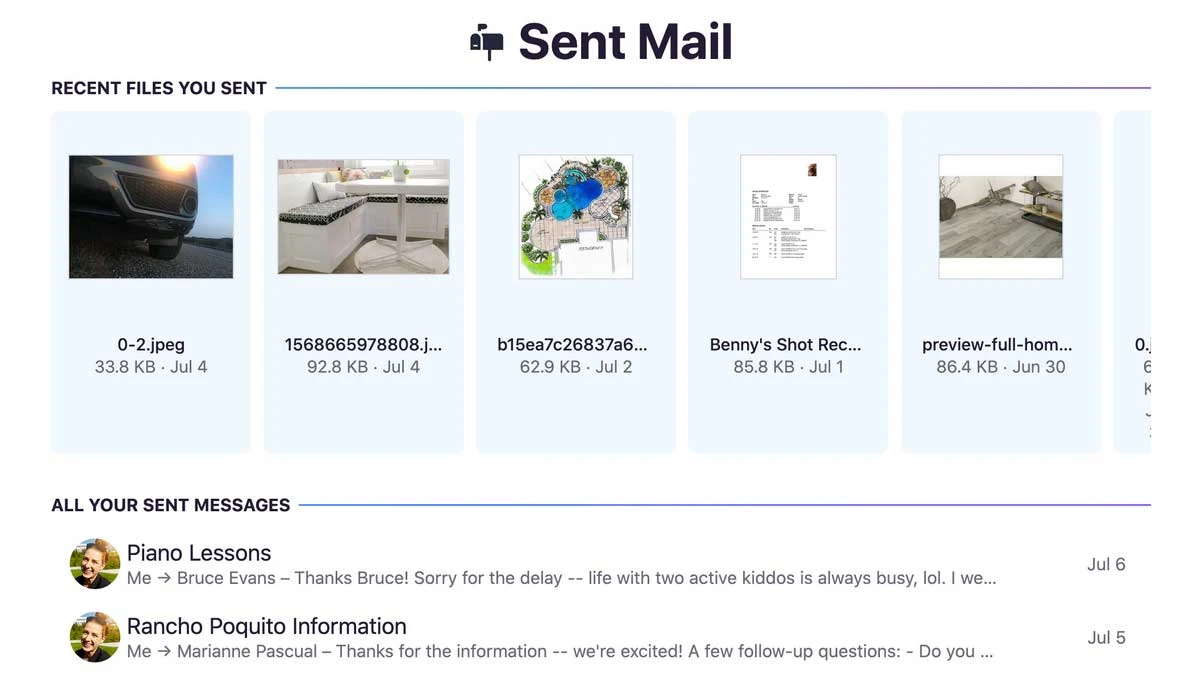
Feeling reflective? Ever want to take a trip down memory lane and see what emails past you sent? You’re in luck, because we just rolled out a new feature that let’s you do exactly that. As a bonus, all the attachments you’ve sent are conveniently collected at the top.
New • Android
You probably want to do something with the email attachments that you receive. HEY for Android has your back. PDFs, calendar invites, text, and HTML files now open directly in your device’s default app for those file types.
New • iOS
HEY for iOS v1.0.5 dropped with a slew of productivity enhancers and customer requested features. Now you can:
New • Web
HEY shipped with dark mode support, but it was controlled exclusively by the settings in your OS. Customers let us know that they prefer to mix and match light and dark mode, and we were happy to oblige. So now you can use HEY in light mode with your OS in dark mode and vice versa.
New • Android
HEY for Android 1.0.7 rolled out with some handy new features and improvements:
New • Web
One thing we’ve been hearing from customers is that they think of the “< Imbox” button as a kind of in-app back button. Problem is, when you’re looking at threads filed into The Feed and Paper Trail, hitting that button jumps you all the way back to the Imbox. It’s not the label, it’s the expectation.
To fix that, we deployed a change that shows “< Back” on the button and adjusts the URL to take you to either The Feed or the Paper Trail.
New
The day email changed for the better. LAUNCH DAY.
此内容由惯性聚合(RSS阅读器)自动聚合整理,仅供阅读参考。 原文来自 — 版权归原作者所有。