







How to tweak a few settings in Ghost to transform your site from a generic template to a custom brand with style and personality.
As discussed in the introduction post, one of the best things about Ghost is just how much you can customize to turn your site into something unique. Everything about your layout and design can be changed, so you're not stuck with yet another clone of a social network profile.
How far you want to go with customization is completely up to you, there's no right or wrong approach! The majority of people use one of Ghost's built-in themes to get started, and then progress to something more bespoke later on as their site grows.
The best way to get started is with Ghost's branding settings, where you can set up colors, images and logos to fit with your brand.
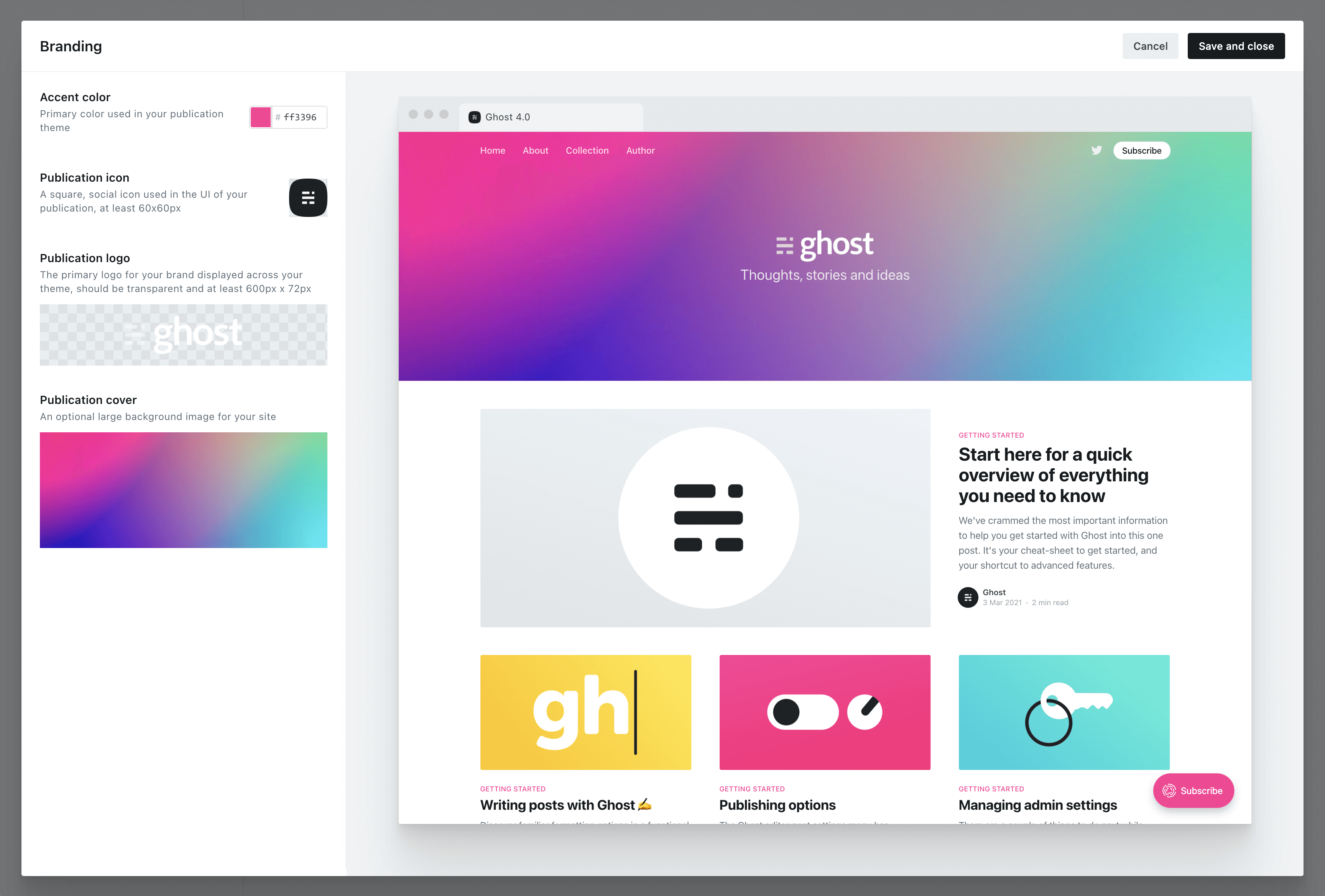
Any Ghost theme that's up to date and compatible with Ghost 4.0 and higher will reflect your branding settings in the preview window, so you can see what your site will look like as you experiment with different options.
When selecting an accent color, try to choose something which will contrast well with white text. Many themes will use your accent color as the background for buttons, headers and navigational elements. Vibrant colors with a darker hue tend to work best, as a general rule.
By default, new sites are created with Ghost's friendly publication theme, called Casper. Everything in Casper is optimized to work for the most common types of blog, newsletter and publication that people create with Ghost — so it's a perfect place to start.
However, there are hundreds of different themes available to install, so you can pick out a look and feel that suits you best.
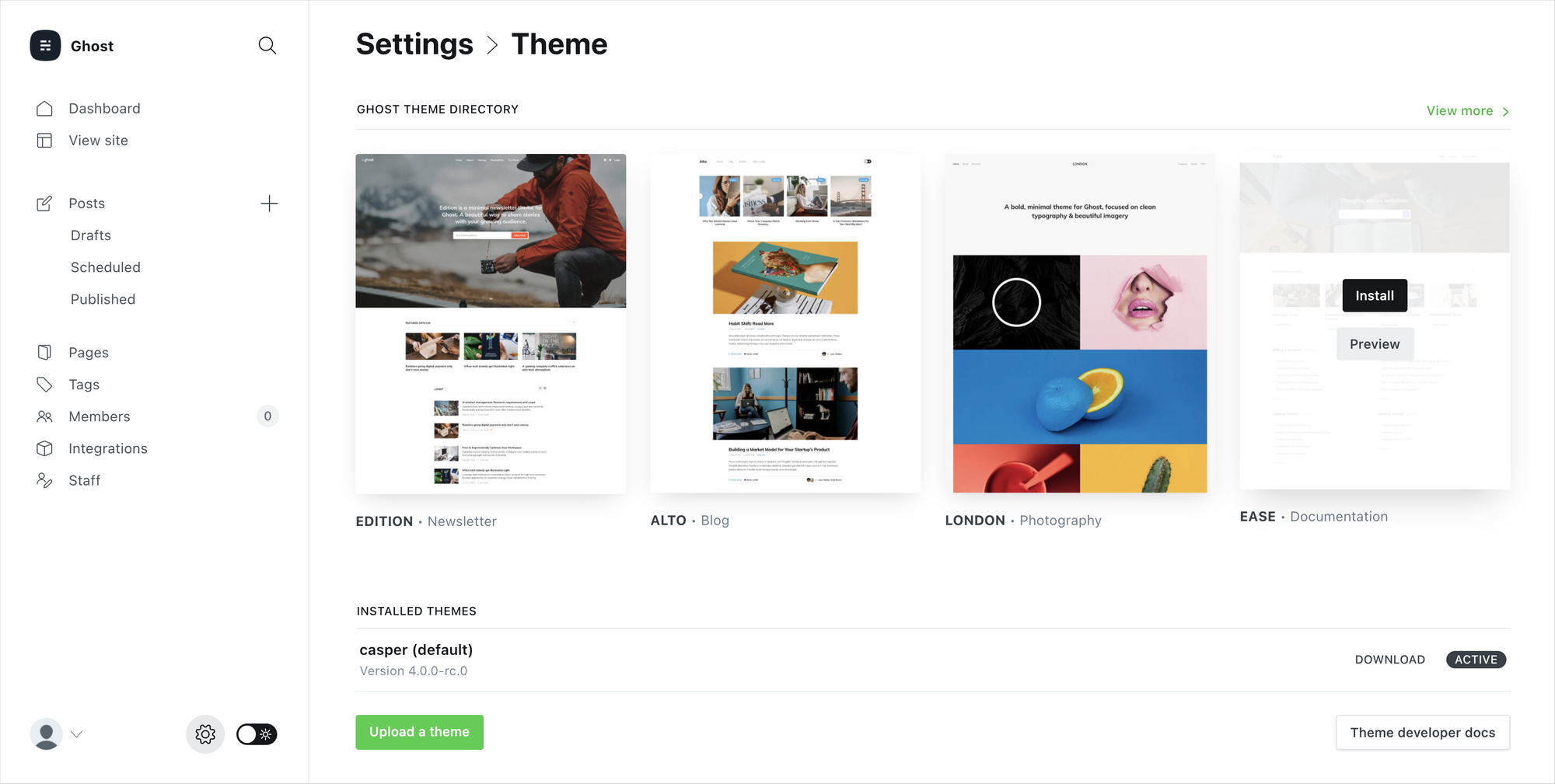
Inside Ghost's theme settings you'll find 4 more official themes that can be directly installed and activated. Each theme is suited to slightly different use-cases.
And if none of those feel quite right, head on over to the Ghost Marketplace, where you'll find a huge variety of both free and premium themes.
Finally, if you want something completely bespoke for your site, you can always build a custom theme from scratch and upload it to your site.
Ghost's theming template files are very easy to work with, and can be picked up in the space of a few hours by anyone who has just a little bit of knowledge of HTML and CSS. Templates from other platforms can also be ported to Ghost with relatively little effort.
If you want to take a quick look at the theme syntax to see what it's like, you can browse through the files of the default Casper theme. We've added tons of inline code comments to make it easy to learn, and the structure is very readable.
{{#post}}
<article class="article {{post_class}}">

    <h1>{{title}}</h1>

    {{#if feature_image}}
    	<img src="{{feature_image}}" alt="Feature image" />
    {{/if}}

    {{content}}

</article>
{{/post}}See? Not that scary! But still completely optional.
If you're interested in creating your own Ghost theme, check out our extensive theme documentation for a full guide to all the different template variables and helpers which are available.
此内容由惯性聚合(RSS阅读器)自动聚合整理,仅供阅读参考。 原文来自 — 版权归原作者所有。