


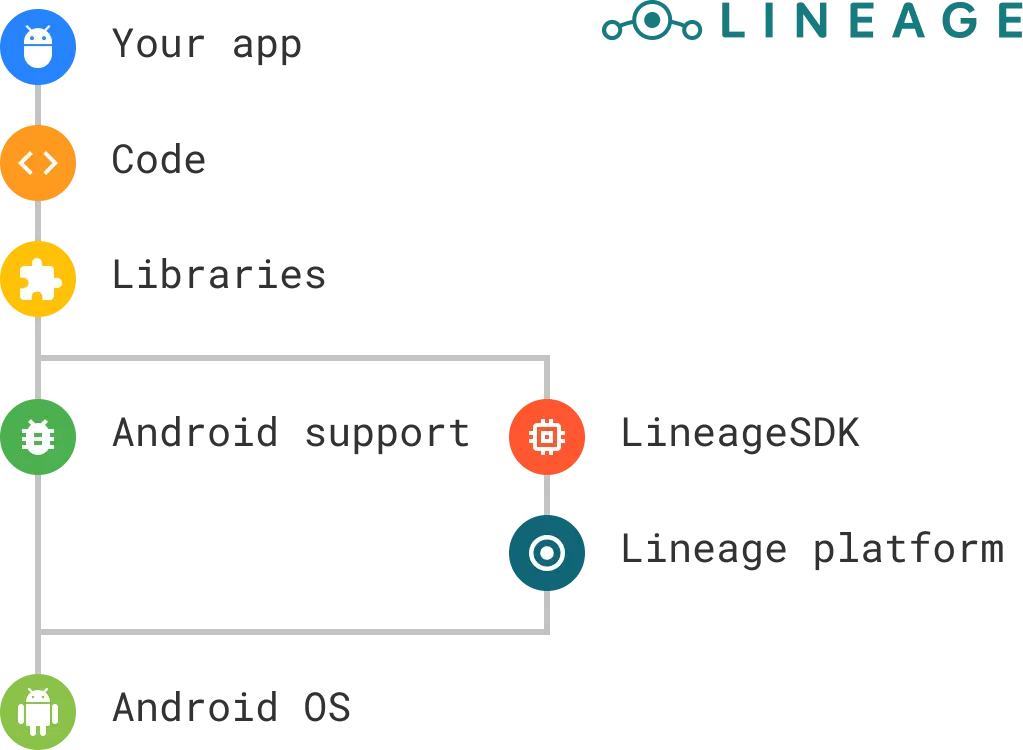
LineageOS is an operating system for everyone: from the average user to the advanced developer. While users have a giant playground in their hands with many customization options, we also want to make LineageOS a fun place for developers. The standards for official builds help ensure developers that their app will not end up in a bad state because of inappropriate Android API changes or broken hardware support, but this is not enough for us; we’re announcing some new APIs that will allow your apps to do more when they’re running on a LineageOS-powered device.
The Lineage platform SDK (LineageSDK for short) is a powerful resource that allows us to both keep our features out of the core Android frameworks (for better security and easier bringup processes) and expose some extra functionality to app developers.
The first official release, Ilama (API 9), is the first public iteration that’s available to your apps with a set of useful APIs. We have created a section on our wiki with all the documentation you may desire, including example snippets and the javadoc.
Here are our favorite APIs of this release:
We’ve recently introduced system styles on LineageOS 15.1 to allow users to customize the appearance of the device with a dark mode and custom accent color.
With the Styles API, you can give your app an optional automatic dark theme by just using the official AppCompat-v7 library. You don’t have to include a new external library or make huge code changes to offer your users a UI that is in sync with the system. On devices that aren’t running LineageOS, you can expose a toggle for it or control the style at runtime. That’s it: a painless global light/dark mode for everyone.
What if you want your app to theme the system instead? A music player could tune the accent colors of the system based on the album art, or your weather app could set a dark mode when the weather is bad and light when the sun is shining bright: the sky is your only limit.
Head over to the API wiki page for more detailed informations including code snippets.
System profiles are one of the most powerful LineageOS features, they allow to change several device’s preferences with a single click. Profiles can be enabled manually or with a predefined trigger (using WiFi, Bluetooth and/or NFC). A profile contains a set of instructions to control the device’s hardware and software, including (but not limited to) networks, volumes and display adjustments.
Let’s say you are developing a controller app for the next big IOT product and you want your device to adapt when something happens. With the Profiles API you can extend the trigger capabilities (by enabling a profile that could be both user-created or predefined) when interaction with the IOT device is going on using your official APIs.
The profiles API empowers apps to control the handheld device in new ways without having to worry about security issues or using unofficial undocumented APIs that may break/change from a release to another.
Head over to the API wiki page for more detailed informations including code snippets.
These are just a couple of the various APIs you will find inside the LineageSDK and you can check out the full documentation to see all of them.
The LineageSDK API 9 is now rolling out with this week’s LineageOS 15.1 builds, and new versions will be announced in future regularly irregular blog posts as new APIs are added and stabilized.
The SDK is completely open source and contributions (including new APIs) are welcome on our gerrit, so you can make this platform grow and evolve in a useful direction for both your app and the whole ecosystem.
To get started, head over to this wiki page.
If you have any questions, you can reach us on our subreddit or join the #lineageos-dev Libera.Chat IRC channel.
此内容由惯性聚合(RSS阅读器)自动聚合整理,仅供阅读参考。 原文来自 — 版权归原作者所有。