惯性聚合 高效追踪和阅读你感兴趣的博客、新闻、科技资讯
阅读原文 在惯性聚合中打开

推荐订阅源

Threat Intelligence Blog | Flashpoint
WordPress大学
WordPress大学
N
Netflix TechBlog - Medium
宝玉的分享
宝玉的分享
V
Visual Studio Blog
S
Securelist
P
Palo Alto Networks Blog
A
Arctic Wolf
T
Tor Project blog
P
Proofpoint News Feed
I
InfoQ
博客园 - 三生石上(FineUI控件)
T
Threat Research - Cisco Blogs
G
GRAHAM CLULEY
M
MIT News - Artificial intelligence
Cyber Security Advisories - MS-ISAC
Microsoft Security Blog
MongoDB | Blog
MongoDB | Blog
C
CXSECURITY Database RSS Feed - CXSecurity.com
Apple Machine Learning Research
S
Secure Thoughts
Cyberwarzone
Cyberwarzone
Blog — PlanetScale
Blog — PlanetScale
Simon Willison's Weblog
博客园 - 【当耐特】
大猫的无限游戏
大猫的无限游戏
腾讯CDC
Latest news
Latest news
Project Zero
Project Zero
V
Vulnerabilities – Threatpost
Y
Y Combinator Blog
S
SegmentFault 最新的问题
Schneier on Security
C
CERT Recently Published Vulnerability Notes
W
WeLiveSecurity
罗磊的独立博客
Stack Overflow Blog
Stack Overflow Blog
酷 壳 – CoolShell
酷 壳 – CoolShell
L
LINUX DO - 热门话题
N
News and Events Feed by Topic
PCI Perspectives
PCI Perspectives
C
Cisco Blogs
Application and Cybersecurity Blog
爱范儿
爱范儿
T
The Exploit Database - CXSecurity.com
The Last Watchdog
The Last Watchdog
人人都是产品经理
人人都是产品经理
GbyAI
GbyAI
Know Your Adversary
Know Your Adversary
U
Unit 42

皮普的数字花园

懒猫微服 - 用 UpSnap 实现远程群晖NAS 开机 在飞牛OS挂载本地的Unraid文件夹 群晖NAS挂载Unraid文件夹 弄懂FRP内网穿透的 HTTP 类型代理 如何更安全地访问Homelab服务 2024 - 向阳而生,逆光前行 私有化部署LobeChat的数据库版本 电信收回了我的公网ipv4,如何外网访问群晖NAS?Frp 内网穿透!效果媲美直连! Adobe photoshop运行弹窗This non-genuine Adobe app has been disabled,解决办法 2023 年终总结 My Default App 2023 我的默认应用 2023 腾讯云域名转移到Cloudflare 黑群晖升级到正版白群(全程记录) 买了一张美国原生实体手机卡:PAYGO卡 如何做行业调查 Debian ssh安全设置 Debian系统常用命令 买了1张0月租的英国手机卡:GiffGaff卡 关于NAS RAID的解释【白话版】【小白也能懂】
使用 Surge Ponte 轻松实现外网访问家里设备&服务
Pipu · 2025-06-29 · via 皮普的数字花园

149

介绍

大白话:Surge Ponte 可以让你从外面轻松访问家里的设备&服务,简称内网穿透,实测访问速度能跑满家里的宽带哦!

官方介绍:Surge Ponte是Surge提供的一个功能,它允许在运行Surge 的iOS 和macOS 设备之间建立一个私有的、端到端加密的mesh 网络。简单来说,它就像一个可以自动连接和加密的“内网穿透”工具,让你在不同设备上使用Surge 时,数据能够安全地在设备间流动,而不需要额外的配置。

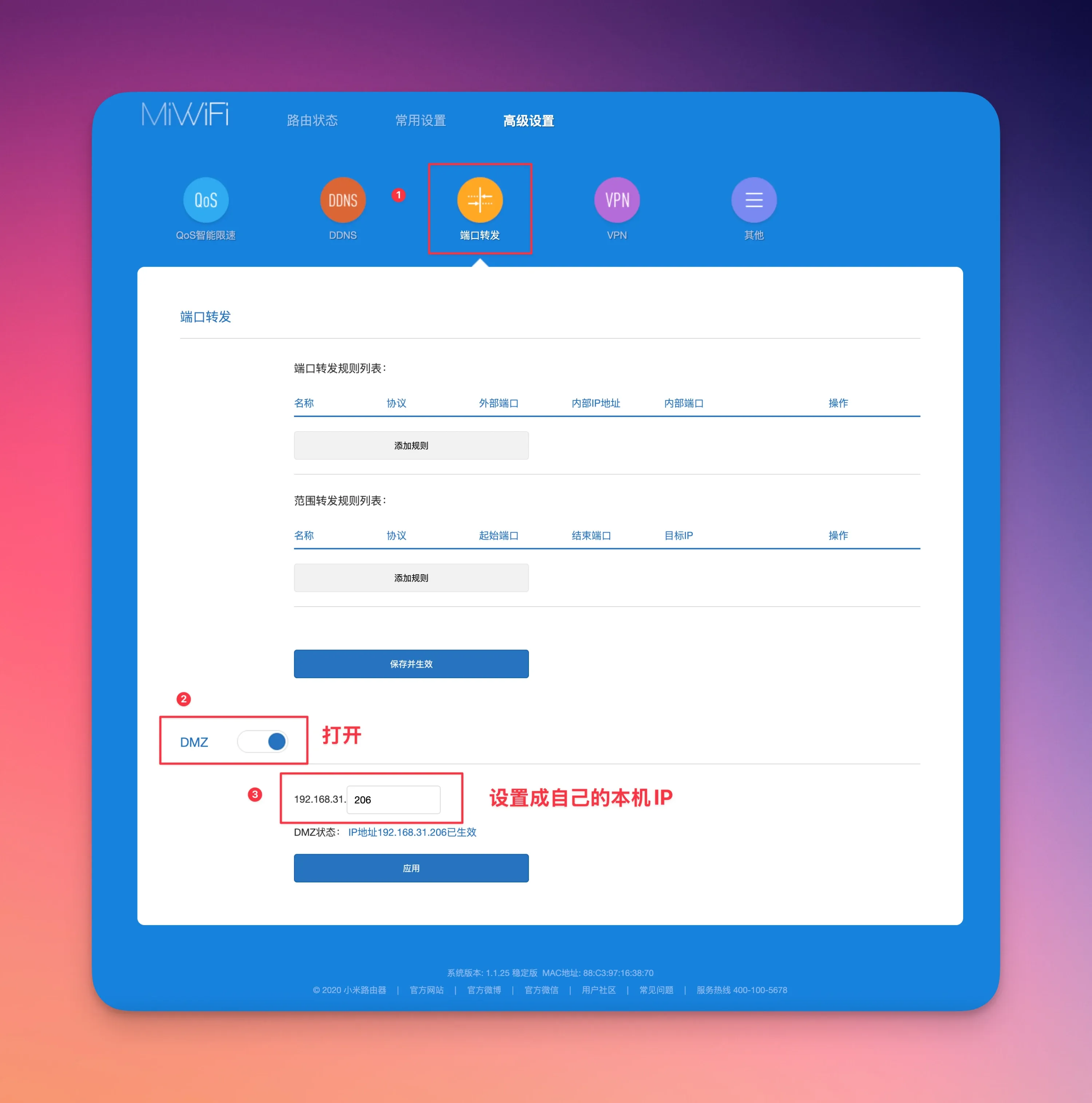
设置DMZ

我家电信没有公网 IP,不过在路由器将本机IP(安装了Surge的电脑IP)设置 DMZ 之后能拿到 Type A,然后就可以正常用了。
154

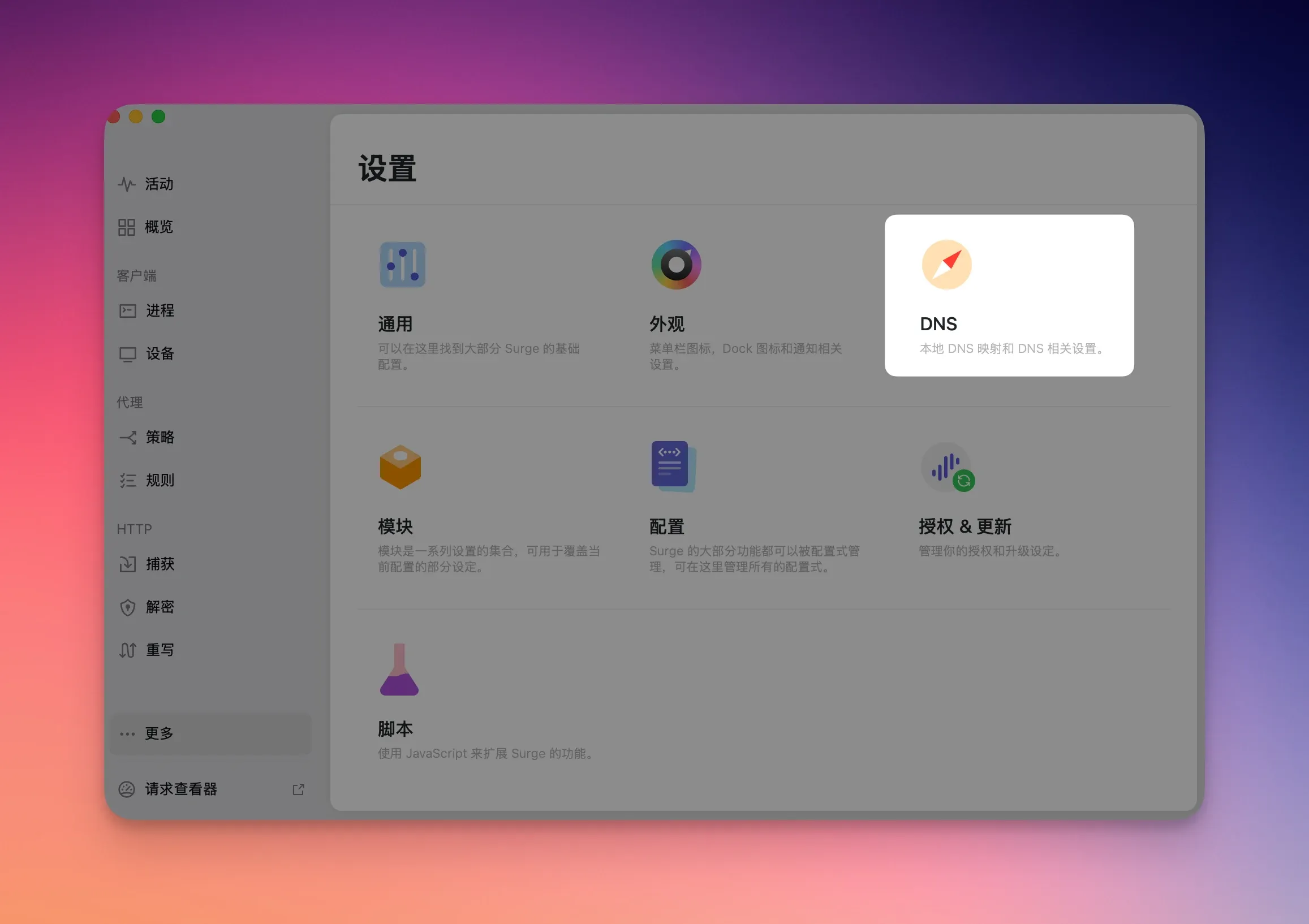
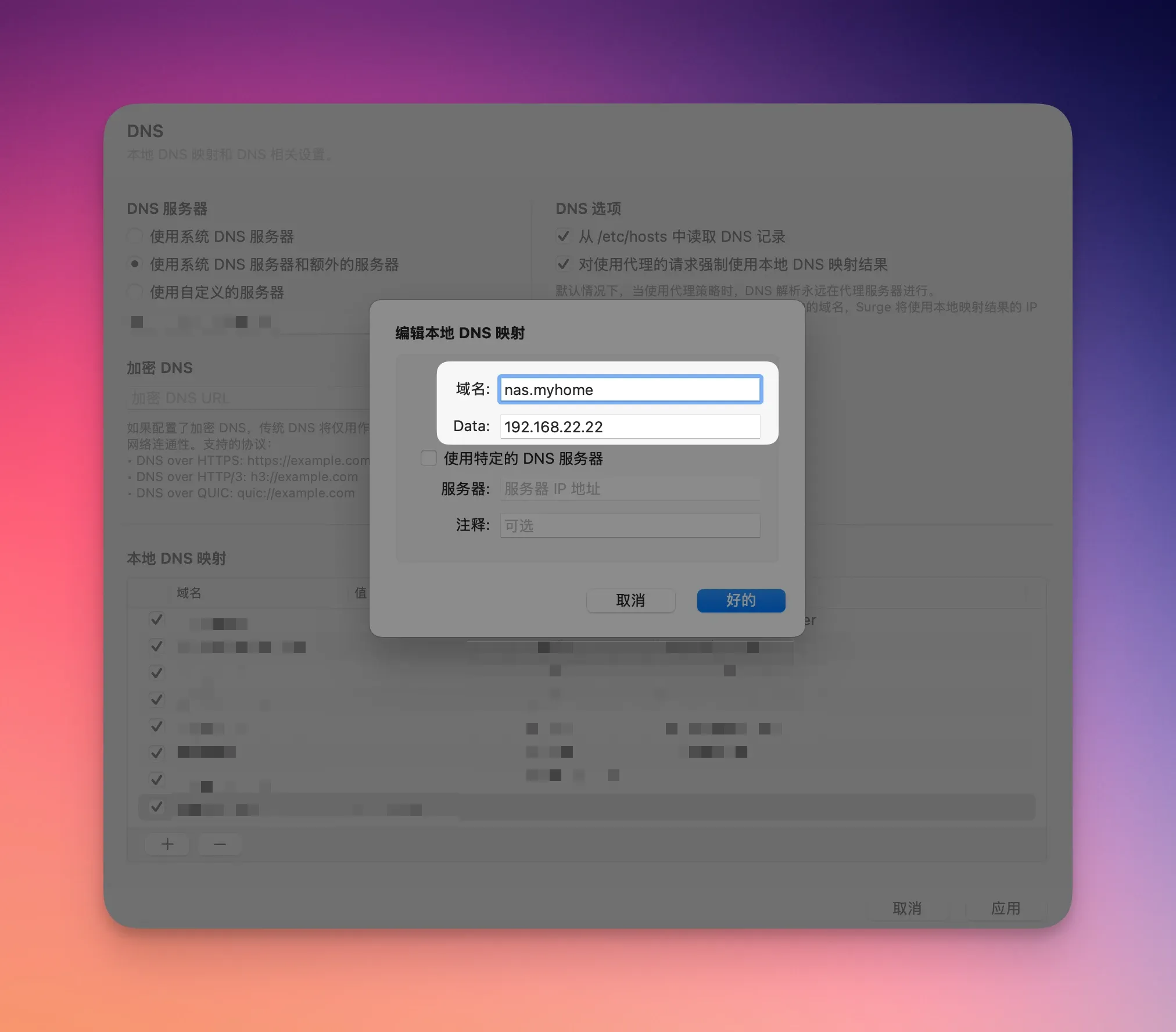
Surge - DNS设置

152

域名:此处可以自己DIY一个自己喜欢的域名,我就以 nas.myhome 为例子

Data:输入自己NAS的局域网IP
155

153

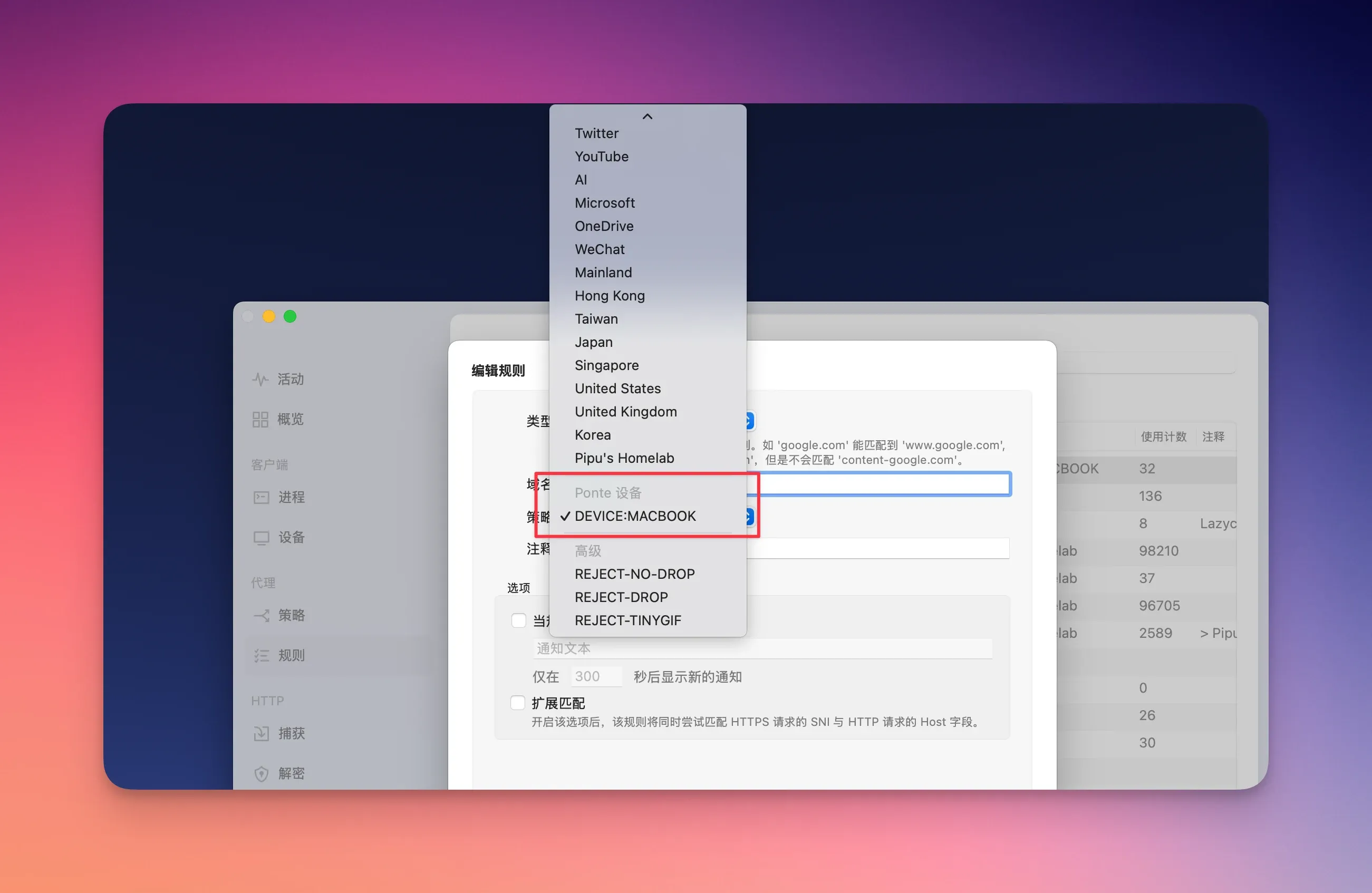
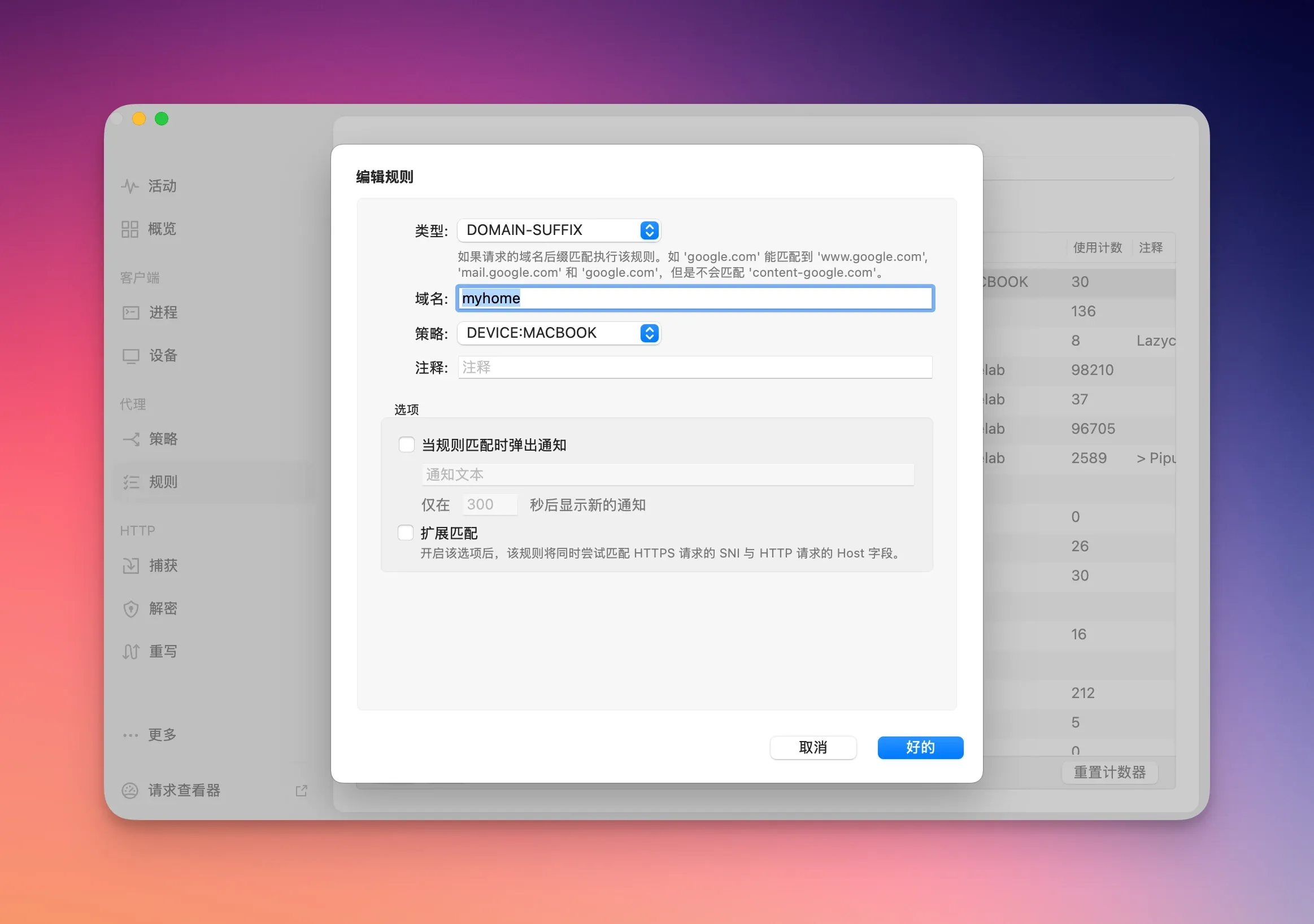
Surge - 设置规则

类型:DOMAIN-SUFFIX

域名:myhome

策略:选择自己的设备
148

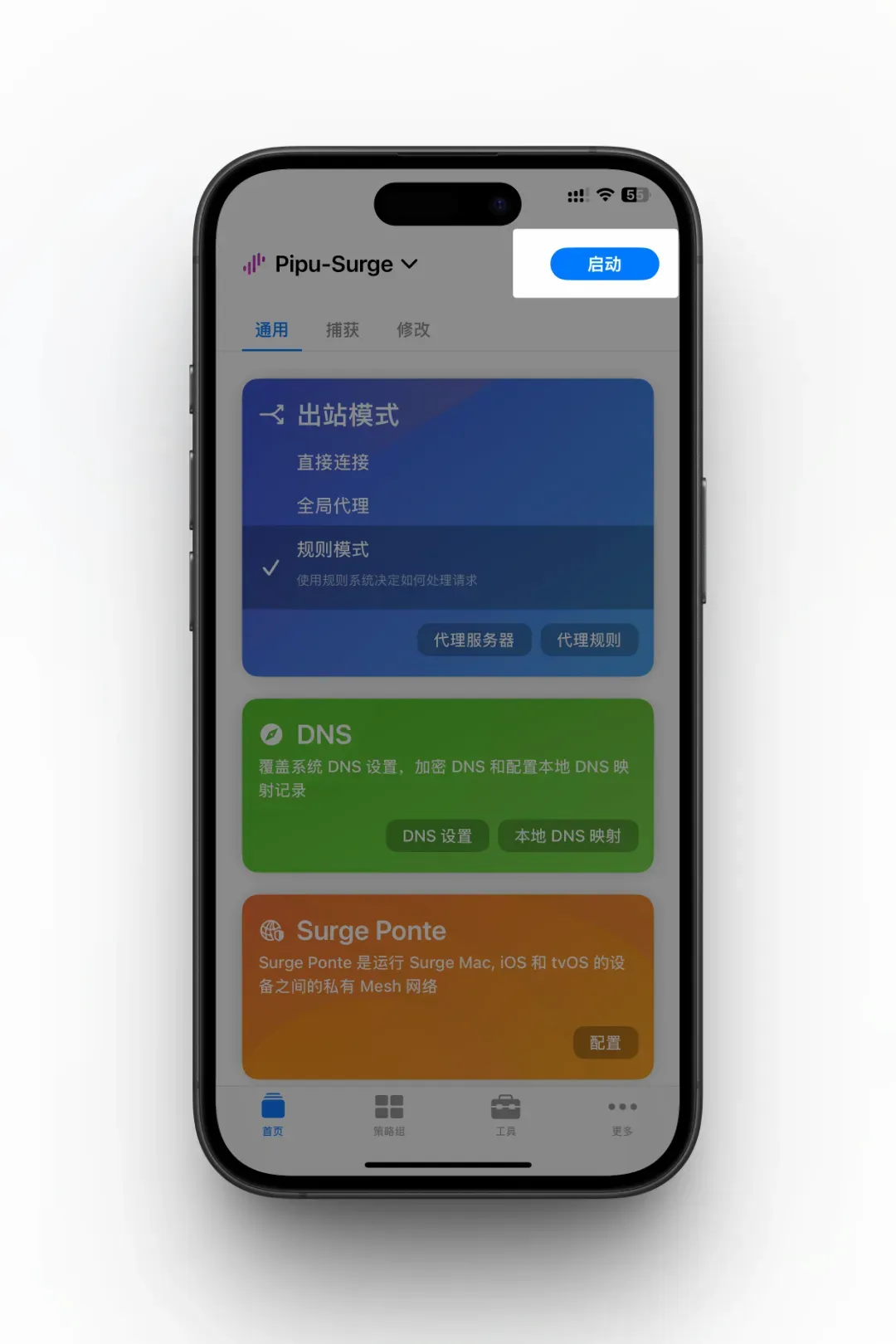
Surge 启动

156

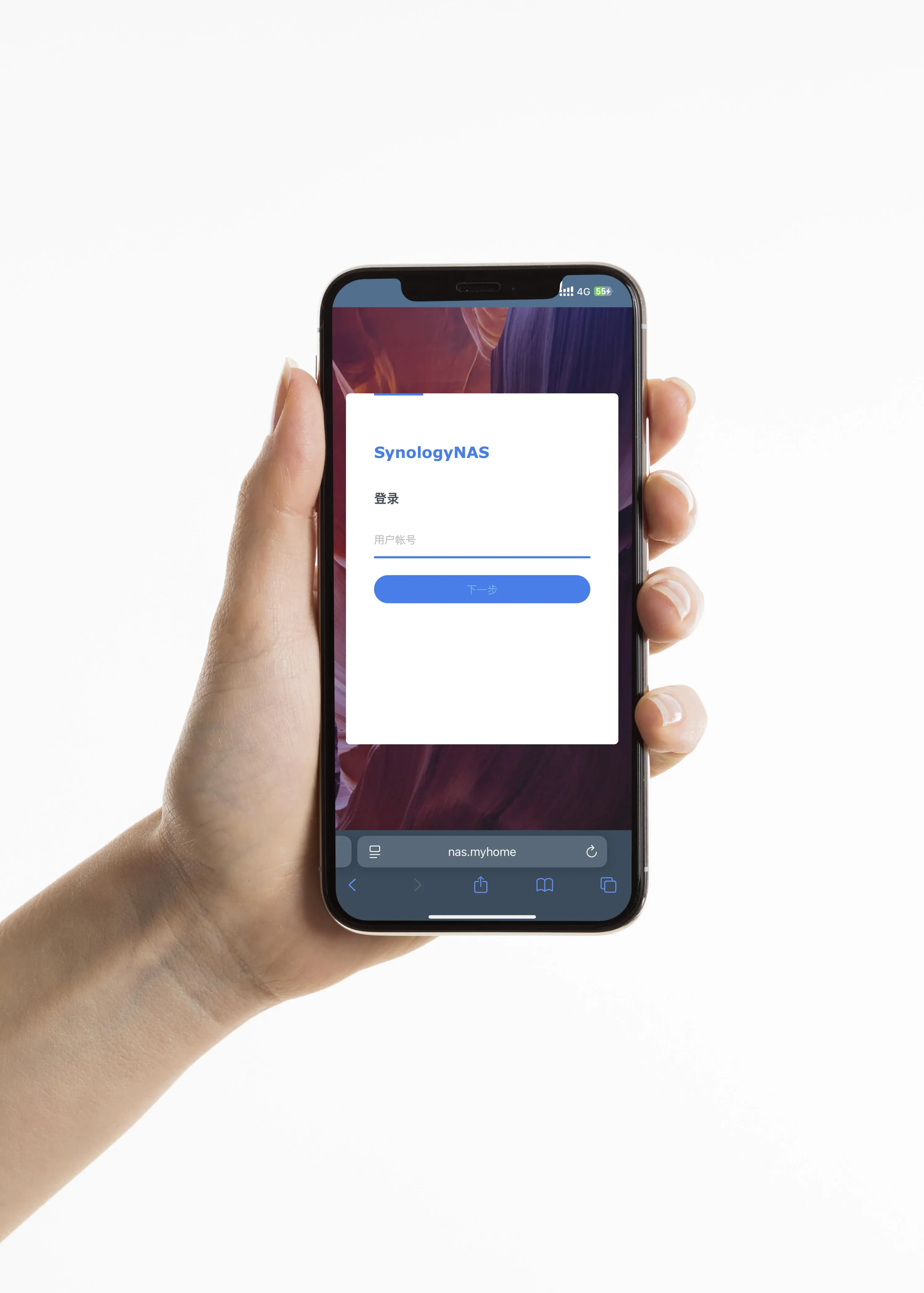
假设你的 NAS 的 Web 登陆端口是12000,那么浏览器输入:nas.myhonme:12000 就实现可以外网访问到NAS了!大功告成!🎆🎉
150

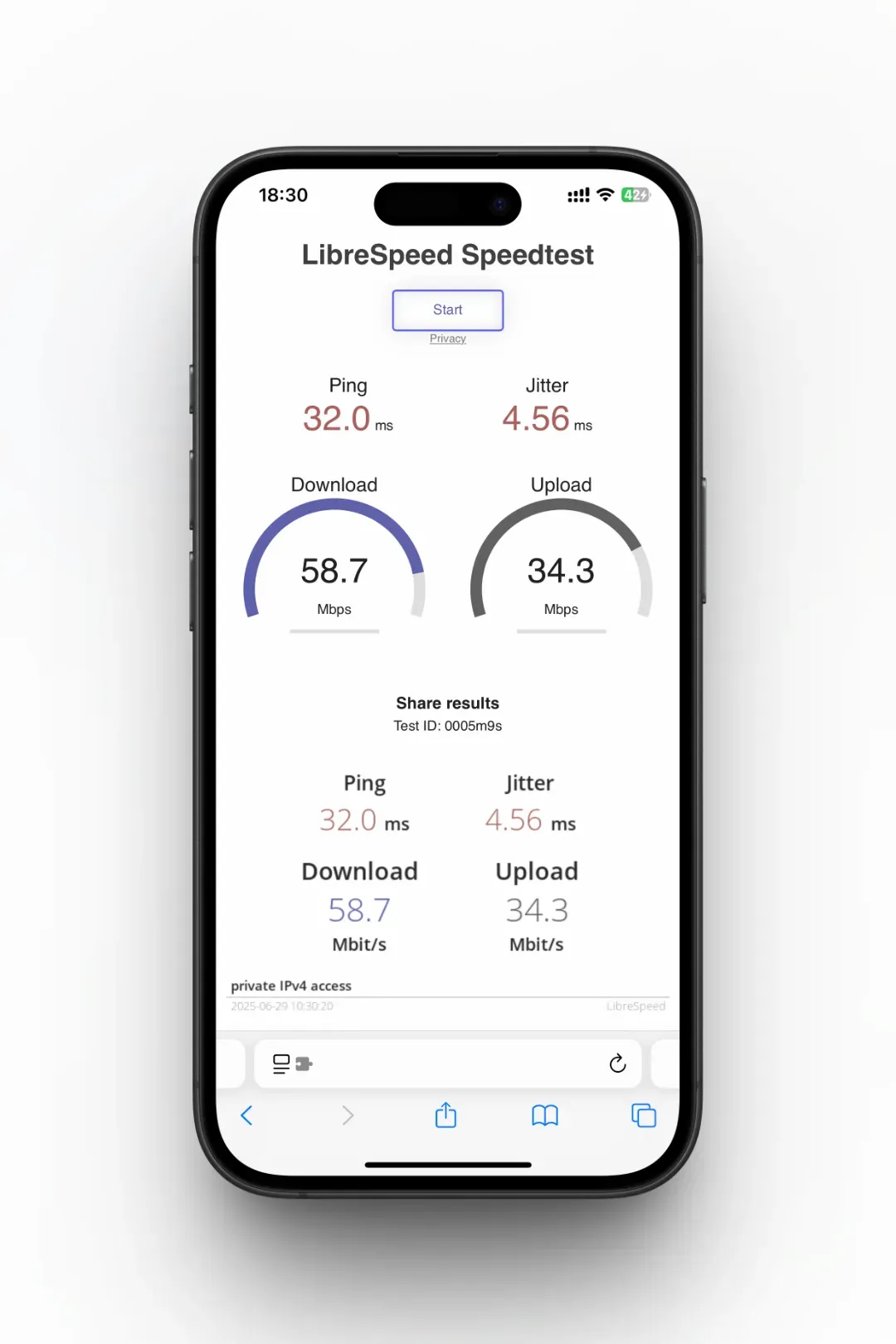
网速测试

实测几乎能跑满家里的电信千兆宽带,体验优秀

手机4G网络的速度 https://images.pipustudio.com/uploads/20260520/14b622438e67764342a362cabfa97df8.webp

手机连接 WI-FI 的速度 147