惯性聚合 高效追踪和阅读你感兴趣的博客、新闻、科技资讯
阅读原文 在惯性聚合中打开

推荐订阅源

Project Zero
Project Zero
F
Fortinet All Blogs
Recent Announcements
云风的 BLOG
云风的 BLOG
CTFtime.org: upcoming CTF events
M
MIT News - Artificial intelligence
S
SegmentFault 最新的问题
Blog — PlanetScale
Blog — PlanetScale
T
Tailwind CSS Blog
WordPress大学
WordPress大学
Engineering at Meta
Engineering at Meta
S
Schneier on Security
N
News and Events Feed by Topic
N
News | PayPal Newsroom
H
Help Net Security
C
CXSECURITY Database RSS Feed - CXSecurity.com
T
The Exploit Database - CXSecurity.com
Attack and Defense Labs
博客园 - Franky
让小产品的独立变现更简单 - ezindie.com
J
Java Code Geeks
A
About on SuperTechFans
AWS News Blog
AWS News Blog
S
Secure Thoughts
The Cloudflare Blog
Hugging Face - Blog
Hugging Face - Blog
爱范儿
爱范儿
C
Cybersecurity and Infrastructure Security Agency CISA
V2EX - 技术
V2EX - 技术
Recorded Future
Recorded Future
Microsoft Azure Blog
博客园_首页
MyScale Blog
MyScale Blog
Martin Fowler
Martin Fowler
Help Net Security
Help Net Security
人人都是产品经理
人人都是产品经理
Latest news
Latest news
C
Cyber Attacks, Cyber Crime and Cyber Security
大猫的无限游戏
大猫的无限游戏
The Last Watchdog
The Last Watchdog
www.infosecurity-magazine.com
月光博客
月光博客
H
Hacker News: Front Page
P
Proofpoint News Feed
N
News and Events Feed by Topic
H
Heimdal Security Blog
L
Lohrmann on Cybersecurity
有赞技术团队
有赞技术团队
L
LangChain Blog
Application and Cybersecurity Blog

皮普的数字花园

懒猫微服 - 用 UpSnap 实现远程群晖NAS 开机 使用 Surge Ponte 轻松实现外网访问家里设备&服务 在飞牛OS挂载本地的Unraid文件夹 弄懂FRP内网穿透的 HTTP 类型代理 如何更安全地访问Homelab服务 2024 - 向阳而生,逆光前行 私有化部署LobeChat的数据库版本 电信收回了我的公网ipv4,如何外网访问群晖NAS?Frp 内网穿透!效果媲美直连! Adobe photoshop运行弹窗This non-genuine Adobe app has been disabled,解决办法 2023 年终总结 My Default App 2023 我的默认应用 2023 腾讯云域名转移到Cloudflare 黑群晖升级到正版白群(全程记录) 买了一张美国原生实体手机卡:PAYGO卡 如何做行业调查 Debian ssh安全设置 Debian系统常用命令 买了1张0月租的英国手机卡:GiffGaff卡 关于NAS RAID的解释【白话版】【小白也能懂】
群晖NAS挂载Unraid文件夹
Pipu · 2025-04-08 · via 皮普的数字花园

摘要: 由于 Unraid 文件管理的功能缺失,在使用时往往会不太方便,由于我的Unraid 和群晖 NAS 都是在同一个局域网,所以我打算通过NFS 协议,将Unraid 挂载在群晖NAS,方便远程管理。

841

关键步骤

  • 双方启用NFS服务
  • Unraid设置共享文件夹权限(指定群晖IP)
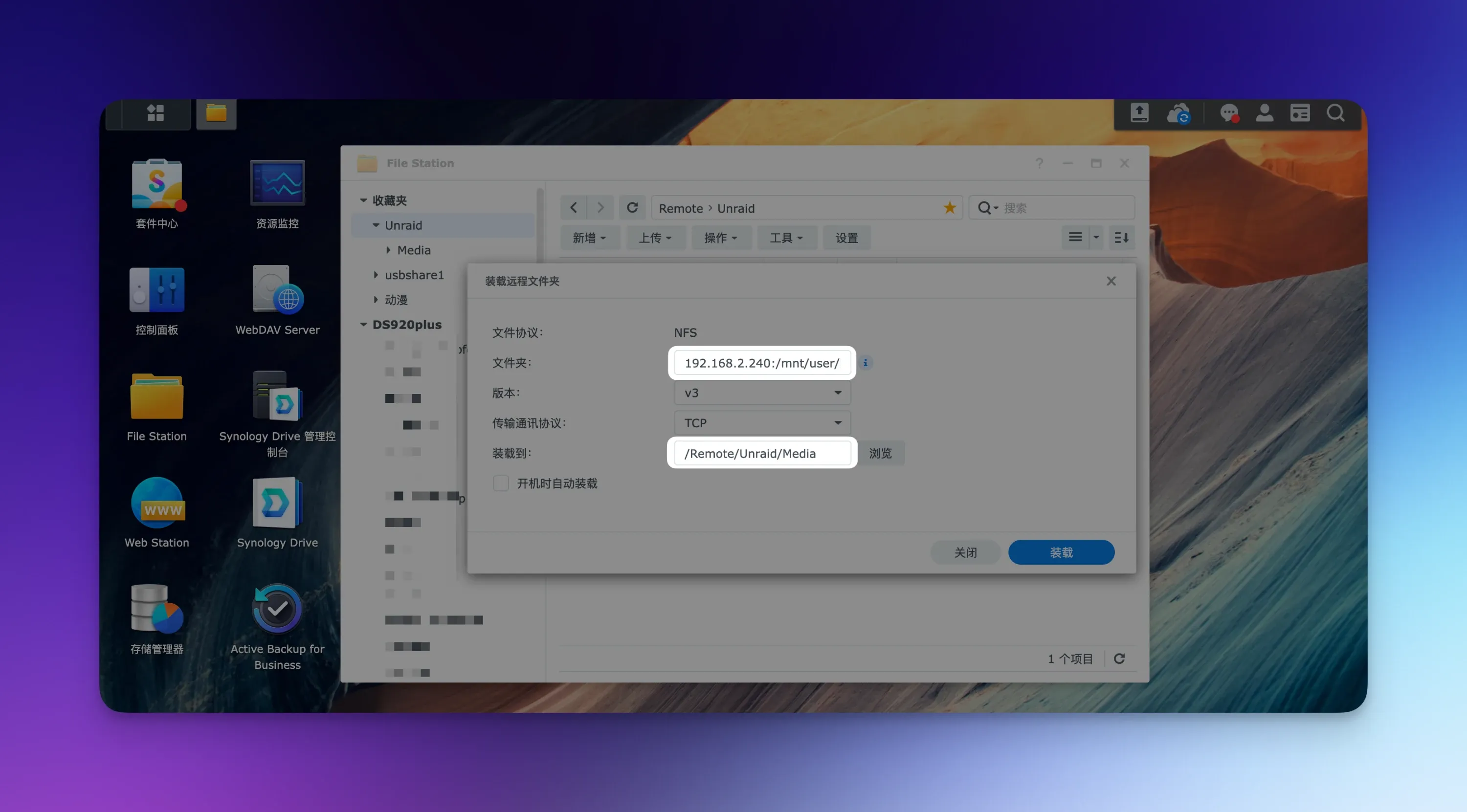
  • 群晖挂载路径:Unraid IP:/mnt/user/文件夹名

开启群晖NFS服务

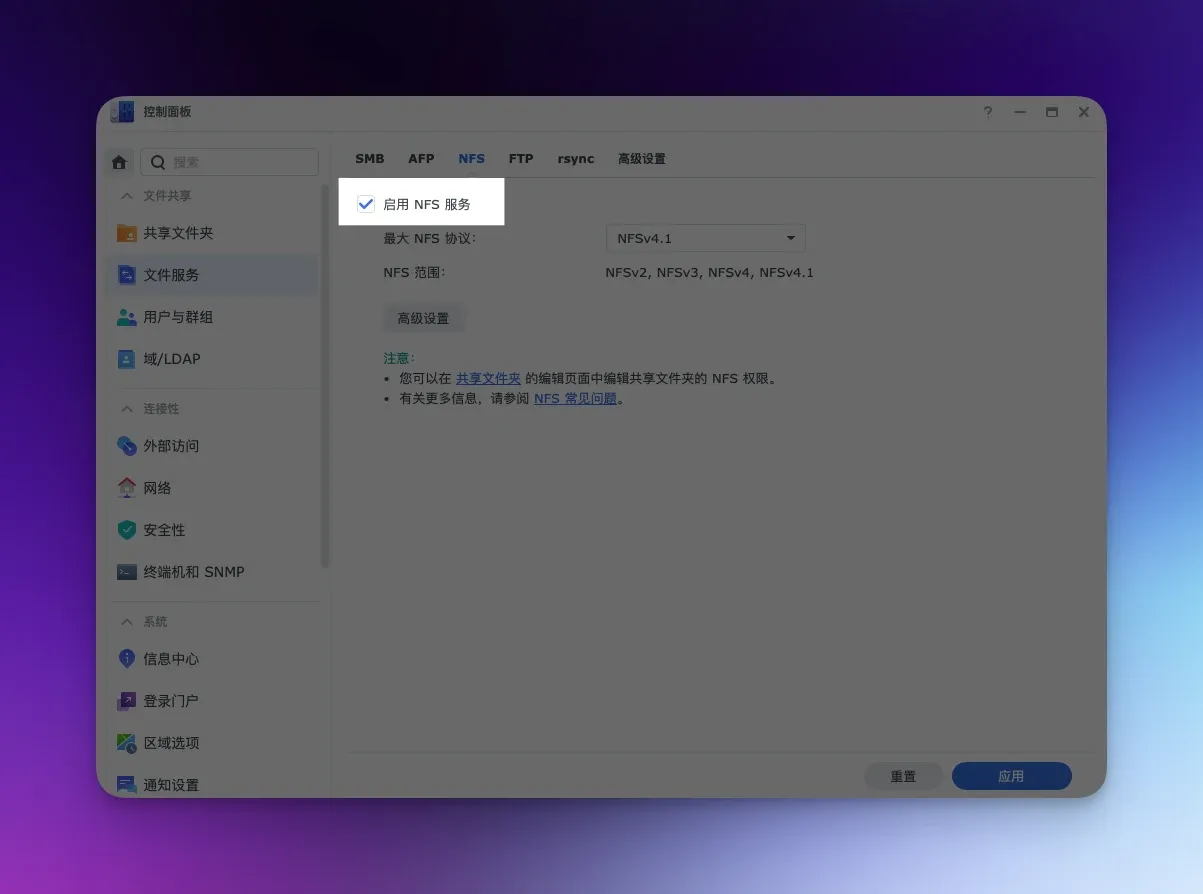
控制面板 ——> 文件服务 ——> NFS,打勾启用NFS服务
844

开启Unraid NFS服务

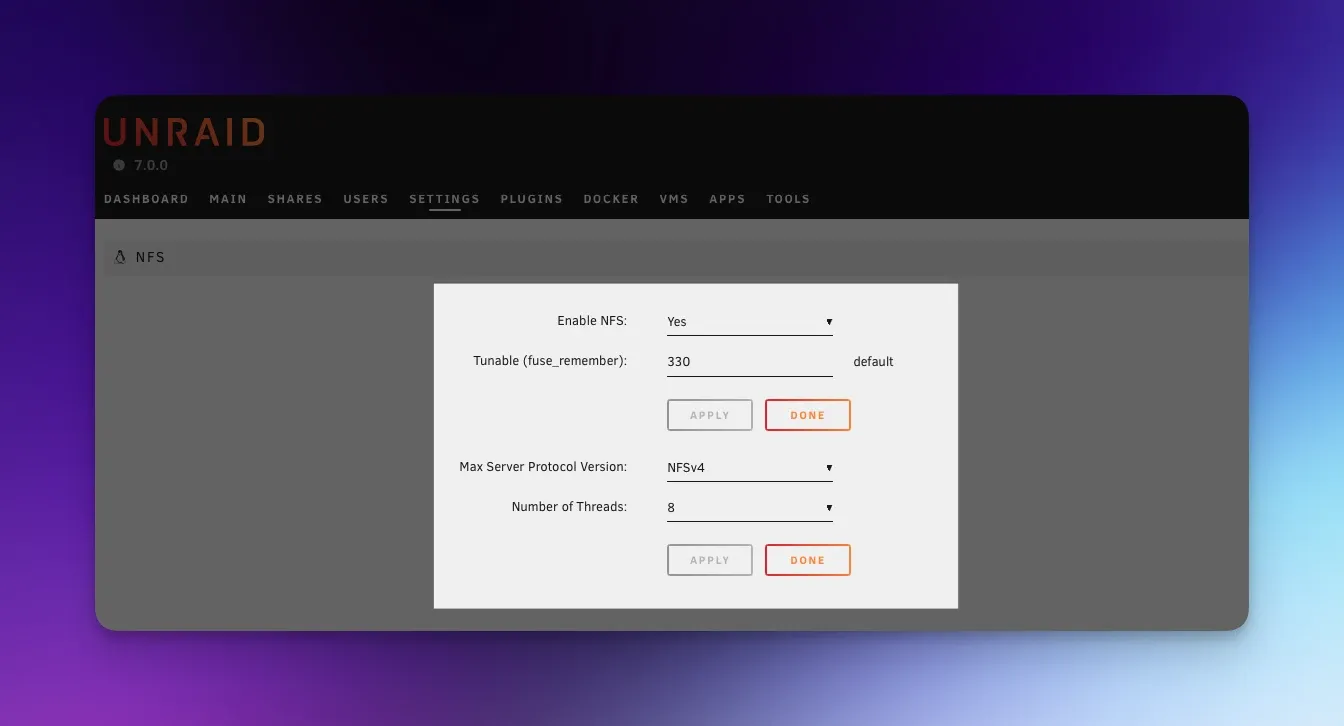
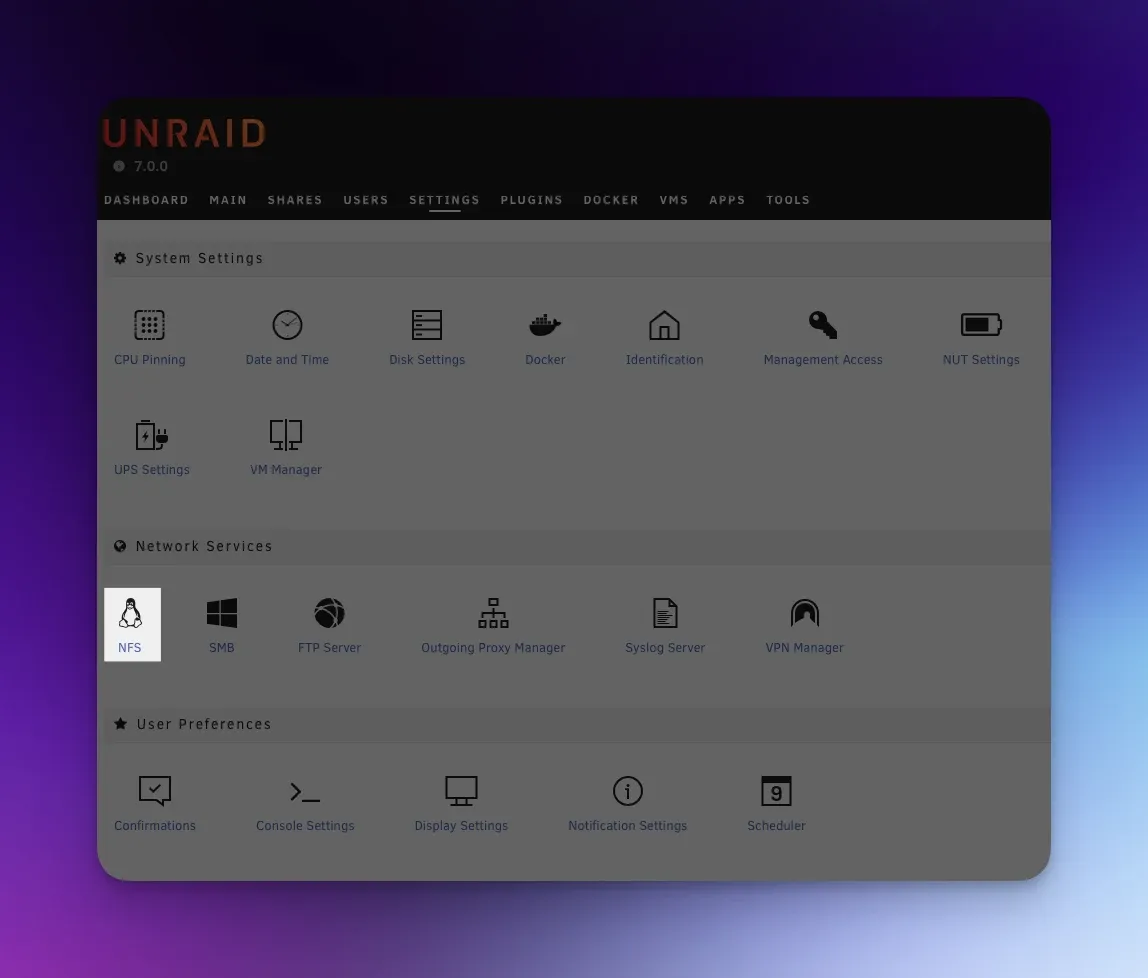
SETTINGS ——> NFS,将 Enable NFS 改为 YES
842

846

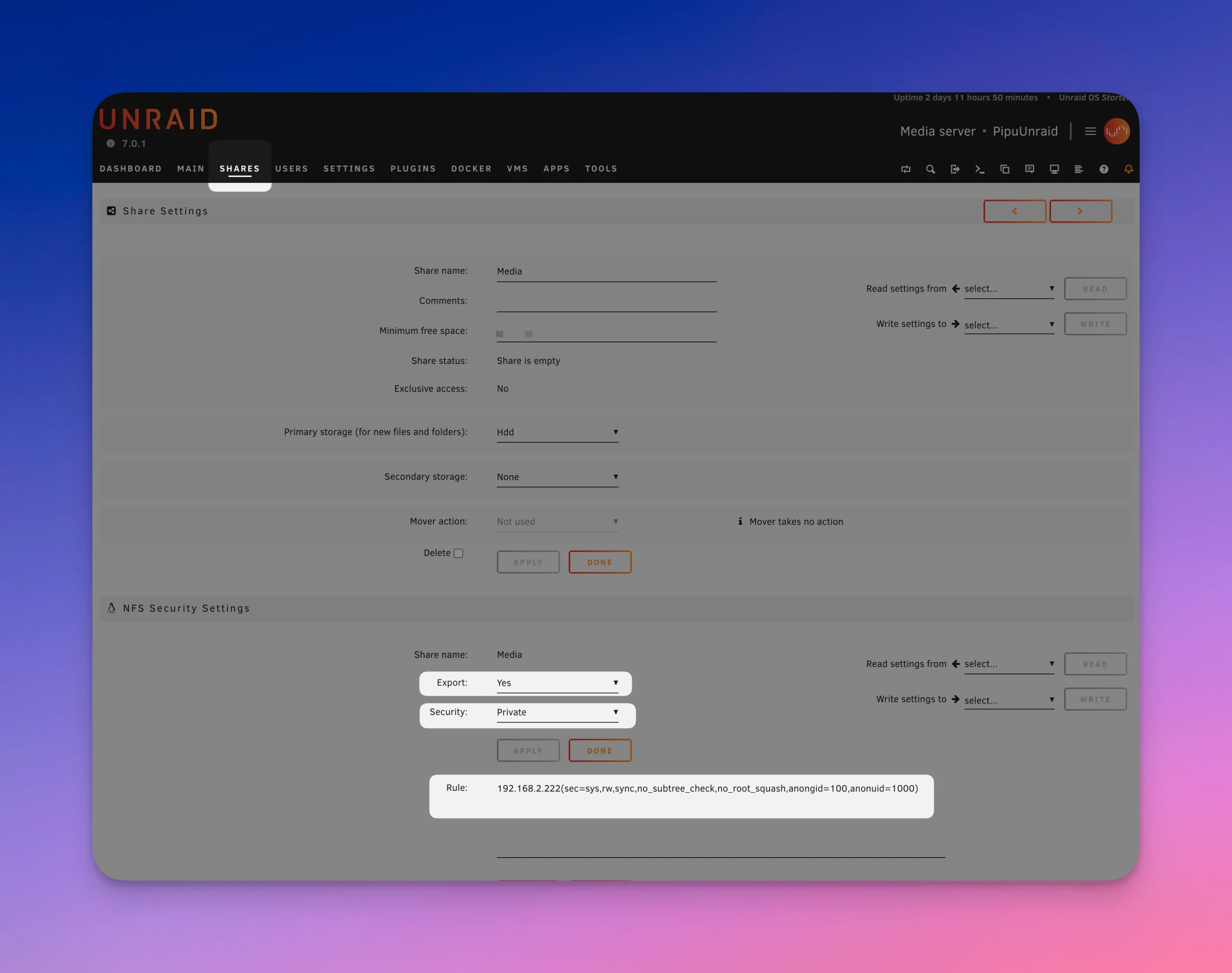
Unraid配置需要被挂载的文件夹

进入文件夹,下拉到NFS Security Settings

Export:选Yes 
Security:private
Rule:192.168.2.222(sec=sys,rw,sync,no_subtree_check,no_root_squash,anongid=100,anonuid=1000) 

192.168.2.222是我群晖的IP,请改为自己的
847

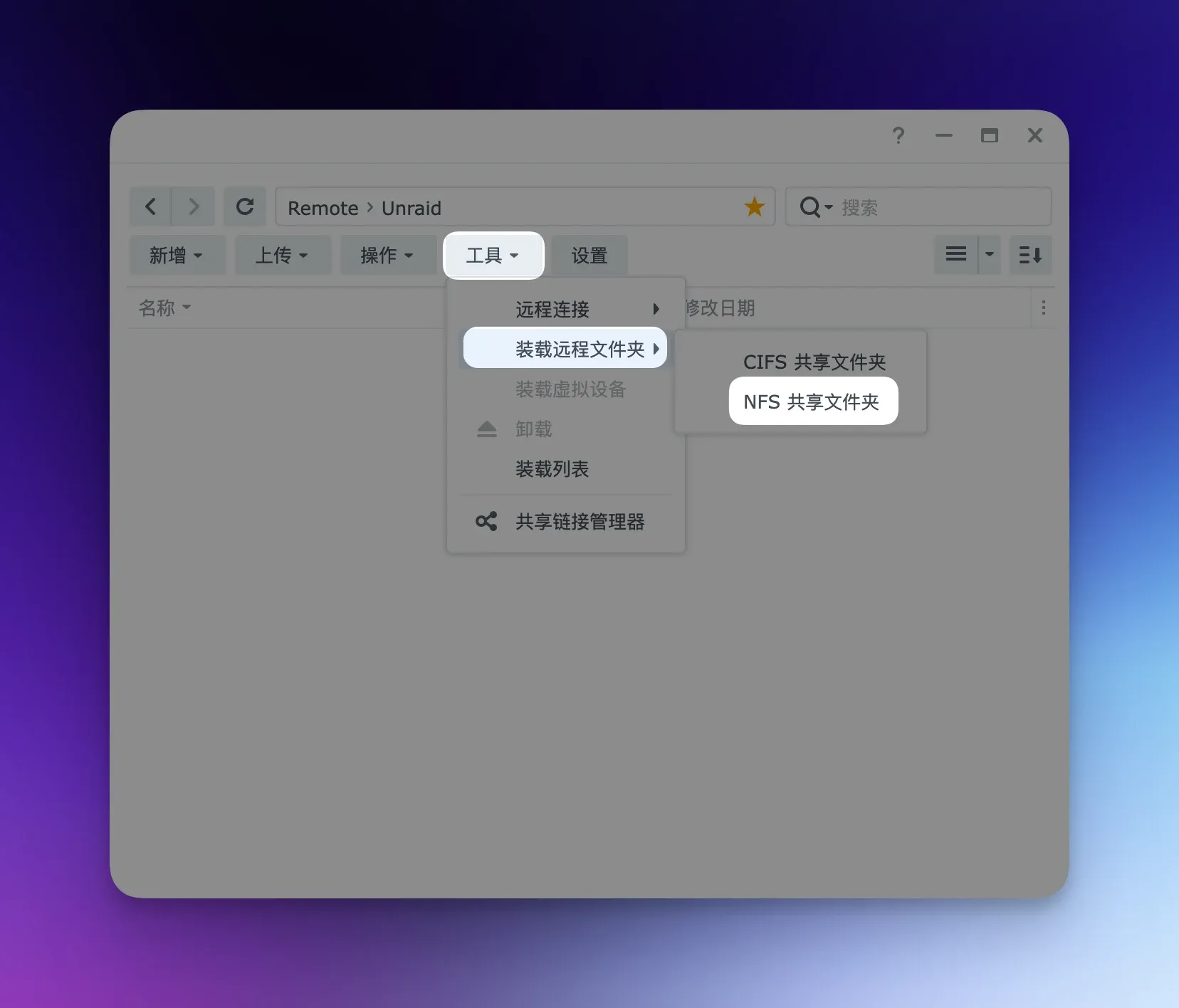
群晖挂载unraid目录

进入群晖NAS —> File Station —> 工具 —> 装载远程文件夹 —> NFS共享文件夹
845

文件夹:192.168.2.240:/mnt/user/Media

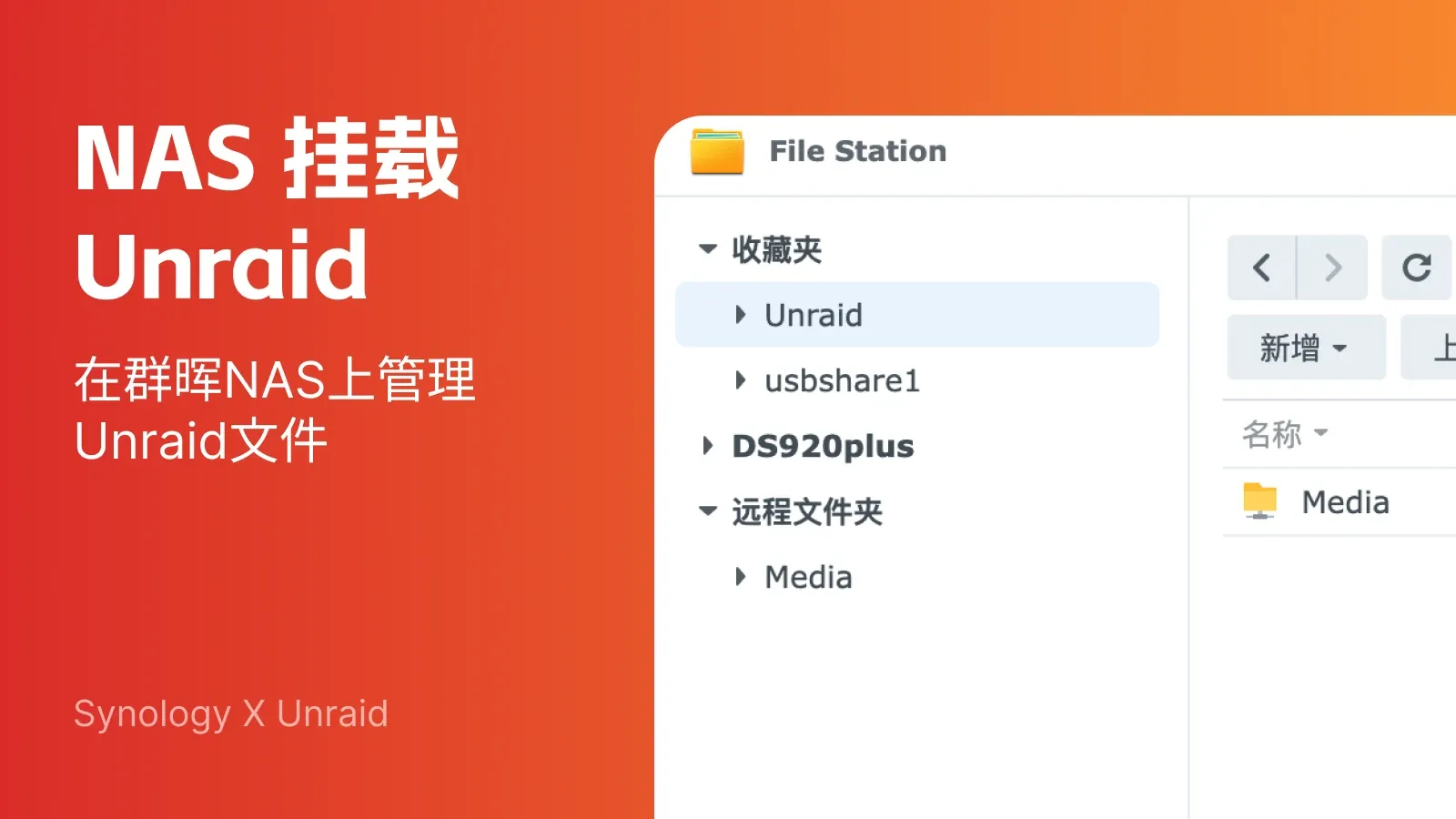
这样,我就把 Unraid 里的名为 “Media” 的目录成功挂载到了群晖上。这其中的 192.168.2.240 是我 Unraid 的 IP,别忘了换成你自己 Unraid 的 IP 地址。
843

完成了这些设置后,群晖和 Unraid 之间的挂载就大功告成了,在群晖NAS里面可以管理Unraid的文件。