








Ruff v0.1.5 is now available with editor support for Jupyter Notebooks. Install it from PyPI, or your package manager of choice:
pip install --upgrade ruffAs a reminder: Ruff is an extremely fast Python linter and formatter, written in Rust. Ruff can be used to replace Black, Flake8 (plus dozens of plugins), isort, pydocstyle, pyupgrade, and more, all while executing tens or hundreds of times faster than any individual tool.
View the full changelog on GitHub, or read on for the highlights.
Editor support for Jupyter Notebooks #
Support for Jupyter Notebooks in the Ruff command line interface was stabilized in
v0.0.285. Since then, we've been extending the Ruff
language server (ruff-lsp) to improve the experience of working with Jupyter Notebooks from within
your editor.
The Ruff VS Code extension now offers full support for using Ruff within Jupyter Notebooks. By upgrading to the latest version, Ruff will expose format, lint, and fix actions for individual cells and entire notebooks, with no additional configuration.
Capabilities #
This section showcases various capabilities which are now supported in Jupyter Notebooks, including as diagnostics, code actions, and formatting, along with additional configuration settings for VS Code specifically.
Diagnostics
Diagnostics in notebooks work just like they do in regular Python files: when you open a notebook, any code violations are immediately highlighted in the editor. You can navigate through these issues using editor-specific actions.
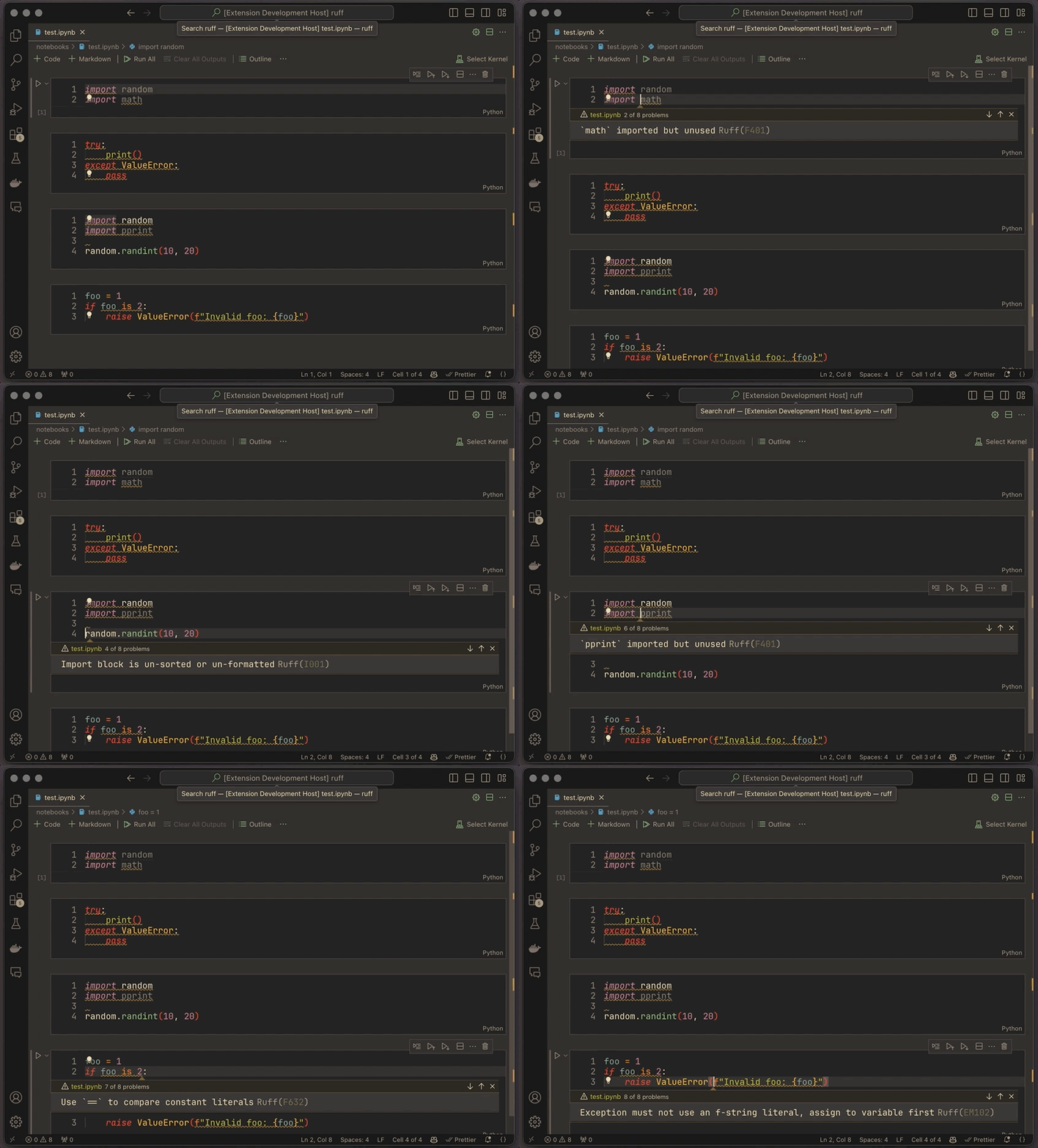
For VS Code users, you can choose to refresh diagnostics either on every keystroke or on save using
the ruff.lint.run option.
Code Actions
All existing code actions have been updated to work seamlessly with Jupyter Notebooks.
Moreover, the built-in Ruff commands corresponding to these code actions, such as
Ruff: Organize Imports and Ruff: Fix all auto-fixable problems, have been optimized to operate
on entire notebooks.
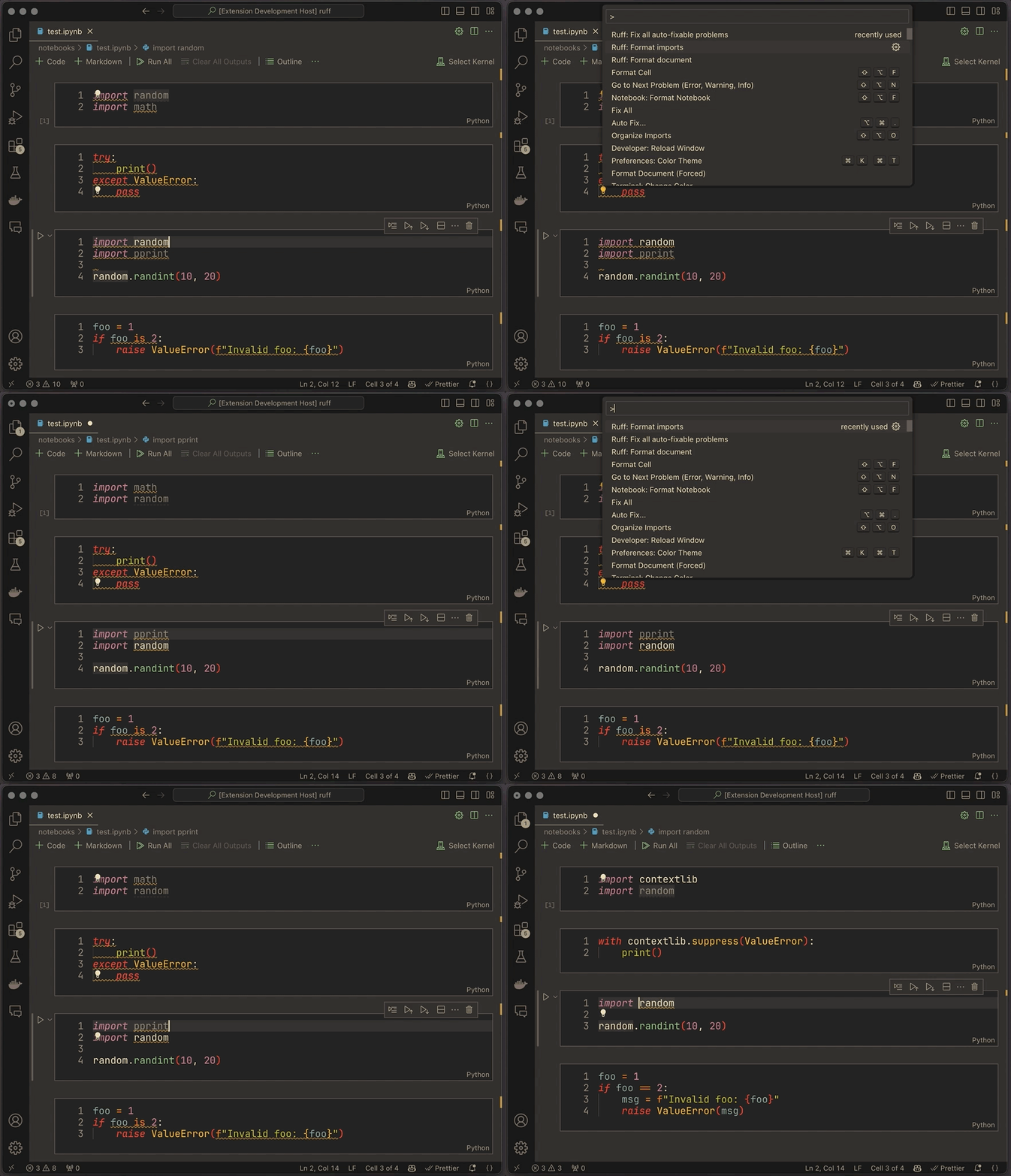
For VS Code users, you can configure Ruff to automatically fix lint violations and organize imports on save for an entire notebook using the following settings:
{
  "notebook.codeActionsOnSave": {
    "source.fixAll.ruff": true,
    "source.organizeImports.ruff": true
  }
}
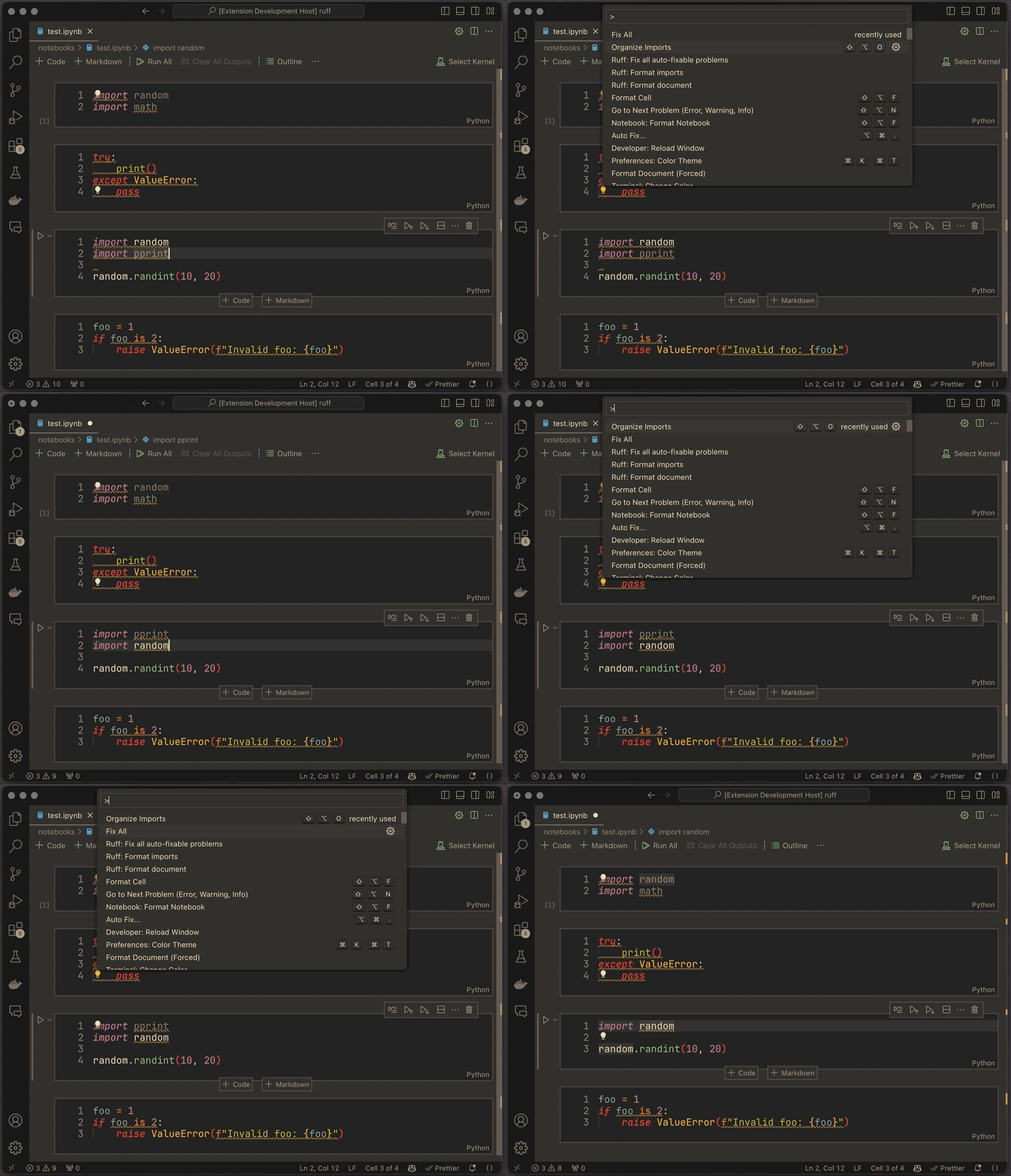
Additionally, you can execute these code actions on individual cells using the built-in Fix All or
Organize Imports commands through the command palette.
Formatting
Ruff's formatting capabilities are now available for Jupyter Notebooks. You can access these features using commands available in VS Code's command palette.
Format Cell: This built-in command formats the currently active cell, which is either the selected cell or the cell where your cursor is located.

Ruff: Format Document: This Ruff extension command has been updated to format an entire notebook. Additionally, VS Code provides theNotebook: Format Documentcommand, specifically designed for notebooks.
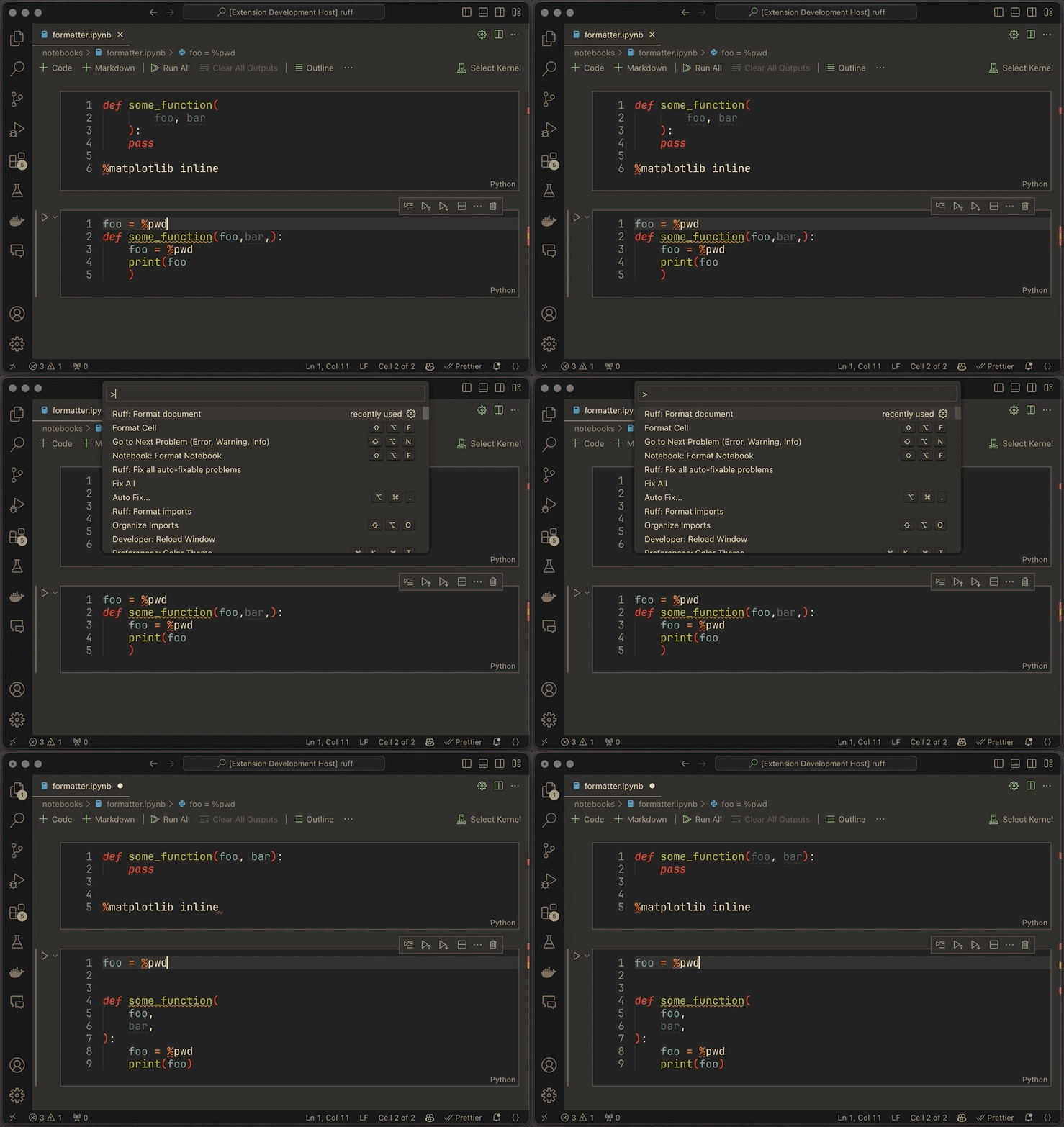
To enable formatting an entire notebook automatically on save, use the following VS Code configuration:
{
  "notebook.formatOnSave.enabled": true,
  "[python]": {
    "editor.defaultFormatter": "charliermarsh.ruff"
  }
}
For further configuration options, refer to the Example configurations section in the extension documentation.
Requirements #
These improvements require the latest Language Server Protocol (LSP) specification (3.17), which includes notebook document support, allowing language servers to provide the same capabilities available for Python files in Jupyter Notebooks.
At time of writing, VS Code is the only compatible option, but we expect other editors to add support in the future.
The latest version of Ruff's VS Code extension includes appropriate versions of Ruff and the
ruff-lsp. For other editors, though, you need to ensure you have the supported version of
ruff-lsp (0.0.43) and Ruff (v0.1.3 or later), both of which can be installed using your
preferred package manager:
pip install "ruff>=0.1.3"
pip install "ruff-lsp>=0.0.43"
Configuration #
When using Ruff through the VS Code extension, there's no need to modify your Ruff configuration. However, if you're using Ruff from the CLI, you'll need to make a few changes to enable Jupyter Notebook support.
Specifically, Ruff's CLI excludes Jupyter Notebook files by default, so you'll need to opt-in by
adding the *.ipynb pattern to your
extend-include:
[tool.ruff]
extend-include = ["*.ipynb"]
For more details, please refer to the Jupyter Notebook discovery documentation.