







前言
在之前在《回答【博客作者呀,我想采访你这 9 个问题!】》中我就表示要添加一个新功能(搜索或模式切换)如今搜索模式也是安排上啦,这里使用了 Astro-Pagefind 上手也是非常简单。这次构建成功也得益于我思维的转变,一开始我是想将搜索以组件的形式镶嵌在导航栏的,直到近几天我才猛然想到不止可以以组件的形式镶嵌在页面,也可以单开一个页面啊,于是我开始折腾,下面是一些过程
如何做
最开始我参考了这个《如何使用 Pagefind 为 Astro 网站添加全文搜索》和 《Astro-Pagefind》 教程对我有一定的帮助
首先通过以下命令安装
npm i astro-pagefind
pnpm add astro-pagefind
安装完成后找到主题的 Header 组件引入
<link href="/pagefind/pagefind-ui.css" rel="stylesheet" />
<script src="/pagefind/pagefind-ui.js" is:inline></script>
这样你就在全局中引入了所需的文件。接着还需要在 astro.config.mjs 中引入组件
import pagefind from "astro-pagefind";
import { defineConfig } from "astro/config";

//此处省略其他代码

export default defineConfig({
  integrations: [pagefind()],
  // 此处省略其他配置
});
我就在这里粗心了,没有添加 pagefind() 导致配置全部备好却迟迟没有返回结果,所以一定要注意添加 pagefind()
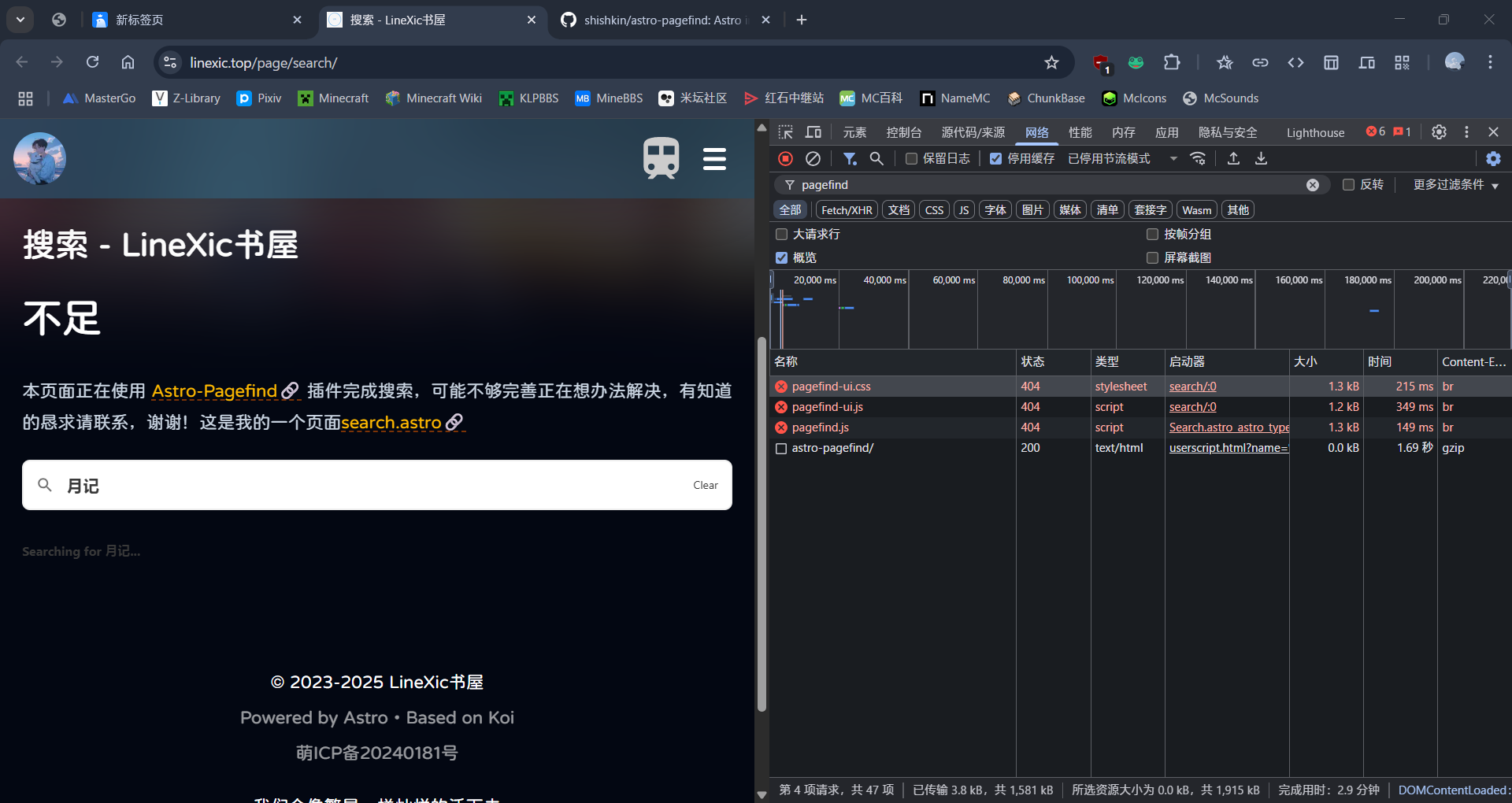
之后在 src/pages 目录下新建页面,页面的模板视使用的主题而定,引入组件
---
import Search from "astro-pagefind/components/Search";
---

<Search id="search" class="pagefind-ui" uiOptions={{ showImages: false }} />
目前为止就已经完成了所有配置,现在需要 pnpm build 后 pnpx pagefind --site dist 即可完成搜索功能的构建。但这样每次构建还需要多输入一次命令,如何更省事呢,找到 package.json 中的 scripts 字段,添加以下代码:
"scripts": {
  "build:pagefind": "astro build && pagefind --site dist --output-subdir _pagefind"
}
如果 build 命令被占用就可以使用 build:pagefind 这样每次构建只需要 pnpm build 即可完成搜索功能的构建。
不出意外你的搜索功能已经可以用了,如果还是你不能用请检查你的 dist 目录下有没有 pagefind 文件。接下来可以去官方文档中探索更多用法
留下自己的足迹吧