


The Cerbos Hub Playground has seen a steady stream of improvements over the past few months, transforming it from a simple policy testing tool into a full-featured authorization development environment.
Here's a rundown of everything that's shipped.
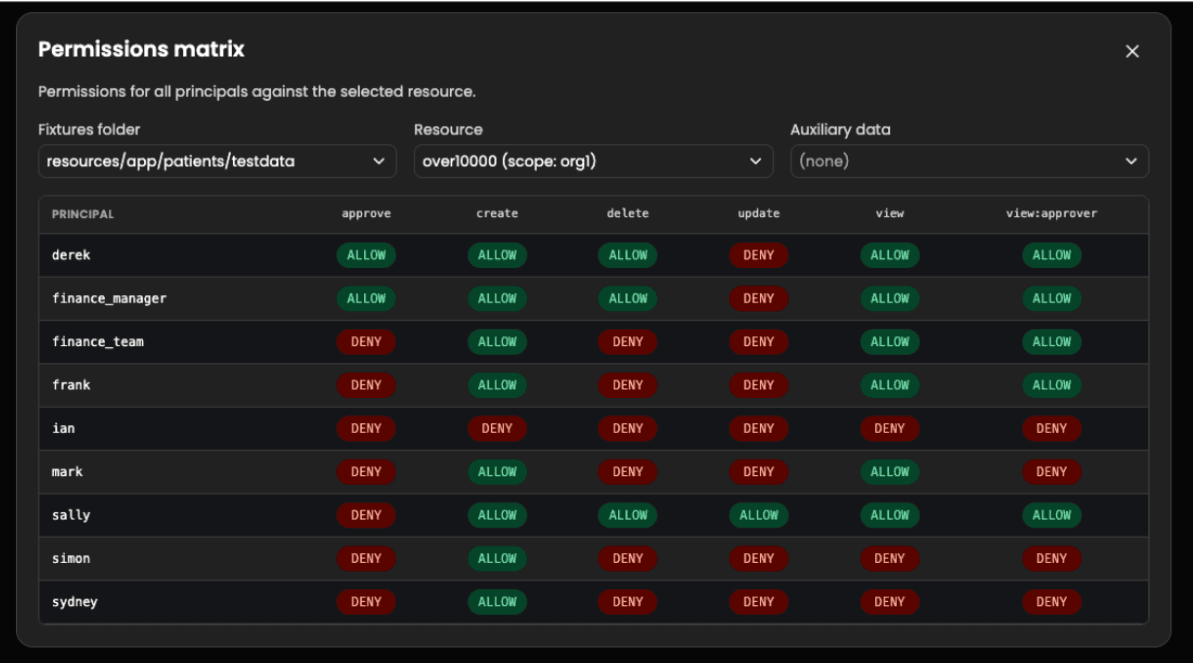
Testing individual requests is useful, but understanding the full picture of who can do what across your system requires a broader view. The playground now includes a matrix check view that displays permission evaluation results in a comprehensive grid format. Select your principals, resources, and actions, and the matrix renders the complete set of authorization outcomes. This is particularly useful during demos and policy reviews where stakeholders need to see the overall access landscape at a glance.
Playgrounds are increasingly used as shareable examples — for onboarding new team members, demonstrating authorization patterns, or collaborating on policy designs. To support this, playgrounds now render README.md files as formatted markdown when opened. READMEs can include relative links to other files in the playground and external links (shown with a confirmation dialog). When a playground has a README and no file is selected, it displays automatically, giving visitors immediate context about what they're looking at.
One of the most requested features: you can now create a playground directly from an existing policy store. This lets you pull your production policies into an isolated sandbox where you can experiment freely without affecting live authorization decisions. It's also a quick way to use an existing store as a starting point when developing new policies, saving you from rebuilding complex policy structures from scratch.
When a test case fails, understanding why it failed is half the battle. The playground now provides a side-by-side diff comparing expected output with actual output. The visual comparison highlights the specific differences — whether it's a missing permission, an unexpected denial, or an incorrect output value — so you can quickly identify the root cause and fix failing tests with confidence.
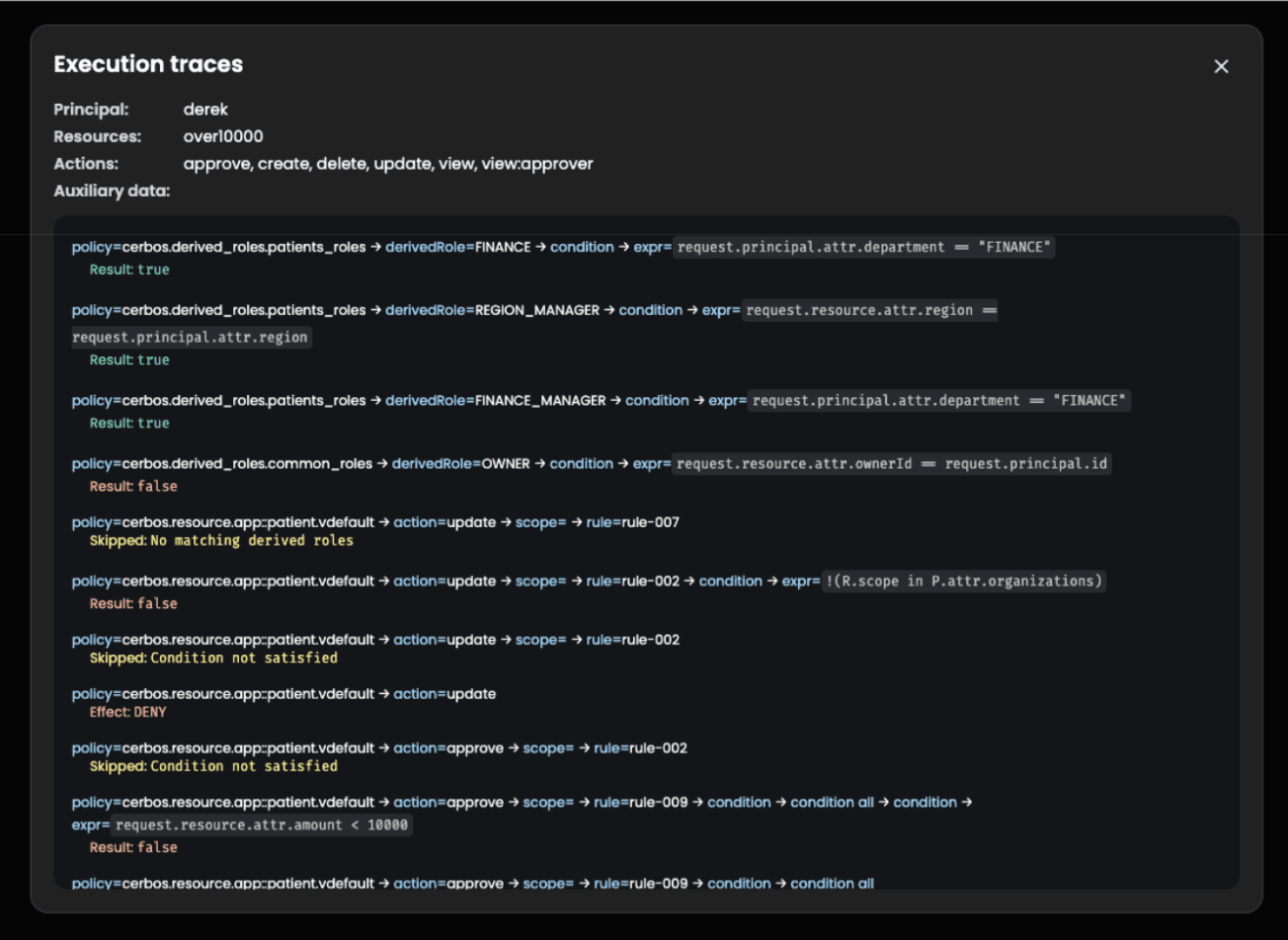
Execution traces are now available directly in the playground's explore tab. As you experiment with different principals, resources, and actions, you can inspect the complete policy evaluation path in real time. Every rule evaluation, condition check, and variable resolution is visible, making it straightforward to debug complex policy logic and verify that your authorization rules behave as expected before deploying them.
Before zip support landed, we shipped the ability to drag and drop individual policy and test files from your local machine directly into the playground editor. No more copy-pasting file contents — just drop your files and start testing.
The playground template picker now includes examples for role policies and policy constants. These templates make it easier to get started with advanced policy features without needing to look up the syntax from scratch.
When evaluating policies in the playground, the effective derived roles for a user are now displayed alongside the authorization result. This helps you understand which derived roles were activated during a request — useful for debugging scenarios where role assignment logic interacts with resource policies in unexpected ways.
We covered this in a previous post, but for completeness: the playground now supports engine settings, including default policy version, lenient scope search, and globals. These settings let you match the playground's behavior to your production PDP configuration, ensuring that what you test in the playground matches what happens in production.
Icon-only buttons throughout the interface now have proper accessibility labels for screen reader users. Identifiers such as policy names, resource kinds, and action names are displayed in a fixed-width font for improved readability.
The playground continues to be the fastest way to develop, test, and debug Cerbos authorization policies. All of these features are available now in Cerbos Hub. If you have feedback or feature requests, join us on Slack or open an issue on GitHub.
此内容由惯性聚合(RSS阅读器)自动聚合整理,仅供阅读参考。 原文来自 — 版权归原作者所有。