




在CentOS上安装Docker的过程相对简单,可以通过官方提供的安装包安装。以下是详细的安装步骤。
1.安装依赖包
在安装Docker之前,确保安装了一些必要的依赖包。
yum install -y yum-utils device-mapper-persistent-data lvm22.设置Docker的YUM仓库
Docker的安装包需要从仓库获取,执行以下命令来添加阿里云的Docker仓库。
sudo yum-config-manager --add-repo http://mirrors.aliyun.com/docker-ce/linux/centos/docker-ce.repo3.安装Docker引擎
使用YUM安装Docker社区版(docker-ce,即Docker Community Edition)。
yum install -y docker-ce docker-ce-cli containerd.io4.启动Docker服务
安装完成后,需要启动Docker服务,并且将其设置为开机自启。
sudo systemctl start docker
sudo systemctl enable docker
5.检查Docker是否正确安装
可以通过以下命令检查Docker的安装是否成功。
sudo docker version如果成功安装,你会看到Docker客户端和服务端的版本信息。
6.测试Docker安装
运行以下命令,拉取一个测试镜像并启动一个容器,以验证Docker安装是否正常。
sudo docker run hello-world如果Docker安装成功,命令会拉取hello-world镜像并启动容器,屏幕上会显示一条测试成功的信息。
7.配置阿里云镜像加速
因阿里云加速服务调整,镜像加速服务自2024年7月起不再支持,从镜像仓库中拉取镜像时,需要科学上网直接访问DockerHub
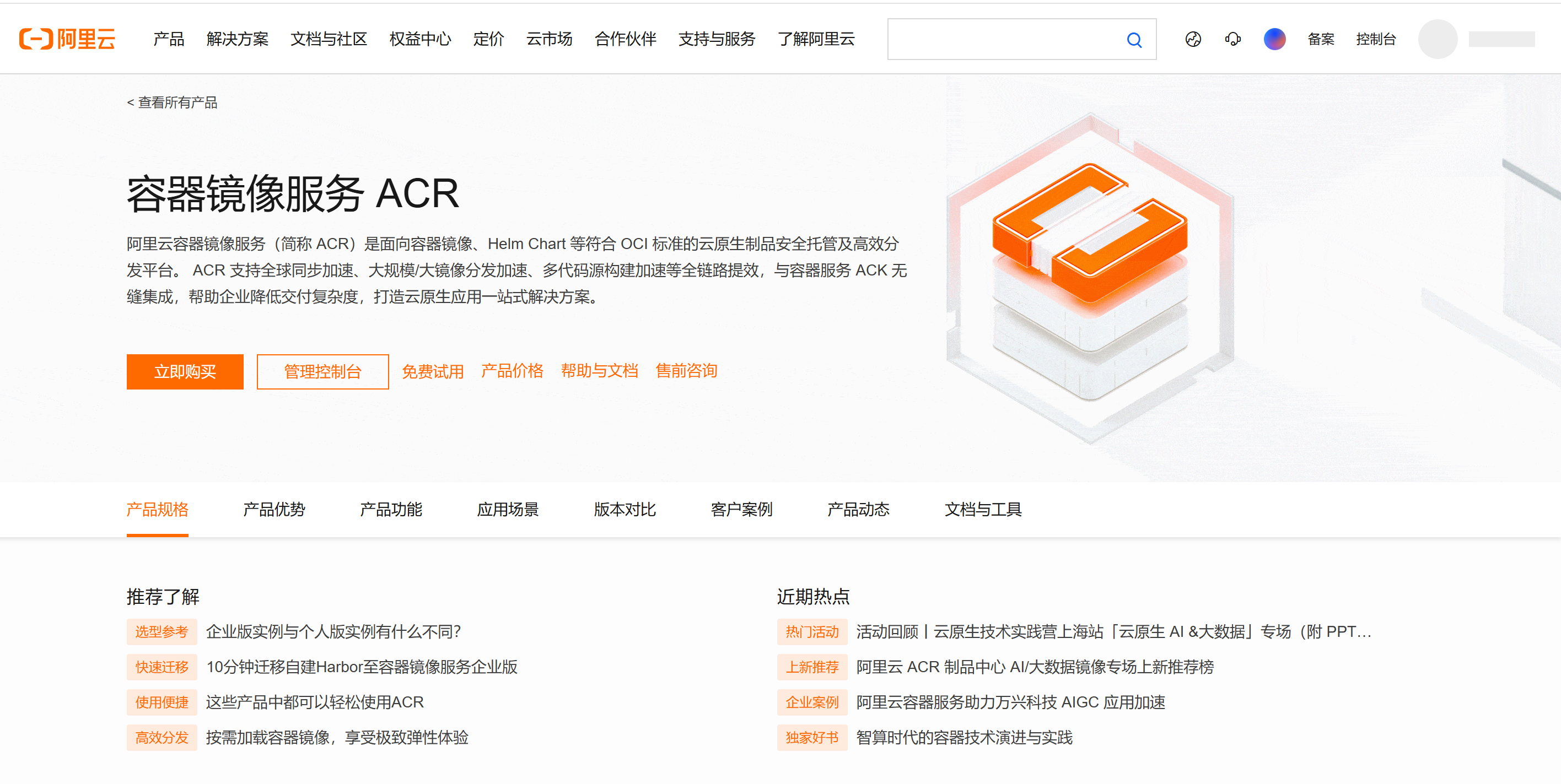
注册登录阿里云,并找到容器镜像服务。
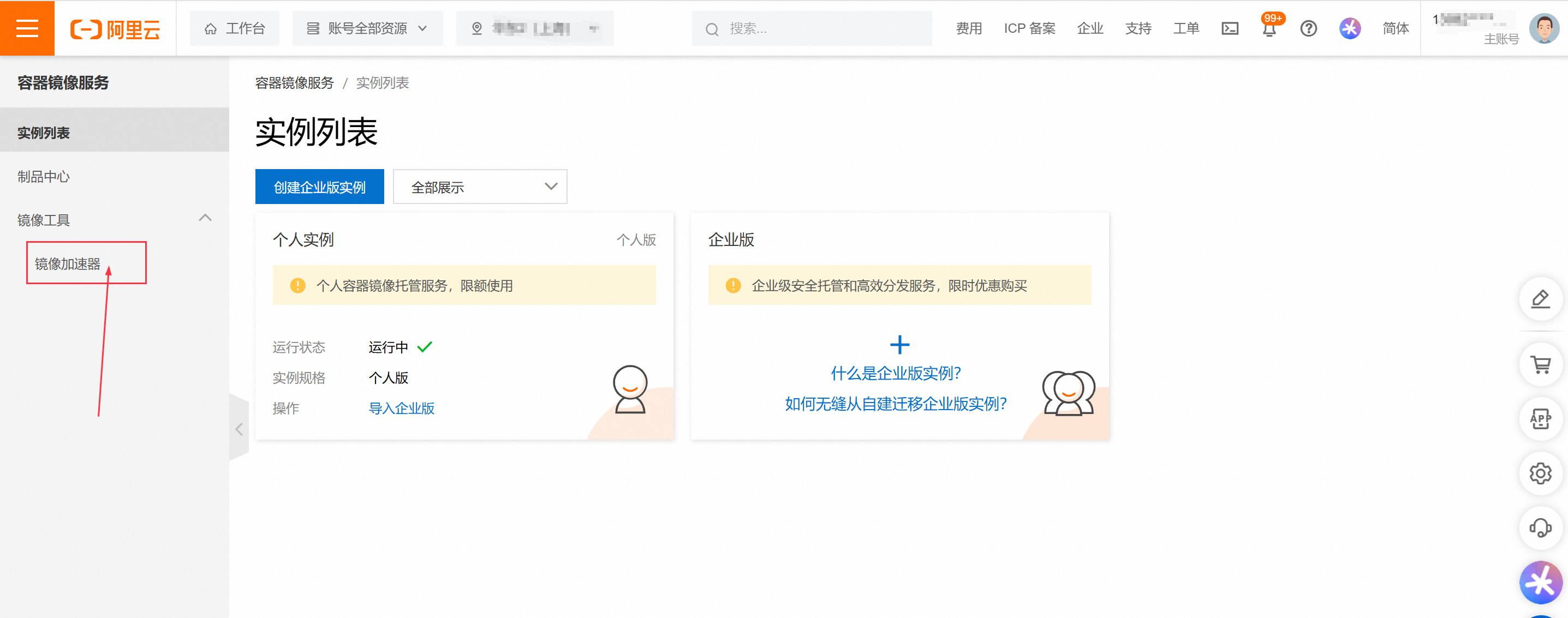
进入管理控制台,找到镜像加速器
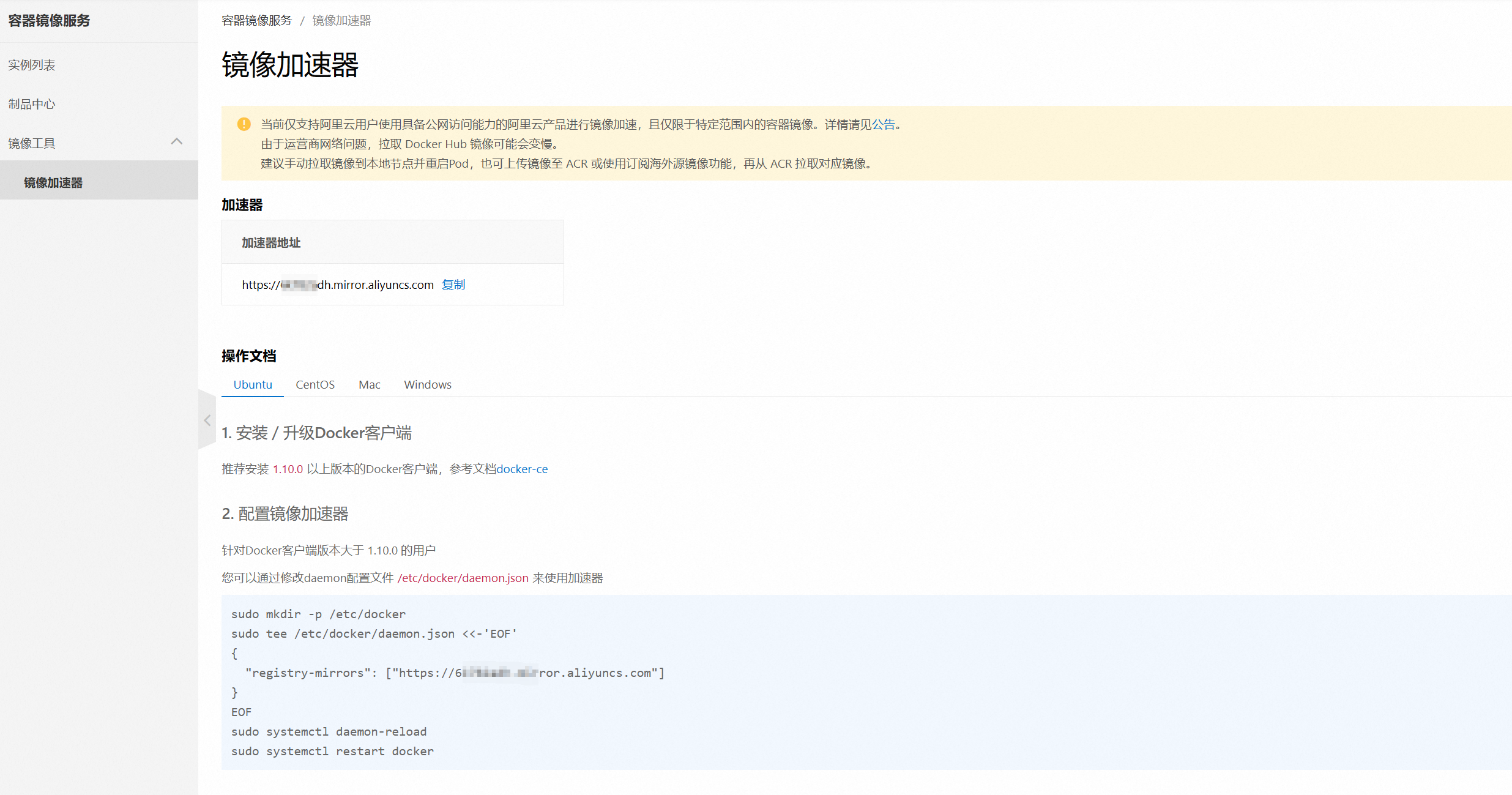
复制粘贴对应目标操作系统的命令,然后在服务器上执行命令,创建或修改 /etc/docker/daemon.json 配置文件后,重新启动docker。
sudo mkdir -p /etc/docker
sudo tee /etc/docker/daemon.json <<-'EOF'
{
  "registry-mirrors": ["https://**********.mirror.aliyuncs.com"]
}
EOF
sudo systemctl daemon-reload
sudo systemctl restart docker1.版本号
docker version [root@localhost ~]# docker version
Client:
Version: 18.09.6
API version: 1.39
Go version: go1.10.8
Git commit: 481bc77156
Built: Sat May 4 02:34:58 2019
OS/Arch: linux/amd64
Experimental: false
Server: Docker Engine - Community
Engine:
Version: 18.09.6
API version: 1.39 (minimum version 1.12)
Go version: go1.10.8
Git commit: 481bc77
Built: Sat May 4 02:02:43 2019
OS/Arch: linux/amd64
Experimental: false
2.信息
docker info [root@localhost ~]# docker info
Containers: 13
Running: 1
Paused: 0
Stopped: 12
Images: 12
Server Version: 18.09.6
Storage Driver: overlay2
Backing Filesystem: xfs
Supports d_type: true
Native Overlay Diff: true
Logging Driver: json-file
Cgroup Driver: cgroupfs
Plugins:
Volume: local
Network: bridge host macvlan null overlay
Log: awslogs fluentd gcplogs gelf journald json-file local logentries splunk syslog
Swarm: inactive
Runtimes: runc
Default Runtime: runc
Init Binary: docker-init
containerd version: bb71b10fd8f58240ca47fbb579b9d1028eea7c84
runc version: 2b18fe1d885ee5083ef9f0838fee39b62d653e30
init version: fec3683
Security Options:
seccomp
Profile: default
Kernel Version: 3.10.0-957.el7.x86_64
Operating System: CentOS Linux 7 (Core)
OSType: linux
Architecture: x86_64
CPUs: 2
Total Memory: 2.848GiB
Name: localhost.localdomain
ID: RCBQ:PBOK:LB2T:BZ2E:IPLL:63L6:ZCUO:3WLF:5G4M:OV5A:7TA6:5ARP
Docker Root Dir: /var/lib/docker
Debug Mode (client): false
Debug Mode (server): false
Registry: https://index.docker.io/v1/
Labels:
Experimental: false
Insecure Registries:
127.0.0.0/8
Registry Mirrors:
https://6k782adh.mirror.aliyuncs.com/
Live Restore Enabled: false
Product License: Community Engine
WARNING: bridge-nf-call-iptables is disabled
WARNING: bridge-nf-call-ip6tables is disabled
3.帮助
docker --help 此内容由惯性聚合(RSS阅读器)自动聚合整理,仅供阅读参考。 原文来自 — 版权归原作者所有。