



By Avinash, GenAI Practice Lead | Part 1 | Part 2 | Part 3 | Part 4 of 6
Claude Code has a growing plugin ecosystem. The temptation is to install everything — more agents, more skills, more coverage. This is the wrong approach, especially on a Pro plan.
Every plugin injects instructions into your session context at startup. A plugin with 38 agents and 156 skills adds a meaningful token overhead to every single session, whether you use those skills or not. On Pro where you're paying per input token, a bloated plugin stack is a recurring tax on every conversation.
I installed, evaluated, and removed several plugins before settling on 9 that earn their place. Here's the final stack and the reasoning behind each.
The 9 Plugins
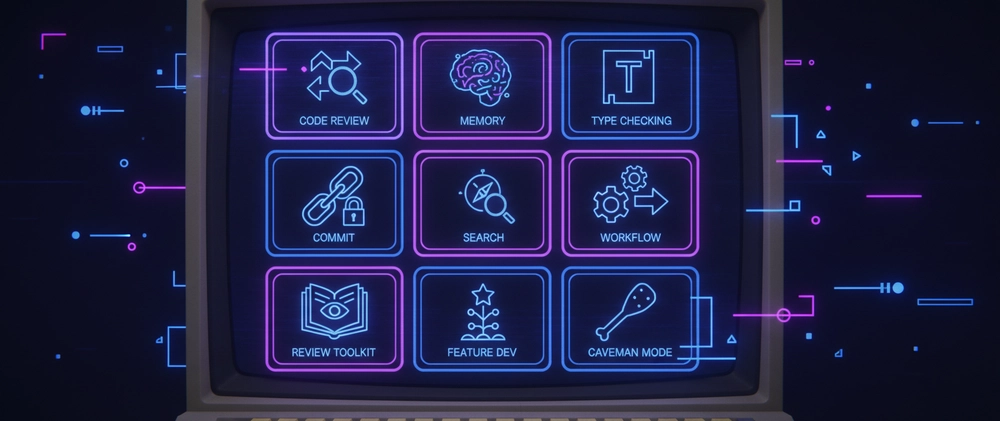
caveman — strips filler from Claude's responses. No pleasantries, no hedging, just signal. The benchmarks show ~65% output token reduction on coding tasks. In practice the savings are real and the response style actually improves for tight coding loops — you get code and decisions, not explanations you didn't ask for. Activate with /caveman, deactivate with "normal mode" before switching to documentation or client-facing writing.
claude-mem — persistent memory across sessions. This is the most impactful plugin in the stack. Without it every Claude Code session starts completely blank — no knowledge of what you built yesterday, no context on architectural decisions made last week. With it, the session opens with a compressed summary of relevant past work injected automatically. For multi-week projects this eliminates the re-establishment overhead that quietly consumes 10-15 minutes of every session. It runs a background worker on port 37777 with a web viewer for your observation history.
code-review — 5 parallel Sonnet agents reviewing your code before pushes. Covers CLAUDE.md compliance, bug detection, historical context, PR history, and code comments simultaneously. Trigger with /code-review after any meaningful change.
pr-review-toolkit — deeper review covering tests, error handling, type design, code quality, and simplification. Use this before anything that goes into a production codebase or published whitepaper. Run with /pr-review-toolkit:review-pr all.
feature-dev — three-agent workflow for new features: explore codebase → architect solution → review quality. Reserve it for moments where you'd naturally step back and think about design before writing code. Overkill for bug fixes, well-suited for new model wrappers or evaluation dimensions.
commit-commands — auto-generates meaningful commit messages from staged changes. Replaces the cognitive overhead of writing commit messages at the end of a long session when you're tired and just want to push.
context7 — pulls current SDK documentation into context automatically when you're working with external libraries. When your code references a LiteLLM function or a Boto3 call, context7 fetches the current docs rather than relying on Claude's training data which may be stale on specific SDK versions.
taches-cc-resources — a collection of workflow commands worth knowing: /create-plans for structured project planning with PLAN.md, /debug-like-expert for systematic debugging with evidence gathering, and /ask-me-questions for requirement clarification before starting a large ambiguous task.
pyright-lsp — Python language server via Pyright. Gives Claude real-time type errors, import resolution, and go-to-definition across your codebase. Without it Claude reads files reactively when something breaks. With it, it sees problems as they exist in your code continuously.
What I Removed
everything-claude-code — 38 agents, 156 skills, 72 legacy command shims. The context footprint is enormous and the coverage largely duplicates what the targeted plugins above already handle. Removed.
Installing the Stack
Add the marketplaces first — these commands run inside a Claude Code session, not in your terminal:
/plugin marketplace add anthropics/claude-code
/plugin marketplace add anthropics/claude-plugins-official
/plugin marketplace add glittercowboy/taches-cc-resources
/plugin marketplace add thedotmack/claude-mem
/plugin marketplace add JuliusBrussee/caveman
Then install:
/plugin install code-review@claude-code-plugins
/plugin install pr-review-toolkit@claude-code-plugins
/plugin install feature-dev@claude-code-plugins
/plugin install commit-commands@claude-code-plugins
/plugin install context7@claude-plugins-official
/plugin install pyright-lsp@claude-plugins-official
/plugin install taches-cc-resources@taches-cc-resources
/plugin install claude-mem@thedotmack
/plugin install caveman@caveman
Reload with /reload-plugins. Expected output: 9 plugins · 35 skills · 18 agents · 10 hooks · 2 plugin MCP servers · 1 plugin LSP server.
Quick Reference
| Plugin | Trigger | When to use |
|---|---|---|
| caveman | /caveman |
All coding sessions |
| claude-mem | Auto | Always on |
| code-review | /code-review |
Before any meaningful push |
| pr-review-toolkit | /pr-review-toolkit:review-pr |
Before production or published code |
| feature-dev | /feature-dev |
New features requiring design thinking |
| commit-commands | /commit-commands:commit |
Every commit |
| context7 | Auto | Working with external SDKs |
| taches-cc-resources |
/create-plans, /debug-like-expert
|
Planning and complex debugging |
| pyright-lsp | Auto | Always on for Python projects |
← Back to Part 3 | Continue to Part 5 → Terminal Environment