













What is Azure Storage
Azure storage is Microsoft's-managed cloud-based storage service that allows individuals and organizations to store, manage, and access data such as files, Blobs and more. Azure Storage is used in applications such as serving videos, pictures, game content, PDFs, and any other content stored on a user's computer. It is known for its highly scalable, reliable, secure, and durable capabilities, and is accessible from anywhere in the world. Azure Storage always stores multiple copies of your data to protect it from planned and unplanned events.
Setting up Azure Storage is fast and easy. The setup has to be done within an Azure Storage account under your Azure subscription. This can be done by adding a new storage account using the Azure portal, meaning you need to be logged into the Azure portal to be able to use the various services offered by Azure.
In this article, I will walk through the process of creating a storage account for the Testing and Training IT department using the following steps:
Create a resource group and a storage account.
1. Create and deploy a resource group to hold all your project resources.
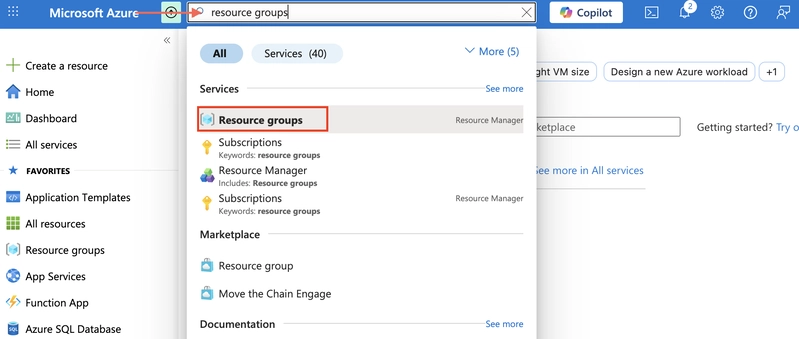
- In the Azure portal, search for and select Resource groups.
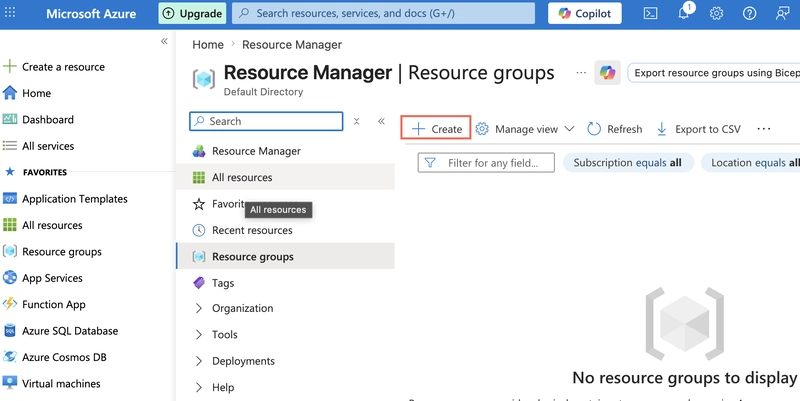
- Select + Create.
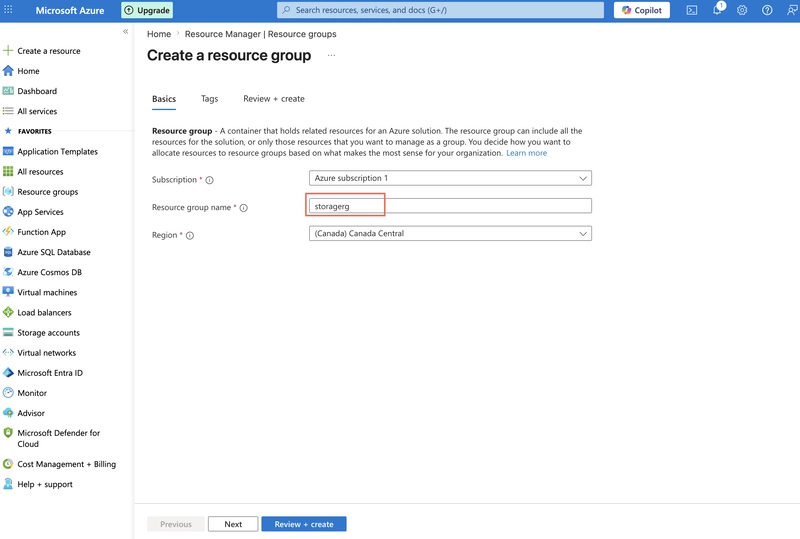
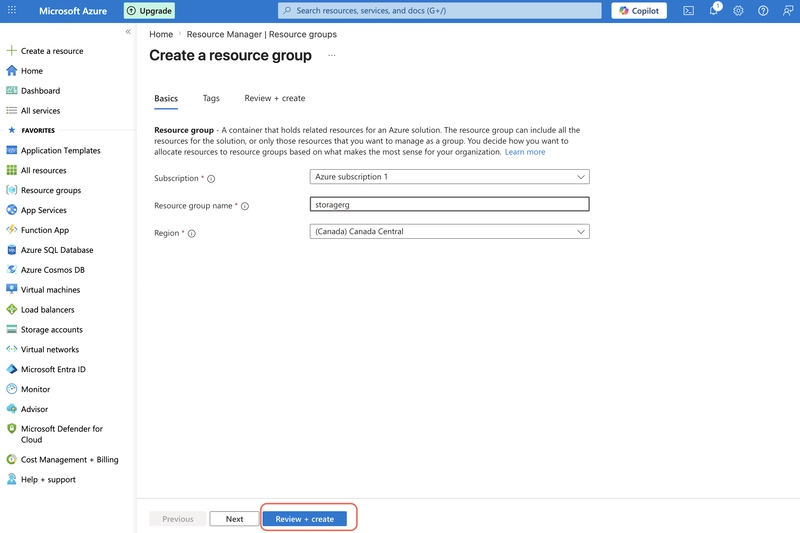
- Give your resource group a name. For example, storagerg.
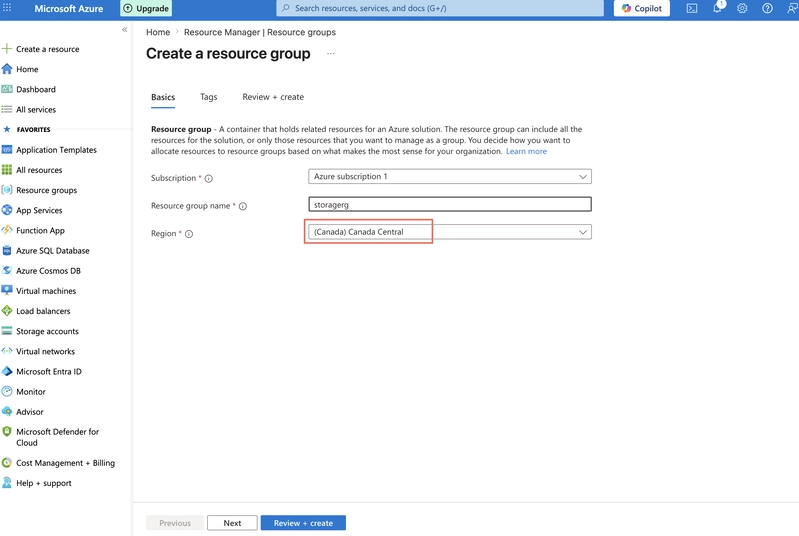
- Select a region. Use this region throughout the project.
- Select Review and create to validate the resource group.
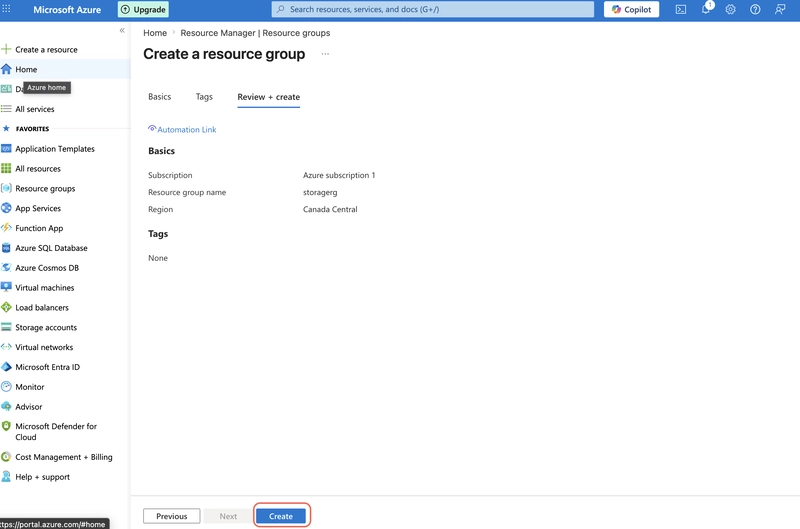
- Select Create to deploy the resource group.
2. Create and deploy a storage account to support testing and training.
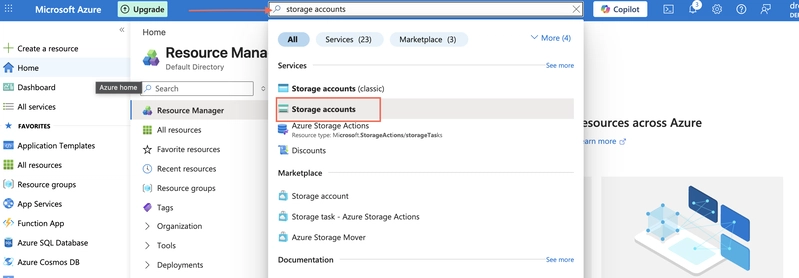
- In the Azure portal, search for and select Storage accounts.
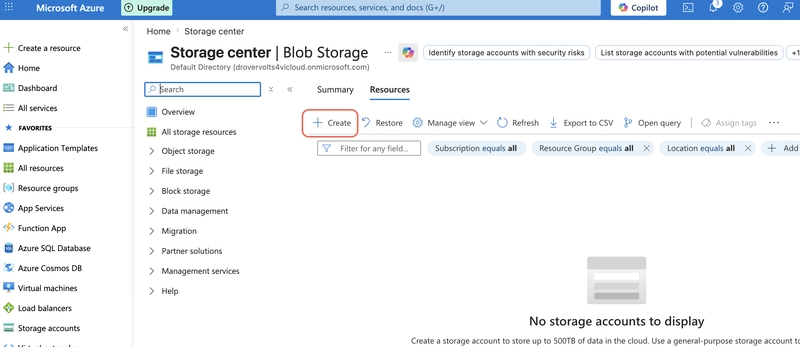
- Select + Create.
- On the Basics tab, select your Resource group.
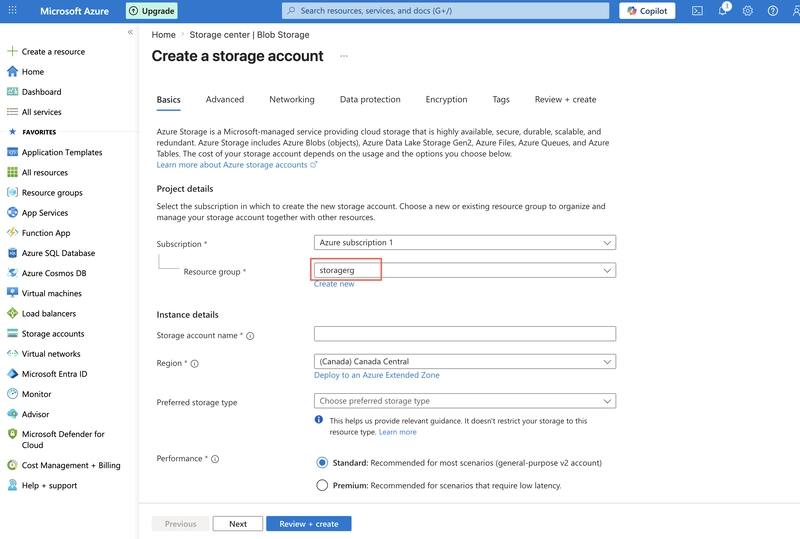
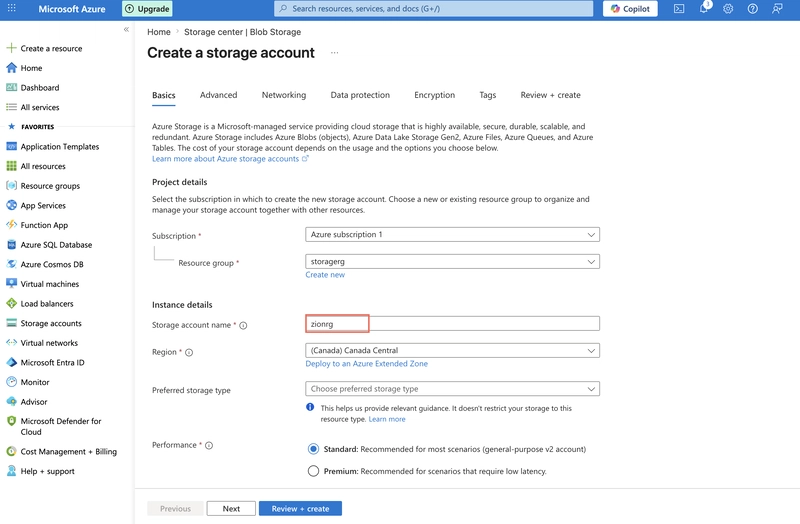
- Provide a Storage account name. The storage account name must be unique in Azure.
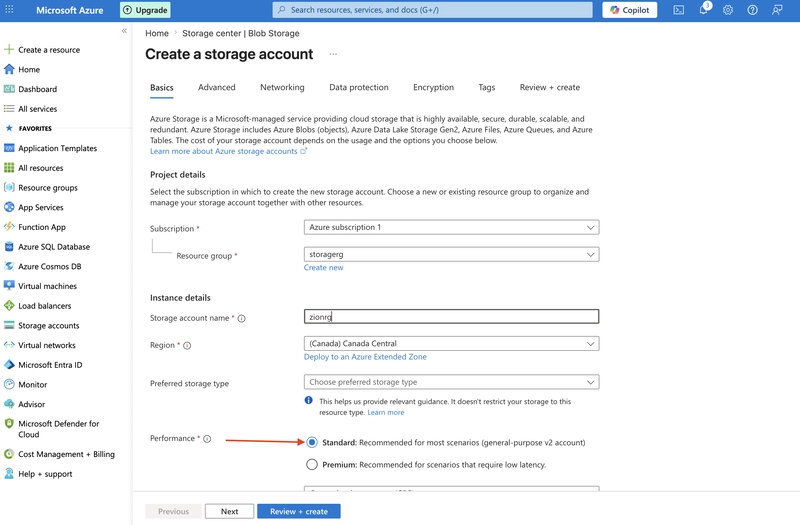
- Set the Performance to Standard.
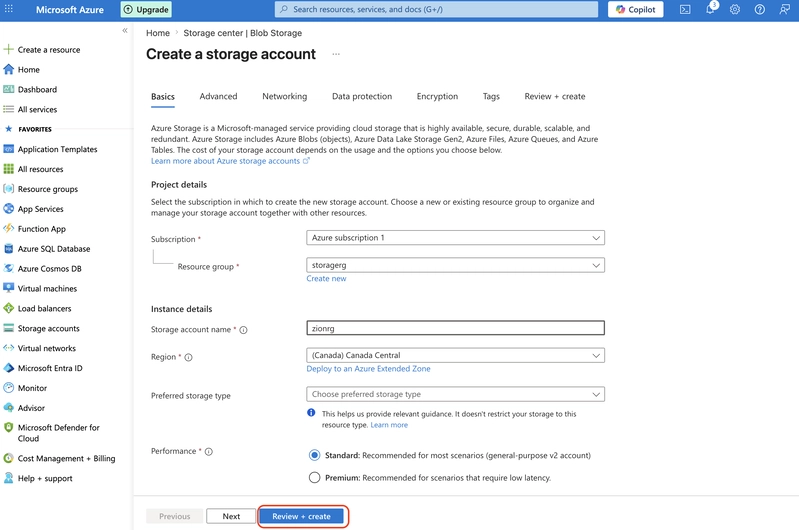
- Select Review, and then Create.
- Wait for the storage account to deploy and then Go to resource.
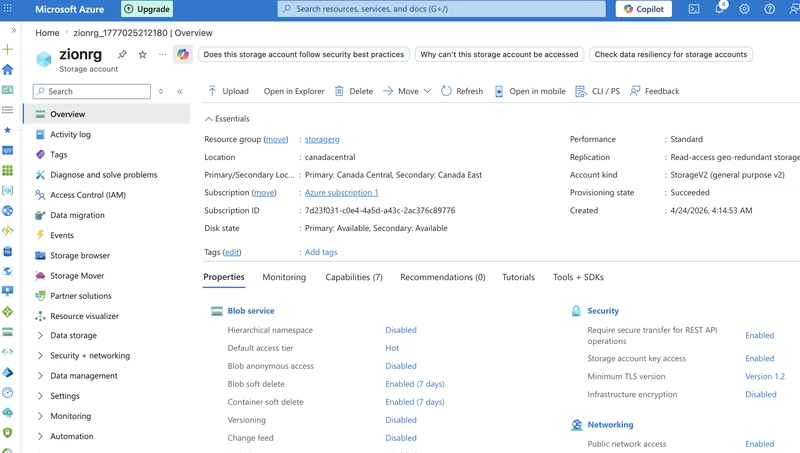
Configure simple settings in the storage account.
1. The data in this storage account doesn’t require high availability or durability. A lowest cost storage solution is desired.
- In your storage account, in the Data management section, select the Redundancy blade.
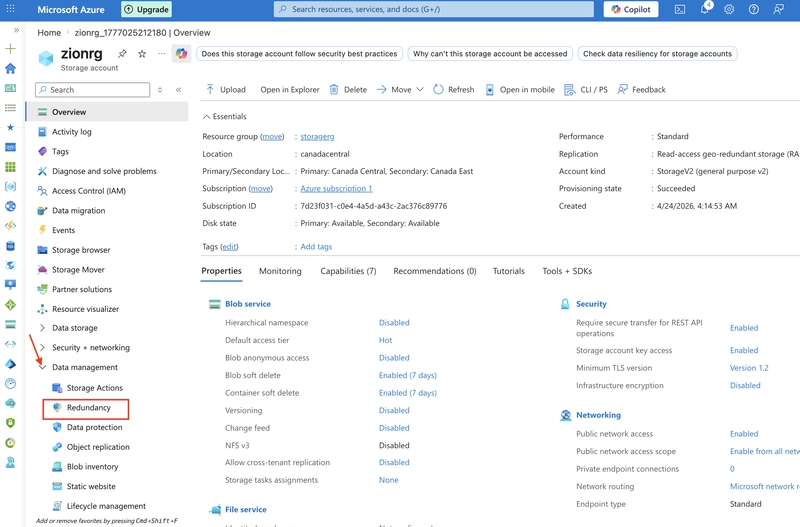
- Select Locally-redundant storage (LRS) in the Redundancy drop-down.
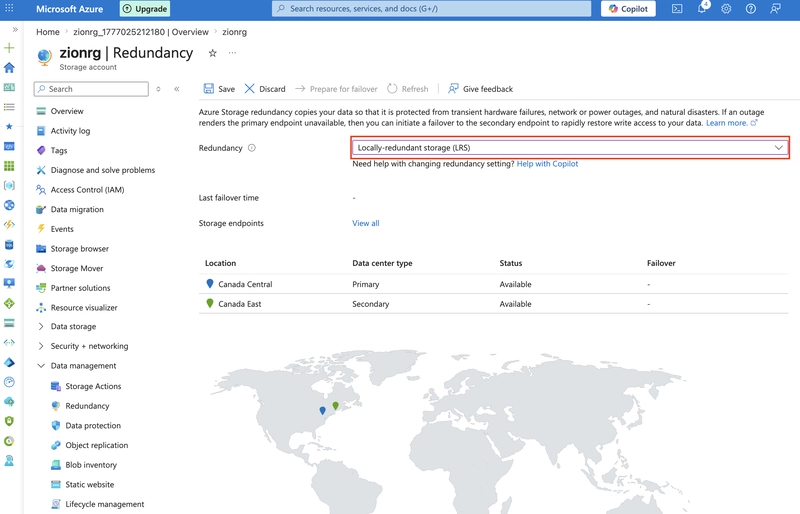
- Be sure to Save your changes.
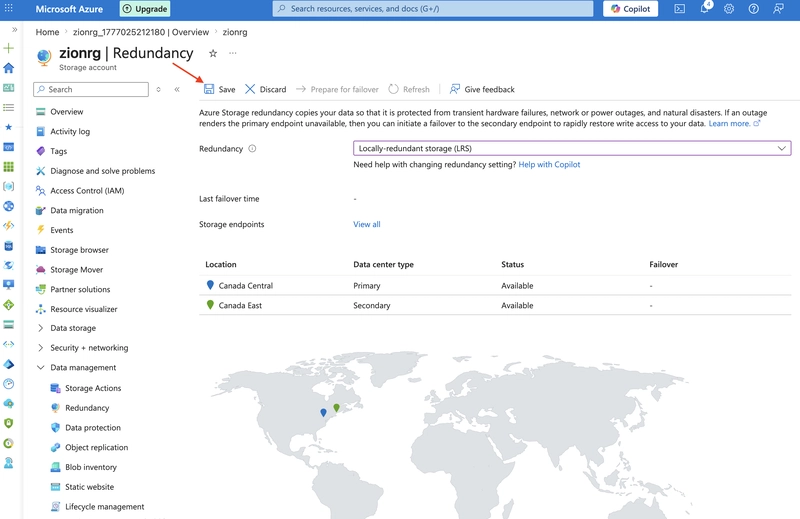
- Refresh the page and notice the content only exists in the primary location.
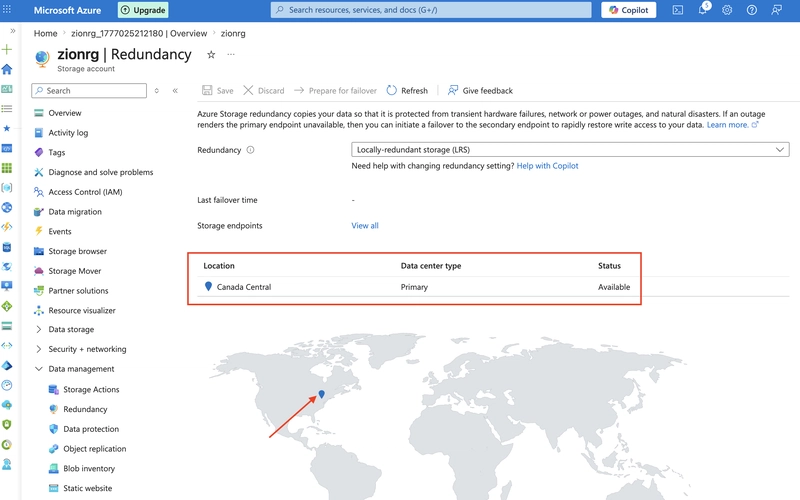
2. The storage account should only accept requests from secure connections.
- In the Settings section, select the Configuration blade.
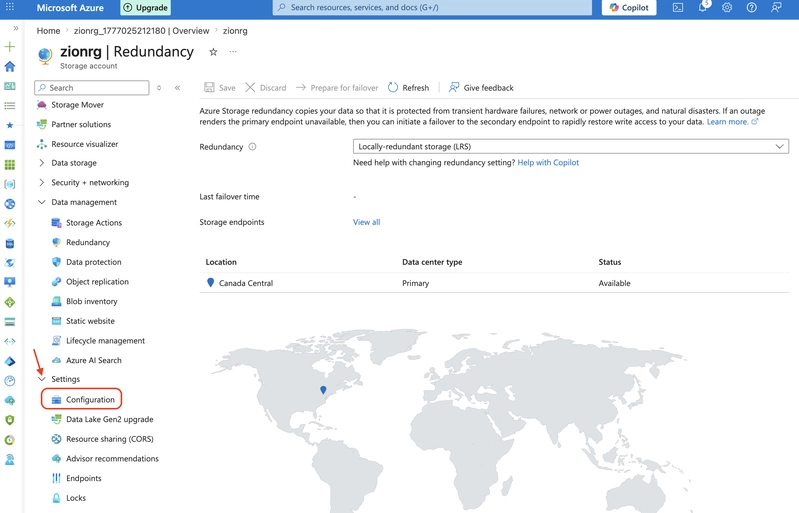
- Ensure Secure transfer required is Enabled.
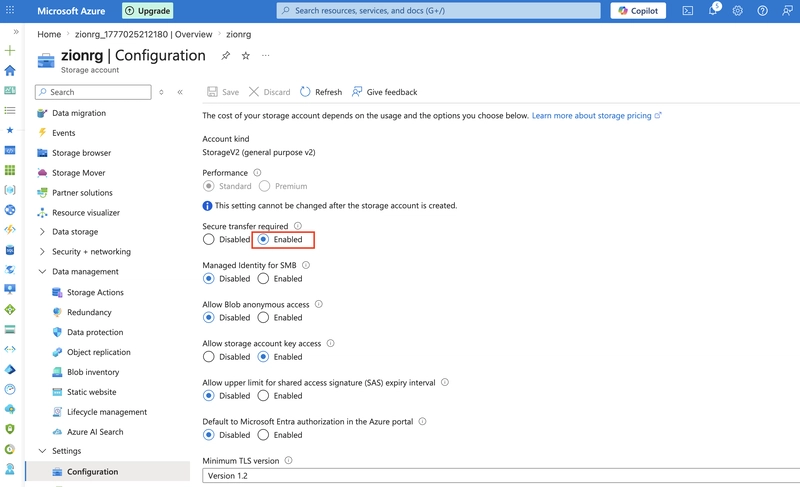
3. Developers would like the storage account to use at least TLS version 1.2.
- In the Settings section, select the Configuration blade.
- Ensure the Minimal TLS version is set to Version 1.2.
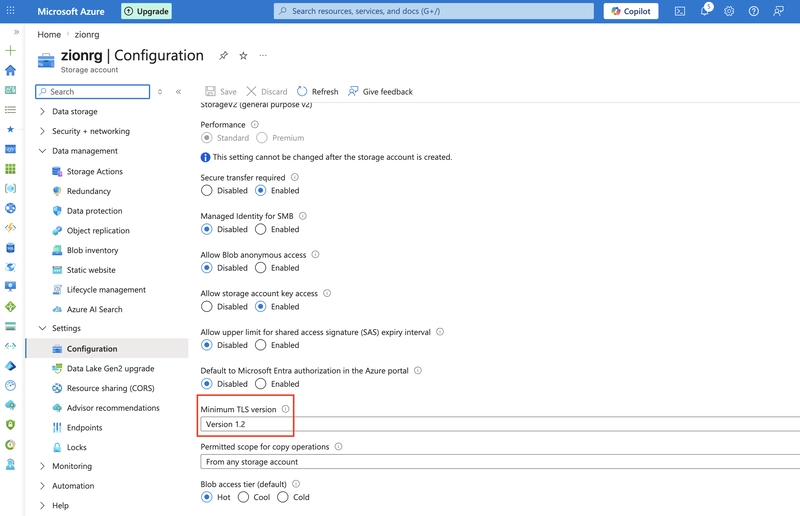
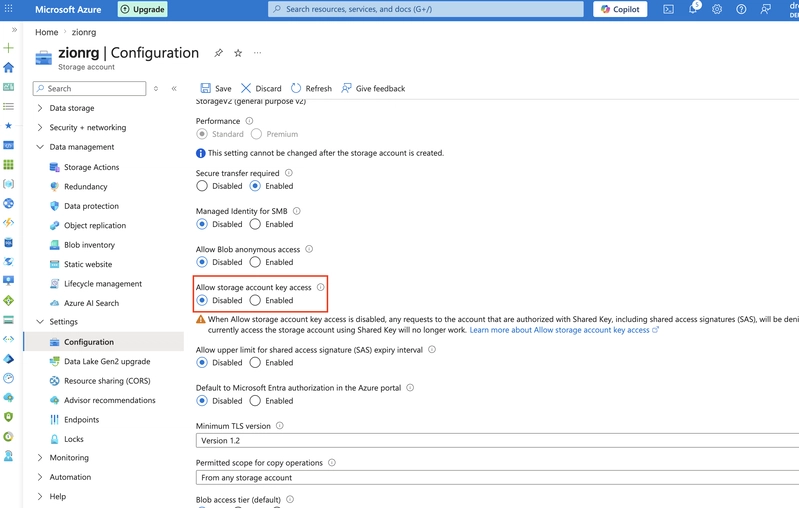
4. Until the storage is needed again, disable requests to the storage account.
- In the Settings section, select the Configuration blade.
- Ensure Allow storage account key access is Disabled.
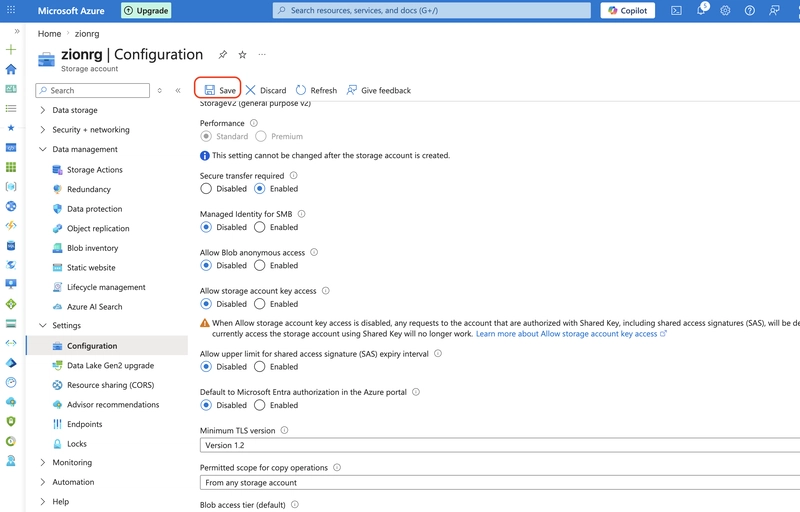
- Be sure to Save your changes
5. Ensure the storage account allows public access from all networks.
- In the Security + networking section, select the Networking blade.
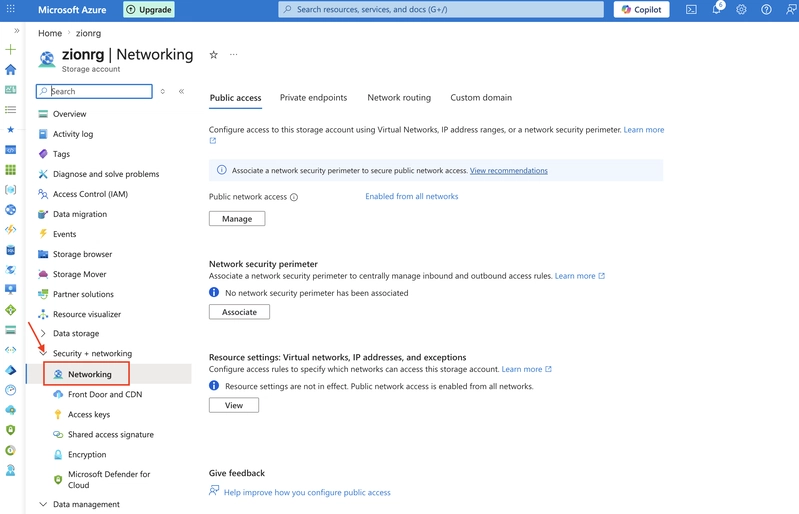
- Ensure Public network access is set to** Enabled from all networks.**
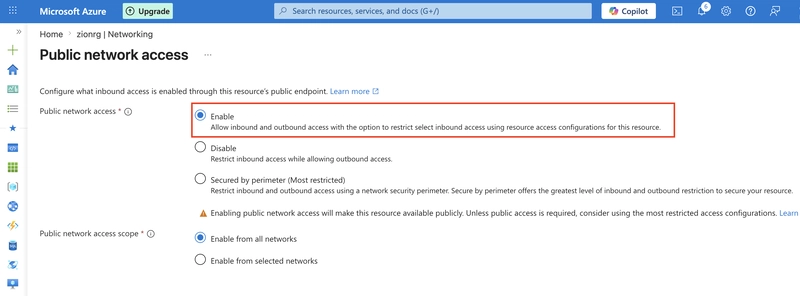
- Be sure to Save your changes.